
8 Best Hotel Lobby AI Generators for the Orange-Booth Trend
Put your duo in the orange booth: compare eight Hotel Lobby AI tools by photo inputs, preview limits, video costs, audio, and how much control you need.
On this page
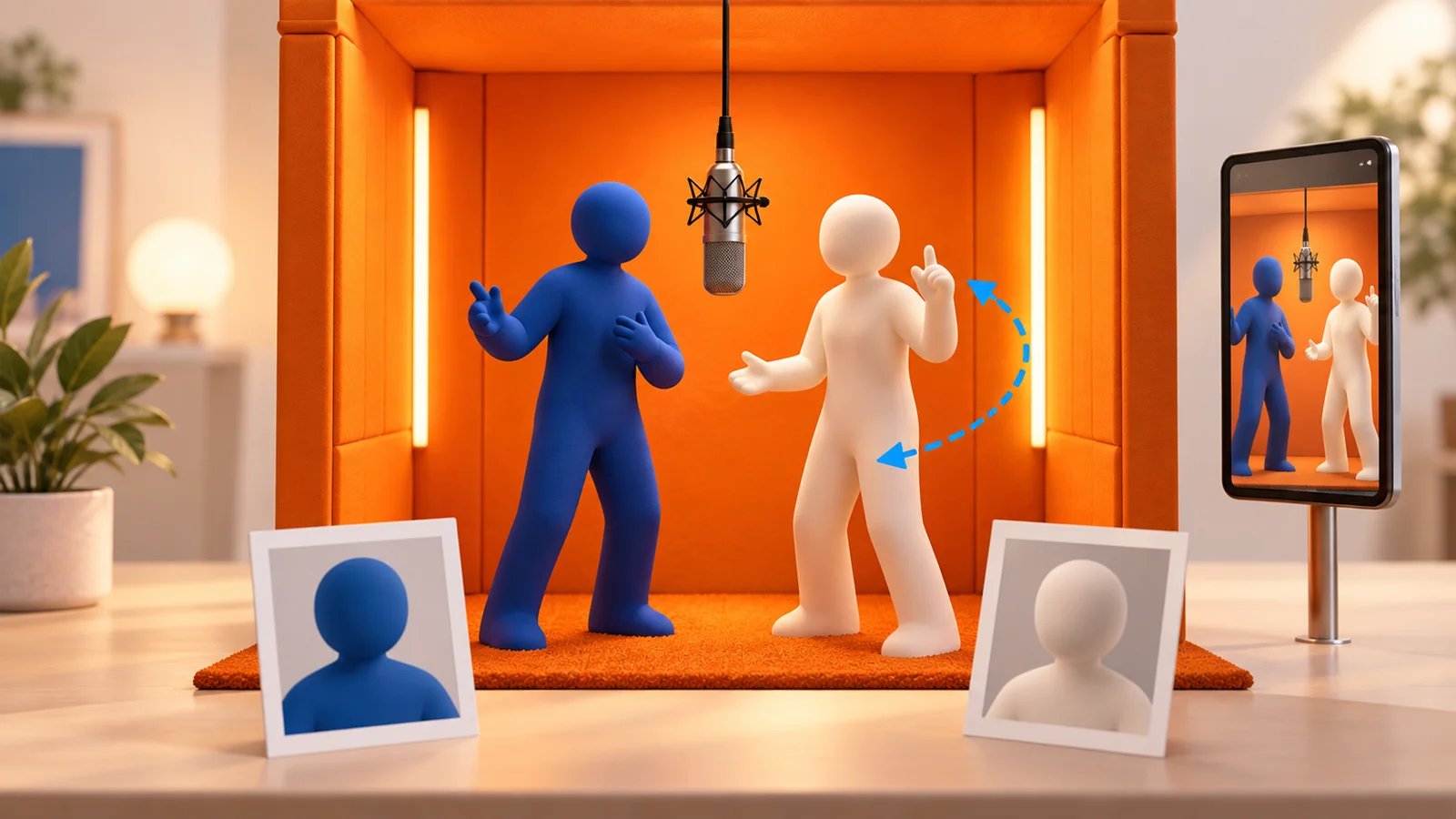
A Hotel Lobby AI generator turns photos into the orange-booth duet associated with Quavo and Takeoff's “Hotel Lobby” performance on A COLORS SHOW. The important choice is how you want to make it: generate a new scene, use an existing performance template, or direct the movement yourself.
Start with Make Hotel Lobby if you want two photos of people or pets to become a 16-second vertical orange-booth performance, with account-free one-time packs from $9.99. Add TikTok's “original sound - COLORS” from 0:00 to complete the duet. Choose Fuzana to inspect a free booth-photo preview first; VibeAha for a fixed ten-second silent clip with two resolution tiers; Starrd to use its 15-second template with the track its guide advertises; or Dreamina for a prompt-directed scene.
This selection uses official product pages checked on September 30, 2026, with VibeAha checked on October 4, 2026 and Make Hotel Lobby's current features and prices checked on October 14, 2026. Product observations are based on the linked official materials. For broader creative work beyond this one format, see the AI video generator workflow guide.
Compare the Hotel Lobby workflows
“Free” can mean a still-photo preview, signup credits, or trial access. Those are different from a free downloadable duet video. Credit balances also belong to each provider: 20 Fuzana credits and 100 Starrd credits are not comparable units.
| Tool | Choose it for | Input and output | Access or cost | Audio and workflow |
|---|---|---|---|---|
| Make Hotel Lobby | A two-photo orange-booth duet for people or pets | Two photos → 16-second 9:16 MP4 | $9.99 for one video; one-time packs of 1, 3, 5, or 20 | Silent, watermark-free download; add “original sound - COLORS” from 0:00 |
| Fuzana | Checking the booth composition before paying for video | Two photos → free still preview, then a clip | Video starts at 20 credits; one-time pack required | Original AI audio; still preview is not a free video |
| VibeAha | A fixed duet with a visible resolution quote | Two photos → 10-second 9:16 MP4 | 480p: 280 credits; 720p: 630 credits; account required | Silent export; welcome credits do not cover a video |
| Starrd | A 15-second template with advertised Hotel Lobby audio | Two photos → 15-second 9:16 clip | 100 credits; guide estimates about $5 | Guide says the real track is included; currently warns of delays |
| Summrs | Choosing standard or extended performance templates | Photo input → Hotel Lobby template video | 50 signup credits; plans from $15/month; top-ups available | Template-led workflow; exact clip cost and audio need checking |
| Ausar | Seeing a reference-video recipe and resolution controls | Two photos + built-in fixed video → character replacement | Credits charged per completed run; quote in generator | 480p, 720p, or 1080p options; retries can cost more |
| Dreamina | Directing cast, movement, and camera with prompts | Two references + Seedance 2.5 instructions | Free credits or trial access where available | More control; requires prompt iteration and account access checks |
| LightX | Exploring booth presets within a broader editing suite | One or two photos → selected Hotel Lobby preset | Free access and paid credits; verify template eligibility | Solo and duo options; free credits do not guarantee a free clip |
Choose your starting workflow
Choose the check that answers your question before paying for a longer clip:
- Does the pair look right in the booth? Use Fuzana's free still preview. Inspect both faces and their positions; a still cannot tell you whether identities will drift during motion.
- Can I inspect the video cost first? VibeAha shows 280 credits for 480p or 630 for 720p before generation. This is a quote, not a free moving preview.
- Do I want a two-photo duet with a clear one-time price? Make Hotel Lobby makes a 16-second, 9:16 MP4, starting at $9.99 for one video. Choose a single video for one duet or a larger pack for multiple takes or different pairs. Each video credit creates one clip, and unused credits remain available through your private pack link.
For movements timed to the COLORS trend sound, Make Hotel Lobby uses a preset orange-booth performance. Ausar provides a reference-video recipe, while Dreamina provides a prompt-led route for directing gestures and the scene. Choose the workflow around the performance you want to create.
Choose a generator for your duo

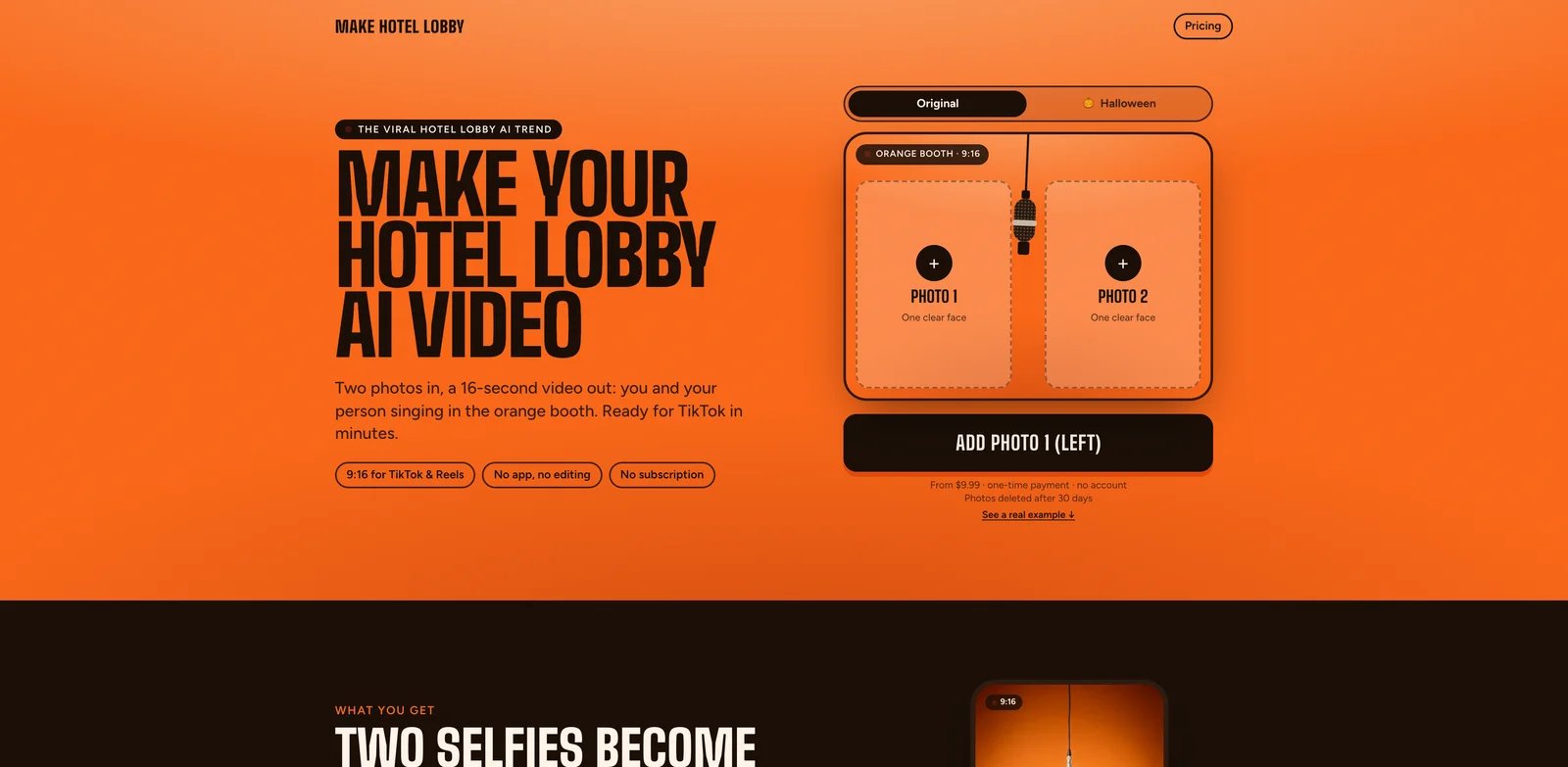
Make Hotel Lobby turns two photos into a 16-second, 9:16 MP4 of an orange-booth duet beside a hanging microphone. Photo 1 supplies the left performer and photo 2 the right. Either photo can feature a person or pet, including a pair of pets. The choreography and lip movements are timed for TikTok's “original sound - COLORS” starting at 0:00; add that sound to the downloaded silent clip in TikTok.
The current USD one-time packs are 1 Video for $9.99, 3 Video Takes for $19.99, 5 Video Takes for $29.99, and 20 Video Takes for $79.99, verified on October 11, 2026. One video suits a single duet; three takes suit several versions of one pair; five takes suit more versions or a few different pairs; twenty takes suit groups, parties, and creator projects. These are pack totals, and each credit makes one video. Purchases are account-free, and unused credits remain available through a private pack link without expiring.
Choose it for a photo-based duet with a preset performance and watermark-free MP4 delivery. The Halloween edition, available through October 31, casts photo 1 as a vampire and photo 2 as a skeleton, with the same video packs. People and pets can appear in this edition. Download through the private result page; the site also provides an email notification when ready. Uploads and generated videos are retained for 30 days.
See the Make Hotel Lobby tool profile for the product workflow and basic pack details.
Fuzana
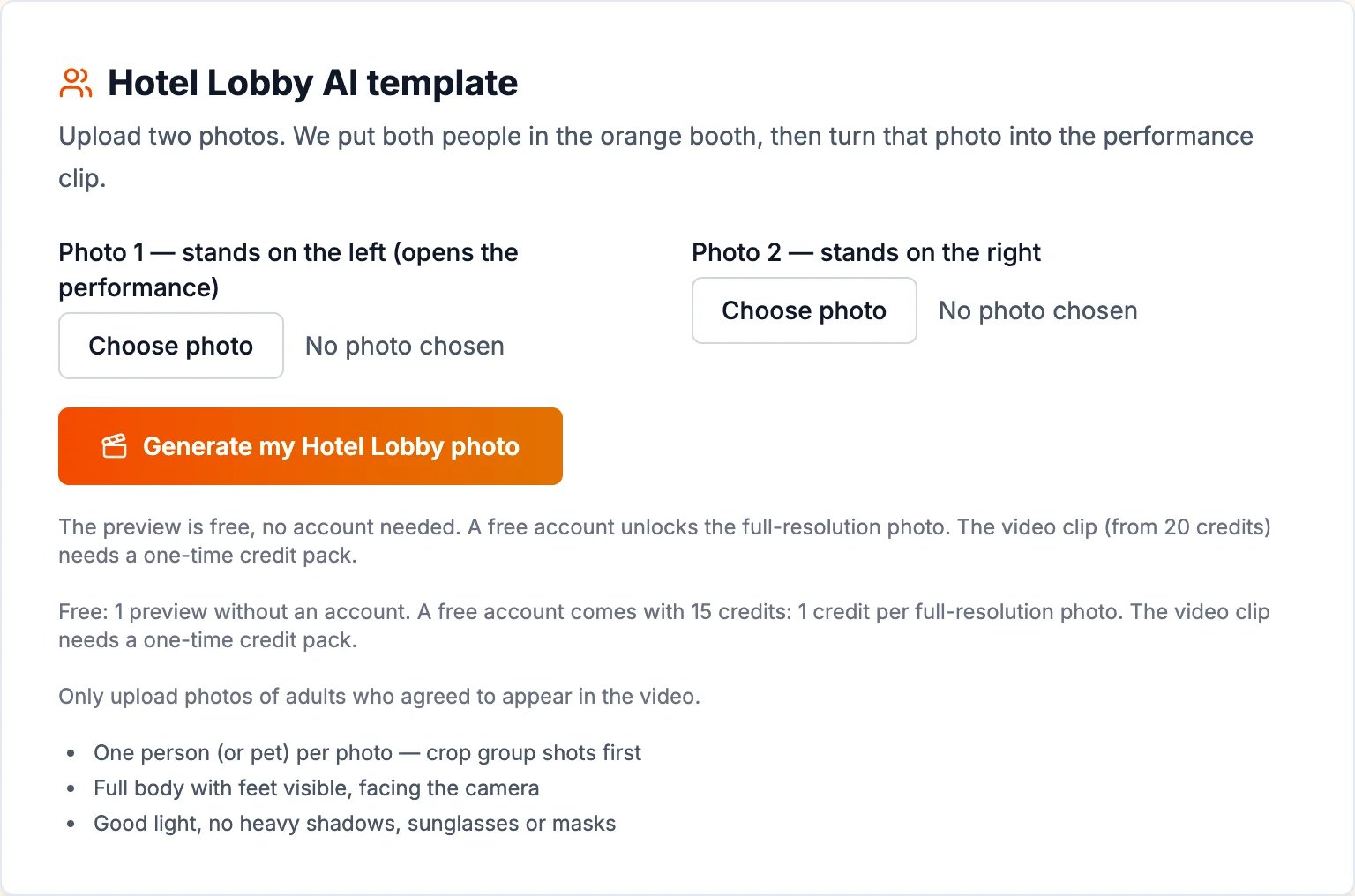
Fuzana's Hotel Lobby tool suits readers who want to check the two-person composition before spending on motion. Its no-account free preview is a booth photo, not a playable video. A free account unlocks the full-resolution photo and provides 15 credits; its advertised video costs exceed that allowance.
The page lists 20 credits for a five-second clip and 24 for ten seconds, purchased through a one-time pack. Normal and Super quality use different amounts of credit, and the example clips are labelled Super; check the selected tier's quote. It also shows a music-style selector and optional direction for the performance, with original generated audio rather than the commercial recording.
Choose it if the still preview and audio direction matter. Skip it if “free” must mean a finished duet video, or you want to use photos of children: the page limits human subjects to consenting adults. It advertises pets as supported. Its example area also mentions 15-second clips without a matching price in the explanation, so check that configuration's quote before paying.
VibeAha
VibeAha's Hotel Lobby generator takes separate left and right photos and produces a 10-second, 9:16 MP4 without sound. It requires an account, with 480p at 280 credits or 720p at 630 credits. Welcome credits do not cover a full video.
Choose it for a preset booth and visible resolution costs. Skip it for custom choreography, included audio, or a free video trial. The page says its gallery contains creative references rather than verified outputs from this tool; generation quality was not tested for this guide. Review both identities and add audio separately.
Starrd
Starrd's official Hotel Lobby guide describes a template that takes two photos and produces a 15-second, 9:16 duet. The guide says both subjects perform independently and the real Hotel Lobby track is underneath the video.
Its stated price is 100 credits, described by the provider as approximately $5. That estimate is not a separately verified cash checkout price. New accounts receive 20 welcome credits according to the guide, which does not cover one full video. The provider says credits do not expire and no subscription is required.
Choose it when the specific 15-second template and advertised audio are your priorities. Skip it when you need a firm completion deadline: the current page warns that high traffic is slowing generations. Check the template's current output and the permitted use of its audio before posting; included audio alone does not establish usage rights.
Open Starrd's Hotel Lobby guide
Summrs
Summrs offers standard and extended Hotel Lobby templates inside a larger catalogue of viral effects. Its product page frames this as putting your face into the COLORS performance, making it a different proposition from generating a newly directed booth scene.
The page advertises 50 free signup credits, subscriptions starting at $15/month for 300 credits, and top-ups from $5 for 50 credits without subscribing. It does not establish the exact cost of each Hotel Lobby variant, so neither the free allowance nor a top-up can be translated into a guaranteed number of finished clips.
Choose it if you want to compare the standard and extended templates and may reuse other effects. Skip it if you need a fully specified per-video price before signing up. Check both the credit quote and audio on the chosen template; this roundup does not assume its soundtrack from the performance's name.
Explore Summrs' Hotel Lobby templates
Ausar
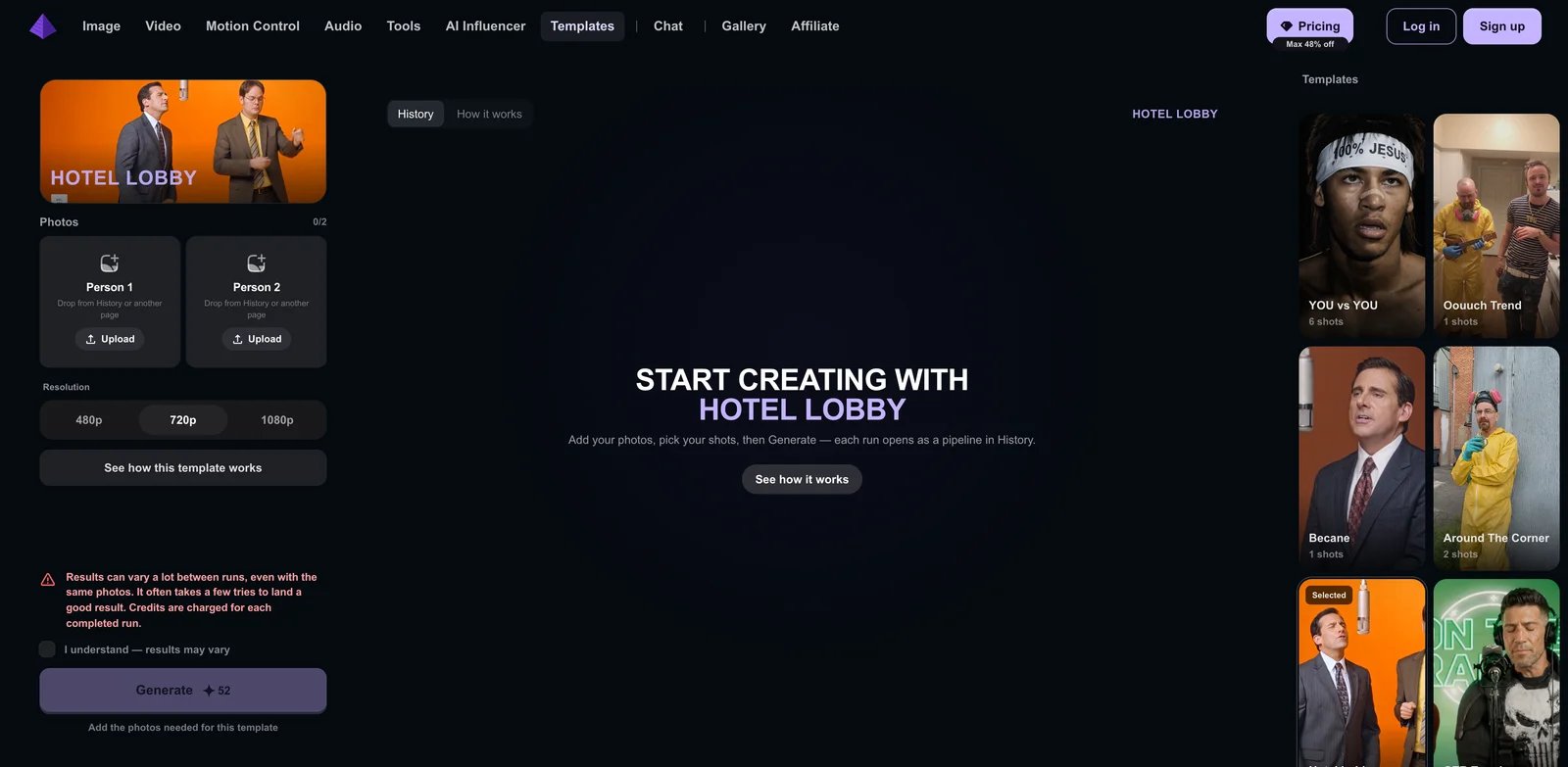
Ausar's Hotel Lobby template exposes two photo slots and 480p, 720p, and 1080p resolution choices. Its recipe describes “Swapping Characters,” combining the two images with a fixed reference video through a video-edit model.
This is useful when you want to inspect the template's construction rather than rely solely on a marketing description. Runs appear as pipelines in History. The page explicitly warns that results vary even with the same photos, several tries may be needed, and each completed run consumes credits.
Choose it for the visible reference-video workflow and resolution options. Skip it if a fixed cash price per acceptable result is essential. The inspected page showed the credit cost as still calculating, so no reliable per-video dollar figure is quoted here. Resolution options are interface controls, not evidence that one provider preserves faces better than another.
Dreamina
Dreamina's Hotel Lobby filter guide describes a prompt-led image-to-video workflow with Seedance 2.5. It provides instructions for two references, left/right placement, alternating movement, and a fixed camera. This is a way to direct the format rather than purchase one fixed performance.
Choose it when you want to change the cast or movement and can revise instructions. Its useful elimination test is visible: check whether each identity stays on its assigned side throughout the clip before adding complex gestures or camera changes. That is evaluation guidance, not a claim that this model passes the test.
Skip it if you want two uploads and no prompt work. “Create free” is conditional: the guide says free credits or trial access may be available to eligible accounts, while model access, credit cost, exports, and regions can change. Verify these in the actual generator. The Dreamina tool profile covers its broader role beyond this trend.
Read Dreamina's template workflow
LightX
LightX's Hotel Lobby page describes uploading one photo, or adding a second for a duo, then choosing a preset. Its listed options include an orange booth, a solo spotlight, and a longer performance version.
Choose it if you already use LightX for photo editing or want to explore preset variations alongside the duet. Its pricing page advertises six daily free AI credits and paid subscription/credit options. That does not establish that the specific Hotel Lobby video is free: the inspected pages did not expose its exact credit cost, duration, resolution, or included soundtrack.
Skip it when those output specifications must be known before choosing a platform. Inspect the selected preset's quote and preview rather than treating the entire template gallery as one product. The LightX tool profile provides context for its broader editor.
Explore LightX's Hotel Lobby presets
How to make your first Hotel Lobby AI video
Prepare two separate photos. Use one subject per image, with a clear face, good light, and a roughly forward-facing view. Crop each person out of a group photo first; avoid sunglasses, heavy face filters, and tiny faces. Decide which person goes on the left before uploading.
Follow the chosen tool's crop advice. Make Hotel Lobby recommends waist-up selfies; Fuzana recommends full-body photos with feet visible; Starrd asks for as much of the body as possible. For Make Hotel Lobby, use a clear photo for each subject and obtain permission for the photos, including guardian consent for minors. Make Hotel Lobby supports people or pets in either slot, including two pets; Fuzana also advertises pet support.
- Choose the generation route. For Make Hotel Lobby, upload the left and right photos and choose the original or Halloween edition. For Dreamina, open image-to-video, select Seedance 2.5, and add two references before writing the scene instructions. In a reference-video tool, watch the loaded performance before submitting photos.
- Choose your video quantity and format. Make Hotel Lobby provides 16-second, 9:16 MP4s in one-time packs of 1, 3, 5, or 20 video credits. Retain the private pack link to use remaining credits on the same or different pairs. In other tools, choose the duration and quality shown in the generator.
- Generate and review your clip. Play the full performance and review the cast, placement, movement, and framing for your post.
- Download and save the MP4. Use the result page's download control. Make Hotel Lobby retains uploads and videos for 30 days; unused video credits remain available through the pack link.
- Add the soundtrack and post. For Make Hotel Lobby, add “original sound - COLORS” from 0:00 in TikTok and select the AI-generated content label before posting. Instagram Reels provides Add audio. A finishing editor such as CapCut also supports preparing the clip for sharing.
A starter prompt for custom movement
For Dreamina's prompt route, this original example adapts the official two-reference method. Use it as a starting instruction for a prompt-led tool. Make Hotel Lobby uses its own preset orange-booth performance.
Create a vertical 9:16 orange studio duet. Keep Reference A on the left and Reference B on the right, with two distinct faces and outfits. Hang one microphone between them. Use a fixed camera and one continuous shot. A performs simple hand gestures while B listens, then they exchange roles. Keep both bodies visible and separated. Avoid extra people, merged faces, side swaps, and camera cuts.
Start with simple movement. If the identities drift, try clearer references or reduce the gesture complexity before adding camera motion. Negative instructions are requests, not guarantees. This prompt does not supply the song or promise word-for-word lip-sync.
Add the trend sound
Make Hotel Lobby's current audio instructions describe uploading the downloaded silent MP4 to TikTok, choosing Add sound, and selecting “original sound - COLORS”. Keep the sound starting at 0:00: the 16-second performance's choreography and lip movements are timed to that starting point. You can also open a Hotel Lobby video using that sound and select Use this sound.
For Instagram Reels, use Add audio and review the final timing before posting. Choose the platform's available sound for your account and intended use. Starrd's guide advertises an included track, while Make Hotel Lobby uses this platform-sound workflow.
Plan your photos, takes, and sharing
Choose the pair and its placement. In Make Hotel Lobby, photo 1 becomes the left performer and photo 2 the right. Either slot can contain a person or pet. Clear, well-lit, roughly front-facing photos are the recommended inputs.
Choose the number of videos you intend to make. The 1-, 3-, 5-, and 20-video packs all use one credit per clip. Multiple takes can feature the same pair or different pairs, and unused credits remain accessible through the private pack link.
Keep your pack link and finished downloads. Save the private pack link for future generations, and download finished MP4s during the 30-day media retention period. Email notifications provide a route back to the result page.
Prepare the platform soundtrack. Add “original sound - COLORS” from 0:00 to Make Hotel Lobby's 16-second clip in TikTok, review the completed post, and select the AI-generated content label.
Questions that change the choice
Which Hotel Lobby AI generator works without an account? Make Hotel Lobby provides account-free, one-time video purchases, with remaining credits accessible through a private pack link. Fuzana provides an account-free still-photo preview.
Is there a free downloadable Hotel Lobby AI video? VibeAha requires paid credits; its free quote preview is not a downloadable clip. Fuzana's free entry is a photo preview; Starrd's welcome credits are below its stated video cost; Summrs and Dreamina require checking the current template or account allowance.
Will every generator include the Quavo and Takeoff song? No. Check the audio boundary before paying: original generated vocals, a template with advertised track audio, and a silent visual are different deliverables.
Disclosure and sources
ToolWorthy is providing Make Hotel Lobby with a complimentary Verified Listing; no payment was received for that listing. The opening recommendation reflects its two-photo preset performance, account-free one-time packs, and platform-sound workflow.
Official links in each section support the relevant product observations. The original providers were checked on September 30, 2026; VibeAha was checked on October 4, 2026; Make Hotel Lobby's current pricing, workflow, and seasonal edition were checked on October 14, 2026. This is source-based product research.
Get ToolWorthy Weekly
New AI tools, practical guides, and selected AI signals in one weekly brief.
Related Posts
- Best Tiny Desk AI Tools for Outstanding-Style Videos
Choose a ready-made Outstanding set or build your own performance. Compare four tools by casting, motion, audio, output and the work each step requires.
- 8 Best Tools to Make Rumpelstiltskin AI Videos in 2026
Put yourself in the Rumpelstiltskin tiptoe meme, transfer a dance to your own character, or finish a green-screen remix with these eight video tools.
- Best Bulin 47 AI Video Makers: Photo, Motion and Editing
Make a Bulin 47 red-door freestyle from one photo, or build a creative version with your own motion video. Compare inputs, sound, format and pricing.
For AI tool founders
Built a tool that belongs in this decision set?
Request an editorial evaluation for possible inclusion in ToolWorthy.
Submit your tool for reviewPaid submission does not guarantee a ranking, recommendation, inclusion, or editorial outcome.