
8 Best Tools to Make Rumpelstiltskin AI Videos in 2026
Put yourself in the Rumpelstiltskin tiptoe meme, transfer a dance to your own character, or finish a green-screen remix with these eight video tools.
On this page
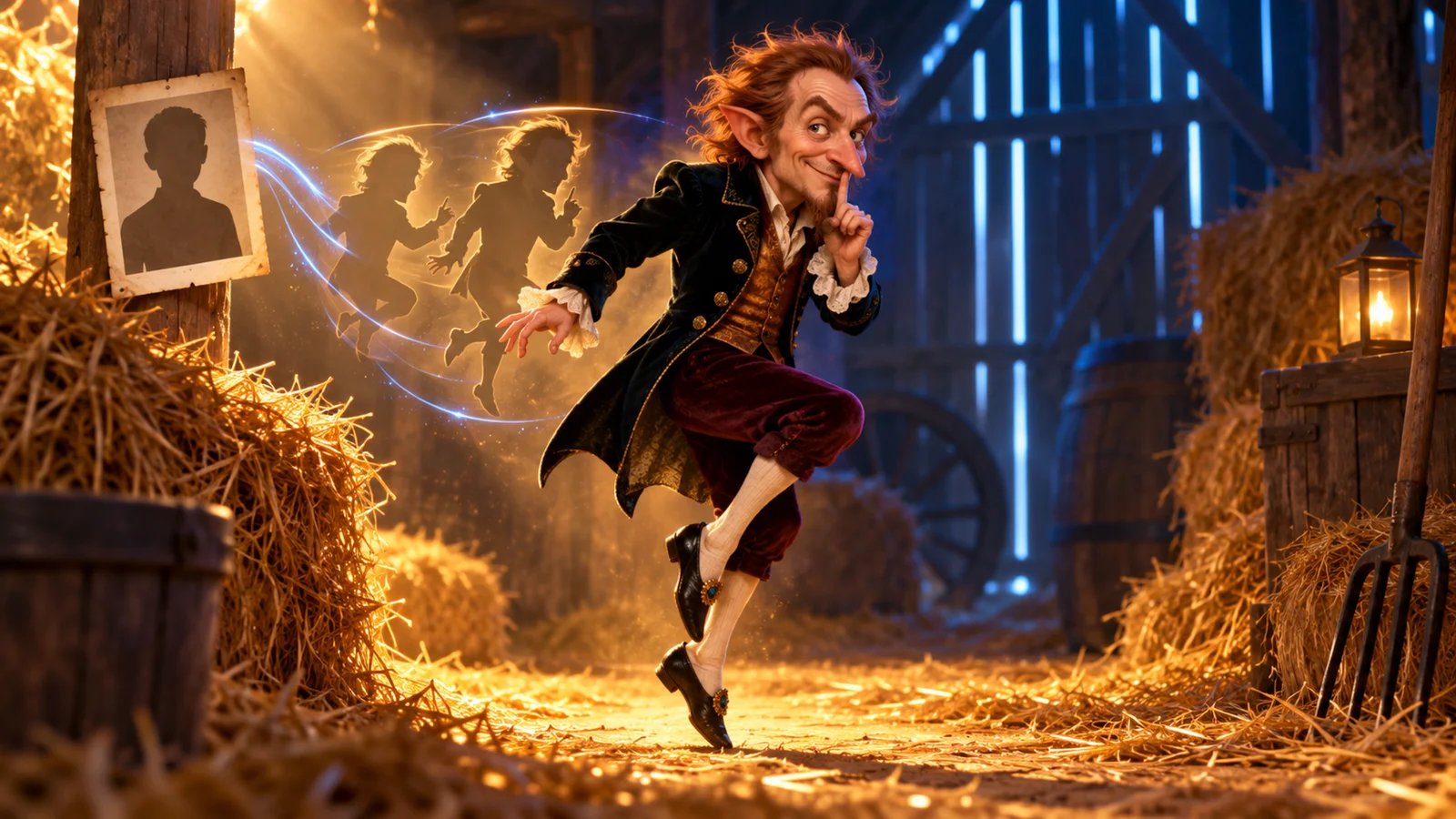
The Rumpelstiltskin tiptoe meme has a recognizable sequence: a velvet-coated little man approaches, shushes the camera, flashes a grin and dances through a straw-filled barn. Making your own version starts with deciding what you want to change: the faces in that prepared scene, the character performing the dance, or the edit around an existing clip.
Rumpelstiltskin AI is the first option here for casting yourself in the prepared twelve-second scene. RapVideo AI and AIGenTools offer other prepared casting formats; the remaining tools support a custom performance, a different visual treatment or the finishing edit. Each recommendation below is based on current official product materials checked on October 11, 2026; generation quality was not benchmarked.
Choose Your Rumpelstiltskin Video Workflow
| Tool | Best for | Inputs to prepare | Output workflow | Current cost basis |
|---|---|---|---|---|
| Rumpelstiltskin AI | Your face in the prepared barn meme | One photo; optional second photo for the reactor | Twelve-second silent 16:9 MP4; AI-rendered at 480p, delivered at 1920×1080 | USD 9.99 for one video; one-time packs |
| RapVideo AI | A two-person meme from separate or shared photos | Two individual photos or one photo of both people | Default 12-second, 16:9 MP4 with the meme track | 10 credits at Standard 720p; USD 9.99 Single pack includes 12 credits |
| AIGenTools | Casting either role and choosing a vertical format | One photo per role selected | Six- or thirteen-second clips; 16:9 or 9:16 | Basic: USD 15.90/month, 1,800 credits; cost shown for the selected effect |
| Kling AI | A character following a chosen dance | Character image and a continuous action video | Generate a motion-controlled shot, then assemble the edit | VIDEO 3.0: 9 credits/second Standard or 12 Professional |
| Runway | Performing your own shush and expressive reaction | Driving performance video and character image or video | Act-Two performance capture; up to 30 seconds | Standard: USD 15/month, or USD 12/month billed annually; 5 credits/second for Act-Two |
| Pika | A photo character borrowing a reference move | Character photo and movement clip | Motion Transfer, with an option for the source sound | Starter: USD 10/month, 900 monthly credits |
| Luma | Restyling your filmed performance | Source video and directions for the transformation | Ray3.2 Modify Video V2; up to 20 seconds at 1080p | Plus: USD 30/month, 10,000 credits; Ray3.2 1080p SDR video-to-video: 144 credits/second |
| CapCut | A green-screen remix or finished social post | An existing clip or keyed foreground footage | Timeline edit with backgrounds, text and audio | Free chroma-key workflow; paid features priced by region and platform |
For a single personalized meme, start with the photo-casting route. For a new character or setting, choose a reference-performance tool. When the clip is already made, move directly to the editor. The wider AI video generator category is useful for exploring other image-to-video workflows.
Three further dedicated options cover different prepared formats:
- rumpelstiltskin-ai.net creates a silent, eight-second 9:16 dance from one photo, with Face & hair or Full look casting. Its USD 4.99 one-time pack includes 500 credits: two Standard 480p clips at 220 credits each, or one HD 720p clip at 460 credits.
- TryH3 offers a twelve-second two-person scene. MiniMax H3 at 720p costs 118 credits; Seedance 2.5 at 1080p costs 473. Its Boost pack costs USD 29.90 once for 700 credits, enough for five MiniMax H3 takes. The USD 5 trial contains 24 credits; budget this effect from the larger packs.
- rumpelstiltskin-ai.com places its fixed fictional dancer into your photo or video background. It offers free watermarked previews and a USD 4.74 single-video launch unlock through October 31, 2026. Choose it when changing the background is the aim.
These hyphenated domains and TryH3 are separate services with their own formats. The first detailed recommendation below is rumpelstiltskinai.net.
Tools for Photo Casting and Custom Performances

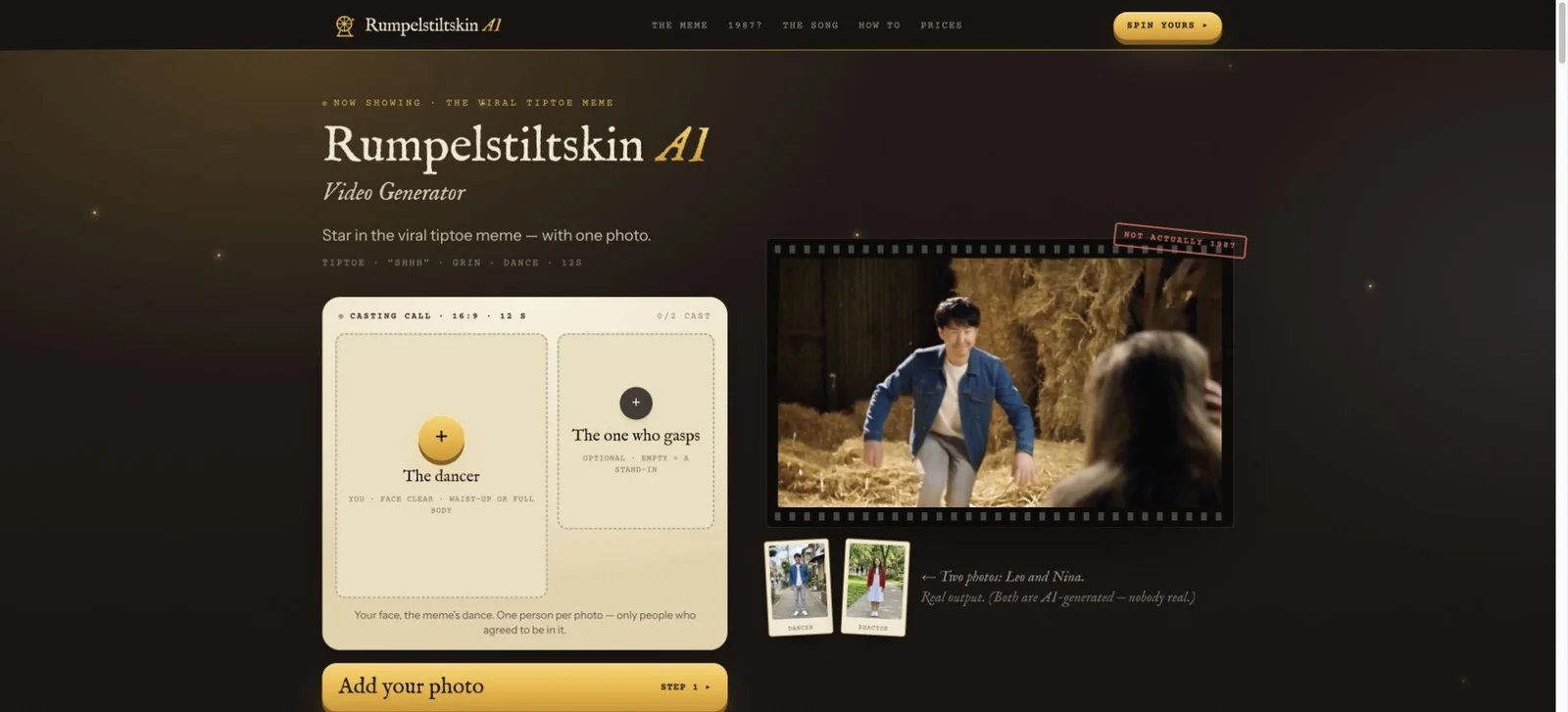
Rumpelstiltskin AI at rumpelstiltskinai.net turns a photo into a personalized version of the prepared barn scene. Upload one clear, waist-up or full-body photo for the little man. A second photo casts the reactor; leaving that slot empty supplies a stand-in for that role. Use photos of yourself or consenting friends, with a parent’s consent for minors, following the service’s photo terms.
The Rumpelstiltskin AI service website describes a twelve-second, silent 16:9 MP4 that recasts the faces while retaining the prepared scene's shots and action. The video is AI-rendered at 480p and delivered at 1920×1080, with no watermark. Add the trend's music from the posting platform's sound library when sharing. The website estimates about ten minutes for generation.
One-time packs: USD 9.99 for one video, USD 19.99 for three, and USD 49.99 for ten. The service uses no account or subscription. Credits never expire, are associated with a private pack link and return automatically when a generation fails.
Choose it when the recognizable barn sequence and photo-based casting are the result you want. Its two casting slots make it a practical option for a solo clip or a couples remix. For a different scene or your own choreography, the performance tools below provide the relevant controls.
Get started with Rumpelstiltskin AI.
RapVideo AI
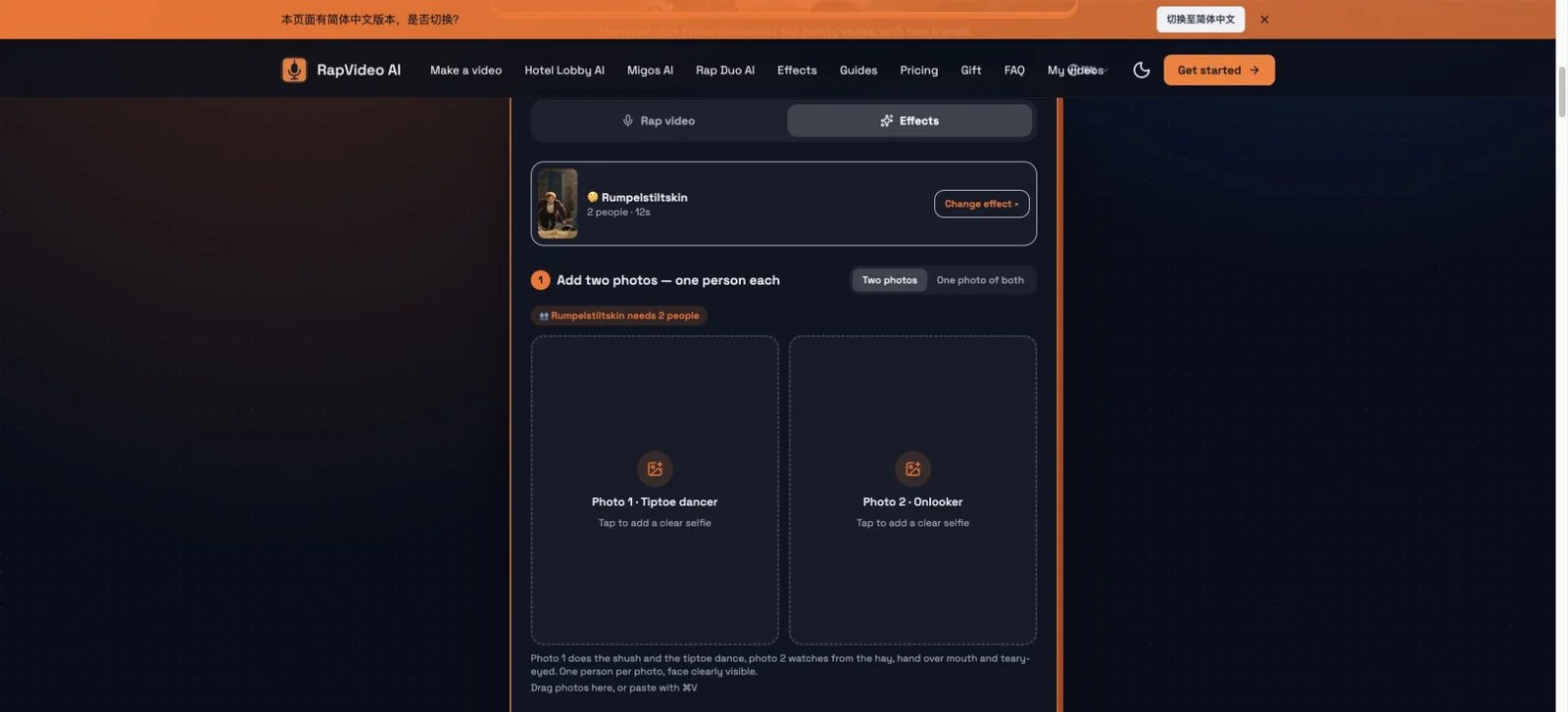
RapVideo AI’s dedicated effect casts two people as the tiptoe dancer and onlooker. Add separate portraits, or use a shared photo: the person on the left dances and the person on the right watches. You can also place your own photo in both roles.
Its default format is 12 seconds, 16:9 and 720p, with the meme track in the MP4. The interface provides model, resolution, length and format choices. This makes the shared-photo input a useful distinction for friends who already have a picture together.
Cost: the default Standard effect uses 10 credits. The Single pack costs USD 9.99 once and supplies 12 credits. Basic costs USD 29.90/month for 100 credits. Pack credits never expire; subscription credits refresh monthly and unused credits expire.
Choose it when you want both roles personalized, particularly from one shared photo. Use the selected settings to calculate credit usage for a longer or higher-quality version.
Get started with RapVideo AI.
AIGenTools
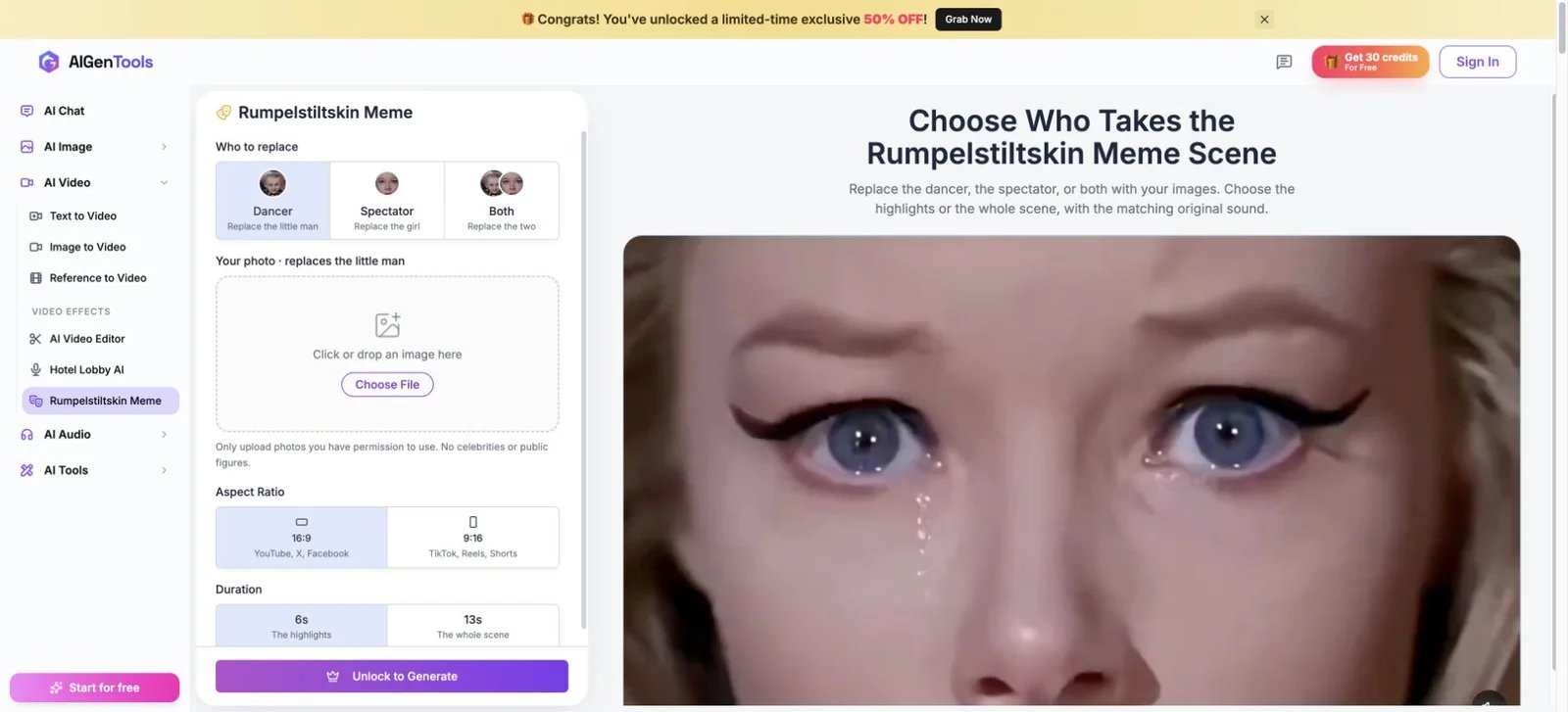
AIGenTools’ Rumpelstiltskin app lets you replace the dancer, the spectator or both. Supply one image for each selected role. The appearance comes from your image while the chosen scene provides the action and sound.
Select six-second highlights or the thirteen-second scene, then 16:9 or 9:16. Its guide also lists 480p and 720p output and watermark-free MP4 downloads. These choices suit a spectator-focused reaction or a vertical social post prepared directly in the generator.
Cost: Basic costs USD 15.90/month with monthly billing and supplies 1,800 monthly credits. The pricing page offers 30 signup credits. The public Rumpelstiltskin form displays an unlock step; after access, use the quote for the selected duration and resolution to budget this effect.
Choose it when selecting the spectator alone or creating a vertical version is central to the joke. For a simple one-photo dancer remix with one-time packs, the first option offers that workflow.
Get started with AIGenTools.
Direct Your Own Character and Performance
Kling AI
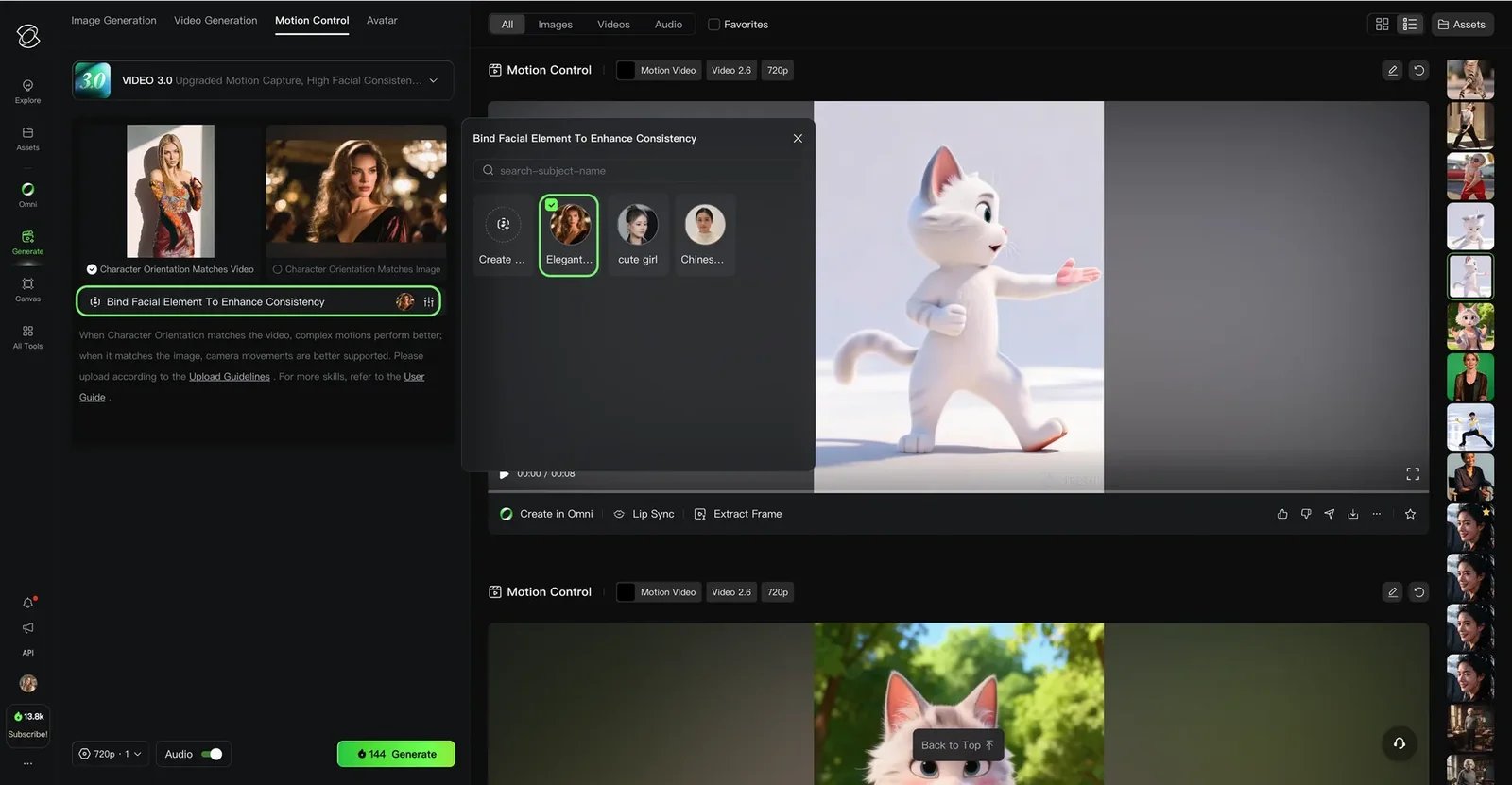
Kling's Motion Control assigns the movement from a reference video to a character in an image. For a tiptoe-inspired performance, prepare a character image with the desired outfit and framing, then a continuous shot of the dance you want to transfer.
The official guide describes orientation controls and facial-element binding for VIDEO 3.0. Binding adds facial reference information; the character image supplies the visible costume and scene. This makes Kling a useful route for directing one character's movement before building a multi-shot meme edit.
Cost: the guide lists VIDEO 3.0 Motion Control at 9 credits per second in Standard mode and 12 credits per second in Professional mode. A ten-second generation therefore uses 90 or 120 credits respectively. These are generation-credit costs; the cash cost depends on the credit plan purchased.
Choose it when you have a specific reference dance and want control over the character's image and orientation. Prepare a clean continuous performance rather than treating a whole edited meme as one action reference.
Get started with Kling AI.
Runway
Runway's Act-Two uses a driving performance video and a character image or video. It transfers expression, speech and movement from the performance to the character. For this meme, that supports filming your own shush, grin or theatrical reaction and directing a character around that take.
The Act-Two guide documents gesture control with character-image inputs, outputs up to 30 seconds and several aspect ratios, including 16:9 and 9:16. Use an image when the performance needs hand and body gesture control; a character video retains its existing scene and camera motion.
Access and cost: Act-Two requires Standard or higher. Standard costs USD 15/month with monthly billing, or USD 12/month billed annually, and includes 625 monthly credits. Act-Two costs 5 credits per second, with a three-second minimum; a ten-second take uses 50 credits.
Choose it when you want to act out the expressive beat yourself and then transfer that performance to a character. Build the close-up and reaction shots around the performance rather than relying on a preassembled meme template.
Get started with Runway.

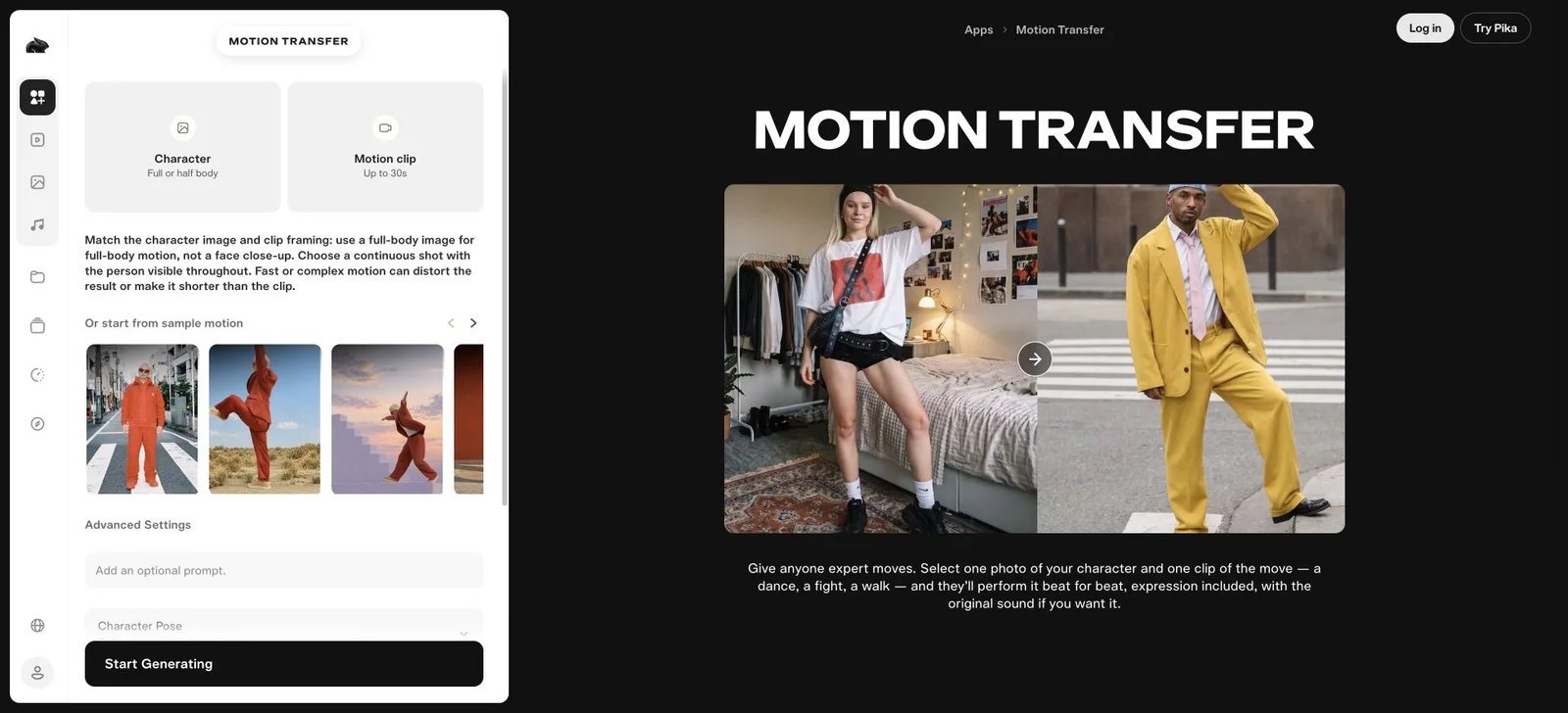
Pika's current Motion Transfer app pairs one photo of a character with one clip of a movement. Its official app description covers dances, walks and fights, and provides an option to retain the original sound.
For a Rumpelstiltskin-inspired clip, use a character image that already contains the outfit and setting you want, then supply the movement reference. This route fits a recognizable dance performed by your chosen character. Pika's broader workspace also provides video creation and editing apps; explore its current official app catalog for those workflows.
Current pricing: Starter is USD 10/month billed monthly, with 900 monthly credits and access to all models. The current Free plan lists zero recurring monthly credits and works with credit packs. Generation cost varies with the app and model, so use the displayed generation cost to budget a particular take. For paid promotional work, Pika lists a commercial license on Creator and Fancy plans.
Choose it when the task is a photo-plus-movement transfer and you prefer a dedicated app entry point. Select the reference clip for the specific beat you want to animate.
Get started with Pika.
Luma
Luma's Ray3.2 Modify Video V2 transforms existing footage. Its current model page describes character transformations, environment changes, relighting and motion transfer, with Modify Video V2 supporting up to 20 seconds at 1080p.
This gives a different starting point for a Rumpelstiltskin-inspired video: film the performance first, then direct the costume, setting or visual style around it. A tiptoe sequence staged in your own room can become the source for a fantasy treatment. This is an editorial workflow suggestion based on the documented controls, rather than a claim that Luma includes a prepared Rumpelstiltskin template.
Current pricing: the Plus plan is USD 30/month with monthly billing and includes 10,000 credits and commercial use. For Ray3.2 video-to-video at 1080p SDR, the rate is 144 credits per second: a ten-second take uses 1,440 credits, allowing six complete takes within 10,000 credits if nothing else uses the allocation. Other resolutions and HDR settings have different rates. The billing policy says unused subscription credits expire each billing cycle.
Choose it when you already have a performance to reshape and want the surroundings or character treatment to be part of the creative direction.
Get started with Luma.
Finish the Meme for Sharing

CapCut is the editing route for an existing Rumpelstiltskin clip, a finished AI take or a green-screen remix. Its chroma-key tool removes a selected background color so you can place the foreground subject over another image or video.
Import the foreground and background, select the key color, then refine the removal with Intensity and Shadow controls. Add your caption, align the soundtrack and preview the full timeline before exporting. This route is especially useful when the joke comes from the setting or the timing of the edit. See the CapCut tool page for the broader editor workflow.
Cost: CapCut advertises its online chroma-key workflow as free. Features and materials marked Pro use a paid plan; current subscription prices vary by region, platform and taxes and are displayed on the payment page.
Choose it when your footage is ready and you want to composite, caption or time the finished post. Photo casting and performance generation happen before this editing stage.
Get started with CapCut.
A Practical Path from Photo to Post
- Choose the result. Use Rumpelstiltskin AI for the prepared barn scene, a performance tool for your own character or choreography, and CapCut for an existing-clip remix.
- Prepare the right input. Photo casting typically uses one person per photo; RapVideo AI also accepts a shared photo of both people. Motion transfer uses a character reference plus a performance clip; frame the dancer so the movement is visible.
- Plan the delivery format. Rumpelstiltskin AI supplies a 16:9 video; AIGenTools provides a 9:16 choice. Keep landscape framing, place it within a vertical layout, or select a native vertical output.
- Add the final audio. Rumpelstiltskin AI supplies a silent MP4; add the Riff Raff recording through the posting platform where permitted. For business posts on TikTok, select audio from its Commercial Music Library or use music you have separately licensed. Match video permissions to the post as well: Rumpelstiltskin AI’s terms cover personal and social sharing; for business work, choose a tool and plan with appropriate video and music permissions. Apply the destination platform’s required AI label, as the service’s terms specify.
Rumpelstiltskin AI's terms describe personal and social-media sharing. Its privacy policy states that uploaded photos and generated videos are deleted after 30 days and that photos are not used for model training. Download the result to keep it in your own library.
For another prepared portrait-meme format, the AI crying video generator guide covers selfie-based emotional clips. For the tiptoe barn scene itself, begin with the photo-casting workflow at the top of this article.
Get ToolWorthy Weekly
New AI tools, practical guides, and selected AI signals in one weekly brief.
Related Posts
- 10 AI Zombie Video Generators for the Zombie Love Story
Make a zombie love story from photos or direct your own scenes. Compare ten generators by inputs, pricing, creative controls, audio, and video formats.
- 5 Gas Station Dance AI Video Generators Compared in 2026
Choose a gas station dance video maker by photo count, output format, preview, credits, and whether it creates the whole three-shot trend or swaps one face.
- 8 Best Hotel Lobby AI Generators for the Orange-Booth Trend
Put your duo in the orange booth: compare eight Hotel Lobby AI tools by photo inputs, preview limits, video costs, audio, and how much control you need.
For AI tool founders
Built a tool that belongs in this decision set?
Request an editorial evaluation for possible inclusion in ToolWorthy.
Submit your tool for reviewPaid submission does not guarantee a ranking, recommendation, inclusion, or editorial outcome.