
Best Tiny Desk AI Tools for Outstanding-Style Videos
Choose a ready-made Outstanding set or build your own performance. Compare five tools by casting, motion, audio, output and the work each step requires.
On this page
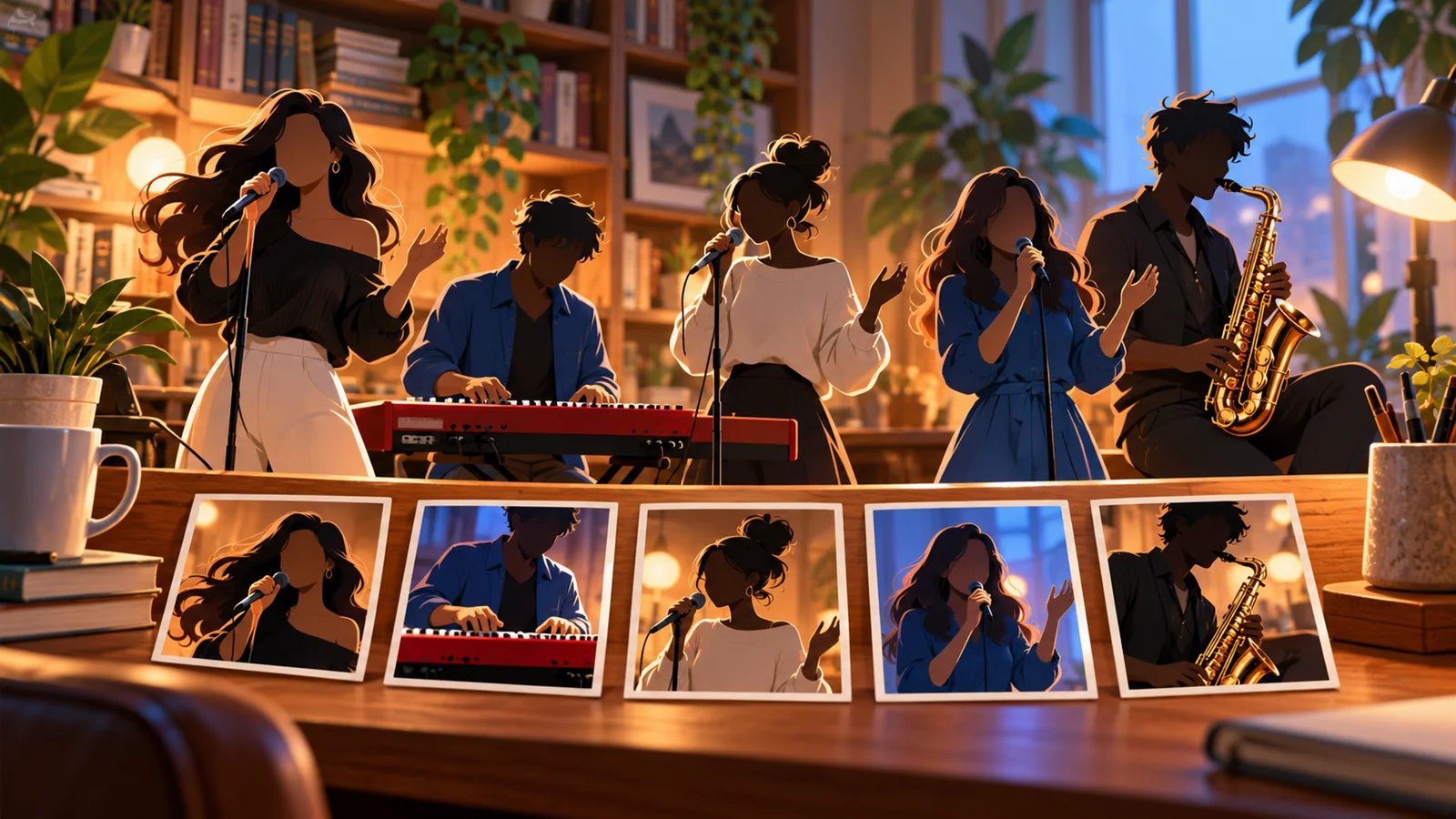
Making a Tiny Desk AI video starts with one practical choice: do you want the recognizable Outstanding set with your friends in the band, or a custom performance with your own movement, song and edits?
Make Tiny Desk is the first pick here for the prepared Outstanding recreation. It takes 1–5 photos and returns the complete five-shot performance. Kling AI and Runway provide performance-control routes for custom shots, Hedra animates a singer from audio, and CapCut assembles and finishes clips. Their roles differ, so choose by the part of the job you need handled.
This guide uses official product documentation and public interface inspection checked on October 28, 2026. It is a source-based comparison, rather than a paid generation benchmark. Make Tiny Desk's first placement was requested for this collection; the recommendations below describe documented workflow fit. It is an independent parody service, separate from NPR and Tiny Desk Concerts.
Pick Your Creation Route
| Tool | Start here when you want… |
|---|---|
| Make Tiny Desk | Your friends cast in the complete Outstanding set |
| Kling AI | Custom band scenes or reference-driven character motion |
| Runway | A recorded performance transferred through Act-Two |
| Hedra | A singer animated from a portrait and your audio |
| CapCut | Clip assembly, sound alignment and final export |
For broader creative routes, the AI music video generator directory helps you explore beyond this specific performance trend.
Compare Inputs, Control and Cost
| Tool | Inputs and control | Deliverable and billing |
|---|---|---|
| Make Tiny Desk | 1–5 photos; named roles; prepared room and cuts | Full 18.75s, 9:16 silent MP4; $9.99 for 1 video |
| Kling AI | 4.0 multi-asset references or 3.0 Motion Control | 4.0 clips run 3–30s; credits depend on the selected route |
| Runway | Driving performance + character image/video; gesture control with images | Act-Two up to 30s; 5 credits/s; Standard+ access |
| Hedra | Start frame + required audio; character-performance guidance | Character 3 supports 9:16 and 540p–1080p; model/API usage by second |
| CapCut | Imported clips/images + audio; timeline and lip-sync controls | Edited export; check the account's quote for paid features |
The work difference matters as much as the price. Make Tiny Desk supplies the complete sequence. The custom routes let you shape a performance, then choose and join the shots yourself. CapCut handles finishing and can also provide lip sync within a project. A subscription credit allowance or per-second generation rate is a different purchase from one complete prepared video.
The Tools and Their Best-Fit Workflows

Best for: putting a friend group into the recognizable five-shot Outstanding performance.
Make Tiny Desk assigns photos to five roles: star, keys, left backup, right backup and sax solo. Only the star is required. Leave any optional role empty and the fictional house band takes it, so one selfie still produces the whole set.
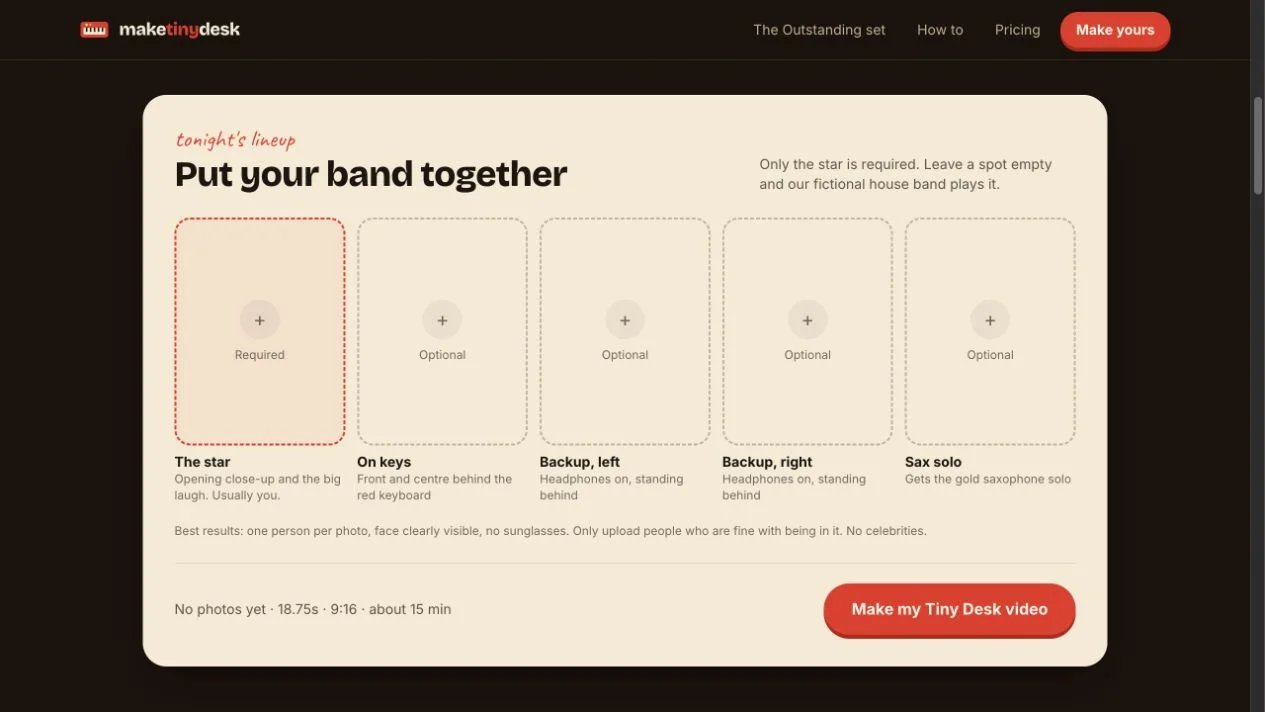
The role assignment has a clear effect on screen time: the star gets the opening close-up and laughing/singing shot, while the keyboard, backing performers and sax player appear in the band sequence. This is useful for deciding who leads a group-chat joke and who appears alongside them.
The result is an 18.75-second, vertical 9:16 MP4 without a watermark. The room, five cuts and timing are prepared around the trend. The provider estimates roughly 15 minutes for rendering and emails the result link. Add the Outstanding sound in TikTok from 0:00; the download itself is silent. The official tutorial explains this posting step.
One-time packs cost $9.99 for 1 video, $19.99 for 3, or $29.99 for 5. Unused videos never expire, and the pricing page offers a free remake for likeness corrections. Casting another version uses another video from the pack.
Download the finished files you want to keep: the privacy policy sets a 30-day retention period for photos and rendered outputs. The non-expiring allowance applies to unused videos in the pack.
Choose it when the prepared scene and timing are the result you want. Choose a custom route below when your starting point is an original song, different room or your own choreography. Before buying, assign the star deliberately and compare the provider's one-person and full-band examples with the cast you have in mind.
Kling AI
Best for: directing a custom band scene or a reference-driven performance.
Kling AI offers two relevant routes. Its 4.0 guide documents Omni Reference for multi-character and multi-shot generation of 3–30 seconds, using up to 15 combined reference assets. A separate Keyframes entry supports up to 10 keyframe images for controlling visual moments and timing. These two entry points cannot be combined in a single generation task, so choose reference-driven composition or keyframe-driven sequencing before starting. Use these controls to define a custom room, cast and sequence; they provide a different starting point from a prepared Outstanding set.
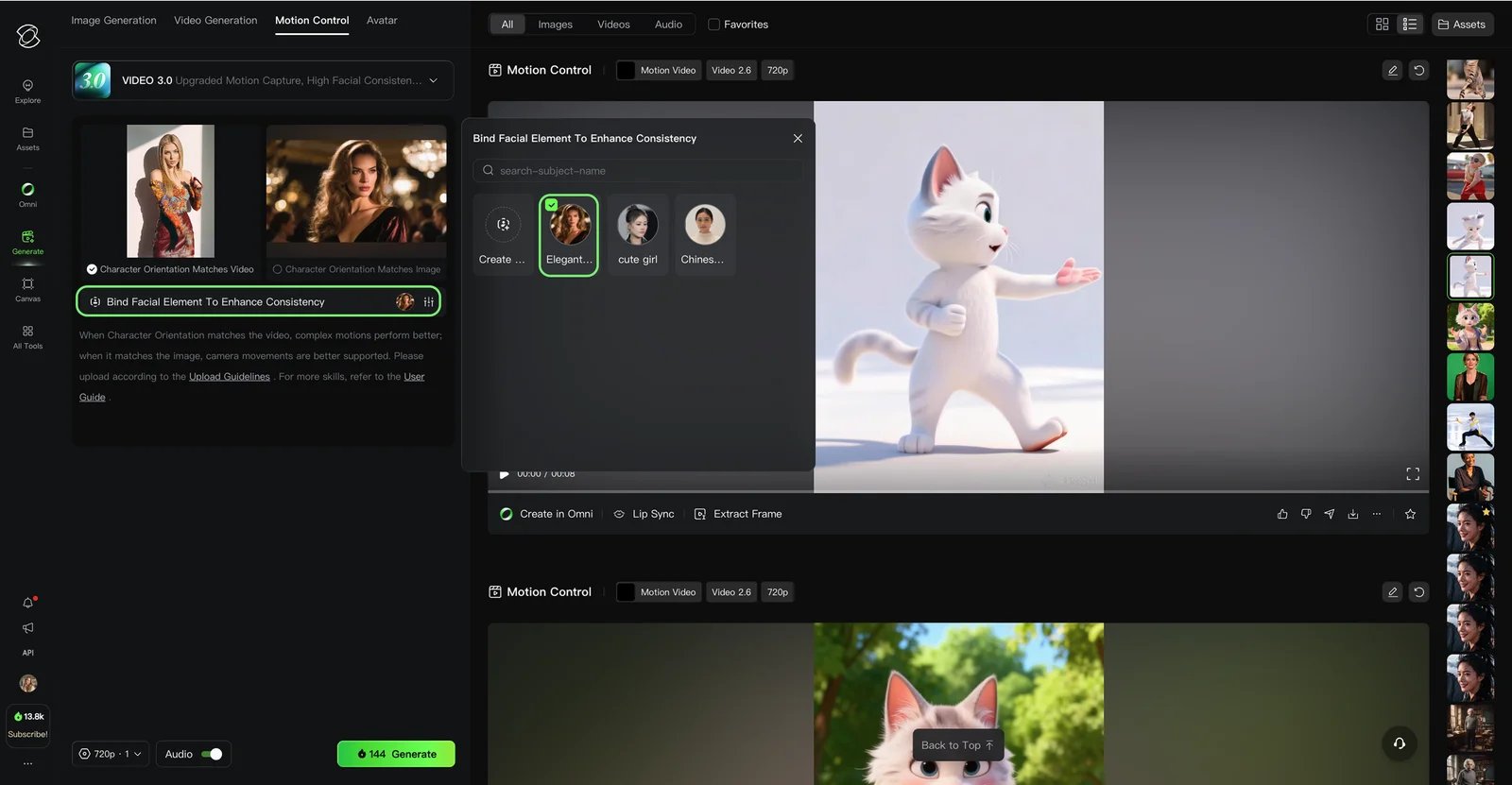
Motion Control 3.0 interface image from Kling's official guide; it illustrates that route's controls rather than the 4.0 workspace or a generation test for this article.
For a movement-led shot, VIDEO 3.0 Motion Control pairs a character image with a motion reference and supports one bound facial element. Its published rates are 9 credits/second in Standard or 12 in Professional. Those rates belong to Motion Control 3.0; check the workspace quote separately for 4.0.
Choose it when you want custom scene and reference control. Match the route to the task: multi-asset composition for the group scene, or Motion Control for a particular performer's movement.
Runway
Best for: directing a character through your own recorded performance.
Runway's Act-Two takes a driving performance video plus a character image or video. Image-based characters support gesture and body control; character-video inputs retain their source scene and camera movement while receiving facial performance.
Act-Two supports up to 30 seconds at 24 fps, including 720×1280 vertical output. It costs 5 credits per second, with a three-second minimum, and requires Standard or higher. Standard is $15/month on monthly billing, with 625 monthly credits; the displayed $12/month rate requires annual billing.
Choose it when you want to act the performance yourself and direct individual shots. Compare the gestures supported by an image input with the scene continuity of a character-video input before choosing your starting asset. The five-shot edit is a separate assembly step.
Hedra
Best for: making your own audio the center of a singing-character clip.
Hedra Character 3 accepts a start frame and required audio, with text guidance for delivery. The official model page explicitly supports talking and singing, 9:16 framing, 540p, 720p and 1080p, and sequences up to 10 minutes.
That makes it a route for a portrait-led singer or a longer verse using audio you supply. Its published model/API rates are $0.025/second at 540p, $0.05/second at 720p and $0.0625/second at 1080p. These are API usage units, rather than a Studio subscription price; Studio and API billing should be evaluated separately.
Choose it when the song or vocal recording drives the video. Start with the actual verse and an intended singer portrait, then inspect mouth movement through its fastest phrase. Build the surrounding band shots and edit as separate creative steps.

Best for: combining performance clips and preparing the final social post.
CapCut provides a project timeline for arranging clips and sound. Its official lip-sync workflow also describes animating imported images or video using text or uploaded audio, followed by export controls for resolution, codec and bitrate.
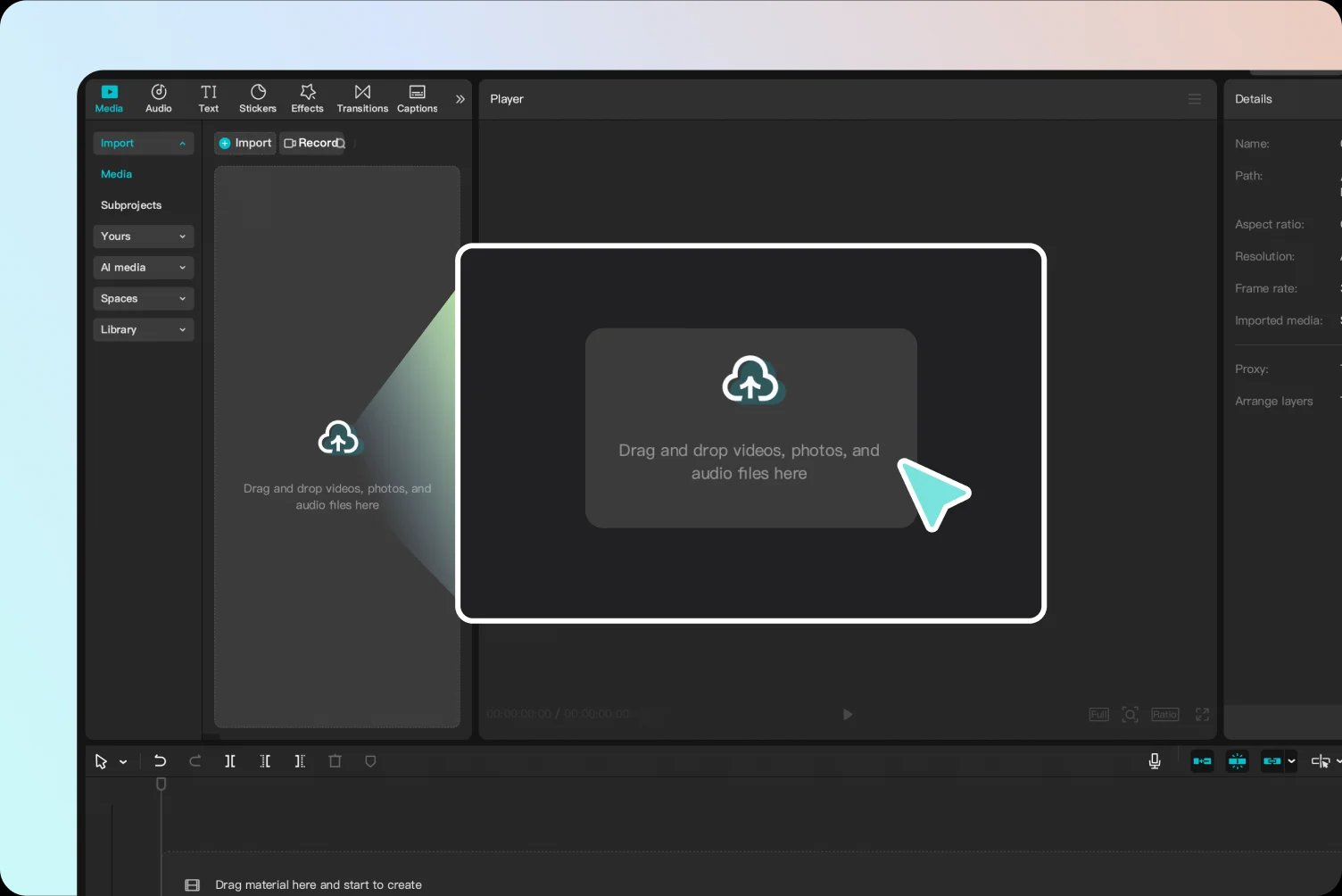
Annotated interface image from CapCut's official guide; it shows the import and editing workflow.
Use it after generation to align shots, add captions and finish the vertical edit. This makes it useful alongside the other tools; the documented editor workflow is separate from a verified ready-made Outstanding template. Review the quote shown for the selected AI features and export assets in your account.
Choose it when you already have the clips or want to control the final cut. Set the sound and the first cut before arranging the remaining shots. The AI video editor directory covers other finishing tools if this is the main part of your project.
A Practical Route From Photos to a Post
For the familiar Outstanding version, open Make Tiny Desk, choose the star, assign any additional people, and generate the complete set. Save the finished MP4, then add available, appropriately licensed music in the posting app from 0:00.
For a custom desk-concert video, sketch the shots first. Use Kling AI or Runway where movement is the deciding input; use Hedra where the vocal track drives the performance. Join the resulting shots and finish the sound in CapCut. The image-to-video guide is useful if you want to compare broader visual generation approaches.
Use photos with the necessary consent and rights, and choose music cleared for the intended account and post. When publishing a realistic AI-recast performance on TikTok, disclose that it is AI-generated. TikTok requires labeling realistic AI-generated content, including face swaps; use its AI-generated content setting or another clear disclosure. See TikTok's official AI-generated content guidance for posting requirements and restrictions on misleading impersonation. For a TikTok Business Account, choose suitable audio from the Commercial Music Library, checking its regional availability. A tool's ability to animate a performance and the right to publish a song are separate parts of making the finished video.
Get ToolWorthy Weekly
New AI tools, practical guides, and selected AI signals in one weekly brief.
Related Posts
- 8 Best Hotel Lobby AI Generators for the Orange-Booth Trend
Put your duo in the orange booth: compare eight Hotel Lobby AI tools by photo inputs, preview limits, video costs, audio, and how much control you need.
- 11 Best AI Music Video Generators 2026 — Tested for Social Releases & Beat Sync
11 AI music video generators tested for beat sync, commercial rights, and real 2026 pricing — from bedroom producers to full 4K music video teams.
For AI tool founders
Built a tool that belongs in this decision set?
Request an editorial evaluation for possible inclusion in ToolWorthy.
Submit your tool for reviewPaid submission does not guarantee a ranking, recommendation, inclusion, or editorial outcome.