
15 Best AI Interior Design Tools 2026 — Room Redesigns, Staging & Paint Previews
We tested 20 AI interior design tools and picked 15 that save real money on redesign, staging, and paint. Side-by-side pricing and honest cons.

On this page
Hiring a residential designer to mock up three redesign options used to cost $1,500–$3,000 before a single piece of furniture moved. AI interior design tools now do the same visualization in under a minute for $5–$20/month — and a handful of them produce results that are genuinely hard to distinguish from professional 3D renderings. The catch is that quality varies wildly between tools, and the marketing pages rarely tell you which ones hide their best features behind $200+ annual plans, which ones limit free tiers to a single generation, or which ones require a Reddit deep-dive to find out that subscriptions auto-renew through opaque App Store flows.
We evaluated 20 AI interior design tools against a fixed 5-dimension rubric (functionality, UX, innovation, value for money, user feedback) and selected 15 that actually deliver usable redesigns for real rooms — not cherry-picked demo shots. This guide separates the consumer-grade redesign apps from the pro-facing 3D suites, flags which tools are honest about pricing and which hide renewal traps, and notes where each tool's commercial license actually covers real-estate staging versus personal use only.
| Tool | Best For |
|---|---|
| Decor8 AI | Photo-realistic room redesigns with transparent flat pricing |
| Planner 5D | Full 2D + 3D planning with AI on top |
| Homestyler | Free-tier generosity and mobile-first workflow |
| ReimagineHome | Shoppable redesigns with budget recommendations |
| Coohom | Professional 8K rendering and furniture model library |
| Spacely AI | Pro-grade AI design with deep customization |
| Foyr Neo | End-to-end designer workflow with AI assist |
| Interior AI | Virtual staging for real-estate listings |
| Paintit.ai | Color and paint-focused room redesign |
| Renovate AI | Mobile-first DIY renovation visualizer |
| VisualizeAI | Fast redesigns with friendly free trial |
| HomeVisualizer.AI | Transparent pricing for solo homeowners |
| Home Design AI | Budget option with clear trial terms |
| DecorMatters | Community-driven design inspiration app |
| Remodel AI | Cross-platform (iOS/Android/Web) redesign app |
How We Selected and Tested
We evaluated 20 AI interior design tools against measurable criteria: AI-driven room redesign or staging (photo-to-render, style transfer, furniture placement, or layout generation), usable by non-designers without CAD training, and active product development in 2025-2026. Tools that only offered template libraries without AI generation, or focused exclusively on exterior/landscape design, were excluded.
Our research combined hands-on testing of free tiers and trial accounts with cross-referenced data from official pricing pages, App Store and Google Play reviews, G2 entries, and Trustpilot ratings. We paid particular attention to commercial-use rights (critical for real-estate staging), hidden auto-renewal mechanisms (a recurring complaint across the category), and output quality on "hard" rooms — messy layouts, mixed lighting, and non-standard ceiling heights.
Evaluation Dimensions: We evaluated each tool across 5 dimensions:
- Output Realism — Does the AI-generated room look believable, or cartoonish? We tested with the same reference photo across multiple tools to compare.
- Pricing Transparency — How clearly the tool communicates costs, credit consumption, and renewal terms. Hidden auto-renewals and opaque App Store pricing cost points.
- Commercial License — Whether the output can be used for real-estate listings, staging, or client work without a separate license tier.
- Style & Room Coverage — Breadth of design styles supported and whether the tool handles bedrooms, kitchens, bathrooms, offices, and outdoor spaces consistently.
- Free Tier Usability — Whether the free plan is enough to evaluate output quality before committing, or purely a teaser.
Note on Testing Scope: We tested free tiers for all 15 tools and paid tiers for 7 of them. For pro-grade suites (Coohom, Foyr Neo, Spacely AI), we relied on demo sessions and verified user reports. Research conducted between March and April 2026.
Transparency & Limitations: All pricing and feature claims come from official sources and verified reviews. "Output realism" is inherently subjective — what reads as photo-realistic on a phone screen may look artificial on a desktop monitor. We've noted where each tool's output quality ceiling lies, and where user feedback volume is too thin to make confident claims.
Top 15 AI Interior Design Tools Compared
This table captures the key decision factors across all 15 tools. Focus on the commercial-license column if you're staging for real estate, and the free-tier column if you want to evaluate output quality before paying.
| Tool | Best For | Output Realism | Free Tier | Starting Price | Commercial Use |
|---|---|---|---|---|---|
| Decor8 AI | Transparent flat pricing | Excellent | Trial only | $14.99/mo | Yes (paid) |
| Planner 5D | 2D + 3D + AI suite | Very Good | Generous | $4.99/mo (annual) | Yes (paid) |
| Homestyler | Mobile-first free tier | Good | Generous | $4.90/mo | Paid plans |
| ReimagineHome | Shoppable redesigns | Very Good | 3 free designs | From $19/mo | Yes (by plan) |
| Coohom | Pro 8K rendering | Excellent | Free tier | Free / $299/yr Pro | Yes (paid) |
| Spacely AI | Pro-grade AI design | Excellent | Trial | $38.25/mo (annual) | Yes |
| Foyr Neo | Designer workflow | Excellent | 14-day trial | $22/mo (annual) | Yes |
| Interior AI | Real-estate staging | Very Good | Trial only | From $390/yr (staging) | Yes (tier-gated) |
| Paintit.ai | Color & paint focus | Good | Free access | From $5.99/week | Yes (Monthly) |
| Renovate AI | DIY renovation app | Good | 5 free renders | From $13/mo (annual) | Yes (Pro+) |
| VisualizeAI | Friendly trial | Very Good | Free (public) | $21/mo (annual) | Yes (Pro) |
| HomeVisualizer.AI | Transparent solo pricing | Good | Trial | $12/mo (annual) | Paid plans |
| Home Design AI | Budget solo option | Moderate | Trial | $9.99/mo | Paid plans |
| DecorMatters | Community inspiration | Good | Freemium | Varies by storefront | Paid plans |
| Remodel AI | Cross-platform app | Good | Limited | Varies by storefront | Personal focus |
Detailed Reviews
Decor8 AI

Decor8 AI's pricing page has one line: $14.99/month, cancel anytime, no annual lock-in. That refreshing simplicity — unusual in a category where most competitors layer credits, annual commitments, and App Store subscriptions on top of each other — is matched by output quality that consistently lands in the top tier of any comparison test. Upload a room photo, pick a style, and within 10 seconds you get a redesign that holds up to scrutiny on furniture proportions and lighting direction.
Key Features
- Real-time chat editing — Most tools generate once and force you to regenerate from scratch for any adjustment. Decor8 lets you refine output conversationally ("make the sofa darker, move the lamp left"), which cuts iteration time from minutes to seconds.
- Sketch-to-3D conversion — Draw a rough floor plan on paper, photograph it, and Decor8 generates a staged 3D room from the sketch. No competing consumer tool handles hand-drawn input this smoothly.
- Pixel-perfect wall color visualization — Paint visualization separates by actual wall geometry rather than applying a flat color wash, which matters when you're actually buying paint based on the preview.
Pricing & Plans
| Plan | Price | Includes |
|---|---|---|
| Decor8 AI | $14.99/mo | Unlimited redesigns, all styles, commercial use, cancel anytime |
Flat pricing, no credit caps, no annual-only discount trap. Cancel from the account dashboard — no support ticket required, which is a low bar that most of this category fails to clear.
Pros & Cons
Pros: Genuinely transparent pricing. Real-time conversational editing is a category-leading feature. Output quality competitive with pro-grade tools at consumer pricing.
Cons: No permanent free tier — trial runs on credits, so you commit before fully evaluating volume needs. Mobile app experience lags the web version slightly on advanced editing. Style library is smaller than Planner 5D's or Homestyler's.
Who It's For
Decor8 is the default recommendation for homeowners who want a single-purpose AI redesign tool and refuse to deal with credit systems or annual commitments. Real-estate agents doing occasional staging also benefit from the flat commercial-use license. Not the right fit if you need full 3D floor planning (Planner 5D or Foyr Neo handle that), or if you want to build furniture placement layouts from scratch without an existing photo.
Get started with Decor8 AI

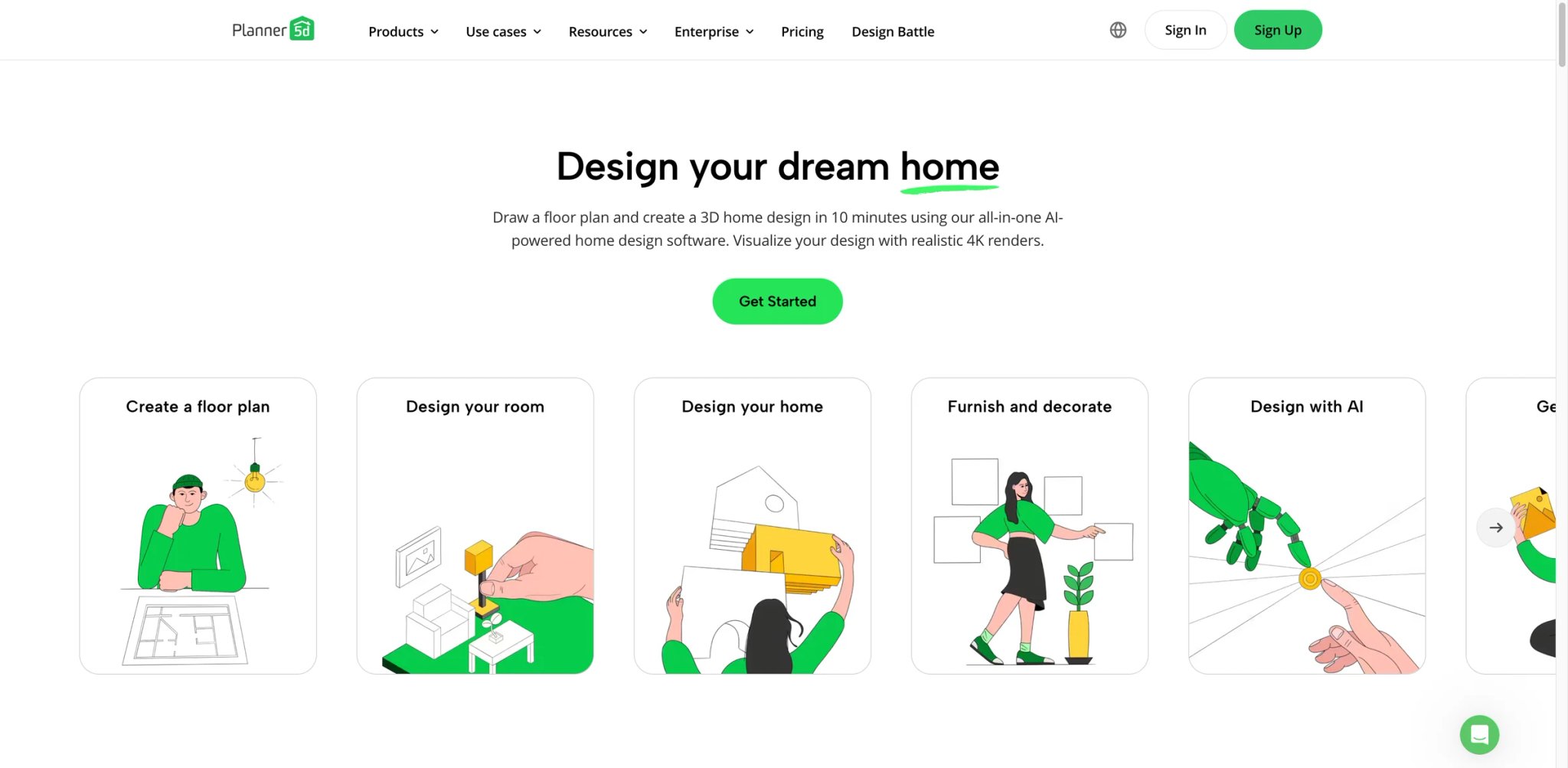
Planner 5D started as a CAD-lite floor planner over a decade ago, and the AI layer sits on top of a mature 2D/3D workflow rather than replacing it. That architectural depth matters when you need to actually build a room from scratch — measure walls, place windows, lay out furniture — not just restyle an existing photo. The catalog of 5,000+ furniture items you can drag into layouts is the biggest in the consumer tier of this category.
Key Features
- Dual 2D + 3D editor with AI assist — Draw floor plans in 2D, switch to 3D walkthrough, then let AI suggest styles or furniture layouts for each room. No other tool at this price combines structural planning with AI redesign.
- 5,000+ furniture and decor items — Browse and drop in real-product 3D models (beds, sofas, lamps, kitchen appliances) rather than being limited to AI-generated approximations. Useful when you want to buy the specific item you see in the render.
- Apple Vision Pro and AR viewing — Walk through designed rooms in AR on iOS/iPadOS or in immersive mode on Vision Pro. The cross-platform coverage is the strongest in this list.
Pricing & Plans
| Plan | Price | Includes |
|---|---|---|
| Free | $0 | Basic 2D/3D editing, limited catalog, watermarked exports |
| Premium | $4.99/mo (annual) | Full catalog, HD renders, AI features, no watermark |
| Business | Custom | Team accounts, commercial licensing, API access |
Annual billing ($59.99/yr) works out to $4.99/mo. Monthly-only billing exists but at roughly double the annual-equivalent rate — typical pattern, but called out clearly on the pricing page.
Pros & Cons
Pros: Strongest combined 2D/3D + AI toolchain at consumer pricing. Large verified furniture catalog useful for real shopping decisions. Best cross-device support in the category (Vision Pro, iPad, Android, Web).
Cons: Free tier's watermark is prominent enough that you can't reasonably use exports for anything serious without upgrading. AI redesign quality is very good but not quite at Decor8's or Spacely AI's ceiling for pure photo-to-render realism. Learning curve steeper than single-purpose redesign apps.
Who It's For
Planner 5D fits users who want to plan a room structurally — including measuring and laying out furniture — before or alongside AI-styled redesigns. Strong choice for renters moving into a new apartment, homeowners planning a renovation, or designers building client moodboards. Not the right fit if you only want photo-to-redesign on existing rooms (Decor8 or ReimagineHome are faster) or if you don't want to learn a structural editor.
Get started with Planner 5D

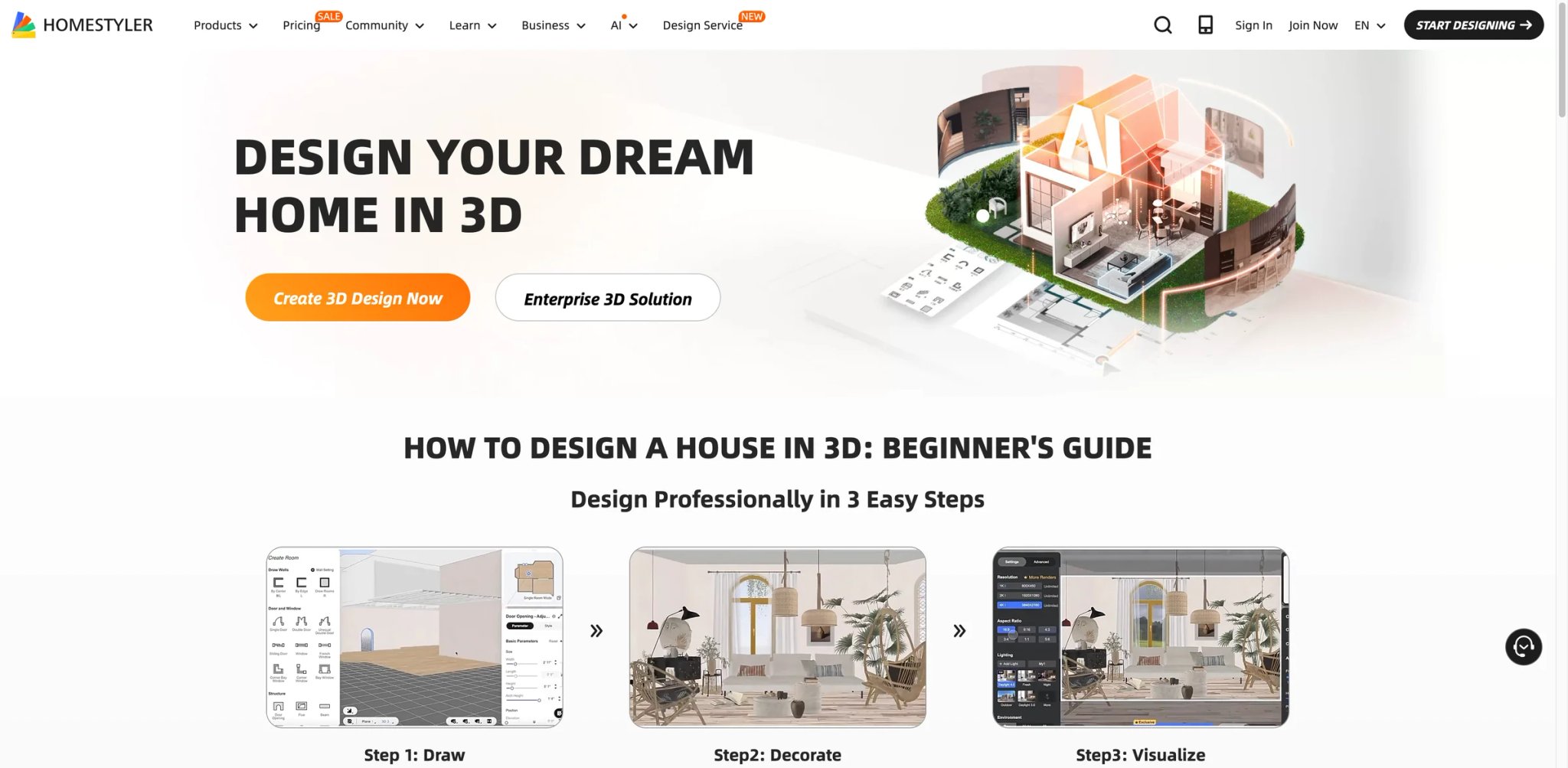
Homestyler's free tier is the most generous in this category — unlimited basic redesigns, access to the full style library, and mobile-first apps that actually function on phones rather than being cut-down versions of a desktop tool. The catch, which surfaces in App Store reviews, is aggressive auto-renewal after promotional introductory pricing expires. Used intentionally, it's one of the best value plays in the list.
Key Features
- Mobile-native redesign workflow — Upload a room photo from your phone, pick a style, get a redesigned result — entirely on-device without a laptop. The iOS and Android apps aren't afterthoughts, unlike most competing tools.
- Community gallery and style learning — Browse thousands of user-submitted redesigns filtered by style, room type, or budget tier. Useful for finding a specific aesthetic before asking the AI to apply it to your room.
- Free basic redesign generations — The free plan isn't a 24-hour trial — you can use core redesign features indefinitely, with paid tiers unlocking higher-resolution exports and more styles.
Pricing & Plans
| Plan | Price | Includes |
|---|---|---|
| Free | $0 | Basic redesigns, community access, watermarked exports |
| Pro | $4.90/mo (intro price) | HD renders, full style library, priority rendering |
| Business | Custom | Team accounts, commercial licensing |
Introductory pricing of $4.90/mo is called out as promotional. Watch for auto-renewal at standard rates after the intro period — App Store review complaints cluster around this specific pattern.
Pros & Cons
Pros: Most generous free tier in the category — enough to actually evaluate whether AI output meets your quality bar. Mobile apps are genuinely first-class. Active community gallery provides style inspiration.
Cons: Auto-renewal at higher rates after intro pricing is the most common complaint in App Store reviews. AI output quality is good but a notch below Decor8, Spacely AI, and Foyr Neo for demanding use cases. Credit consumption on paid tiers can accelerate faster than marketing implies.
Who It's For
Homestyler fits price-sensitive users who want to experiment widely before committing — or mobile-primary users who won't routinely work from a laptop. Particularly good for first-time home buyers mocking up room ideas before moving in. Not the right fit if you need predictable flat pricing (Decor8's $14.99 cancel-anytime structure is cleaner) or if you're doing commercial staging at scale.
Get started with Homestyler

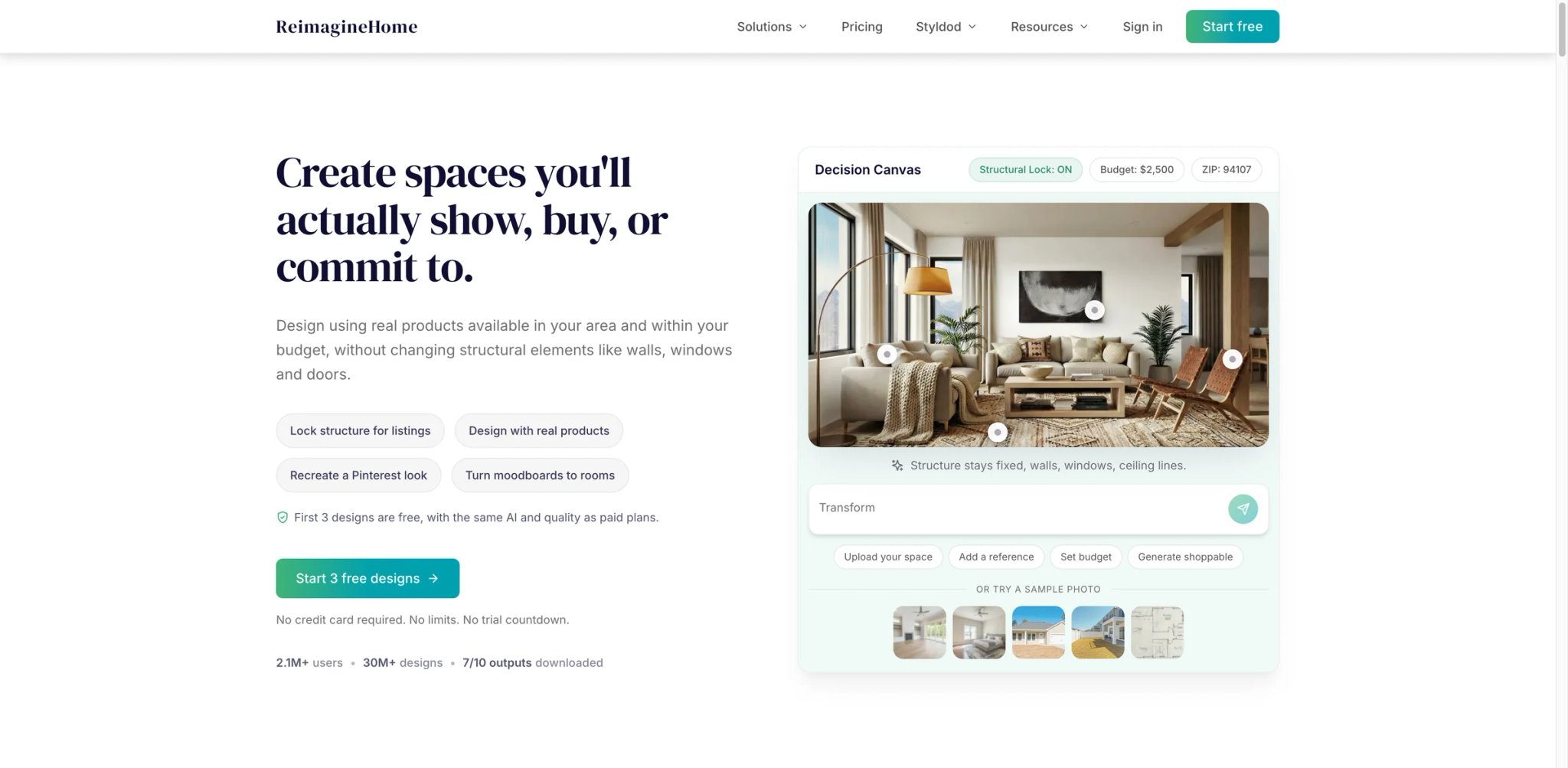
Most redesign tools stop at the image — ReimagineHome connects the AI-generated room to actual purchasable products, with budget tiers attached. Pick the "transitional style under $2,500" option and the output renders a room styled with furniture you can actually buy from linked retailers, with a running budget total. For homeowners who want to translate inspiration into a real shopping list, this shoppability is the core differentiator.
Key Features
- Shoppable redesigns with budget tiers — Every piece of furniture in the generated room links to real retail sources, with total project cost estimated upfront. No other tool on this list closes the gap between "here's what your room could look like" and "here's the shopping list" as directly.
- Interior + exterior redesign — Covers backyards, patios, and front facades alongside interior rooms. Useful for real-estate listing photos that need curb-appeal improvements.
- API access on higher tiers — Real-estate marketplaces and property management platforms can embed ReimagineHome's redesign as a feature in their own listings.
Pricing & Plans
| Plan | Price | Includes |
|---|---|---|
| Essential | $19/mo | 30 credits/month, legacy staging and light edits, watermark-free shareable images |
| Pro | $36/mo | 200 credits/month, conversational design flow, real shoppable products, reference-photo guidance |
| Advanced | $59/mo | 400 credits/month, lower per-credit cost for higher-volume usage |
| Agency | $119/mo | 900 credits/month, highest-volume team/studio plan |
Pricing is publicly listed on the official pricing page: ReimagineHome currently starts at $19/month, gives new users 3 free designs, and reserves some commercial usage rights by subscription plan.
Pros & Cons
Pros: Shoppable output with real retailer links is genuinely unique at this price. Covers exterior spaces (backyard, patio, facade). API option works for integrations.
Cons: Public user feedback volume is thin compared to Decor8 or Homestyler — fewer data points to verify output consistency. Higher-tier pricing isn't fully published. Style library skews toward mainstream residential aesthetics; less coverage for more unusual styles (industrial lofts, maximalist, traditional ornate).
Who It's For
ReimagineHome is the right pick for homeowners who want to act on the redesign — with an actual furniture shopping list — rather than just admire the render. Also a strong fit for real-estate agents needing exterior staging. Not the right fit if you need full architectural planning (Planner 5D, Foyr Neo) or if you want the broadest style coverage available (Decor8, Homestyler).
Get started with ReimagineHome


Coohom operates in a different tier from most tools in this guide — its 8K rendering engine and 30+ million furniture model library are genuinely pro-grade, historically used by furniture manufacturers and commercial designers rather than homeowners. The recent AI layer makes those capabilities accessible to consumers, though the UI still reflects a tool designed for people who know the difference between Phong and PBR shading.
Key Features
- 8K photorealistic rendering engine — Output quality approaches traditional pro tools like V-Ray or Lumion, but generated in seconds rather than hours. This ceiling is higher than any other tool in this list.
- Large branded model library — Coohom's public materials emphasize a million-brand furniture/model library and branded catalogs, but the current public pages do not clearly substantiate a 30M+ count.
- Full commercial workspace — Team accounts, client review workflows, approval chains, and brand-locked templates. Built for agencies, not just hobbyists.
Pricing & Plans
| Plan | Price | Includes |
|---|---|---|
| Free | $0 | Limited functions and limited 1K renders |
| Pro | $299/year | Official Coohom materials cite Pro at $299/year; verify current checkout pricing by region and promotion |
| Enterprise | Custom | Team accounts, advanced rendering/API, white-label needs |
Pro pricing varies by region and billing cycle — always verify current rates on the pricing page. Free tier is more capable than most competitors' trials.
Pros & Cons
Pros: Highest output quality ceiling in the category, especially at 8K. Catalog depth unmatched. Full commercial agency features available on paid tiers.
Cons: Learning curve is the steepest in this list — UI assumes 3D modeling familiarity. Pricing varies enough by region and tier that comparison with flat-priced competitors is frustrating. Overkill for single-room personal redesigns where Decor8 finishes the job in 10 seconds.
Who It's For
Coohom is the right tool for furniture retailers, small design agencies, and pro-leaning consumers who want 3D output quality that matches traditional CAD pipelines. Not the right fit if you want fast one-click redesigns (Decor8 or Homestyler are faster and simpler) or if you don't need 8K output — most homeowner use cases finish at 2K.
Get started with Coohom


Spacely AI sits at the pro end of the AI-first design tools — strong enough output that a handful of boutique design studios use it to accelerate initial moodboarding rather than as a consumer shortcut. The innovation score on our rubric (90/100) reflects features like controlled masking (redesign only the sofa, preserve everything else) that competing tools approximate but don't match. The catch is public user feedback volume is still thin, making pricing-value confidence lower than Decor8's or Planner 5D's.
Key Features
- Region masking and selective redesign — Draw a mask around just the sofa, or just the walls, and redesign only that region while keeping everything else pixel-identical. Most tools regenerate the full image, which loses details you wanted to keep.
- Style transfer from reference images — Upload a Pinterest or magazine image and Spacely transfers that specific aesthetic to your room, rather than choosing from a preset style library.
- High-resolution pro output — 4K exports with maintained detail in furniture textures and lighting. Suitable for client presentations without additional post-processing.
Pricing & Plans
| Plan | Price | Includes |
|---|---|---|
| Studio | $38.25/mo (annual) | 640 monthly credits, high-resolution download, private mode, commercial license |
| Business | $102/mo (annual) | 1,800 monthly credits, faster queue, 4K download, commercial license |
Annual billing is called out as the baseline — monthly equivalents run roughly 2x. Starter tier is enough for individual users doing 1-2 room redesigns per week.
Pros & Cons
Pros: Region masking and reference-image style transfer are category-leading. Output quality approaches Coohom and Foyr Neo without requiring 3D modeling skills. Pro output suitable for client work.
Cons: Public user-feedback volume is notably thin — fewer verified reviews than consumer tools like Decor8 or Homestyler. Pricing is public for the Studio and Business plans, though larger enterprise-style needs may still require direct sales contact. Steeper learning curve than single-click apps.
Who It's For
Spacely AI fits boutique designers, architects, and pro-leaning consumers who need selective control over which parts of a room the AI changes. Also strong for content creators building style-consistent room reference images. Not the right fit for quick one-off consumer redesigns (Decor8 or Homestyler are faster) or if you need extensive third-party validation before committing to a less-reviewed tool.
Get started with Spacely AI

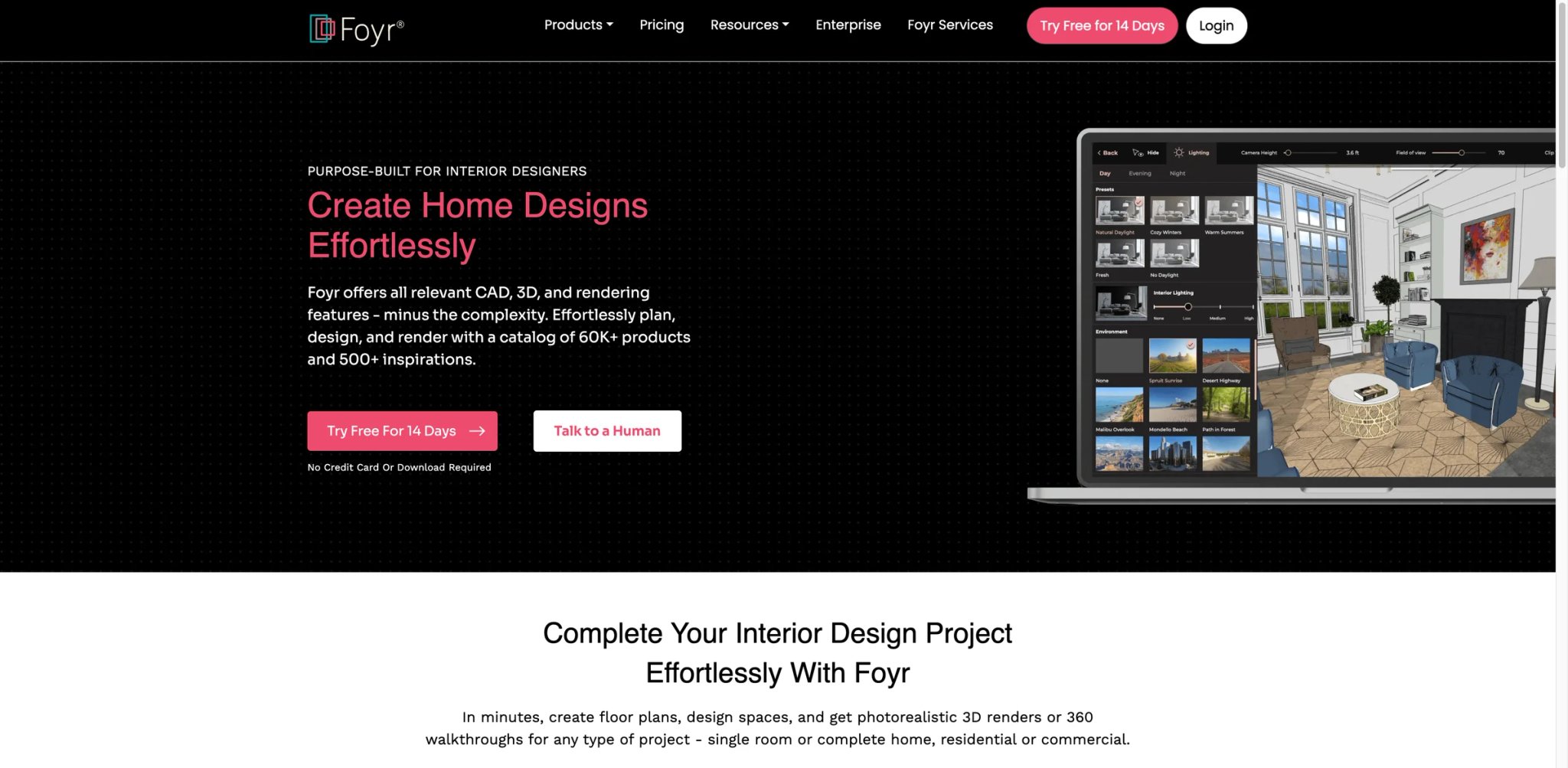
Foyr Neo is built for professional interior designers first, with AI assistance grafted onto a full pro workflow that includes mood boards, client presentations, 3D walkthroughs, and photorealistic rendering. At $22/month annual, it's the most expensive tool in this guide — and for solo designers running a small practice, it can replace a stack of separate tools (SketchUp for modeling, V-Ray for rendering, Canva for presentation) at meaningful savings.
Key Features
- End-to-end designer workflow — Mood boards, 3D floor plans, AI-assisted redesign, photorealistic rendering, and client-ready presentations in one platform. No other tool in this list covers the full designer stack.
- AI-assisted layout generation — Input a floor plan and functional requirements; Foyr Neo generates layout options that meet constraints, then lets you refine. Faster than manually laying out from scratch.
- Client presentation mode — Walkthrough sharing links that clients can review and comment on without needing to create accounts. Designed specifically for boutique design practice workflows.
Pricing & Plans
| Plan | Price | Includes |
|---|---|---|
| Free Trial | $0 | 14 days |
| Basic | $22/mo (annual) | 30 render credits/month, 1 user |
| Standard / Premium | Higher tiers | More render credits, walkthroughs, additional users and storage |
Annual commitment required at the Pro tier — monthly-only rates are higher. User-review patterns split: designers who fully adopt it love it, those who expected SketchUp-level granularity are frustrated by abstraction.
Pros & Cons
Pros: Replaces multiple pro tools for solo designers. Client-presentation features genuinely purpose-built, not bolted on. AI layout generation saves meaningful time on initial drafts.
Cons: Highest price in this guide by a wide margin — $264/yr Pro alone. Refund complaints surface in public reviews when users feel the tool doesn't match expected granularity. Consumer users will find it overkill; the workflow depth only pays off for active designers.
Who It's For
Foyr Neo fits solo interior designers and boutique studios running active client practices, where replacing multiple tools with one platform offsets the price. Also useful for architects needing fast AI-assisted interior visualizations for proposals. Not the right fit for consumer use cases (Decor8 or Homestyler are 5-10x cheaper) or for pro users who already have mature SketchUp + rendering pipelines.
Get started with Foyr Neo
Interior AI

Interior AI's virtual-staging positioning is its clearest market fit — real-estate agents replacing $500+ physical staging sessions with $10-30 AI-staged listing photos. The base tool handles photo-to-redesign for consumers, but the revenue model and feature depth lean heavily into commercial staging tiers with pricing (from $390/year) that reflects real-estate market expectations rather than hobbyist budgets.
Key Features
- Virtual-staging workflow purpose-built — Upload an empty listing photo, pick a staging style (modern, traditional, minimalist), get agent-ready output. The workflow assumes listing photography conventions, not just generic room redesign.
- "Virtual AI Home" scenarios — Not just single-room staging; the tool can stage whole-home flows for premium listings, maintaining consistent style across kitchen, living room, bedrooms, and home office.
- Commercial license included on staging tiers — Paid tiers include explicit real-estate use rights, removing the "can I legally use this in a listing?" ambiguity that plagues other tools.
Pricing & Plans
| Plan | Price | Includes |
|---|---|---|
| Basic trial | Limited | One-off generations for evaluation |
| Virtual Staging | From $390/yr | Real-estate use, commercial license, staging-specific styles |
| Interior Design | Varies | Personal redesign workflows |
| Enterprise | Custom | High-volume listings, API |
Pricing is scenario-based rather than flat — virtual staging tier runs around $390/year minimum. Worth comparing against per-listing costs from physical staging providers.
Pros & Cons
Pros: Real-estate-staging-native workflow and commercial license. Whole-home consistency sets it apart from tools that only stage one room at a time. Cost savings versus physical staging are genuinely large for high-volume agents.
Cons: Scenario-based pricing is confusing compared to flat-priced consumer tools. Public user feedback is mixed — the real-estate use case is strong but consumer redesign feels less polished than Decor8's. Annual commitment on staging tier requires upfront budget.
Who It's For
Interior AI is the default pick for real-estate agents doing 5+ listings per month, where AI staging replaces physical staging as a recurring cost. Also useful for property-management companies staging rental listings. Not the right fit for occasional consumer redesigns (flat-priced tools like Decor8 win on simplicity) or for designers wanting creative style breadth.
Get started with Interior AI
Paintit.ai
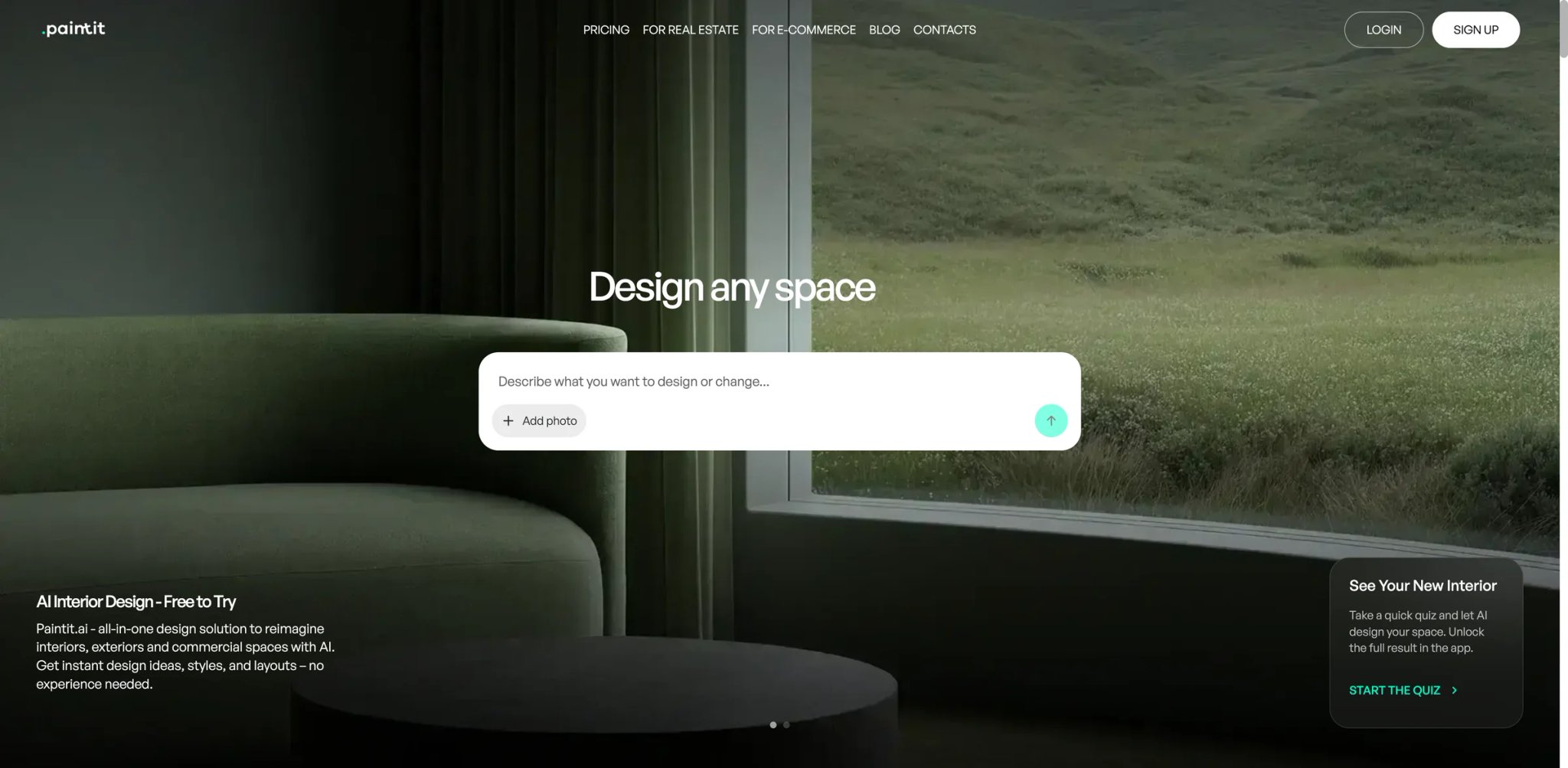
Paintit.ai is narrower in scope than most tools on this list — it specializes in paint color and wall finish visualization rather than full room redesigns. That narrow focus produces a better result on its specific use case than general-purpose tools: wall color separation stays geometrically accurate, lighting direction influences the perceived paint sheen, and trim/accent walls get recognized and handled independently.
Key Features
- Paint-accurate color visualization — Select a real paint brand and color (Benjamin Moore, Sherwin-Williams, Farrow & Ball) and see it applied to your specific walls with correct lighting. More accurate than general redesign tools that approximate colors.
- Trim and accent wall detection — Automatically identifies baseboards, crown molding, and trim, letting you paint them separately from main walls. Most general tools treat all walls as one surface.
- Finish simulation (matte/satin/gloss) — Shows how the same color reads differently across finish types. Useful before buying gallons of paint you can't return.
Pricing & Plans
| Plan | Price | Includes |
|---|---|---|
| Free | $0 | Limited free access for evaluation |
| Weekly | $5.99 | 300 credits |
| Monthly | $20.99 | 1500 credits, 4K exports, commercial usage license |
Paintit.ai currently offers both free access and subscriptions: the Weekly plan is $5.99 for 300 credits, and the Monthly plan is $20.99 for 1500 credits with 4K exports and a commercial usage license.
Pros & Cons
Pros: Most accurate paint visualization in the category — genuinely better than general redesign tools for this specific task. Trim/accent detection is a real differentiator. Weekly subscription option fits single-project timelines without annual commitment.
Cons: Narrow scope means you need a second tool for furniture or layout changes. Public user feedback is thin — fewer data points than consumer-facing tools. Monthly plan at $20.99 is pricier than some general redesign tools covering more use cases.
Who It's For
Paintit.ai is the right pick for homeowners specifically choosing paint colors and who want to get it right before buying. Also good for real-estate stagers who only need to update wall colors in listing photos. Not the right fit for full room redesigns (Decor8, Planner 5D, or Homestyler are better) or for users doing frequent multi-room projects where a subscription saves money.
Get started with Paintit.ai
Renovate AI
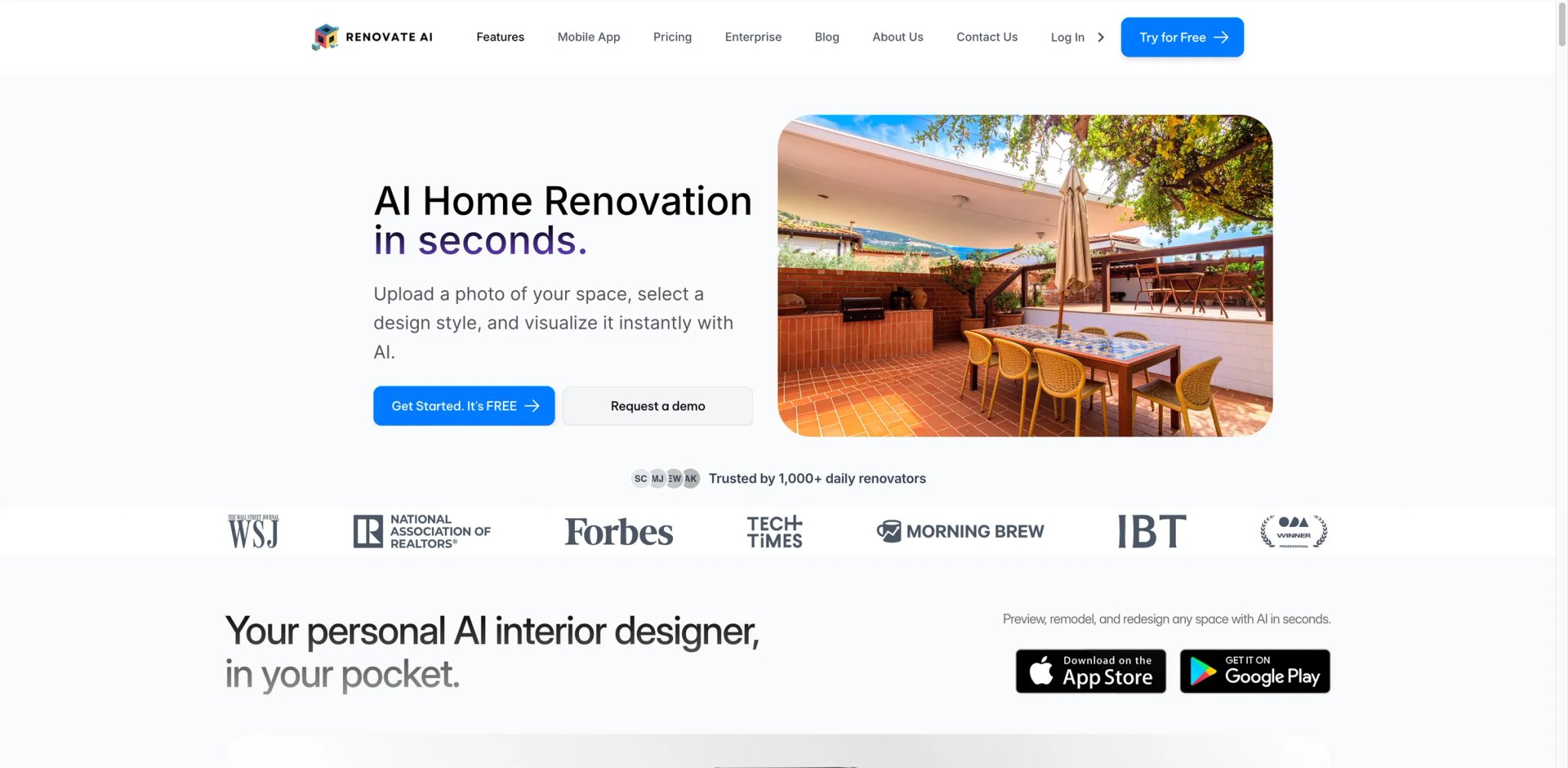
Renovate AI's App Store reviews skew more positive than most tools in this list — the mobile-first workflow, quick redesign turnaround, and Starter web plan at $13/month (billed annually) hit a sweet spot for DIY homeowners mocking up renovation ideas before contractor quotes. The trade-off is that the official web pricing sits alongside separately billed App Store subscriptions, which can confuse cost comparisons.
Key Features
- Before-and-after renovation previews — Upload current-state photos, generate renovated versions with different finish choices. Useful for bathroom/kitchen remodels where you want to see how a tile/cabinet choice actually reads.
- Outdoor and landscape coverage — Covers backyards, patios, and front-yard landscaping alongside interior rooms. Strong for DIY outdoor projects.
- App-first mobile workflow — iOS and Android apps are the primary experience, with web as secondary. Matches the mental model of renovating-while-walking-through-the-house.
Pricing & Plans
| Plan | Price | Includes |
|---|---|---|
| Free | $0 | 5 free renders to try the product |
| Starter | $13/mo (annual) | 300 credits/month, 100+ styles, unlimited cloud storage, watermark |
| Professional | $24/mo (annual) | 700 credits/month, commercial spaces/styles, commercial license, no watermark |
| Business Pilot | $99/mo (annual) | 3000 credits/month, 4K renders, API access on request |
The official web pricing is currently published as Starter at $13/month billed annually, Professional at $24/month billed annually, and Business Pilot at $99/month billed annually.
Pros & Cons
Pros: Strong mobile experience with positive App Store feedback. Published annual web pricing ($13–$99/mo billed yearly) clarifies cost versus app-only tools. Landscape coverage adds value over interior-only tools.
Cons: Promotional pricing structure obscures true cost past the intro window. Auto-renewal patterns match the broader App Store complaint pattern. Output quality is good but not at the Decor8/Spacely AI ceiling.
Who It's For
Renovate AI fits DIY homeowners planning specific projects (bathroom remodel, kitchen refresh, backyard makeover) who want to mock up options before contractor meetings. The $13/mo Starter web tier works for defined renovation-planning windows. Not the right fit for professional designer workflows (Foyr Neo, Spacely AI) or if you want transparent flat monthly pricing without annual commitment (Decor8).
Get started with Renovate AI
VisualizeAI

VisualizeAI's free trial is friendlier than most competitors — generate redesigns without paying upfront, but with the trade-off that free-tier output goes into a public gallery by default. For users who don't mind sharing their redesigns publicly, it's genuinely generous; for anyone wanting privacy, the free tier becomes a non-starter.
Key Features
- Multi-style redesign from single prompt — Input one room photo and generate four parallel style variants simultaneously (modern, Scandinavian, industrial, traditional) for side-by-side comparison.
- Room type recognition — Automatically detects whether the uploaded photo is a bedroom, kitchen, or bathroom and applies room-appropriate styling rather than generic furniture placement.
- Export variety — Output in multiple resolutions and aspect ratios to fit different downstream uses (social media posts, print materials, client slides).
Pricing & Plans
| Plan | Price | Includes |
|---|---|---|
| Free | $0 | Free-plan ideas are public |
| Pro | $21/mo (annual) | 1000 renders/upscales per month, commercial use, beta access |
Current VisualizeAI pricing shows a free public plan plus a Pro plan at $21/month billed annually, and the terms make clear that free-plan ideas are public while paid-plan ideas are private.
Pros & Cons
Pros: Multi-variant parallel generation saves time when exploring styles. Free trial is usable for real evaluation if you don't mind public outputs. Export variety fits multi-channel use.
Cons: Free-tier privacy trade-off feels more coercive than competitors' credit-limited free trials. Public user feedback volume is moderate — fewer data points than Decor8 or Homestyler. Output quality is good but not category-leading.
Who It's For
VisualizeAI fits users who want to explore several style options per room without paying per generation, and who don't mind their outputs being publicly visible during free-tier use. Also works for content creators specifically making public design content. Not the right fit if privacy matters on free-tier output (Decor8's paid trial stays private) or if you want the absolute top-tier output quality.
Get started with VisualizeAI
HomeVisualizer.AI

HomeVisualizer.AI's pricing page is refreshingly short — $12/month annual, clear credit allowances, no enterprise sales pitch. The tool skews solo-homeowner rather than pro-designer, and the feature set is calibrated to that audience: single-room redesigns, clear style presets, and export formats aimed at personal use rather than client presentations.
Key Features
- Transparent credit-based pricing — Credits per redesign are published upfront, not buried in terms pages. Cost-per-redesign is predictable.
- Style preset clarity — Named styles (Scandinavian, Industrial, Mid-Century Modern, Japandi) with actual example images attached, so you pick based on seeing output rather than guessing from labels.
- Solo-homeowner UX simplification — No team features, no client portal, no asset library — just upload, style, output. Lower learning curve than pro tools.
Pricing & Plans
| Plan | Price | Includes |
|---|---|---|
| Standard | $12/mo (annual) | 250 renders/month, personal use |
| Pro | $21/mo (annual) | 1000 renders/month, commercial use |
| Business | $75/mo (annual) | 5000 renders/month, commercial use |
Annual billing is the default published rate; monthly available at higher equivalent cost. Credit allowances per tier are disclosed.
Pros & Cons
Pros: Pricing transparency is a genuine selling point. Solo-homeowner UX is less intimidating than pro tools. Style preset example images help picking decisions.
Cons: Public third-party review volume is thin — fewer independent data points. No team/pro features limits pro-leaning use cases. Output quality is good but not at Decor8 or Spacely AI's ceiling.
Who It's For
HomeVisualizer.AI fits solo homeowners doing occasional redesigns who prioritize clear pricing over feature depth. Good for users who find tools like Planner 5D or Foyr Neo overwhelming. Not the right fit for pro designers needing team features or for real-estate stagers needing explicit commercial licensing coverage.
Get started with HomeVisualizer.AI
Home Design AI
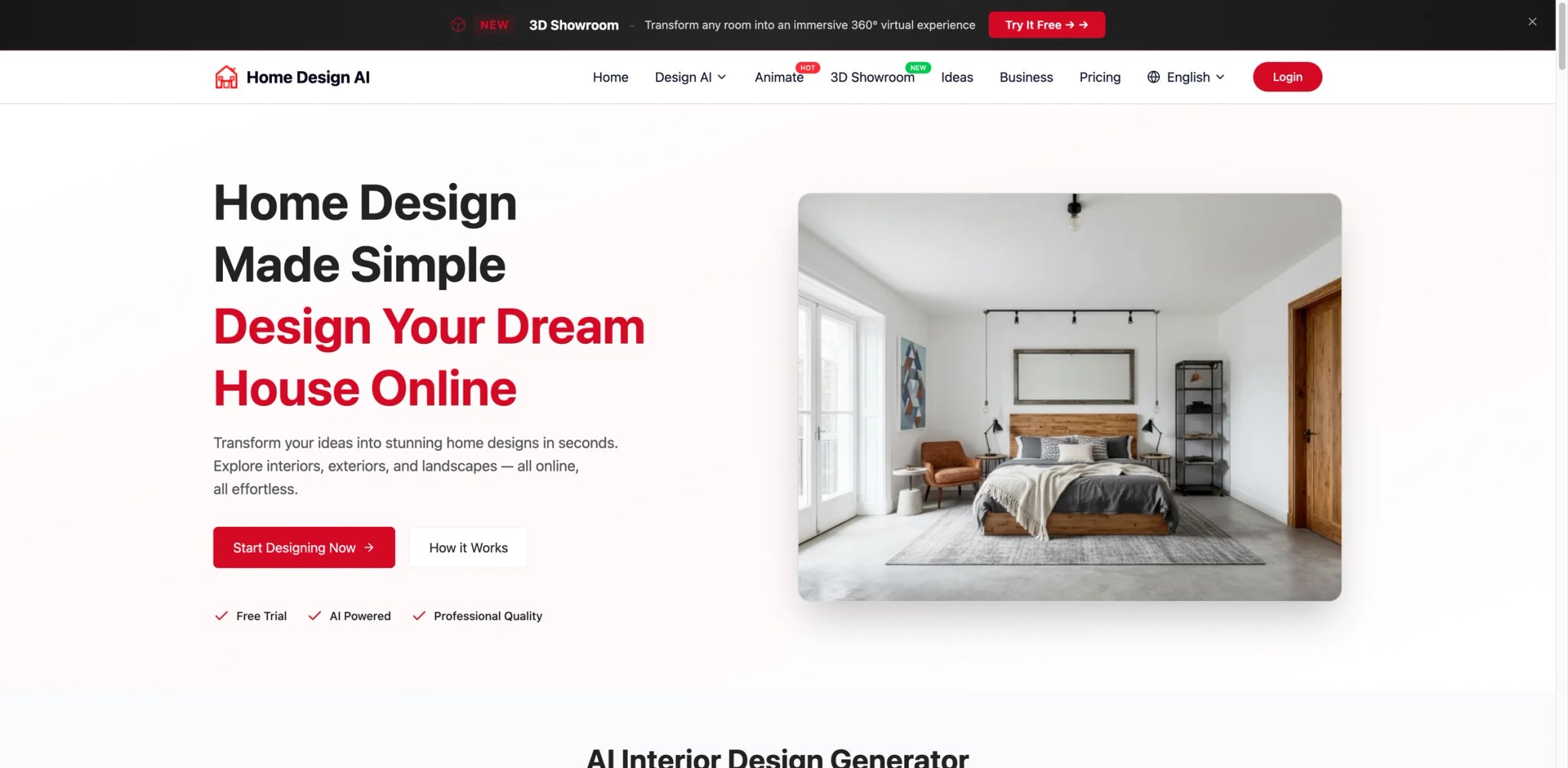
Home Design AI's $9.99/month price point lands it in the budget tier of this category — cheap enough for one-off seasonal redesigns without feeling like a committed subscription. The output quality reflects that tier: functional and usable for personal inspiration, but a step below Decor8, Spacely AI, or Coohom on output realism. Good choice if price is the dominant decision factor.
Key Features
- Budget-tier annual pricing — Starter at $9.99/month (billed annually at $119/year) is the cheapest serious subscription in this list. Enough volume (200 credits/month) to handle personal projects.
- Clear free-trial terms — Trial period and limits called out on the pricing page without buried conditions. Lower chance of auto-renewal surprises.
- Standard style library — Covers the 10-15 styles most homeowners actually search for (Modern, Scandinavian, Industrial, Bohemian), without the long tail of niche aesthetics.
Pricing & Plans
| Plan | Price | Includes |
|---|---|---|
| Starter | $9.99/mo (annual) | 200 credits/month, 4K export, commercial usage rights |
| Professional | $24.99/mo (annual) | 600 credits/month, priority processing, commercial usage rights |
| Enterprise | $49.99/mo (annual) | 1500 credits/month, priority processing, commercial usage rights |
Published pricing is annual-billed: Starter is $9.99/month billed as $119 yearly, Professional is $24.99/month billed as $299 yearly, and Enterprise is $49.99/month billed as $599 yearly.
Pros & Cons
Pros: Cheapest subscription in the category with usable (not teaser) output. Clear trial terms avoid auto-renewal surprises. Lower entry barrier for first-time AI-redesign users.
Cons: Public third-party review volume is thin. Output quality noticeably below top-tier tools (Decor8, Spacely AI). Style library covers the basics but not niche aesthetics.
Who It's For
Home Design AI is the right pick for price-first homeowners doing occasional redesigns who want to pay $10/month without evaluating feature ceilings. Also good for students or renters on tight budgets. Not the right fit if output quality is the deciding factor (Decor8 at $14.99 produces noticeably better results) or if you need commercial licensing for real-estate work.
Get started with Home Design AI
DecorMatters
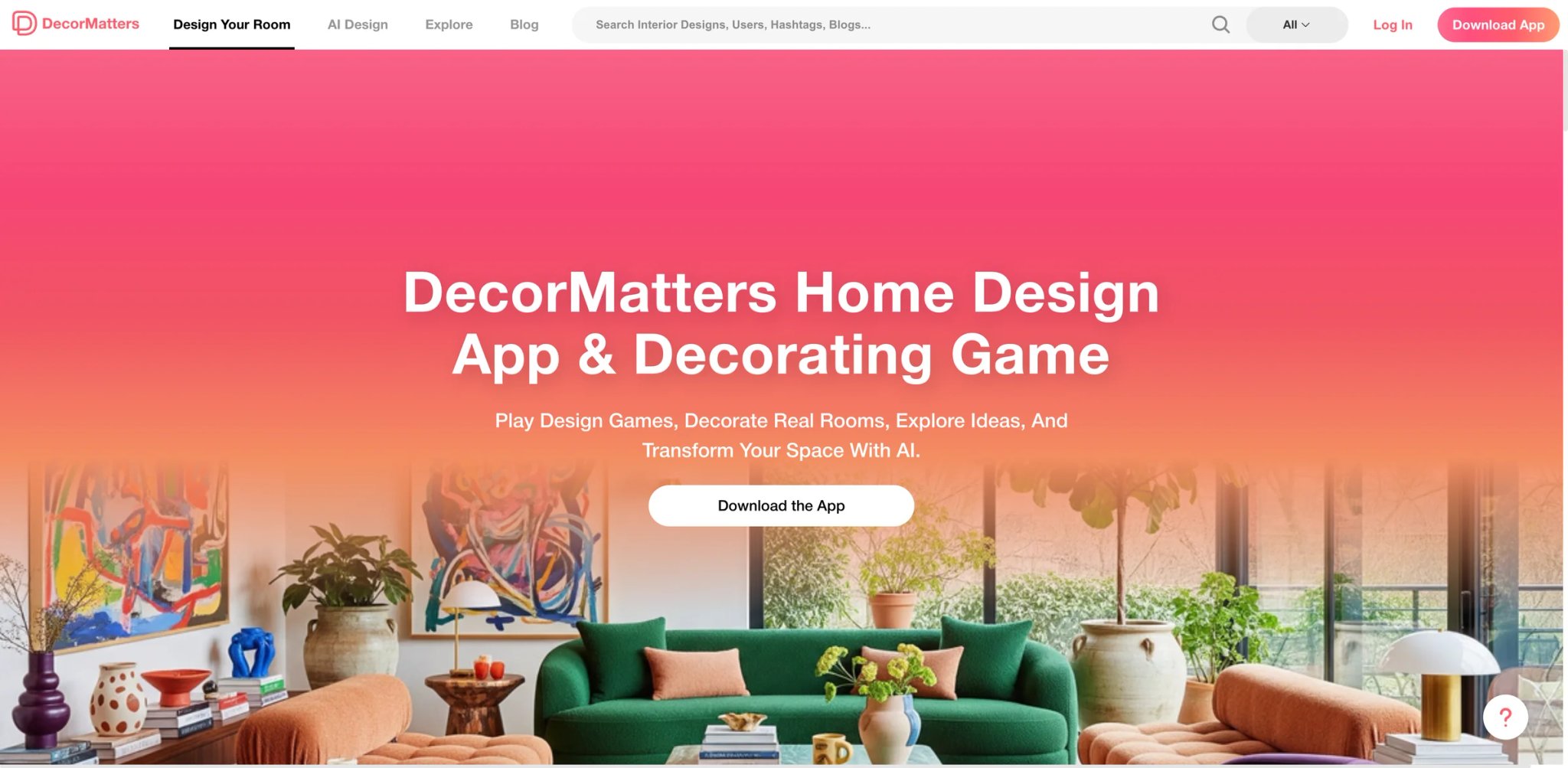
DecorMatters is the community-first tool in this list — the app prioritizes browsing other users' designs, remixing them, and sharing back to the community over isolated one-shot redesign. For users who want inspiration as much as output, the social layer adds value that purely generative tools don't. Primary experience is mobile (iOS/Android); web is secondary.
Key Features
- Community remix workflow — Browse thousands of user-created room designs, pick one you like, and let the AI restyle it for your specific room. Gets around the "I don't know what style I want" problem.
- AR room preview on mobile — Point your phone at a real room and preview furniture placements in AR before buying. Native to iOS/Android.
- Weekly design challenges — Time-limited themed challenges with community voting. Adds a gamified inspiration loop beyond pure utility.
Pricing & Plans
| Plan | Price | Includes |
|---|---|---|
| Free | $0 | Community access, basic features, in-app ads |
| Memberships / coins | Varies by storefront and region | App Store and Google Play list multiple weekly, monthly, yearly memberships and coin packs rather than one fixed $6.99 plan |
App Store subscription — billing flows through Apple or Google. Auto-renewal follows platform conventions.
Pros & Cons
Pros: Community layer genuinely differentiated. AR preview useful for pre-purchase visualization. Cheapest paid tier in this list for full AI access.
Cons: App-first means weaker web experience. App Store subscription flows have the usual auto-renewal friction pattern. Output polish focused on community-friendly aesthetics, not pro-grade realism.
Who It's For
DecorMatters fits mobile-primary users who enjoy a social/community angle on design — browsing, remixing, and sharing as part of the workflow. Good for casual homeowners who don't have a specific design vision and want inspiration. Not the right fit for pro or semi-pro use (no commercial licensing depth) or for users who prefer distraction-free redesign workflows.
Get started with DecorMatters
Remodel AI

Remodel AI's selling point is cross-platform parity — the iOS app, Android app, and web version all handle the same redesign workflow with consistent output quality. For households where different family members use different devices, or for users who switch between phone and laptop during project planning, that consistency matters more than peak feature depth on any single platform.
Key Features
- True cross-platform consistency — iOS, Android, and Web produce the same redesigns from the same uploads. Most competing tools have feature gaps between mobile and web.
- Multiple subscription cadences — Weekly, monthly, and annual billing options let you match subscription to actual project timeline. Rare in this category.
- Room type breadth — Handles bedrooms, kitchens, bathrooms, offices, and outdoor spaces with reasonable output consistency across types.
Pricing & Plans
| Plan | Price | Includes |
|---|---|---|
| Free Trial | $0 | Limited free trial |
| App / Web billing | Varies by storefront and region | Public storefront listings show multiple Pro weekly, monthly, and yearly options rather than one stable $4.99/week plan |
Remodel AI sells through app-store and web billing flows, and its public storefront listings show multiple Pro weekly, monthly, and yearly prices that vary by region instead of one stable introductory rate.
Pros & Cons
Pros: True cross-platform parity is genuinely useful for multi-device users. Multiple billing cadences (weekly/monthly/yearly on App Store and web) give flexibility. Strong App Store feedback volume and scores.
Cons: Multiple billing cadences through multiple app stores makes pricing comparison confusing — published rates vary by region and promotion. Output quality is good but not category-leading. App-store weekly subscriptions annualize expensive for long-term use.
Who It's For
Remodel AI fits multi-device households or users who switch between phone and laptop during project planning, especially those comfortable navigating multiple storefront billing flows. Not the right fit for pro designer use or if you want predictable flat monthly billing without App Store intermediation (Decor8's flat $14.99 is cleaner).
Get started with Remodel AI
Best AI Interior Design Tools by Use Case
For Real-Estate Agents Replacing Physical Staging
If you're listing 3+ properties per month and physical staging costs are eating into commissions, Interior AI is the purpose-built choice — virtual-staging tier (from $390/year) includes explicit commercial licensing and whole-home style consistency. Decor8 AI at $14.99/month flat is the faster alternative if you mainly stage single rooms per listing and want cancel-anytime flexibility.
For Homeowners Choosing Paint or Finishes Before Buying
If you're about to spend $500+ on paint or a specific finish and want to confirm the choice first, Paintit.ai is the most accurate paint visualization tool — real paint-brand color libraries, trim detection, and finish simulation. Decor8 AI handles broader room-context paint visualization if you also want to see the color against new furniture you might buy.
For Solo Designers Running Small Client Practices
If you're a solo interior designer billing clients directly, Foyr Neo at $22/month replaces mood-board tools, 3D modelers, and presentation software with one workflow. Spacely AI is the lighter alternative if you want fast AI-assisted moodboards without committing to a full pro suite. See our guide on AI design tools for broader creative-practice tools.
For Renters or First-Time Buyers Planning a New Space
If you're moving into a new apartment or first home and want to plan furniture layout before buying anything, Planner 5D's 2D + 3D + AI combination is unmatched at its price — floor plan measurement plus AI-styled renders. Homestyler's free tier works for the same use case if you're cost-sensitive and willing to tolerate auto-renewal friction after intro pricing.
For DIY Homeowners Planning Specific Renovations
If you're about to get contractor quotes for a bathroom, kitchen, or backyard renovation and want to visualize options first, Renovate AI's Starter plan at $13/mo (annual) is cheap enough for short planning windows. ReimagineHome is the stronger choice if you want the output to double as a shopping list with real retailer links.
How to Choose the Right AI Interior Design Tool
1. Start with your actual use case. Real-estate staging, personal redesign, pro client work, and paint-color selection all have different "best" tools. Interior AI for staging, Decor8 AI for personal redesign, Foyr Neo for pro client work, and Paintit.ai for paint. Tools that try to serve all use cases often do none of them excellently.
2. Check commercial license before real-estate or client work. Several tools (Decor8, Interior AI, ReimagineHome) include commercial use on paid tiers. Others restrict to personal use or require enterprise conversations. If you need to use outputs on a listing or in client deliverables, verify coverage before subscribing.
3. Evaluate free tiers against your actual volume. A free tier that gives you 1 generation is a demo, not an evaluation. Planner 5D, Homestyler, and Coohom offer meaningful free tiers you can actually evaluate with. Others (Decor8, Spacely AI) require a paid commitment to test at all.
4. Watch for auto-renewal and App Store billing patterns. App-subscription tools (Renovate AI, Remodel AI, DecorMatters) follow App Store conventions for auto-renewal, which often runs higher than intro rates and requires navigating device-specific cancel flows. Web-native flat pricing (Decor8's $14.99, Home Design AI's $9.99) avoids that friction.
5. Match output quality ceiling to your audience. Client-facing work needs Coohom, Foyr Neo, Spacely AI, or Decor8 quality. Personal inspiration and early-stage planning can use any tool in this list. Don't pay pro prices for personal use, and don't present consumer-tier output to paying clients.
Frequently Asked Questions
What is the best AI interior design tool for homeowners on a budget?
Homestyler's free tier is the most generous among tools in this category and covers basic redesign needs indefinitely, with paid Pro at $4.90/month (intro pricing). Home Design AI at $9.99/month billed annually is the cheapest flat-priced subscription with usable output. DecorMatters on App Store is the cheapest paid mobile-first option, though pricing varies by storefront. Coohom also has a meaningful free tier with pro-grade output, though the learning curve is steeper.
Can AI interior design tools produce outputs usable for real-estate listing photos?
Yes, but you need to verify commercial licensing coverage. Interior AI's virtual-staging tier is purpose-built for listings with explicit commercial rights. Decor8 AI's subscription includes commercial use. ReimagineHome also supports real-estate use on paid tiers. Tools like DecorMatters and Home Design AI focus on personal use and may not cover commercial listings without a higher tier or explicit license verification.
How accurate are AI-generated room redesigns compared to actual results?
Output quality varies significantly by tool. Decor8 AI, Spacely AI, Foyr Neo, and Coohom produce results that read as believable photorealism on phone and desktop displays. Homestyler, Planner 5D, and ReimagineHome produce good-quality output suitable for inspiration. Lower-tier tools can produce plausible previews but with visible AI artifacts on close inspection — acceptable for exploration, not for client presentations. The main limitation across all tools is that lighting direction and material reflectivity sometimes differ from physical reality, which can mislead paint or finish decisions without a physical sample check.
Do AI interior design tools replace hiring an interior designer?
For basic visualization, style exploration, and small DIY projects, yes — tools like Decor8 AI and Planner 5D produce output that was previously only possible with a designer. For complex renovations involving structural changes, code compliance, contractor coordination, or client-specific creative direction, an interior designer adds value AI tools can't replicate. The practical pattern is using AI tools to narrow down style preferences before engaging a designer on the specific execution, which can meaningfully reduce billable hours.
What is the difference between virtual staging and AI interior redesign?
Virtual staging takes empty or sparsely furnished listing photos and fills them with styled furniture and decor to make the space feel inhabited — typically used by real-estate agents. AI interior redesign takes an already-furnished room and changes its style, furniture choices, or finishes — used by homeowners planning changes. Interior AI and Decor8 support both workflows, but the underlying goal and output differ. Compare the specialist products, pricing models, and disclosure workflows in our virtual staging software guide; for broader editing, see the AI image editor guide.
How much should an AI interior design tool cost?
Consumer users can get excellent tools for $5-15/month (Planner 5D at $4.99, Decor8 AI at $14.99). Pro-grade tools for real client work run $20-30/month (Foyr Neo at $22). Real-estate staging specialized tiers run $30-40/month equivalent ($390-plus annual). Free tiers from Homestyler, Coohom, and Planner 5D are genuinely useful for evaluation or light usage. App Store weekly subscriptions ($4.99-$9.99/week) are rarely cost-effective for ongoing use but can match short project windows.
Are AI interior design outputs copyrighted or free to use commercially?
Most paid-tier subscriptions in this list grant commercial rights to outputs you generate — Decor8 AI, Interior AI, ReimagineHome, Coohom, Foyr Neo, and Spacely AI all include commercial use on Pro/Standard tiers. Free tiers often restrict to personal use only and may retain display rights to outputs (VisualizeAI's public-gallery default is the most explicit example). Always verify license terms on the current pricing page before using outputs in paid client work, real-estate listings, or commercial marketing.
Get ToolWorthy Weekly
New AI tools, practical guides, and selected AI signals in one weekly brief.
Related Posts
- 12 Best AI Floor Plan Generator Tools 2026 - Plans, Scans & BIM
Compare 12 AI floor plan generator tools for text prompts, sketch uploads, mobile scans, 3D home design, BIM concepts and real estate feasibility.
- 11 Best Virtual Staging Software 2026 — AI Tools for Real Estate
We compared 11 AI virtual staging tools on image quality, speed, MLS compliance, and real pricing — from one-time packs to monthly subscription plans.
For AI tool founders
Built a tool that belongs in this decision set?
Request an editorial evaluation for possible inclusion in ToolWorthy.
Submit your tool for reviewPaid submission does not guarantee a ranking, recommendation, inclusion, or editorial outcome.