
10 Best Web Scraping APIs in 2026: Choose the Right Contract
Choose among 10 web scraping APIs by the contract you actually need: raw page requests, structured extraction, crawling, managed datasets, or a platform runtime.

On this page
The best web scraping API is not the one with the longest feature list. It is the one whose input, output, billing unit, and operating model fit the job your team actually owns.
A URL-in/HTML-out API is useful when your code already handles discovery and parsing. A structured extraction API owns more of the schema. A crawl service discovers pages and returns a job or dataset. A platform such as Apify asks you to adopt Actors, schedules, storage, and platform economics. Comparing those contracts as if they were interchangeable produces a neat table and a poor buying decision.
This guide routes ten current products by buyer job. It does not name a universal speed, unblock-rate, or extraction-accuracy winner because no controlled same-target benchmark was performed. For a wider directory that also includes no-code and self-hosted routes, browse the AI web scraping category.
Short Answer: Choose the API Contract First
| If your real job is... | Options that fit this contract | First deal-breaker to check |
|---|---|---|
| Fetch raw or rendered pages while your code owns parsing | ScrapingBee, ScraperAPI, Zyte API, Scrapfly | Required geography, session behavior, rendering mode, and feature-credit cost |
| Keep fetch, extraction, batch, and live browser routes under one account | ZenRows, Zyte API, Scrapfly | Whether the exact primitive and its meter are stable enough for procurement |
| Receive semantic objects instead of maintaining parsers | Diffbot, Zyte API | Supported page types, schema/version behavior, and raw-source fallback |
| Crawl sites or run recurring asynchronous collection jobs | Firecrawl, Bright Data, Oxylabs | Crawl scope, partial failures, result delivery/retention, and the native billing unit |
| Operate reusable scraping applications, schedules, and datasets | Apify | Actor ownership plus compute, proxy, storage, and data-transfer economics |
| Drive a persistent interactive browser | Zyte API, ZenRows, Scrapfly, or Bright Data Browser API | Live CDP/browser access is a different contract from one-shot rendering |
Before You Trial Anything
Remove any product that fails a non-negotiable before comparing vendor claims:
- Output: do you need raw HTML, rendered DOM, markdown, a screenshot, declared JSON fields, search results, or a managed dataset?
- Interaction: is one request enough, or must your code keep cookies, click through steps, and control a live browser?
- Workload: are you fetching known URLs, discovering a site, submitting batches, or scheduling recurring collection?
- Ownership: will your team own parsers, retries, orchestration, storage, and delivery—or pay the provider to own more of them?
- Economics: model the real request configuration. A “request” can become 5, 25, or more credits when rendering, premium routing, extraction, or browser time is enabled.
- Governance: make contractual residency, retention, deletion, security, and support requirements hard procurement gates when they matter.
Request APIs: Keep Parsing and Orchestration in Your Code
These products overlap most when the buyer already knows the target URLs and mainly wants managed fetching, rendering, proxy routing, and response handling.
| Decision factor | ScrapingBee | ScraperAPI | ZenRows | Scrapfly | Zyte API |
|---|---|---|---|---|---|
| Primary contract | URL plus options to page output | Sync raw HTML, with separate async routes | Fetch plus shared Extract, Batch, and Browser primitives | Request API plus separate Extraction, Crawler, and Cloud Browser | HTTP, provider browser, extraction, and CDP in one API family |
| Interactive escalation | Fixed JavaScript scenarios | Async/batch rather than live CDP | Persistent Browser Sessions over CDP/WebSocket | Cloud Browser over CDP | Live CDP for Playwright/Puppeteer |
| Economic shape | Feature-dependent credits | Domain/parameter credits plus plan concurrency | Shared credits, bandwidth, and browser minutes | Feature/proxy/rendering credits | Target/request tiers plus feature costs |
| Best starting question | Can our code keep owning crawl and parse logic? | Do we want a conventional sync endpoint with an async path? | Will we actually use several primitives under one account? | Is granular request control worth a fast-moving surface? | Do we need HTTP, managed browser, extraction, and CDP escalation together? |
ScrapingBee
ScrapingBee is a request-oriented HTML API for teams that want to keep URL discovery, parsing, storage, and orchestration in their own code. Its current documentation covers JavaScript rendering, geolocation, sticky sessions, screenshots, JavaScript scenarios, response transformations, CSS/XPath extraction, and AI-assisted extraction.
The practical attraction is a compact URL-plus-options contract. A developer can request raw or rendered content, markdown or text transformations, screenshots, or selected fields without adopting a broader job platform. That makes it a sensible first trial for an existing crawler that mainly needs a managed browser and proxy layer.
The pricing model needs workload math, not just a plan comparison. Plans include monthly credits and concurrency, while request cost changes with rendering and proxy mode; AI extraction consumes additional credits. Best for: teams retaining their own parser and crawl architecture. Skip if: persistent live browser control or provider-managed recurring datasets are the primary requirement.
See the ScrapingBee product profile for broader entity context beyond this API-contract comparison.
ScraperAPI
ScraperAPI begins with a conventional synchronous endpoint that returns raw HTML, supports JavaScript rendering, geotargeting, premium routing, sessions, and per-request cost caps, then offers separate asynchronous and pipeline/crawler routes.
That progression is useful when a team wants a simple request integration first but expects some jobs to outgrow a long-lived HTTP connection. The documented Async API can accept batches, return status URLs, and send webhooks. Treat those as a different operational path from the sync endpoint rather than one undifferentiated feature row.
Credits vary by target and enabled parameters, and plans also cap concurrent threads. Response cost headers and the dashboard API Playground are more useful than dividing the subscription price by the headline credit allowance. Best for: a familiar raw-HTML request API with an optional batch path. Skip if: live CDP browser control or generic provider-owned structured schemas are mandatory.
ZenRows
ZenRows now presents Fetch, Extract, Batch, and Browser Sessions as distinct primitives under one platform. Fetch can return HTML, markdown, JSON, screenshots, or text; Browser Sessions expose a persistent CDP/WebSocket route for login, clicks, scrolling, and multi-step state.
This breadth can reduce integration switching when a workload starts as simple fetching and later needs supported extraction, a large asynchronous batch, or a live browser. It also means “using ZenRows” is not one economic unit. The shared balance applies request multipliers, residential bandwidth, and per-minute browser-session charges depending on the primitive.
The current Fetch-centered taxonomy replaces older per-site Scraper APIs, which ZenRows now marks deprecated for new integrations. Confirm the exact Extract coverage, workload meter, and Browser Session limits during the trial. Best for: teams that genuinely expect to combine several primitives. Skip if: procurement needs a long-stable product taxonomy or one request-only meter.
Scrapfly
Scrapfly's Web Scraping API emphasizes granular request configuration and reports credit use in each result. Its current service family also includes Extraction and Crawler APIs, while dated release notes show Cloud Browser API reached general availability on April 8, 2026 for Playwright, Puppeteer, or Selenium over CDP.
That creates a useful escalation path: begin with request scraping, add templates or AI/LLM extraction where appropriate, move discovery into the crawler, or use a managed browser when fixed actions are insufficient. The cost follows the chosen features—proxy pool, browser rendering, protection handling, response type, and extraction all matter.
Recent product expansion is both the reason to consider Scrapfly and its main procurement risk. Verify current documentation and limits instead of relying on an older review. Best for: developer teams that want granular request controls and may need crawler/browser escalation. Skip if: a fast-changing product surface is unacceptable.
Zyte API
Zyte API puts low-level HTTP requests, provider-driven browser requests, automatic structured extraction, screenshots/actions, geolocation, IP selection, cookies/sessions, and a live CDP browser in one API family.
The distinction between browser modes matters. A regular browser request asks Zyte to drive the browser and return rendered HTML or a screenshot. CDP connects Playwright or Puppeteer to a live managed browser, giving your code control over navigation and state—and more responsibility for the workflow. That is a strong route when the team wants to escalate without changing vendors.
Pricing is target- and request-tier based, with additional feature costs and a separate CDP meter. Standard access documents pay-as-you-go or commitment options, successful-response charging, and a 3,000-RPM standard limit. Best for: teams that need several execution modes in one API family. Skip if: a flat request allowance is essential for forecasting.
The Zyte API product profile provides additional product-level context outside this lane comparison.
Structured Extraction: Choose the Schema, Not Just “JSON”
Returning JSON is not enough to make two extraction products comparable. A semantic page-type model, a supported-site parser, CSS/XPath rules, and an LLM schema each shift different maintenance and accuracy responsibilities to the provider.
Diffbot
Diffbot is the clearest distinct structured-extraction route in this shortlist. Extract accepts a URL, renders and classifies the page, then returns normalized objects through Analyze or page-type APIs for products, articles, discussions, jobs, images, videos, and other documented types. Crawl can discover pages and pass them through Extract into a collection.
Choose Diffbot when semantic objects are the product your application needs and the documented page type matches the target. Do not choose it merely because “JSON” sounds easier: unsupported or misclassified pages, schema expectations, and field quality still need a representative trial. Extract uses credits per request and proxy use changes the cost; Crawl requires an eligible paid plan.
Best for: teams buying normalized semantic objects rather than raw page access. Skip if: targets fall outside the supported types, or low-level browser/proxy/session control must remain with your code.
Crawl and Managed Collection: Buy a Job or Dataset
The following routes own more than a request. Compare crawl scope, partial failures, scheduling, result delivery, retention, and native billing units—not just whether all three can “scrape a page.”
| Decision factor | Firecrawl | Bright Data Web Scraper API | Oxylabs Web Scraper API |
|---|---|---|---|
| Primary output | Clean page content and site crawl results | Structured records from configured scrapers/jobs | HTML, parsed JSON, screenshots, XHR, or markdown from Realtime/Push-Pull jobs |
| Async/recurring model | Crawl/search jobs with page-oriented credits | Batch and scheduled collection with API/webhook delivery | Push-Pull batches, cloud delivery, and Scheduler |
| Native meter | Page credits plus endpoint/feature meters | Successful records | Successful results, target and rendering dependent |
| Main ownership question | Is clean content/context enough? | Does a managed structured scraper fit the target? | Do target-specific modes and result delivery fit the pipeline? |
Firecrawl
Firecrawl is a crawl-to-clean-data route designed around Scrape, Crawl, Search, Map, and interactive browser capabilities. Its Scrape endpoint can return markdown, HTML, raw HTML, screenshots, links, or structured JSON; Crawl follows a site and returns page results rather than asking your application to discover every URL.
This contract fits AI and data workflows that primarily need clean web context. Current plans use monthly credits and concurrency limits: basic Scrape and Crawl are page-oriented, while Search, browser interaction, enhanced proxies, JSON extraction, and other advanced features can use different or additional meters.
Treat Firecrawl's fast product evolution as a recheck requirement, especially around Agent/Extract naming and advanced-feature pricing. Best for: clean page content, search, and site crawls feeding AI or data systems. Skip if: low-level proxy control and request semantics are the primary product.
Bright Data
Bright Data belongs in this guide only if its products stay separated. Web Unlocker is a request-oriented route that can return raw or JSON responses and optionally transform output to markdown or screenshots. Web Scraper API is a managed structured-data job with batch/scheduled collection and API or webhook delivery. Browser API is a third, interactive product—not a hidden checkbox on either row.
For a managed collection workload, Web Scraper API charges by successfully delivered records and exposes free, pay-as-you-go, monthly scale, and custom enterprise routes. That can be easier to model when the desired target is covered and “record” matches the buyer's unit of value. Web Unlocker should instead be compared inside the request lane.
Best for: teams that want managed unblocking or managed structured collection and will choose the exact product first. Skip if: the team wants one simple surface or cannot separately model request, record, browser, and proxy economics.
Oxylabs Web Scraper API
Oxylabs Web Scraper API offers three integration shapes: synchronous Realtime, asynchronous Push-Pull with batches and cloud delivery, and a proxy-style endpoint. Depending on the target and parameters, documented outputs include raw HTML, parsed JSON, PNG screenshots, XHR data, and markdown.
Push-Pull is the relevant route when the buyer wants to submit a large job, receive completion notification, and retrieve or deliver results to cloud storage. The separate Scheduler can create recurring jobs, but buyers should start with a small bounded run because scheduling can amplify both errors and cost.
Subscriptions are result-based, with allowances and submission rates varying by target and JavaScript requirement. Best for: target-specific parsing or high-volume asynchronous delivery. Skip if: a minimal raw request endpoint with little job semantics is the only need.
Platform Runtime: Adopt a Scraping Operating Model

Apify is not simply another request API. It is a runtime and marketplace organized around Actors, tasks, runs, datasets, key-value stores, request queues, schedules, webhooks, and platform proxy services.
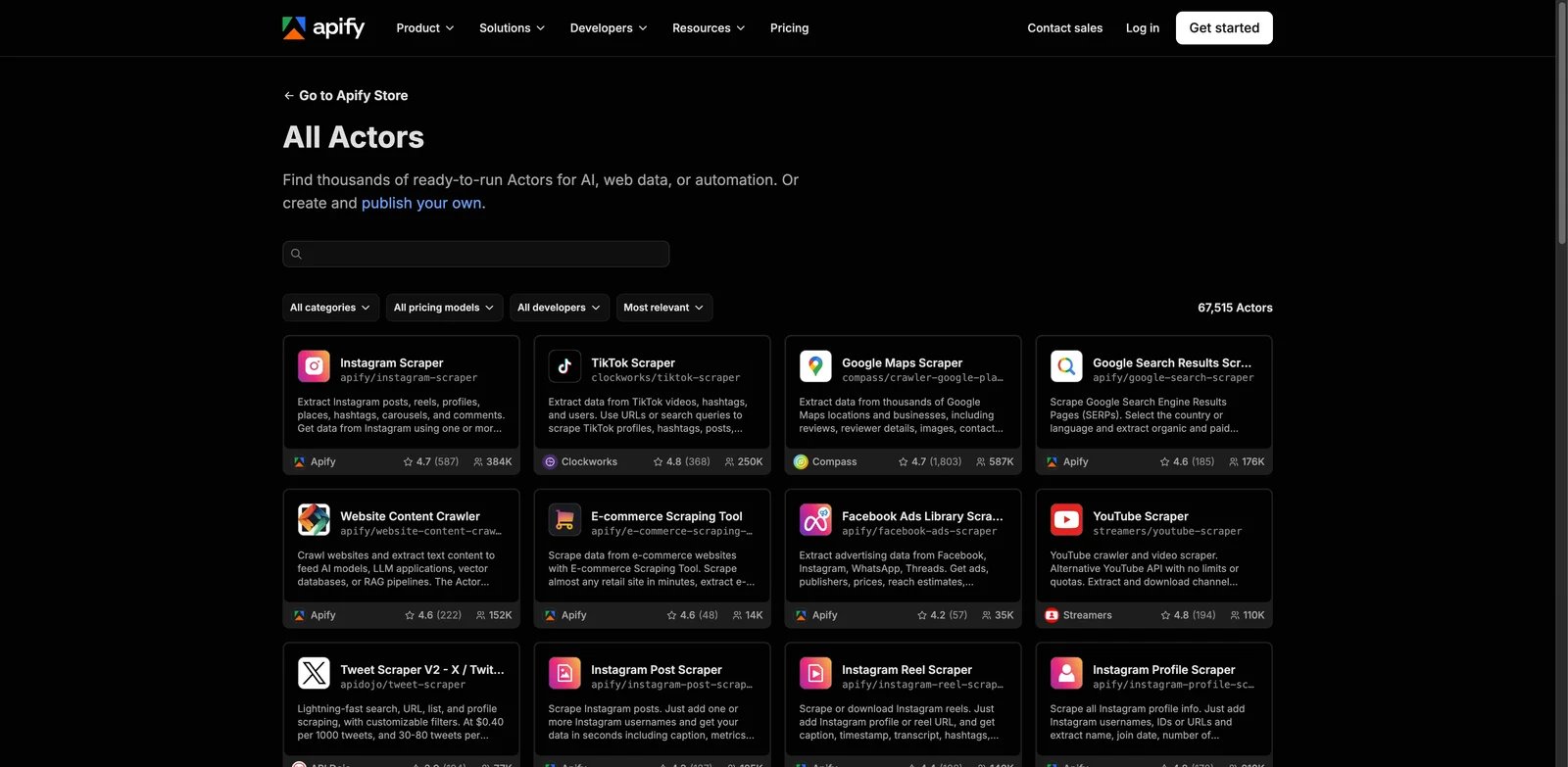
Visit Apify Store to inspect the exact Actor, maintainer, input contract, and pricing model before treating it as part of your stack.
That model helps when scraping should become a reusable operational application: run an existing Actor or deploy your own, save configuration as a task, schedule it, and persist results in a dataset. It also means platform and Actor ownership become part of the architecture. Actor capabilities, maintenance, and pricing can be Actor-specific, so one Store Actor should not stand in for the entire platform.
Cost can include compute units, storage operations, data transfer, proxy traffic, and Actor-specific charges. Best for: teams willing to adopt a managed scraping runtime and its workflow primitives. Skip if: the desired integration is one small URL-in/page-out endpoint with a single meter.
For the broader platform entity, see the Apify product profile.
How to Build a Two-Product Trial
After choosing a lane, turn the real workload into a small, repeatable test:
- Freeze an authorized set of representative targets before seeing results.
- Define usable success as required page markers or fields—not HTTP 200 alone.
- Enable equivalent rendering, geography, session, and output requirements for each finalist.
- Record raw outcomes, error classes, retries, elapsed time, and the exact plan/configuration.
- Track native usage: credits, records, results, bandwidth, browser minutes, compute, storage, and retry amplification.
- For structured output, compare against a human-reviewed set of required fields.
- For asynchronous work, test partial failures, callbacks, result expiry, and duplicate delivery handling.
- Send contractual residency, retention, DPA, security, and SLA requirements through procurement separately.
This can support a narrow conclusion such as “lower cost per valid record for this September 2026 job.” It cannot establish a timeless “best anti-bot API.”
What Public Documentation Cannot Prove
Official documentation can establish supported routes, output contracts, pricing meters, and stated limits. It does not establish which vendor will return usable content most often on your targets, extract your fields most accurately, or finish fastest under sustained load.
Unknown evidence is not a negative product score. If a hard residency, retention, or support fact is not public, ask the vendor and put the answer into the contract. If an execution-quality question matters, measure it in the trial.
Technical access is not a substitute for legal or compliance review. If permissions, contracts, privacy, or data licensing are material to the workload, obtain appropriate advice before deployment.
FAQ
Which web scraping API should I try first?
How should I compare web scraping API pricing?
Do I need a browser API or just JavaScript rendering?
Is a web scraping API enough for a recurring data pipeline?
Get ToolWorthy Weekly
New AI tools, practical guides, and selected AI signals in one weekly brief.
Related Posts
- Best Text-to-Speech APIs in 2026: Choose by Workload, Not Demo Voice
Compare 10 text-to-speech APIs by realtime protocol, voice control, pricing meter, language coverage, cloud fit, and private-deployment needs.
- Best AI Test Automation Tools 2026: Pick by Testing Goal
A lane-based guide to AI test automation tools for QA and engineering teams: broad QA platforms, plain-English E2E, visual testing, managed QA, and cloud/device agent testing.
- 13 Best AI Code Review Tools 2026 - PR, Security & QA
Compare 13 AI code review tools for pull requests, security scanning, code quality gates, autofix, and engineering governance.
For AI tool founders
Built a tool that belongs in this decision set?
Request an editorial evaluation for possible inclusion in ToolWorthy.
Submit your tool for reviewPaid submission does not guarantee a ranking, recommendation, inclusion, or editorial outcome.