
Best AI Clip Generators 2026: Pick by Workflow
Compare AI clip generators by source workflow, editing control, publishing finish, team needs, and usage meter—without pretending there is one universal winner.

On this page
The best AI clip generator is not simply the one that returns the most clips. It is the one that accepts your real source material, gives you enough control to fix weak selections, produces the formats your team needs, and uses a pricing meter that fits your workload.
This guide focuses on tools that turn existing long-form video—podcasts, interviews, webinars, talking-head recordings, or other spoken footage—into editable short videos. If you want to create new footage from a prompt or image, start with our AI video generator guide instead. For broader editing software, browse the AI video editor category; if text and image posts are the real output, compare the AI social media post generator category.
Capabilities and plan structures were checked against official vendor pages on September 6, 2026. This is desk research, not a controlled benchmark. No universal claim about highlight quality, caption accuracy, reframing, rendering reliability, speed, or social performance is made here.
Short Answer
Choose the workflow first, then eliminate products that fail a non-negotiable source, editing, governance, or workload constraint.
| Your main job | Start with | Why | Skip the lane if |
|---|---|---|---|
| Automate many long-video-to-short jobs | OpusClip, Klap | Clip discovery and output volume are the center of the workflow | You need a full editorial timeline or formal client approvals |
| Connect clipping to social publishing operations | quso.ai | Clipping, editing, scheduling, and publishing sit in one social workflow | You want a narrow clipper without the wider social layer |
| Keep an editor in control | Vizard, Descript, VEED AI Clips | AI proposes clips, but transcript or editor control remains central | You want a minimal one-click clip factory |
| Finish social clips in the same AI suite | Captions Clips | Extraction sits beside prompt-led variation and social-video finishing | You need a transparent clip-specific credit meter before trial |
| Stay inside a brand/design suite | Adobe Express Clip Maker | Clipping remains inside Adobe Express | Sources are non-English, over 1GB, or over two hours |
| Record and clip in one production system | Riverside Magic Clips | Recording, transcripts, clips, editing, and sharing stay together | Broad third-party link ingestion is mandatory |
Before You Trial Anything
Eliminate any tool that fails one of these non-negotiables before comparing its AI claims:
- Source route: local upload, YouTube or cloud link, or in-platform recording.
- Editorial ownership: one-click output, transcript correction, or full timeline control.
- Publishing finish: captions, aspect ratios, watermark, resolution, brand control, and required publish route.
- Operating model: solo work, shared workspace, client review, roles, and number of social accounts.
- Economics: source minutes, generated clips, AI credits, editor seats, or plan-gated access.
The last item matters because these tools do not meter the same thing. A quota of 300 generated clips is not directly comparable with 300 source-video minutes or 30 editor media hours.
Which AI Clip Generator Workflow Fits You?
Clip-first automation
Use this lane when your first problem is turning a queue of long videos into many candidate shorts quickly. OpusClip relates credits to source-video minutes, while Klap publishes generated clips per month.
This lane is easiest to shortlist when you know your monthly source minutes, preferred input routes, expected clips per source, export requirements, and social publishing needs. It is harder to compare when your team cares more about fine editorial control than output volume.
Clip-first social operations
quso.ai starts with the same long-video-to-short job, but the purchasing logic extends beyond clip generation. Its wider workflow connects captions and editing to a shared social calendar, multi-platform scheduling, and publishing. Shortlist it when those downstream operations are part of the same job; keep it separate from narrow clip-first tools when they are not.
Editor-owned repurposing
Vizard, Descript, and VEED AI Clips make more sense when the AI-generated cut is a starting point rather than a finished answer. The distinguishing question is not whether they have an editor; it is how closely the clip workflow connects to transcripts, timelines, the original project, and your existing media-production process.
This lane usually asks more of the operator, but it can be the better choice when context, timing, branded layouts, or podcast/video continuity matter more than one-click volume.
Social finishing and brand continuity
Captions Clips and Adobe Express Clip Maker sit closer to broader creative systems. Captions emphasizes clip generation plus social-video finishing and prompt-directed alternate moments. Adobe Express is a practical route for teams already using Express assets and collaboration, but it has unusually clear input restrictions: English, no more than 1GB, and one minute to two hours.
Capture-to-clip production
Riverside Magic Clips is different because recording is part of the buying job. If interviews, podcasts, or webinars already originate in Riverside, keeping recording, transcription, clipping, editing, and sharing together may matter more than having the widest link-ingestion matrix.
AI Clip Generators Compared
| Tool | Primary lane | Workload shape | Useful hard constraint | Main trade-off |
|---|---|---|---|---|
| OpusClip | Clip-first automation | Source-minute credits | Free has watermark and no editing | Formal approval depth varies by tier |
| Vizard | Editor-owned repurposing | One credit per uploaded minute | Plan table lists 60m/1GB Free; up to 600m/30GB paid | Public dollar pricing did not render reliably |
| quso.ai | Clip-first social operations | Roughly one credit per processed minute | Credit preview matters for real cost | Broader social suite may be more than a clip-only buyer needs |
| Klap | Clip-first automation | 100/300/1,000 generated clips per month | Cost per source hour needs an output assumption | Less natural for minute-based budgeting |
| Descript | Editor-owned repurposing | Editors, media hours, and AI credits | Full editor is part of the purchase | Not a minimal link-first batch clipper |
| VEED AI Clips | Editor-owned repurposing | Plan-gated Clips access | Upload only; 1–3 hours of speech | No YouTube URL import in this workflow |
| Captions Clips | Finishing-first social | Plan/AI-credit structure | Up to 3 hours or 10GB | Clip-specific credit burn is not public here |
| Adobe Express Clip Maker | Brand-suite repurposing | Express plan/seat structure | English, ≤1GB, 1 minute–2 hours | Clip Maker-specific meter is unresolved |
| Riverside Magic Clips | Capture-to-clip | Broader recording-plan economics | Record or upload rather than broad link-first ingestion | Clip-specific paid economics need confirmation |
Clip-First Automation
OpusClip
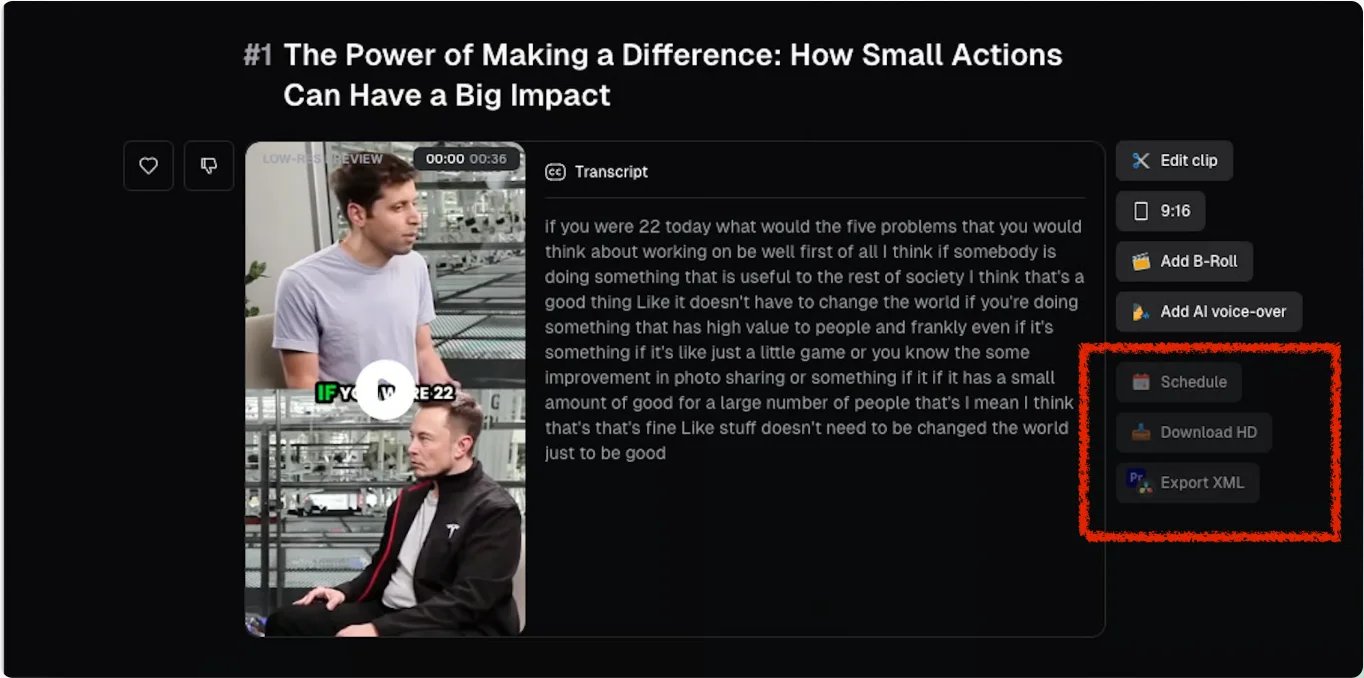
OpusClip is a practical first trial when source flexibility and automated throughput drive the purchase. Its current official material lists local uploads plus YouTube, Google Drive, Vimeo, Zoom, Rumble, StreamYard, Twitch, Facebook, LinkedIn, X, Dropbox, Riverside, Loom, and Frame.io, with the broader set depending on plan. Paid plans add editing, multiple aspect ratios, social scheduling, and NLE export.
The economic model is relatively legible: one processing credit equals one minute of imported source video. Current documentation lists 60 monthly credits on Free, 150 on Starter, and 300 monthly or 3,600 yearly per Pro pack. Business uses customized credits and seats. That lets a buyer estimate the source volume before a trial instead of guessing from the number of clips returned.
The free route is not a production substitute: the current plan table says it has a watermark, no editing, and a three-day export/project limit. Choose OpusClip when broad ingestion and downstream handoff matter. If your purchase depends on a documented formal client-approval chain, verify that separately: the reviewed material establishes project sharing and team workspaces, not a formal approval workflow.
quso.ai
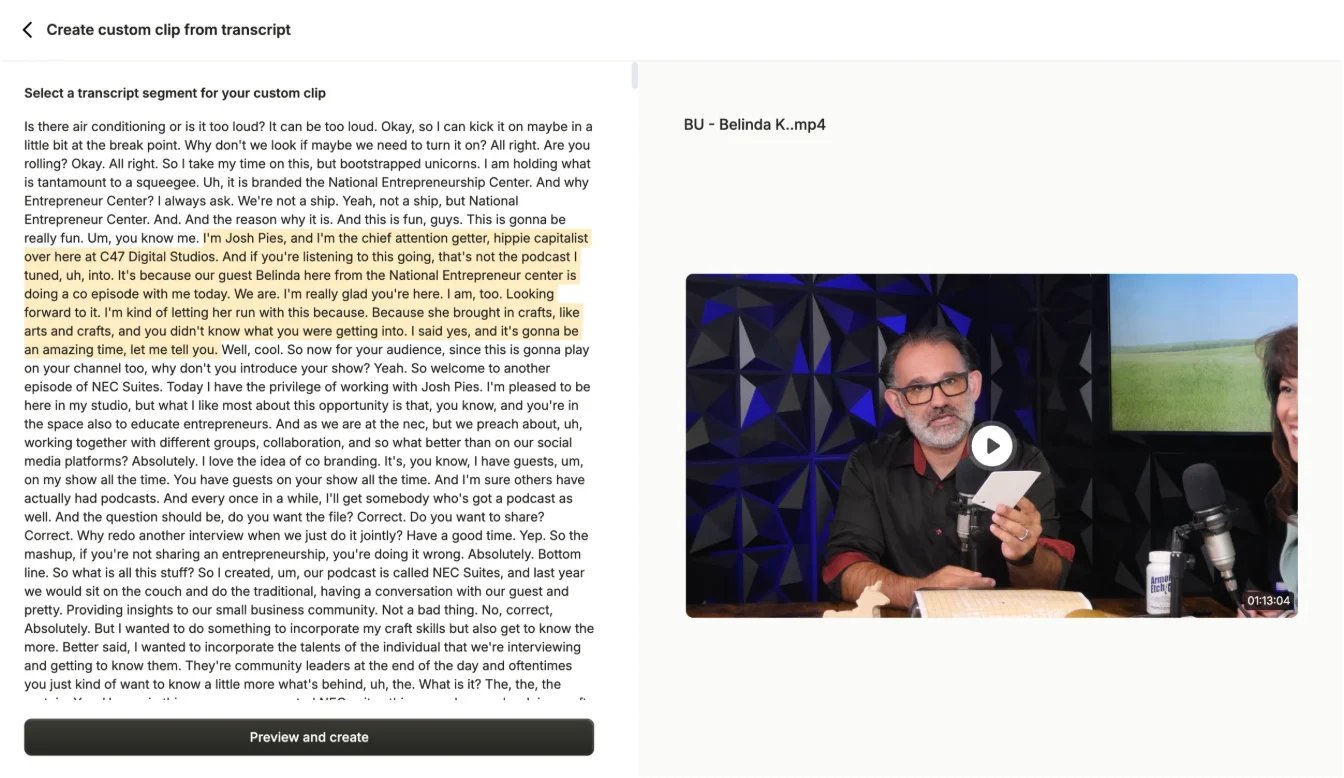
quso.ai connects clip generation to a wider social operating workflow. Its current product page lists local upload plus YouTube, Vimeo, X, Facebook, Twitch, Rumble, Loom, LinkedIn, Zoom, Google Drive, and Dropbox, then adds captions, vertical formatting, editor refinement, and multi-platform scheduling.
Its FAQ describes one credit as roughly one minute of processed video and says clipping, captioning, and editing draw from the same monthly pool. Team workspaces share credits. That is useful for planning, but it also means a buyer should inspect the in-product credit preview on a representative video before assuming the clip step is the only meaningful consumption event.
Choose quso.ai when the desired outcome is a connected clip-to-calendar process. Skip it when you want a narrow clipper or when procurement needs every credit event fixed in advance without an in-product trial.
Klap
Klap is the simplest match for buyers who naturally plan around output count. Its official generator accepts YouTube, Vimeo, Twitch, Google Drive, or a direct upload. Current pricing lists 100 generated clips per month on Basic, 300 on Pro, and 1,000 on Pro+; it also lists unlimited social accounts across plans.
That meter is easy to read but easy to compare badly. A 60-minute webinar might generate a different number of candidates than a short interview, so clips per month cannot become cost per source hour until you declare an expected number of generated clips per source.
Choose Klap when output volume is the planning unit. Skip it when finance needs a source-minute model or the team needs richer approval and governance evidence before purchase.
Editor-Owned Repurposing
Vizard
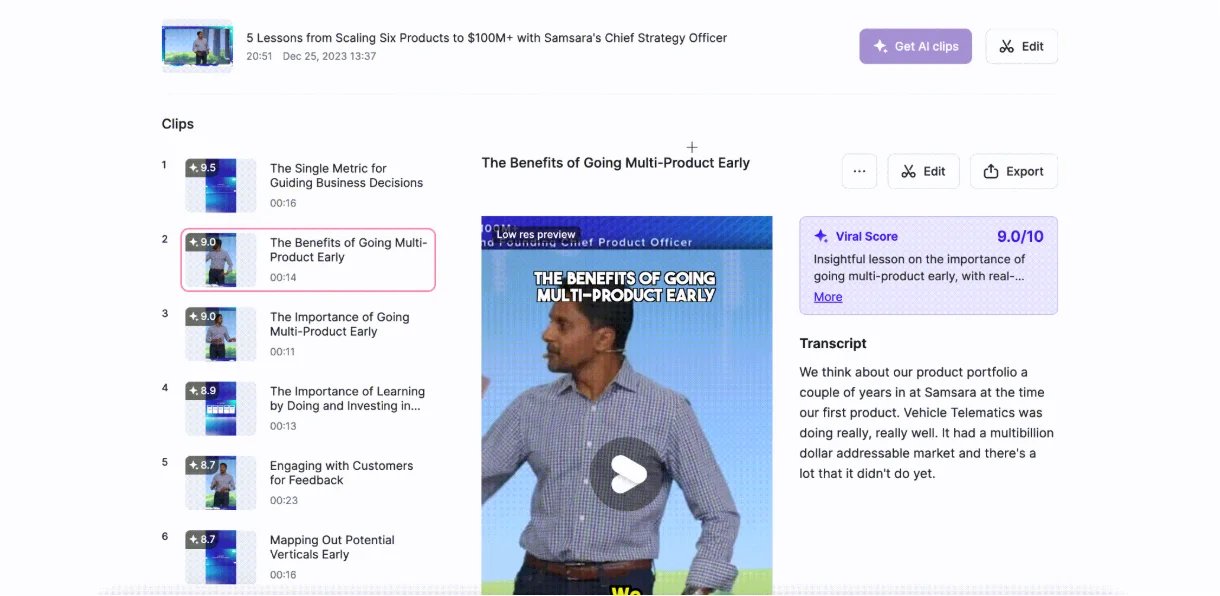
Vizard gives the editor more recovery paths after AI clipping. Its current material combines AI-generated clips with a full editor, subtitles, reframing, manual clip creation from a transcript, direct social publishing, and plan-specific workspace and brand features.
The workload meter is explicit: one credit equals one minute of uploaded video. Its current comparison table lists 60 minutes and 1GB on Free, with up to 600 minutes and 30GB per source on Creator and Business. The same table lists 720p export and three-day project storage on Free, versus 4K export, longer-term storage, and higher social-account allowances on paid plans.
The pricing page did not reliably expose the paid dollar amount during this review, so the decision-safe guidance is to use the meter and plan boundaries, then confirm the current checkout price. Choose Vizard when transcript/editor control matters. Skip it when a fully public sticker price or explicit client-approval workflow is mandatory before trial.

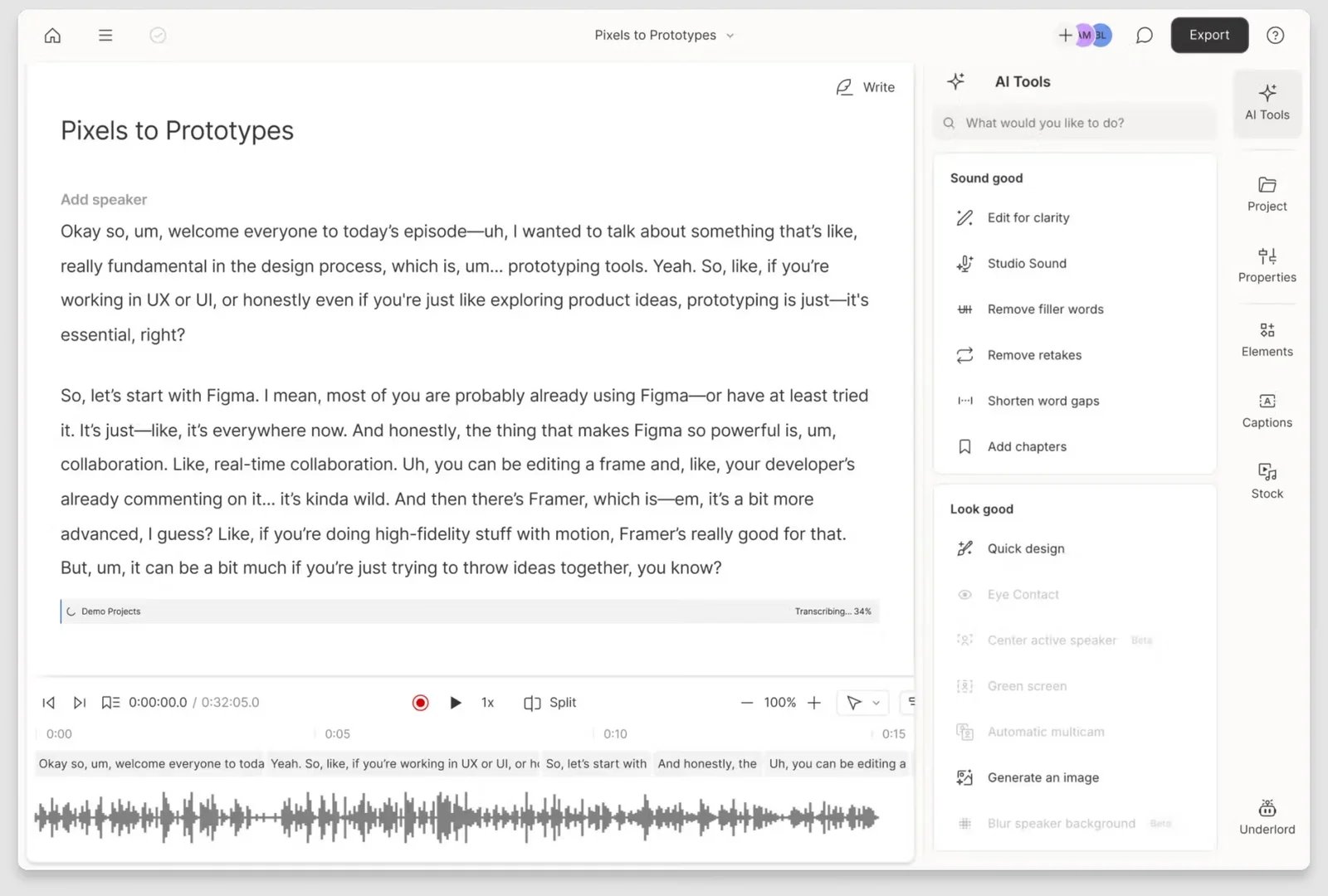
Descript is a different purchase from a one-click clip factory. Create Clips sits inside a transcript-led audio/video editor, so the same project can support source editing, captions, layouts, stock media, collaboration, and final clip refinement.
That continuity is valuable for podcast and video teams already editing the long-form source. It is also why Descript should not be compared only on generated clip count. Current paid plans are metered by editor, media hours, and AI credits: the public table lists 10 media hours and 400 AI credits for Hobbyist, 30 and 800 for Creator, and 40 and 1,500 for Business.
Choose Descript when the transcript is the editing interface and the long and short versions belong to the same production job. Skip it when the goal is link-first, unattended batch clipping without a broader editor.
VEED AI Clips
VEED AI Clips routes generated clips into VEED's browser editor. The current workflow lets the user choose a clip goal, describe what the clips should capture, set orientation and maximum length, select a subtitle style, review candidates, and refine them in the full editor.
The important constraint is intake. VEED requires an upload and does not support YouTube URL import for Clips. The source needs at least one minute and no more than three hours of spoken content. Free accounts get one use; Creator, Pro, Studio, and Enterprise list unlimited Clips access.
Choose VEED when you already use its editor or want AI discovery followed by ordinary browser editing. Skip it when YouTube-link ingestion is non-negotiable or when you need a source-minute price instead of plan-gated feature access.
Social and Brand-Suite Routes
Captions Clips
Captions Clips is a fit when extraction and social-video finishing belong together. It accepts a link or upload, creates multiple horizontal or vertical clips, allows prompts for different moments, and supports manual trimming before export.
Its hard source envelope is unusually clear: up to three hours or 10GB. The product page says a source can yield up to 30-plus clips, but it does not establish the exact Clips credit burn needed for workload-normalized pricing. Treat that as a trial question, not evidence that the product is expensive or cheap.
Choose Captions when the buyer wants clip extraction inside a broader AI editing environment. Skip it when clip-specific credit consumption must be public before evaluation. Ignore its virality language when comparing quality; only a controlled same-source test could support that conclusion.
Adobe Express Clip Maker
Adobe Express Clip Maker makes sense for teams already organizing branded social work in Express. The reason to shortlist it is workflow continuity, not a claim that it selects better moments than dedicated clippers.
Adobe also publishes useful hard constraints. Clip Maker currently supports English, accepts files up to 1GB, and requires a source between one minute and two hours. Adobe notes that sources under 20 minutes may produce fewer than ten clips.
Choose it when Express brand assets and collaboration are already part of the job. Skip it immediately for non-English sources, files over 1GB, or sources over two hours. If link or API ingestion is mandatory, verify it before trial because the reviewed official material established an existing-video workflow but did not establish those routes. Clip Maker-specific usage economics were not clear enough in the reviewed public documentation, so confirm that boundary in the contemplated plan.
Record and Clip in One Place
Riverside Magic Clips
Riverside Magic Clips is most coherent when recording is part of the workflow. Riverside documents record-or-upload, automatic highlight suggestions, text-based clip creation, aspect ratio and layout controls, speaker or topic focus, branded captions, editing, export, and sharing.
That makes Riverside attractive for podcast, interview, and webinar teams that want fewer handoffs between capture and repurposing. It also makes a direct comparison with link-first clip specialists incomplete: part of the value is upstream recording and separate-track production.
Choose Riverside when record-to-clip continuity matters. If broad third-party link ingestion is mandatory, verify it before trial because the reviewed official material established record-or-upload but did not establish a broad link matrix. A trustworthy clip-specific paid price was not established from the public evidence reviewed, so confirm the current plan and recording-hour limits against your actual production calendar.
Other Routes to Consider
Submagic Magic Clips is relevant for teams that want clipping inside a broader captions, B-roll, cleanup, effects, and publishing suite. It remains an adjacent route here because the reviewed public material did not establish a stable long-source ceiling or consistently expressed add-on allowance suitable for the core comparison.
Do not confuse Munch Studio with munch.video. The latter currently describes turning transcripts and URLs into text outputs such as posts, newsletter sections, descriptions, quotes, and emails. That is content repurposing, but it does not meet this guide's requirement for exported short-video clips.
How to Run a Useful Trial
Do not trial each product on a different easy video. Use the same representative sources wherever the input route allows it:
- A 45–60 minute two-person podcast.
- A webinar with slides or screen sharing.
- A single-speaker talking-head recording.
- If relevant, one noisy, accented, multilingual, sports, gaming, or multi-speaker source that reflects your real risk.
For each tool, record the number of useful candidate moments, missing moments, context-breaking cuts, caption corrections, reframing defects, render failures, retries, human edit minutes, and actual credits or quota consumed. Keep those measurements separate rather than collapsing them into one score.
Also test the exact tier you would buy. Watermarks, resolution, storage, editing, seats, brand templates, social connections, and AI allowances often change by plan.
Final Selection Logic
Start with the mandatory source route. A tool that cannot accept your files, links, language, duration, or recording workflow is out.
Then decide who owns the final cut. Choose clip-first automation when candidate volume and speed matter most; choose editor-owned repurposing when the team expects to repair context, timing, and brand treatment; choose Riverside when recording continuity matters; choose Captions or Adobe Express when the larger creative environment is part of the purchase.
Finally, normalize the real workload. Source-minute credits, generated clips, media hours, AI credits, editor seats, and plan-gated access are different denominators. Trial the remaining one or two tools on the same source before trusting any claim about quality or time saved.
FAQ
What is the best AI clip generator overall?
There is no evidence-backed universal winner. OpusClip, quso.ai, and Klap emphasize clip-first automation; Vizard, Descript, and VEED keep more editing control; Captions and Adobe Express sit inside broader creative suites; Riverside connects recording to clipping.
Which AI clip generator should I trial first?
Pick the lane that matches your source workflow, then eliminate tools that fail your required input route, editing control, export format, team model, or pricing meter. Trial the remaining one or two products on the same representative recording.
Can AI clip generators choose the best moments automatically?
They can propose moments, but this review did not run a controlled same-source benchmark. Treat highlight relevance, context preservation, and missed moments as trial questions rather than accepting vendor virality or performance claims.
How should I compare AI clip generator pricing?
Estimate monthly source minutes, expected clips per source, seats, social accounts, storage, and required export quality. Then apply each vendor's actual meter. Do not compare a generated-clip quota directly with source-minute credits or editor media hours.
Do I still need to edit AI-generated clips?
Plan for review. The amount varies by workflow, but captions, cut boundaries, context, reframing, layouts, and brand treatment can all require correction. A representative trial is the only reliable way to estimate that effort for your material.
Get ToolWorthy Weekly
New AI tools, practical guides, and selected AI signals in one weekly brief.
Related Posts
- Descript Alternatives in 2026: Keep the Workflow You Actually Need
Compare six Descript alternatives by the job they replace: remote recording, transcript editing, professional finishing, offline audio, browser video, or mobile shorts.
- Clipchamp Alternatives in 2026: Pick the Workflow, Not Just the Editor
Choose a Clipchamp alternative by what you need to change: mobile shorts, browser captions, transcript editing, local files, or professional finishing.
- 12 Best AI Voice Changers 2026 — Real-Time vs Cloning Tested
We tested 12 AI voice changers across real-time gaming, voice cloning, and dubbing — flagging opaque pricing and voice-data licenses so you skip the refund loop.
For AI tool founders
Built a tool that belongs in this decision set?
Request an editorial evaluation for possible inclusion in ToolWorthy.
Submit your tool for reviewPaid submission does not guarantee a ranking, recommendation, inclusion, or editorial outcome.