
Best AI Course Generators 2026: Choose by Delivery Workflow
Compare eight AI course generators by buyer workflow: selling courses, workplace training, SCORM authoring, lightweight publishing, and video-first learning.

On this page
The best AI course generator depends on where the finished course must live. A creator selling a cohort or membership needs checkout and learner hosting. An instructional designer handing a package to an existing LMS needs editable authoring and a precise SCORM or xAPI route. A product team embedding training has a different ownership problem again.
This guide compares eight products across those jobs. It does not rank a creator storefront, an enterprise authoring suite, and an AI video platform on one invented score. Start with the delivery route, eliminate anything that fails a non-negotiable, and trial the remaining one or two tools with the same source material.
Short Answer: Choose the Delivery Route First
| If your main job is... | Same-lane options | Check this before trial |
|---|---|---|
| Build and sell courses inside one hosted academy | LearnWorlds, Kajabi | Whether the native course must later move to another LMS |
| Turn company knowledge into hosted workplace training | Coursebox, Coassemble | Admin, learner/recipient, AI-credit, and export economics |
| Author portable e-learning for an existing LMS | Articulate 360 AI, Mindsmith | Exact SCORM/xAPI/cmi5 output, review, and accessibility requirements |
| Publish a focused document or video-based microcourse | Mini Course Generator | Resolve current SCORM-plan ambiguity if LMS export is mandatory |
| Make AI-presenter video the course medium | Synthesia | Video-minute budget and Enterprise-only delivery features |
| Embed training into a product or work stack | Coassemble, Coursebox | API/embed identity, reporting, and infrastructure ownership |
Before You Trial Anything
Remove any product that fails one of these gates before comparing its AI claims:
- Input: Can it accept the material you actually have—prompt, document, slides, video, URL, or existing lessons?
- Ownership: Can your team edit facts, structure, media, quizzes, and interactions after generation?
- Delivery: Do you need a hosted academy, checkout, link/embed, SCORM/xAPI handoff, or delivery inside another product?
- Economics: What is actually metered—authors, admins, active learners, identified recipients, AI credits, source pages, video minutes, or transactions?
“Supports SCORM” is not specific enough. Ask whether the product imports SCORM, exports a dynamic package that still depends on the vendor, exports a standalone package, or supports xAPI/cmi5 reporting. Those are different commitments.
Hosted Course Businesses: LearnWorlds or Kajabi?
These products make the hosted academy and commercial workflow the center of the purchase. Their advantage is operational continuity from course creation to learner enrollment—not portable courseware.
| Decision factor | LearnWorlds | Kajabi |
|---|---|---|
| Main reason to choose it | Course and academy operations with AI across content, assessments, pages, and visuals | Course business with offers, checkout, marketing, and community in one system |
| AI starting point | Existing material, prompts, and academy context | Topic-led course outline, modules, lessons, and launch assets |
| Delivery ownership | Native LearnWorlds academy; can host imported SCORM | Native Kajabi course and offer system |
| Portability warning | A native course is not exported as one portable course package | Kajabi explicitly says Courses are not SCORM compliant |
| Economic shape | $29 Starter, $99 Pro Trainer, $299 Learning Center before annual discounts; plan-specific fees and AI/SCORM limits | Self-serve subscriptions meter products, contacts, sites, communities, admins, and AI credits |
LearnWorlds
LearnWorlds is the hosted-academy route when AI-generated course material must connect to learner management, commerce, interactive video, assessments, website pages, and ongoing academy operations.
Its AI tools are distributed across the platform rather than confined to a single “generate course” button. Official materials describe uploading documents, pasting notes, or reusing academy content to generate course outlines and learning assets, then editing text, assessments, pages, emails, and visuals. That can reduce tool switching for a training business that owns the academy and expects to revise content over time.
Current public pricing lists Starter at $29 per month with a $5 fee per course enrollment, Pro Trainer at $99 per month without transaction fees, and Learning Center at $299 per month. Plan differences also affect AI credits, admin capacity, SCORM uploads, interactive video, automations, API access, and reporting. Model the whole operating workload, not only the first course draft.
The important boundary is portability. LearnWorlds can host and play SCORM packages, but its official data-export guidance does not provide a way to export a whole native course as one portable course file. Choose it when the hosted academy is the destination. Skip it when the procurement contract requires a self-contained course package that can move to another LMS.
Kajabi
Kajabi belongs in the same lane for a different reason: it treats the course as one product inside a creator business.
Kajabi can use AI to generate a course outline with modules and lessons from a topic. The same setup can create or connect course content to offers, one-time payments, subscriptions or payment plans, landing pages, email, community, and protected learner access. That makes it useful when the buying question is “How do I launch and sell this expertise?” rather than “Which authoring tool produces the most portable package?”
Kajabi's current self-serve plans are priced around the wider creator business rather than course generation alone. Published limits include products, contacts, websites, communities, admin users, and AI credits; compare the current tier against the whole operating stack before trial.
The standards boundary is explicit: Kajabi says its Courses are not SCORM compliant and may not suit buyers that require SCORM or xAPI. Its strongest route is therefore hosted course commerce. If verified source-file transformation is mandatory, current evidence reviewed here does not establish that workflow; confirm it before shortlisting Kajabi.
Workplace Training and Embedded Learning: Coursebox or Coassemble?
Both products can turn existing knowledge into training, but their operating models differ. Coursebox is an AI-first course creator plus LMS; Coassemble increasingly behaves like learning infrastructure with delivery and capacity measured around recipients.
| Decision factor | Coursebox | Coassemble |
|---|---|---|
| Source workflow | Prompt, PDF, document, or slide deck into editable course content | Word, PowerPoint, PDF, or Keynote into editable block-based courses |
| Delivery route | Hosted LMS, selling, LTI, dynamic SCORM; standalone SCORM on Pro | Links, embeds, dynamic SCORM, Slack/work tools, and API or embedded delivery |
| Usage model | Admin seats plus separate AI page, image, tutor, video, and voice allowances | Identified/anonymous recipients plus AI narration and image-generation capacity |
| Best fit | One AI-first system for authoring and learner delivery | Training embedded into an organizational or product stack |
Coursebox
Coursebox turns prompts, PDFs, Word documents, and slide decks into editable courses, then keeps quizzes, images, tutor functions, grading, certificates, analytics, selling, and learner delivery in the same system.
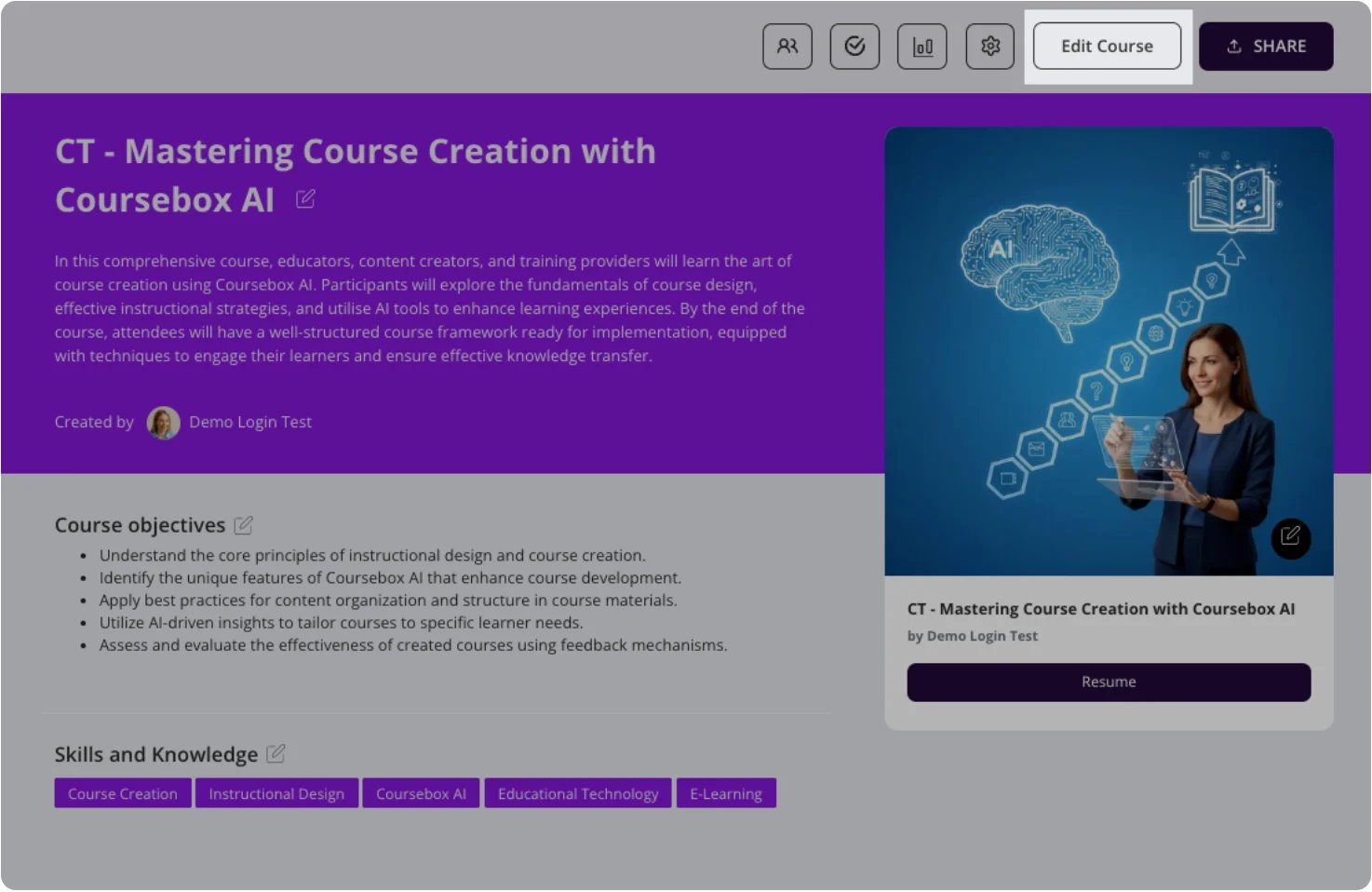
Its export options need careful reading. Creator-level material describes PDF, HTML, and Dynamic SCORM, where the package continues to depend on an active Coursebox subscription. Pro adds self-hosted SCORM, but offline output excludes features that require a live connection. That distinction matters if AI tutor messages, connected video, or other online behaviors are part of the learner experience.
The free route allows three courses. Paid plans can list unlimited courses and learners while still placing separate allowances on AI pages, images, tutor messages, video minutes, voice minutes, and admin seats. Enterprise is a contract channel with a minimum two-year term and adds items such as SSO, legal/security review, and custom hosting. Coursebox is a useful shortlist choice when authoring and hosted delivery should stay together; it is not a single unlimited meter.
Coassemble
Coassemble is the infrastructure-oriented option for teams that want training inside the tools or products where people already work.
Official material describes source workflows for Word, PowerPoint, PDF, and Keynote; AI-assisted editable course creation; block-based lessons and assessments; links, embeds, dynamic SCORM, analytics, and APIs. The product can therefore serve an internal enablement team, a customer-education program, or a software product embedding learning surfaces rather than operating a separate creator storefront.
Coassemble's economics reinforce that difference. Course creators are unlimited, while important capacity measures include identified recipients, anonymous recipients, AI narration tokens, and image-generation events. Larger Scale configurations are sized through a conversation rather than a simple per-author checkout. Before buying, define who counts as a recipient, which delivery mode captures identity, and how API/embed usage is reported.
Skip Coassemble when a conventional hosted course storefront is the main requirement. Trial it when the hard problem is delivery ownership, identity, reporting, or embedding training into an existing stack.
Portable E-Learning Authoring: Articulate 360 AI or Mindsmith?
This lane starts with an existing LMS or a contractual standards requirement. Course commerce is secondary; editing control, review, accessibility, and exact export behavior carry more weight.
| Decision factor | Articulate 360 AI | Mindsmith |
|---|---|---|
| Authoring model | Professional Rise/Storyline ecosystem with AI assistance, templates, assets, review, and team controls | AI-native lesson workspace with interactive blocks, collaboration, and review |
| Standards route | SCORM, xAPI, cmi5, AICC, web, PDF, and video | Link, embed, dynamic SCORM, and plan-dependent xAPI |
| Current pricing shape | $1,449/user/year Personal; $1,749/user/year Teams | Free; $39/author/month Professional or $65/author/month Business on annual billing |
| Main trial question | Does the mature suite reduce or add production work for this team? | Do dynamic publishing and interaction controls fit the LMS and governance contract? |
Articulate 360 AI
Articulate 360 AI is designed for teams that need an editable course-authoring environment and formal LMS delivery, not just generated text.
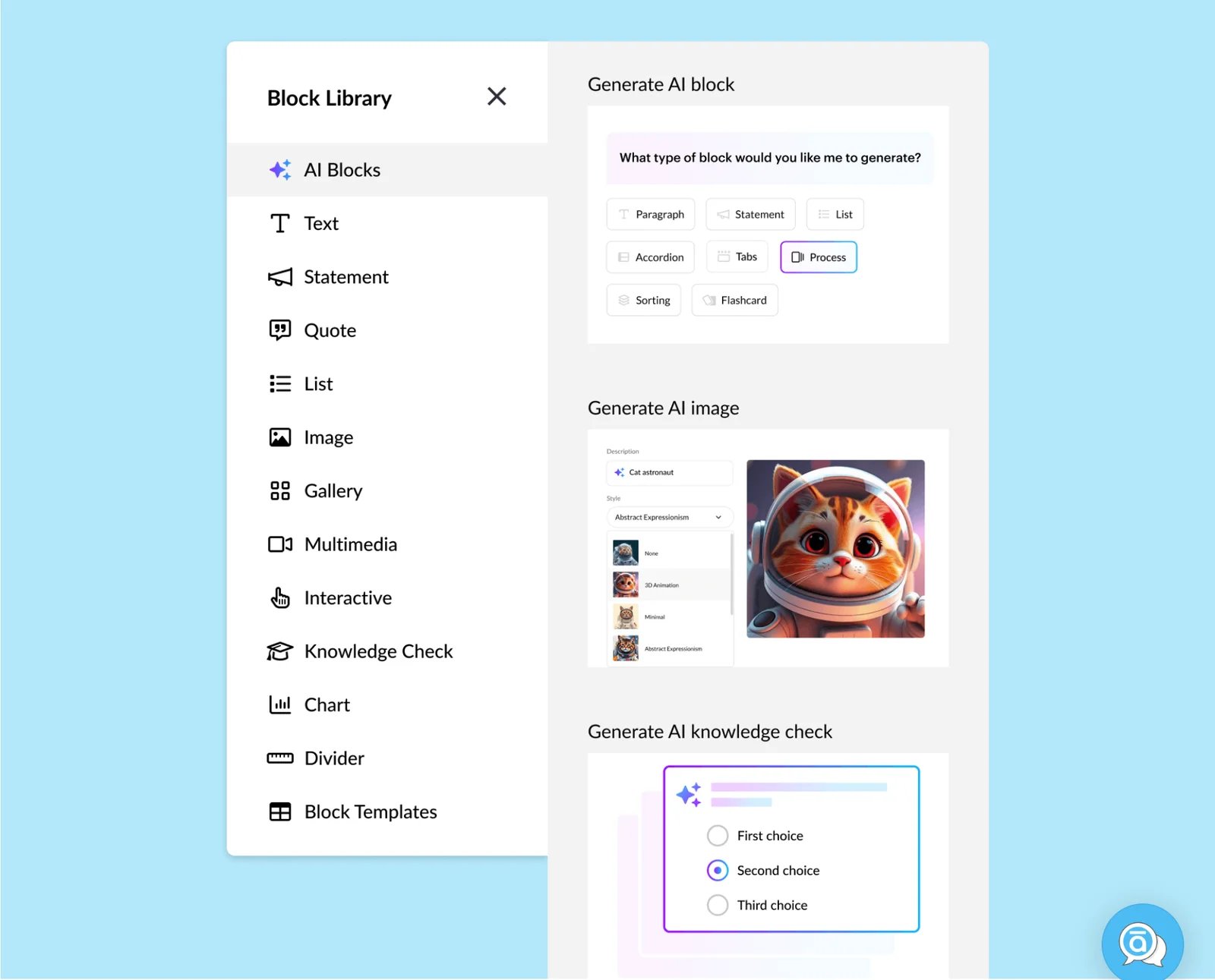
Articulate says its AI can turn documents, slides, or notes into a complete course draft, then generate or revise text, imagery, narration, quizzes, and other learning content. The wider 360 suite adds shared assets, co-authoring, stakeholder review, templates, and both Rise and Storyline production paths. Export covers SCORM, xAPI, cmi5, AICC, web, PDF, and video.
Current Articulate 360 AI pricing lists Personal at $1,449 per user per year and Teams at $1,749 per user per year. AI Teams includes Reach Starter for up to 300 active learners per year, while broader learner reach, localization, and enterprise arrangements can change total cost.
The buyer value is control and delivery breadth. It is not evidence that Articulate's generated draft will be more accurate, instructionally sound, or faster to repair than another product. Trial with an existing instructional-design and review process, then measure human editing and export work.
Mindsmith
Mindsmith makes AI the center of an editable lesson-authoring workspace.
Its official product pages describe working from presentations, videos, outlines, SME material, and SOP documents; building interactive lessons; collaborating and reviewing inline; and delivering through links, embeds, dynamic SCORM, or xAPI. That makes Mindsmith relevant when a team wants a more focused AI-native authoring surface rather than the breadth of a long-established production suite.
On the current annual-billing view, Free includes 450 one-time AI credits, Professional is $39 per author per month with 2,000 credits per author per month, and Business is $65 per author per month with 5,000 credits. Students are not priced as authors. Plan-specific export, xAPI, language, access-control, and governance requirements should still be verified before rollout.
Choose Mindsmith for editable, interactive, standards-oriented course authoring. Skip it when checkout, course sales, and an integrated creator storefront are the primary job.
Lightweight Source-to-Course Publishing: Mini Course Generator
Mini Course Generator
Mini Course Generator is the focused route for turning a prompt, document, or YouTube material into a smaller hosted course without adopting a broad academy or enterprise authoring suite.
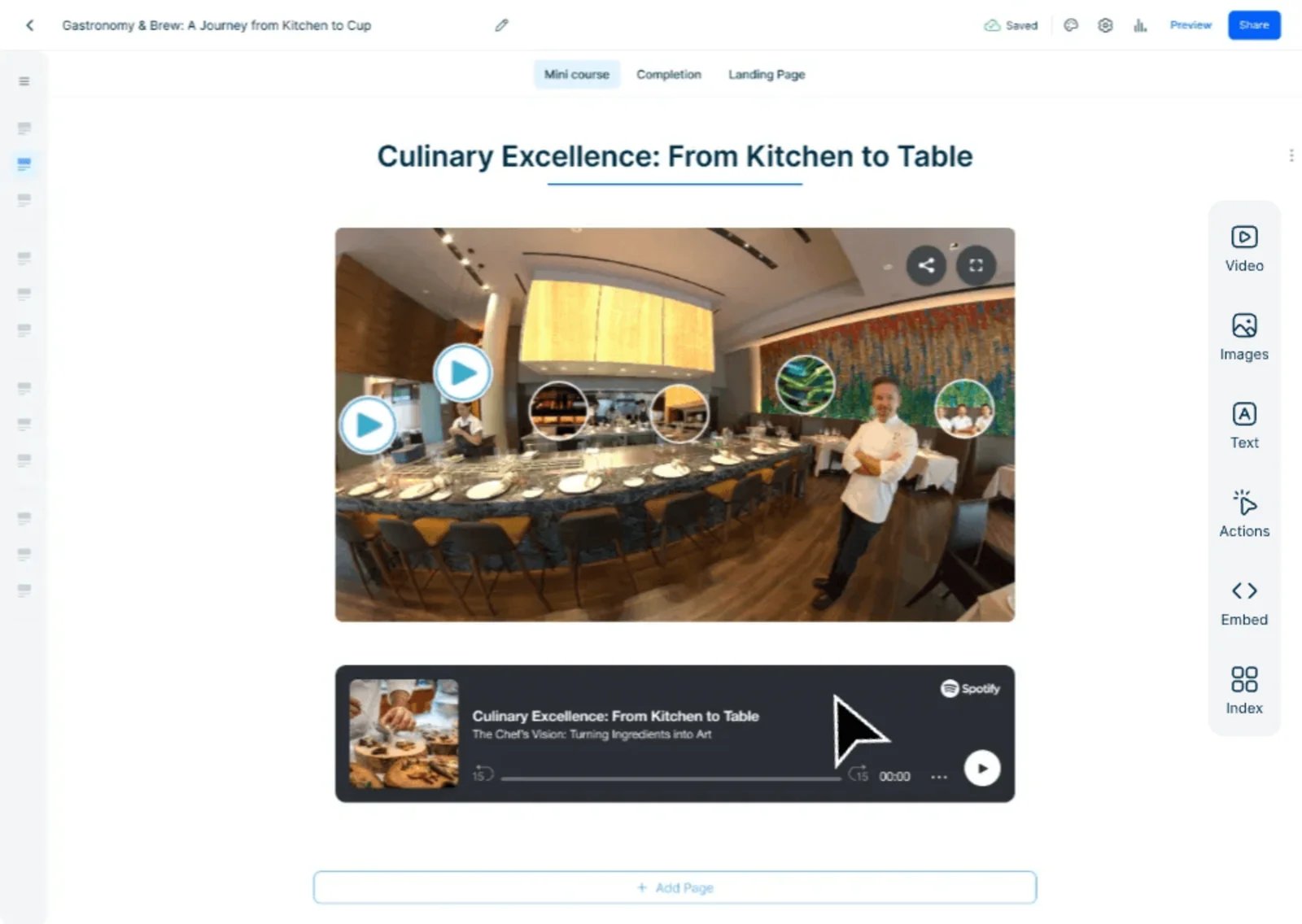
The product documents editable drag-and-drop course pages, AI images and quizzes, interactions, links and embeds, landing pages, paid access, PDF export, collaboration, and reporting. Current annual-billing prices list Plus at $39 per month with 1,000 AI credits and Pro at $79 per month with 3,000 credits.
There is one material evidence gap: the current official pricing surface describes SCORM availability inconsistently. Its plan matrix says Dynamic SCORM is not included on the self-serve Plus or Pro tiers, while an FAQ on the same page says courses can be exported as PDF or SCORM. Do not assume those statements describe the same static/dynamic entitlement. If LMS export is mandatory, resolve the exact plan and package behavior with the vendor before buying.
This is a good route when a short course, lead magnet, customer guide, or microlearning sequence needs to go live by link or embed. Skip it when headless delivery, enterprise procurement, or contractually clear standards export owns the decision.
Video-First Training: Synthesia

Synthesia belongs in this guide only when video is the primary learning medium rather than one asset inside a conventional course.
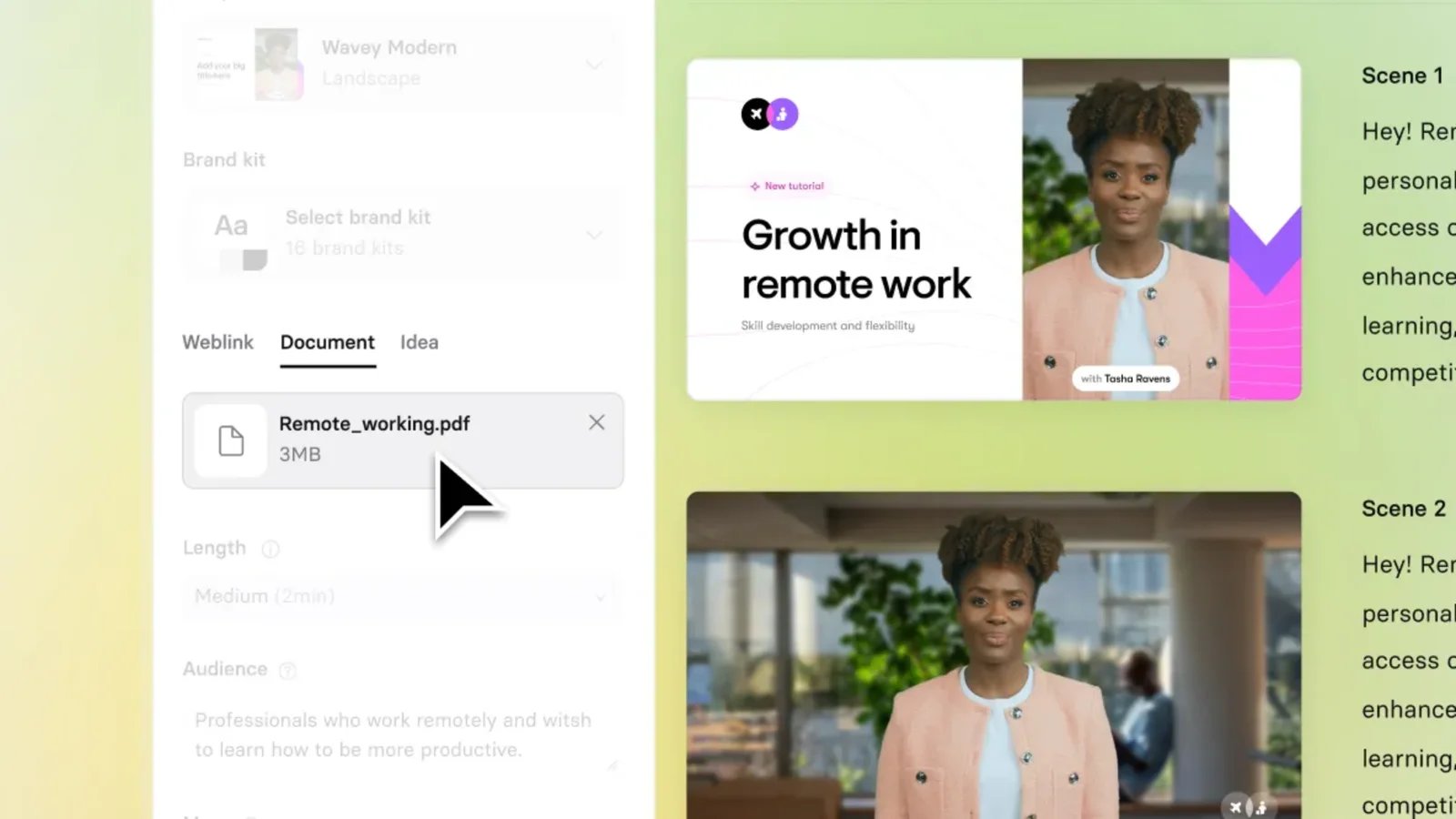
Its course workflow can start from prompts, documents, or URLs and generate scripts, AI-presenter video, quizzes, and interactive content. Courses can be shared or embedded; SCORM export is listed on Enterprise. Buyers already comparing presenter-video systems can use our Synthesia alternatives guide for that narrower market.
Current pricing uses a shared credit pool. Basic is free with 1,200 monthly credits; Starter is $29 per month with 1,200 credits and roughly 10 video minutes; Creator is $89 per month with 3,600 credits and roughly 30 video minutes. Enterprise uses custom pricing and lists unlimited video minutes, shared workspaces, SSO, brand controls, and SCORM export.
Choose Synthesia when localization and repeatable AI-presenter production make video the course. Skip it when the buyer needs deep block-based authoring, lower-tier SCORM, or a fully self-contained offline package. If avatars are only one media ingredient, the AI avatar generator category covers that adjacent decision without turning it into a course-platform recommendation.
Compare Economics With Your Workload, Not One Price
The market has no honest universal “cheapest” tool because the meters are different.
| Workload variable | Why it changes the shortlist |
|---|---|
| Authors and admins | Articulate and Mindsmith charge by author; Coursebox adds admin-seat economics; Coassemble allows unlimited creators |
| Learners or recipients | Hosted academies may meter active learners, enrollments, or plan limits; Coassemble uses identified and anonymous recipients |
| AI generation | Coursebox separates pages, images, tutor messages, video, and voice; Mindsmith and Mini Course Generator use AI credits |
| Video | Synthesia translates credits into generated video time; revisions can consume more credits |
| Delivery | Dynamic SCORM may require an active subscription; standalone export, API delivery, LTI, and xAPI can sit on different plans |
| Commerce | Enrollment fees, transaction structure, checkout, subscriptions, and payment plans matter only when selling is part of the job |
Before a trial, write down one representative month: authors, courses, source pages or minutes, AI assets, learner identities, languages, required export type, and selling volume. Price that workload in each remaining lane rather than comparing homepage starting prices.
Other Routes to Consider
- Thinkific is a credible hosted course-business platform, but its detailed AI outline documentation explicitly says the outline generator does not create lesson content. Broader AI tools exist, yet the current evidence reviewed was not clear enough to treat Thinkific as a core source-to-complete-course candidate here.
- Heights Platform supports hosted course selling and AI-assisted course drafting. The official material reviewed was clearer about course structure and creator-business guidance than about transforming supplied source files into a complete source-grounded course, so it remains adjacent rather than “worse.”
- Canva AI Course Creator currently centers Canva for Education, grade, subject, and K-12 learning workflows. That is a useful product for a different page job; presentation-oriented buyers can also browse the AI presentation maker category.
Unknown does not mean poor. These products can move into a future core shortlist when current first-party evidence supports the exact course-generation and delivery job.
What Public Evidence Cannot Tell You
Official product pages can establish input types, editable authoring, plan gates, export routes, and economic meters. They cannot prove which system produces the most accurate facts, soundest instructional sequence, best learner engagement, fastest usable draft, or highest sales conversion.
No controlled same-source benchmark was performed for this guide. Vendor claims about output quality or time saved are not treated as cross-product proof. Accessibility features also do not automatically prove that every AI-generated course is accessible; the author still needs to review structure, alternatives, captions, keyboard behavior, contrast, and the exported learner experience.
A Representative Trial That Produces a Real Decision
Give the remaining one or two products the same brief and source pack:
- one substantive document or PDF;
- one slide deck;
- one video or URL where the product supports it;
- the same audience, objectives, brand rules, assessment requirements, languages, and delivery target.
Then measure the human work required to reach a usable course: source import, factual correction, restructuring, media replacement, quiz repair, accessibility cleanup, collaboration, publishing, and LMS handoff. Test the real delivery route—checkout and enrollment for a creator academy, SCORM/xAPI tracking for portable authoring, recipient identity and reporting for embedded training, or revision/localization economics for video.
The fastest first generation is not necessarily the fastest production workflow.
FAQ
Which AI course generator should I trial first?
Start with the delivery lane. Trial LearnWorlds or Kajabi for a hosted course business; Coursebox or Coassemble for workplace or embedded learning; Articulate 360 AI or Mindsmith for standards-oriented authoring; Mini Course Generator for a focused link/embed microcourse; and Synthesia when AI-presenter video is the course medium. Apply hard constraints before comparing AI features.
Can AI generate a complete online course from a document?
Several products document document-to-course or document-to-draft workflows, including Coursebox, Coassemble, Articulate 360 AI, Mindsmith, LearnWorlds, and Mini Course Generator. “Complete” describes a product workflow, not proof of factual accuracy or instructional quality. A human still needs to verify the source, edit the lessons, test assessments, and inspect the learner experience.
Which AI course generators support SCORM?
Articulate 360 AI documents SCORM export alongside xAPI, cmi5, and AICC. Mindsmith documents dynamic SCORM delivery. Coursebox distinguishes subscription-dependent Dynamic SCORM from self-hosted SCORM on Pro. Coassemble documents dynamic SCORM in its delivery stack. Synthesia lists SCORM on Enterprise. Kajabi explicitly says its Courses are not SCORM compliant. Mini Course Generator's current pricing page is internally inconsistent about SCORM entitlement, so verify it rather than assuming.
Should I choose an AI course generator or an LMS?
Choose an authoring-first product when the course must be portable into an existing LMS. Choose a hosted academy or AI-first LMS when authoring, learner delivery, commerce, analytics, and updates should remain in one platform. Some products span both roles, but the export and subscription boundaries still matter.
Can desk research identify the best-quality AI-generated course?
No. Product documentation can identify capabilities and constraints, but a quality claim needs a controlled current trial using the same source material, audience, goals, and delivery route. This guide therefore routes buyers by workflow and hard constraints instead of naming a universal winner.
Get ToolWorthy Weekly
New AI tools, practical guides, and selected AI signals in one weekly brief.
For AI tool founders
Built a tool that belongs in this decision set?
Request an editorial evaluation for possible inclusion in ToolWorthy.
Submit your tool for reviewPaid submission does not guarantee a ranking, recommendation, inclusion, or editorial outcome.