



Overview
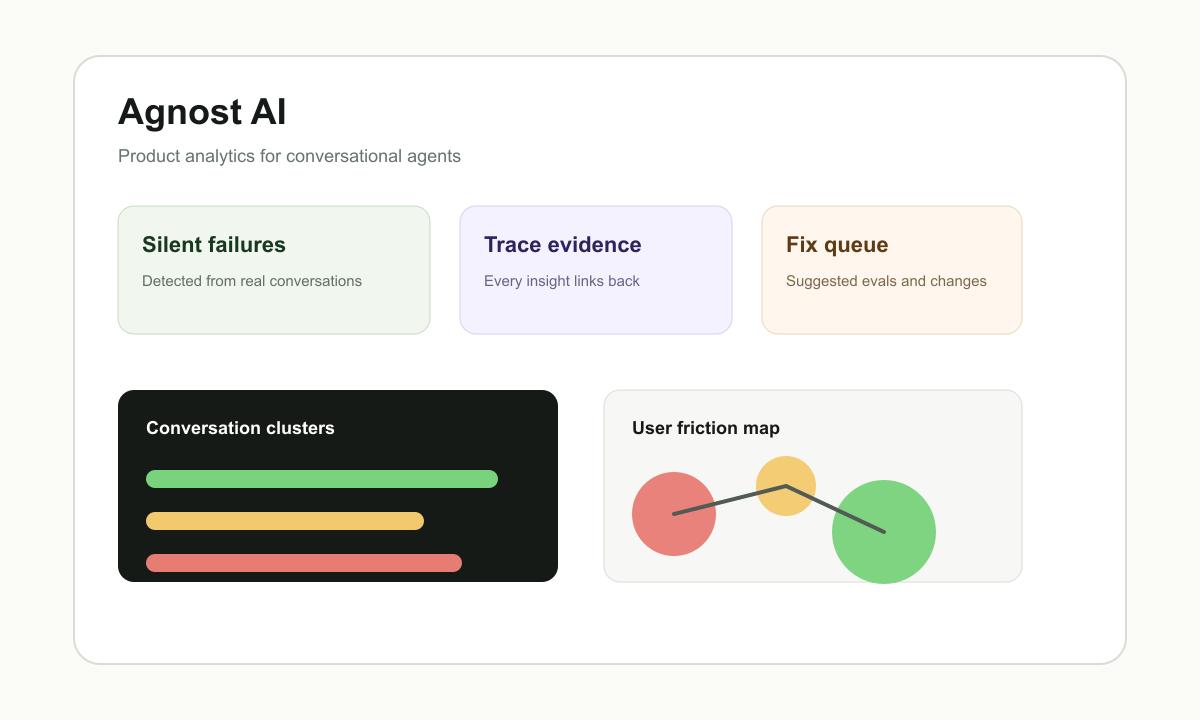
Agnost AI is a product analytics platform for conversational agents. It is built around a practical gap in AI agent operations: traditional logs, traces, and offline evals can look healthy while real users still get stuck, lose trust, or quietly churn.
The product analyzes production conversations and traces to identify recurring problems, user frustration, hallucinations, policy violations, broken promises, and high-impact fixes. The official site describes it as a way to "catch silent failures fast" and links every pattern to the exact conversations and traces needed for review.
That makes Agnost AI a good fit for teams building customer-facing AI agent experiences, AI support assistants, AI SDR flows, copilots, onboarding agents, and other agentic products where user success matters more than whether a request returned a 200 status code.
Key Features
- Conversation clustering - Turn thousands of chats into recurring user problems, grouped by impact and ready for investigation.
- Frustration detection - Surface rage prompts, dead ends, repeated asks, trust narrowing, and other signals that normal infrastructure dashboards miss.
- Failure evidence - Link every insight to exact conversations and traces so product and engineering teams can validate what actually happened.
- Policy and quality checks - Detect hallucinations, broken promises, policy violations, and compliance issues in real agent traffic.
- Fix recommendations - Convert patterns into recommended product, prompt, flow, or eval changes rather than leaving teams with raw logs.
- Skill-based setup - The official site shows a quick setup path using an Agnost AI skill and a prompt to add analytics.
Integration Guide
Agnost AI does not require teams to rebuild an agent from scratch. The basic setup is to connect the events, conversations, and traces the agent already produces, inspect what is being sent from staging, and then turn on production traffic when the data shape is acceptable.
The docs describe configuration options for endpoint, input and output tracking, and user identification. Teams handling sensitive customer conversations should pseudonymize IDs, redact secrets or sensitive fields before ingestion, and confirm deployment or DPA needs with Agnost before sending regulated data.
Pricing & Plans
Agnost AI has a free tier and paid plans based on event volume and retention.
| Plan | Price | Included Usage |
|---|---|---|
| Free | $0/month | Up to 1,000 events/month and 7-day retention |
| Starter | $49/month | Up to 10,000 events/month and 30-day retention |
| Pro | $499/month | Up to 1,000,000 events/month and 90-day retention |
| Enterprise | Custom | Custom volume, retention, self-hosted VPC deployments, audit logs, and SLAs |
The free plan is useful for early production agents or staging validation. Paid plans become relevant when conversation volume, retention, founder support, or enterprise controls matter.
How It Compares
Prefactor focuses on real-time agent scoring, traces, and enforcement actions such as approval or blocking. OpenObserve is a broader logs, metrics, traces, and RUM observability platform. LangWatch's Claude Code usage tool is more focused on coding-agent usage analytics.
Agnost AI is closer to product analytics for agent experiences. It asks whether users are succeeding, where they get frustrated, what keeps repeating, and which fixes are worth shipping. It should complement evals and traces rather than replace them.
Best For
- Teams running conversational AI agents in production
- Product teams trying to understand where users lose trust in an agent
- Engineering teams that already have traces but need user-outcome analysis
- AI support, onboarding, sales, and workflow agents with recurring user interactions
- Teams building an AI data governance process around agent quality and policy behavior
FAQ
What is Agnost AI?
Agnost AI is product analytics for conversational agents. It analyzes real conversations and traces to find failures, frustration, policy issues, and improvement opportunities.
Is Agnost AI an eval tool?
It complements evals, but it is not only an eval runner. Agnost focuses on production conversation patterns and the user experience failures that offline evals often miss.
Does Agnost AI have a free plan?
Yes. The public pricing page lists a Free plan with up to 1,000 events per month and 7-day data retention.
How much does Agnost AI cost?
Starter is listed at $49/month, Pro at $499/month, and Enterprise is custom.
Is Agnost AI safe for sensitive conversations?
The official FAQ says teams choose what conversation data to send, should use pseudonymous IDs, and should redact secrets or sensitive fields before ingestion. Teams with stricter requirements should discuss DPA or deployment needs with Agnost.
Who should use Agnost AI?
Teams with real agent traffic, repeated user interactions, and a need to improve user outcomes will get the most value. Simple prototypes without users may not have enough data yet.