



Overview
QuillBot Paraphrasing is the core rewriting tool inside QuillBot's broader writing suite. It helps users rephrase sentences, paragraphs, and longer passages while preserving the original meaning. The product is especially popular with students, non-native English writers, content editors, and professionals who want to make a draft clearer without starting over.
The tool is not only a synonym spinner. QuillBot combines rewriting modes, a synonym slider, grammar support, summarization, AI detection, plagiarism checking, citation tools, translation, browser extensions, and desktop or mobile apps. That makes it closer to an AI writing assistant than a single-purpose paraphraser, even though paraphrasing remains the main reason many users try it.
As of April 28, 2026, the official Premium page shows a free plan with a 125-word paraphrasing limit and Premium access with unlimited paraphrasing, 9 unique preset modes plus unlimited Custom modes, advanced grammar recommendations, unlimited AI Detector access, Humanizer features, custom summaries, and a Plagiarism Checker capped at 25,000 words/month. The main buying question is whether the free word limit is enough for occasional rewriting or whether your workflow needs Premium capacity.
For adjacent research, compare AI design tools.
Key Features
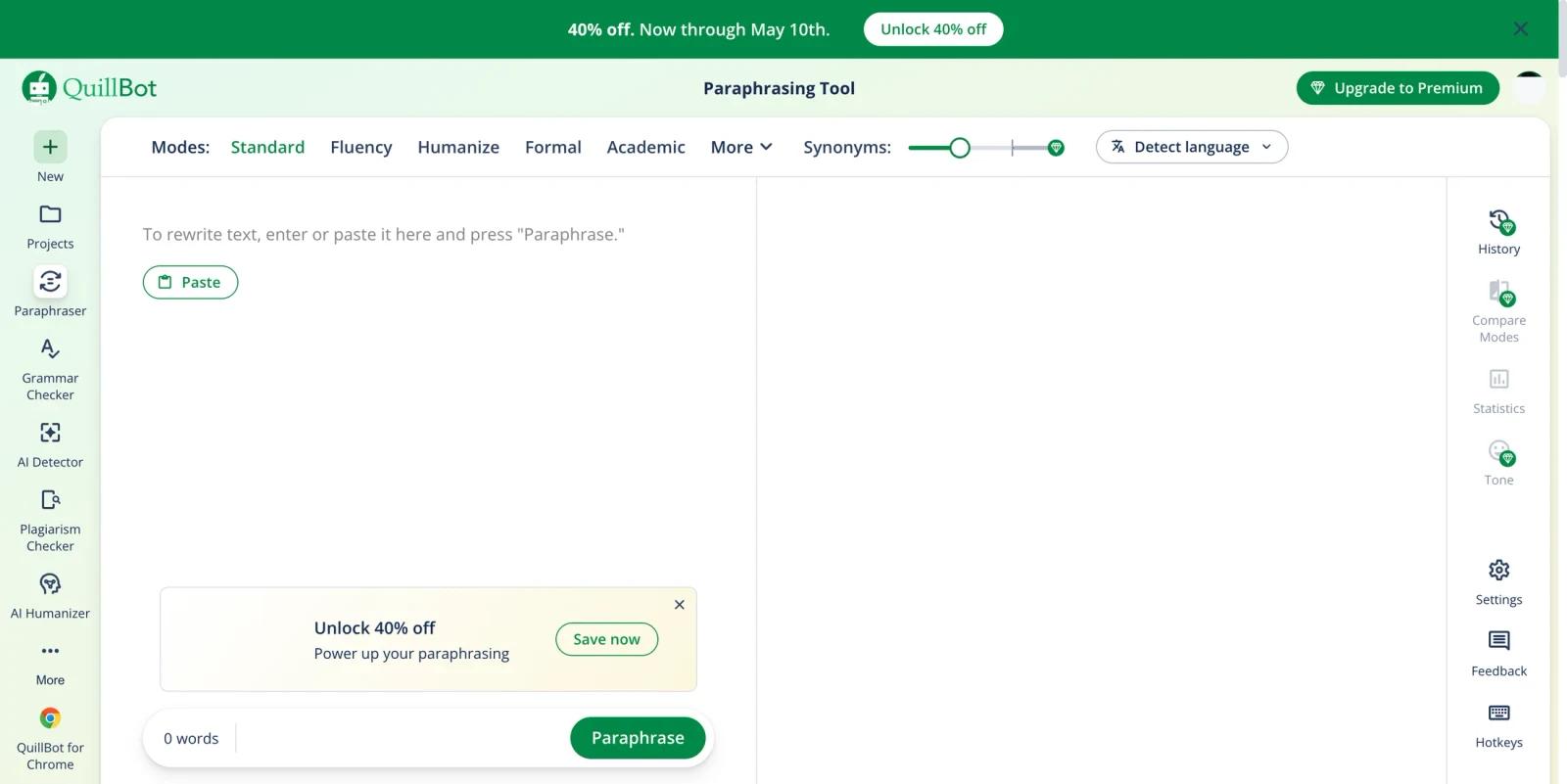
AI paraphrasing with rewrite modes - Free users get Standard and Fluency modes, while Premium adds more preset modes and custom modes for tailoring tone, structure, and audience fit.
Synonym slider and word-level suggestions - Users can control how aggressively the output changes and click words in the rewritten text to choose alternate suggestions.
Grammar and clarity support - QuillBot includes grammar checking and advanced recommendations on Premium, which helps users clean up a rewritten draft before publishing or submitting it.
Multilingual and English-variant support - The paraphrasing tool supports more than 25 languages and multiple English variants, including US, UK, Canadian, and Australian English.
Writing suite around the paraphraser - QuillBot also offers summarizing, translation, citation generation, AI detection, AI humanizer tools, and Premium-only plagiarism checking with a 25,000-word monthly scan allowance.
Extensions and apps - QuillBot works through Chrome, Edge, Safari, mobile apps, desktop apps, and Microsoft Word, making it easier to rewrite text inside the places where users already write.
How to Get Started
QuillBot is easy to test because the paraphrasing tool can be used from the browser with a free account path. Paste a sentence, paragraph, or draft into the Paraphraser, choose a mode, adjust the synonym slider if needed, and review the rewritten output before copying it elsewhere.
For serious use, treat QuillBot as an editor rather than an automatic final draft generator. The best workflow is to paraphrase a section, check whether the meaning stayed intact, adjust individual word choices, then run grammar or plagiarism checks where appropriate. This is especially important for academic writing, legal language, medical content, or any material where wording precision matters.
Pricing & Plans
QuillBot uses a freemium model. The official Premium page displays Free, Premium, and Team Plan options, while the help center notes that exact Premium pricing can depend on region, local currency, and selected subscription duration.
| Plan | Public pricing | Best fit |
|---|---|---|
| Free | $0/month | Occasional rewriting, short paragraphs, basic grammar checks, limited AI Detector use, and light humanizer testing |
| Premium | Official page shows $8.33/month billed annually, with promotional pricing sometimes displayed | Users who need unlimited paraphrasing, 9 preset modes plus unlimited custom modes, advanced grammar, unlimited AI Detector access, custom summaries, and Plagiarism Checker scans up to 25,000 words/month |
| Team Plan | Annual Team pricing publicly shows $7.50/seat/month for 2-10 seats, $6.66/seat/month for 11-50 seats, and $5.83/seat/month for 51+ seats | Organizations that need shared billing, user management, usage metrics, data control, and account support |
The free plan is useful for quick sentence-level rewrites, but the 125-word paraphrasing limit becomes restrictive for essays, reports, blog posts, and recurring professional writing. Premium is a better fit when QuillBot is part of a daily writing workflow rather than an occasional cleanup tool.
Best For
- Students rewriting notes, explanations, and early essay drafts
- ESL and multilingual writers improving fluency and word choice
- Professionals polishing emails, reports, and concise business writing
- Content editors who need fast alternate phrasings without changing meaning
- Users who want paraphrasing plus AI paragraph generator, grammar, summarizing, and citation support in one writing suite
QuillBot is less suitable when you need deep research, original long-form strategy, or authoritative rewriting in regulated domains. In those cases, use it as a drafting aid and keep a human review step in the workflow.
FAQ
What is QuillBot Paraphrasing?
QuillBot Paraphrasing is an AI rewriting tool that rephrases text to improve clarity, tone, vocabulary, and flow while trying to preserve the original meaning.
Is QuillBot Paraphrasing free?
Yes. QuillBot offers a free plan with a 125-word paraphrasing limit, two paraphrasing modes, basic grammar correction, Humanizer up to 125 words with limited daily use, AI Detector up to 1,200 words and 10 scans/day, and summaries up to 1,200 words.
How much does QuillBot Premium cost?
The official Premium page currently shows Premium from $8.33/month when billed annually, though promotions, regional pricing, taxes, and billing duration can change the final checkout price.
What does QuillBot Premium add?
Premium adds unlimited paraphrasing, 9 preset modes plus unlimited custom modes, advanced grammar recommendations, Humanizer features, custom summaries, unlimited AI Detector access, and Plagiarism Checker scans up to 25,000 words/month.
Does QuillBot guarantee plagiarism-free writing?
No. QuillBot can help rephrase and check writing, but users still need to cite sources correctly, review meaning, and avoid representing someone else's ideas as their own.
Who should use QuillBot Paraphrasing?
QuillBot is best for students, professionals, ESL writers, and editors who need fast rewriting support for existing drafts rather than a tool that creates the full argument or source material from scratch.


