
6 Best PDF Accessibility Tools for Remediation in 2026
Compare six PDF remediation tools for repairing tags, table headers and reading order. Choose a desktop editor or batch workflow and verify the result.
On this page
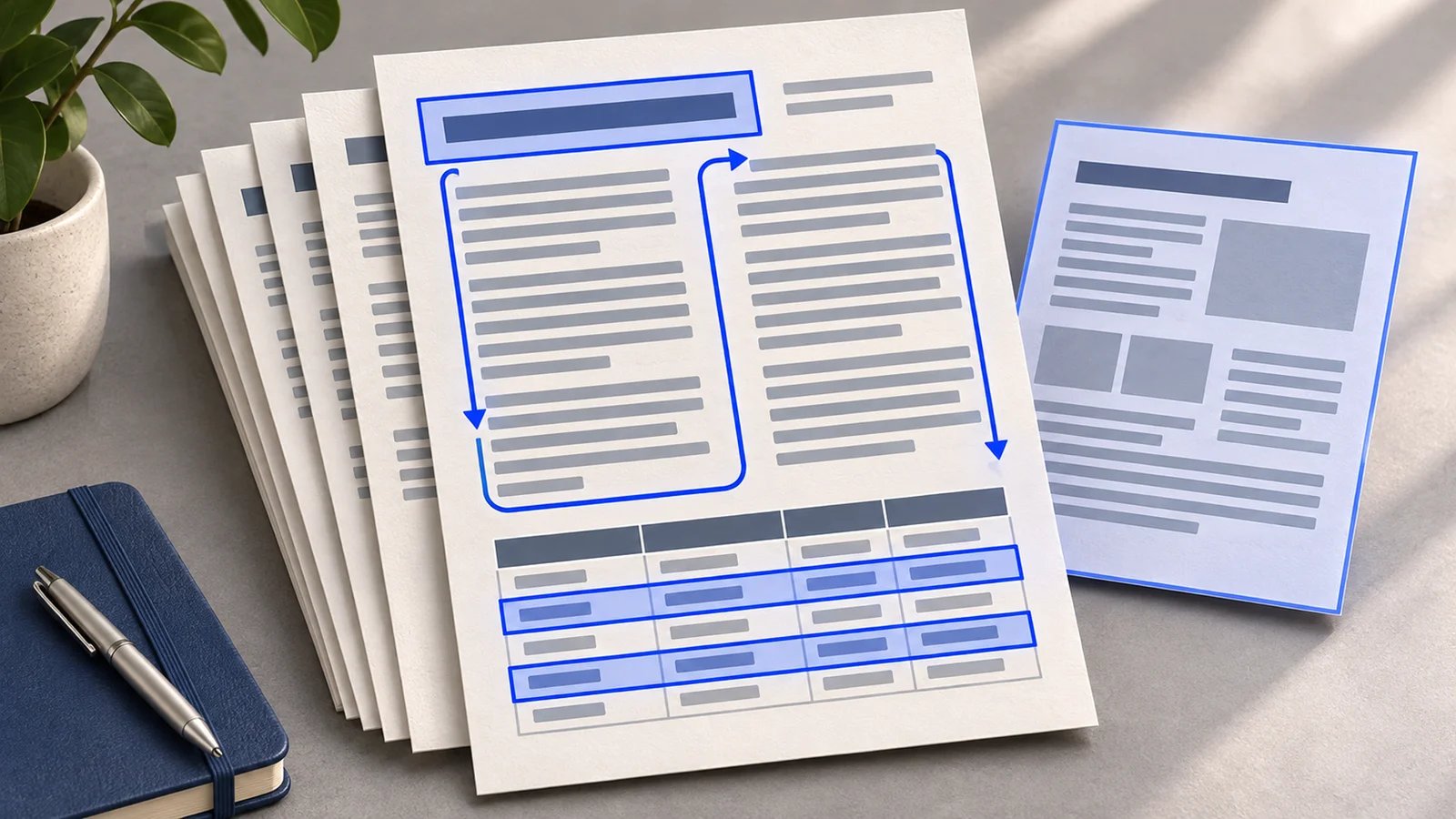
A PDF can look right on screen and still read a sidebar halfway through a sentence. OCR can make a scan searchable, and auto-tagging can add structure. Readers also need headings they can navigate, a sensible reading order, and table headers that give each value context. Choose a tool by the work left after its first pass. W3C reading-order guidance
If the source file is available, fix its structure and export again before buying a PDF repair tool. If you only have the PDF, start with Adobe Acrobat Pro for occasional repairs, axesPDF for detailed Windows editing, or PDFix Desktop for cross-platform editing and configurable automation. Equidox and CommonLook PDF are worth evaluating when a team needs a dedicated remediation workflow. If you generate the same statements or reports every week, shortlist axesFlip, PDFix Desktop Enterprise, and Equidox AI. The choice turns on who maintains the template and where the job runs.
PDF accessibility tools at a glance
| Tool | Start here when | First reason to rule it out |
|---|---|---|
| Adobe Acrobat Pro | You already use Acrobat and fix PDFs occasionally | You need a dedicated queue or repeatable batch handoff |
| axesPDF | A Windows specialist fixes complex tags or tables | Your team works on Mac or needs unattended tagging |
| PDFix Desktop | You want local editing with a choice of tagging engines | Your selected action sends files to an unapproved cloud |
| Equidox | You want to correct page regions, or process recurring layouts | You need a self-authored batch template |
| CommonLook PDF | You need a browser review workflow with reports, or an Acrobat Pro plug-in | Your files cannot be uploaded and Acrobat Pro is unavailable |
| axesFlip | Your team can maintain tagging templates and run scheduled conversions | Your files lack repeatable layouts or you need a manual editor |
Compare processing, repair and purchase boundaries
| Tool | Processing and repair | Entry or batch boundary |
|---|---|---|
| Adobe Acrobat Pro | Desktop tag editing. Optional cloud auto-tagging with local fallback | US $19.99/month, annual plan billed monthly |
| axesPDF | Windows editor. Local AI-assisted checks, table and tag-tree controls | US $650/user/year. Demo adds watermarks and recolors some characters |
| PDFix Desktop | Windows, Mac or Linux. Local validation, configurable local or cloud actions | US $599/year Pro. $1,499/year Enterprise adds batch processing |
| Equidox | Software offers SaaS or on-premises options. Edit zones, order and tables | Ask for Software and template-based Equidox AI scope separately |
| CommonLook PDF | Browser editors with reports, or an Acrobat Pro desktop plug-in | Web uploads up to 200 MB. Desktop needs tags before opening |
| axesFlip | Designer for template rules. Customer-run CLI, REST or SDK, or axes4 cloud | Ask about hosting and metering. Demo modifies the output |
Public price examples checked November 11, 2026. The Adobe figure is an individual US annual commitment, and PDFix's US listings include an hour of training. A cloud action, desktop license and batch service can have separate charges or entitlements. For quotes, provide your document count, typical page count, number of source templates, and the share of files that need manual review. Compare total cost per accepted file, including labor on exceptions. Adobe plans · axesPDF purchase · PDFix US plans
What each tool lets you change
Adobe Acrobat Pro
Best for teams that already use Acrobat and need to tag or repair a few PDFs. Use the desktop reading-order and structure tools to check headings, fix content classification, and move tags. Adobe's optional cloud auto-tagging evaluates eligible documents for headings, lists, tables and multi-column order. Ineligible files use the existing local tagging method. Adobe says the cloud feature does not save the PDF in the cloud. Processing still has a cloud boundary. Disable it in Accessibility Preferences if your policy requires local processing. Acrobat accessibility tools · Cloud auto-tagging controls
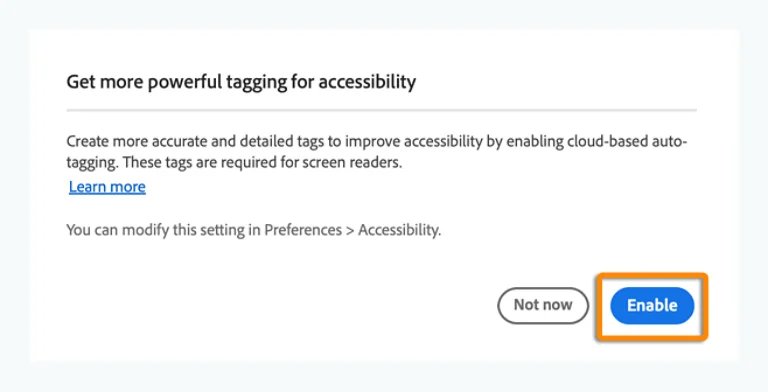
Source: Adobe's cloud auto-tagging guide.
First test. Open a report with two columns and a footnote. Identify which tagging route ran, then check whether the footnote interrupts the main text. If you need a second application to make every difficult table usable, compare the specialist editors below.
axesPDF
Best for Windows-based reviewers who need to edit a logical structure tree, visually assign table headers, or correct Unicode mappings. axes4 documents integrated PAC tests and a screen-reader preview. Its AI-assisted checks run locally and surface potential issues for inspection. The checks flag structural classification issues, while the meaning of alternative text still needs human review. The free demo adds watermarks and recolors some characters in saved PDFs. axesPDF features and demo · Local Checker pane
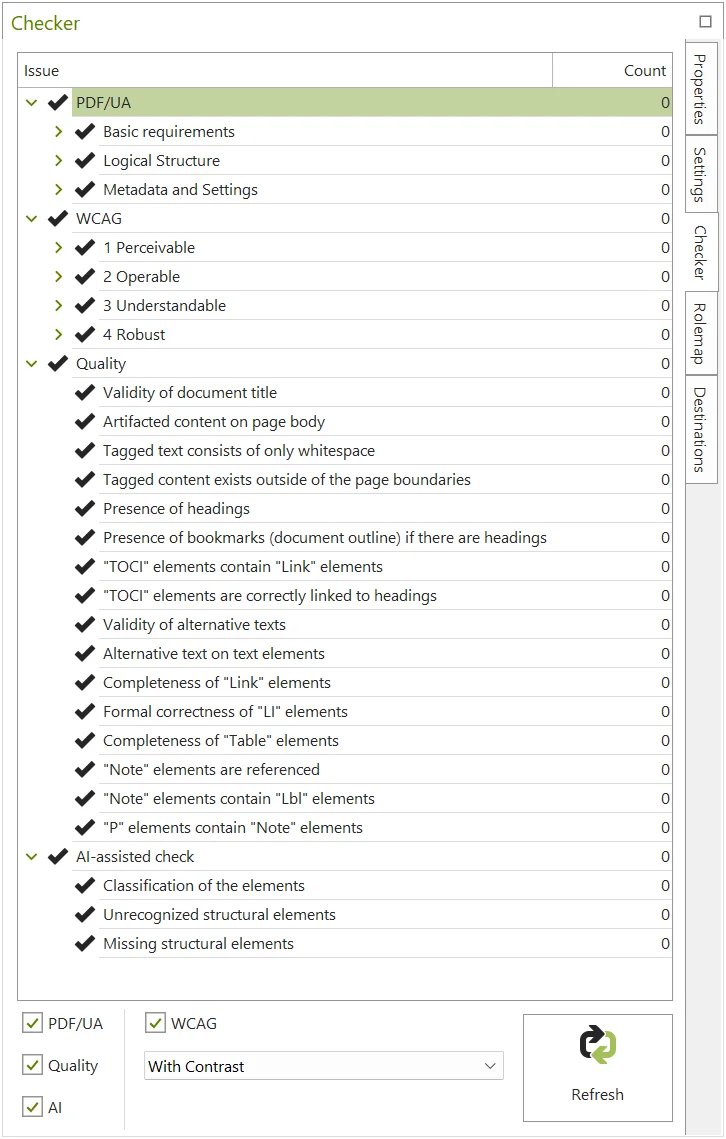
Source: axes4's Checker pane documentation.
First test. Use an existing tagged PDF with grouped column headings and a repeated header row. Try repairing the header associations and checking the resulting structure, then reopen the saved copy. If Windows or file-by-file review is a dealbreaker, evaluate PDFix Desktop or a batch product.
PDFix Desktop
Best for a team that wants to edit on Windows, macOS or Linux and select its tagging method. PDFix documents manual structure editing and built-in veraPDF validation. Its marketplace distinguishes local Docling-based tagging from cloud Textract OCR and cloud OpenAI alt-text actions. Some local AI integrations require a local Docker runtime. Check each action's dependencies, data handling and charges separately. PDFix Desktop Enterprise adds batch processing, and the separately licensed SDK is for embedding steps into a document pipeline. Lite is free for validation. The vendor says files saved without a production license carry a watermark. Desktop features and actions · SDK deployment choices · Edition FAQ
First test. Compare two runs on the same sample. Use an approved local method first, then another approved action if required. Keep settings and output reports with each run. For a batch, include a page that breaks the template and check whether your workflow can route it for human repair.
Equidox
Best for document teams that prefer to define regions on the page rather than begin in a tag tree. Equidox Software documents selectable reading-order layouts, heading zones, table detection and OCR with text correction. Its FAQ describes SaaS and on-premises options. Equidox AI is a separate product aimed at high-volume documents that follow recurring templates, such as statements and reports. Equidox AI can run in the cloud or on-premises. Its vendor describes an on-demand interface, API integration and a managed service. Confirm the product, deployment and delivery method in the quote. Equidox AI deployment Equidox products · Software and deployment FAQ · Zone and export workflow
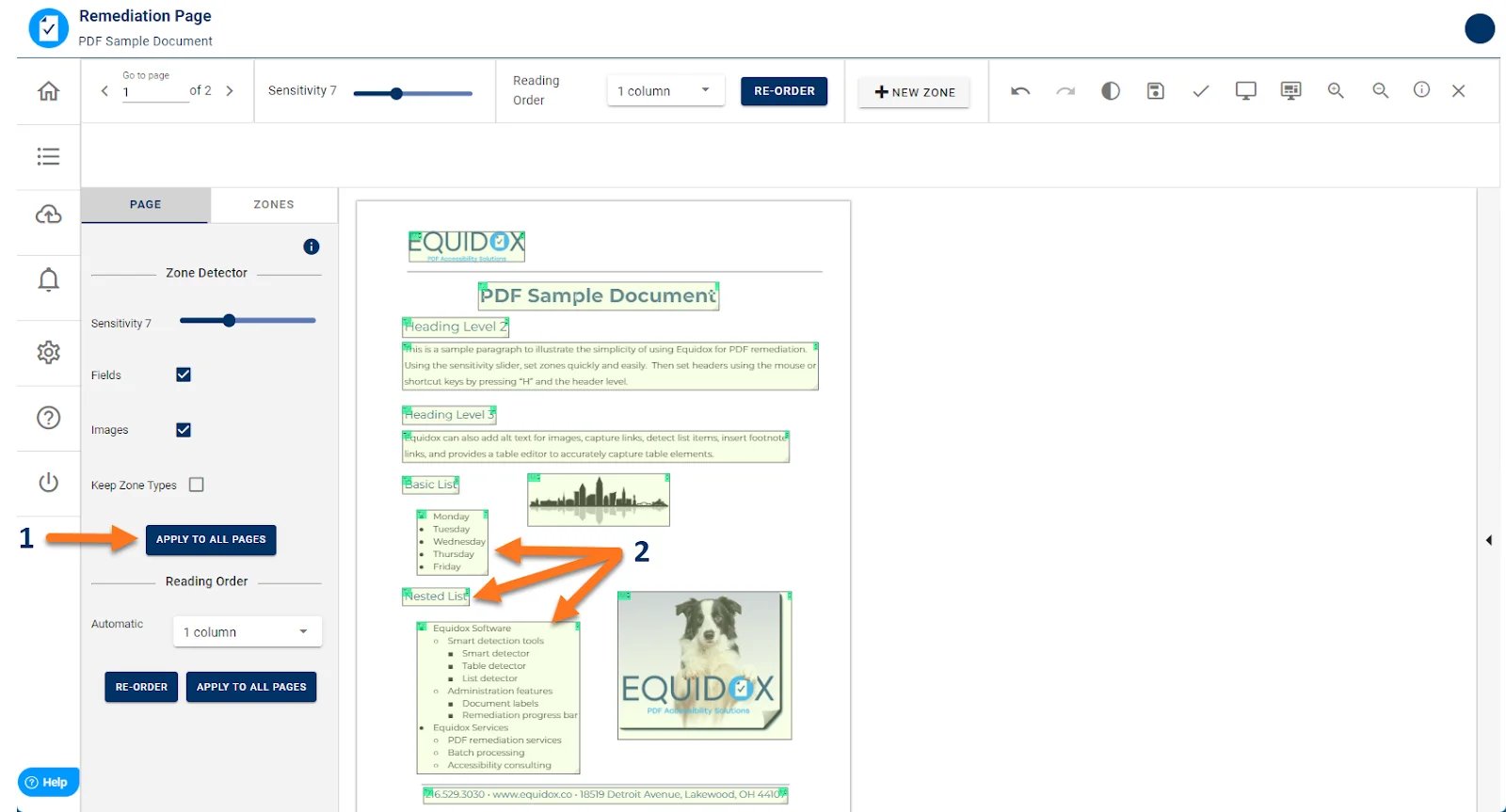
Source: the Equidox user guide.
First test. Give the vendor two pages from a recurring layout and one irregular page. Ask to see which steps are reusable, who fixes exceptions, and what tagged PDF you get back. A diverse archive with few repeated layouts is a stronger case for an assisted editor and a review queue.
CommonLook PDF
Best for teams that need a browser review workflow with validation reports, or specialists who already work in Acrobat Pro. The browser editors accept uploads up to 200 MB. Allyant recommends Advanced for documents with complex tables or 150 pages or more, and its Advanced workflow puts OCR and creation of links or form fields before import. The separate desktop edition runs as an Acrobat Pro plug-in. If the PDF has no tags, add them in Acrobat and save before opening it in the plug-in. Confirm which edition the quote covers. Web and desktop editions · Desktop tag prerequisite CommonLook PDF features · Web editor limits · Advanced Editor workflow
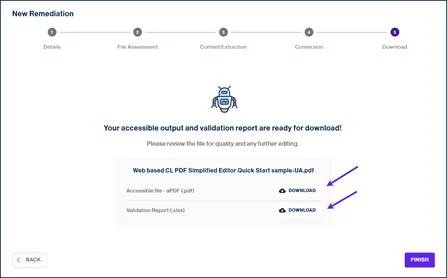
Source: Allyant’s Simplified Editor quick start.
First test. In the browser edition, have one editor repair a document and a second reviewer check the exported PDF and report. In the desktop edition, start with an untagged sample and measure the extra Acrobat setup. Use the same reading-order error for both tests and compare the work needed to fix and verify it.
axesFlip
Best for teams that repeatedly generate the same classes of PDFs and have someone to own tagging rules. Build and preview a template in axesFlip Designer. Run it through a customer-operated CLI, REST service or embedded SDK, or choose the axes4-operated cloud. For example, a team can identify invoice headers and define the structure to apply when new invoices arrive. Under the vendor’s default cloud terms, PDFs are processed in memory on EU servers and deleted after delivery. With hybrid metering, conversion stays in your environment and billing metadata, such as titles and page counts, goes to axes4. Confirm which fields leave your environment before choosing the license. The demo adds watermarks and changes some character colors, so use it on sample files. Getting started with axesFlip · Deployment and license terms
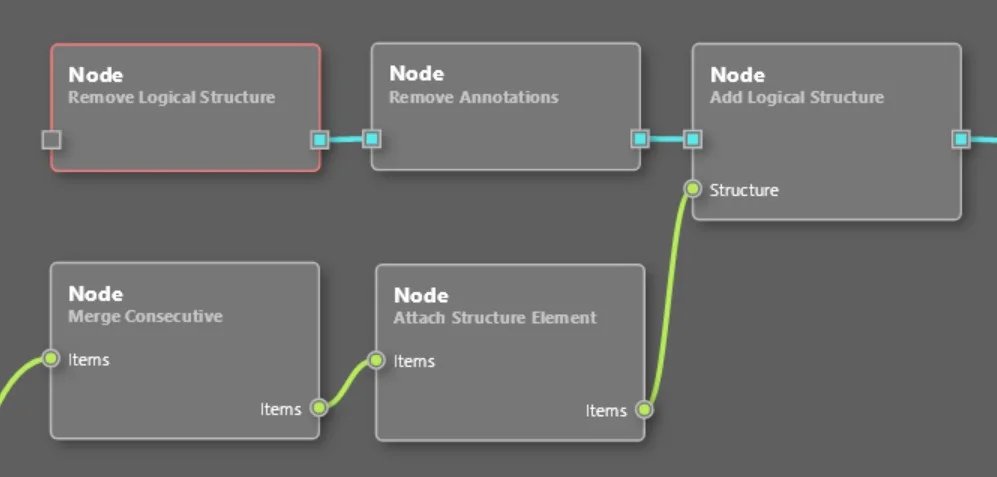
The Designer connects steps in a reusable rule graph. This excerpt shows steps for replacing existing structure and attaching new structure. Source: axes4's Designer quick start.
First test. Use two invoices to author a template. Run a third with an extra page and a moved totals block without editing the rules first. Check whether a reviewer can spot the changed structure before delivery. If each file needs its own rules, try an assisted editor.
Compare batch remediation workflows
| Tool | Who sets up the rules | Where and how it runs | What to prove in a trial |
|---|---|---|---|
| PDFix Desktop Enterprise | Your team configures actions or reusable layout templates | Desktop batch. Processing follows each selected action. SDK is separate | Try the same batch with your approved actions and check reports against the actual documents |
| Equidox AI | Scope each document family with the vendor using representative samples | Cloud or on-premises. UI, API or managed service | Ask how a revised layout is added, who handles mismatches, and when a changed model is ready |
| axesFlip | Your team can author and maintain a Designer template | Customer-run CLI, REST or SDK, or axes4 cloud | Try a layout change and verify how your workflow holds mismatches for review |
PDFix batch and templates · Equidox AI sample-based setup · axesFlip template workflow
For an assorted backlog, measure minutes of repair per accepted file before buying batch capacity. For files from a repeated layout, record the template setup time, the number of files that need rework, and whether a human can review exceptions before delivery. Try one file with an unseen layout change. If it silently passes with an incorrect reading order or table structure, keep the batch under review until your process can catch the failure.
A pilot for one file and a batch
- Start with the source when possible. Repair headings, links and table headers in the authoring file and make a tagged export. Microsoft documents a tagged export from Office and says the macOS electronic-distribution option uses its online service. Check the route against your organization's file policy. Microsoft's tagged PDF instructions
- Build a small, varied sample. Include a two-column page with a footnote, a table with merged headings, a scanned page with a bad OCR line, and a link or form field. For recurring documents, hold back one changed layout from the template setup and run it last.
- Check what a reader hears and can do. Run a validator, then read through with assistive technology and try keyboard navigation. Confirm heading order, descriptions, table context, and the tab sequence. On Windows, the free PDF Accessibility Checker (PAC) offers local checks and a structure preview to help find problems. It is a checking tool and the preview supplements a screen-reader test. PAC documentation · W3C reading and tab order
- Keep evidence for the next revision. Save the source, the final tagged PDF, the report, and a short note on what a person checked. For a batch, track the number of exceptions and how long they take to fix. Re-export and check again when the layout changes.
Testing a page, checkout or design file calls for a different workflow. See our web accessibility testing tools comparison for those decisions.
Frequently asked questions
Can I make an accessible PDF for free?
Start by repairing the original document and exporting with tags in an authoring tool you already have. Use PAC on Windows or PDFix Desktop Lite for checks. Fixes to a complex PDF without its source may require a dedicated editor or a specialist.
Does a PDF/UA validator pass prove the file is usable?
Run the checker and test the reader's tasks. A description can be present but uninformative. A table can contain header tags that are associated with the wrong data. Read the results with a screen reader and verify keyboard navigation where applicable.
What if the PDF is a scan?
Add a reliable text layer with OCR, correct recognition errors, then tag and test the content. Compare the tool's OCR language support and processing location on a representative file. Include dense tables and difficult text in the pilot.
Editorial note: This guide compares official documentation and public plan information checked November 11, 2026. The pilot describes how to evaluate your documents. It does not report a benchmark or guarantee conformance.
Get ToolWorthy Weekly
New AI tools, practical guides, and selected AI signals in one weekly brief.
For AI tool founders
Built a tool that belongs in this decision set?
Request an editorial evaluation for possible inclusion in ToolWorthy.
Submit your tool for reviewPaid submission does not guarantee a ranking, recommendation, inclusion, or editorial outcome.