



Overview
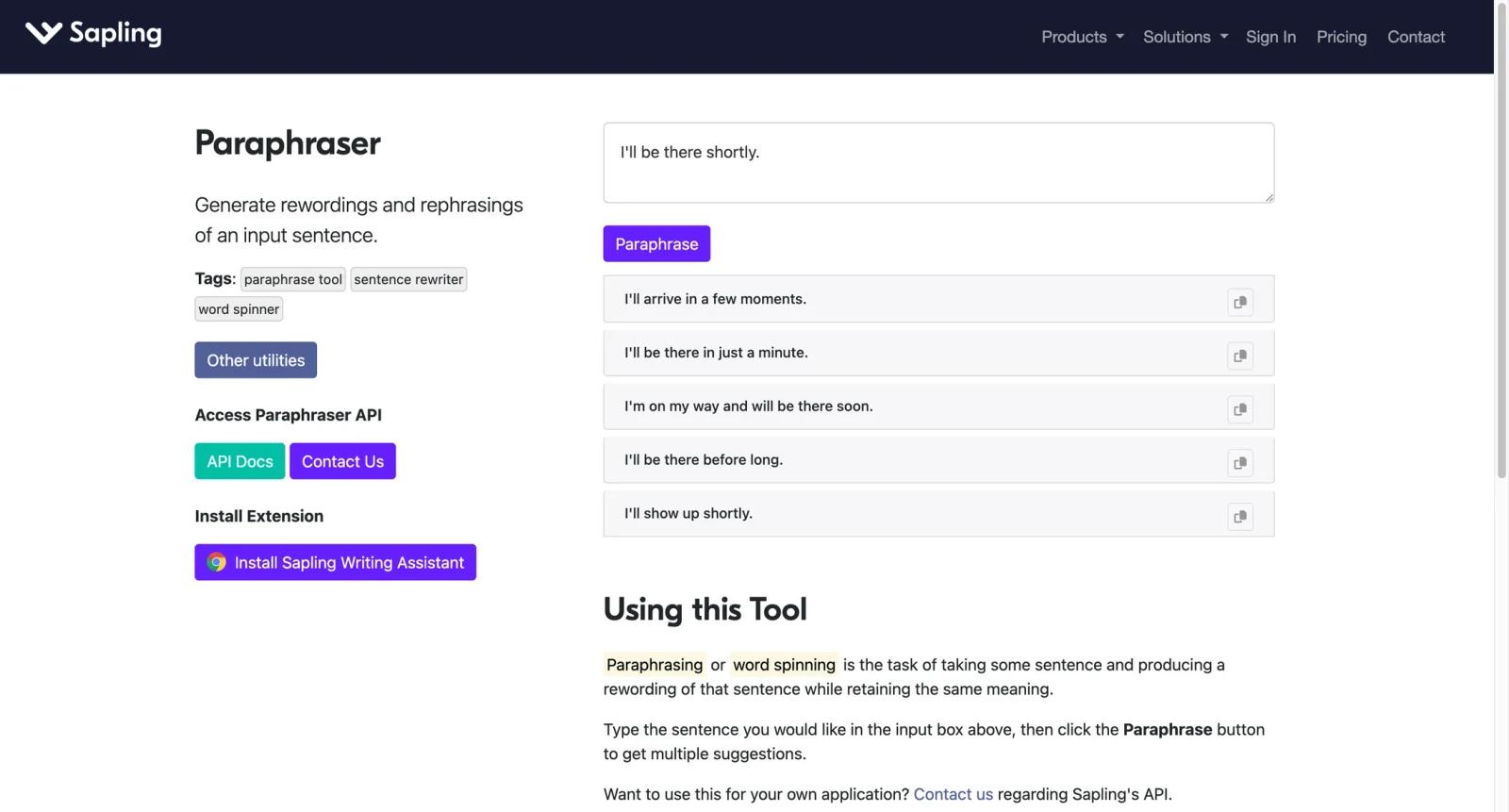
Sapling AI Paraphrasing is a rephrase and writing assistance workflow from Sapling, a tool aimed at customer-facing teams. Sapling Rephrase helps users rewrite text, improve formality, and adjust tone across CRM, messaging, email, and support environments.
The product is different from a casual student paraphraser. Sapling's value is strongest for sales, support, and success teams that write many customer messages and need consistent, professional phrasing. It works across tools such as Salesforce, Zendesk, ServiceNow, Intercom, Gmail, and Outlook depending on setup.
For users comparing AI writing assistants, Sapling is more CX and business-communication focused than author tools such as ProWritingAid. It should also be compared with support platforms such as Freshdesk when writing assistance needs to connect with ticket workflows.
Key Features
- Rephrase suggestions - Rewrite customer-facing messages to improve clarity, formality, and tone while preserving intent.
- CRM and messaging support - Sapling is designed to work across support, sales, and productivity tools rather than only a standalone editor.
- Business communication focus - Helps teams write more polished responses in customer support, sales, and success workflows.
- Free trial and Pro plan - Individuals can start free and upgrade to Pro for premium suggestions, rephrase, and broader use.
- Enterprise team features - Enterprise adds admin, analytics, security, SSO/SCIM, snippets, and team-oriented controls.
- API pricing - Developers can use usage-based API pricing for endpoints such as edits, rephrase, postprocess, tone, and more.
Pricing & Plans
Sapling uses a freemium model. Its plans page lists Free, Pro, Enterprise, and API pricing.
| Plan | Pricing | Best fit |
|---|---|---|
| Free | $0 | Testing basic suggestions and limited snippets |
| Pro | $25/month, with annual option shown lower | Individuals needing Rephrase, premium suggestions, autocomplete, and broader use |
| Enterprise | Contact sales, with team pricing starting around 10 seats | Teams needing admin, analytics, SSO, SCIM, security, and dedicated support |
| API | Metered pricing | Developers integrating rephrase and writing assistance into products |
Sapling's API pricing is separate from user plans. The official API page lists rephrase/edit pricing by input characters, with enterprise and self-hosted options requiring sales contact.
Best For
- Support agents rewriting replies for tone, formality, and clarity
- Sales teams improving outbound and follow-up messages
- Customer success teams standardizing professional communication
- Enterprises needing writing assistance inside CRM and support tools
- Developers adding rephrase or tone APIs to internal products
FAQ
What is Sapling AI Paraphrasing?
It is Sapling's rephrase workflow for rewriting and improving customer-facing messages.
Is Sapling free?
Sapling has a Free plan and a free trial path. Paid Pro and Enterprise plans unlock stronger features and team controls.
How much does Sapling cost?
The plans page lists Pro at $25/month, with annual pricing shown lower, and Enterprise by quote.
Does Sapling work in support tools?
Yes. Sapling is designed for CRMs and messaging platforms, including tools such as Zendesk, Intercom, Salesforce, Gmail, Outlook, and others.
Does Sapling offer an API?
Yes. Sapling has API pricing for rephrase, edits, tone, autocomplete, semantic search, and other endpoints.
How does Sapling compare with ProWritingAid?
Sapling is stronger for sales, support, and customer-facing messages. ProWritingAid is stronger for long-form writing and author editing.
Is Sapling good for teams?
Yes. Enterprise features include administration, analytics, snippets, security, and provisioning options.
What should I check before buying?
Check supported apps, Pro versus Enterprise features, API character volume, SSO needs, data retention, security requirements, and team seat count.


