



Overview
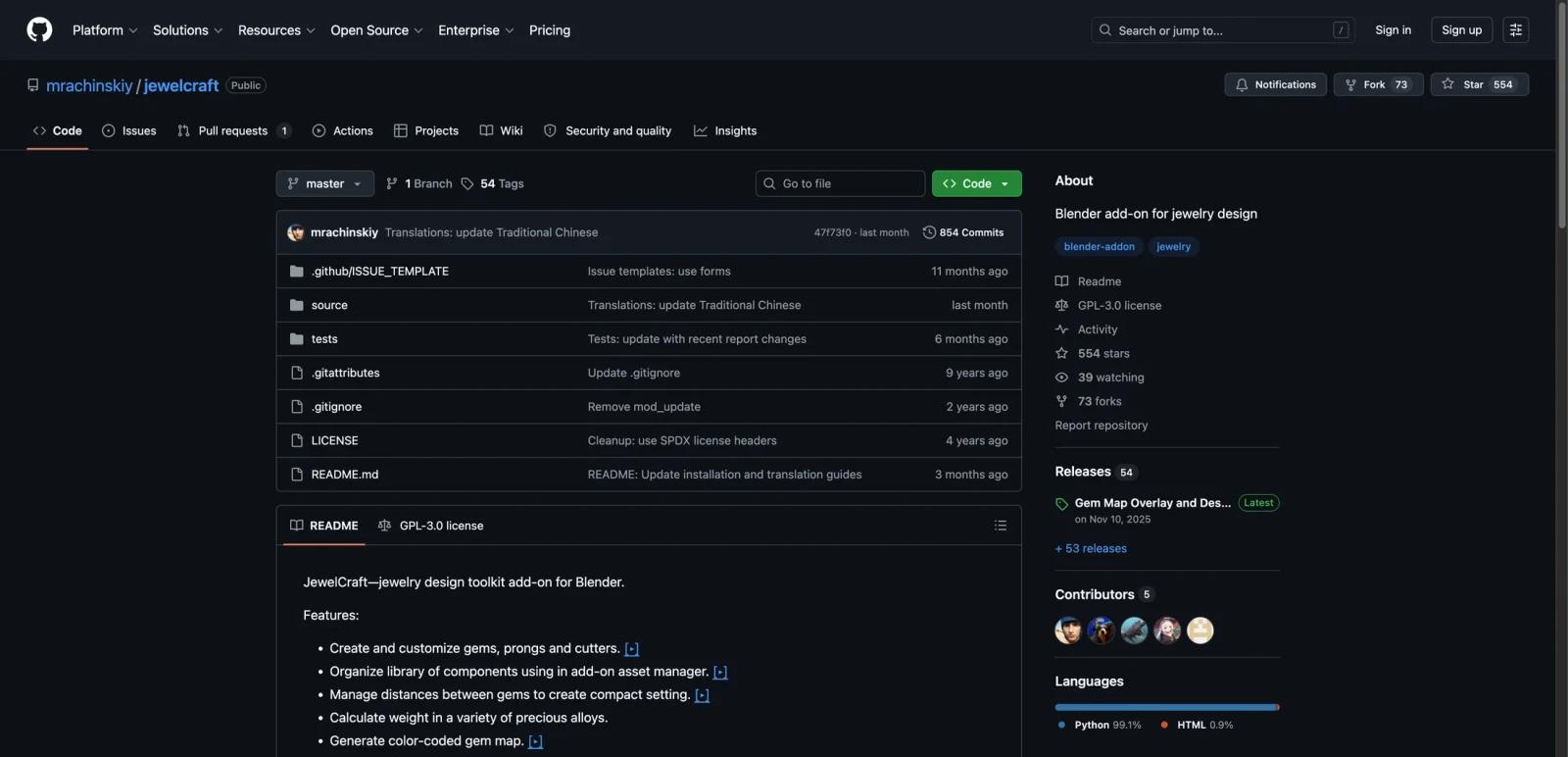
JewelCraft is an open-source Blender add-on built specifically for jewelry design. Instead of trying to be a standalone CAD platform, it extends Blender with jewelry-specific tools for gems, cutters, prongs, weight estimation, gem maps, and design reports.
That framing matters because JewelCraft is not competing head-on with closed jewelry suites that bundle quoting, manufacturing services, or store-facing customization. It is better understood as a code-driven, Blender-native toolkit for jewelers, CAD users, and technical designers who want more control over the modeling environment and do not mind working inside Blender.
As of April 25, 2026, the GitHub repository describes JewelCraft as a Blender add-on for jewelry design, publishes releases through GitHub, and shows an actively maintained release history. The latest public release on the repository is v2.18.0-blender4.2.0, which highlights Gem Map overlay updates, Design Report rework, and support changes tied to newer Blender versions.
For adjacent research, compare AI design tools, AI UI design tools, AI website design tools.
Key Features
Jewelry-specific modeling tools - JewelCraft adds gems, prongs, cutters, and related jewelry components directly inside Blender.
Gem map generation - The add-on can generate gem maps, which is useful for stone planning, presentation, and production communication.
Weight calculation - Official materials highlight weight calculation for precious alloys, which helps users estimate designs earlier in the workflow.
Design reports - JewelCraft includes design summary and reporting capabilities, including recent work on report entries and JSON/HTML report output.
Asset and component management - The repository materials describe tools for managing reusable jewelry components rather than forcing every model to start from scratch.
Blender-native workflow - Users stay inside Blender instead of switching to a separate jewelry-specific interface, which is attractive for technical users already comfortable with Blender.
How to Get Started
JewelCraft is distributed through GitHub releases rather than as a polished SaaS app. That means setup is straightforward for Blender users, but it is still an add-on installation workflow rather than a one-click browser product.
For Blender 4.1 or older, the repository instructions say to download the release zip, open Preferences and Add-ons inside Blender, then install the add-on from the zip archive. Starting with newer Blender extension flows, the release notes also explain that Blender 4.2 can handle add-on updates through Blender's extension system.
The practical takeaway is simple: JewelCraft is easy to access if you already use Blender, but less approachable if you want a guided commercial onboarding flow.
Pricing & Plans
JewelCraft does not have a SaaS pricing page or public license tiers. It is an open-source Blender add-on under GPL-3.0 and is distributed through GitHub releases.
| Plan | Pricing | Best fit |
|---|---|---|
| Open-source add-on | Free | Blender users who want jewelry-specific tools without buying a separate design suite |
| Production usage | Variable indirect cost | Teams whose real cost comes from Blender expertise, hardware, rendering, or downstream manufacturing workflows |
The key buying question is not subscription price. It is whether your team wants an open, Blender-based workflow or a more guided commercial jewelry design platform with support, quoting, and production integrations.
Community & Ecosystem
JewelCraft has a meaningful open-source footprint for a jewelry-specialized Blender add-on. The GitHub repository shows public releases, issue tracking, forks, stars, and contributor activity, which is important because niche design tooling often disappears when maintenance slows down.
The add-on also benefits from Blender's broader ecosystem. If your team already uses Blender for modeling, rendering, or geometry-node workflows, JewelCraft can fit naturally into that environment rather than forcing a separate software stack. The tradeoff is that you rely more on community-style maintenance and your own technical comfort than on a commercial vendor success team.
Best For
- Jewelry designers already using Blender
- Technical CAD users who want an open toolchain
- Teams that prefer open-source software over closed jewelry suites
- Makers who need gem maps, reporting, and alloy-weight estimation in one Blender workflow
- Users comfortable self-managing installs and updates from GitHub releases
FAQ
What is JewelCraft?
JewelCraft is an open-source Blender add-on for jewelry design that adds tools for gems, cutters, prongs, gem maps, weight calculation, and design reporting.
Is JewelCraft free?
Yes. JewelCraft is distributed as open-source software through GitHub releases and does not publish a paid SaaS subscription price.
Does JewelCraft work inside Blender?
Yes. JewelCraft is a Blender add-on, so its workflow runs inside Blender rather than in a separate browser app.
What does JewelCraft help with?
It helps with jewelry-specific modeling tasks such as placing gems, working with jewelry components, estimating alloy weight, and generating gem maps or design reports.
Who should use JewelCraft?
JewelCraft is best for Blender users who want a jewelry-focused open-source toolkit rather than a commercial end-to-end jewelry sales or manufacturing platform.
How much does JewelCraft cost?
Pricing can change by plan, billing term, region, and usage limits. Check the official website for the current plan details before purchase.

