



Overview
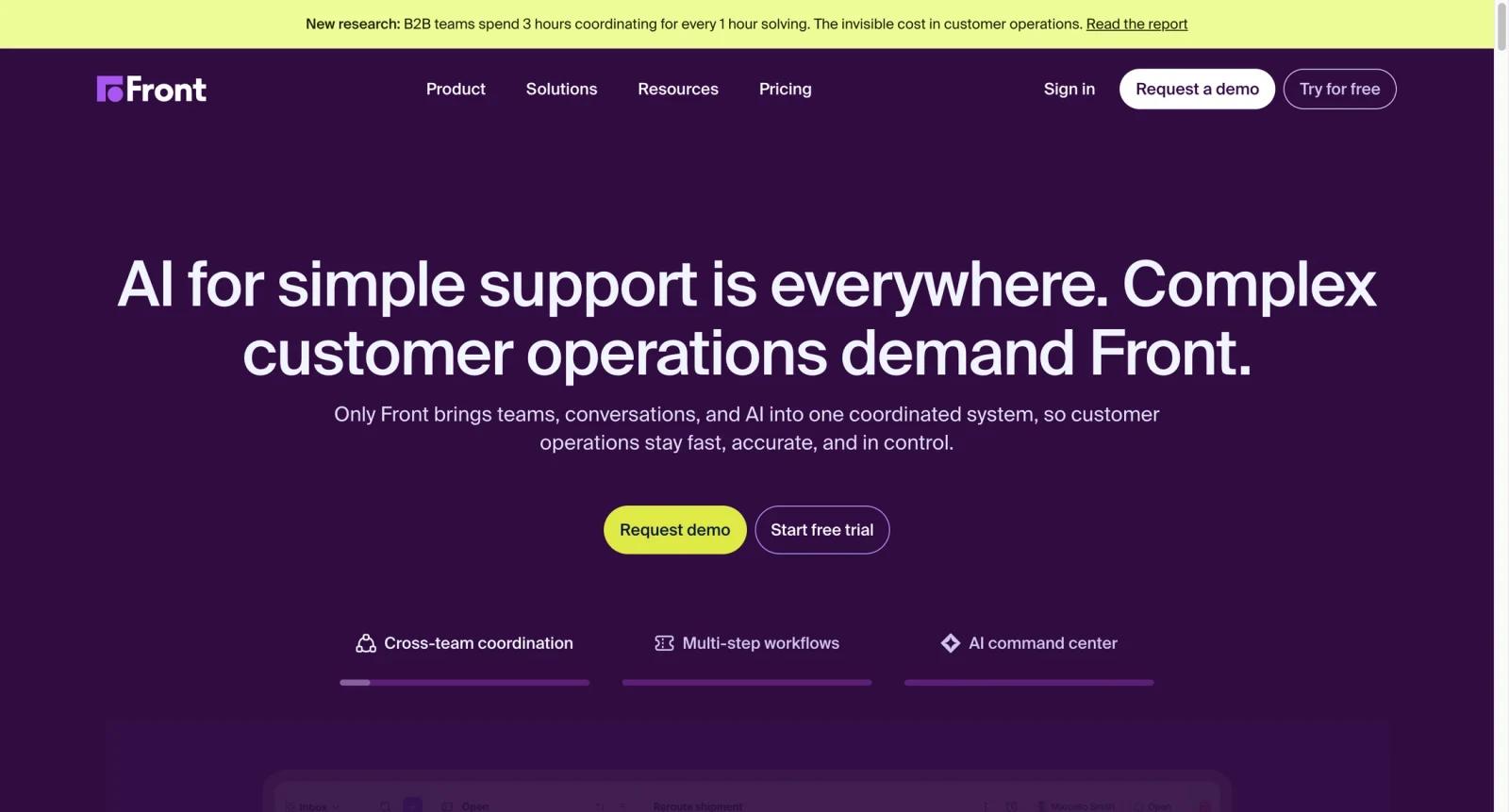
Front is an AI-powered customer operations platform built around a shared inbox, ticketing, omnichannel messaging, automation, analytics, and team collaboration. It is designed for customer support, operations, success, account management, logistics, financial services, travel, manufacturing, and professional services teams that need more context than a standard help desk but more workflow control than a basic email inbox.
The product's main idea is accountability across conversations. Instead of forwarding emails, copying teammates into threads, or switching between chat, SMS, WhatsApp, and CRM tools, Front brings conversations into shared workspaces with assignments, tags, internal comments, rules, macros, analytics, and customer context. Front says it is trusted by 9,000+ companies, which reflects its positioning as a mature operations platform rather than a lightweight reply generator.
Front AI adds a second layer for teams dealing with high-volume or complex service work. AI Topics classifies contact reasons, Copilot helps agents draft and decide next steps, Smart QA reviews performance with AI scorecards, Smart CSAT infers satisfaction signals, and Autopilot automates more complex omnichannel work. This makes Front a stronger fit for teams that want AI assistance while keeping humans in control of escalations, tone, and customer relationships.
For adjacent research, compare AI design tools, AI UI design tools.
Key Features
Shared inbox and ticketing - Manage team-owned conversations with assignments, tags, internal comments, views, and ticketing so every request has clear ownership instead of living in a private inbox.
Omnichannel customer communication - Professional and Enterprise plans support channels such as email, SMS, social, and WhatsApp, helping teams manage cross-channel customer work from one workspace.
Workflow automation and macros - Rules, smart rules, macros, routing, and tags automate repetitive triage steps, reduce manual handoffs, and keep complex queues moving.
Front AI Copilot - Copilot helps agents get answers, decide next steps, and draft replies. It is available as an add-on on lower plans and is included in Enterprise.
AI QA, CSAT, and Topics - Smart QA reviews agent work with AI-powered scorecards, Smart CSAT infers satisfaction without relying only on surveys, and AI Topics identifies common contact reasons.
Knowledge base, analytics, and integrations - Front includes knowledge base tools, basic-to-custom analytics, API access, and integrations that connect conversations to the rest of the customer stack.
How to Get Started
Front is best implemented around one high-value conversation workflow rather than every inbox at once:
- Map the current queue - Identify which inboxes, channels, handoffs, and escalation paths create the most coordination cost.
- Choose the right plan - Starter fits single-channel support; Professional adds omnichannel support and advanced analytics; Enterprise includes stronger AI and admin controls.
- Create workspaces and shared inboxes - Split queues by team, region, brand, or function, then define owners, tags, and views.
- Add automation rules and macros - Start with routing, tagging, assignment, and response templates before adding more advanced AI workflows.
- Layer in Front AI - Use Topics to understand contact drivers, then decide whether Copilot, Smart QA, Smart CSAT, or Autopilot is worth the add-on cost.
- Measure response quality - Track workload, SLA performance, CSAT signals, QA results, and conversation outcomes before expanding to more teams.
Pricing & Plans
Front publishes annual pricing for its core plans. It also sells several AI capabilities as add-ons, with some included in Enterprise.
| Plan | Annual price | Best fit |
|---|---|---|
| Starter | $25 per seat/month, up to 10 seats | Teams starting with single-channel support, shared inboxes, ticketing, AI Topics, up to 10 automation rules, basic analytics, and a no-code public knowledge base |
| Professional | $65 per seat/month, up to 50 seats | Omnichannel support teams needing email, SMS, social, macros, up to 20 automation rules, advanced analytics, multiple workspaces, SSO, and SCIM |
| Enterprise | $105 per seat/month | Larger customer operations teams needing smart rules, unlimited rules and macros, multi-language knowledge base, custom roles, and included AI Copilot, QA, and CSAT |
AI add-ons are priced separately unless included in Enterprise: Copilot and Smart QA are listed at $20 per seat/month each, Smart CSAT at $10 per seat/month, and a Smart QA + Smart CSAT bundle at $25 per seat/month. Autopilot is listed as contact-sales pricing. Front also lists add-ons such as native WhatsApp channel fees and API rate limit increases.
Best For
- Customer operations teams handling high-touch requests that require multiple teammates, systems, and approvals.
- Support teams moving from shared Gmail or Outlook inboxes into structured ownership, routing, analytics, and SLAs.
- Logistics, travel, financial services, manufacturing, and professional services teams where one customer issue often spans several departments.
- Companies that want AI reply generation but still need human review, collaboration, and account context.
- Mid-market and enterprise teams comparing Front against help desk tools because they need both inbox familiarity and AI-powered service operations.
FAQ
What is Front?
Front is a customer operations platform that combines shared inboxes, ticketing, omnichannel messaging, automation, analytics, knowledge base tools, and AI features for support and customer-facing teams.
How much does Front cost?
Front's annual pricing starts at $25 per seat/month for Starter, $65 per seat/month for Professional, and $105 per seat/month for Enterprise. AI add-ons and some channel or API add-ons may cost extra.
Is Front just a shared inbox?
No. Shared inboxes are the foundation, but Front also includes ticketing, automation rules, macros, workspaces, analytics, knowledge base features, integrations, and AI tools for customer operations.
What AI features does Front include?
Front AI includes AI Topics, Copilot, Smart QA, Smart CSAT, and Autopilot. Availability depends on the plan and add-ons; Enterprise includes Copilot, QA, and CSAT.
Does Front support omnichannel communication?
Yes, but plan matters. Starter is for a single channel type, while Professional and Enterprise support omnichannel workflows such as email, SMS, social, and WhatsApp.
Who should choose Front over a traditional help desk?
Choose Front when customer work looks more like collaborative account operations than simple ticket closure. It is especially useful when support, success, operations, and sales need to coordinate on the same customer conversation.
Can Front replace Zendesk or Freshdesk?
For some teams, yes. Front can handle support operations, ticketing, knowledge base, analytics, and AI workflows. Teams with very large call-center needs or heavily customized legacy help desk processes should run a pilot before replacing an existing platform.
Is Front good for small teams?
Small teams can use Starter if they need shared inboxes and basic support operations, but teams with only occasional support email may find it more platform than they need.


