
8 Best Hotel Lobby AI Generators for the Orange-Booth Trend
Put your duo in the orange booth: compare eight Hotel Lobby AI tools by photo inputs, preview limits, video costs, audio, and how much control you need.
On this page
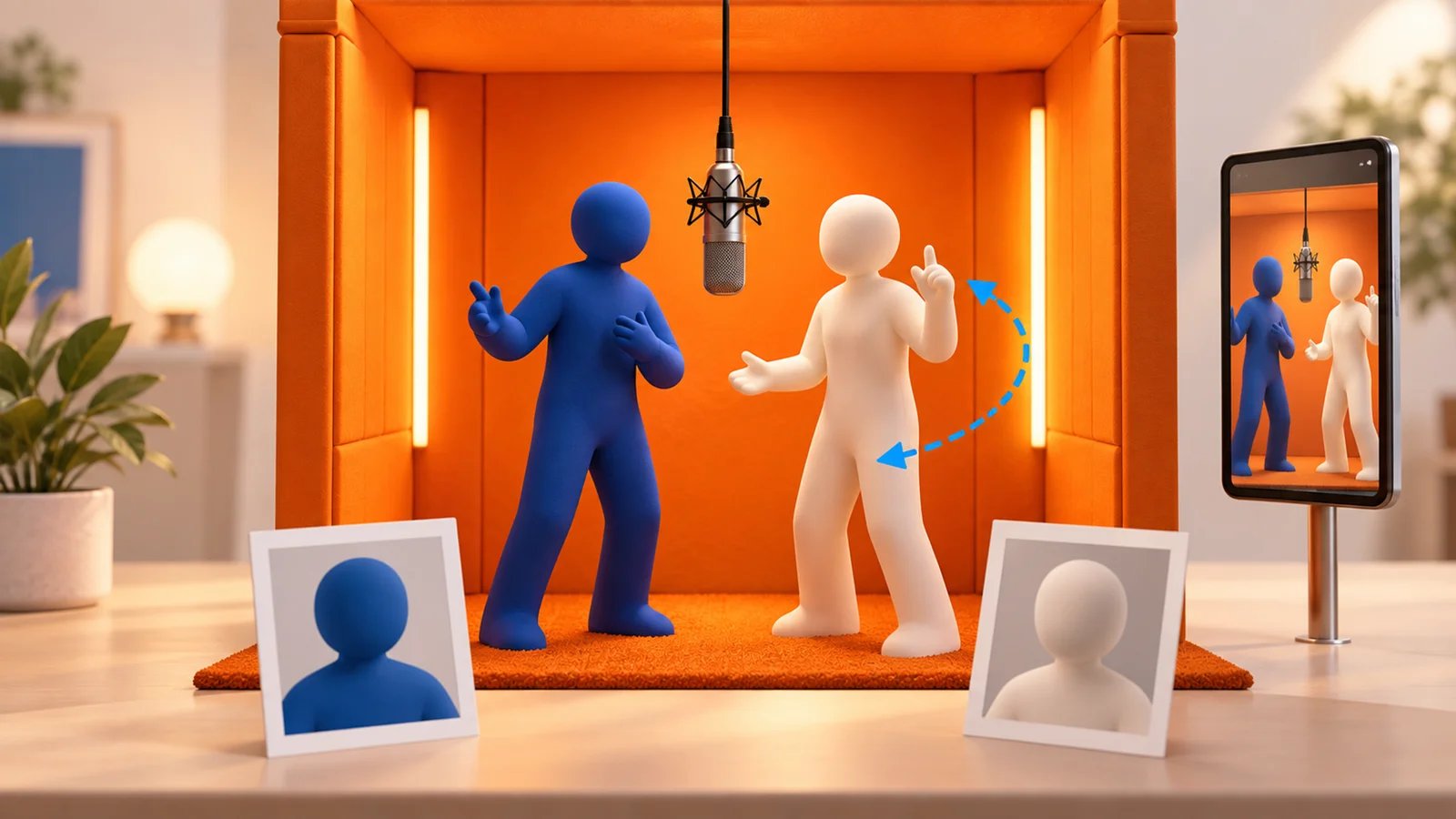
A Hotel Lobby AI generator turns photos into the orange-booth duet associated with Quavo and Takeoff's “Hotel Lobby” performance on A COLORS SHOW. The important choice is how you want to make it: generate a new scene, use an existing performance template, or direct the movement yourself.
Start with Make Hotel Lobby if you want two photos to become a fixed 10-second vertical clip, with a one-time purchase and no account. Choose Fuzana to inspect a free booth-photo preview first; Hotel Lobby AI at aihotellobby.org for its advertised four-second guest video; Starrd to use its 15-second template with the track its guide advertises; or Dreamina when writing and revising the scene matters more than one-click setup.
This selection uses official product pages checked on September 30, 2026. It is source-based research, with no comparative generation test. Face consistency, timing, and lip-sync quality are not benchmarked here. For broader creative work beyond this one format, see the AI video generator workflow guide.
Compare the Hotel Lobby workflows
“Free” can mean a still-photo preview, signup credits, or trial access. Those are different from a free downloadable duet video. Credit balances also belong to each provider: 20 Fuzana credits and 100 Starrd credits are not comparable units.
| Tool | Choose it for | Input and output | Access or cost | Audio and main trade-off |
|---|---|---|---|---|
| Make Hotel Lobby | A fixed, no-account duet with one-time payment | Two photos → 10-second 9:16 MP4 | $6.99 for one video; larger one-time packs | Generated vocals; add the song separately; no scene editor |
| Fuzana | Checking the booth composition before paying for video | Two photos → free still preview, then a clip | Video starts at 20 credits; one-time pack required | Original AI audio; still preview is not a free video |
| Hotel Lobby AI | A short guest video or your own motion reference | Two photos → 4, 10, or 15 seconds; 9:16 or 16:9 | Guests: 16 credits for one Lite 4-second clip; paid Motion Copy: 218 credits | Silent by default; optional generated beat/vocals; free allowance does not cover 10 seconds |
| Starrd | A 15-second template with advertised Hotel Lobby audio | Two photos → 15-second 9:16 clip | 100 credits; guide estimates about $5 | Guide says the real track is included; currently warns of delays |
| Summrs | Choosing standard or extended performance templates | Photo input → Hotel Lobby template video | 50 signup credits; plans from $15/month; top-ups available | Template-led workflow; exact clip cost and audio need checking |
| Ausar | Seeing a reference-video recipe and resolution controls | Two photos + built-in fixed video → character replacement | Credits charged per completed run; quote in generator | 480p, 720p, or 1080p options; retries can cost more |
| Dreamina | Directing cast, movement, and camera with prompts | Two references + Seedance 2.5 instructions | Free credits or trial access where available | More control; requires prompt iteration and account access checks |
| LightX | Exploring booth presets within a broader editing suite | One or two photos → selected Hotel Lobby preset | Free access and paid credits; verify template eligibility | Solo and duo options; free credits do not guarantee a free clip |
Start with the cheapest useful check
Choose the check that answers your question before paying for a longer clip:
- Does the pair look right in the booth? Use Fuzana's free still preview. Inspect both faces and their positions; a still cannot tell you whether identities will drift during motion.
- Can I try a short moving duet? At aihotellobby.org, select Lite, four seconds, and 9:16, then confirm the quote is 16 credits, within its advertised guest allowance. The default ten-second quote is 40 credits. This is a short 480p test, not the same deliverable as a ten-second video; guest generation/export was not tested here.
- Do I need a fixed ten-second clip with a known cash price? Make Hotel Lobby lists one generation at $6.99. Start with one take if you only need one attempt; buy a larger pack when you already plan multiple generations. The price buys a generation, not guaranteed likeness or a guaranteed acceptable result.
If the original performance's movements are essential, inspect a reference-video workflow such as Ausar before buying a newly generated scene. If changing gestures matters more, use Dreamina's prompt workflow. These are different starting points; neither route establishes an exact movement or lip-sync match.
Choose a generator for your duo

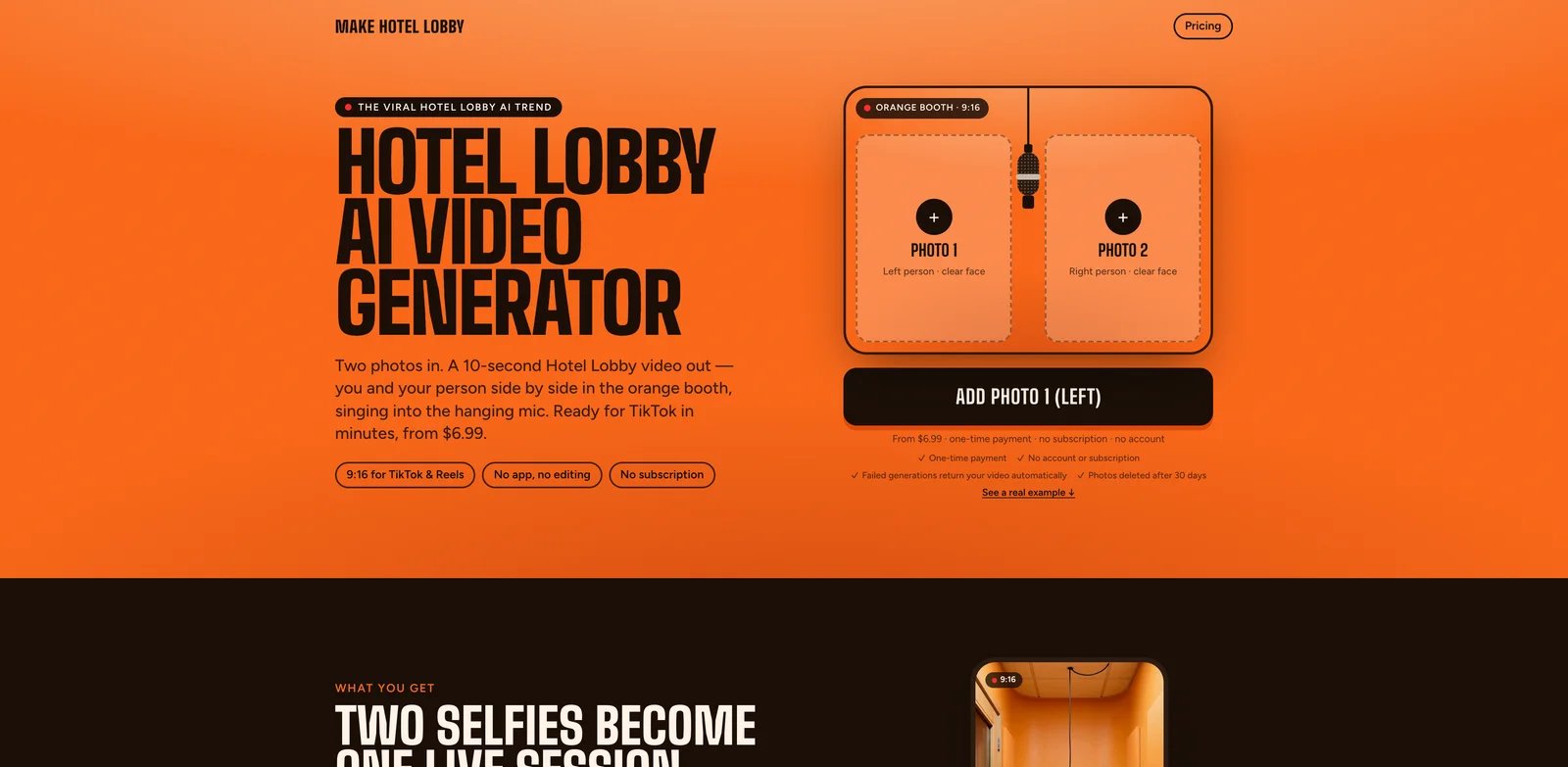
Make Hotel Lobby is the opening choice for a straightforward two-photo workflow. Photo 1 supplies the left performer and Photo 2 the right. Its fixed orange-booth setup produces a 10-second, 9:16 MP4 with generated vocals; the original recording is not included.
The current one-time packs cost $6.99 for one video, $11.99 for three takes, or $34.99 for ten. There is no account, subscription, or advertised free trial. The terms tie unused credits to a private pack link, so retain it. Failed generations return the credit; a completed clip you dislike is not described as an automatic refund. The homepage offers a remake for clearly swapped or mixed faces reported within seven days.
Choose it when a preset booth and predictable pack size are enough. Skip it when you need a free video preview, custom scene direction, or an exact reproduction of the original choreography. The provider says clips have no watermark and uploads/results are deleted after 30 days; download your finished video. Perfect likeness is not guaranteed in its terms.
Fuzana
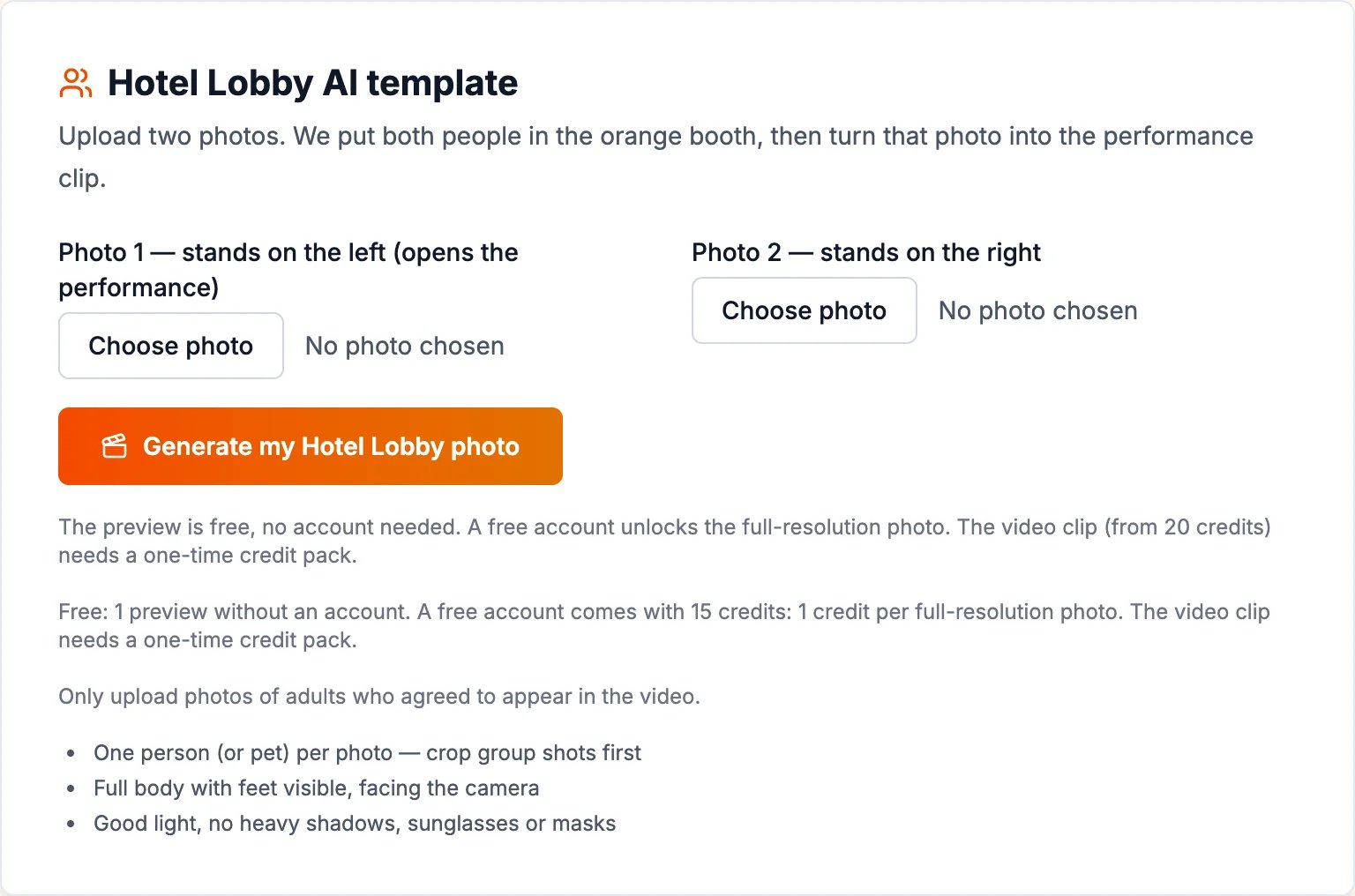
Fuzana's Hotel Lobby tool suits readers who want to check the two-person composition before spending on motion. Its no-account free preview is a booth photo, not a playable video. A free account unlocks the full-resolution photo and provides 15 credits; its advertised video costs exceed that allowance.
The page lists 20 credits for a five-second clip and 24 for ten seconds, purchased through a one-time pack. Normal and Super quality use different amounts of credit, and the example clips are labelled Super; check the selected tier's quote. It also shows a music-style selector and optional direction for the performance, with original generated audio rather than the commercial recording.
Choose it if the still preview and audio direction matter. Skip it if “free” must mean a finished duet video, or you want to use photos of children: the page limits human subjects to consenting adults. It advertises pets as supported. Its example area also mentions 15-second clips without a matching price in the explanation, so check that configuration's quote before paying.
Hotel Lobby AI
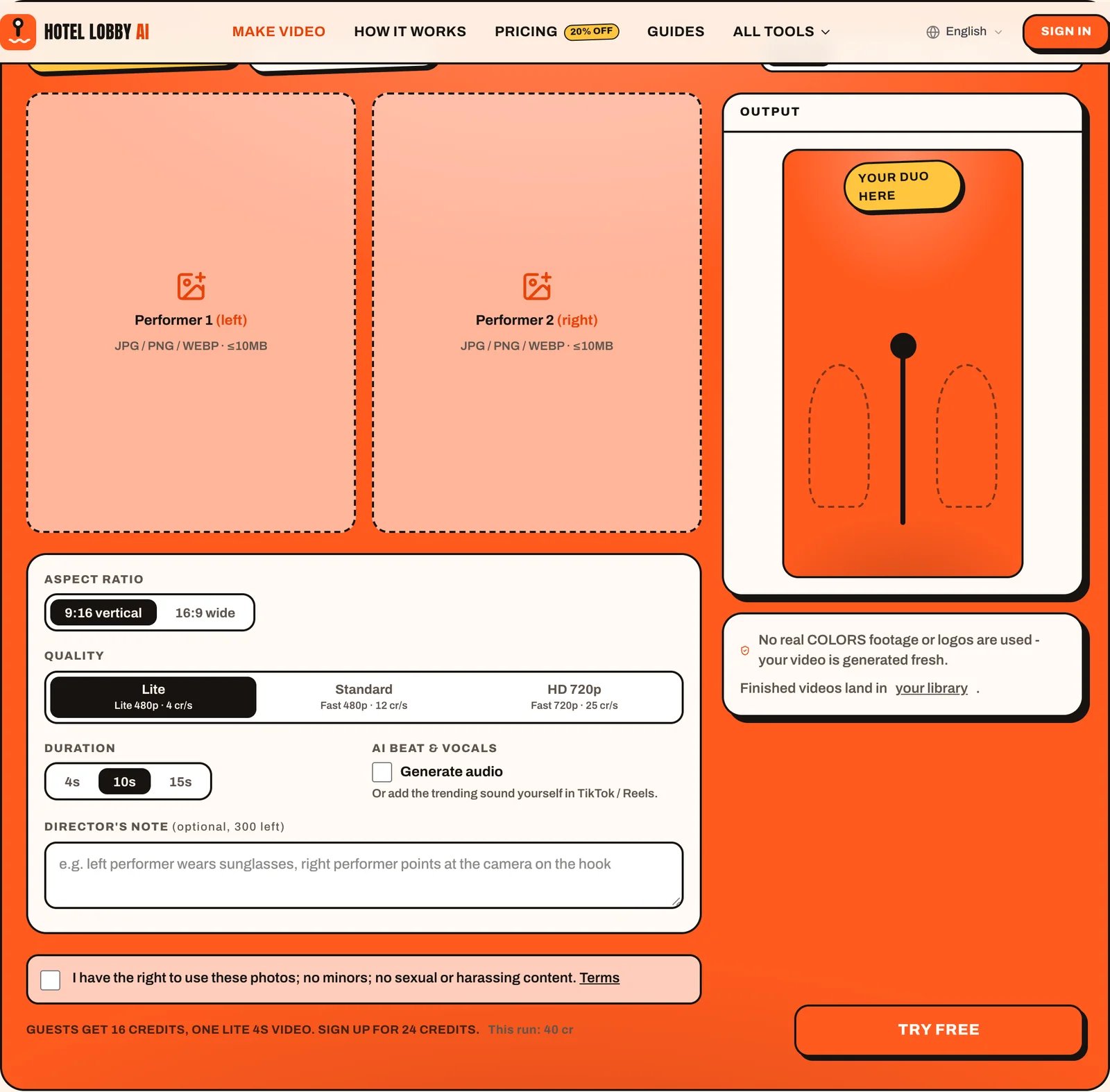
Hotel Lobby AI at aihotellobby.org is a separate provider with a visible two-photo generator. Its page advertises 16 guest credits, sufficient for one Lite 480p, four-second video. A new account gets 24 credits, which still does not cover a Lite ten-second clip at four credits per second. Check the configured run quote: the default ten-second selection shows 40 credits, so “Try free” is not a promise that every selected length is free.
The template offers four, ten, or fifteen seconds and vertical or wide framing. It generates fresh video rather than reusing the original performance. Audio is silent by default, with an optional AI beat/vocals toggle; add the desired publishing-platform sound separately.
Choose it for the advertised short guest allowance or Motion Copy on a paid plan: create a stage frame, then supply your own three-to-ten-second motion reference. The page quotes 218 credits including the stage frame. Skip it if you require a free ten-second export or the commercial song included. The upload consent excludes minors. Guest generation and export were not tested for this guide; the free allowance is a current provider offer, not a verified completion result.
Starrd
Starrd's official Hotel Lobby guide describes a template that takes two photos and produces a 15-second, 9:16 duet. The guide says both subjects perform independently and the real Hotel Lobby track is underneath the video.
Its stated price is 100 credits, described by the provider as approximately $5. That estimate is not a separately verified cash checkout price. New accounts receive 20 welcome credits according to the guide, which does not cover one full video. The provider says credits do not expire and no subscription is required.
Choose it when the specific 15-second template and advertised audio are your priorities. Skip it when you need a firm completion deadline: the current page warns that high traffic is slowing generations. Check the template's current output and the permitted use of its audio before posting; included audio alone does not establish usage rights.
Open Starrd's Hotel Lobby guide
Summrs
Summrs offers standard and extended Hotel Lobby templates inside a larger catalogue of viral effects. Its product page frames this as putting your face into the COLORS performance, making it a different proposition from generating a newly directed booth scene.
The page advertises 50 free signup credits, subscriptions starting at $15/month for 300 credits, and top-ups from $5 for 50 credits without subscribing. It does not establish the exact cost of each Hotel Lobby variant, so neither the free allowance nor a top-up can be translated into a guaranteed number of finished clips.
Choose it if you want to compare the standard and extended templates and may reuse other effects. Skip it if you need a fully specified per-video price before signing up. Check both the credit quote and audio on the chosen template; this roundup does not assume its soundtrack from the performance's name.
Explore Summrs' Hotel Lobby templates
Ausar
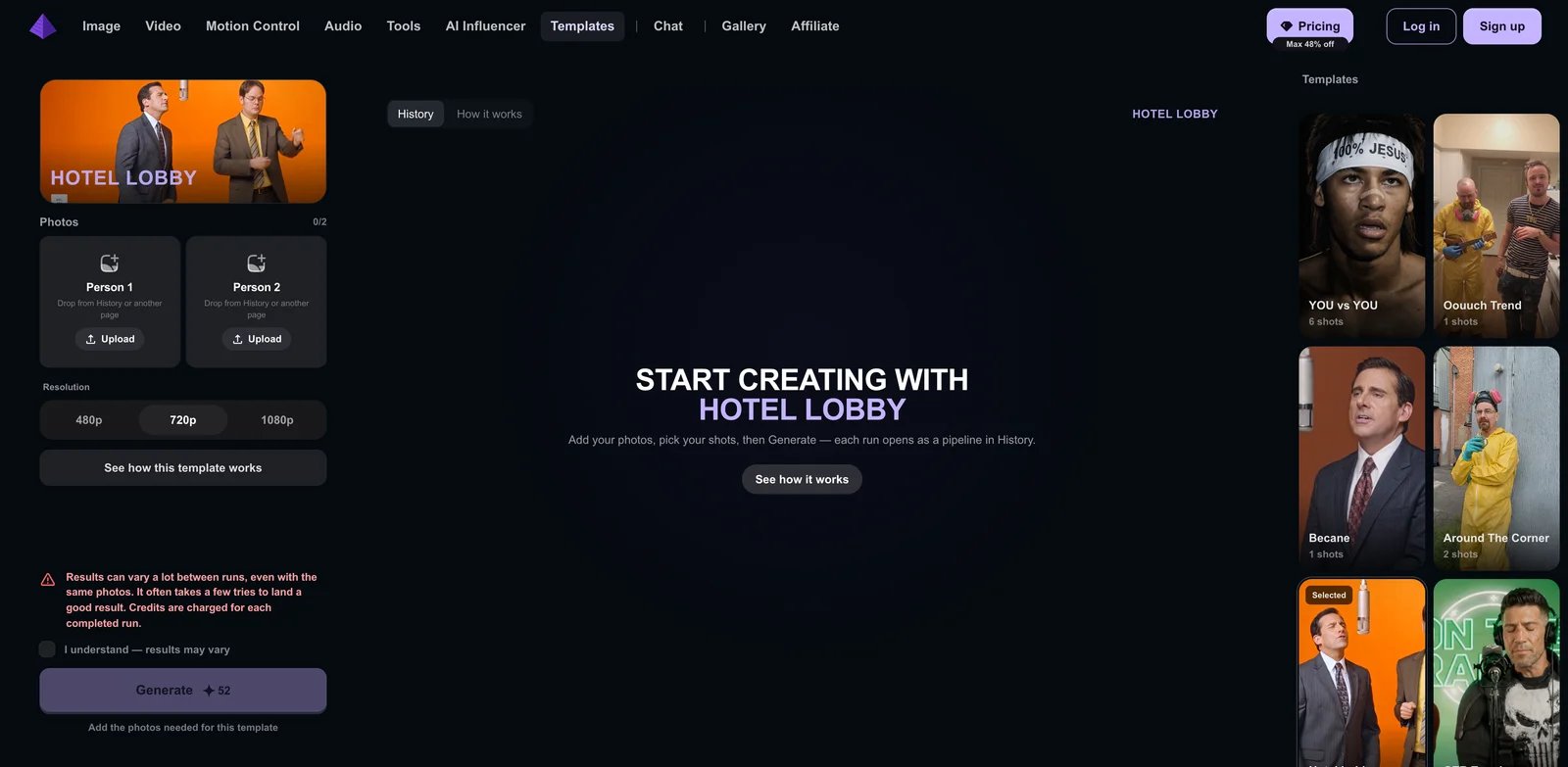
Ausar's Hotel Lobby template exposes two photo slots and 480p, 720p, and 1080p resolution choices. Its recipe describes “Swapping Characters,” combining the two images with a fixed reference video through a video-edit model.
This is useful when you want to inspect the template's construction rather than rely solely on a marketing description. Runs appear as pipelines in History. The page explicitly warns that results vary even with the same photos, several tries may be needed, and each completed run consumes credits.
Choose it for the visible reference-video workflow and resolution options. Skip it if a fixed cash price per acceptable result is essential. The inspected page showed the credit cost as still calculating, so no reliable per-video dollar figure is quoted here. Resolution options are interface controls, not evidence that one provider preserves faces better than another.
Dreamina
Dreamina's Hotel Lobby filter guide describes a prompt-led image-to-video workflow with Seedance 2.5. It provides instructions for two references, left/right placement, alternating movement, and a fixed camera. This is a way to direct the format rather than purchase one fixed performance.
Choose it when you want to change the cast or movement and can revise instructions. Its useful elimination test is visible: check whether each identity stays on its assigned side throughout the clip before adding complex gestures or camera changes. That is evaluation guidance, not a claim that this model passes the test.
Skip it if you want two uploads and no prompt work. “Create free” is conditional: the guide says free credits or trial access may be available to eligible accounts, while model access, credit cost, exports, and regions can change. Verify these in the actual generator. The Dreamina tool profile covers its broader role beyond this trend.
Read Dreamina's template workflow

LightX's Hotel Lobby page describes uploading one photo, or adding a second for a duo, then choosing a preset. Its listed options include an orange booth, a solo spotlight, and a longer performance version.
Choose it if you already use LightX for photo editing or want to explore preset variations alongside the duet. Its pricing page advertises six daily free AI credits and paid subscription/credit options. That does not establish that the specific Hotel Lobby video is free: the inspected pages did not expose its exact credit cost, duration, resolution, or included soundtrack.
Skip it when those output specifications must be known before choosing a platform. Inspect the selected preset's quote and preview rather than treating the entire template gallery as one product. The LightX tool profile provides context for its broader editor.
Explore LightX's Hotel Lobby presets
How to make your first Hotel Lobby AI video
Prepare two separate photos. Use one subject per image, with a clear face, good light, and a roughly forward-facing view. Crop each person out of a group photo first; avoid sunglasses, heavy face filters, and tiny faces. Decide which person goes on the left before uploading.
Follow the chosen tool's crop advice. Make Hotel Lobby recommends waist-up selfies; Fuzana recommends full-body photos with feet visible; Starrd asks for as much of the body as possible. A tightly cropped face is not a universal best input for a standing duet. Check subject eligibility too: Fuzana and aihotellobby.org exclude minors, while Make's terms require parental consent. Pet support is product-specific; Fuzana explicitly advertises it.
- Choose the generation route. For Make, upload the left and right portraits into its fixed preset. For Dreamina, open image-to-video, check access to Seedance 2.5, and add two references before writing the scene instructions. In a reference-video tool, watch the loaded performance before submitting photos.
- Check the final quote and output. Confirm duration, vertical framing, quality, and whether audio is included. Make fixes ten seconds and 9:16; other controls may change the credit quote. Save the purchase or task entry point, including Make's private pack link. A successful payment is not a completed video.
- Generate once, then inspect the whole clip. Watch the beginning, middle, ending, and moments when bodies overlap. Check that both faces remain distinct, each stays on the intended side, hands and feet remain plausible, and the performers alternate as intended. Use these as acceptance checks, not a claimed success rate.
- Download and keep the result. Use the completed task's download control, then play the saved file before editing. Make deletes uploads and results after 30 days, so its non-expiring unused credits do not mean permanent video storage.
- Finish the audio and publish. Add the sound available for your account and intended use, review the final mix, and post only after checking the exported clip. A finishing editor such as CapCut is useful here; a namesake “Hotel Lobby” template alone does not establish the two-photo booth effect.
A starter prompt for custom movement
For Dreamina's prompt route, this original example adapts the official two-reference method. It has not been tested; use it as a starting instruction, then inspect the result. It is not a setting you can paste into Make's fixed preset.
Create a vertical 9:16 orange studio duet. Keep Reference A on the left and Reference B on the right, with two distinct faces and outfits. Hang one microphone between them. Use a fixed camera and one continuous shot. A performs simple hand gestures while B listens, then they exchange roles. Keep both bodies visible and separated. Avoid extra people, merged faces, side swaps, and camera cuts.
Start with simple movement. If the identities drift, try clearer references or reduce the gesture complexity before adding camera motion. Negative instructions are requests, not guarantees. This prompt does not supply the song or promise word-for-word lip-sync.
Add the sound without assuming it fixes lip-sync
Make Hotel Lobby's audio instructions describe uploading the downloaded video to TikTok, choosing Add sound, searching “Hotel Lobby Quavo Takeoff”, and lowering the original volume. For Reels, they point to Add audio. This is the provider's workflow guidance; labels and available sounds may vary by app, account, region, and intended use. Check the sound options you actually have rather than assuming universal music rights.
If the clip already has generated vocals, reduce or mute that track before mixing in a different song. Replacing audio does not regenerate the existing mouth movements or gestures. Preview the final mix; a recognizable sound and an orange booth are easier requirements than an exact original-song performance. Starrd advertises included track audio, but that statement does not establish precise synchronization or licensing for every use.
Fix the problem before buying another take
These are editorial troubleshooting steps. Only the policies attributed to a named provider apply to that product.
Free credits do not cover Generate. Check duration, quality, audio options, and the final quote. At aihotellobby.org, the advertised guest offer is Lite/four seconds, not the default ten seconds. At Fuzana, the free still and 15 signup credits do not cover the stated 20-credit video entry.
Faces are mixed or left/right identities swap. Inspect both input previews and the entire output, including overlaps. Replace unclear or crowded inputs. Make offers support for clearly swapped/mixed identities reported within seven days; do not assume every provider grants a free remake.
One performer freezes or both move together. Check whether the product offers prompts or motion controls. In a prompt tool, simplify the movement and explicitly request alternating roles. A fixed preset offers no established custom-choreography control; repeated payment is not a guaranteed fix.
A task is queued, failed, or taking too long. Check the original job's status and your credit balance before starting another. Make returns credits for failed generations; Ausar charges completed runs even when results vary. Starrd currently warns of delays.
The video has the wrong sound. Check whether the export is silent, generated vocals, or an advertised track. Use the publishing app or editor to adjust audio, then replay the result for timing. Changing the track cannot repair generated mouth motion.
A finished video will not download. Return to the existing result, purchase link, or library entry and try its download control before purchasing a new generation. For Make, retain the private pack link and download within its 30-day result retention period.
Do not equate a technical failure with a completed clip you dislike. Refunds, retries, and remakes have different triggers; check the named provider's policy before spending on another attempt.
Questions that change the choice
Which Hotel Lobby AI generator works without an account? Make Hotel Lobby advertises account-free purchases and a private pack link. Fuzana offers an account-free still preview, but its video workflow requires a credit pack and account access.
Is there a free downloadable Hotel Lobby AI video? Hotel Lobby AI at aihotellobby.org advertises enough guest credits for one Lite 480p, four-second video, but generation/export was not tested. Its free allowance does not cover ten seconds. Fuzana's free entry is a photo preview; Starrd's welcome credits are below its stated video cost; Summrs and Dreamina require checking the current template or account allowance.
Will every generator include the Quavo and Takeoff song? No. Check the audio boundary before paying: original generated vocals, a template with advertised track audio, and a silent visual are different deliverables.
Disclosure and sources
ToolWorthy is providing Make Hotel Lobby with a complimentary Verified Listing; no payment was received for that listing. The listing entitlement does not establish comparative video quality. The opening recommendation is for its fixed, account-free purchase workflow, with its limitations included above.
Official links in each section support the relevant product observations. Prices and access were checked on September 30, 2026. This guide does not claim hands-on testing, a common benchmark, or a measured winner for face consistency.
Get ToolWorthy Weekly
New AI tools, practical guides, and selected AI signals in one weekly brief.
Related Posts
- 10 Best Runway Alternatives 2026 - After Unlimited Ends
Runway's Unlimited-to-Max switch changed the economics for heavy AI video users. Compare Kling, Google Flow, Pika, Luma, Vidu, and more alternatives.
- 10 Best Leonardo AI Alternatives 2026 - Image, Video & Control
Compare 10 Leonardo AI alternatives for 2026 by moderation risk, Canva entitlement fit, unlimited-plan limits, image quality, video models, pricing, and workflow control.
- 10 Best Synthesia Alternatives 2026 - After the Credit Reset
Synthesia's 2026 credit model and plan limits make teams compare HeyGen, Colossyan, D-ID, Elai, AI Studios, VEED, and other focused tools.
For AI tool founders
Built a tool that belongs in this decision set?
Request an editorial evaluation for possible inclusion in ToolWorthy.
Submit your tool for reviewPaid submission does not guarantee a ranking, recommendation, inclusion, or editorial outcome.