
Best Raindance AI Video Generators for Solo and Couple Clips
Choose a Raindance AI video workflow for your photos, with clear differences in solo and duet setup, scene control, output format, audio and payment.
On this page
A Raindance AI video can use a two-photo landscape MV, a solo vertical preset, or a longer reference sequence. Start with the people and final format you want: Raindance AI's current route casts two people in a 15-second, 4:3 MV and lets you choose who sings. The options below serve different casting, framing, and editing workflows.
Featured placement disclosure: Raindance AI appears first under ToolWorthy's promotional editorial arrangement. This guide compares documented workflows and visible controls. Raindance AI's current product, pricing, and policy pages were checked on October 14, 2026; the other tools retain their October 3, 2026 checks. This is source-based product research.
Choose your photo-to-video route
| Tool | Start here when | Output boundary | Payment check |
|---|---|---|---|
| Raindance AI | You want a two-photo MV with singer selection and a platform soundtrack | 15-second landscape 4:3 MP4; six-shot sequence; add the Raindance sound in TikTok or Reels | $9.99 / $24.99 / $69.99 for one-time packs of 1 / 3 / 10 videos |
| CastTake | You want a solo golden-pier preset | Full clip described as 10 seconds, 9:16; live form differs | Confirm duration and price because page figures conflict |
| Kavel | You want to edit the scene prompt | Solo route; exact aspect/export needs confirmation | Live model, duration and credit estimate |
| Motion Transfer | You want two people recast into prepared motion | About 28-second source; framing follows reference | Settings-dependent credits; inspect actual estimate |
| Trendai | You accept a longer horizontal couple sequence | Advertised about 28 seconds, 4:3 horizontal | 3,740 credits shown per video |
Use the final aspect ratio to select your route: Raindance AI provides a 15-second 4:3 MV; the solo presets and longer reference workflows below describe their own formats and casting controls. For broader production workflows, see our AI video generator guide.
Photo-based Raindance workflows

Raindance AI Video Generator turns two photos into a 15-second, landscape 4:3 MV. Choose who sings: the singer leads the close-ups and the partner appears in the opening and shared scenes. Six preset shots move through the jetty, lagoon close-up, golden-hour beach, solo by the water, jetty dance, and close-up finale.
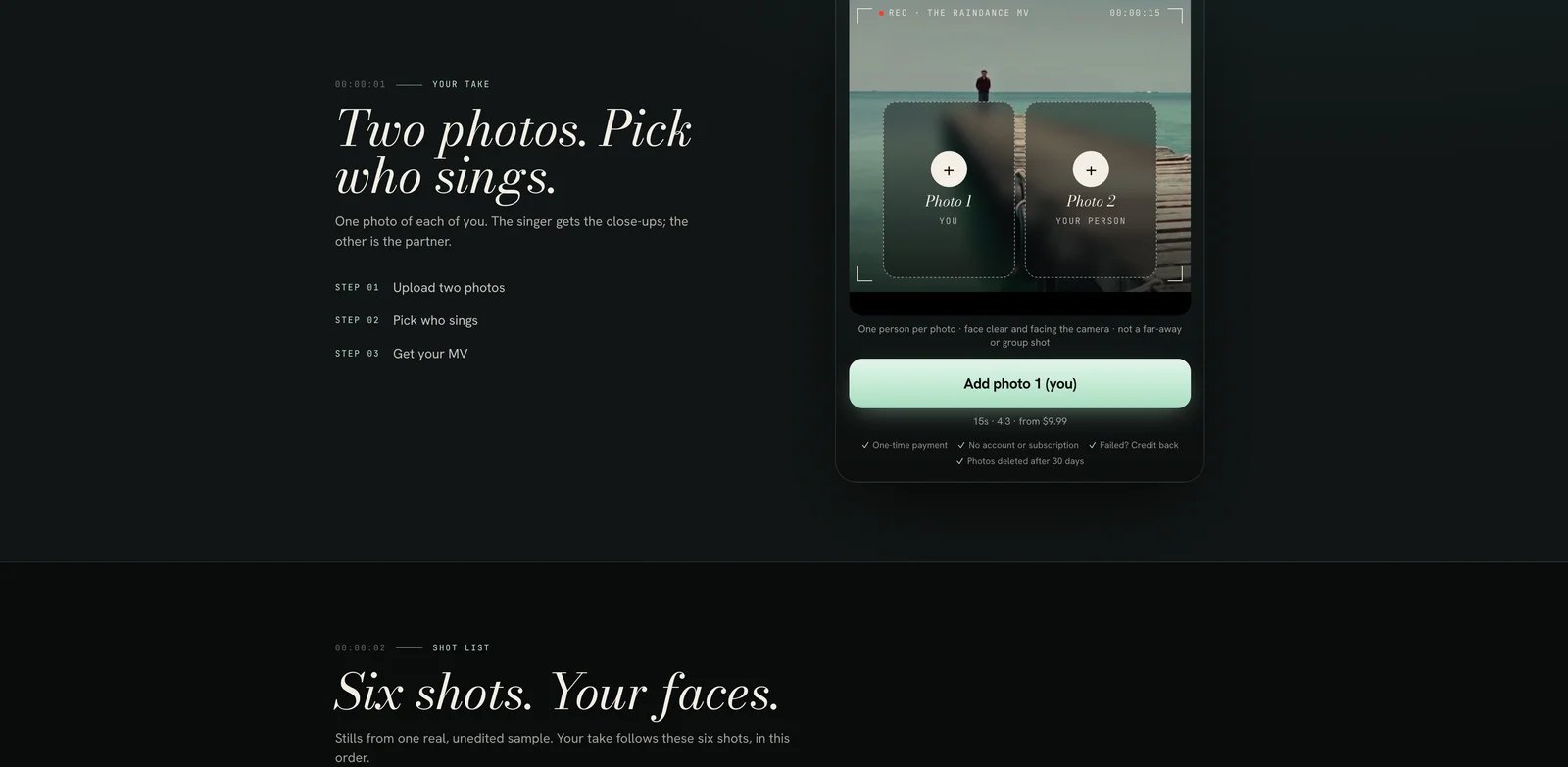
Official public photo-upload interface, captured October 14, 2026.
Current USD one-time packs: 1 Video for $9.99, 3 Video Takes for $24.99, and 10 Video Takes for $69.99, verified on October 14, 2026. These are pack totals, and one credit creates one video. A single take suits one pair; three takes allow several versions or new photos; ten takes support partner, friend, and family projects. Purchases are account-free, and unused credits remain available through a private pack link without expiring.
Download the silent, watermark-free MP4, then add the soundtrack in your social app: use TikTok's Add sound, search “Raindance Dave Tems”, and select the trend clip; Instagram Reels provides Add audio. The site estimates about ten minutes and emails the result link when ready.
Choose this route for a two-person, six-shot Raindance performance with singer selection and platform-added music. Use clear, front-facing portraits with one person per photo and permission from both subjects. The terms describe personal and social-media use; the privacy policy states that photos are used for generation rather than model training and media is deleted after 30 days.
See the Raindance AI tool profile for the current product workflow and basic pack details.
CastTake
CastTake's Raindance effect fixes the pier, lighting and performance in a solo Golden Pier Serenade template. You supply one portrait; the page describes a full 10-second 9:16 MP4, with its own groove and sung lines. It explicitly excludes two people in one render, and warns that wardrobe can come from the template. Choose it for a fixed solo scene, then assemble any opening-photo edit yourself.
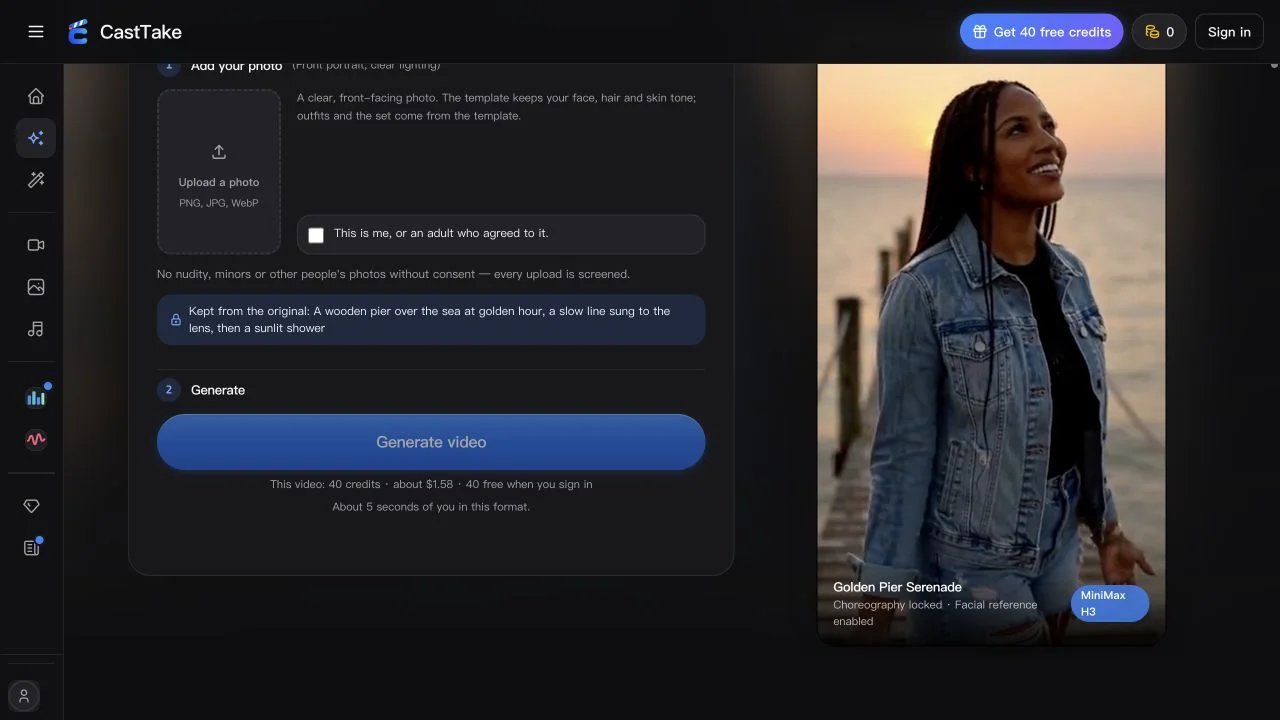
Official effect interface, captured October 3, 2026. Confirm the render configuration before spending credits.
Its pricing needs clarification before purchase. At observation, the live form showed 40 credits, about $1.58 and approximately five seconds, while the explanation table described ten-second full videos at $2.99 for the first, then 80 credits/about $3.17. A free five-second preview is described only where offered. Those figures are inconsistent; use the actual billed duration and price shown for your account rather than assuming the lowest number buys the full clip. No preview or purchase was completed here.
Skip this template for a same-frame couple clip or exact wardrobe preservation. The original trend recording is absent, and a concrete media-retention period was not established in this review.
Kavel
Kavel's Raindance route offers six prepared scenes and an editable prompt, making it useful when you want to change the setting rather than accept a locked sequence. Its documented duet suggestion is to make two separate solo clips and edit them together; that does not establish a two-person generation.
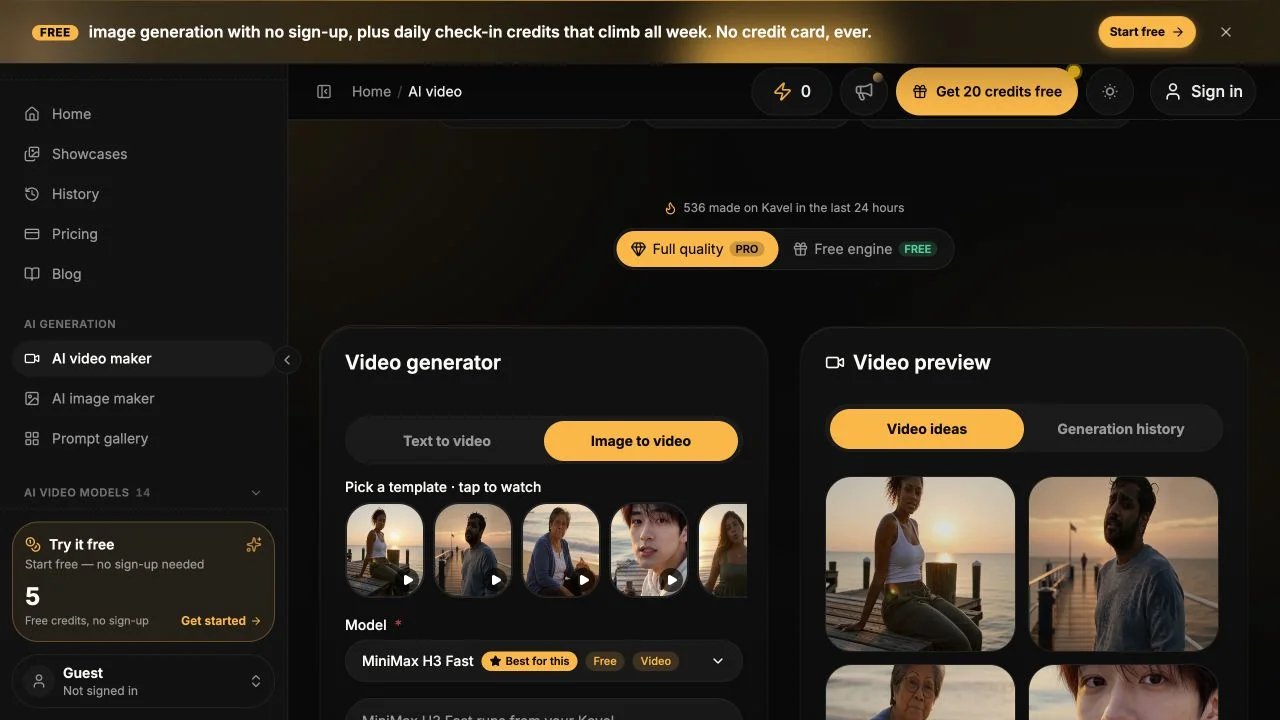
Official generator interface, captured October 3, 2026. Scene, model and duration choices affect the credit quote.
The loaded controls showed MiniMax H3 Fast, 480p/768p options, a 4–15-second duration range and a 20-credit estimate for the current eight-second configuration. Sign-in and free-credit offers appeared, but no successful free render was verified. Check the estimate after configuring your clip, and confirm the aspect ratio and export format before relying on this route for vertical posting.
Kavel says the generated clip has its own sound and the trend song is added afterward. Its privacy policy allows generation media retention for up to 12 months, or deletion within 30 days of account deletion if earlier, and describes third-party inference processing. Skip it if a documented same-frame duet or confirmed vertical delivery is essential before setup.
Use a longer reference sequence if framing fits
These options suit a different decision: replacing two roles in prepared footage. More seconds do not establish better face preservation, and a source-shaped sequence may require an additional edit for vertical posting.
Motion Transfer
Motion Transfer's Raindance page maps two replacement photos onto the prepared dark-shirt and mint-dress roles. The current route shows Seedance 2.5 Edit with an approximately 28-second source, source-following timing/framing and 480p, 720p or 1080p options. It is a conditional choice when inheriting the prepared performance is your priority and the reference framing fits your intended post.
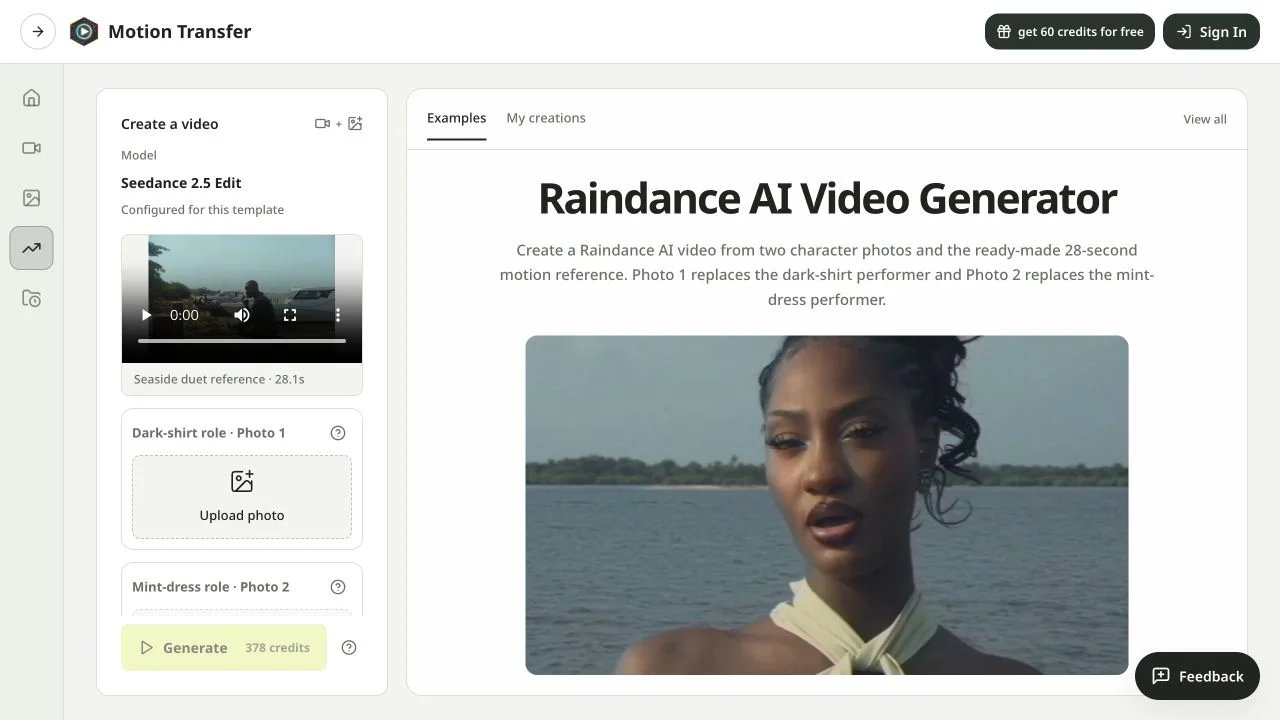
Official generator interface, captured October 3, 2026. The visible credit estimate belongs to that configuration.
Inspect the live estimate after choosing settings. Generic plan cards saying “up to” a number of videos do not establish this template's per-render cost, and signup credits do not prove this longer route is free. The page says free outputs carry a watermark and paid outputs remove it.
The current page says the result includes the reference soundtrack and warns that exact lip sync is not guaranteed. Older indexed text described audio differently, so confirm the live route before generating. Included audio is not proof of clearance for your use. Skip this route for a guaranteed 9:16 export or a one-photo solo workflow. Its privacy policy describes retention according to settings and operational needs without a fixed generation-media period.
Trendai
Trendai's couple template uses one singer photo and one partner photo. Its FAQ describes an approximately 28-second horizontal 4:3 clip with the song, and the generate control shows 3,740 credits. It is a reference option for two-role horizontal output; skip it when vertical 9:16 delivery is non-negotiable. Credit units are vendor-specific, so 3,740 credits cannot be compared directly with another service's credit count.
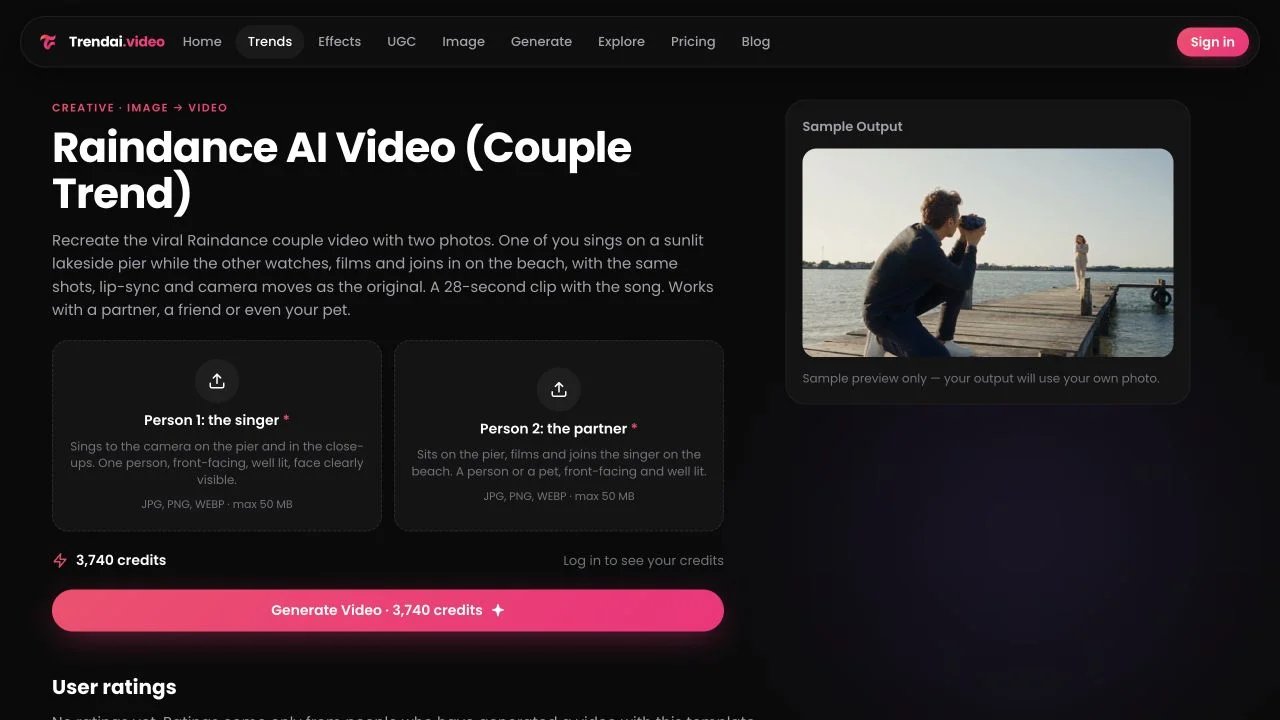
Official template interface, captured October 3, 2026. The displayed sample is supplied by the vendor.
The page states no artist or rights-holder affiliation. Its terms describe personal, non-commercial use; check intended commercial use with the provider. The privacy policy stores media until deletion or account deletion and mentions improving AI models, without clearly resolving whether uploaded portraits contribute to training. Do not assume a no-training promise.
Prepare your photos and soundtrack
Use a clear portrait of yourself or someone who agreed to appear. For a two-person MV, choose the singer and partner before generating, then review both people across the opening, shared scenes, and close-ups. Match the downloaded aspect ratio to the post you are preparing and save your private pack link for remaining video credits.
Add your chosen platform soundtrack and review the finished post. TikTok provides Add sound and Instagram Reels provides Add audio. For complete songs and beat-driven production, use the separate AI music video generator guide. You can also browse our AI video generator category.
This collection compares documented casting, scene, format, soundtrack, and pricing workflows. The official links in each section support the relevant product observations.
Get ToolWorthy Weekly
New AI tools, practical guides, and selected AI signals in one weekly brief.
Related Posts
- 7 Viral Video AI Tools for Turning Photos Into Trends
Find a trend you can actually make from your photos. Compare seven tools by the photos you need, what you can preview and the cost of a finished clip.
- Best Bby Wow Guy AI Video Makers: Templates, Motion & Music
Make the bread-bite, camera stare and party exit from a portrait. Compare prepared templates, reference-video workflows and tools for adding the sound.
- 6 Best AI Crying Video Generators in 2026: Photos to Tears
Turn a selfie into a crying video. Compare six tools by scene controls, video packs, credits and editing workflow to find the format for your next post.
For AI tool founders
Built a tool that belongs in this decision set?
Request an editorial evaluation for possible inclusion in ToolWorthy.
Submit your tool for reviewPaid submission does not guarantee a ranking, recommendation, inclusion, or editorial outcome.