
Best Bby Wow Guy AI Video Makers: Templates, Motion & Music
Make the bread-bite, camera stare and party exit from a portrait. Compare prepared templates, reference-video workflows and tools for adding the sound.
On this page
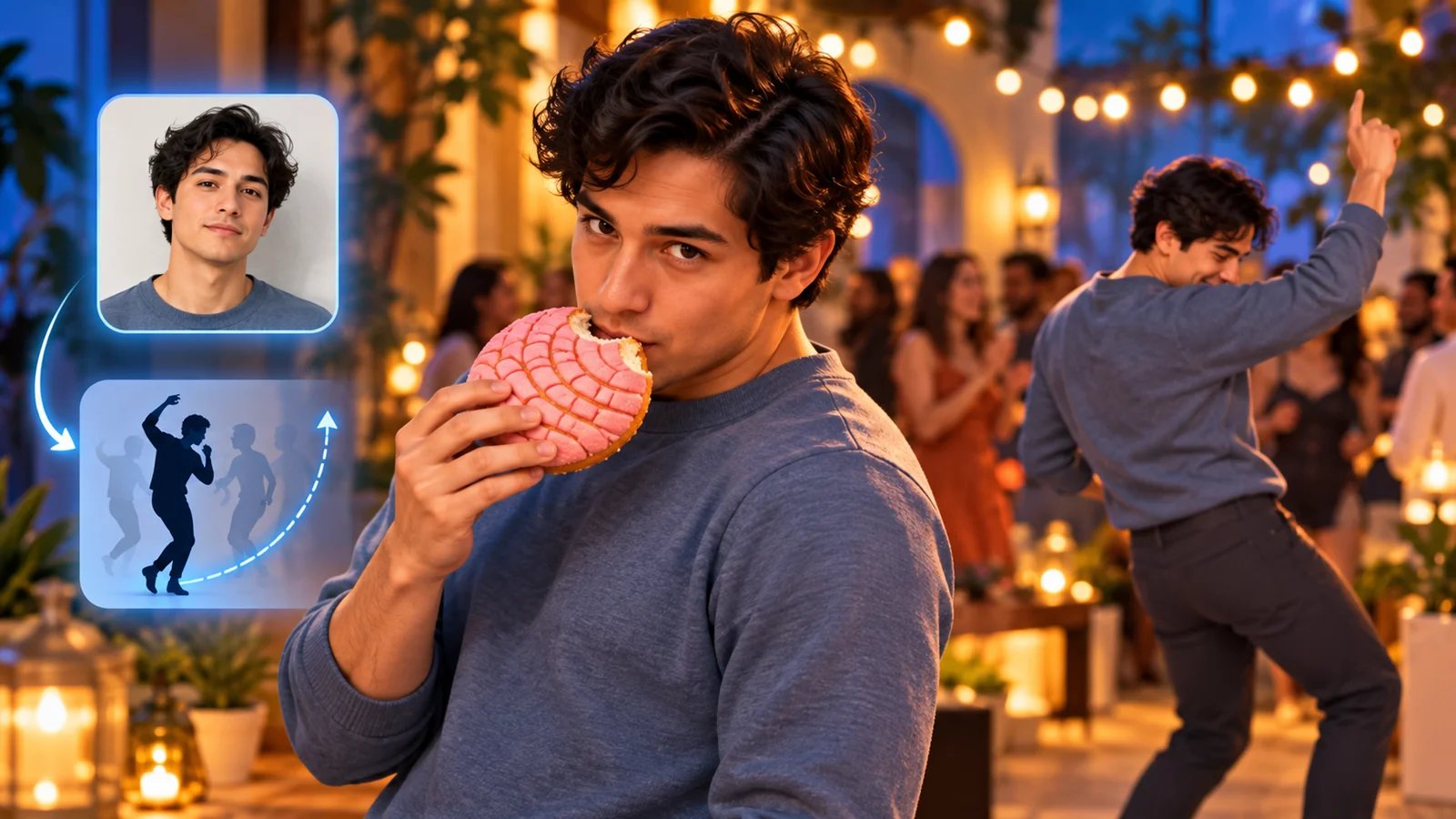
The Bby Wow Guy AI trend turns a portrait into a party scene: walk toward the camera, bite a concha or pan dulce, hold the stare and dance away. To choose a tool, start with what you already have: one photo, a motion reference, or a finished clip.
Bby Wow Guy AI leads this collection for its prepared nine-second sequence. MakeViral offers another ready template; Viggle and Higgsfield give you control through reference footage; CapCut handles the finishing edit. The routes below explain which starting point each one serves.
Pick Your Starting Point
| Tool | Choose it when you have… | Your next step |
|---|---|---|
| Bby Wow Guy AI | One portrait and the party routine in mind | Generate the prepared nine-second clip |
| MakeViral | One portrait and a preference for a credit-based template library | Select the Human party template |
| Viggle | A character photo plus a video whose moves you want | Combine them in Mix |
| Higgsfield | Reference footage and a new character or setting in mind | Recast the shot in Genjutsu |
| CapCut | A generated video or your own filmed performance | Trim, time the sound and export |
The party bread-bite scene is the focus here. A garage dance to the same song is a different routine. Match the example's walk-up, bite, stare and exit before selecting a template.
Compare the Workflows
These are workflow choices, with CapCut serving as a companion after generation. Read across the same dimensions to see what you supply and what the tool contributes.
| Tool | Input and action source | Video or edit you receive | Sound stage |
|---|---|---|---|
| Bby Wow Guy AI | One adult portrait; prepared party sequence | 9-second, 9:16 HD MP4; watermark-free | Silent; add audio when editing or posting |
| MakeViral | One portrait; Human party template supplies reference | Selected Vertical preset: 10 seconds, 720p, 9:16; watermark-free | Template includes the reference song, with an off option |
| Viggle | Photo plus chosen video; source supplies movement and background | Character swap based on your selected footage | Finish and check the audio in your editor |
| Higgsfield | Video, reference images and change instructions | Recast scene following source motion, camera and timing | Choose and check the soundtrack during finishing |
| CapCut | Existing clip plus selected audio | Trimmed and synchronized edit; export settings chosen in the editor | Add, trim and balance audio on the timeline |
Compare What You Pay For
Prices and selected settings were checked on October 21, 2026. Video counts, shared credits and subscriptions buy different things.
| Tool | Payment unit | What matters for this project |
|---|---|---|
| Bby Wow Guy AI | One-time video packs: $9.99 / 1, $19.99 / 3, $59.99 / 10 | One credit creates one prepared video; unused credits never expire |
| MakeViral | Human Vertical preset: 152 credits per run | Packs: $9.99 / 100, $14.99 / 150, $39.99 / 450 credits; choose enough balance for 152 |
| Viggle | Free plan; paid subscriptions | Free lists 5 videos/day; paid Pro adds watermark-free downloads |
| Higgsfield | Subscription credits; per-run quote | Plus is $49 monthly or $39/month billed annually; quote the chosen Genjutsu run |
| CapCut | Free basic add-audio workflow; optional paid features | Check any selected premium effect or asset in your editor |
For MakeViral, a new account starts with zero credits. Its 100- and 150-credit packs each sit below the selected 152-credit run; the listed 450-credit pack covers two such runs with credits left over. Existing balance can change which top-up you need. Its recurring plans are separate: Weekly starts at $3.99 for the first week, then $9.99/week for 130 credits per week; Starter starts at $18.99 for the first month, then $49.99/month for 700 credits. Choose a one-time pack or a renewal plan deliberately. Official pricing.
The Tools in Detail

Choose it for the prepared party sequence from one photo. Bby Wow Guy AI supplies the scene, camera approach and five performance beats. Your photo provides the person and outfit reference, so you can begin with a portrait rather than a motion clip or written prompt.
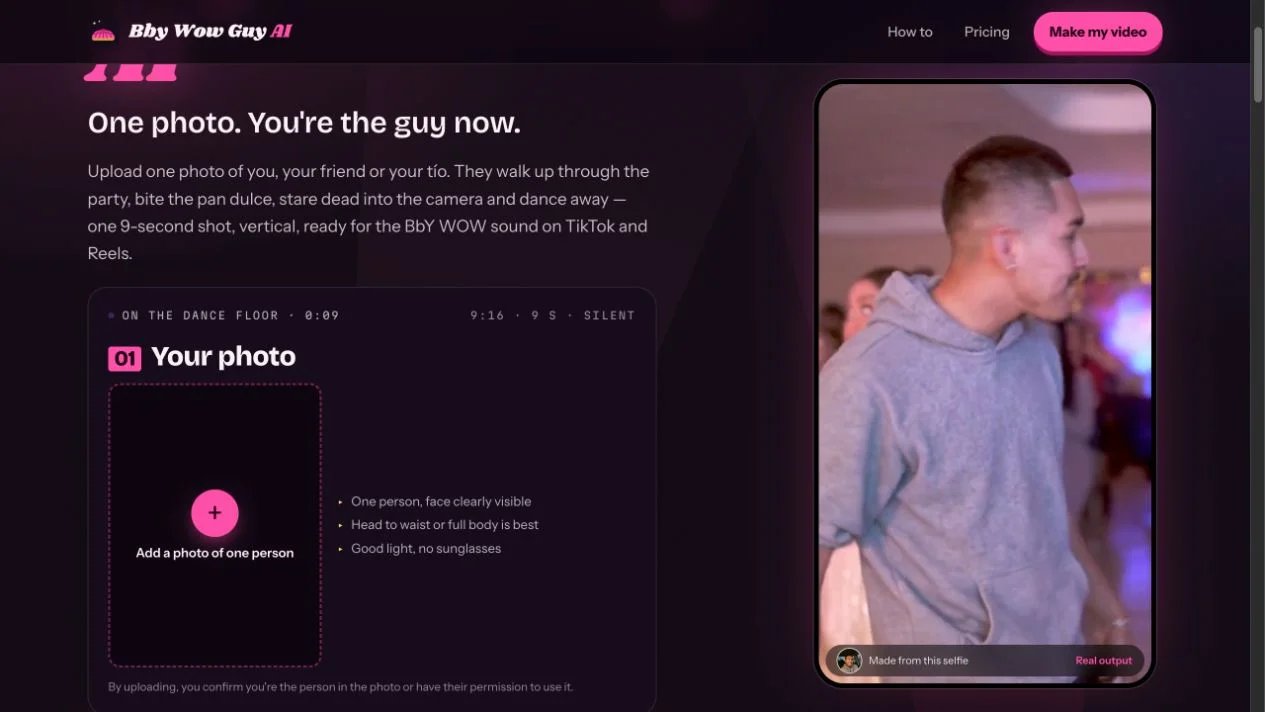
The output is a nine-second, vertical 9:16 HD MP4 without a watermark. It arrives silent, ready for adding the permitted sound in your posting app or editor. The official guide recommends lining the beat up with the stare at around four seconds.
Start with one well-lit adult facing the camera. A head-to-waist or full-body photo shows the outfit; the guide also accepts a clear selfie. The browser flow needs no account. The provider estimates about 10–15 minutes and delivers a download link, including by email.
One-time packs cost $9.99 for one video, $19.99 for three, or $59.99 for ten. One video credit pays for one generation; unused credits never expire and remain tied to your private pack link. A failed generation returns its credit. A single purchase suits one post; a larger pack suits several permitted portraits or outfit variations.
The terms allow photos of yourself or consenting adults and personal or social-media posts. Label the result as AI-generated and choose audio permitted for the intended post. The privacy policy says uploaded photos and generated media are deleted after 30 days, with earlier deletion available through support. Save the finished MP4 for later edits.
This is the direct route when the recognizable party sequence is your goal. If choosing different choreography or scenery is central to the project, use one of the reference workflows below. The tool profile provides the product's full workflow and photo-handling details.
MakeViral
Choose it for the same party concept inside a broader template library. MakeViral's Bby Wow Guy template has separate Human, Baby and Pet options. For an adult portrait, this comparison uses Human → Vertical.
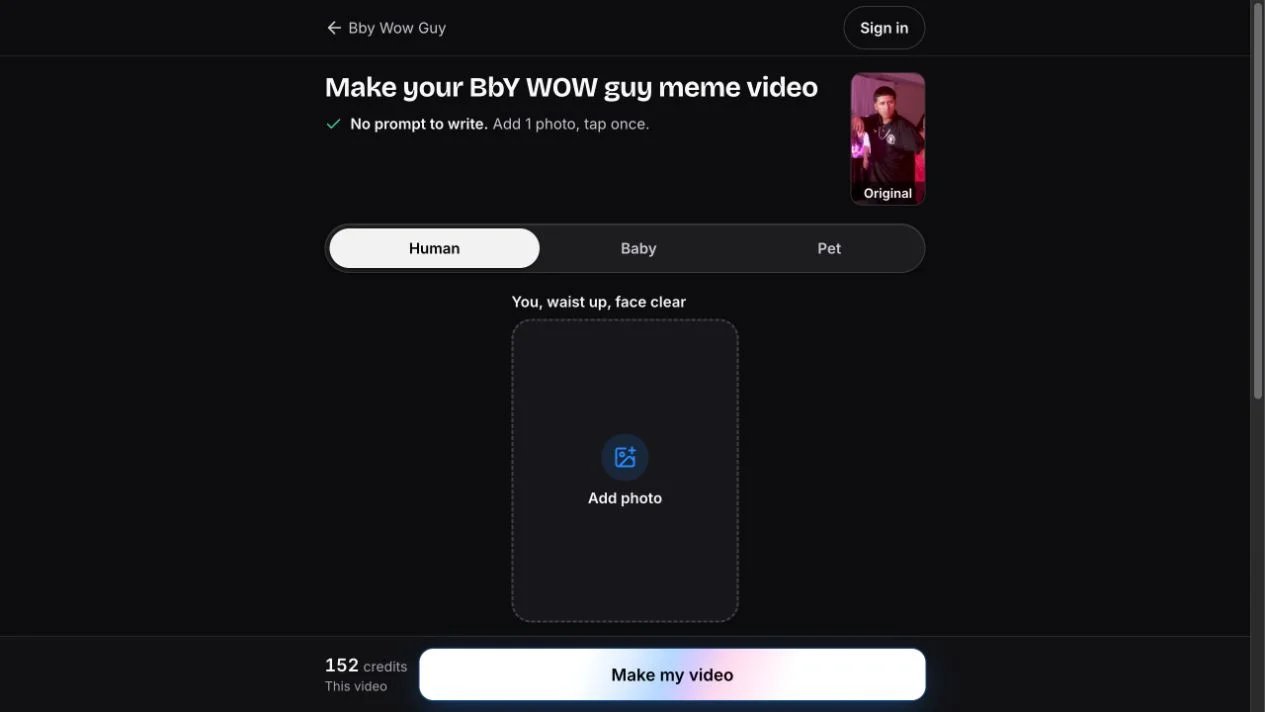
The current creation screen shows 152 credits, a 10-second video, the original song, 9:16 framing and no watermark. The template's Human specification lists 720p. It supplies the party reference; add one clear photo and use the prepared flow. You can turn the song off on the result screen if you prefer audio selected when posting.
MakeViral also offers a Square frame and separate character versions. Compare the price on the selected frame's generation button: the page's lower “from” quote belongs to a different version. For this article's Vertical Human route, budget the stated 152 credits and use the pack or subscription calculation above.
Choose MakeViral when you expect to explore additional trend templates using the same credit balance. Choose Bby Wow Guy AI when video-count packs and its prepared nine-second delivery match the project you have in mind.
Viggle
Choose it when your own video should define the movement and background. Viggle Mix pairs a character photo with a video. Its visible interface has separate Add a video and Add a photo inputs and explains that the swap keeps the source's moves and background.
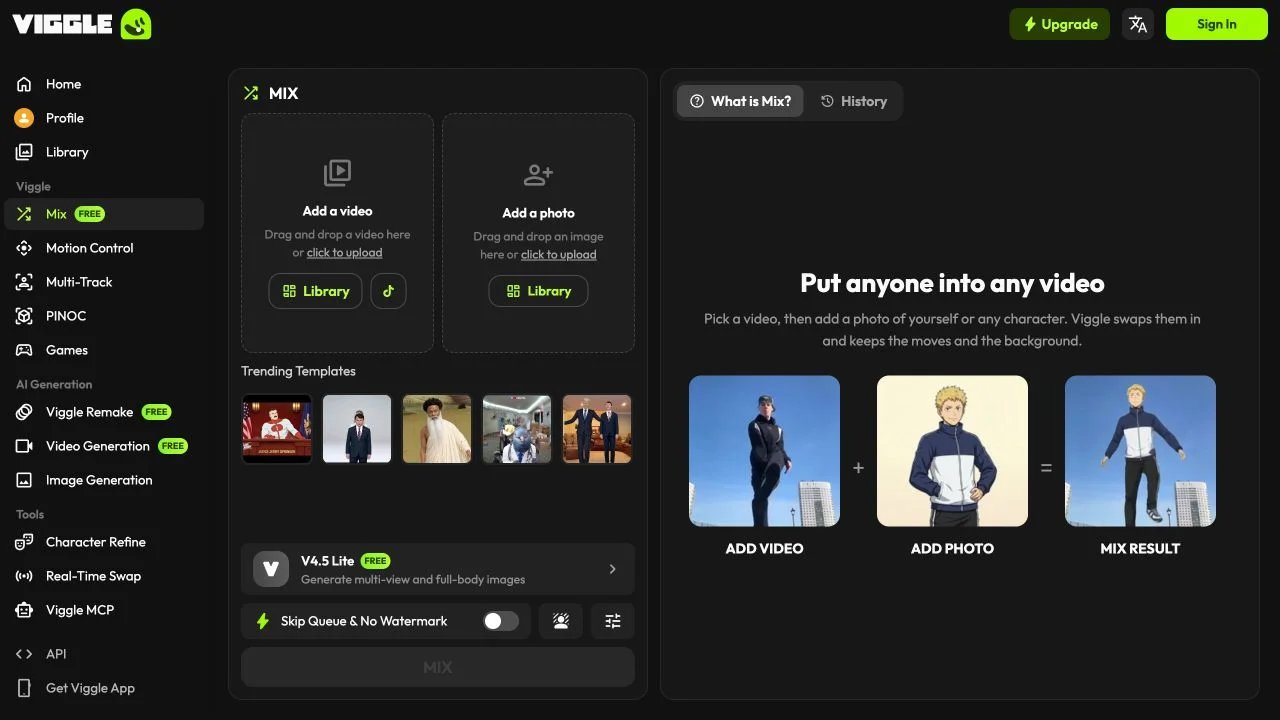
For a party remake, prepare footage containing the actions you want and a clear character image. Select the source for its full sequence, including the turn and exit. This route suits a chosen performance; the reference does the choreography work.
The Free plan lists five videos per day and one generation at a time. Paid Pro includes watermark removal. Plan credits vary by model and output; confirm the charge in the chosen tool. Finish the soundtrack in your editor.
Higgsfield
Choose it when you want to recast both the performer and the scene. Higgsfield Genjutsu uses reference video, images and a prompt. Motion Transfer follows the source's movement, camera and timing while rebuilding the scene from references. Object Swap changes selected elements while retaining the rest of the shot.
That makes it a useful route for a party performance in a different setting or wardrobe. Prepare the source footage and references, then describe what should change. Review the character, bread interaction, camera stare and exit before the final edit. This recommendation concerns the workflow; the article does not claim a tested one-click Bby preset.
The official page lists 4–30-second reference videos and a credit quote before each run. Plus pricing is $49/month on monthly billing, or $39/month billed annually, with 1,000 credits per month. Select the model, resolution and run quote before budgeting; set the soundtrack during finishing.

Choose it for the finishing stage, or when you filmed the performance yourself. CapCut's add-audio workflow imports a clip, places it on a timeline and adds a chosen track. Trim the audio, move its start point and balance the volume before exporting.
For the nine-second Bby Wow Guy AI output, use the stare at about four seconds as a timing cue. You can also prepend the source photo for a before-and-after edit or add a short caption. Choose the export settings in your editor, then watch the whole clip to confirm the beat, framing and exit.
The basic add-audio tool is offered free; selected premium assets or features may use a paid plan. Pick music permitted for the account and post you intend to publish. A personal trend edit and a business-account post can need different audio choices.
Build the Clip Around the Stare
- Pick the route. Use a prepared template for the known scene, or a reference workflow for your chosen performance.
- Prepare the image. Use a clear permitted photo with the face and relevant outfit visible.
- Check the sequence. Watch the approach, bread bite, close-up, turn and exit before adding captions.
- Place the audio. Align the chosen beat with the stare, then preview the complete edit.
- Export and post. Save your copy, select the appropriate AI label and publish with permitted sound.
For this specific photo-to-party task, start with Bby Wow Guy AI. MakeViral offers another prepared route with a shared credit library; Viggle and Higgsfield suit custom reference footage; CapCut completes the edit. For other types of projects, browse AI video generator capabilities and AI video editing tools.
Sources and Scope
Official product, creation, pricing and policy pages were checked on October 21, 2026. The recommendations compare documented workflows and visible interfaces. No paid generation test or common output benchmark was performed. Screenshots show official interfaces; the cover is an editorial illustration.
Get ToolWorthy Weekly
New AI tools, practical guides, and selected AI signals in one weekly brief.
Related Posts
- 6 Best AI Crying Video Generators in 2026: Photos to Tears
Turn a selfie into a crying video. Compare six tools by scene controls, video packs, credits and editing workflow to find the format for your next post.
- Best Raindance AI Video Generators for Solo and Couple Clips
Choose a Raindance AI video workflow for your photos, with clear differences in solo and duet setup, scene control, output format, audio and payment.
- 5 Gas Station Dance AI Video Generators Compared in 2026
Choose a gas station dance video maker by photo count, output format, preview, credits, and whether it creates the whole three-shot trend or swaps one face.
For AI tool founders
Built a tool that belongs in this decision set?
Request an editorial evaluation for possible inclusion in ToolWorthy.
Submit your tool for reviewPaid submission does not guarantee a ranking, recommendation, inclusion, or editorial outcome.