



Overview
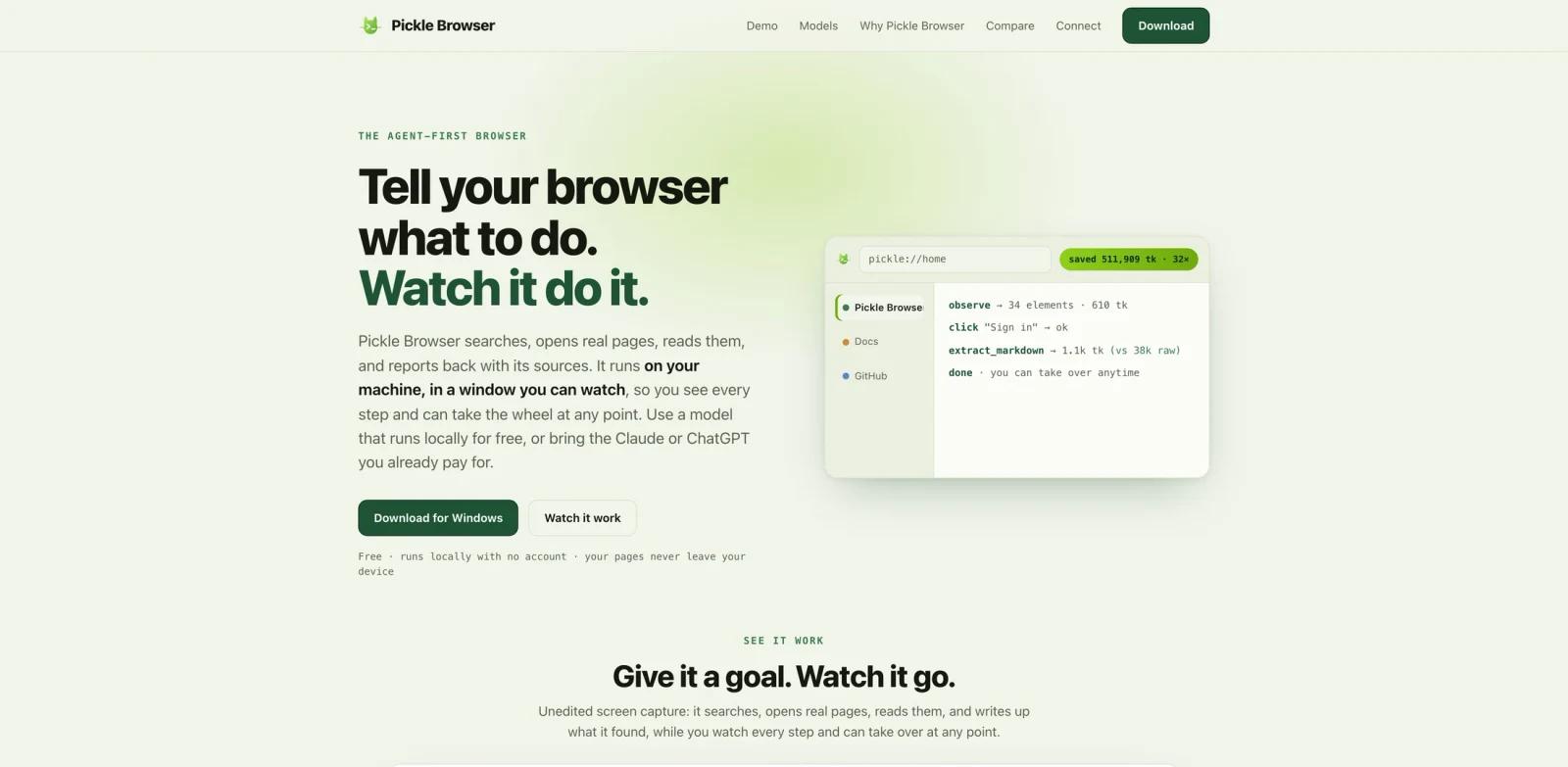
Pickle Browser is a local, agent-first browser built for users who want AI agents to operate real web pages in a visible window. Instead of sending an agent a static page scrape or asking it to drive an invisible headless browser, Pickle gives the agent a browser that the user can watch, interrupt, and take over.
The official site emphasizes a local setup: no account, no required cloud workspace, and pages staying on the user's device. Pickle can use a local Ollama engine, free hosted models, existing ChatGPT or Claude accounts, or bring-your-own API keys. It also speaks MCP, so agent clients can drive a tab through a server entry.
This positions Pickle Browser between classic browser automation and newer AI agent workflows. It is useful when an agent needs the messy parts of the real web: logged-in sessions, forms, multi-tab research, application state, and human oversight.
Key Features
Visible local browser - Agents operate inside a browser window the user can see, which makes it easier to supervise sensitive tasks and take control when needed.
MCP connection - Pickle speaks Model Context Protocol so compatible agents and IDEs can connect and drive browser tabs through an MCP server.
Local-first privacy stance - Official materials describe Pickle as free, local, and no-account, with pages remaining on the user's device.
Flexible model setup - Users can run a local Ollama engine, use free hosted models, connect existing Claude or ChatGPT accounts, or bring API keys.
Token-aware page reading - Pickle provides structured page reads and a token meter to reduce the cost of sending large pages into an agent context.
Agent memory and skills - SOUL.md, Skills, Playback, and app connections help agents remember preferences, reuse procedures, and make browser work auditable.
Integration Guide
For most users, Pickle Browser is best treated as a controlled web runtime for agents rather than a replacement for Chrome, Safari, or Arc. Add Pickle as a browser tool where your agent client supports MCP, then start with narrow tasks such as collecting research links, filling internal test forms, comparing public pricing pages, or checking a logged-in dashboard.
The MCP angle is important for teams already reading What is Model Context Protocol or comparing browser-control tools. A browser tool can expose a large amount of sensitive context, so users should keep the first integration scoped to low-risk pages before expanding it to inboxes, finance tools, customer data, or production admin systems.
If you already use local MCP routing tools such as Toolport, Pickle can fit into a broader stack where agents discover browser capabilities only when the task actually needs them.
Pricing & Plans
Pickle Browser is currently presented as free, local, and no-account. The site also mentions local, hosted, and bring-your-own model options, so the direct app price may be free while model usage can still depend on the provider path you choose.
| Option | Price | Notes |
|---|---|---|
| Pickle Browser app | Free | Local browser, no account required according to the official site |
| Local model | Depends on your hardware | Runs through local engines such as Ollama |
| Hosted or BYO models | Varies by provider | Cost depends on connected model account or API keys |
Teams should confirm whether collaboration, policy controls, or managed deployments are added later, because agent browsers can become security-critical infrastructure.
Best For
- Developers and operators who want agents to research, test, and fill forms in visible browser tabs.
- Users comparing local-first browser agents with hosted automation platforms.
- Teams experimenting with AI productivity workflows across messy SaaS interfaces.
- MCP users who want browser control without handing every page directly to a remote service.
- QA, research, and operations teams that need human takeover for sensitive or ambiguous web tasks.
FAQ
What is Pickle Browser?
Pickle Browser is a local browser designed for AI agents. It lets agents operate visible tabs, read pages, interact with forms, and hand control back to the user.
Is Pickle Browser free?
The official site describes Pickle as free, local, and no-account. Model costs can still vary if you connect external model accounts or API keys.
Does Pickle Browser support MCP?
Yes. Pickle speaks MCP, so compatible agents can connect through an MCP server entry and drive browser tabs.
Does it work with logged-in websites?
Pickle runs locally in a visible browser, so it is designed for workflows where real browser state matters. Users should still avoid giving agents unnecessary access to sensitive logged-in apps.
Can I use local models?
Yes. Official materials mention a local Ollama engine as well as hosted models and bring-your-own model options.
How is Pickle different from Playwright?
Playwright is a developer automation library. Pickle is a user-facing agent browser with visible control, MCP integration, model options, playback, and token-aware page reading.