



Overview
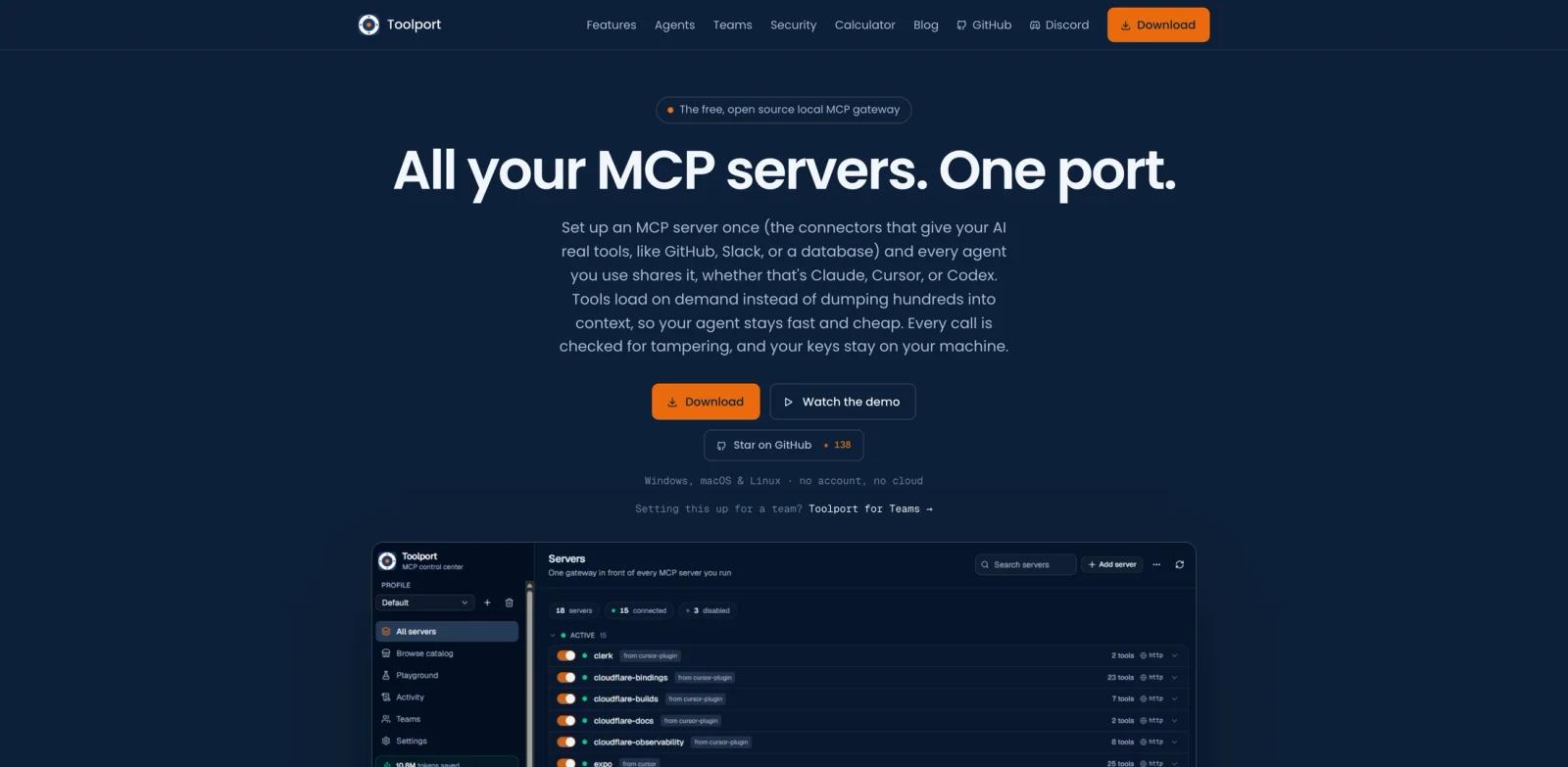
Toolport is a free, open-source local MCP gateway for AI agents. Instead of configuring the same MCP server separately in Claude, Cursor, Codex, VS Code, Windsurf, and other tools, users set up each server once in Toolport and expose a smaller set of gateway tools to every agent.
The official site frames the problem as a "tool tax": every MCP server can dump many tool definitions into context before the user has asked anything. Toolport reduces that by loading tools on demand. Its public benchmark copy claims large token savings when many MCP servers are connected, while keeping tool calls routed through a local app.
Toolport is especially relevant for users who already care about the MCP vs A2A protocol comparison and are adding more tools to their AI agent setup. It does not replace MCP servers. It makes them easier to share, govern, and observe across agents.
Key Features
One local MCP gateway - Configure an MCP server once and make it available to several AI agents without duplicating setup.
On-demand tool discovery - Exposes a smaller set of meta-tools so agents can search for tools when needed instead of loading every definition up front.
Cross-agent support - Official materials list Claude, Cursor, VS Code, Windsurf, Codex, Antigravity, and related agent environments.
Local key management - API keys stay in the operating system keychain and are injected at runtime rather than stored in every agent config.
Tool integrity checks - Toolport fingerprints tools and flags definition changes or hidden instructions that may indicate tool poisoning.
Governance and observability - Includes per-tool toggles, destructive-tool controls, latency, error rates, and an audit trail of calls.
How to Get Started
The basic setup is simple: install Toolport, add or import MCP servers, authenticate them once, then toggle the shared gateway into the agents you use. This is most useful when you have more than one AI client or when your MCP configuration has grown large enough to slow down prompts.
For an initial test, connect a low-risk server such as a documentation or read-only GitHub server before adding tools that can modify files, send messages, or trigger production actions. Then compare a normal agent session with and without Toolport to see whether tool loading, context size, and discoverability improve.
Teams using an AI workflow generator should also define governance defaults: which servers are allowed, which destructive tools are hidden, how keys are stored, and who can change shared server configuration.
Pricing & Plans
Toolport is described as a free, open-source local app with no account and no cloud requirement for individual use. The official site also references Toolport for Teams, including a free tier for small teams, but does not show a full public paid pricing table in the materials reviewed for this page.
For team adoption, confirm how shared server management, user limits, policy controls, audit trails, and support are priced.
Best For
- Developers using Claude, Cursor, Codex, VS Code, Windsurf, or multiple agent clients
- Teams with many MCP servers and rising tool-definition token overhead
- Security-conscious users who want local key storage and tool integrity checks
- Agent builders comparing tool routing patterns across MCP infrastructure
- Users of systems like MemOS who already manage agent context and memory carefully
FAQ
What is Toolport?
Toolport is a local MCP gateway that lets multiple AI agents share MCP servers through one app while loading tools on demand.
Does Toolport run in the cloud?
The official site describes Toolport as local, with no account and no cloud requirement for the individual app.
Which agents does Toolport support?
Official materials mention Claude, Cursor, VS Code, Windsurf, Codex, Antigravity, and other agent environments that can use MCP-style tooling.
How does Toolport reduce token usage?
Instead of exposing every MCP tool definition to the agent upfront, Toolport exposes a smaller gateway interface and lets the agent discover needed tools on demand.
Is Toolport free?
The local app is described as free and open source. Team plans are referenced separately, and teams should confirm current pricing directly.
Does Toolport improve security?
It can help by keeping keys in the OS keychain, adding per-tool governance, and flagging tool definition changes. Users still need to configure tool permissions carefully.