

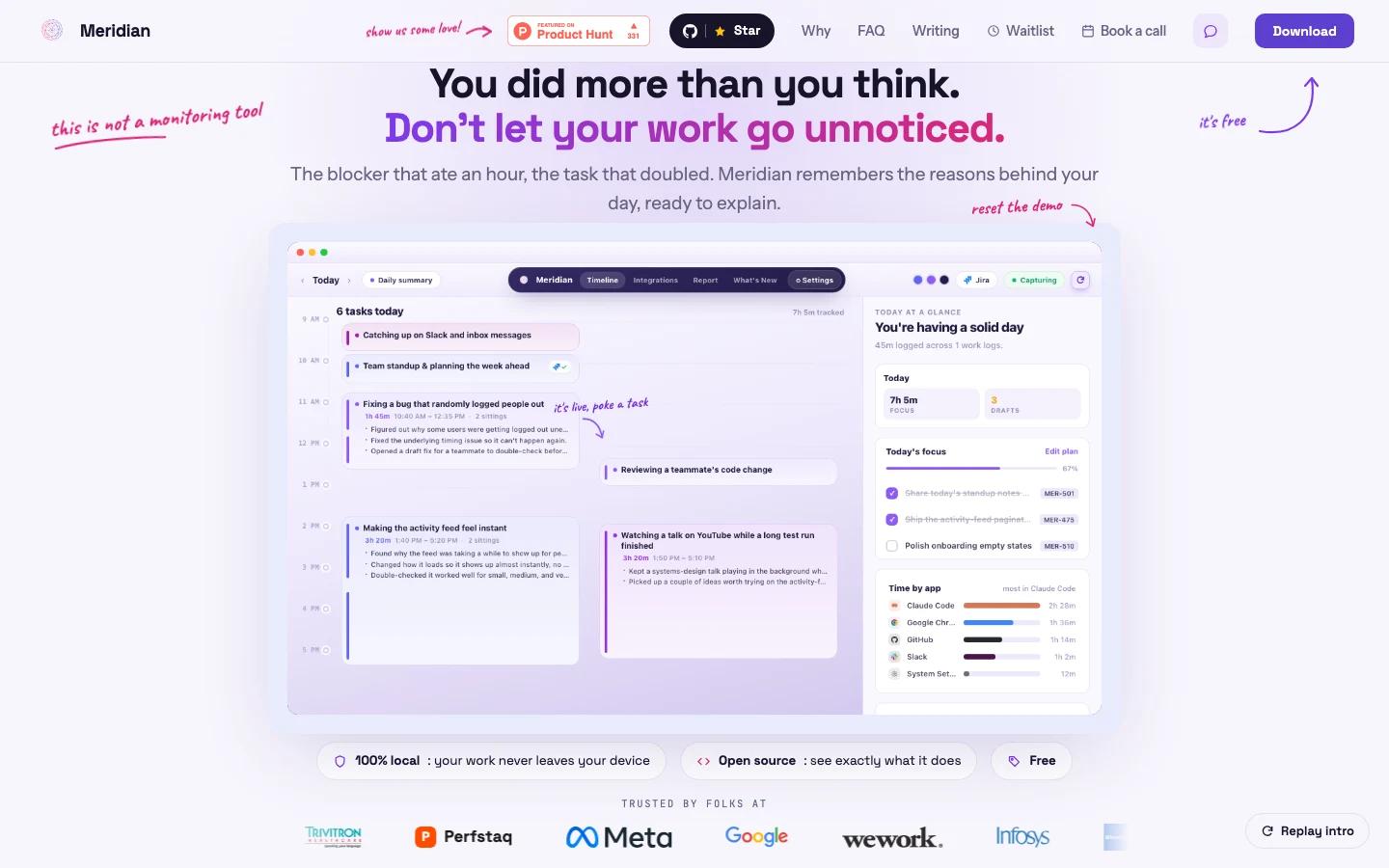


Overview
Meridian is a local work journal for developers who need better evidence of what happened during a day. It watches the shape of your work, turns activity into a private journal, and drafts status updates for project management tools so work does not disappear into vague end-of-day summaries.
The product is especially relevant for engineers whose days include blockers, context switching, debugging, review, meetings, and tasks that run longer than the estimate. Meridian's official homepage frames the product around those hidden details: what you did, why the day changed, and which work should be explained to a PM tool.
The privacy posture is the differentiator. Meridian says capture, analysis, and the journal run on-device, and the official FAQ states that the only thing leaving the device is a worklog the user explicitly approves. That makes it more interesting than a normal AI productivity tracker for teams that are sensitive about source code, internal windows, and work telemetry.
Key Features
- Local work journal - Meridian records tasks, app switches, decisions, estimates, and worklog context into a private day-by-day journal.
- Automatic day reconstruction - The app helps explain where time went, which tasks moved, and why planned work changed.
- PM update drafts - Meridian drafts project updates from actual work context instead of asking engineers to reconstruct the day manually.
- Approval before posting - Worklogs are posted only after the user approves them, which keeps automated updates from writing to boards on their own.
- Project tool support - The official site shows Jira and GitHub posting, with Linear, Azure DevOps, and Trello listed as upcoming.
- App exclusion and pause controls - Users can exclude apps, pause from the menu bar, and delete captured items.
- Open-source license - Meridian is presented as MIT-licensed and auditable, which matters for a tool that observes work context.
How to Get Started
Meridian is best tested by one developer or a small engineering group before being introduced broadly. Install it on Mac or Windows, run it for a few real workdays, then compare the generated journal against the team's normal standup, Jira, GitHub, or sprint-update workflow.
The most useful pilot is not "track everything." It is a bounded question: can Meridian produce a more accurate status update than a developer would write from memory? Check whether the journal captures blockers, estimate overruns, hidden review work, and decisions that normally disappear.
For teams using coding assistants and AI code generation tools, Meridian can act as the human work layer around agent-assisted output. The agent may create commits or pull requests, but Meridian is aimed at explaining the broader day: why the work took time, what changed, and what should be communicated.
Pricing & Plans
Meridian is currently positioned as free and open source. The official FAQ states that it is MIT-licensed with no tiers, no trial, and no card.
| Plan area | What to expect |
|---|---|
| App access | Free download path from the official site |
| License | MIT-licensed open source |
| Paid tiers | No public paid tier listed in the reviewed official material |
| Operational cost | Internal rollout, privacy review, PM tool setup, and team process changes |
Because the product captures work context, the most important procurement question is not price. Teams should review screen capture boundaries, excluded apps, data retention, PM tool permissions, and whether the current account or analytics behavior matches internal policy.
Best For
- Developers who lose visible credit for debugging, review, research, and context switching
- Engineering managers who want better status updates without manual nagging
- Remote teams that rely heavily on Jira, GitHub Projects, Linear, Azure DevOps, or Trello
- Teams evaluating private AI agent workflows around engineering operations
- Open-source-minded teams that prefer auditable local tools over opaque telemetry products
Meridian is most compelling when work visibility is the problem. If your team already has accurate daily notes and healthy status habits, it may be less urgent. If engineers spend real time on invisible work, it is worth evaluating.
FAQ
What is Meridian?
Meridian is a local work journal that captures the shape of a developer's day and drafts status updates for project management tools.
Is Meridian free?
Yes. The official homepage and FAQ position Meridian as free, open source, and MIT-licensed.
Does Meridian run locally?
The official FAQ says capture, analysis, and the journal run on-device, and that worklogs leave the device only when explicitly approved by the user.
Which project tools does Meridian support?
The official page shows Jira and GitHub, with Linear, Azure DevOps, and Trello listed as upcoming.
Who should use Meridian?
Meridian fits developers and engineering teams that need a clearer record of blockers, decisions, time allocation, and project updates.