



Overview
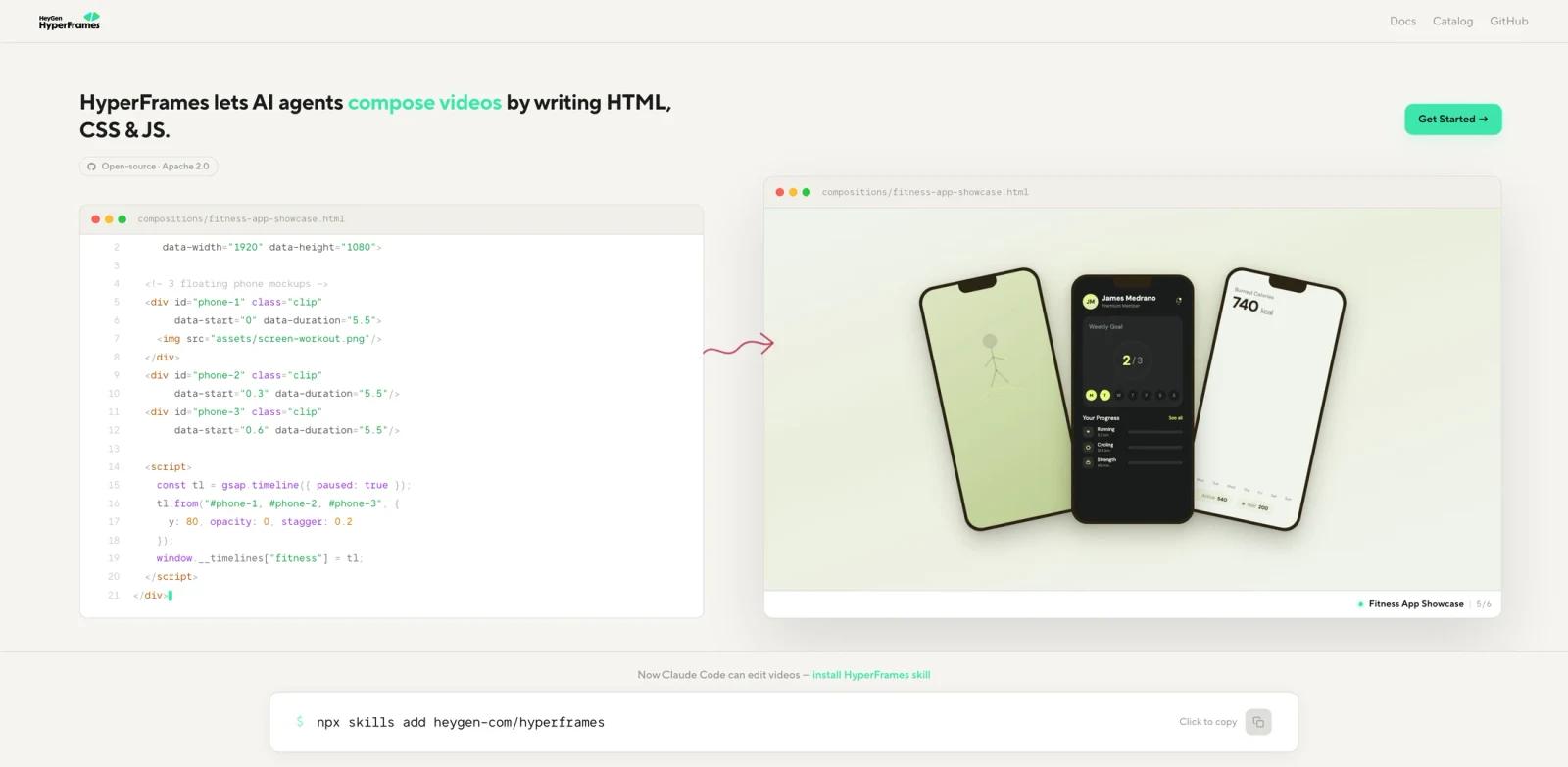
HyperFrames is an open-source video rendering framework from HeyGen that turns HTML, CSS, and GSAP animations into MP4 videos. Released as an Apache 2.0 open-source project, it positions itself as an "AI-first" video toolkit: the CLI is non-interactive by default, and the project ships dedicated skills for Claude Code, Cursor, Codex, and Gemini CLI so coding agents can author compositions correctly the first time.
The framework is built for developers and AI agents who need programmatic, reproducible video pipelines. HyperFrames is designed for deterministic rendering, with Docker mode recommended when exact cross-platform reproducibility matters. Compositions are plain index.html files with data attributes (no React, no proprietary DSL, no build step), which makes them easy for both humans and language models to reason about. A Frame Adapter pattern lets teams plug in their preferred animation runtime, including GSAP, Lottie, CSS, or Three.js.
HyperFrames is fully free under an OSI-approved license, with no per-render fees, no seat caps, and no company-size thresholds. It targets agent-driven video pipelines, marketing automation, data-visualization videos, and any workflow where a video needs to be generated from structured input rather than edited manually in a timeline UI.
For adjacent research, compare AI video editor tools.
Key Features
HTML-Native Compositions — Define videos as plain HTML with
data-start,data-duration, anddata-track-indexattributes. Paste arbitrary HTML and CSS and animate it directly, with no React, JSX, or bundler required.Built-in AI Agent Skills — Ships with skills for Claude Code, Cursor, Codex, and Gemini CLI (
/hyperframes,/hyperframes-cli,/gsap) that teach agents framework-specific patterns generic docs miss, reducing trial-and-error when generating compositions.Deterministic Rendering — HyperFrames uses a seek-driven renderer designed for reproducible output. Use Docker mode when exact cross-platform reproducibility matters; local renders may vary slightly because of platform fonts or Chrome-version differences.
Frame Adapter Pattern — Bring your own animation runtime: GSAP, Lottie, CSS, or Three.js. Library-clock animations like GSAP and Anime.js are seekable and frame-accurate, not played at wall-clock speed during render.
Live Preview & Render CLI —
npx hyperframes previewgives a browser preview with live reload while authoring;npx hyperframes rendercan output MP4, MOV, or WebM locally or in Docker. Additional commands cover linting, transcription, TTS, and environment doctor checks.50+ Component Catalog — Ready-to-use blocks for social overlays (Instagram-style follow cards), shader transitions, animated data charts, and cinematic effects, installable individually with
npx hyperframes add <block>.Modular Package Architecture — Split into focused npm packages:
@hyperframes/core(parsers, linter, runtime),@hyperframes/engine(Puppeteer + FFmpeg capture),@hyperframes/producer(full pipeline),@hyperframes/studio(browser editor),@hyperframes/player(<hyperframes-player>web component), and@hyperframes/shader-transitions.
How to Get Started
- Install prerequisites — Node.js 22 or newer and FFmpeg. Git LFS is optional and only needed if cloning the repo for development (used for ~240 MB of regression-test baselines).
- Pick an entry path:
- AI agent route — Run
npx skills add heygen-com/hyperframesto register the HyperFrames skills inside Claude Code, Cursor, Codex, or Gemini CLI. Then prompt your agent with something like "Using/hyperframes, create a 10-second product intro with a fade-in title." - Manual route — Run
npx hyperframes init my-video, thennpx hyperframes previewfor live browser preview with reload, andnpx hyperframes renderto encode an MP4. The init command also installs the agent skills for later handoff.
- AI agent route — Run
- Add catalog blocks — Use
npx hyperframes add <block-name>to drop in pre-built components such asflash-through-white(shader transition),instagram-follow(social overlay), ordata-chart(animated chart). - Plugin install (optional) — For Codex, sparse-install the plugin surface with
codex plugin marketplace add heygen-com/hyperframes --sparse .codex-plugin --sparse skills --sparse assets. For Claude Code, the repo ships a plugin manifest you can test locally withclaude --plugin-dir .. Cursor users can install from the Cursor Marketplace or sideload the unpacked plugin folder. - Read the docs — Full guides, API reference, and the component catalog live at
hyperframes.heygen.com.
Pricing & Plans
HyperFrames is fully open source under the Apache 2.0 license — an OSI-approved license with no commercial restrictions. There are no per-render fees, no seat caps, and no company-size thresholds. Local and Docker rendering can run on your own machines, so the main operating cost is compute and any third-party services you wire in (for example, your own TTS provider or cloud rendering hardware).
| Plan | Price | What You Get |
|---|---|---|
| Self-Hosted (Apache 2.0) | $0 | Full source, CLI, all packages, catalog, AI agent skills, commercial use without restriction |
Note: HyperFrames is a separate project from HeyGen's commercial avatar and SaaS video products. Commercial HeyGen plans are not required to use HyperFrames, and using HyperFrames does not include or imply access to those products.
How It Compares
vs. Remotion — Remotion is the closest analogue and an acknowledged inspiration for HyperFrames. The decisive difference is what the author writes: Remotion is React/TSX with a required bundler step, while HyperFrames is plain HTML with no build step. Remotion offers production-ready distributed rendering on AWS Lambda; HyperFrames is single-machine today. Licensing is the other major fork — Remotion is source-available with paid company licenses above small-team thresholds, HyperFrames is fully Apache 2.0. See the official comparison guide at
hyperframes.heygen.com/guides/hyperframes-vs-remotionfor benchmarks.vs. Traditional NLE Workflows — Tools like Adobe Premiere or Final Cut are timeline editors driven by humans. HyperFrames is the inverse: agent- and code-driven, deterministic, and designed for batch generation rather than manual cutting. Use NLEs when craft and per-shot judgment matter; use HyperFrames when you need to render the same template against thousands of inputs.
vs. HeyGen's SaaS Platform — HeyGen's flagship product creates AI avatar videos through a hosted UI with proprietary models. HyperFrames is the open-source, self-hosted, code-first sibling — useful when you need full control over the rendering pipeline, want to avoid vendor lock-in, or are building agent workflows that go beyond avatar-driven content.
Community & Ecosystem
HyperFrames' public release history on GitHub currently shows v0.1.2 on March 25, 2026, and the repo has accumulated 10,400+ GitHub stars and 860+ forks within its first weeks — unusually fast traction for a framework in this category. The Apache 2.0 license, OSI-compliant by design, makes it a low-friction choice for organizations with strict policies on source-available licenses.
The skills ecosystem is one of the project's distinguishing assets. Six skills cover composition authoring (hyperframes), CLI usage (hyperframes-cli), block installation (hyperframes-registry), website-to-video pipelines (website-to-hyperframes), GSAP animation patterns (gsap), and a Claude Design–specific template (claude-design-hyperframes). These are what give it a meaningfully different developer experience versus generic docs-based libraries when paired with Claude Code or similar agents.
The 50+ block catalog is community-extensible, and the modular package layout (engine, producer, studio, player, shader-transitions) means individual pieces can be reused in custom pipelines without adopting the whole framework.
Best For
- AI agent and automation engineers building agent-driven video pipelines with Claude Code, Cursor, or Codex.
- Developers who already use AI video generators but want full code-level control and self-hosting.
- Teams generating high-volume programmatic video (personalized marketing, data-driven explainers, automated social clips).
- Web developers comfortable with HTML/CSS/GSAP who would rather author videos like web pages than learn a video DSL.
- Open-source-first organizations that need OSI licensing and want to avoid per-render or seat-based pricing.
- Engineers evaluating Remotion who prefer plain HTML over React or who can't accept a source-available license.
FAQ
Is HyperFrames free for commercial use?
Yes. HyperFrames is released under the Apache 2.0 license, an OSI-approved open-source license that permits commercial use, modification, and redistribution without per-render fees, seat caps, or revenue thresholds.
What are the system requirements?
Node.js 22 or newer and FFmpeg are required. The framework runs on macOS, Linux, and Windows, and rendering can also be performed inside Docker for reproducible environments. Git LFS is optional and only needed for cloning regression-test baselines during development.
How is HyperFrames different from Remotion?
Both render videos by driving headless Chrome and both are deterministic. The key differences: HyperFrames uses HTML as the authoring format with no build step, while Remotion uses React components and requires a bundler. HyperFrames is fully Apache 2.0; Remotion is source-available with paid company licenses above small-team thresholds. Remotion has production-ready distributed rendering on AWS Lambda; HyperFrames is single-machine today.
Can I use HyperFrames without an AI coding agent?
Yes. The CLI works manually — npx hyperframes init, preview, and render are all standalone commands. The AI agent skills are an optional accelerator for teams using Claude Code, Cursor, Codex, or Gemini CLI.
Does HyperFrames support audio, captions, and TTS?
Yes. Compositions can include <audio> tracks alongside video and image clips with data-start and data-duration controls. The CLI also exposes transcribe and tts commands, and the bundled skills include guidance for captions, TTS, and audio-reactive animation.
Can I render videos in the cloud or at scale?
The current release is single-machine. You can run renders inside Docker for consistent environments, but distributed cloud rendering (analogous to Remotion Lambda) is not yet built in. Teams needing massive parallelism today either run multiple worker nodes themselves or look at alternative frameworks for that specific dimension.
What animation libraries work with HyperFrames?
Through the Frame Adapter pattern, HyperFrames supports GSAP, Lottie, CSS animations, and Three.js. Library-clock animations such as GSAP and Anime.js are seekable and frame-accurate during render — not played at wall-clock speed — which is critical for deterministic output.
Is HyperFrames a HeyGen product, and do I need a HeyGen account?
HyperFrames is published by HeyGen but is a separate, open-source project. You do not need a HeyGen account, subscription, or API key to use it. It is not a wrapper around HeyGen's hosted avatar service; it is an independent, self-hosted rendering framework.
Where is the documentation and component catalog?
Full documentation lives at hyperframes.heygen.com, including the introduction, quickstart, prompting and animation guides, API reference, and the 50+ block catalog. The repository's README also contains a getting-started walkthrough and prompt examples for AI agents.