
10 Best Kits.AI Alternatives 2026 — Singing Voice Tools Compared
Compare 10 Kits.AI alternatives for singing voice conversion, AI covers, local RVC workflows, licensed voices, pricing, and commercial release fit.
On this page
Kits.AI is still one of the easiest ways to turn a dry vocal into an AI singer. That is exactly why people get frustrated when a project moves from experiment to release. In June and July 2026, public reviews started clustering around billing, cancellation, and credit-loss complaints, including one user who wrote that when they tried to cancel, they were "charged... again". Other complaints were less about billing and more about output: metallic vocals, octave drift, timing errors, or a clone that no longer sounded like the source.
This does not prove a platform-wide failure rate, and it does not mean Kits.AI always sounds bad. Clean, dry inputs still matter. The practical question is narrower: if you are comparing Kits.AI with other AI voice changer and singing-voice tools, which alternative gives you better control over cost, vocal quality, rights, and migration risk? This guide is part of ToolWorthy's broader alternatives coverage, but the ranking here is specific to singing voice conversion rather than generic speech cloning.
| Tool | Best For |
|---|---|
| Audimee | Closest browser-based singing voice conversion replacement |
| Controlla Voice | Harmony, choir, and creator voice workflows |
| ACE Studio | Pitch, lyric, MIDI, and phoneme-level vocal control |
| Replay | Free local RVC conversion without subscription billing |
| Musicfy | AI music creation plus voice conversion |
| Vocalist.ai | Licensed singer voices and creator-friendly commercial use |
| Voice-Swap | Artist-approved voices and DAW/plugin workflow |
| LALAL.AI Voice Changer | Stem cleanup plus voice conversion |
| Jammable | Fast AI covers and community voices |
| RVC WebUI | Open-source local model control |
Why People Are Leaving Kits.AI in 2026
The switching intent around Kits.AI is not one complaint. It is five different failure modes that map to different replacement tools. A songwriter leaving over metallic output needs a different answer from a producer leaving because they want local RVC control.
The mistake is treating "Kits.AI alternative" as a single product category. It is really three categories wearing the same keyword: browser singing voice converters, DAW or desktop vocal production tools, and local/open-source RVC workflows. The right switch depends on which failure hurts you most. If you lost trust in cancellation, local tools rise. If your vocals sound metallic, source cleanup and singer-focused conversion matter more. If timing drifts, you need musical editability.
One more evidence note: public reviews overrepresent unhappy users, while vendor demos overrepresent ideal source material. Neither should be treated as the whole truth. The safest reading is comparative. A complaint tells you what to test. A pricing page tells you what to verify at checkout. A demo tells you what might be possible under clean conditions. Your own dry vocal is the final judge.
For a fair test, keep the prompt, source file, loudness, and export format consistent. Do not test one tool with a compressed full mix and another with a studio acapella. If a platform provides only MP3 previews on the free tier, note that limitation before judging final release quality. The winning tool is the one that survives your real workflow, not the one with the prettiest homepage demo.
If the vocal will leave your private session, add one more test: can you explain the rights chain in one paragraph? If not, keep testing privately until the voice source, target model, subscription tier, and distribution permission are all clear.
That discipline matters more than chasing one extra percentage point of perceived vocal realism.
It also makes future remasters and disputes easier to handle.
1. Billing, cancellation, and refund trust became the fresh-news pain. The most time-sensitive complaint cluster is not simply "Kits.AI is expensive." It is trust. On June 1, 2026, one public reviewer wrote that when they tried to unpause only to cancel, they were "charged... again". On June 2, another wrote, "I cancelled... I still had minutes left, but they removed the credits." On July 28, a reviewer said they could not find a login path to cancel: "they don't have a login button."
Treat those as public complaint evidence, not as proof of an undisclosed policy change. But for a paid music workflow, that distinction still matters. If you are recording vocals for a release, you need invoices, remaining minutes, cancellation status, and exports to behave predictably.
This is why the billing cluster outranks pure pricing. A tool can be expensive and still acceptable if the rules are visible. A tool becomes risky when the user cannot confidently answer four simple questions: how many usable exports do I have left, when will I be charged again, what happens to unused credits after cancellation, and who will answer if the account state looks wrong?
2. Robotic or metallic output can make a vocal unreleasable. Singing voice conversion is less forgiving than speech. A podcast voice can survive light artifacts; a lead vocal cannot. One June 2026 reviewer described cloned voices as "highly artificial, distorted, and metallic." A 2025 review said the result was "nothing natural", and another called the quality unusable while also complaining about refund support.
This is not universal. Clean acapella input, stable pitch, less room noise, and fewer effects can materially improve AI vocals. Still, if your complaint is "the sound is not release-ready," your best alternatives are tools that either specialize in singer quality or give you more control before conversion.
When testing this pain, listen in context and in isolation. Solo playback reveals robotic tone, sibilance, breath glitches, and odd vibrato. Mix playback reveals whether the AI vocal sits naturally with drums, bass, and harmonies. A tool that wins solo may still lose in the mix if it adds harsh upper mids or inconsistent consonants.
3. Download-minute pricing can feel expensive once projects become real. Free or entry plans are fine for experiments. They feel different when you need multiple versions, stems, backing-vocal tests, and final WAV exports. One public reviewer wrote that Kits.AI wanted "a fortune to download a few minutes of audio." Dated pricing comparisons from MusicSeed and MelodyCraft also flag download limits, voice slots, and paid minutes as the real constraints once a project scales.
The better question is not "which tool is cheapest?" It is "which pricing shape matches how I produce?" Browser tools sell minutes, credits, or voice slots. Local RVC tools trade money for setup time and compute. DAW tools may cost more upfront but reduce recurring download anxiety.
For client work, predictable pricing is not only about your own budget. It affects quotes. If you cannot estimate how many paid renders a revision round will consume, you either underquote the job or pad the price. That is why local tools, one-off credit packs, and conversion-hour plans become attractive even when the headline monthly price is not the absolute lowest.
4. Pitch, timing, melody, and voice identity can drift. If the converted voice changes the melody, drops octaves, or loses consonants, the vocal may be technically impressive but musically wrong. One February 2026 reviewer wrote that "the octaves were lower". Another said "the timing was off", and a 2025 reviewer complained that the clone did not sound real.
This is where tools like ACE Studio, Synthesizer V, and more controllable RVC workflows become interesting. They are not always faster, but they expose more musical control than a one-click browser conversion.
The key diagnostic is whether the tool preserves performance intent. If a singer leans into a note, cracks slightly, delays a word for emotion, or clips a consonant for groove, a conversion tool should either preserve that choice or let you repair it. If every render smooths the phrase into a generic AI performance, the result may sound clean but feel musically dead.
5. Support response gaps turn small problems into switching reasons. A failed conversion is annoying. A failed conversion plus unanswered support is a migration trigger. Public reviews include "Do not trust their support promises", "Nobody answers the e-mails", and "support has not responded".
If support is your reason for switching, prefer tools with local processing, one-off credit packs, clear cancellation screens, or a production workflow that does not depend on support to rescue a deadline.
Support also matters for rights. If you are trying to confirm whether a voice can be used commercially, a vague FAQ is not enough. You need a support path that can answer questions about plan terms, selected voices, artist approval, and takedown risk before the song leaves your private session.
Top 10 Kits.AI Alternatives Compared
Kits.AI is the baseline row. Every other row points to a Detailed Review section below.
| Tool | Pricing Shape | Predictable Cost? | Workflow Form | Migration Effort | Score |
|---|---|---|---|---|---|
| Kits.AI (anchor) | Free tier plus paid download-minute plans | Medium; cost depends on minutes, voices, and exports | Browser singing voice conversion | Baseline | 8.0 |
| Audimee | Free 15 minutes; paid conversion-hour tiers | Good if hours match your output volume | Browser vocal conversion | Low | 8.7 |
| ACE Studio | Paid yearly plans for deeper vocal production | Good once you commit to the studio workflow | Desktop vocal production suite | Medium | 8.6 |
| Replay | Free local desktop app | High cash predictability; compute/setup cost instead | Local RVC app | High | 8.4 |
| Controlla Voice | Monthly plans plus custom voice packs | Medium; current pricing needs verification | Browser creator voice workflow | Low | 8.3 |
| Voice-Swap | Monthly credits plus one-off pack | Good for credit-pack buyers | Browser + VST/DAW | Medium | 8.2 |
| LALAL.AI Voice Changer | Free previews; paid cloner-slot plans | Good for users who also need stem cleanup | Browser stem + voice workflow | Low | 8.1 |
| Vocalist.ai | Trial credits; low monthly tiers | Good if credit usage is light | Browser singer voice workflow | Low | 8.1 |
| Musicfy | Free access; paid music-generation tiers | Medium; promo and limits need verification | Browser AI music platform | Low | 8.0 |
| RVC WebUI | Free open-source local software | High cash predictability; low convenience | Local open-source RVC | High | 8.0 |
| Jammable | Paid creator/community plans | Medium; regional and promo pricing varies | Browser AI cover community | Low | 7.9 |
Pricing evidence for the two baseline browser workflows was rechecked on August 13, 2026 against the official Kits.AI pricing page and Audimee pricing page. Other rows retain their narrower verification notes where public pricing is regional, promotional, or login-gated.
Scores here are intentionally conservative. A tool can score well for a specific switching reason and still be wrong for another. Replay scores highly for trust and cost control, but it is harder to learn. ACE Studio scores highly for musical control, but it is not a quick cover generator. Jammable is useful for speed and community voices, but weaker for release certainty.
Read the table from left to right. Pricing shape tells you where the cost risk lives. Workflow form tells you what kind of migration you are actually accepting. Migration effort tells you whether the tool can replace Kits.AI this afternoon or whether it needs a week of setup. Score is the final tie-breaker, not the starting point.
For example, Audimee and Replay can both be correct answers. Audimee is better if the question is "what browser tool should I try next?" Replay is better if the question is "how do I stop depending on a subscription and cloud export meter?" ACE Studio and Jammable are even farther apart: one is a production environment, the other is a fast cover/community workflow. Putting them in one table is useful only if you keep that distinction in mind.
Detailed Reviews
Audimee
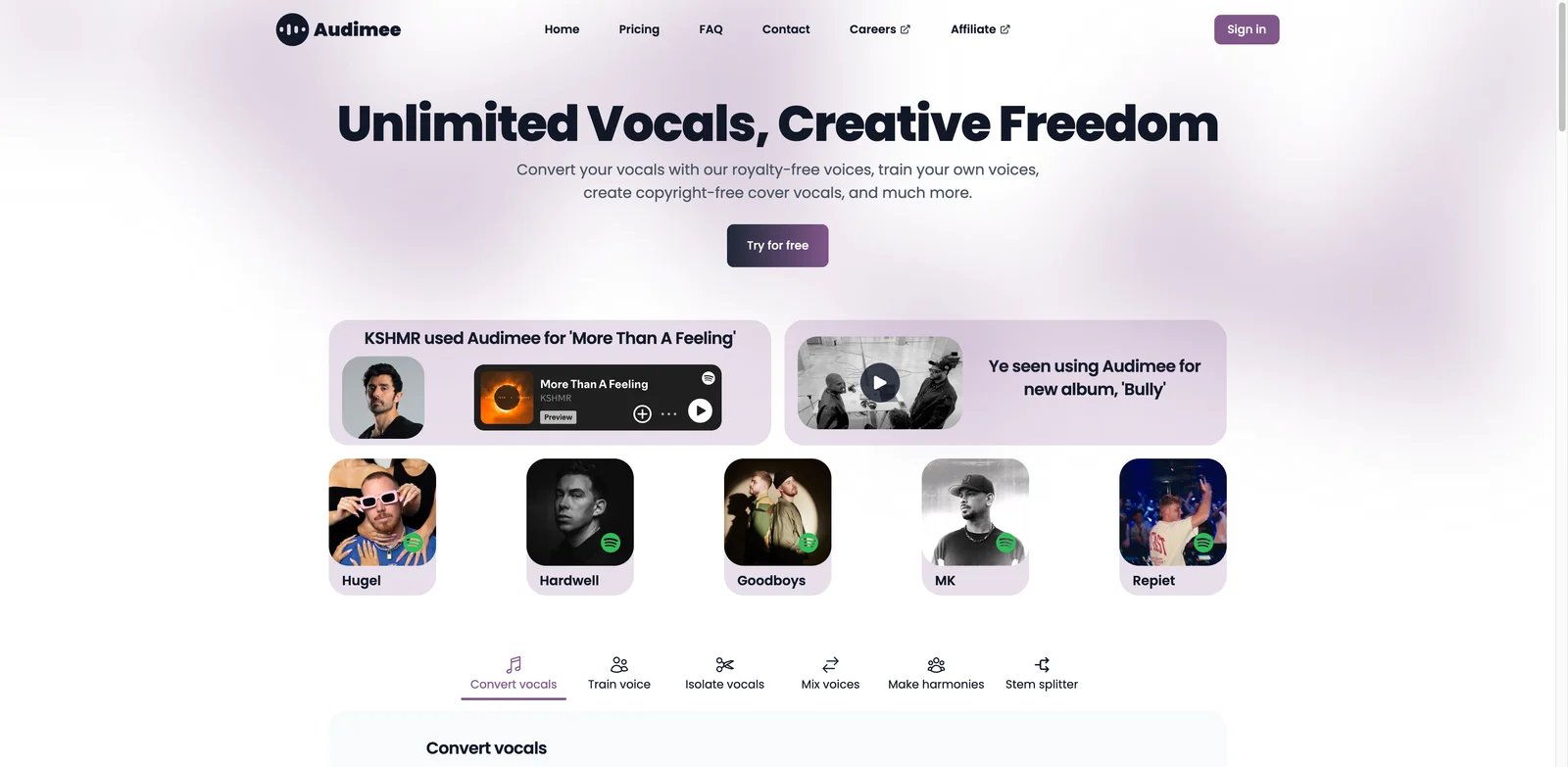
Audimee is the closest straight-line replacement for Kits.AI: upload a dry vocal, choose a singer-style voice, convert, and download. That matters because not every Kits.AI switcher wants a DAW, a local RVC setup, or a synthetic singer. Some just want the same browser workflow with a different pricing and quality profile.
What Audimee solves vs Kits.AI: Closest replacement: Audimee maps most directly to the Kits.AI mental model. It gives you browser-based singing voice conversion, custom voice options on paid tiers, commercial-use language on paid workflows, and hour-based plans that are easier to reason about than very small download-minute pools. It is strongest for users leaving because of vocal quality, pitch identity, and minute anxiety.
The most useful way to evaluate Audimee is not with a polished demo. Use the same dry verse, one phrase with sustained vowels, and one phrase with fast consonants. Kits.AI-style conversion tools often sound good on long held notes and then reveal problems on plosives, breaths, vibrato, and octave jumps. Audimee earns its place near the top when it keeps those details stable without asking you to rerender the same line five times.
Pricing vs Kits.AI: Audimee's free plan includes 15 conversion minutes, personal-use MP3 exports, and no custom voice. Starter is $9/month with 1 hour and 1 custom voice, Pro is $19/month with 3 hours and 3 voices, and Ultimate is $37/month with unlimited conversions and 8 voices. Compared with Kits.AI, Audimee is easiest to budget when you think in conversion hours rather than download minutes.
For a producer, the difference between "minutes" and "hours" is not cosmetic. One finished chorus can involve alternate takes, harmony doubles, tuning passes, wet/dry exports, and client revisions. A plan that looks equivalent at signup can feel very different after three rounds of revisions. Audimee's pricing shape is easier to model if you know roughly how many finished vocal minutes you produce per month.
Limitations: Audimee is still a cloud browser tool, so it does not remove every platform dependency. You still need to verify which voices and plans carry commercial rights, and you should test the same acapella on free or low-tier access before moving a release workflow.
It also does not replace a DAW. If your vocal needs detailed comping, tuning, de-essing, breath editing, or formant repair before conversion, do that work upstream. Audimee is strongest when you give it a clean source and use it as a conversion layer, not as the full vocal production chain.
Best for: Producers who like Kits.AI's browser workflow but want a close replacement with clearer conversion-hour thinking. Not the right fit if your real goal is offline processing, DAW-native editing, or complete model control.
Audimee is also a good first benchmark even if you do not plan to keep it. Because the workflow is close to Kits.AI, it helps you isolate whether your dissatisfaction is with Kits.AI specifically or with browser voice conversion as a category. If both Kits.AI and Audimee fail on the same dry vocal, the next move is probably source cleanup, ACE Studio, or local RVC rather than a third browser converter.
Get started with Audimee
Controlla Voice
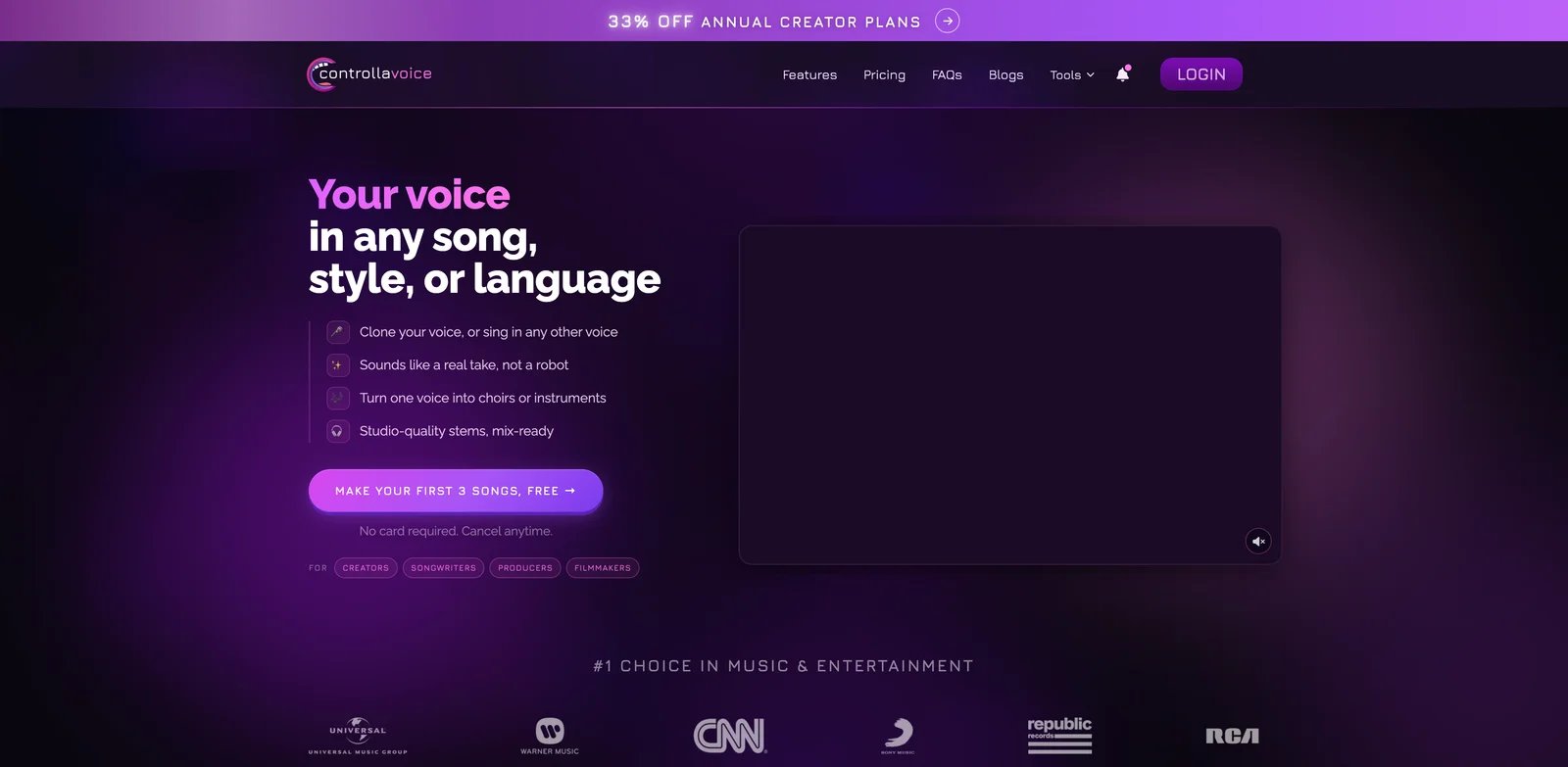
Controlla Voice is less of a pure clone-and-download utility and more of a creator voice environment. The reason it appears in migration discussions is simple: singers and producers often want more than a lead-vocal swap. They want harmonies, choir textures, blended voices, and a workflow that feels built for music creators.
What Controlla Voice solves vs Kits.AI: Choir workflow: Controlla's strongest angle is voice blending and harmony/choir usage, not only replacing one singer with another. That makes it attractive when Kits.AI output feels too flat, too robotic, or too locked to a single conversion path. It also gives creators a clearer reason to build around a voice identity rather than browsing a generic catalog.
That matters for songwriters who are not trying to impersonate one voice. A track may need a lead, a doubled lead, a lower harmony, an airy stack, and a choir pad. A tool that treats voices as blendable musical material can feel more useful than a tool that treats each render as a single target voice.
Pricing vs Kits.AI: Current public pricing has been observed around Basic $6/month, Plus $12/month, Creator $30/month, and custom voice packs advertised from $15 one-time. Free limits and current checkout details are not fully transparent from public pages, so pricing should be rechecked before publication or purchase. Compared with Kits.AI, Controlla may be cheaper at entry, but the real value depends on voice-pack and usage details.
Limitations: Pricing transparency is weaker than the best candidates on this list, and the feature set is more creator/workflow-specific. If you only need occasional lead-vocal conversion, Audimee or Vocalist.ai may be simpler.
Controlla should also be judged on how well its voices sit in a mix, not only on solo playback. Some AI vocals sound impressive alone and then expose harshness, sibilance, or phase-like artifacts when layered. If your use case is harmony and choir work, test stacks inside your actual session before paying for a larger plan.
Best for: Creators who want harmonies, choir-style workflows, and creator voice concepts rather than a simple one-click conversion. Not the right fit if you need the clearest possible public pricing or purely local processing.
Controlla is best evaluated with a layered test: lead vocal, lower harmony, higher harmony, and a stack. If it gives you musical material you can arrange, it earns the subscription. If you only use it as a single-voice converter, it competes directly with simpler tools that may be cheaper or clearer.
Get started with Controlla Voice
ACE Studio
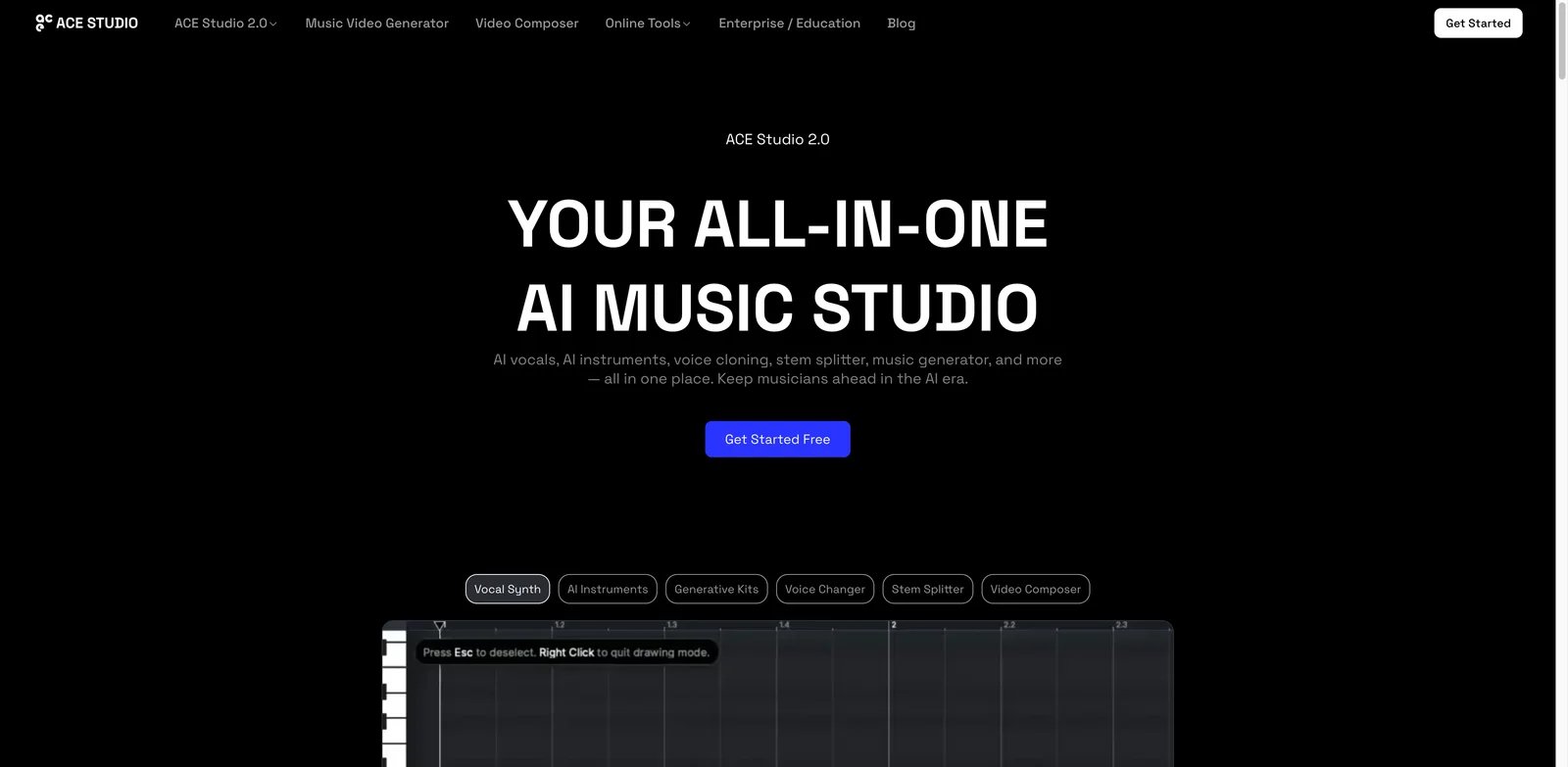
ACE Studio is the alternative for people who discover that one-click conversion is the wrong abstraction. If your problem is pitch drift, timing drift, pronunciation, melody control, or lyrics that need surgical edits, a deeper vocal workstation is more useful than another browser upload box.
What ACE Studio solves vs Kits.AI: Control surface: ACE Studio combines voice conversion, singing voice cloning, MIDI/lyric editing, phoneme-level control, and generated vocals in one desktop-style production environment. That directly addresses the "the octaves were wrong" and "the timing was off" cluster. You can shape the performance instead of rerolling conversions and hoping the next render lands.
This is the biggest conceptual shift in the list. Kits.AI and most browser alternatives start from audio and return audio. ACE Studio lets you treat the vocal as editable musical material. If a syllable lands late, if a consonant smears, if the melody needs correction, or if a phrase needs a different contour, you have more tools than "try again."
Pricing vs Kits.AI: ACE Studio does not position itself around a permanent free tier in the same way browser tools do. ACE Studio currently lists two rent-to-own plans billed yearly for two years: Artist at a promotional $16.58/month (regularly $20.73) and Artist Pro at a promotional $22/month (regularly $27.50), after which access becomes perpetual. Verify the active discount at checkout. Compared with Kits.AI, ACE Studio is less casual, but its value is in controllability: fewer random renders, more musical correction.
Limitations: ACE Studio is not the fastest migration if your only goal is quick AI covers. It asks you to learn a real vocal production interface. That is an advantage for serious music work and a drawback for casual conversion.
The other limitation is workflow fit. If you already have a finished lead vocal and just want to hear it in a different voice, ACE Studio can feel like too much tool. If you are composing, arranging, editing, and producing the vocal from scratch, that same complexity becomes the reason to switch.
Best for: Producers who care about melody, lyrics, timing, and phoneme control more than speed. Not the right fit if you want a browser-only, no-learning-curve replacement.
The hidden upside is revision control inside the music itself. When a client says "the second word sounds wrong" or "can the note lift earlier," ACE Studio gives you a route to fix the performance rather than regenerate the whole phrase. That is where it becomes more than an alternative and starts acting like a production instrument.
Get started with ACE Studio
Replay
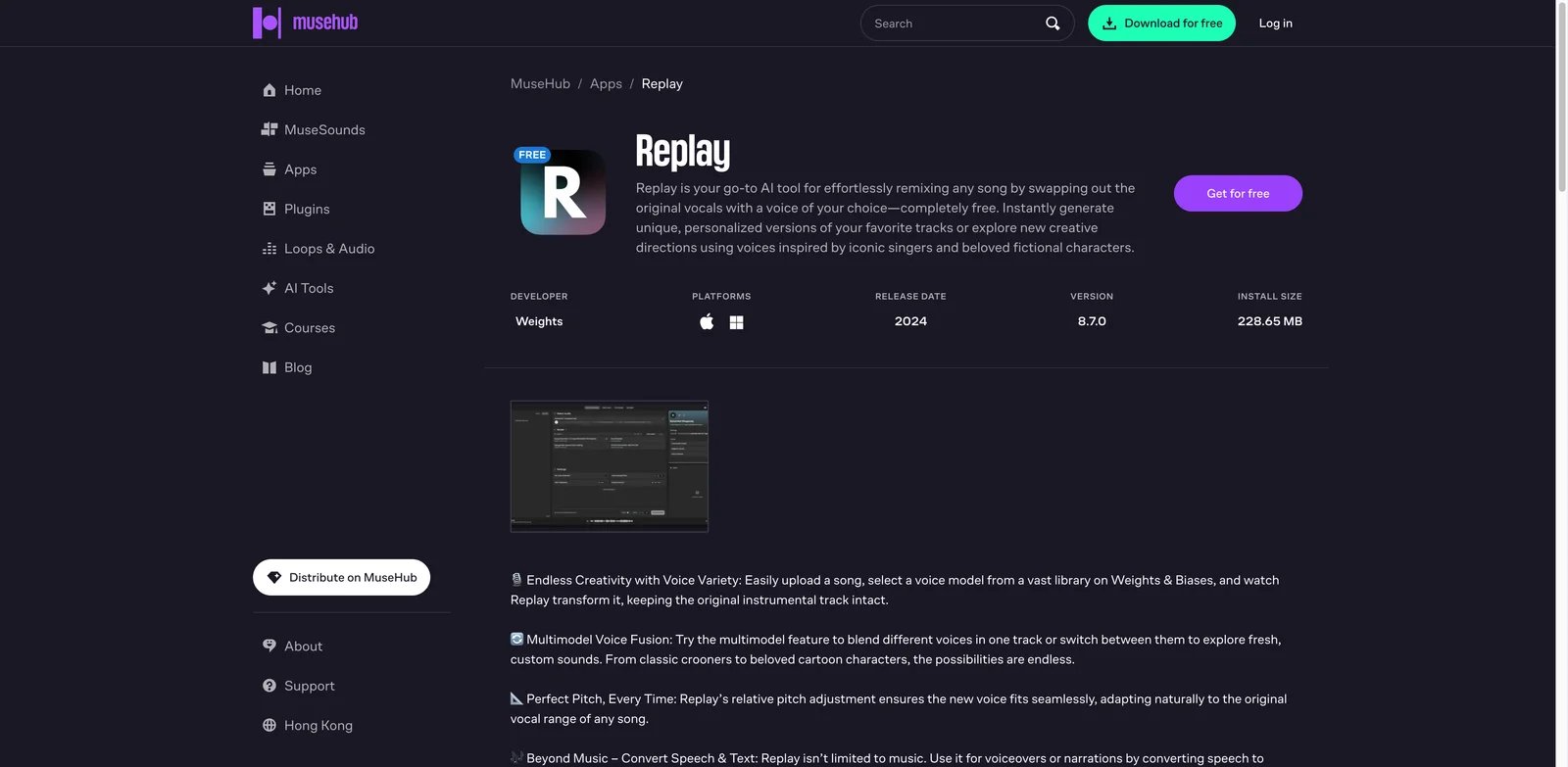
Replay is the most important non-browser answer on this list. It is a free desktop application built around local RVC-style voice conversion. For users leaving Kits.AI because of subscriptions, credits, or cancellation trust, the appeal is obvious: there is no download-minute meter and no cloud subscription to cancel.
What Replay solves vs Kits.AI: Local-first trade-off: Replay moves the work to your machine. That solves the billing/cancellation trust problem and removes cloud download anxiety. It also gives you a bridge into the broader RVC model ecosystem, where quality can be excellent when the model and source vocal are both strong.
Replay is especially attractive after a billing-trust shock because its failure mode is different. A local tool can still crash, produce bad output, or require driver troubleshooting. But it cannot remove your remaining cloud minutes after cancellation, and it does not meter every export through a platform account.
Pricing vs Kits.AI: Replay is advertised as a free desktop application through MuseHub. There is no paid subscription tier in the same sense as Kits.AI. The hidden cost is local compute, setup time, disk space, and the time required to find or train suitable models.
Limitations: Free does not mean easy or release-safe. You become responsible for model sourcing, rights, model quality, GPU/CPU performance, and troubleshooting. If a model was trained on a real singer without consent, the legal and ethical risk is yours.
You should also expect more variance. The same source vocal can sound excellent through one RVC model and unusable through another. Local control gives you a higher ceiling, but it also removes the guardrails that make browser tools approachable.
Best for: Producers who want local control, no subscription billing, and are willing to learn RVC. Not the right fit if you need a polished commercial voice marketplace or vendor support.
Replay is also a good "risk hedge" even if you keep a paid browser tool. Having one local converter installed means you are not blocked if a subscription fails, a site is down, or a deadline lands after you run out of cloud minutes. The trade-off is that you need to test it before the emergency, not during it.
Get started with Replay
Musicfy
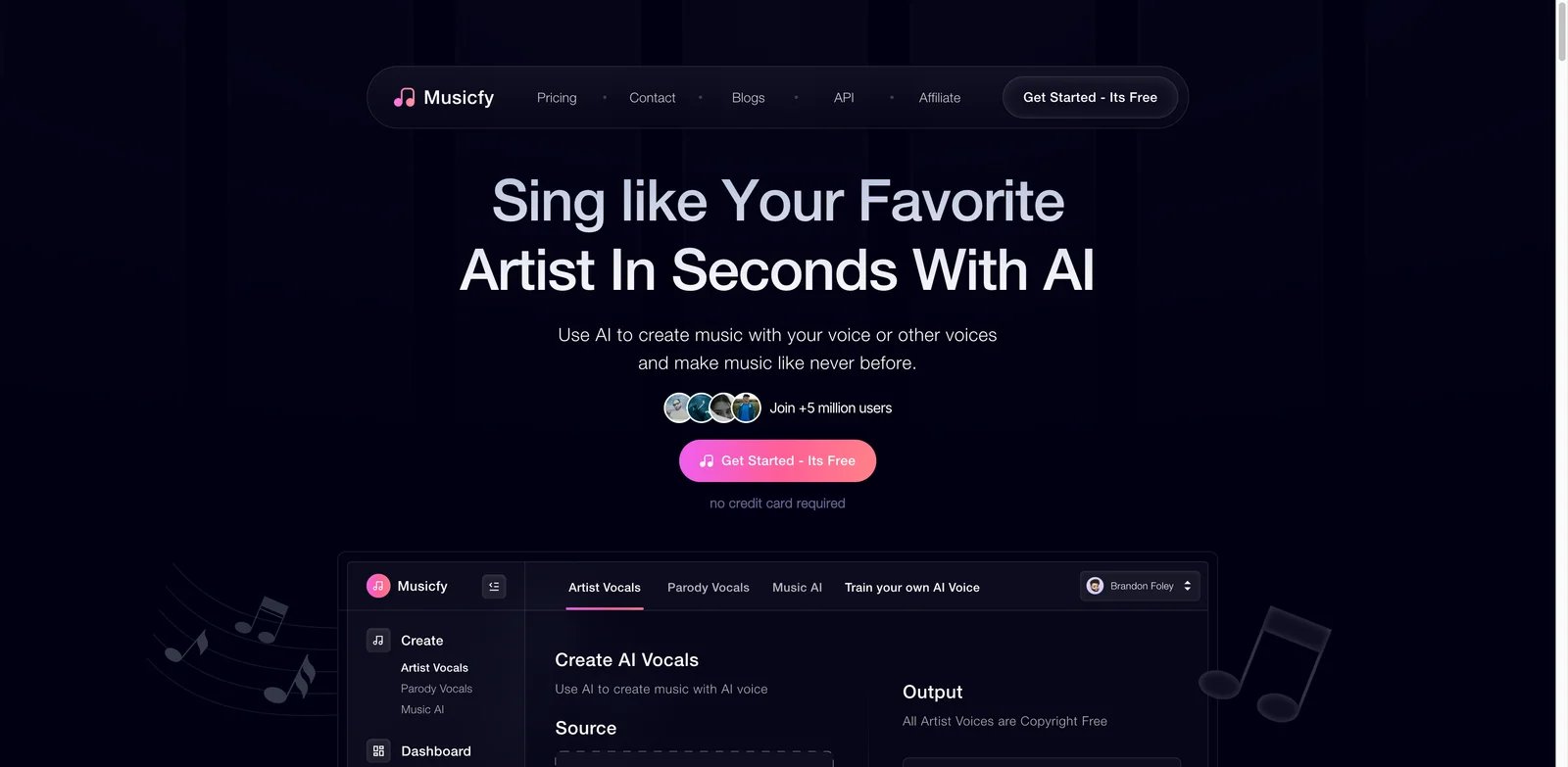
Musicfy is a broader AI music product, not just a Kits.AI clone. That can be a strength if your workflow includes voice conversion, text-to-music, instrumental ideas, and fast demos. It can be a weakness if you only care about precise singer replacement.
What Musicfy solves vs Kits.AI: Musicfy gives you a wider creative surface: voice conversion, AI music generation, and instrument-style conversion in the same product family. For users leaving Kits.AI because it feels too narrowly tied to conversion minutes, Musicfy can replace more of the early ideation workflow.
That broader scope is useful when the vocal is only one part of the problem. A creator making short-form music content may want a melody idea, a rough instrumental, a converted hook, and a quick variation without moving between five tools. Musicfy is strongest when speed and breadth matter more than fine-grained vocal repair.
Pricing vs Kits.AI: Research found free access, but public limits were not clearly quantified. Paid tiers were observed around Starter at about $8/month billed annually, Professional about $20/month billed annually, and Studio about $56/month billed annually, with promotional pricing possible. Compared with Kits.AI, Musicfy may be better if you use its broader music features, but less compelling if you only need high-fidelity vocal conversion.
Limitations: Because Musicfy is broader, it is easier to pay for features you do not need. Pricing and promotional terms should be verified at checkout. Serious producers should A/B the same dry vocal against Audimee, ACE Studio, and Voice-Swap before choosing Musicfy for final vocals.
The practical test is simple: if you remove the song-generation features, would you still choose Musicfy for voice conversion alone? If yes, it belongs in your shortlist. If no, treat it as a creative companion rather than your main Kits.AI replacement.
Best for: Creators who want AI covers, quick song ideas, and voice conversion in one browser product. Not the right fit if your priority is detailed vocal control or offline processing.
Musicfy works best when its extra features reduce your tool switching. If you already generate instrumental ideas elsewhere and only need the vocal layer, those extras may become noise. If your workflow starts with "make ten rough concepts and pick one," Musicfy's breadth can be more valuable than a slightly more specialized converter.
Get started with Musicfy
Vocalist.ai
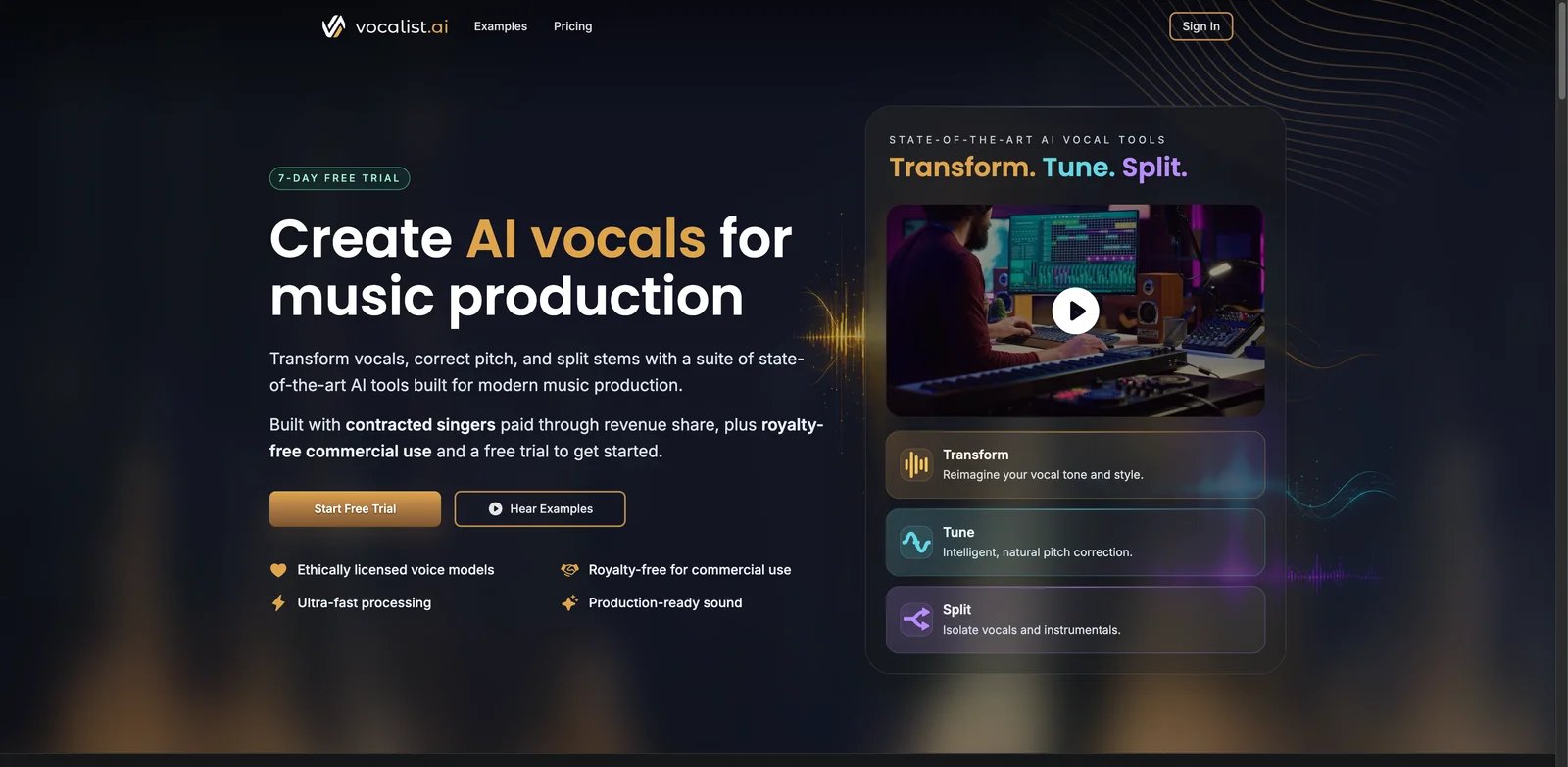
Vocalist.ai is built around singer voices rather than generic speech cloning. That makes it a better conceptual fit for Kits.AI switchers than many TTS-first tools. The workflow combines conversion with supporting tools like tune and split, so a producer can clean or shape the source before committing to a final render.
What Vocalist.ai solves vs Kits.AI: Vocalist.ai focuses on singer-oriented conversion and creator-friendly release workflows. It is especially relevant for people leaving Kits.AI over naturalness or commercial-use anxiety, because the product framing is closer to "use voices in music" than "clone any voice for anything."
For a musician, that framing matters. Speech voice tools often optimize for intelligibility and identity. Singing tools have to handle pitch, breath, vibrato, vowels, transitions, and emotional tone. Vocalist.ai belongs in the direct set because its product language and workflow are pointed at singers rather than generic narration.
Pricing vs Kits.AI: Vocalist.ai offers a 7-day trial with 10 download credits. Paid monthly list prices are Starter at $7.99, Pro at $13.99, and Elite at $19.99, with lower annual rates. Paid plans permit royalty-free commercial use, while trial outputs are personal/non-commercial unless the user immediately continues to a paid account. Compared with Kits.AI, the entry price is lower, but credit usage still matters.
Limitations: Any tool promising usable singer voices requires rights checking. Make sure your plan, selected voice, and source performance all support your intended release. A commercial-use line on a plan page does not override consent or recording rights.
Also test how the tool handles imperfect singing. If your source has pitch correction, room reflections, backing vocals, or heavy compression, do not assume a nice demo will translate. The best use of the trial is to upload a realistic stem from your own session.
Best for: Songwriters and cover creators who want a singer-focused browser alternative at lower entry pricing. Not the right fit if you need local model training or DAW-native editing.
Vocalist.ai is worth testing alongside Audimee because the two products answer the same broad need with different workflow assumptions. If Audimee gives you the cleaner raw conversion but Vocalist.ai gives you a better singer fit, your decision may come down to release rights and how many download credits you expect to burn per song.
Get started with Vocalist.ai
Voice-Swap
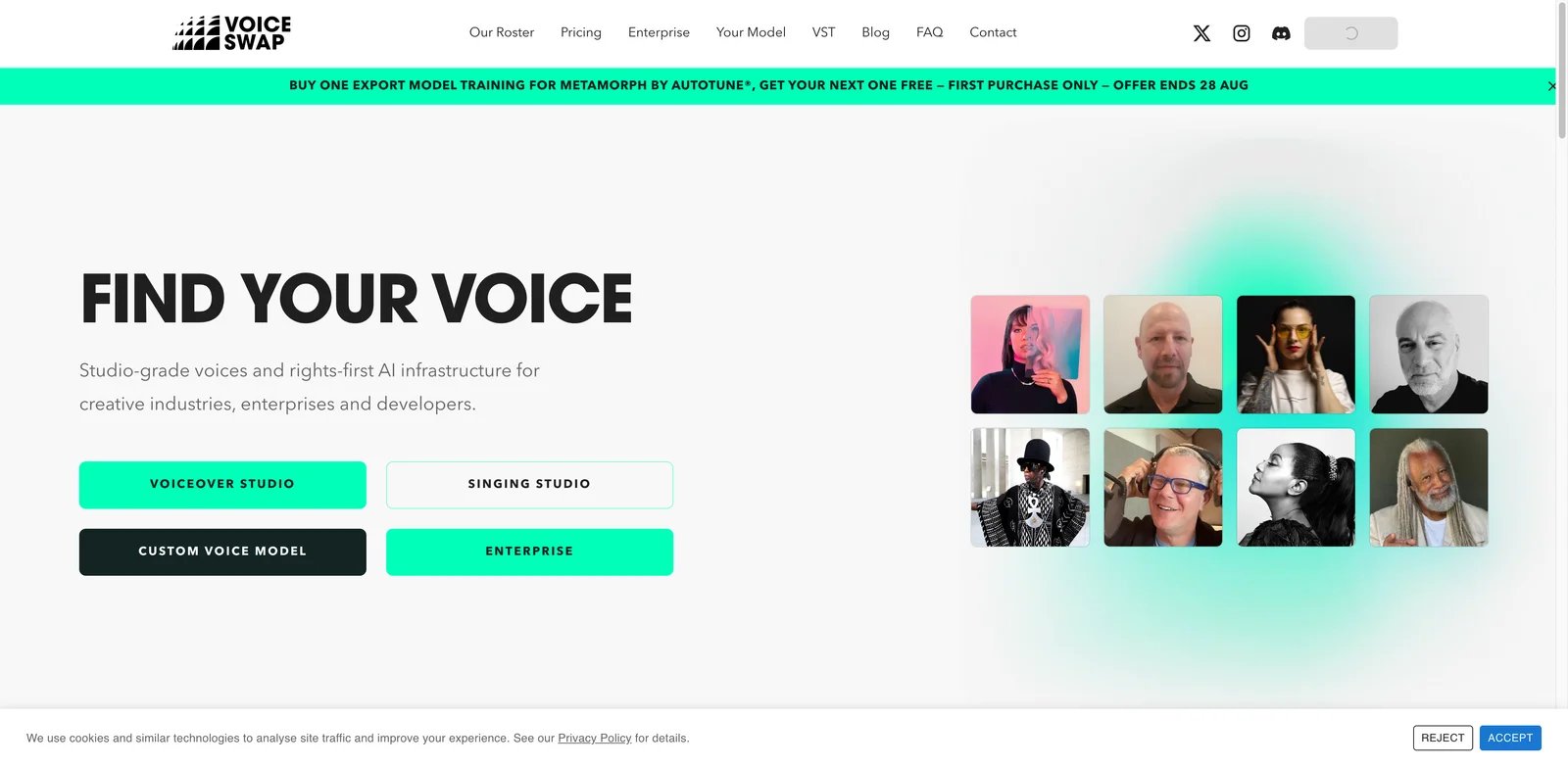
Voice-Swap should be evaluated differently from most AI cover tools. The point is not the biggest possible voice catalog. The point is permission: artist-approved voices, credit-based conversion, and a workflow that is more serious about rights than grey-market model repositories.
What Voice-Swap solves vs Kits.AI: Rights first: Voice-Swap is relevant when your question is not "can I make this sound like someone?" but "can I release this without creating a rights problem?" It also offers a VST route, which matters for producers who want a DAW-adjacent workflow rather than a pure browser render.
This is one of the few tools where a smaller catalog can be a feature. A tightly controlled artist-approved voice library is less exciting than a massive community library, but it is easier to reason about when a song is going to Spotify, YouTube Content ID, sync licensing, or a client campaign.
Pricing vs Kits.AI: Voice-Swap has a free VST download but no broad free cloud-credit tier. Public pricing showed Beginner at GBP 6.99/month for 50 credits, Pro at GBP 9.99/month for 150 credits, Ultimate at GBP 39.99/month for 1,000 credits, and a one-off 75-credit pack at GBP 11.99. Compared with Kits.AI, the one-off pack is useful if your main frustration is subscription dependency.
Limitations: Approval-based catalogs are naturally smaller and more constrained. If you want a giant community voice library or celebrity-style AI covers, Voice-Swap will feel narrower by design.
You should still read each voice's terms. "Artist-approved" is a stronger starting point than a scraped community model, but commercial release rights can still depend on the voice, territory, use case, and platform.
Best for: Producers who care about artist-approved voices, DAW/plugin workflow, and one-off credit purchasing. Not the right fit if you want the largest voice catalog or fastest casual cover workflow.
Voice-Swap is not the tool to choose when you want maximum novelty. It is the tool to choose when you need the voice side of the workflow to look defensible. For paid work, that can matter more than having another hundred voices in a community library.
Get started with Voice-Swap
LALAL.AI Voice Changer
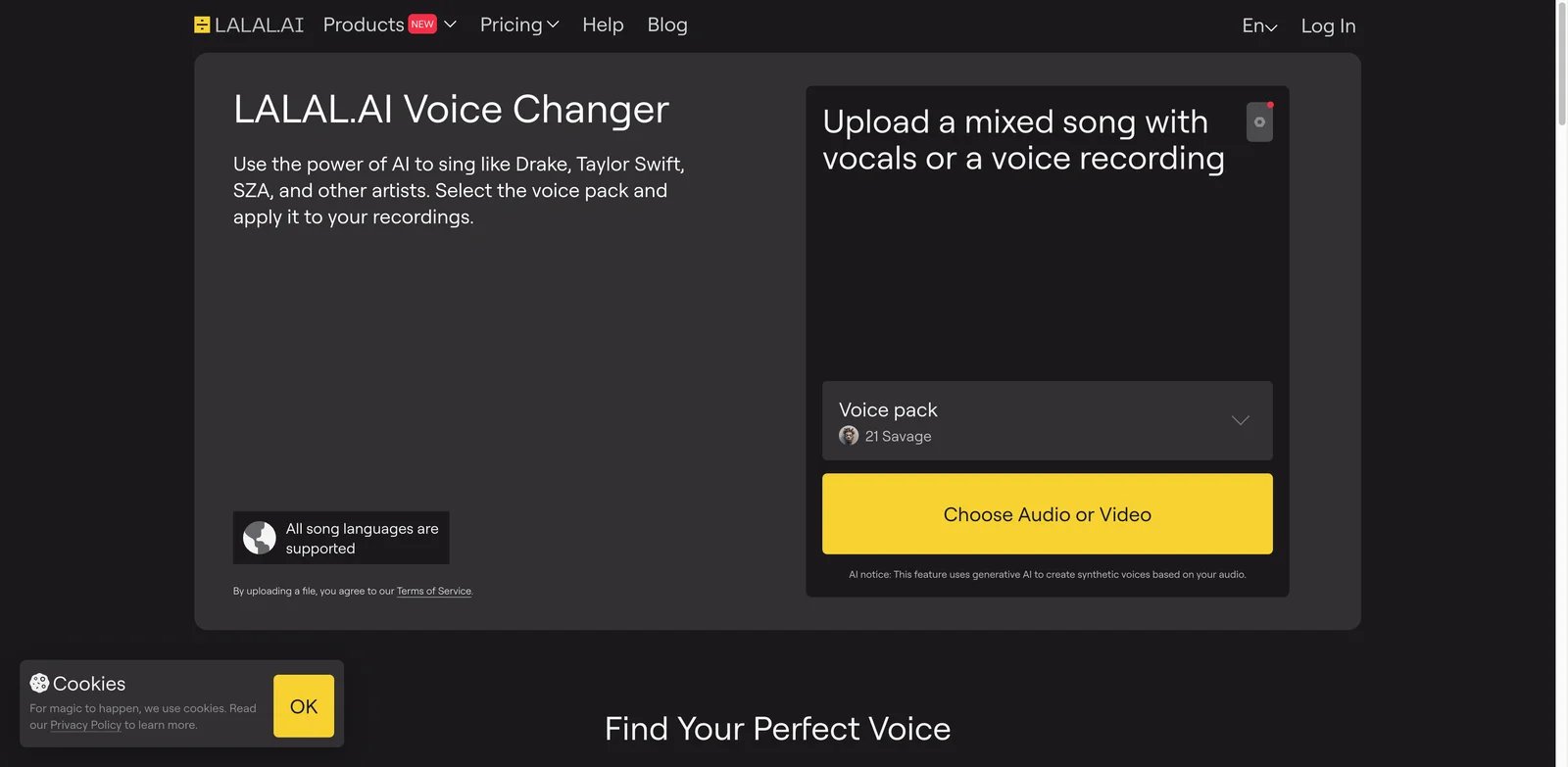
LALAL.AI is best known for stem separation, and that history matters. Many failed voice conversions are not purely model problems; they start with bad input. If your vocal has bleed, reverb, harmonies, backing instruments, or poor separation, a tool that combines cleanup and conversion can outperform a more glamorous voice catalog.
What LALAL.AI Voice Changer solves vs Kits.AI: LALAL.AI combines voice changing with mature stem separation and cleanup tooling. That makes it useful when Kits.AI output sounds bad because the input was never clean enough. It is also a practical adjacent replacement if you already need vocal/instrument separation for remixing.
The workflow advantage is practical: separate the vocal, remove bleed, isolate lead from backing, then convert. If your Kits.AI test used a vocal pulled from a full mix, comparing it with a LALAL-cleaned workflow is not apples to apples. The cleaner pipeline can matter as much as the conversion model.
Pricing vs Kits.AI: Official pricing is localized: Starter is free with 10 usage minutes, free previews, and a 200 MB upload limit; Lite is currently displayed at €8.99/month or €81/year (€6.75/month), while Pro is €17.99/month or €162/year (€13.50/month). These plans use processing minutes rather than cloner slots. Premium voice packs permit commercial use; free character- and artist-based packs are non-commercial only. Compared with Kits.AI, the value is strongest when you use both the cleanup and voice changer sides.
Limitations: LALAL.AI is not a dedicated singing-voice marketplace. If you need a curated singer library or artist-approval process, Audimee, Vocalist.ai, or Voice-Swap are closer fits.
It is also possible to overprocess. Aggressive stem separation can introduce artifacts before the conversion step even begins. Export a cleaned stem and listen to it alone before blaming the voice changer for every artifact.
Best for: Producers who suspect input quality is the real reason conversion fails. Not the right fit if you want the broadest singer-specific voice catalog.
LALAL.AI also pairs well with other tools on this list. A cleaned stem from LALAL.AI can be tested in Audimee, Vocalist.ai, or ACE Studio. If the cleaned stem improves every converter, your migration problem was upstream source quality, not only Kits.AI.
Get started with LALAL.AI Voice Changer
Jammable
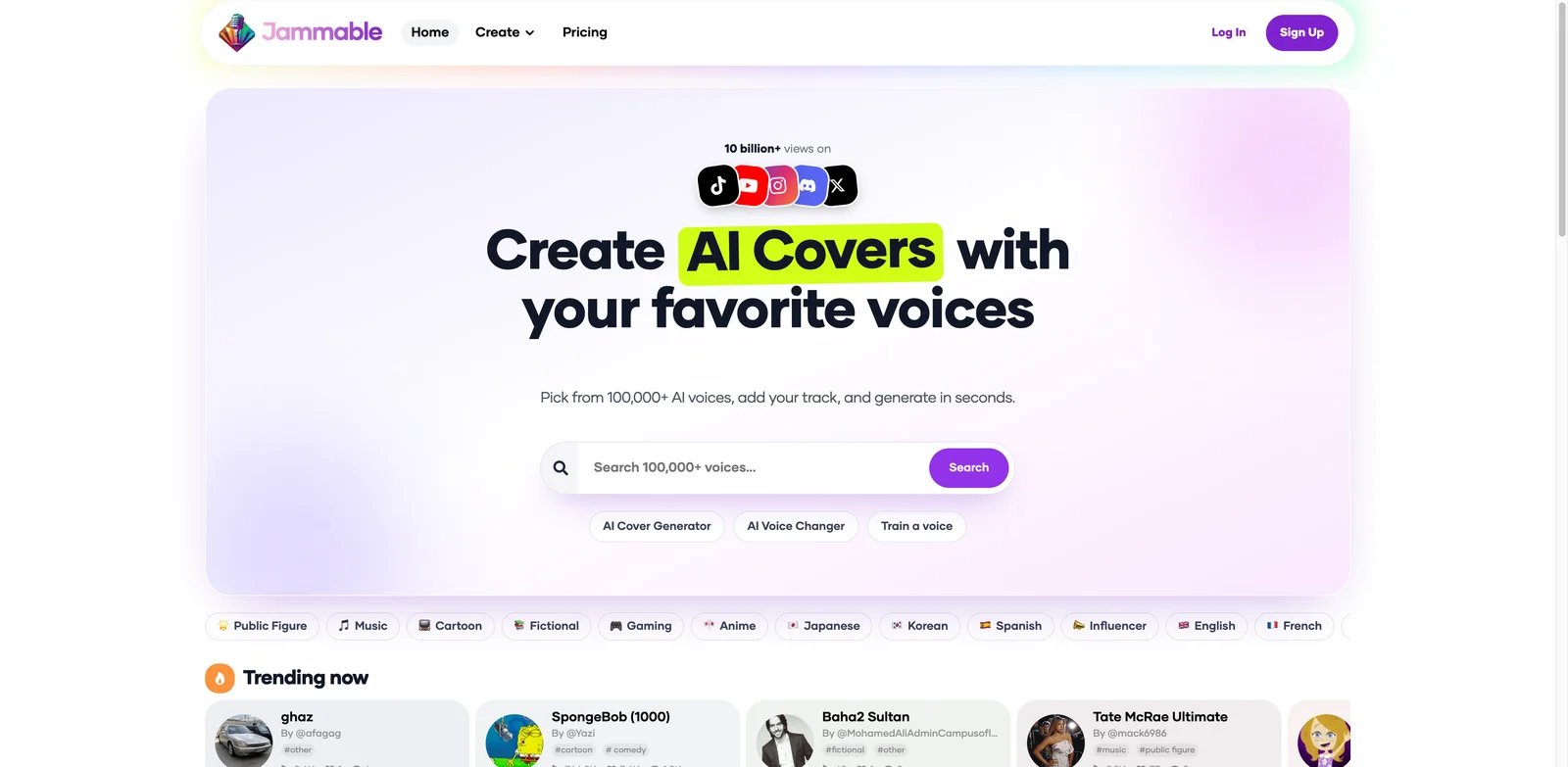
Jammable is for the casual-cover end of the market: fast conversions, duets, community voices, and a workflow built around making something shareable quickly. It is not the most controlled production environment on this list, but it may be the fastest answer if your Kits.AI use case was mostly entertainment or social content.
What Jammable solves vs Kits.AI: Jammable shifts the center of gravity toward community voices and quick AI covers. That helps users who do not want a professional vocal workstation and mainly care about speed, recognizable voice styles, and simple sharing.
For this use case, the value is emotional immediacy. If you are making a meme cover, a fan-style experiment, or a quick hook for social media, a heavyweight production tool slows you down. Jammable's community orientation is exactly what makes it attractive for that lane.
Pricing vs Kits.AI: Research found no stable ongoing free plan advertised. Pricing is localized and promotion-dependent. The official page lists Basic, Creator, and Power; current US snippets show Basic at about $9.99 for the first month and then $24.99/month, and Power at $89.99/month, while Creator pricing should be verified at checkout. Compared with Kits.AI, Jammable is not necessarily cheaper; it is easier for fast cover workflows.
Limitations: Production control, rights clarity, and final-release confidence are weaker than tools built for licensed voices or local workflows. Treat Jammable as a creative playground unless you have verified rights for your exact output.
This is also the tool where you should be most careful about confusing "possible" with "permitted." A platform may let you generate a voice-style cover quickly. That does not mean you can monetize it, distribute it, or use it in client work.
Best for: Fast AI covers, duets, and community voice experiments. Not the right fit if you need careful pitch control, commercial release documentation, or offline processing.
Jammable is also a useful reality check for intent. If the song is a private joke, quick demo, or short-form concept, a professional rights-first workflow may be unnecessary friction. If the song will be distributed, monetized, or delivered to a client, that same casualness becomes a liability.
Get started with Jammable
RVC WebUI
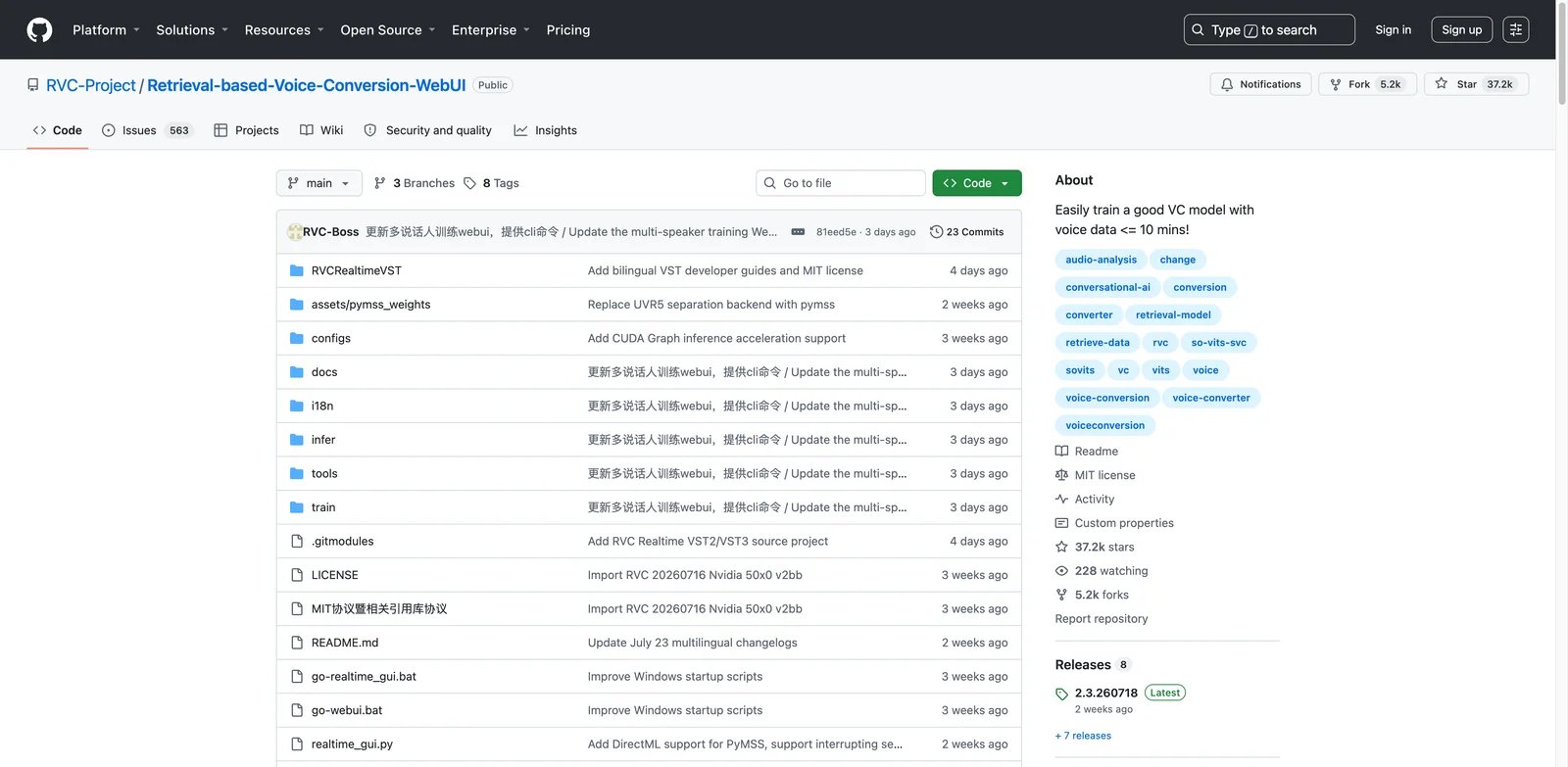
RVC WebUI is not a polished SaaS product. It is an open-source local workflow for retrieval-based voice conversion. That is why it belongs here. Some Kits.AI switchers are not looking for another subscription; they are trying to leave the platform category entirely.
What RVC WebUI solves vs Kits.AI: No platform safety net: RVC WebUI gives you local training, local inference, model control, and real-time conversion options without browser download minutes. It addresses billing trust, support dependency, pitch/model experimentation, and output control in one move.
RVC WebUI is also the research path behind many polished products. Understanding it gives you a better ear for every browser tool on this list. You learn how source quality, dataset quality, pitch extraction, index settings, and model training influence the final sound instead of treating AI vocals as magic.
Pricing vs Kits.AI: RVC WebUI is free and open source under the MIT license. You pay with your own machine, GPU time, storage, setup effort, and troubleshooting. Compared with Kits.AI, the cash cost can be near zero; the operational cost is much higher.
Limitations: The legal and quality risks move to you. If a model was trained without consent, if the dataset is poor, if the output contains artifacts, or if your local setup breaks, there is no vendor support path. You need to understand model provenance before releasing anything commercially.
The safest way to use RVC WebUI commercially is with your own voice, a session singer's documented consent, or a model you have a clear right to train and use. Treat anonymous model downloads as research material, not release assets.
Best for: Technical producers who want local control and are willing to manage models, compute, and rights. Not the right fit if you need a clean browser UI, licensed voices, or support.
RVC WebUI is the highest-control path and the easiest path to misuse. Build a small checklist before using it seriously: source consent, model provenance, training data quality, dry vocal quality, export format, and release rights. Without that checklist, "free" can become expensive later.
Get started with RVC WebUI
Honorable Mentions
Synthesizer V Studio is the right adjacent pick when your actual goal is synthesized singing, not voice conversion. You write or import melody and lyrics, then shape a virtual singer with MIDI and phoneme-level control. The editor is a one-time purchase model with paid voices. Get started with Synthesizer V Studio.
ReSing is worth watching for DAW and offline producers. It is a standalone/VST voice modeling tool with a free tier and paid options shown after login or during promotions. It is adjacent because the workflow is local production and model building, not a browser catalog. Get started with ReSing.
Moises is not a Kits.AI replacement, but it can make replacements work better. Its strength is stem separation, pitch/BPM analysis, and practice/production utilities. Use it when your source vocal needs cleanup before conversion. Get started with Moises.
Suno is adjacent because it generates songs rather than faithfully converting your existing vocal. Choose it when the goal is a new demo or song idea, not preserving your original performance. Free credits exist, but commercial rights depend on the plan. Get started with Suno.
ElevenLabs belongs here only for speech-heavy creators. Its voice changer, dubbing, and TTS tools are strong, but singing voice conversion is not its main production interface. If your Kits.AI use case is narration, spoken hooks, or creator voiceovers, read our broader AI voice generator tools guide too. Get started with ElevenLabs.
The honorable mentions are not weaker products. They are less direct replacements. This distinction matters for SEO readers because "alternative" can mean "same job, different vendor" or "different workflow that solves the same underlying pain." Synthesizer V may be a better musical tool than a browser converter for some producers, but it does not preserve an existing recorded vocal in the same way. ElevenLabs may be a stronger voice company overall, but its center of gravity is speech, dubbing, and narration.
Migrating from Kits.AI — A Practical Guide
Data and Account Migration
Before you cancel, export everything that could become hard to recover: final converted vocals, source dry vocals, custom voice source files, project settings, invoices, and screenshots of remaining credits or download minutes. If a voice is intended for release, keep written proof of consent, model source, plan terms, and commercial-use language.
Do not cancel first and sort assets later. Recent public complaints are specifically about cancellation, removed credits, and support response gaps. Whether or not you experience those issues, the safe order is export, verify, document, then cancel.
Use boring filenames. Put the source vocal, converted vocal, selected voice, plan name, date, and license note in the project folder. Six months later, you should be able to answer which tool generated the vocal, which plan was active, and why you believed the release was allowed.
Learning Curve by Alternative
Near-zero migration tools are Audimee, Musicfy, Jammable, Vocalist.ai, and LALAL.AI Voice Changer. They keep the browser-upload workflow and are easiest to test in one sitting.
Medium learning-curve tools are Controlla Voice, Voice-Swap, Synthesizer V, and Moises. They add creator voice concepts, DAW/plugin thinking, or production cleanup steps.
High learning-curve tools are ACE Studio, Replay, ReSing, and RVC WebUI. They provide more control, but you pay in setup, musical editing, model management, or local troubleshooting.
Do not confuse learning curve with quality ceiling. Browser tools have the lowest friction and can be excellent for simple tasks. ACE Studio and RVC workflows may sound worse on day one because you have not learned the controls. Judge them after a realistic trial, not after the first confused render.
Pricing Brackets vs Kits.AI
Free or local options include Replay, RVC WebUI, and ReSing Free. These reduce subscription risk but increase operational work.
Cheaper predictable entry options include Controlla Voice Basic, Vocalist.ai Starter, LALAL.AI Lite, and Suno Pro for adjacent song generation. Similar-budget options include Audimee Pro, ACE Studio Artist/Artist Pro, and Musicfy Professional. More expensive heavy-use options include Jammable Power, Voice-Swap Ultimate, and ElevenLabs Pro for speech-heavy adjacent workflows.
The best pricing bracket is the one that matches revision behavior. If you make one finished vocal per month, a small paid plan may be enough. If you create many versions for clients, credits and download minutes disappear quickly. If you experiment daily, local RVC or a larger conversion-hour plan may be cheaper than constantly upgrading after you hit limits.
Best Kits.AI Alternatives by Use Case
If Your Reason Is "I want more natural, release-ready converted vocals"
Start with Audimee, Vocalist.ai, and Controlla Voice. Use the same clean dry vocal across all three. Do not compare one tool with a noisy demo and another with a studio acapella; that tells you nothing.
Use three listening passes. First, solo the converted vocal and check metallic tone, vowels, breaths, and sibilance. Second, put it in the mix and check harshness or masking. Third, listen after a day away. AI vocals often impress immediately and then reveal fatigue after repeated playback.
If Your Reason Is "I need to preserve melody, timing, and pronunciation"
ACE Studio is the serious pick because it gives you musical control after generation. Audimee is easier for a browser test. Synthesizer V is adjacent but useful if you are willing to rebuild the vocal as a synthesized singer rather than convert the original performance.
This use case is where casual cover tools usually fall down. They may produce a recognizable voice, but the lyric shape or timing feels wrong. If the performance itself matters, choose a workflow that lets you edit the performance, not just the target voice.
If Your Reason Is "I want a predictable bill without download-minute anxiety"
Choose Replay or RVC WebUI if you can handle local setup. Choose Audimee if you still want a browser workflow but prefer conversion-hour thinking. Avoid tools with unclear promotional pricing unless you can verify the final checkout page.
Also check cancellation before you need it. A predictable bill includes knowing where cancellation lives, what happens to unused credits, and whether exports remain available afterward. If that information is hidden, treat the low price as provisional.
If Your Reason Is "I want to work locally or inside my DAW"
Replay, ReSing, and RVC WebUI move you toward local processing. Voice-Swap is the rights-focused option with a plugin route. This is the path for producers who want fewer browser dependencies and more control over the production chain.
Local does not automatically mean private, legal, or better. It means the processing happens under your control. You still need to audit model sources and keep your own backups. The benefit is that you can build a repeatable chain inside your own production environment.
If Your Reason Is "I need clearly licensed voices for a commercial release"
Start with Voice-Swap, Vocalist.ai, and Audimee, then read the exact voice and plan terms. Commercial use is never just a plan badge. You need consent for the source performer, rights for the target voice, and permission to release the final recording.
When in doubt, ask the vendor a narrow question in writing: "Can I commercially release a song using this specific voice on this specific plan if the source vocal is my own or licensed from my singer?" Save the answer with the project file.
If Your Reason Is "I need easier stem cleanup before voice conversion"
LALAL.AI Voice Changer and Moises are the practical cleanup picks. ACE Studio is better when you need musical editing after cleanup. This use case matters because bad source separation is one of the fastest ways to create metallic or unstable conversion output.
If Your Reason Is "I mainly want quick AI covers and community voices"
Jammable, Musicfy, and Controlla Voice are the fast creative options. They are better for experiments and social concepts than strict commercial release workflows. Verify rights before publishing or monetizing anything.
How to Choose the Right Kits.AI Alternative
1. Diagnose the switching reason and test the same vocal. Pick one primary reason: billing trust, robotic sound, minute cost, pitch drift, support, local workflow, or commercial rights. Then test the same 20-30 second dry vocal in two or three tools.
Use a deliberately difficult test clip. Include one sustained vowel, one fast lyric phrase, one breath, one note transition, and one word with hard consonants. Do not use a fully mastered vocal as the only test. If the tool needs a dry acapella to work well, find that out before you move a real project.
2. Verify the pricing model, not just the headline price. Check download minutes, conversion minutes, credits, custom voice slots, commercial-use tiers, renewal date, cancellation path, and whether prices are annual, promotional, regional, or login-gated.
Write the pricing down in project terms: "one finished song usually needs X renders, Y alternate hooks, and Z final exports." Then map that to the plan. This prevents the common mistake of comparing $9/month against $20/month while ignoring that the cheaper plan may run out halfway through revision round two.
3. Confirm rights before release. For any AI vocal that resembles a real person, confirm source consent, target voice license, distribution rights, and platform rules. A tool can be technically excellent and still be the wrong choice for a commercial release.
Rights checks should happen before sound design, not after. Once you have spent hours arranging, mixing, and pitching the vocal to a collaborator, it becomes harder to walk away from a legally weak voice. Start with the boring paperwork: who owns the source vocal, who owns or approved the target voice, and what the vendor plan actually permits.
4. Run a two-week overlap before canceling. Export Kits.AI assets, test alternatives on real stems, save invoices and credit screenshots, and only then cancel. Keep both workflows available until the replacement has produced a vocal you would actually release.
The overlap period also protects your ear. AI vocal tools can sound impressive in isolation when you first hear them. After a week of revisions, you notice which tool creates less cleanup work, which one preserves lyrics, and which pricing model stays predictable. That second-week verdict is usually more reliable than the first demo.
Frequently Asked Questions
What is the best overall Kits.AI alternative?
Audimee is the best overall browser-based Kits.AI alternative for most users because it stays close to the same singing voice conversion workflow while offering clearer conversion-hour pricing. ACE Studio is better for deeper control, and Replay is better for local/free RVC workflows.
If you only want one tool to try first, choose Audimee because the migration cost is low. If you already know your main complaint is timing or melody drift, start with ACE Studio instead. If your main complaint is trust in subscriptions, start with Replay or RVC WebUI and accept the setup cost.
What is the best free alternative to Kits.AI?
Replay and RVC WebUI are the strongest free alternatives if you can handle local setup. ReSing Free is also worth testing for DAW-style local voice modeling. If you want a browser free tier, Audimee's free 15 conversion minutes are easier to evaluate.
The free choice depends on what you mean by free. Replay and RVC WebUI avoid monthly SaaS billing, but they still cost time, local storage, and sometimes GPU patience. Audimee's free tier is easier for a quick browser comparison, but it is not a full replacement for a paid production workflow.
Is Audimee better than Kits.AI for singing voice conversion?
Audimee is the closest direct replacement, but "better" depends on your source vocal and target voice. Test the same clean acapella in both tools, then compare naturalness, consonants, octave stability, commercial terms, and the real cost of final downloads.
Use the comparison to answer a specific question, not to crown a universal winner. If Audimee produces a more natural vocal but Kits.AI has the voice style you need, Kits.AI may still win that project. If Audimee sounds slightly less exciting but gives you more predictable cost and rights clarity, it may be the better business choice.
Which Kits.AI alternative is best for cloning my own singing voice?
Audimee, ACE Studio, and Controlla Voice are the best places to start. Use ACE Studio if you want editing control after cloning. Use Audimee for a simpler browser workflow, or Controlla Voice for creator-voice and choir workflows.
For your own voice, quality depends heavily on the training or reference material. Record dry, consistent, and isolated takes. Avoid background music, room reflections, and heavy effects. If the clone will be released commercially, store your source-session files and consent records even when the voice is yours.
Which alternative preserves pitch, lyrics, and timing most accurately?
ACE Studio gives the most production-level control because you can work with melody, lyrics, and phoneme details. Audimee is easier for quick conversion. Synthesizer V is adjacent but excellent when you are willing to rebuild the singer performance instead of converting a recording.
If preserving the original performance is mandatory, stay with conversion tools and test carefully. If preserving the composition matters more than preserving the exact performance, a synthesized singing workflow may give you cleaner musical control. That distinction saves a lot of wasted testing.
Which Kits.AI alternatives work offline or as DAW plugins?
Replay and RVC WebUI are the local-first choices. ReSing and Voice-Swap are more DAW/plugin-oriented. Local workflows reduce subscription risk, but they also make setup, model sourcing, and troubleshooting your responsibility.
Offline and DAW-native workflows are best for producers who already organize projects carefully. Keep model files, dry stems, converted stems, and license notes in the session folder. If you cannot recreate a vocal six months later, the workflow is not production-safe even if it sounded good once.
Can I commercially release vocals made with these Kits.AI alternatives?
Sometimes, but only after checking the exact plan, selected voice, source consent, and recording rights. Voice-Swap, Vocalist.ai, and Audimee are better starting points for commercial-use clarity, but no tool can automatically grant rights to a real person's voice if you did not have permission.
For client work, ask for rights confirmation in writing before delivery. For public music releases, check distribution-platform rules and the voice provider's terms. For social content, still assume that recognizable real-person voices can trigger takedowns even when the tool generated the audio.
Should I switch after the recent Kits.AI billing and cancellation complaints?
Switch if those complaints match a risk you cannot tolerate: deadline-sensitive releases, paid client work, or a workflow where lost credits would matter. If Kits.AI works well for you, export your assets, document your subscription status, and test one or two alternatives before canceling.
Do not switch just because a complaint exists. Switch because the complaint exposes a risk in your workflow. A hobbyist making private demos has a different risk profile from a producer delivering paid vocals next Friday. The safe move is to build an exit path now: exports saved, one alternative tested, pricing verified, and cancellation steps documented before you need them.
Get ToolWorthy Weekly
New AI tools, practical guides, and selected AI signals in one weekly brief.
For AI tool founders
Built a tool that belongs in this decision set?
Request an editorial evaluation for possible inclusion in ToolWorthy.
Submit your tool for reviewPaid submission does not guarantee a ranking, recommendation, inclusion, or editorial outcome.