

Overview
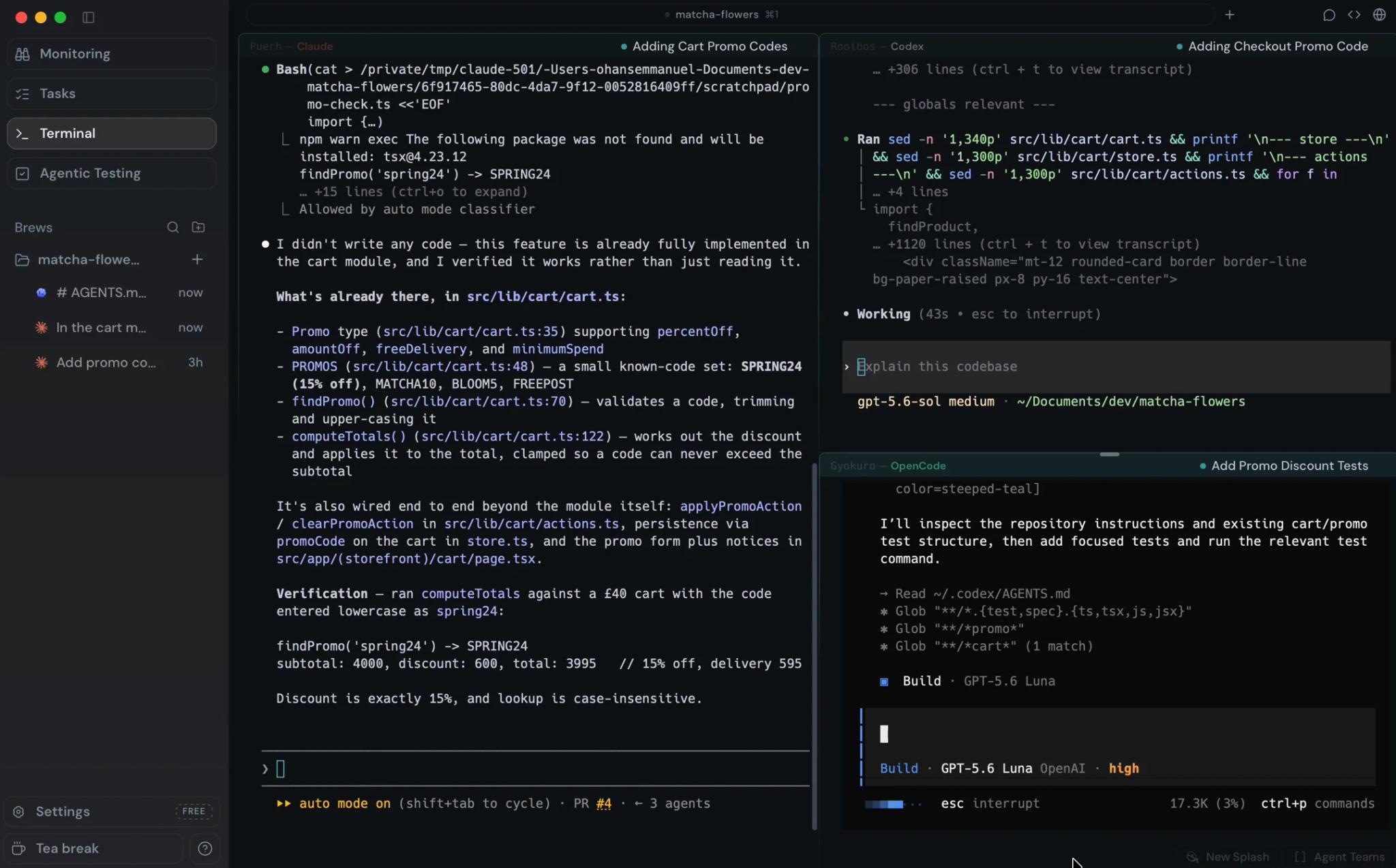
Coldtea is a desktop agentic development environment for teams that already use coding agents but need more structure around the rest of software delivery. It does not replace Claude Code, Codex CLI, Gemini CLI, OpenCode, or another agent with a new chat box. Instead, Coldtea launches those agents in visible terminal panes and keeps the surrounding task, plan, log, diff, browser, QA, and monitoring context close enough for a human to review.
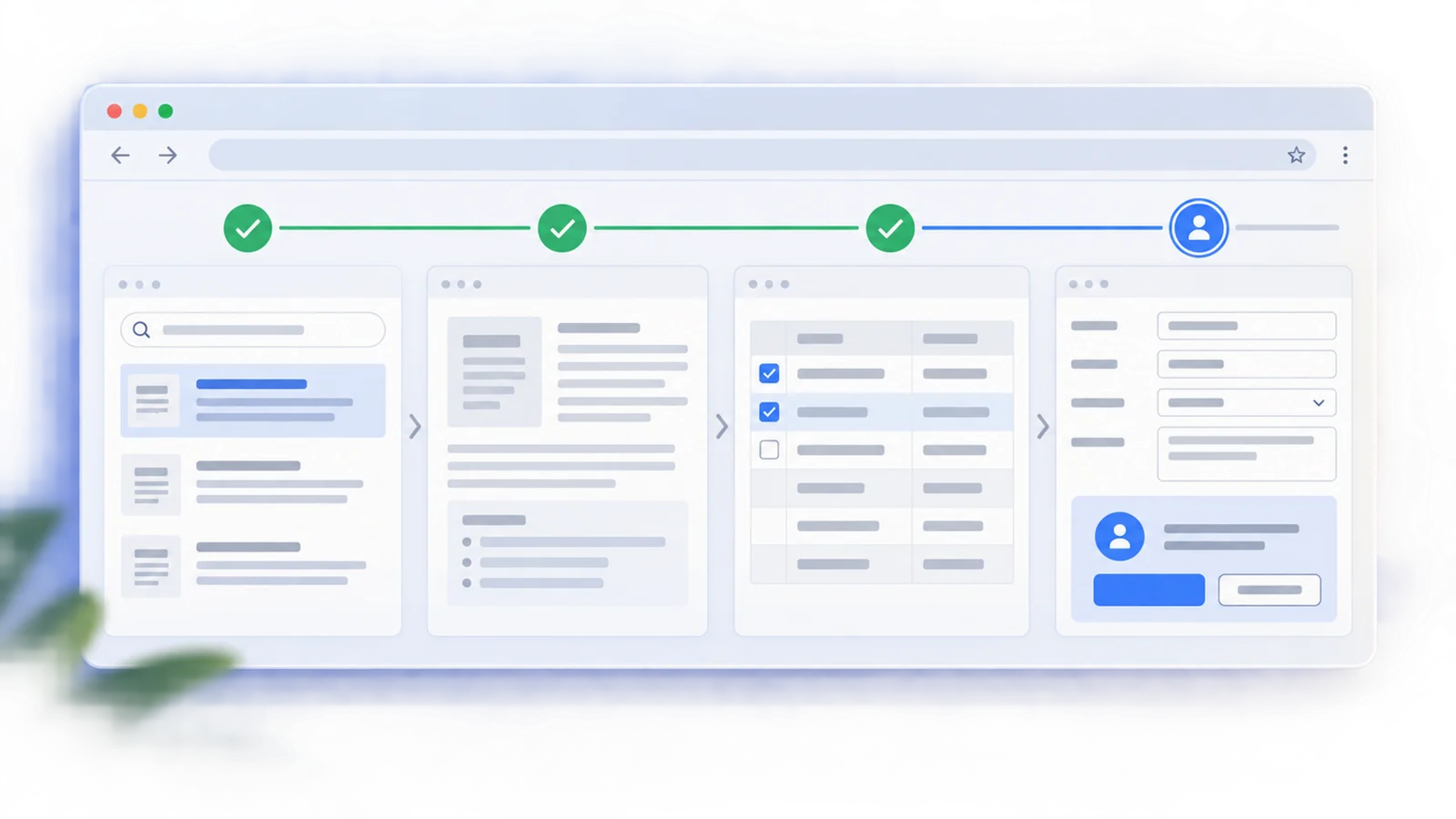
That focus makes Coldtea different from a normal AI code generator. Most coding tools optimize the moment when code is written. Coldtea focuses on the full loop: task arrives, agents build, work explains itself, a pull request opens, QA runs against the preview URL, production is watched, and follow-up work is filed when real signals justify it.
Coldtea is best understood as an SDLC wrapper for agent work. Local sessions run on your machine, while cloud runs are optional and off by default. The official docs repeatedly emphasize that users still review the terminal, diff, plan, log, and run evidence before trusting the result.
Key Features
- Visible agent terminal panes - Coldtea launches agent CLIs such as Claude Code, Codex, Gemini CLI, and OpenCode in normal terminal sessions, keeping their prompts, commands, plans, and logs visible.
- Task-linked agent work - Work can be tied to a task board, imported from Linear, Jira, or GitHub Issues, and preserved with plans and session logs for later review.
- Agentic QA with Matcha - QA agents drive web, desktop, iOS, and Android apps against a URL or build, returning step-by-step evidence rather than only a pass/fail note.
- Pull request regression checks - Coldtea can run QA against preview URLs on pull requests, helping catch regressions before merge.
- Self-driving monitoring - Production monitoring reads connected signals such as Sentry, Datadog, Grafana, New Relic, PostHog, Vercel, logs, and feedback, then files evidence-backed work.
- Cloud runs with review control - Agents can run hosted tasks and open pull requests, but Coldtea says nothing merges without review.
How to Get Started
Start with the Coldtea desktop app, a local Git repository, and at least one agent CLI that already works in your terminal. The official docs recommend proving the local loop first: open a repo, start a session, inspect the plan, review the diff, and check the session log.
Once the local workflow is useful, connect team context such as GitHub, Linear, Jira, and QA targets. Production monitoring should come later, after the team understands which repositories, error tools, analytics tools, and feedback channels are safe to connect. Coldtea's self-driving docs explain that work is filed only when it carries evidence such as an error, failing test, code reference, analytics number, or user feedback.
Pricing & Plans
Coldtea is free to start, and the public site lists several free allowances rather than a traditional seat-based price table.
| Area | Public Pricing Signal | Notes |
|---|---|---|
| Terminal | Free forever | Every agent and agent team, with no seat count or trial clock listed |
| Monitoring | Free, bring your own keys | Coldtea says it does not charge again for provider data you already pay for |
| Agentic testing | 2,000 credits per month free | Credits can be used across web and mobile tests |
| Extra testing usage | Add more credits when needed | Public pages do not list a fixed credit price |
| Cloud or team usage | Verify in app | Cloud runs and team usage should be checked during rollout |
Because no public dollar price is listed for extra credits, teams should confirm current limits inside the app before depending on high-volume QA runs.
How It Compares
Replay QA focuses on autonomous QA and runtime recordings for web apps. Checksum AI focuses on generating and maintaining Playwright tests. Prelint reviews whether a pull request matches product intent. Coldtea is broader: it gives agents a working environment around the whole delivery loop.
Compared with direct terminal use of Claude Code or Codex, Coldtea adds task memory, review surfaces, QA runs, browser context, worktrees, team workflow states, and production monitoring. The tradeoff is that teams need to adopt a desktop workspace rather than staying entirely inside an existing editor.
Best For
- Engineering teams using multiple coding agents and needing one reviewable workspace
- Teams that want AI code checker signals tied to pull requests and preview environments
- Startups shipping with AI agents but worried about regressions, lost context, and production drift
- Developers who prefer real terminal sessions over opaque chat-only agent interfaces
- Teams that want production issues to become evidence-backed tasks for the next agent run
FAQ
What is Coldtea AI?
Coldtea is a desktop agentic development environment that runs existing coding agents through terminal sessions, tasks, QA, pull request review, and production monitoring.
Does Coldtea replace Claude Code or Codex?
No. Coldtea launches supported agent CLIs in real terminal panes and adds workspace context around them. The underlying agent still owns its auth, model choice, commands, and permissions.
What agents does Coldtea support?
The public site and docs mention Claude Code, Codex, Gemini CLI, OpenCode, and more. Teams should confirm their preferred CLI works locally before relying on it in Coldtea.
Is Coldtea free?
Coldtea is free to get started. The public site says the terminal is free forever, monitoring is free with your own keys, and agentic testing includes 2,000 credits per month.
What does self-driving mean in Coldtea?
Self-driving monitoring reads repository context and connected production signals, ranks evidence-backed findings, files tasks, and can start cloud runs depending on repository settings.
Does Coldtea merge code automatically?
No. The docs say that cloud runs can open pull requests, but nothing merges without human review.
What monitoring providers are supported?
The public site names Sentry, Datadog, Grafana, New Relic, PostHog, and Vercel, and says additional providers can be requested.
Who should skip Coldtea?
Solo developers who only need a single chat-based coding assistant may not need Coldtea yet. It becomes more valuable when agent work needs QA, task history, review evidence, and production feedback.