



Overview
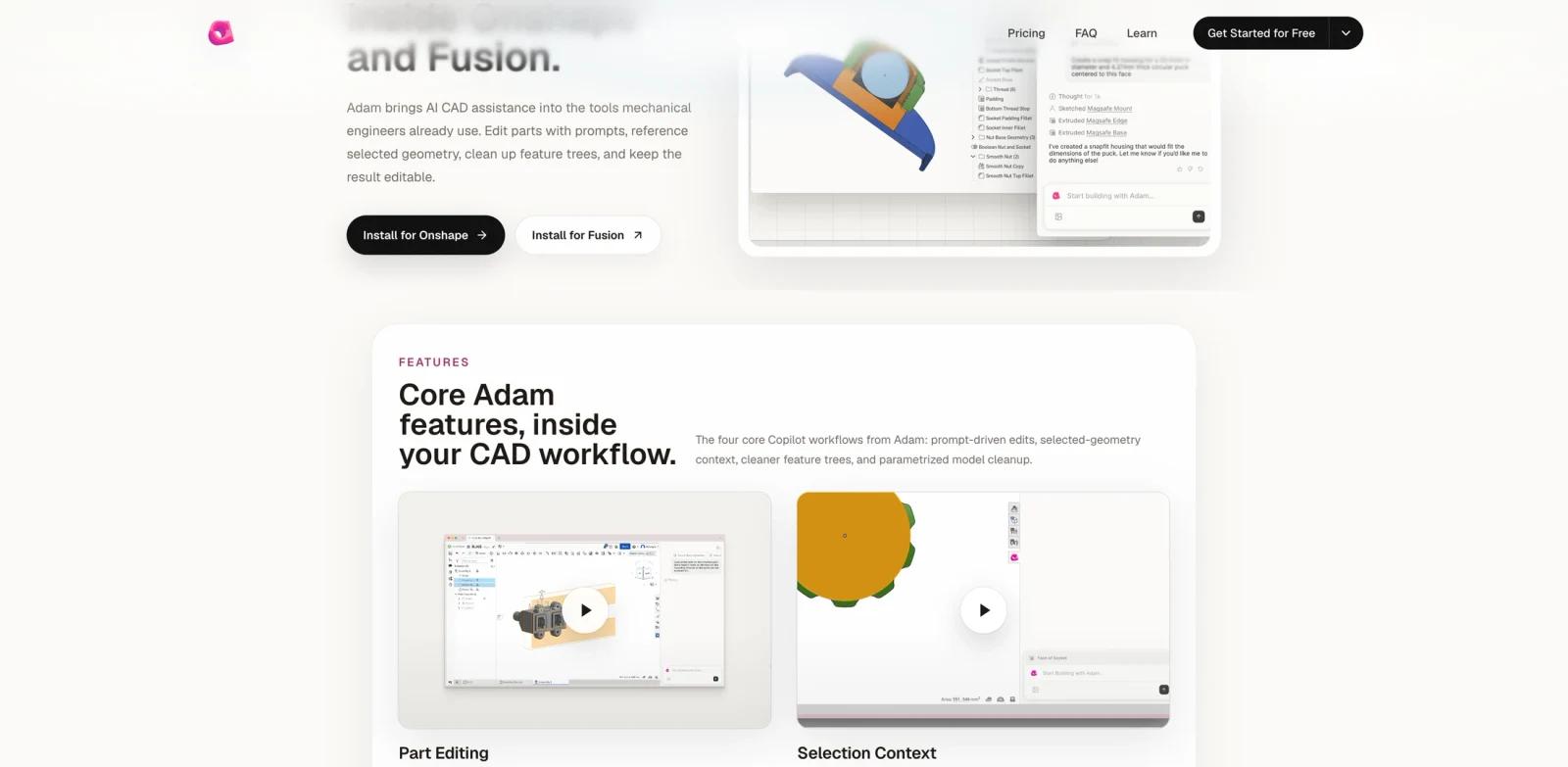
Adam CAD Copilot is an AI CAD assistant for hardware teams working in Onshape and Fusion. It brings prompt-based CAD help into the tools mechanical engineers already use, with workflows for editing parts, using selected geometry, cleaning feature trees, and improving parametrization.
The product is not a generic image-to-3D generator. It is aimed at mechanical engineers, product designers, and hardware teams who need AI assistance inside editable CAD workflows. Adam's official copilot page focuses on preserving real CAD structure rather than generating static assets that must be rebuilt manually.
Adam CAD Copilot appeared on Product Hunt's July 1, 2026 daily leaderboard with the tagline "AI CAD inside Onshape and Fusion." The official page lists four core workflows: Part Editing, Selection Context, Feature Tree Optimization, and Parametrization.
Key Features
Prompt-driven part editing - Replace repetitive CAD clicks with higher-level natural-language instructions for part changes.
Selection context - Use selected geometry as context so commands can operate on the right part of a model.
Feature tree optimization - Identify duplicate or messy features and merge or simplify them to improve model robustness.
Parametrization cleanup - Convert ad-hoc model decisions into variables that can cascade through the design.
Onshape and Fusion workflow fit - Works inside existing CAD tools rather than requiring teams to move to a separate design canvas.
Hardware-focused AI assistance - Adam's broader homepage also positions the product around CAD-adjacent hardware workflows such as BOM work, sourcing, engineering documentation, vendors, design review, and RFQ preparation.
How to Get Started
Adam CAD Copilot is best evaluated inside a real mechanical design workflow. A team should test prompt edits on a non-critical part, verify that the output remains editable, and check whether feature-tree cleanup improves or complicates downstream changes.
Compared with broader AI product design tools, Adam is more specialized. Its value depends on how often a hardware team works inside Onshape or Fusion and how much time is spent on repetitive CAD edits, feature cleanup, or preparing models for downstream review.
Pricing & Plans
Product Hunt lists Adam CAD Copilot as Free at launch, but Adam's official pricing page publishes broader Adam plans: Free, Starter at $40/month, Pro at $200/month, and Max at $1000/month. Treat the Product Hunt Free label as launch access, not as the complete pricing model.
| Plan | Price | Notes |
|---|---|---|
| Free | Free | Official Adam pricing lists 300 daily refresh credits, shared folders, custom models, persistent memory, multimodal generation, Slack/email use, and 3,000+ integrations. Product Hunt also labels the Copilot launch as Free. |
| Starter | $40/month | Official Adam pricing lists 4,000 credits plus 300 daily refresh credits and Ultra model access. |
| Pro | $200/month | Official Adam pricing lists 20,000 credits, Ultra model access, and cloud storage. |
| Max | $1000/month | Official Adam pricing lists 100,000 credits, Ultra model access, and cloud storage. |
Because Adam's Copilot launch is listed as Free while the broader Adam pricing page includes paid monthly tiers, teams should confirm which credits, usage limits, support terms, and workspace controls apply specifically to Copilot before adopting it across a design organization.
Best For
- Mechanical engineers using Onshape or Fusion for iterative part design
- Hardware teams that want AI help without leaving editable CAD environments
- Product designers who need faster cleanup of feature trees and parametric models
- Startups preparing CAD files for design reviews, sourcing, or manufacturing handoff
- Teams comparing AI 3D model generator tools but needing engineering-grade CAD editability
FAQ
What does Adam CAD Copilot do?
Adam CAD Copilot helps hardware teams edit CAD parts, use selected geometry as context, optimize feature trees, and improve parametrization inside Onshape and Fusion.
Is Adam CAD Copilot an image-to-3D tool?
No. Its official page focuses on CAD assistance inside existing engineering tools, not generating static 3D assets from images or prompts.
Which CAD tools does Adam CAD Copilot support?
The official page says Adam CAD Copilot works inside Onshape and Fusion.
How much does Adam CAD Copilot cost?
Product Hunt lists the Copilot launch as Free. Adam's official pricing page also lists paid tiers: Starter at $40/month, Pro at $200/month, and Max at $1000/month, alongside a Free plan. Teams should verify terms before relying on it at scale.
Can Adam replace CAD engineers?
No. It can speed up CAD editing and cleanup, but mechanical design decisions, manufacturability, tolerances, and safety still require qualified human review.
Who should try Adam CAD Copilot first?
Teams already using Onshape or Fusion and spending time on repetitive part edits, feature-tree cleanup, or parametric model maintenance are the best fit.