



Overview
Spectralizer is a free, open-source audio visualizer plugin for OBS Studio. It adds spectrum-style visualizations that can react to OBS audio sources, making it useful for streamers, music channels, podcasts, DJ sets, and creators who want live audio movement inside a scene.
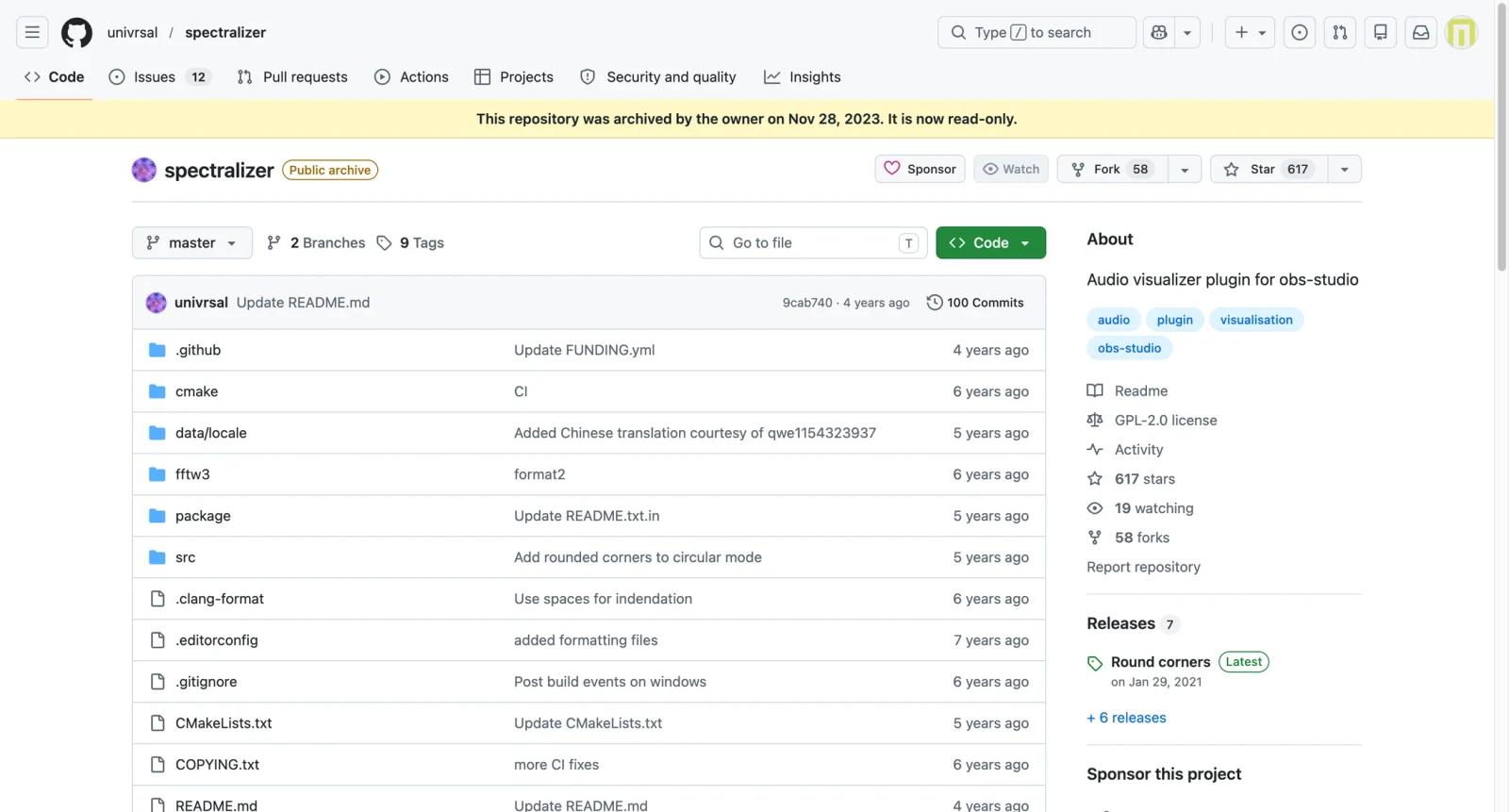
This page needs an important caveat: the official GitHub repository was archived by its owner on November 28, 2023 and is now read-only. The README also notes that Spectralizer will not be developed further and points users toward Waveform as a replacement. That does not make Spectralizer unusable, but it changes the recommendation. It is best treated as a legacy open-source plugin, not an actively maintained commercial visualizer.
For users comparing AI audio visualizer tools, Spectralizer sits in a different category. It is not an AI video generator, template site, or cloud editor. It is an OBS plugin for live scenes. If you need a rendered promotional video, a tool like Renderforest or VEED may fit better. If you need live visualization in OBS and are comfortable with plugin setup, Spectralizer can still be useful.
Key Features
- OBS Studio integration - Adds an audio visualizer source directly inside OBS scenes, so streamers can show music movement during live broadcasts or recordings.
- Spectrum-style visualization - Displays bar or spectrum-based visuals that react to audio, giving static music or podcast scenes more movement.
- Local workflow - Runs inside OBS rather than uploading audio to a cloud service, which is useful for live creators and privacy-conscious workflows.
- Open-source codebase - The GitHub repository is public under an open-source license, allowing technical users to inspect or fork the implementation.
- Multi-platform release history - Previous releases included builds and installation notes for Windows, Linux, and macOS-related workflows, though compatibility should be tested carefully.
- Legacy plugin context - The archived status is clear, helping users decide whether to install Spectralizer or evaluate newer maintained alternatives.
Pricing & Plans
Spectralizer is free. There is no paid plan, subscription, credit model, or commercial upsell attached to the archived GitHub repository.
| Plan | Pricing | Best fit |
|---|---|---|
| Open-source plugin | $0 | OBS users who want a local audio spectrum visualizer and are comfortable with legacy plugin setup |
The real cost is maintenance risk. Because the repository is archived, users should test compatibility with their OBS version, operating system, and plugin folder structure before relying on Spectralizer for production streams. For actively maintained workflows, compare current OBS audio visualizer plugins or cloud-based AI music video generator tools depending on whether you need live visuals or rendered videos.
Community & Ecosystem
Spectralizer's value comes from the OBS and open-source ecosystem. The GitHub repository has a public release history, issue archive, forks, and source code, but users should treat it as a historical project. The README specifically recommends Waveform for users looking for a replacement.
That makes Spectralizer most appropriate for technical creators who understand OBS plugin risk. If the plugin works in your setup, it can remain useful. If you are building a new production workflow, evaluate maintained alternatives before depending on an archived project.
Best For
- OBS streamers who want free local audio visualization in a live scene
- Music channels that need spectrum movement during live mixes or recordings
- Technical users comfortable testing plugin compatibility and reading GitHub release notes
- Creators who prefer local tools over cloud upload workflows
- Users comparing live OBS plugins with rendered tools such as VEED Music Visualizer
FAQ
What is Spectralizer?
Spectralizer is an open-source OBS Studio plugin that adds audio spectrum visualization to OBS scenes.
Is Spectralizer free?
Yes. Spectralizer is free and open source. There is no paid plan or subscription attached to the GitHub repository.
Is Spectralizer still maintained?
No. The official GitHub repository was archived on November 28, 2023 and is read-only. The README says Spectralizer will not be developed further.
Does Spectralizer use AI?
No. Spectralizer is not an AI tool. It is an OBS audio visualizer plugin based on audio visualization logic.
Can I use Spectralizer for live streams?
Yes, that is the main use case. It runs inside OBS scenes, so it is relevant for live streams and recordings.
What is the main risk of using Spectralizer?
The main risk is compatibility and support. Because the repository is archived, future OBS updates may break workflows and fixes may depend on forks or community work.
How does Spectralizer compare with browser visualizers?
Spectralizer is for live OBS scenes. Browser visualizers are usually better for rendering finished social videos, lyric videos, or podcast clips.
What alternative does the Spectralizer README mention?
The README points users toward Waveform as a replacement for future use.


