

Overview
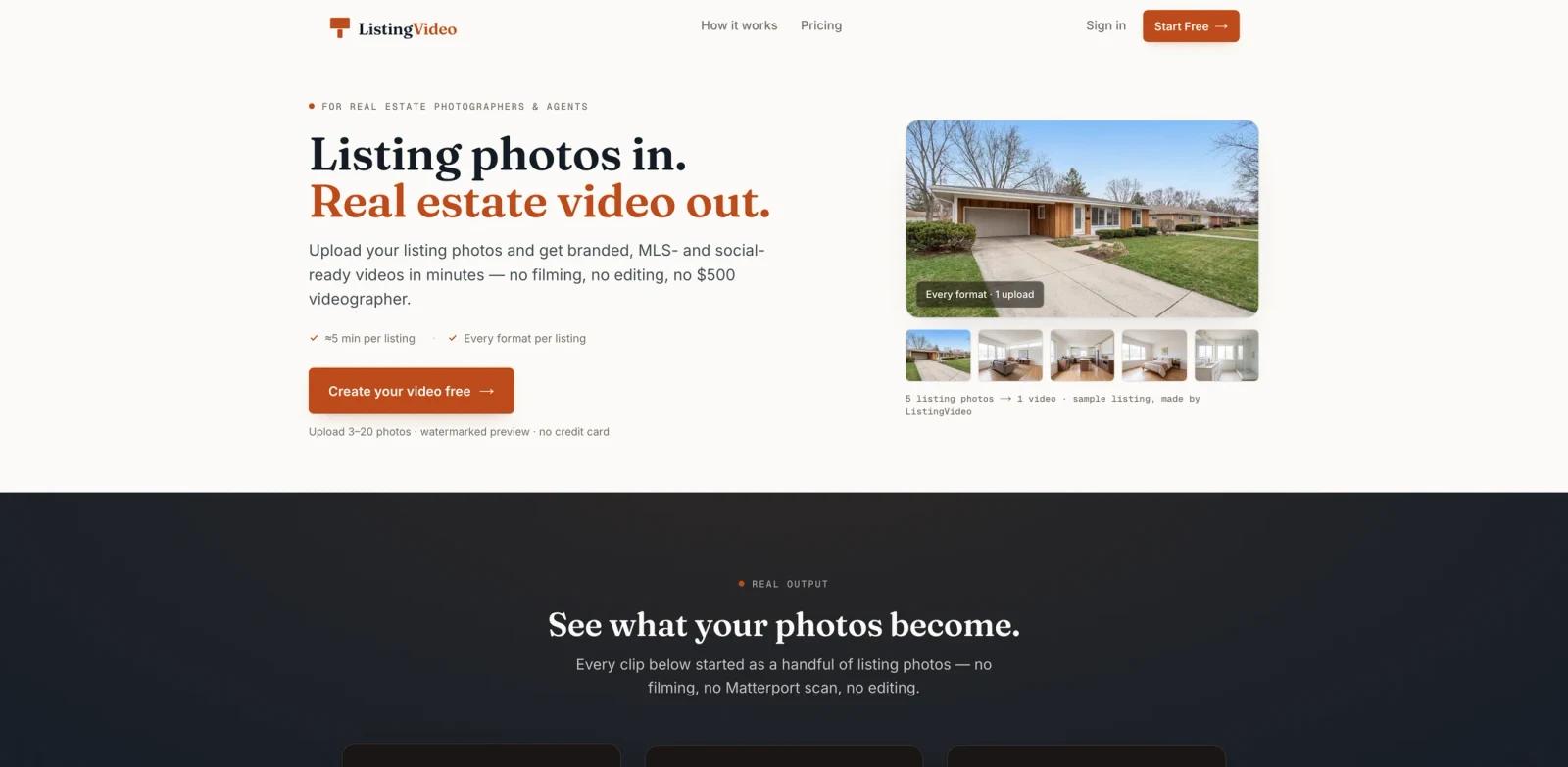
ListingVideo is a real estate video maker for agents, real estate photographers, and property media teams that need listing videos without scheduling a videographer. The product takes listing photos and turns them into property videos designed for MLS, websites, YouTube, and social channels.
The core workflow is intentionally simple: upload a set of listing photos, preview the generated video in minutes, then pay to unlock HD downloads when the result is right. ListingVideo's official site emphasizes that it does not restage rooms, swap furniture, or alter the property itself. Instead, it adds cinematic camera motion to the real listing photos so the video remains faithful to what buyers will see.
Compared with a general AI video generator, ListingVideo is narrower and more practical: it focuses on real estate listing marketing, MLS-safe outputs, branded social versions, and a workflow that photographers can resell as a listing add-on.
Key Features
- Photo-to-video listing workflow - Upload listing photos and generate a finished property video without filming, camera equipment, Matterport scans, drones, or manual editing.
- Four listing-ready cuts - ListingVideo's current homepage messaging centers on four outputs per listing: 16:9 branded, 9:16 branded, 16:9 unbranded, and 9:16 unbranded.
- MLS-safe unbranded versions - Paid listing videos include unbranded cuts without agent name, logo, or contact information, which are better suited for MLS feeds that restrict branding.
- Branded social-ready videos - Paid plans include branded and unbranded cuts, while the customizable brand kit with logo, colors, and agent information starts on Premium.
- Free watermarked preview - Users can create and review a watermarked preview before entering payment details, reducing the risk of paying before seeing the result.
- Re-render support - The site says users can request a free re-render if a room or clip looks wrong, which matters for real estate teams that need the final video to be usable with clients.
How It Works
ListingVideo is built around a three-step listing workflow.
- Upload listing photos - Start with the property photos you already have from a listing shoot.
- Preview the generated video - The product plans the room order, camera motion, and presentation, then creates a watermarked preview in minutes.
- Unlock the finished cuts - If the preview works, paid plans unlock clean HD downloads with branded and MLS-safe versions.
This makes ListingVideo most relevant when the property already has good still photos but no dedicated video budget or production timeline. Agents can use it to make a listing presentation feel more complete, while photographers can offer listing videos as an upsell without adding a second shoot.
Pricing & Plans
ListingVideo uses a freemium model. The pricing page lists 2 free listings per month, each limited to a 720p watermarked 16:9 preview, with no credit card required. Paid plans start at $39/month when billed yearly.
| Plan | Price | Best For | Key Inclusions |
|---|---|---|---|
| Free | $0 | Testing the workflow | 2 listings per month, 720p watermarked previews, 16:9 only, community support, no credit card |
| Standard | From $39/month when billed yearly ($468/year) | Solo agents shipping a few listings | 5 listings per month, 1080p, no watermark, branded and MLS-safe cuts, email support |
| Premium | From $85/month when billed yearly ($1,020/year) | Photographers and teams reselling videos | 15 listings per month, brand kit, public share link, highest render priority |
| Studio | Custom, from $299/month | Media companies and high-volume teams | 40+ listings per month, white-label, multiple seats, API access, priority support; contact sales |
The pricing page displays annual-billing equivalents of $39/month for Standard ($468/year) and $85/month for Premium ($1,020/year), while month-to-month billing costs more. Studio uses custom pricing from $299/month. The pricing page advertises a 7-day full refund for the first paid plan, but users should verify the applicable refund terms at checkout.
How It Compares
ListingVideo is not a general prompt-to-video model. It sits closer to a purpose-built AI video editor for real estate marketing because the source material is a real listing photo set and the output is a channel-ready property video.
- vs. traditional videographers - ListingVideo trades custom on-site filming for speed, lower cost, and on-demand availability. The site compares traditional listing video costs of $300-$1,000 and 3-7 day turnaround with subscription-based video creation in minutes.
- vs. virtual staging tools - ListingVideo says it does not fake staging or change the furniture. That makes it a better fit when authenticity matters more than visual transformation.
- vs. broad AI video platforms - General video platforms can create many kinds of clips, but they usually require prompts, editing decisions, or separate compliance checks. ListingVideo narrows the workflow to real estate photos, MLS-safe cuts, and branded social versions. Public share links are listed for Premium and Studio, not Free or Standard.
Best For
- Real estate agents who need same-day listing videos for MLS, Zillow, websites, and social channels
- Real estate photographers who want to test the vendor's suggested $99-$300 add-on range; actual resale pricing depends on the local market and service package
- Small property media teams that want repeatable listing video output without editing work
- Brokerages that want branded and unbranded listing assets from one upload workflow
- Agents preparing listing presentations where a property video can make the pitch feel more polished
FAQ
Is ListingVideo free to try?
Yes. The Free tier includes 2 listings per month with 720p watermarked previews, but it is limited to the 16:9 landscape format and does not require a credit card.
What does ListingVideo make from my photos?
ListingVideo turns listing photos into property videos. The current homepage messaging emphasizes four listing-ready cuts: 16:9 branded, 9:16 branded, 16:9 unbranded, and 9:16 unbranded.
Can I use ListingVideo videos on the MLS?
The pricing matrix says every paid plan includes an unbranded (MLS-safe) cut. The Free tier provides only a watermarked 16:9 preview and does not include branded or MLS-safe cuts. Users should still follow their local MLS rules.
Does ListingVideo change the property photos?
ListingVideo says it does not restage rooms, swap skies, add furniture, or change the property itself. Its positioning is to add camera motion to real listing photos rather than alter what buyers will see.
How much does ListingVideo cost?
Standard starts at $39/month when billed yearly ($468/year), Premium starts at $85/month when billed yearly ($1,020/year), and Studio uses custom pricing from $299/month. The free option allows previewing watermarked output before paying.
Who should use ListingVideo?
ListingVideo is best for real estate agents, real estate photographers, and listing media teams that already have property photos and want a fast way to create branded and MLS-safe listing videos.
Can photographers resell ListingVideo videos?
Yes. The homepage explicitly describes a photographer model where listing videos can be resold as a $99-$300 add-on to photo shoots.
Is ListingVideo a replacement for a real estate videographer?
It can replace many basic listing-video jobs where the goal is to turn photos into a polished property video quickly. It is not a full substitute for custom drone footage, agent walk-throughs, neighborhood footage, interviews, or high-end cinematic production.