

Overview
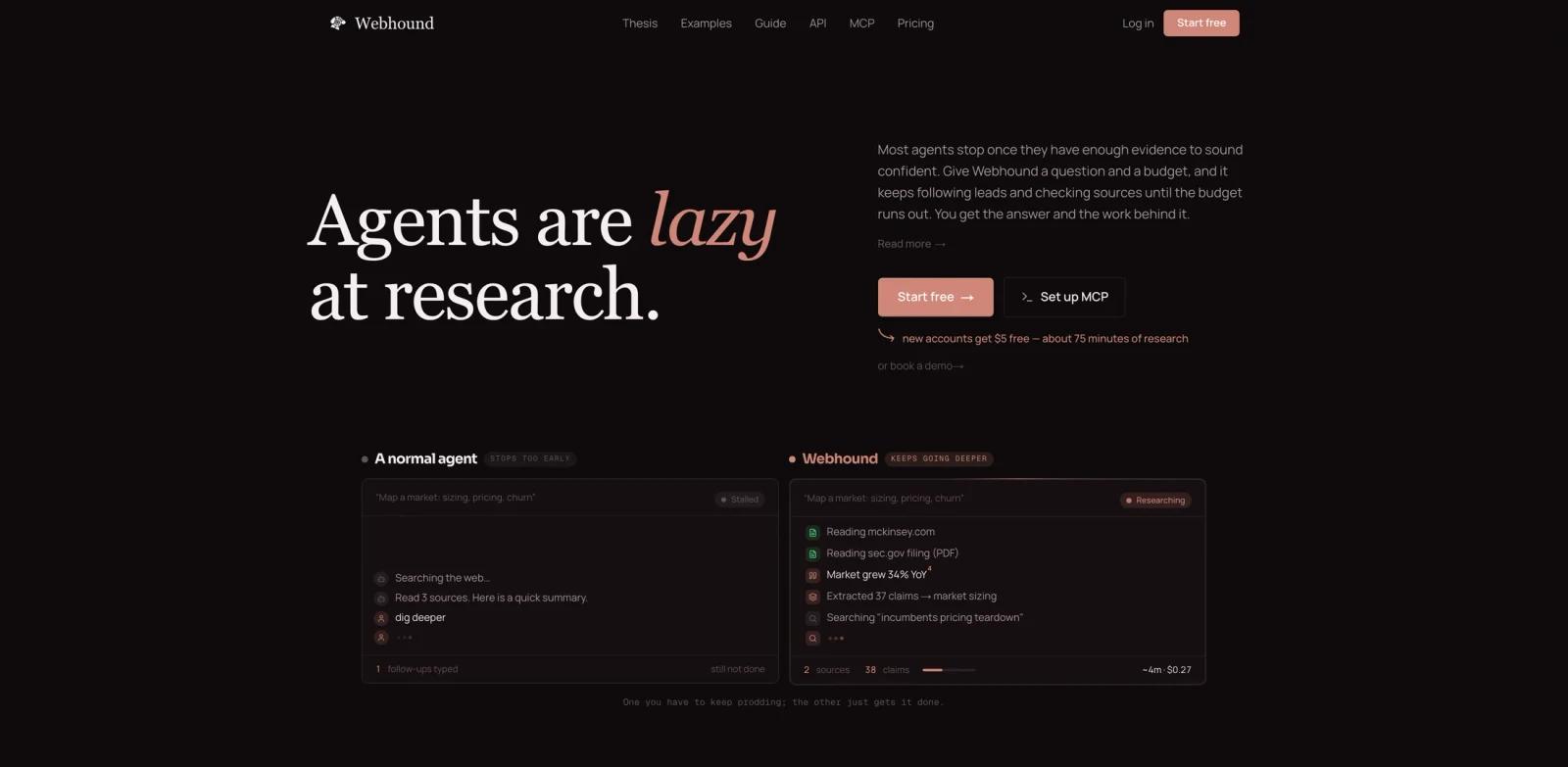
Webhound is a deep research engine built for agents and for humans who need cited evidence, not just a quick search summary. You give it a research question and a dollar budget, and it keeps searching, reading, checking sources, and following leads until the budget runs out. The result can be a cited report, a structured dataset, or machine-readable claims with evidence traces.
The product is especially relevant for teams using AI agents in coding, operations, investing, and market research workflows. A normal search tool returns a few top results. Webhound is designed to keep going deeper, expose the work behind the answer, and return structured outputs an agent can consume.
Webhound also has a clear economic model: research has no natural stopping point, so budget becomes the stop button. That is useful when a quick scan is worth $2 but a decision memo is worth $25 or more.
Key Features
- Budget-capped research - Set a dollar budget for each question so Webhound spends a controlled amount of search, reading, verification, and reasoning effort.
- Cited reports - Generate long-form analysis where claims link back to sources and tool calls, making outputs easier to audit than ordinary chatbot summaries.
- Structured datasets - Build sourced tables for market maps, company lists, product catalogs, or lead research, with CSV, JSON, and Excel-style outputs.
- Claims and traces - Return every fact with source URL, supporting quote, confidence, and trace information so downstream agents can filter weak evidence.
- Interactive UI - Use the web app when a human wants to steer, pause, verify, and share a research run manually.
- MCP and API access - Connect Webhound to Claude Code, Codex, Cursor, Manus, and other MCP/API clients so agents can launch research jobs themselves.
Integration Guide
Webhound can be used in two modes. In the UI, a person starts a Report or Dataset, writes the brief, sets the budget, and steers the run. Through MCP or API, an agent can start the same kind of research job, wait for completion, and read back the final output with claims, sources, and working documents.
That makes Webhound a good companion for Claude Code, Codex, and other agents that fail when they do not have enough current context. A coding agent can research a current framework practice, an ops agent can inspect policies and PDFs, and a market research workflow can generate sourced rows instead of shallow summaries.
Teams should define budget defaults by task type. For example, use a small budget for quick scans, a normal budget for cited investigations, and a larger budget for board-level decisions or contested claims.
Pricing & Plans
Webhound offers new accounts $5 free credit, described as about 75 minutes of research. After that, pricing is usage-based.
| Item | Price | Notes |
|---|---|---|
| Signup credit | $5 free | About 75 minutes of research for eligible new accounts |
| Thinking time | $1 per about 15 minutes | Used as the main budget planning estimate |
| Input tokens | $1 per million tokens | For model input usage |
| Output tokens | $3 per million tokens | For model output usage |
| Flash report minimum | $2 | For quick scans |
| Pro report minimum | $10 | For more reliable report work |
| Flash dataset minimum | $1 | For cheaper table-building tasks |
| Pro dataset minimum | $5 | For stronger dataset verification |
The official guidance is to pick output type first, then set a budget that matches the importance and complexity of the question.
Best For
- Operators and analysts building sourced market maps, competitor briefs, or customer research datasets
- Developer teams whose agents need current web evidence before implementing or debugging
- Investors, strategists, and founders who want cited research with a controlled budget
- Teams replacing shallow search summaries with deeper AI data analysis workflows
- Agent builders who need a research API with traceable claims
FAQ
What is Webhound?
Webhound is an AI research engine that produces cited reports, structured datasets, and machine-readable claims with evidence traces. It can be used in a web UI or through MCP and API.
How is Webhound different from search?
Search returns ranked pages for a query. Webhound follows leads, checks sources, and keeps researching until the task budget is spent.
Does Webhound work with Codex or Claude Code?
Yes. Webhound provides MCP support for agents including Codex, Claude Code, Cursor, and other MCP clients.
How much does Webhound cost?
New eligible accounts receive $5 free credit. Paid usage is budget-based, with $1 described as about 15 minutes of thinking time, plus token usage and session minimums.
What outputs can Webhound create?
It can create cited reports, sourced datasets, and structured claim traces. Datasets can be exported for spreadsheet or JSON workflows.
What are the main limitations?
Webhound can still be blocked by paywalls, private sites, logins, or bot protection. Its outputs should be reviewed, especially for high-impact decisions.