



Overview
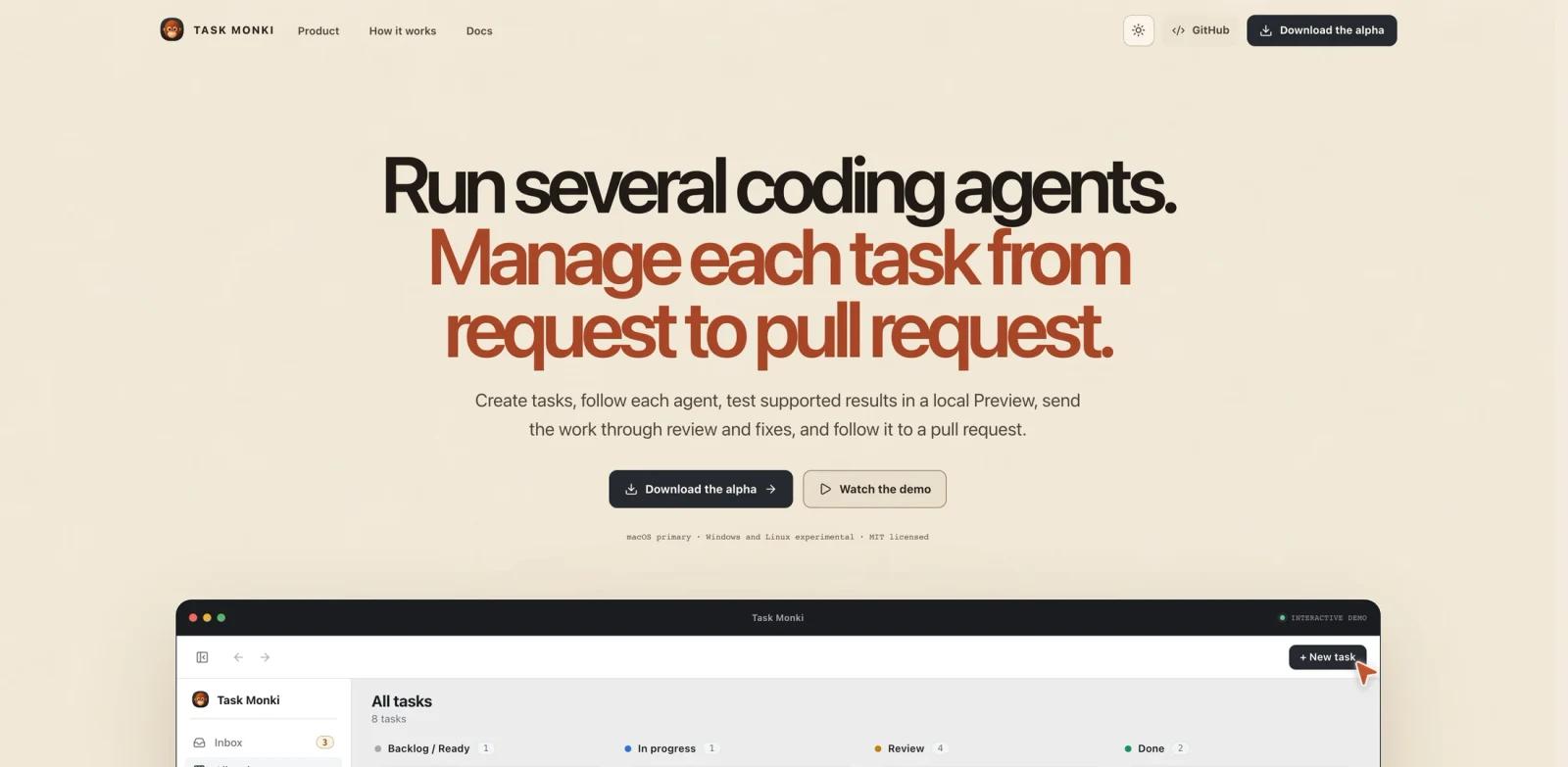
Task Monki is an open-source desktop application for managing AI coding agents through the full software development lifecycle. Product Hunt describes it as a tool for taking work from task to pull request: define a task, run several agents in parallel, watch progress, preview results, review generated code, request fixes, and coordinate multiple agents in the same discussion.
This makes Task Monki different from a single AI code generator. It is a control surface for agent work. The value is not only that an agent writes code, but that developers can compare approaches, isolate previews, hand work to another agent for review, and keep the path from prompt to PR visible.
Task Monki is most relevant for developers already using Codex, Claude, Cursor Agent, OpenCode, Grok Build, or similar coding agents and feeling the operational friction around running, reviewing, and coordinating them.
Key Features
Task-to-PR workflow - Manages a coding task from initial instruction through execution, review, fixes, and pull request preparation.
Parallel agent runs - Lets users run several tasks or agents at once instead of waiting for one agent session to finish.
Progress visibility - Provides a desktop view for following what each agent is doing, which reduces the need to jump between terminals, chats, and browser tabs.
Local result previews - Product Hunt materials highlight previews without manually setting up services or containers for every generated result.
Agent review loop - Sends work to another agent for review and fixes, helping teams catch issues before a human has to inspect every line.
Multi-agent discussions - Brings agents into the same discussion so they can compare approaches, respond to each other, and challenge assumptions.
How to Get Started
Task Monki is useful only if you already have real coding-agent work to coordinate. A practical first test is to choose a small repository and create three versions of the same task: one focused on implementation, one on tests, and one on review. Compare whether the desktop workflow helps you understand progress and select the best output faster than separate agent sessions would.
For teams already using an AI agent in daily development, Task Monki can become the layer where work is assigned, previewed, and handed through a review loop. It sits near tools like Pi Monorepo, but with a stronger emphasis on desktop orchestration and multiple coding agents rather than repository setup alone.
Pricing & Plans
Task Monki is described publicly as an open-source desktop app. No paid self-serve pricing table was found in the reviewed launch materials. Because the product coordinates external coding agents, users should also account for the cost of the models, API keys, subscriptions, GitHub usage, and any local container or preview infrastructure required by their workflow.
If a hosted or team plan appears later, buyers should check whether it adds shared task queues, organization policies, remote runners, audit logs, or managed previews.
Best For
- Developers running several coding agents in parallel and needing one desktop control surface
- Solo builders who want faster comparison between multiple implementation attempts
- Small engineering teams experimenting with agent-generated PR workflows
- Maintainers who want a visible review and fix loop before opening pull requests
- Users of Codex, Claude, Cursor Agent, OpenCode, or similar tools who need better AI productivity
FAQ
What is Task Monki?
Task Monki is an open-source desktop app for managing AI coding agents from task creation to preview, review, fixes, and pull request preparation.
Is Task Monki a coding model?
No. It is a manager for coding agents. It coordinates work performed by tools such as Codex, OpenCode, Cursor Agent, Claude Agent, and related systems.
Can Task Monki run multiple agents?
Yes. Product Hunt launch copy emphasizes running several tasks at once and bringing multiple agents into the same discussion.
Does Task Monki replace code review?
No. It can send work to another agent for review and fixes, but human review is still needed for correctness, security, maintainability, and product judgment.
How much does Task Monki cost?
The launch materials describe Task Monki as open source. Users should still consider the cost of whichever model providers or coding-agent tools they connect.
Who should avoid Task Monki?
Developers who use only one coding assistant occasionally may not need it. Task Monki is more compelling once agent work becomes frequent, parallel, or review-heavy.