

Overview
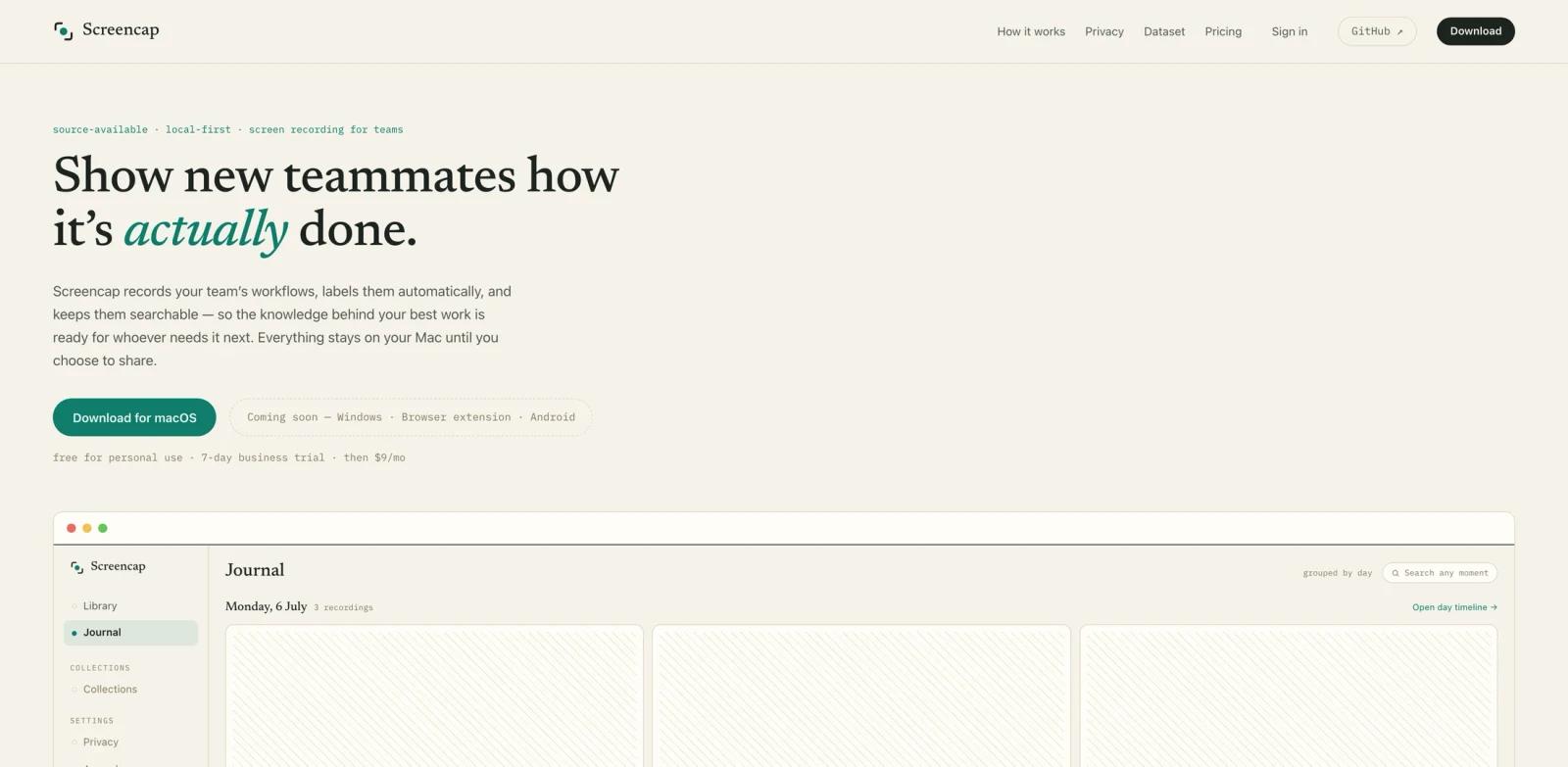
Screencap is a local-first screen memory tool for macOS teams. It records real workflows, labels them automatically, makes them searchable, and lets users share scrubbed clips or onboarding collections when they choose. The product is open source under AGPL-3.0 and is built around a privacy promise: recordings stay on the Mac unless the user chooses to share or back them up.
The tool sits between screen recording, onboarding documentation, and computer-use training data. Instead of asking experienced teammates to write step-by-step docs after the fact, Screencap captures the real task while it happens. It can segment footage into tasks, index spoken words and on-screen moments, and preserve contextual snapshots from connected MCP servers.
Screencap is not a general video editor like Screen Studio. It is closer to an AI productivity memory layer for operational work: payroll runs, CRM updates, ticket triage, reporting flows, approvals, and other repeatable processes that are hard to document accurately from memory.
Key Features
- Local-first workflow recording - Record a task or work session on a Mac while keeping footage local by default, with cloud sharing only when the user chooses it.
- Automatic task segmentation - Uses an on-device model to split recordings into labeled tasks so teams can find a specific workflow without reviewing a whole-day screen capture.
- Searchable screen memory - Indexes spoken words and on-screen moments, making real work searchable months later for onboarding, support, and process review.
- Privacy masking and blocked apps - Blocks password managers and banking before frames are written, masks email and chat while recording, and scrubs names, secrets, and PII before shared copies leave the Mac.
- MCP context capture - Queries connected MCP servers while recording so a clip can retain context about the active ticket, CRM record, payroll run, or other business object.
- Open dataset contribution - Lets users deliberately donate scrubbed recordings to an open computer-use dataset. Donation is off by default and reviewed per recording.
Privacy & Security
Screencap handles unusually sensitive data because it records the screen. Its privacy design is therefore one of the most important parts of the product.
Recordings are stored locally unless a user chooses cloud backup or sharing. The official site says shared copies are scrubbed of names, secrets, and PII before leaving the device. It also says password managers and banking apps are blocked before a frame is written, while email and chat are masked as they record.
That design is promising, but teams should still test it against their own sensitive fields. Internal account IDs, invoice references, ticket numbers, or customer-specific strings may not look like ordinary PII. Teams adopting Screencap should define custom review practices before using it for regulated workflows.
Pricing & Plans
Screencap offers a free trial and then paid plans starting at $9/month.
| Plan | Price | Best For | Notes |
|---|---|---|---|
| This Mac only | $9/month | Solo local use | Unlimited local recording and search, with encrypted file export for sharing. |
| Personal cloud | $15/month | One user across Macs | Adds encrypted backup and share-by-link for individual recordings. |
| Team cloud | Contact sales | Teams | Adds shared team library, end-to-end encryption, and ordered onboarding collections. |
The product is currently macOS-focused, with Windows listed as coming soon. Teams should confirm Apple silicon and macOS version requirements before rollout.
Best For
- Operations teams documenting repeatable workflows such as payroll, invoicing, CRM updates, and approvals
- Startups onboarding new teammates into processes that live in tools rather than formal documentation
- AI and computer-use teams collecting deliberate, scrubbed examples of real workflows
- Solo operators who want searchable local screen history without uploading everything by default
- Teams that need a more concrete alternative to manual SOP writing and meeting-based knowledge transfer
FAQ
What is Screencap?
Screencap is a local-first macOS app that records workflows, labels them, makes them searchable, and lets users share scrubbed recordings or onboarding collections.
Is Screencap open source?
Yes. Screencap is presented as open source under AGPL-3.0, and the official site links to the public GitHub repository.
Does Screencap upload everything to the cloud?
No. The official site says recordings stay on the Mac unless the user chooses a cloud plan or decides to share a scrubbed file or link.
How much does Screencap cost?
The local plan starts at $9/month for one Mac. Personal cloud is listed at $15/month, and team cloud pricing is available by contacting the company.
Can Screencap help train computer-use models?
Yes, but only when users deliberately donate recordings. The public dataset contribution flow is off by default and requires per-recording review and anonymization.
What is the biggest adoption risk?
Trust. Teams need confidence that sensitive data is masked correctly and that recordings are shared deliberately. Pilot it on low-risk workflows before using it across finance, HR, or customer data.