

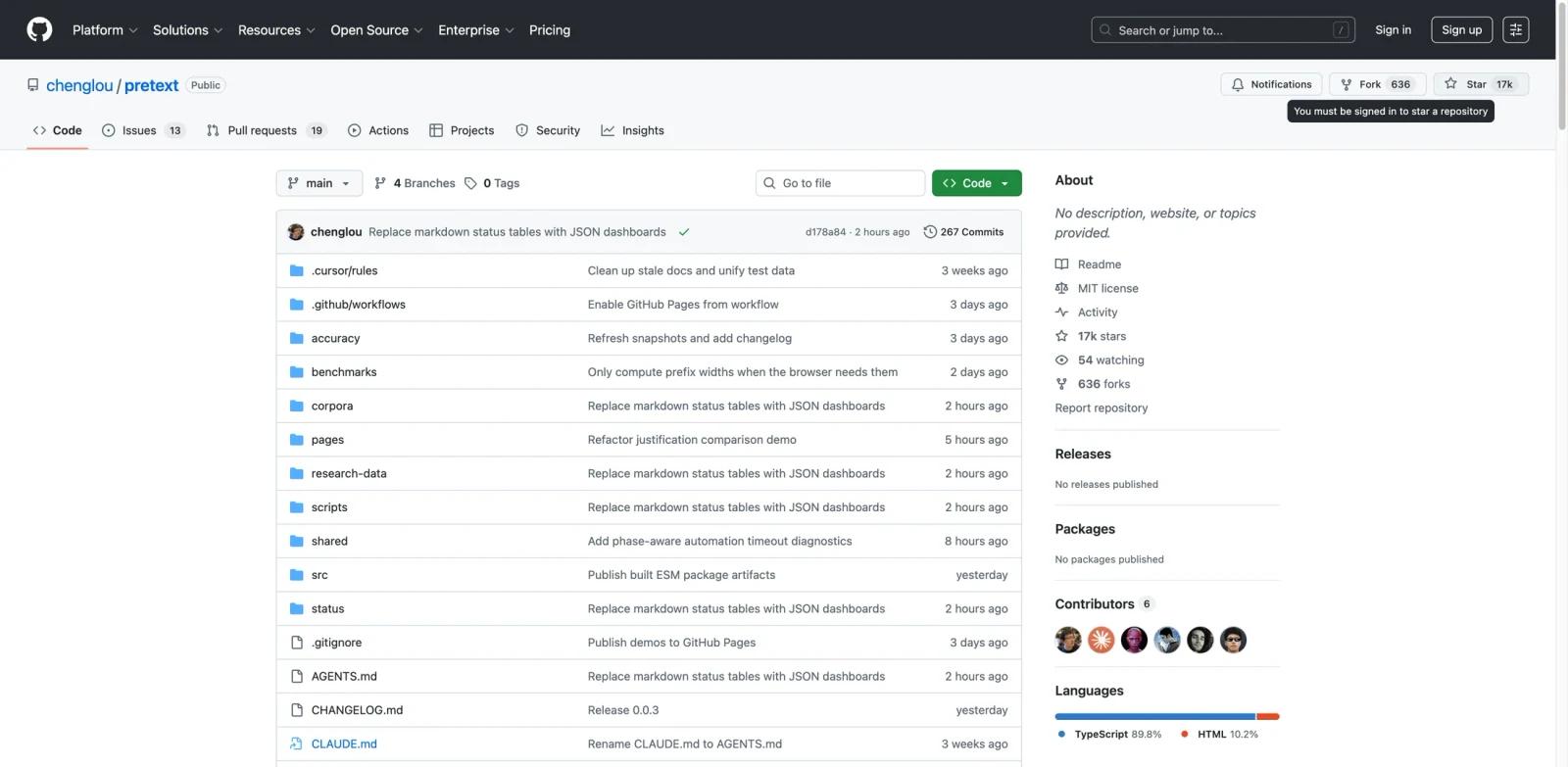
Overview
Pretext is an open-source TypeScript library that measures and lays out multiline text without touching the DOM. It sidesteps getBoundingClientRect and offsetHeight — two of the most expensive operations in the browser — by implementing its own text measurement logic using the browser's font engine as ground truth.
The library works in two phases: a one-time prepare() step that segments text and caches measurements via canvas, and a hot-path layout() call that performs pure arithmetic to calculate line breaks and heights. The layout phase runs at roughly 0.09ms per text block, making it practical for virtualized lists, dynamic grids, and any scenario where you need text dimensions before rendering.
Pretext handles all languages including Chinese, Arabic, Hebrew, emoji, mixed bidirectional text, soft hyphens, and browser-specific quirks. It was built by Cheng Lou (known for React Motion and Reason) and has surpassed 15,000 GitHub stars. The project was developed using Claude Code and Codex with an AI verifier loop testing against real browsers at various widths.
Key Features
DOM-free text measurement — Calculate paragraph height without triggering layout reflow, avoiding one of the biggest performance bottlenecks in browser rendering.
Sub-millisecond layout speed — The
layout()function runs in approximately 0.09ms per text block after preparation, fast enough for real-time resize handling and virtualized scrolling.Full language and emoji support — Works with all writing systems including CJK, RTL scripts (Arabic, Hebrew), emoji sequences, mixed bidirectional text, and soft hyphens.
Multiple rendering targets — Pretext provides layout APIs whose output can be rendered to Canvas, SVG, or WebGL, with server-side support described in official docs as planned.
Line-by-line layout control — Use
layoutWithLines()for manual line routing, enabling non-rectangular text containers like circles, polygons, or masonry layouts.Variable-width line support — The
layoutNextLine()API handles lines of different widths, useful for text wrapping around images or irregular shapes.
How to Get Started
Install the package:
npm install @chenglou/pretextImport and prepare your text:
import { prepare, layout } from '@chenglou/pretext';
const prepared = prepare("Your text here", "16px Inter");
Calculate height — Call
layout()with a container width and line height to get an object containing the text height and line count:const { height, lineCount } = layout(prepared, 300, 20); // width in pixels, 20px line-heightHandle resizes — Only re-run
layout()(notprepare()) when the container width changes. The layout call is pure arithmetic and extremely fast.Advanced usage — Use
layoutWithLines()for line-by-line rendering,walkLineRanges()for line metrics, orlayoutNextLine()for variable-width layouts.
Check the live demos for interactive examples of text height calculation, manual line routing, and width-tight multiline UI.
Pricing & Plans
Pretext is completely free and open source under the MIT license. There are no paid tiers, usage limits, or commercial restrictions.
| Aspect | Details |
|---|---|
| License | MIT |
| Cost | Free |
| npm package | @chenglou/pretext |
| Commercial use | Allowed |
| Source code | GitHub |
Best For
- Frontend developers building virtualized lists or data grids who need accurate row heights before rendering
- Teams implementing custom text layouts like masonry grids, text-in-shape rendering, or responsive accordion components
- Applications generating dynamic subtitles or captions that need pre-calculated text dimensions
- Projects where layout shift from late text measurement is a UX problem that needs solving
- Developers working with multilingual content who need reliable text measurement across all writing systems
FAQ
What problem does Pretext solve?
Pretext calculates text dimensions (height, line breaks) without rendering text to the DOM. DOM-based measurement triggers layout reflow — one of the most expensive browser operations — which causes jank in virtualized lists, dynamic grids, and resize-heavy UIs.
How fast is Pretext?
The prepare() phase takes about 19ms for a batch of 500 texts. The layout() phase runs at approximately 0.09ms per text block — pure arithmetic over cached measurements with no DOM involvement.
Does Pretext work with all languages?
Yes. Pretext supports all writing systems including Chinese, Japanese, Korean, Arabic, Hebrew, emoji sequences, mixed bidirectional text, and soft hyphens. It handles browser-specific quirks across these scripts.
Can I use Pretext for web design and production apps?
Yes. Pretext is MIT licensed and free for commercial use. It's designed for production scenarios like virtualized scrolling, dynamic content grids, and any UI that needs text dimensions calculated ahead of rendering.
Does Pretext work server-side?
Currently, Pretext requires the canvas API for the prepare() phase. Server-side support is planned but not yet available. Browser usage is fully supported today. Web Worker usage depends on OffscreenCanvas availability.
What CSS text properties does Pretext support?
Pretext targets standard CSS text behavior: white-space: normal (default, collapses whitespace) and white-space: pre-wrap (preserves spaces, tabs, and line breaks). It follows word-break: normal, overflow-wrap: break-word, and line-break: auto semantics.
How does Pretext compare to DOM-based measurement?
DOM measurement using getBoundingClientRect or offsetHeight triggers synchronous layout reflow. In virtualized lists with hundreds of items, this creates significant performance bottlenecks. Pretext avoids reflow entirely by computing layout arithmetically from cached font measurements.
Who built Pretext?
Pretext was created by Cheng Lou, known for React Motion and the Reason programming language. The project was developed using AI-assisted coding with Claude Code and Codex, verifying against real browser output across various container widths over several weeks.