



Overview
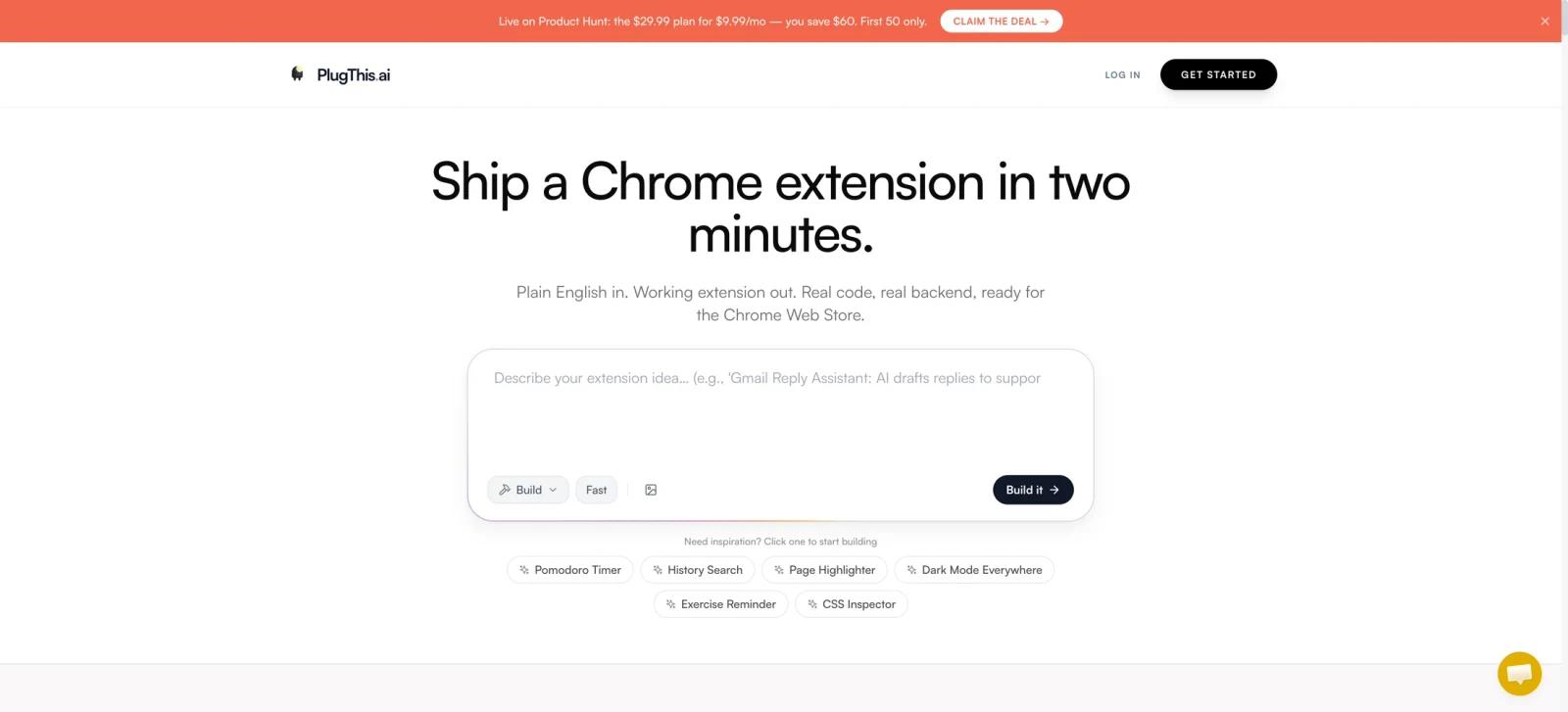
PlugThis is an AI builder focused specifically on Chrome extensions. A user describes the extension they want in plain English, then PlugThis generates a working project with Chrome extension architecture, including Manifest V3 code, popup UI, scripts, and optional backend components.
The narrow focus is its main value. General AI app builders can be useful for web apps, but Chrome extensions require a manifest and may also need content scripts, service workers, permission declarations, and store packaging depending on their behavior. PlugThis positions itself as a builder for that structure rather than as a generic UI prototype generator.
Key Features
- Prompt-to-extension workflow - Describe a browser task in plain English and use iterative chat to create or refine the extension.
- Manifest V3 architecture - PlugThis says it generates the code and project structure required for modern Chrome extensions, not only a visual mockup.
- Popup, scripts, and browser behavior - Build a complete extension including its popup interface, content scripts, background logic, and packaged project files.
- Optional Supabase backend - The public pricing page assigns full-stack Supabase and LLM support to the Builder plan. Connect Supabase for authentication, database storage, or server-side logic after confirming that the selected plan includes this capability.
- AI-enabled extensions - The site describes bring-your-own-key support for OpenAI, Anthropic, and Gemini. Its pricing page lists full-stack LLM support under Builder, so confirm plan eligibility before subscribing.
- Export and store path - Download the generated folder, load it into Chrome, and prepare the project for Chrome Web Store submission.
How to Get Started
Start with one narrow browser workflow, such as highlighting page text, searching browsing history, transforming selected text, or collecting research. Describe the desired behavior and iterate until the extension works in a local Chrome install.
Before publishing, review the generated code and Chrome permissions. AI generation can accelerate an extension's first version, but a human should verify permission scope, credential handling, privacy disclosures, and Store policy compliance. That review is especially important for extensions that read page content, use APIs, or include user accounts.
If the project grows beyond an extension, a visual AI app builder or a developer-focused visual editor such as Inspector may be a better fit for the surrounding product.
Pricing & Plans
PlugThis offers a free tier with enough builds to ship the first 1–2 extensions, with no credit card, watermarks, output restrictions, or time limits on completed extensions. Paid plans start with Starter at $9.99/month for one extension and unlimited chats. The pricing page also advertises a Product Hunt offer of $9.99/month for the first three months, then $29.99/month, for three extensions and unlimited chats.
| Plan | Price | Notes |
|---|---|---|
| Free | $0 | Enough builds to ship the first 1–2 extensions; no card, watermarks, output restrictions, or time limits on completed extensions |
| Starter | $9.99/month | One extension, unlimited chats, Chrome Web Store shipping, and full code ownership |
| Builder — Product Hunt offer | $9.99/month for 3 months, then $29.99/month | Limited to the first 50 eligible users with code PRODUCTHUNT; three extensions, unlimited chats, full-stack Supabase and LLM support, priority support, and troubleshooting calls |
PlugThis currently lists month-to-month pricing and says there are no annual contracts. Product Hunt pricing, availability, and eligibility can change, so verify the official pricing page before subscribing.
Best For
- Founders and operators automating a repeated browser task
- Product teams prototyping a companion extension for an existing SaaS
- Non-specialists who need a starting point for a Manifest V3 extension
- Developers who want an AI coding accelerator but plan to review and own the resulting code
FAQ
What is PlugThis?
PlugThis is an AI builder for generating working Chrome extensions from plain-English prompts, including Manifest V3 code, UI, scripts, and optional backends.
Does PlugThis create real code?
Yes. Its site says it produces downloadable Chrome extension code and project files, rather than only a design mockup.
Can I connect a backend?
PlugThis supports connecting Supabase for features such as authentication, database storage, and server-side logic.
Can it build AI-powered Chrome extensions?
Yes. The product describes extensions that use an OpenAI or Gemini API key for writing, summarization, translation, and reply workflows.
How much does PlugThis cost?
PlugThis has a free tier with enough builds to ship the first 1–2 extensions. Starter costs $9.99/month for one extension and unlimited chats.
Should I publish generated code without review?
No. Test it locally and review permissions, API-key handling, privacy behavior, and Chrome Web Store requirements before distribution.