

Overview
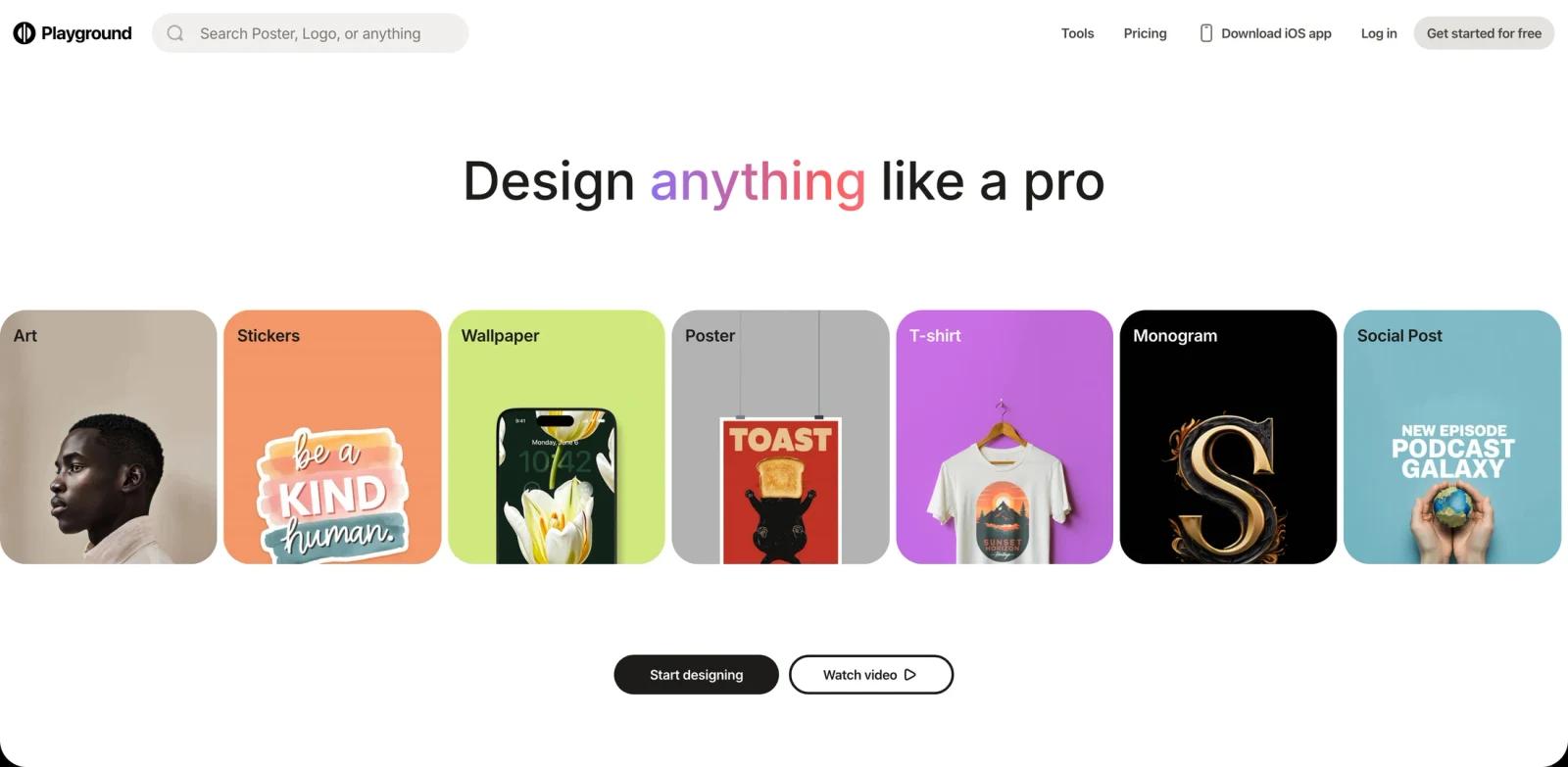
Playground AI is a free-to-start AI design tool for creating logos, stickers, wallpapers, posters, T-shirt graphics, social posts, monograms, mockups, and image edits from a browser-based workspace. The current product redirects from playground.ai to playground.com and positions itself as a design platform rather than a raw prompt-only image generator: users choose a format, start from templates or product-specific workflows, and then generate or refine visual assets.
The tool fits creators who want faster production of everyday graphics without opening a professional design suite for every task. It overlaps with AI image generator tools, but its stronger fit is practical design output: templates, downloads, SVG exports, background removal, upscaling, AI resize, and product-focused formats like posters, mockups, cards, invites, patterns, and merchandise graphics.
Compared with more general AI graphic design tools, Playground AI is best when the end goal is a reusable design file or campaign asset rather than a single experimental image. It also gives paid users commercial licensing and higher credit limits, which matters for creators producing assets for stores, client work, or repeat social campaigns.
Key Features
- Format-specific AI design workflows - Playground gives users entry points for logos, posters, stickers, social posts, wallpapers, T-shirts, monograms, e-book covers, cards, invites, patterns, mockups, and memes, so the creative process starts with the intended output instead of a blank prompt box.
- Template and product library - Paid plans unlock the full premium template library, helping creators reuse layouts, compositions, and product formats while still customizing the generated design.
- Multiple image models and credit pools - The pricing page lists model access across Playground v3, Nano Banana, GPT Image 2, Seedream, and Nano Banana Pro, with monthly credits varying by plan.
- Image editing utilities - Playground includes background removal, upscaling, AI resize, file conversion, and AI image editing for extending, resizing, or refining generated assets.
- Commercial-use licensing on paid plans - Pro and Pro Plus include a worldwide, royalty-free commercial license, which is important for creators selling products or producing client visuals.
- Higher generation limits for professional use - The free plan supports limited casual creation, while Pro increases generation windows and Pro Plus removes standard generation caps.
Pricing & Plans
Playground AI uses a freemium model. The free plan is suitable for exploration and casual creation, but it has limited model access, limited image generation, slower peak-hour generation, and no royalty-free commercial license.
| Plan | Price | Best fit |
|---|---|---|
| Free | $0 | Casual exploration, non-commercial testing, and limited image generation |
| Pro | $12/month billed annually, or $15/month monthly | Serious creators who need faster generation, 150 monthly model credits, premium templates, upscaling, background removal, 2K editing, and commercial use |
| Pro Plus | $36/month billed annually, or $45/month monthly | Professionals who need unlimited standard generations, 1,000 monthly model credits, Nano Banana Pro access, 4K editing, priority support, API access request, and shopping discounts |
Check Playground's pricing page before purchase because model names, credit rules, and annual discounts can change.
Best For
- Solo creators who need quick visual assets for products, social posts, or personal stores
- Marketers producing repeat posters, mockups, and social graphics
- Small businesses that need design output without hiring for every asset
- Print-on-demand sellers exploring T-shirt, sticker, and merchandise concepts
- Users comparing AI image editor tools with a more template-driven design workflow
FAQ
What is Playground AI?
Playground AI is a browser-based AI design tool for generating and editing visual assets such as logos, posters, stickers, wallpapers, mockups, and social posts.
Is Playground AI free?
Yes. Playground has a free plan for exploration and casual creation, but it limits generation volume, model access, and commercial licensing.
How much does Playground AI Pro cost?
Playground Pro is listed at $12/month when billed annually or $15/month when billed monthly. Pro Plus is listed at $36/month annually or $45/month monthly.
Can I use Playground AI designs commercially?
Commercial use is included on paid Pro and Pro Plus plans. The free plan is marked for non-commercial use.
What models does Playground AI support?
The pricing page lists access across Playground v3, Nano Banana, GPT Image 2, Seedream, and Nano Banana Pro, with monthly credit limits depending on the plan.
Who should use Playground AI?
It is best for creators, marketers, small businesses, and sellers who need quick AI-generated design assets with templates and editing tools.