



Overview
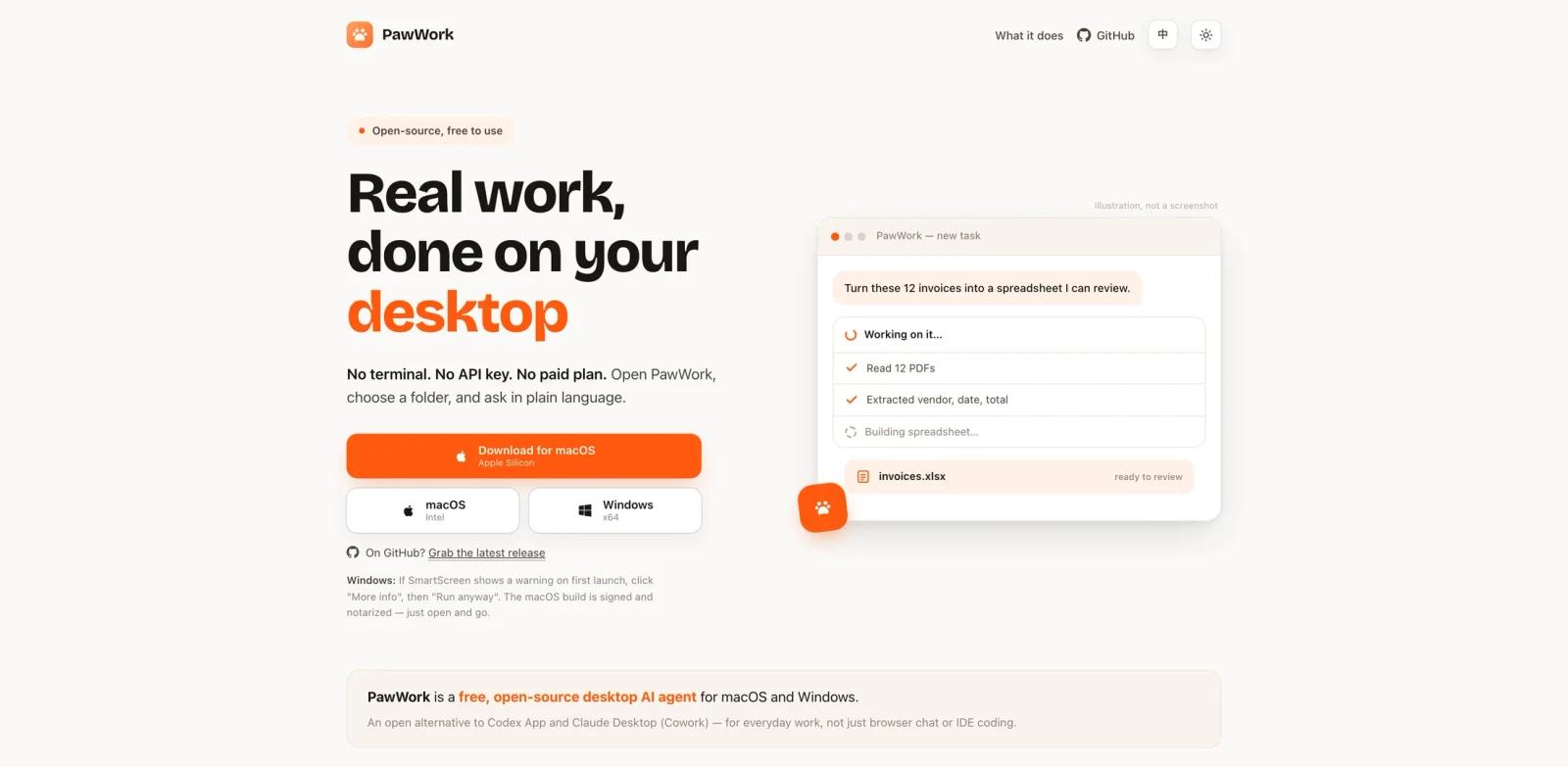
PawWork is a free, open-source desktop AI agent for macOS and Windows. Its official site positions it as an app for "real work, done on your desktop": choose a folder, ask in plain language, and let the agent work with files, office documents, web research, and code while keeping the workspace local.
Unlike a browser chatbot, PawWork is designed to act on the user's actual files. The site shows examples such as turning invoices into a spreadsheet, producing a vendor comparison memo, reviewing a pull request, and working with Word, Excel, and PowerPoint files. It is also positioned as an open alternative to Codex App and Claude Desktop for everyday desktop work.
PawWork belongs in the AI agent category, but its strongest differentiator is practical desktop coverage for non-developer files as well as code. It is not only an AI code generator; it targets document, research, spreadsheet, and review workflows too.
Key Features
Desktop-first workflow - Runs as a local desktop app where users choose a workspace folder and review actions before they happen.
Office document support - Public examples include Word, Excel, and PowerPoint tasks such as invoice extraction, spreadsheet creation, and document editing.
Research and memo generation - Can gather information, compare options, and produce decision-ready summaries from web and file context.
Code review assistance - The official site shows a pull request review example, making PawWork relevant for light development workflows as well as office work.
Broad model provider support - PawWork advertises built-in free access through OpenCode Zen plus API keys, ChatGPT OAuth, OpenAI-compatible providers, and local models.
Open-source and local-first positioning - Files stay on the user's machine, and the source is public for inspection.
How to Get Started
PawWork is best evaluated with a folder that contains real files but low risk. Good first tasks include turning invoices into a spreadsheet, summarizing meeting notes, comparing two proposals, drafting a document from source files, or reviewing a small pull request.
Because PawWork can touch local files, start with a copied workspace or a Git-controlled folder. Review actions before approving them, and keep a clear boundary between experiments and sensitive client data. If the task is mostly browser automation, compare it with a more specialized AI workflow generator. If it involves local documents, PawWork is the more natural fit.
Pricing & Plans
PawWork's official site describes the app as free and open source, with no subscription required. It includes a free built-in OpenCode Zen plan with web search, and users can connect their own providers, including OpenAI, Claude, Gemini, DeepSeek, Kimi, Ollama, LM Studio, and other OpenAI-compatible or local models.
There is no paid PawWork pricing table in the reviewed materials. Costs may still come from the model provider or API key selected by the user.
Best For
- Knowledge workers who want an AI agent to work with local files and office documents
- Developers who need occasional code review plus broader desktop assistance
- BYOK users who want access to many model providers from one desktop app
- Privacy-conscious users who prefer open-source, local-first software
- Teams comparing desktop AI productivity tools for document, spreadsheet, research, and code tasks
FAQ
What is PawWork?
PawWork is a free, open-source desktop AI agent for macOS and Windows that can work with local files, office documents, web research, and code tasks.
Is PawWork only for developers?
No. It includes code review examples, but the official site also highlights invoices, spreadsheets, research memos, Word documents, Excel files, and PowerPoint work.
Does PawWork require an API key?
The site says users can start with the built-in OpenCode Zen plan or connect their own provider keys, ChatGPT OAuth, OpenAI-compatible providers, or local models.
Is PawWork free?
Yes. The official site describes PawWork as free and open source with no subscription required. Model-provider costs may apply if you connect paid APIs.
Does PawWork keep files local?
PawWork's official positioning says files stay on the user's machine and that users choose the workspace and review actions before they run.
What should I test first?
Use a copied folder or Git-controlled workspace and ask PawWork to produce a concrete file output, such as an invoice spreadsheet, vendor comparison, meeting-note summary, or small PR review.