



Overview
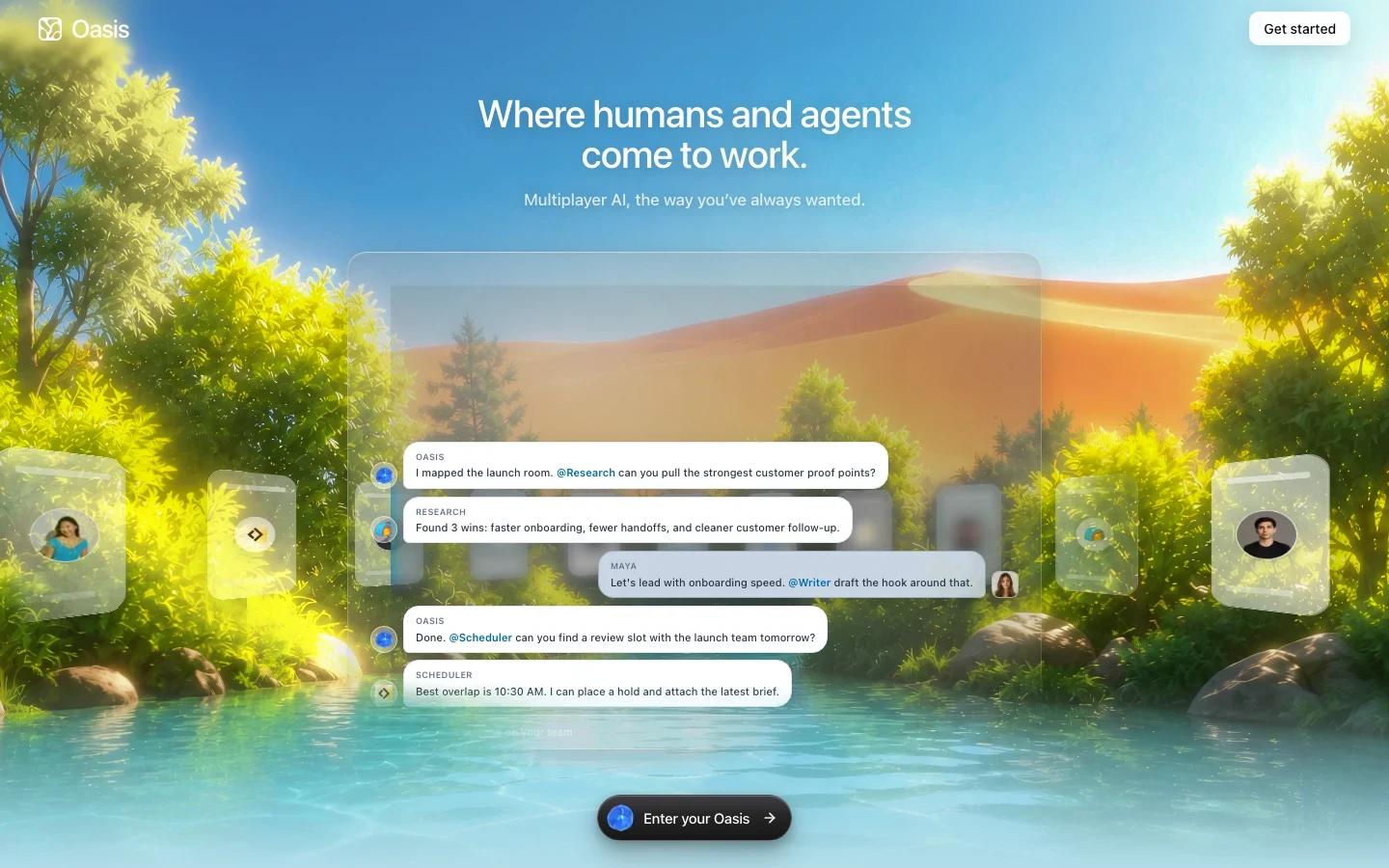
Oasis is a multiplayer AI workspace where humans and agents work together in shared rooms. The product is built around a few core objects: rooms, agents, messages, tasks, artifacts, and memory. Instead of keeping AI agents in separate chats or background services, Oasis puts them beside teammates in a shared collaboration environment.
The product fits teams that already use agents for research, coding, operations, writing, or customer workflows and now need coordination. A room can include people and agents, messages hold the conversation, tasks track multi-step goals, and artifacts keep the work itself in one place. That makes Oasis a broader collaboration layer for the AI agent category rather than a single-purpose chatbot.
Oasis is also designed for heterogeneous agent setups. Its docs describe agents that can run on the Oasis cloud, an outside service such as Devin or Manus, or a connected client such as Claude Code. For teams experimenting with multiple providers and workflows, that flexibility is the main reason to evaluate it.
Key Features
Shared agent rooms - Humans and agents communicate in the same room, with shared messages, files, and work context instead of scattered one-off chats.
Configurable agents - Each agent has a name, role, standing instructions, model, and optional tools such as Gmail or Linear.
Task tracking - Agents can use tasks to track multi-step work, making it easier to see what is active, finished, or blocked.
Collaborative artifacts - Documents, briefs, spreadsheets, and code live in the room so humans and agents can edit the same work side by side.
Compounding memory - Agents build shared workspace memory across runs, helping future agents start with more context.
Integrations and local agents - Pricing and docs mention integrations, connected local agents, bring-your-own API keys, and frontier models on paid plans.
Integration Guide
Oasis is best adopted as a coordination layer, not as a replacement for every specialist tool. Start with one workflow where handoffs are already messy: research synthesis, product launch planning, customer follow-up, weekly reporting, or lightweight engineering coordination. Put the people, agents, files, and tasks in one room and measure whether the workflow becomes easier to follow.
For technical teams, Oasis can sit alongside tools such as Claude Code, Manus-style agents, and internal automations. The important design choice is which agents can see which rooms, which integrations they can use, and which actions require human approval.
Teams comparing agent protocols through resources like the MCP vs A2A protocol comparison should pay attention to governance. A shared room makes agents easier to coordinate, but it also concentrates context, files, messages, and permissions in one place.
Pricing & Plans
Oasis has a free plan and paid team plans. The pricing page lists Free at $0 per month for up to 3 seats, 10 integrations, 10 scheduled rooms per month, and open-source models. Starter is $19 per month with up to 10 seats, 25 integrations, 20 scheduled rooms per month, and access to all models with pay-as-you-go usage. Pro is $199 per month for up to 50 seats, more integrations, policies, admin, exports, SSO, and audit. Enterprise is custom.
| Plan | Price | Best fit |
|---|---|---|
| Free | $0/month | Small teams testing rooms, agents, and open-source models |
| Starter | $19/month | Growing teams that need more seats, integrations, and frontier models |
| Pro | $199/month | Teams needing admin controls, exports, SSO, and audit |
| Enterprise | Custom | Larger deployments with data residency, support, and advanced governance |
Best For
- Teams coordinating several AI agents across research, writing, operations, or engineering tasks.
- Product and growth teams that want agents and people in the same launch room.
- Operators who need shared memory and visible task state for recurring workflows.
- Technical teams connecting local or external agents into a broader AI productivity workspace.
- Organizations that want to pilot human-agent collaboration before building internal tooling.
FAQ
What is Oasis?
Oasis is a multiplayer AI workspace where humans and agents collaborate in shared rooms with messages, tasks, artifacts, integrations, and memory.
Is Oasis free?
Yes. The pricing page lists a Free plan at $0 per month. Paid plans start at $19 per month for Starter.
What are rooms in Oasis?
Rooms are shared spaces where people and agents work together. Everyone in a room can see the same messages, files, and work context.
What can Oasis agents do?
Agents can read messages, follow a role and system prompt, use optional tools, track tasks, work on artifacts, and build memory across runs.
Does Oasis support external or local agents?
The docs describe agents that can run on Oasis cloud, outside services such as Devin or Manus, or connected clients such as Claude Code.
Who should use Oasis?
Oasis is best for teams with repeatable workflows that require people and multiple agents to coordinate around the same context.
What should teams review before adopting it?
Teams should review data retention, room permissions, integration access, model restrictions, BYO key behavior, and audit requirements before adding sensitive workflows.