



Overview
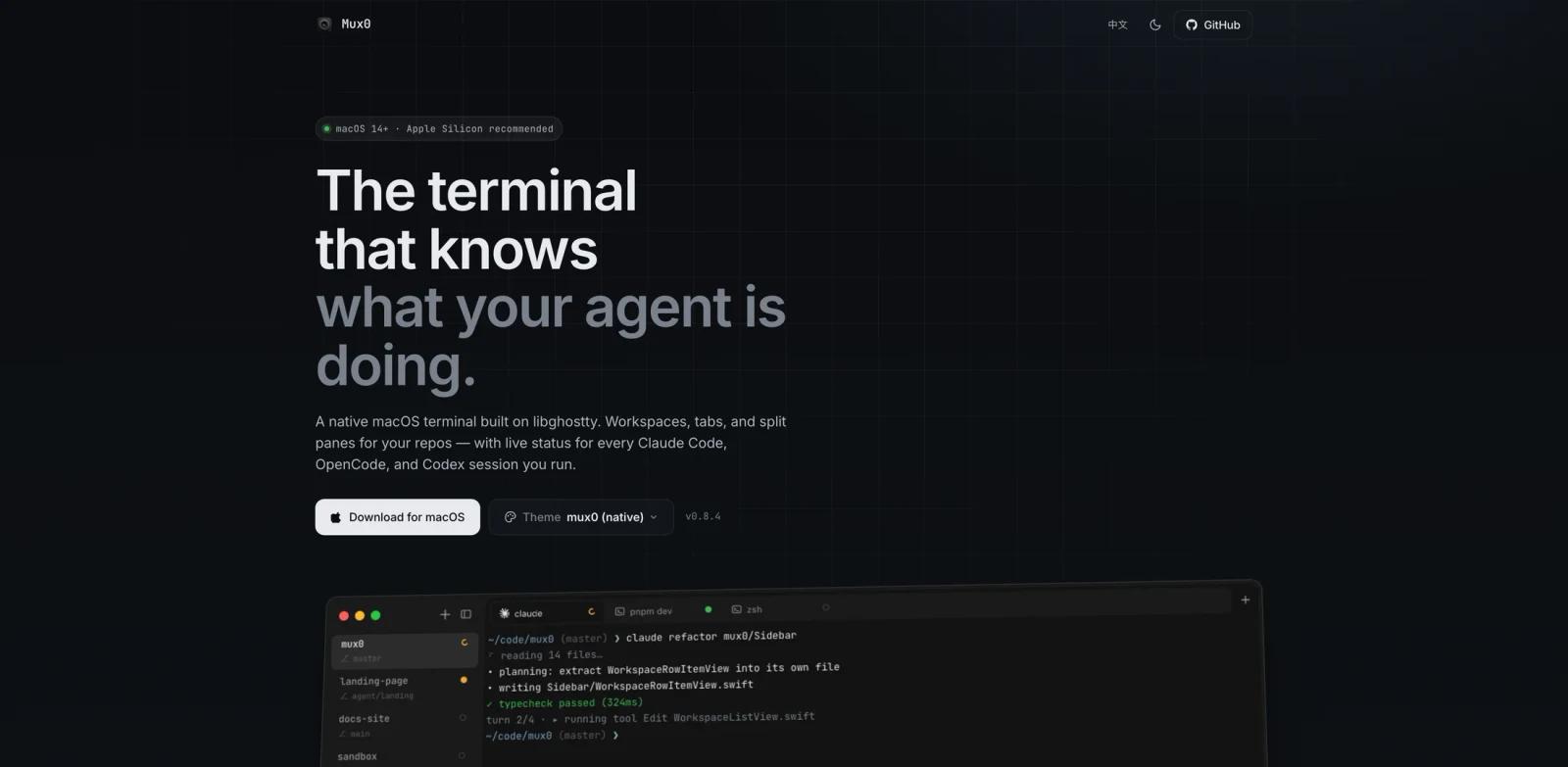
Mux0 is a native macOS terminal designed for developers who spend a lot of time running AI coding agents. Instead of treating an agent session like an opaque terminal process, Mux0 shows live status for Claude Code, OpenCode, and Codex sessions directly in the app's sidebar and tabs.
The core idea is simple: your terminal should show when an AI agent is running, waiting for input, finished, or failed. That makes Mux0 especially useful for developers who run multiple long agent tasks across different repositories and need a faster way to see what needs attention.
Mux0 is built on libghostty with a native macOS interface. It combines GPU-rendered terminal performance with project-level workspaces, tabs, split panes, persistent layouts, Git branch metadata, and local-only agent hooks. It is not a broad AI IDE or a cloud agent platform; it is a focused terminal layer for people already using tools like Claude Code and Codex in daily development.
Key Features
- Live agent status - Mux0 marks each agent session as running, idle, waiting for input, successful, or failed, so you can scan multiple Claude Code, OpenCode, and Codex runs without opening every pane.
- Native macOS terminal engine - The app uses libghostty on Metal for low-latency rendering, crisp text, and a non-Electron desktop experience.
- Project-first workspaces - Repositories can be organized as workspaces with tabs and split panes, making it easier to keep separate coding tasks, test runs, and agent sessions together.
- Persistent layout recovery - Workspaces, tabs, split trees, and working directories survive restarts, which helps when you return to a complex multi-repo setup.
- Local socket agent hooks - Agent events stream to a Unix domain socket on your machine, and the official site states that Mux0 itself requires no cloud account and has no telemetry.
- Git and sidebar metadata - Workspace rows can show Git branch, open PR, and notification information, which helps turn the terminal into a compact project dashboard.
How to Get Started
- Check system requirements - Mux0 requires macOS 14 Sonoma or later, with Apple Silicon recommended.
- Download the app - Use the macOS download link from the official Mux0 site or GitHub release page.
- Create a workspace - Add the repository directories where you normally run coding agents.
- Enable agent integrations - In Settings, toggle support for Claude Code, OpenCode, or Codex depending on the agents you use.
- Run normal terminal sessions - Start your agent commands from Mux0 tabs; the sidebar and tab indicators update as hooks report status.
Pricing & Plans
Mux0 is currently free for personal and commercial use. The source is published under a source-available license, so users can inspect the project and prepare pull requests, but the license does not allow redistributing Mux0 as a competing product, bundled app, or hosted service.
| Plan | Price | Best fit |
|---|---|---|
| Free | Free | Individual developers and teams using Mux0 as a terminal |
| Source-available code | Free to inspect and contribute under license terms | Developers who want to audit behavior or submit improvements |
No paid team plan, cloud subscription, or account requirement is advertised on the official site at the time of review.
Best For
- Developers running multiple Claude Code, OpenCode, or Codex tasks across repositories.
- AI-heavy engineering teams that want a clearer command-center view without adopting a new IDE.
- macOS users who like Ghostty-style terminal performance but want project workspaces and agent-aware status.
- Builders comparing AI code generator workflows and looking for better visibility into agent runs.
- Developers who prefer local desktop tools with no required account or telemetry.
FAQ
What is Mux0?
Mux0 is a native macOS terminal built on libghostty. It adds workspaces, tabs, split panes, and live status indicators for Claude Code, OpenCode, and Codex sessions.
Which AI coding agents does Mux0 support?
Mux0 supports Claude Code through settings injection, OpenCode through a bundled plugin, and Codex through hooks that are currently described as experimental.
Is Mux0 free?
Yes. The official site says Mux0 is free for personal and commercial use, though redistribution is restricted by its source-available license.
Does Mux0 need an internet connection?
Mux0 itself is designed to work offline and reports agent status through a local Unix domain socket. Your coding agents may still connect to their own model providers.
How is Mux0 different from Ghostty or iTerm2?
Ghostty and iTerm2 are general-purpose terminals. Mux0 uses libghostty for the terminal engine and adds project workspaces plus AI-agent status indicators for coding-agent workflows.
Who should skip Mux0?
Developers outside macOS, teams that require a fully permissive open-source license, and users who do not run AI coding agents may get less value from Mux0 than from a standard terminal.