



Overview
memi, also branded as Memoire, is a design-system memory layer for coding agents. It helps tools such as Codex, Claude Code, Cursor, OpenCode, and other agent environments understand a product's tokens, components, Figma context, UX rules, and design-system constraints before editing code.
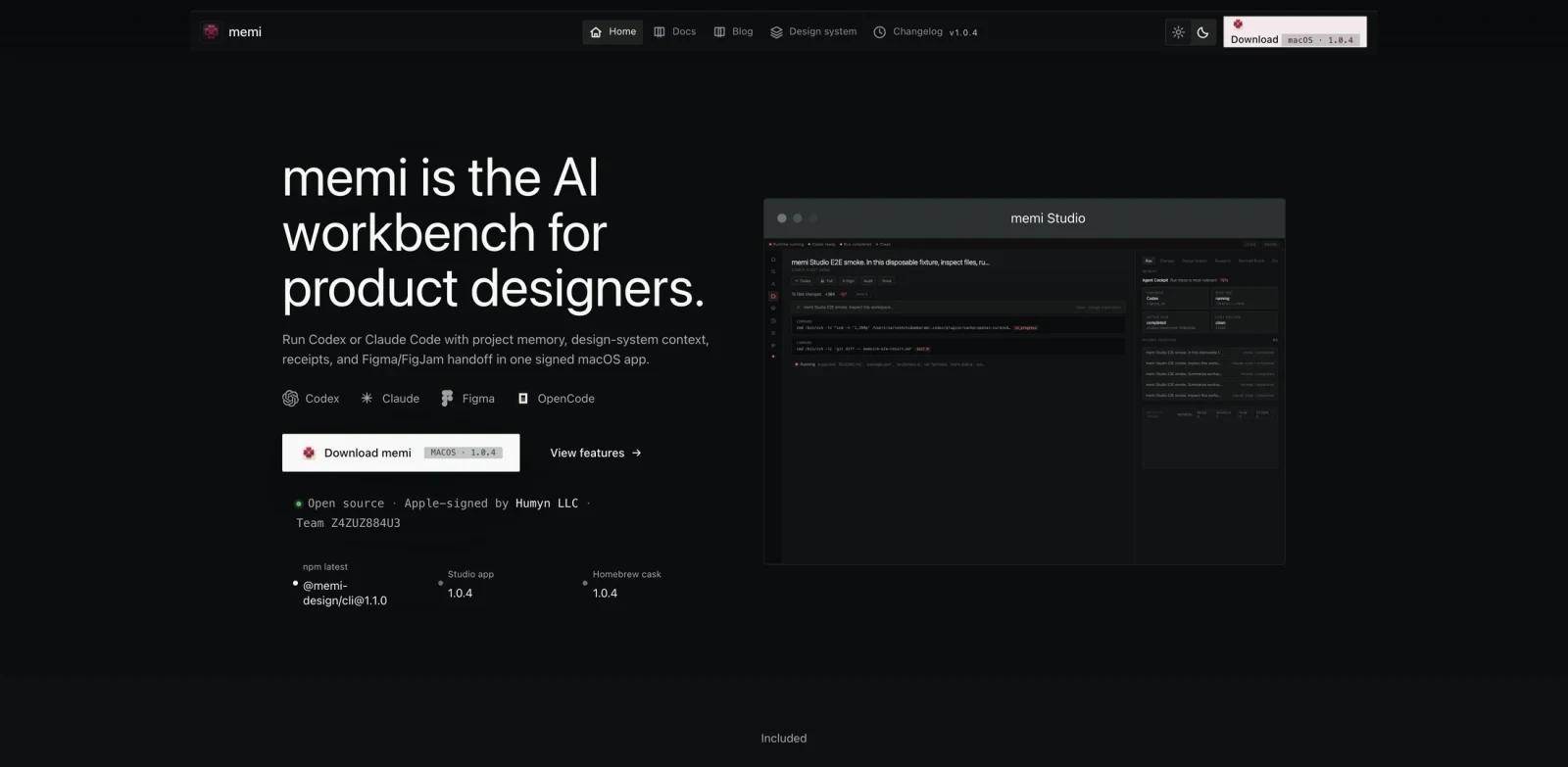
The official site describes memi as a signed macOS workbench where Codex and Claude Code run with project memory, design-system context, receipts, and Figma or FigJam handoff. The GitHub README describes the CLI as "design-system memory for coding agents" and includes workflows for Tailwind diagnostics, shadcn registry export, UX audits, agent installation, MCP, and Codex plugin setup.
memi fits ToolWorthy's AI UI design, AI agent, and AI code generator readers because it addresses a common AI coding failure mode: agents can write code, but they often break design consistency without project-specific design memory.
Key Features
Design-system memory - Gives coding agents access to tokens, components, Figma context, Atomic Design rules, UX tenets, and project memory.
Agent kit installs - The README lists native install targets for Claude Code, Cursor, Codex skill, Codex plugin, OpenCode, Hermes, and OpenClaw.
Tailwind and shadcn workflows - memi can diagnose Tailwind apps, extract design tokens, audit UX, and export shadcn-compatible registries.
MCP support - The tool can expose design-system tools through an MCP server for compatible agents.
macOS Studio app - The site provides a signed macOS workbench, while the CLI owns the engine and runtime.
Open-source CLI - The GitHub repository is MIT licensed, with npm install instructions for
@memi-design/cli.
How to Get Started
Install the CLI globally from npm or use the signed macOS app from the official site. The README shows:
npm i -g @memi-design/cli
memi diagnose
memi ux audit --json
memi tokens --from ./src --report
memi shadcn export --out public/r
For agent workflows, start with one environment first. For example, install the Codex skill or Cursor MCP config, run diagnostics on an existing Tailwind app, and inspect the generated memory and reports before letting an agent make UI changes.
Pricing & Plans
The public site and GitHub repository describe memi as free and open source. The SoftwareApplication metadata lists price $0, and the GitHub repository uses the MIT license.
No paid hosted plan was listed on the public site at review time.
Best For
- Product designers collaborating with AI coding agents
- Frontend teams using Tailwind, shadcn, Figma, and design tokens
- Codex, Claude Code, and Cursor users who need project-specific UI memory
- Teams building reusable design systems
- Developers who want AI graphic design-adjacent context inside coding workflows
FAQ
What does memi do?
memi gives coding agents design-system memory so they can edit UI code with awareness of tokens, components, Figma context, UX rules, and project conventions.
Is memi open source?
Yes. The GitHub repository is MIT licensed.
Does memi work with Codex?
Yes. The README describes both Codex skill and Codex plugin installation paths.
Is there a macOS app?
Yes. The official site describes a signed macOS workbench, and the README points to a separate memi Studio repository and releases.