



Overview
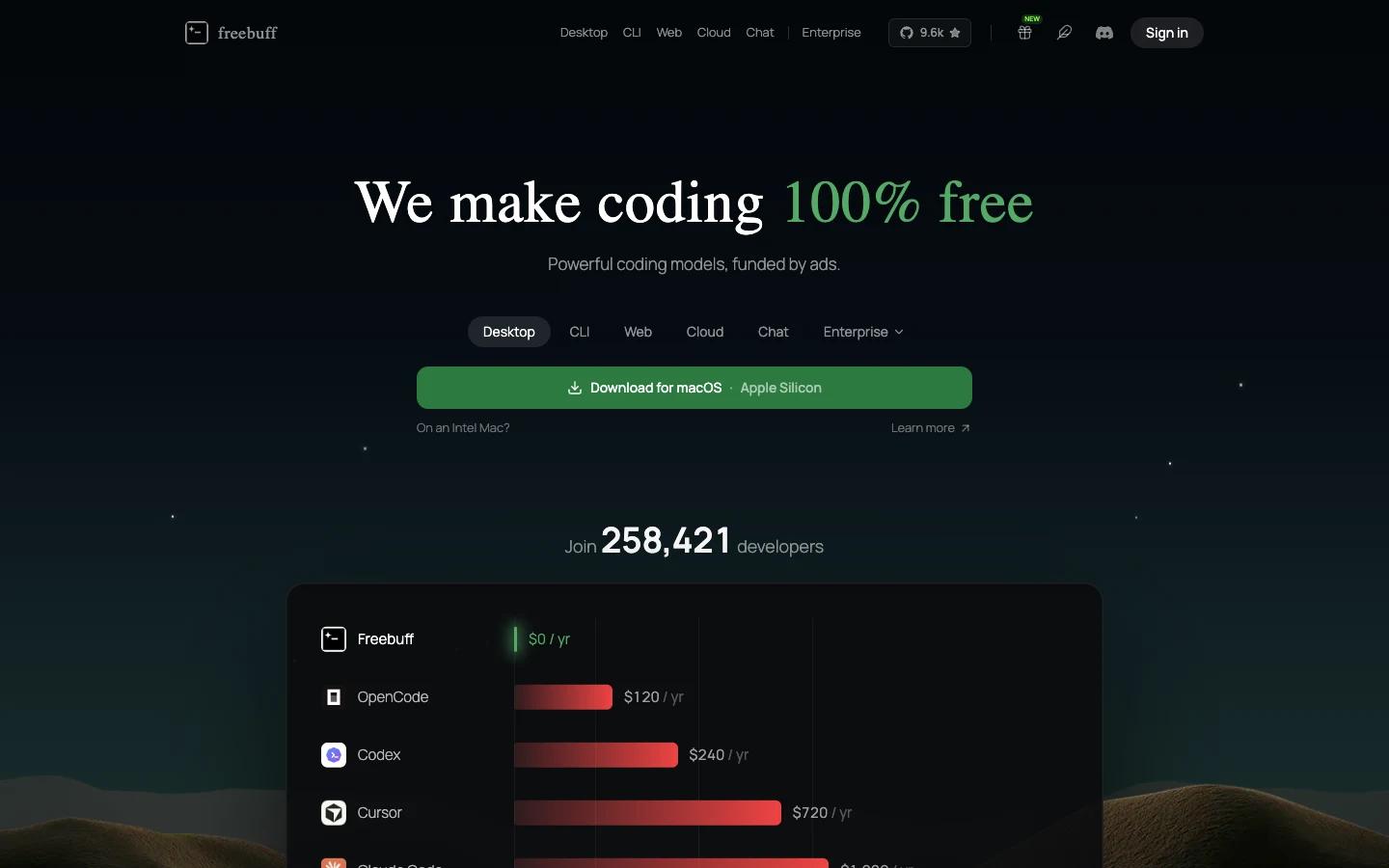
Freebuff is a free coding agent suite for developers who want agentic coding workflows without a subscription, API key, or credit card. The product now spans multiple surfaces: a CLI coding agent, a desktop app for parallel agents, a web app builder, a cloud coding workspace, and a general AI chat product.
The strongest fit is for developers comparing paid tools such as Claude Code, Cursor, Replit, Lovable, Devin, and cloud coding agents. Freebuff's public positioning is unusually direct: it presents itself as a $0 alternative to paid coding agents and says the core experience is supported by text ads rather than recurring subscriptions.
That makes Freebuff interesting, but also worth evaluating carefully. A free, ad-supported coding agent can be compelling for students, indie builders, and budget-sensitive teams, while companies should still review its privacy policy, data handling, model availability, and regional limitations before moving sensitive repositories into it.
Key Features
Free CLI coding agent - Installs from npm and runs inside a local repository, giving developers an agentic terminal workflow without requiring their own model API key.
Desktop parallel agents - Runs coding agents in separate local workspaces so users can try multiple tasks or fixes side by side.
Web app builder - Turns prompts into full-stack app projects with preview and deployment flows, aimed at users comparing AI website design and AI app builder tools.
Cloud coding workspace - Connects GitHub repositories to a hosted agentic workspace with editor, terminal, sandbox, and live preview.
Free AI chat - Adds a research and reasoning chat surface for users who want general assistant access from the same account.
Ad-supported model - The launch materials say Freebuff is free because it shows small text ads between agent turns, not inside generated code or as popups.
How to Get Started
For developers, the CLI is the most direct test. Install the package, move into a non-critical repository, and ask Freebuff to make a small, reviewable change such as adding a validation check, updating a component, or writing a test. That reveals how it reads files, proposes edits, and handles follow-up review without risking a production branch.
The desktop app is better for parallel experiments. Use separate workspaces for independent tasks, then compare diffs manually before merging anything. The cloud and web products are more powerful, but they also involve hosted execution and repository access, so teams should start with public repos, prototypes, or disposable apps before connecting private systems.
Users who already follow AI code generator tools should judge Freebuff less by the price claim and more by output quality, review controls, model behavior, and whether the ad-supported tradeoff is acceptable for their work.
Pricing & Plans
Freebuff's official site presents the product as free, with no subscription, API key, or credit card required. The launch post explains the business model as ad-supported: small text ads may appear between agent turns, and the company says the core product remains free.
The public materials also mention limited mode and country availability, so users should confirm current access from their region. Teams should review whether paid Codebuff plans, priority models, longer context, or no-ad options are separate from the Freebuff product before adopting it as a company standard.
| Option | Price | Notes |
|---|---|---|
| Freebuff CLI | Free | Ad-supported coding agent from the terminal |
| Freebuff Desktop | Free | Parallel local coding agents |
| Freebuff Web / Cloud | Free | Prompt-to-app builder and cloud coding workspace |
| Provider API keys | Not required | Public materials say Freebuff does not require user API keys |
Best For
- Students, indie hackers, and small teams that want a free coding agent.
- Developers who want to compare free agent output against paid tools.
- Builders prototyping web apps without starting a paid app-builder subscription.
- Teams experimenting with AI productivity workflows on low-risk repositories.
- Users who want one account spanning CLI, desktop, cloud, web builder, and chat.
FAQ
What is Freebuff?
Freebuff is a free coding agent suite that includes a CLI, desktop app, web app builder, cloud coding workspace, and AI chat.
Is Freebuff really free?
Official materials describe Freebuff as free with no subscription, API key, or credit card. The launch post says the product is supported by text ads.
Does Freebuff require my own OpenAI or Anthropic API key?
The official site says no API key is required for the main Freebuff experience.
Can Freebuff work with existing repositories?
Yes. The CLI is designed to run inside an existing repository, and the cloud product can connect to GitHub repositories.
Is Freebuff the same as Codebuff?
The launch post says Freebuff is the free, ad-supported tier built on the Codebuff agent framework, while Codebuff Pro is for teams that need priority models, longer context, and no ads.
Is Freebuff safe for private company code?
It may be useful, but teams should review the latest privacy policy, data-use terms, repository permissions, and ad personalization rules before connecting sensitive code.
Who should skip Freebuff?
Teams that require strict data isolation, no advertising, fixed model routing, or enterprise controls may prefer paid coding-agent platforms with clearer governance commitments.