



Overview
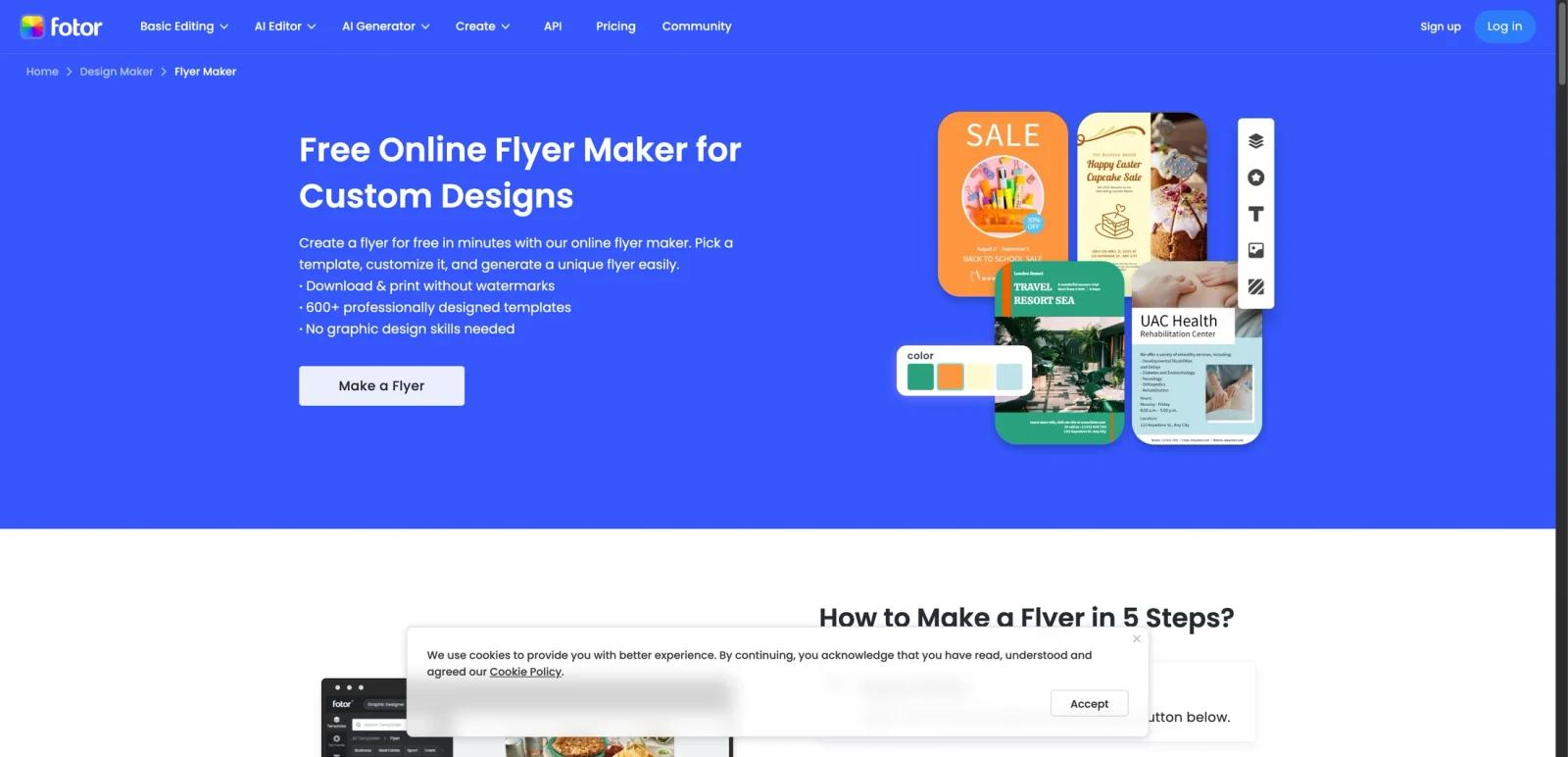
Fotor Flyer Maker is Fotor’s online flyer-design workflow for building promotional, event, and business flyers from templates or from scratch. The official page emphasizes fast creation, no-design-skill accessibility, and AI-assisted design through Fotor’s broader creative toolkit.
The practical distinction is that Fotor is not only selling flyer templates. It bundles templates, image editing, AI image generation, asset libraries, and export controls into one subscription ladder. That makes the buying decision less about a single flyer page and more about whether Fotor’s broader design platform gives you enough creative flexibility for low-cost recurring marketing work.
As of April 25, 2026, Fotor publicly promotes 600+ flyer templates, AI-generated backgrounds/icons/illustrations, custom text and layout editing, and export to PNG, JPG, and PDF. The current pricing page also shows a free tier and several low-cost paid plans that unlock more credits, watermark-free exports, storage, and premium assets.
For adjacent research, compare AI design tools, AI UI design tools, AI website design tools.
Key Features
600+ flyer templates - Fotor’s flyer page explicitly highlights hundreds of ready-made templates for business, events, parties, promotions, and other common use cases.
AI-assisted flyer design - The product page connects Flyer Maker to Fotor’s built-in AI image generator for creating backgrounds, icons, and illustrations inside the design workflow.
Editable design system - Users can customize fonts, text, colors, layouts, icons, and imagery rather than being locked into fixed template outputs.
Multiple export formats - Fotor says flyers can be saved in high-resolution PNG, JPG, or PDF and shared or printed after editing.
Mobile app support - The page also positions Fotor’s iOS and Android app as an extension of the same flyer creation workflow.
Broader creative subscription - Flyer Maker sits inside the full Fotor plan structure, which includes credits, AI tools, cloud storage, premium assets, and watermark-free download controls.
Pricing & Plans
Fotor does not price Flyer Maker as a separate SKU. Instead, it is included in the broader Fotor subscription ladder.
| Plan | Pricing | Best fit |
|---|---|---|
| Fotor Basic | Free | Users testing flyer creation with limited free credits, basic templates, and watermarked exports |
| Fotor Pro | $3.99/month billed yearly ($47.99/year) | Users who need watermark-free HD exports, more assets, more credits, and light ongoing design work |
| Fotor Pro+ | $8.33/month billed yearly ($69.99/year) | Small teams or heavier creators needing more credits, storage, and advanced batch/design features |
| Fotor Max | $19.99/month billed yearly ($167.92/year) | Higher-volume users needing large annual credits, more concurrent generations, and expanded storage |
The official pricing page also shows a credit-based model layered on top of subscriptions. That matters because some AI-heavy features consume credits, while the free plan remains more restrictive and still applies watermarks to JPG, PNG, and PDF exports. For simple occasional flyer work, the free tier may be enough to test templates; for brand-facing deliverables, Pro is the practical starting point.
Best For
- Small businesses creating recurring promotional flyers
- Event organizers who want templates plus AI-assisted design
- Marketers needing a low-cost design subscription
- Users who want flyer design alongside image editing and other creative tools
- Individuals who prefer templates over pro design software complexity
FAQ
Is Fotor Flyer Maker free?
Yes. Fotor offers a free Basic plan, but it includes limited credits and watermarked exports.
How much does Fotor cost?
The official pricing page shows Pro from $3.99/month billed yearly, Pro+ from $8.33/month billed yearly, and Max from $19.99/month billed yearly.
Does Fotor Flyer Maker use AI?
Yes. Fotor connects Flyer Maker to its built-in AI image generator for producing backgrounds, icons, illustrations, and other design elements.
Can I export flyers without watermarks?
Yes, but Fotor’s pricing page indicates watermark-free HD exports are a paid-plan benefit rather than a free default.
Who should use Fotor Flyer Maker?
It is best for users who want affordable flyer design with templates, AI-assisted visuals, and broader creative tools in one subscription.
What is Fotor Flyer Maker?
Fotor Flyer Maker is an AI tool reviewed for its core features, pricing, strengths, limitations, and best-fit workflows.


