

Overview
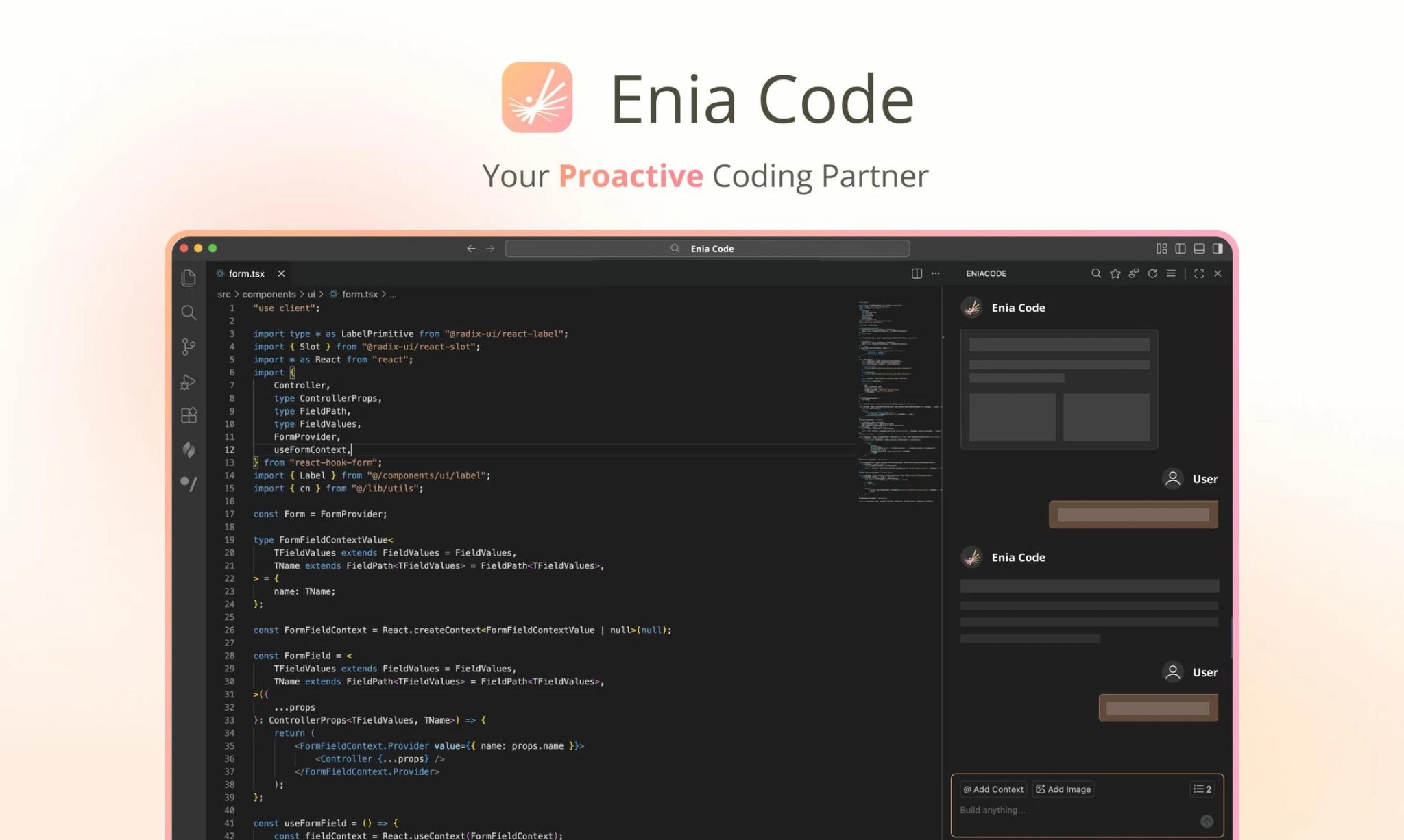
Enia Code is a proactive AI coding assistant built for developers who are tired of the back-and-forth of chat-based AI tools. Unlike conventional coding assistants that wait for you to ask questions, Enia actively monitors your code while you write—detecting bugs, spotting anti-patterns, and surfacing ready-to-apply fixes without requiring any prompts.
Designed for both individual developers and engineering teams, Enia Code addresses three core pain points in modern AI code generator workflows: forgotten context, repeated prompting, and inconsistent team coding standards. Its persistent memory means the tool learns your preferences, naming conventions, and architectural decisions over time—without ever losing context between sessions.
What sets Enia apart is its shift from reactive to proactive AI assistance. Rather than requiring developers to describe their problem and wait for a response, Enia identifies issues in real time and presents solutions before you even notice them. This makes it especially valuable for developers who want to maintain code quality without interrupting their flow.
Key Features
Proactive Signal Detection — Detects bugs, anti-patterns, and issues (such as redundant hooks or memory leaks) while you write code, without requiring any prompts. Actual coverage and detection accuracy depend on the specific codebase and language context.
Persistent Memory — Maintains a continuous conversation without the context window resets common in chat-based tools. Enia learns your variable naming conventions, architectural preferences, and past decisions over time. Specific data retention, export, and deletion policies are detailed in Enia Code's privacy policy.
Unified Task Center — Centralizes all active coding tasks, suggestions, and in-progress fixes in one place. Helps you track what Enia has detected and what actions are pending, so nothing falls through the cracks.
Team Pattern Enforcement — Provides consistency suggestions based on the current repository's existing patterns and team conventions. New developers receive real-time nudges when their code diverges from established practices. Note: according to available information, Signals are primarily derived from the current repo context; whether organization-level learning or cross-user knowledge sharing is supported requires further verification.
Real-Time Bug Detection — Catches potential issues before you run the code. Redundant hooks, unhandled edge cases, and memory leaks are flagged instantly, reducing debugging time significantly.
Zero-Prompt Workflow — Delivers actionable suggestions without requiring any user input. This keeps developers in their flow state and reduces the cognitive overhead of managing an AI assistant.
Pricing & Plans
Enia Code offers a 7-day free trial for all new users, with limited Signal detection and requests included. This is a time-limited trial—not a permanent free tier. After the trial period, a paid plan is required to continue using the service.
| Plan | Price | Requests / Month | Signals | Support |
|---|---|---|---|---|
| Trial | Free (7 days) | 10 | 10 | — |
| Partner | $19.99/mo | 30 (advanced models) | 16 | Community |
| Partner Pro | $49.99/mo | 80 (advanced models) | 50 | |
| Ultra | $199.99/mo | 360 (advanced models) | 200 | Priority + early access |
The Partner Pro plan is marked as the most popular option, offering a solid balance of requests and Signal detections for full-time developers. The Ultra plan is designed for power users and teams with demanding workflows who need maximum compute and priority access to new features.
All new accounts receive a 7-day trial period before choosing a paid plan. The official pricing page currently lists monthly billing only; whether annual billing is available should be confirmed directly with Enia Code.
Best For
- Individual developers frustrated with repeated prompting and context loss in tools like ChatGPT or Copilot
- Backend engineers who want real-time bug detection without interrupting their workflow—similar to what AI code checkers offer but built directly into the coding loop
- Engineering teams looking to enforce consistent coding standards across junior and senior developers
- Developers who onboard new team members frequently and need automated pattern guidance
- Developers working in VS Code who want a lightweight proactive AI layer on top of their existing stack
FAQ
What makes Enia Code different from GitHub Copilot or Cursor?
Enia Code's core differentiator is its proactive approach: it detects and surfaces solutions without requiring you to prompt it. Tools like GitHub Copilot and Cursor are primarily reactive—they respond to your input. Enia continuously monitors your code and presents fixes before you ask, which fundamentally changes the development workflow. For teams that also need a dedicated task tracking layer, Axel offers a complementary free task manager designed specifically for AI coding agent workflows.
Does Enia Code work inside my existing IDE?
Yes. Enia Code is available as a VS Code plugin. You can install it through the official VS Code Plugin page linked on their website. Integration with other IDEs has not been confirmed as of early 2026. If you're exploring other AI-integrated development environments, Inspector is a visual editor built specifically for AI coding agent workflows.
What happens after the 7-day free trial ends?
After the trial, you'll need to select a paid plan to continue using Enia Code. The trial includes 10 Requests and 10 Signal detections, which is enough to evaluate the core proactive detection and memory features.
What are "Signals" in Enia Code?
Signals are Enia's proactive detections—instances where the tool identifies a potential bug, anti-pattern, or refactoring opportunity in your code without being prompted. Each plan includes a monthly Signal allowance, and higher-tier plans support more detections per month.
Can Enia Code learn my team's coding patterns?
Enia Code's Team Pattern Enforcement feature provides suggestions based on the current repository's existing patterns and conventions, helping maintain code consistency across team members. Based on available information, Signals are primarily derived from the current repo context. Whether organization-level learning or cross-user knowledge sharing is supported has not been confirmed—check with the Enia Code team for the latest capabilities.
Is there a limit to how much Enia Code remembers?
Enia Code is designed to avoid the context window resets that frustrate developers using chat-based AI tools. The persistent memory retains your preferences, decisions, and patterns across sessions. However, specific storage limits, data retention periods, and deletion or export options are governed by Enia Code's privacy policy—review it for complete details before relying on long-term memory persistence.
What AI models does Enia Code use for Requests?
Higher-tier plans include access to "advanced models" for Requests, though Enia Code does not publicly specify which underlying model providers are used. The Ultra plan offers the highest request volume alongside priority access to new features.
Can I cancel my subscription at any time?
Enia Code operates on a monthly billing cycle with no long-term contracts mentioned. Cancellation and refund terms are governed by their official Terms of Service—check the subscription page or contact support for details before committing.
Is Enia Code available outside the United States?
Enia Code's Terms of Service state that the service is intended solely for users located in the United States. Access from other regions is described as at the user's own risk and may be restricted. If you are based outside the US, review the Terms of Service before signing up.