
Best AI Transcription Tools 2026: Choose by Workflow, Not a Generic Ranking
Compare 11 AI transcription tools by workflow: meetings, uploaded media, subtitles, human-reviewed transcripts, and developer speech-to-text APIs.
On this page
The best AI transcription tool depends on what owns the workflow: a live meeting, an uploaded recording, a subtitle pipeline, a human-reviewed transcript, or an application API. A meeting bot can be the wrong choice for a podcast editor, and a developer speech-to-text API can be the wrong choice for a sales manager who just needs searchable call notes.
This guide compares 11 tools by buyer lane rather than forcing unlike products into one ranking. Use it to eliminate anything that fails your mandatory workflow, then compare pricing meters, workload limits, governance, and evidence gaps inside the lane that remains. If you are still mapping the wider market, the AI transcription category provides additional context.
Short Answer: Start With Your Workflow
| If your main job is... | Start with... | Also consider... | The first deal-breaker to check |
|---|---|---|---|
| Live meeting transcription and searchable conversation history | Otter.ai | Fireflies.ai, Notta | Uploaded media editing, subtitles, or raw API control is the primary job |
| One workspace for meetings and uploaded recordings | Notta | Otter.ai, Fireflies.ai | You need human-reviewed transcripts or developer-first STT APIs |
| Editing audio or video through the transcript | Descript | Sonix, Trint | The transcript is the final deliverable and you do not need media editing |
| File-first transcripts, search, translation, and exports | Sonix | Trint, Happy Scribe | A live meeting assistant is mandatory |
| Subtitles, captions, and localization workflows | Happy Scribe | Maestra, Sonix, Trint | You mainly need a meeting repository or embedded API |
| Human-reviewed transcription or captions | Rev | Happy Scribe | You only need low-cost automated transcripts |
| Speech-to-text inside your own product | AssemblyAI | Deepgram | Nontechnical users need a finished transcript editor |
Before You Trial Anything
Eliminate any tool that fails a non-negotiable before comparing its AI claims.
- Mandatory surface: decide whether the input is live meetings, uploaded audio/video, mobile capture, subtitles, human service, or API traffic.
- Workflow ownership: decide whether your team wants a developer-owned API integration, a vendor-managed transcript workspace, or a managed human transcription/caption service.
- Procurement and economics: compare public versus custom pricing, minute credits, file limits, storage, execution metering, governance controls, and deployment requirements.
This guide does not name an accuracy winner because no controlled cross-vendor benchmark was performed. Treat vendor accuracy claims as a reason to trial a tool, not as proof that one product will outperform another on your calls, accents, microphones, medical vocabulary, or noisy field recordings.
Meeting Transcription: Otter.ai, Fireflies.ai, or Notta?
These three products overlap most when the source is a live call, but they organize the result differently. Otter.ai is the meeting-first route, Fireflies.ai emphasizes a searchable conversation repository and integrations, and Notta spans meetings, uploads, mobile capture, and translation. If the wider task is turning calls into notes, our guide to AI note-taking software covers that adjacent workflow.
| Decision factor | Otter.ai | Fireflies.ai | Notta |
|---|---|---|---|
| Primary workflow | Live meeting notes and searchable conversations | Meeting capture plus a conversation-intelligence repository | Meetings, uploads, mobile capture, and translation in one workspace |
| Workload meter to inspect | Transcription minutes, imports, and conversation length | Storage, transcription credits, and uploaded-audio limits | Minutes, per-recording limits, uploads, and AI summaries |
| Governance signal in official docs | SSO, SCIM, domain capture, logs, analytics, retention controls | Team repository and integration controls; verify plan-specific limits | Workspace controls, SAML SSO, audit logs, and data access controls |
| Prefer another lane when... | Media editing, subtitles, or API control dominates | A polished transcript, subtitle file, or media edit is the deliverable | Human review or a developer STT API is mandatory |

Otter.ai is a meeting-first transcription workspace for teams that want live meeting notes, speaker identification, searchable transcripts, and admin controls around Zoom, Microsoft Teams, and Google Meet.
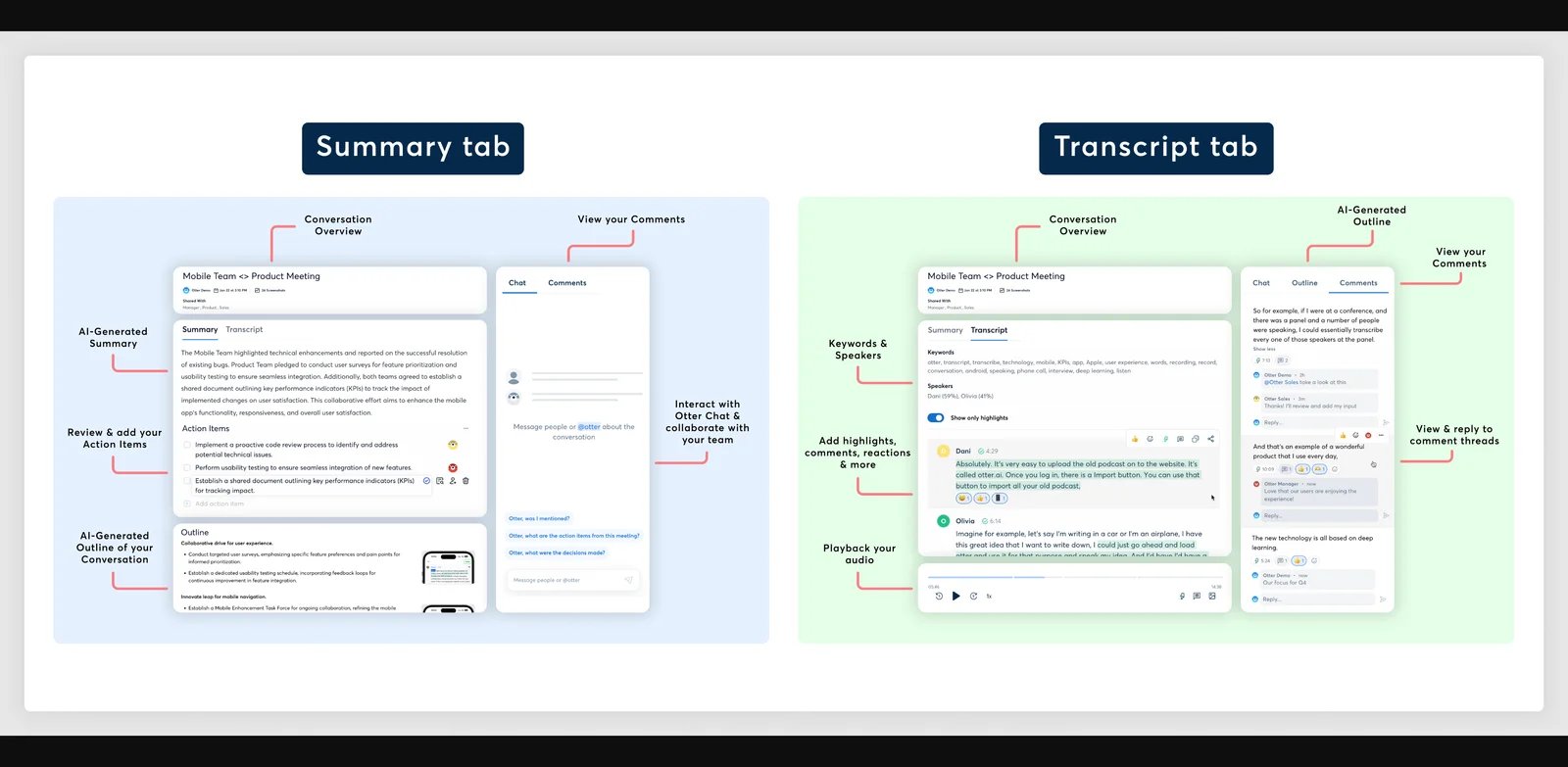
The main reason to shortlist Otter.ai is that the meeting itself can become the system of record. Its official plan materials cover live transcription, speaker identification, mobile apps, imports, exports, search, and meeting workflows. Enterprise buyers can also investigate SSO, SCIM, domain capture, activity logs, usage analytics, and retention controls without pretending that public documentation alone completes a security review.
Trial note: use a representative recurring meeting and verify bot behavior, speaker labels, search, export, and admin visibility. Uploaded file limits, transcription minutes, and maximum conversation length are buying constraints that should be checked before a high-volume rollout.
Choose it for searchable meeting notes. Move to a file/media lane if uploads, editing, subtitles, or raw STT control own the job.

Fireflies.ai is also meeting-first, but its buyer route is a searchable conversation-intelligence repository with integrations, uploads, and API access.
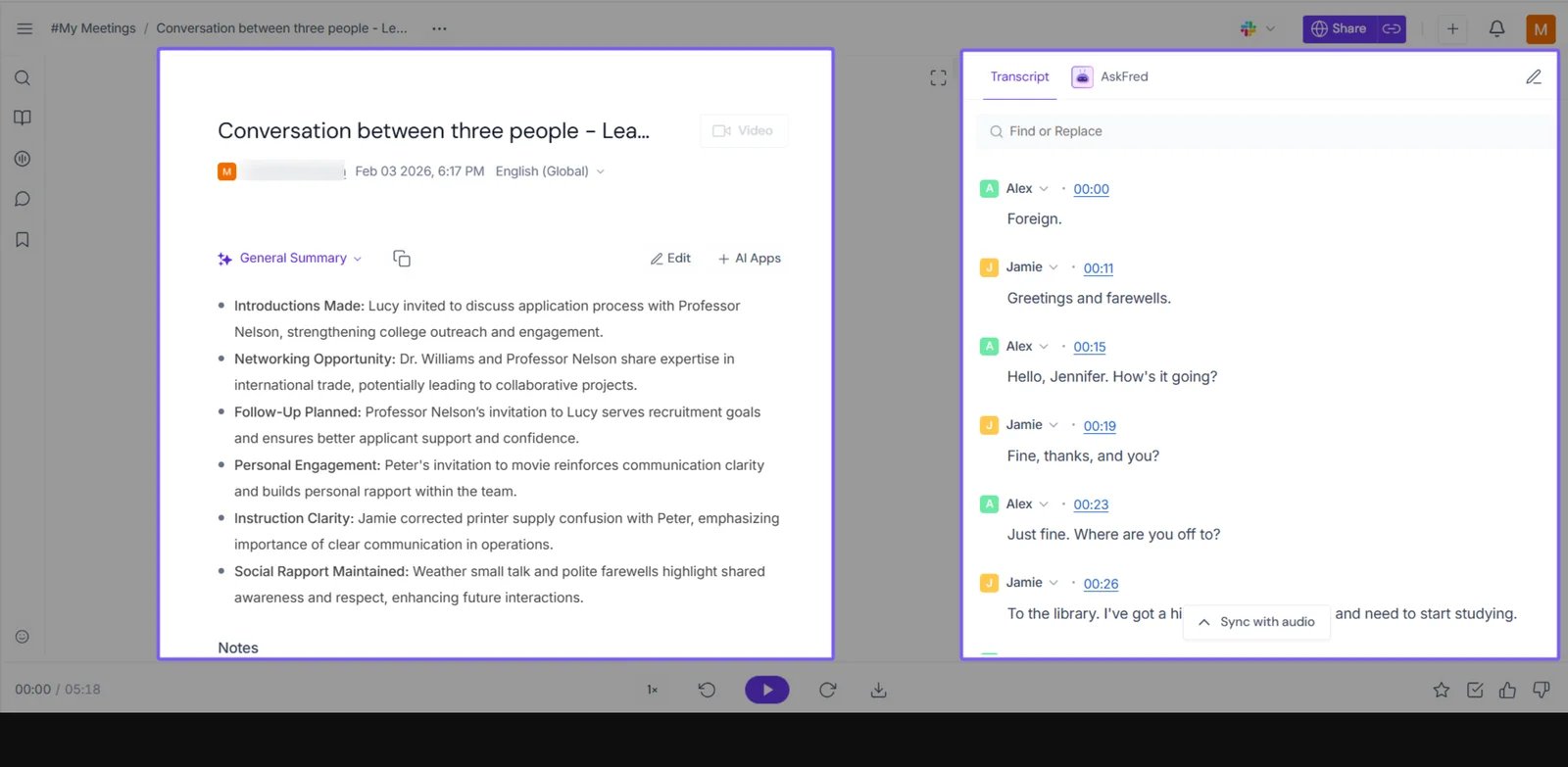
Fireflies.ai documents meeting capture across Zoom, Google Meet, and Microsoft Teams, plus live transcripts, uploads, mobile and desktop capture, integrations, API access, and searchable meeting intelligence. That makes it relevant for sales, customer success, recruiting, and operations teams that want meetings to become an organized knowledge base rather than isolated transcript files.
The economic check is more important than the word “unlimited.” Fireflies.ai documents separate storage, transcription-credit, and externally uploaded audio limits, so buyers with large upload backlogs should confirm the meter that applies to their actual source files.
Shortlist when: the repository, integrations, and downstream meeting intelligence matter. Look elsewhere when: the primary deliverable is a polished transcript, subtitle file, edited video, or low-level STT API output.

Notta is the broader capture-surface option in this lane.
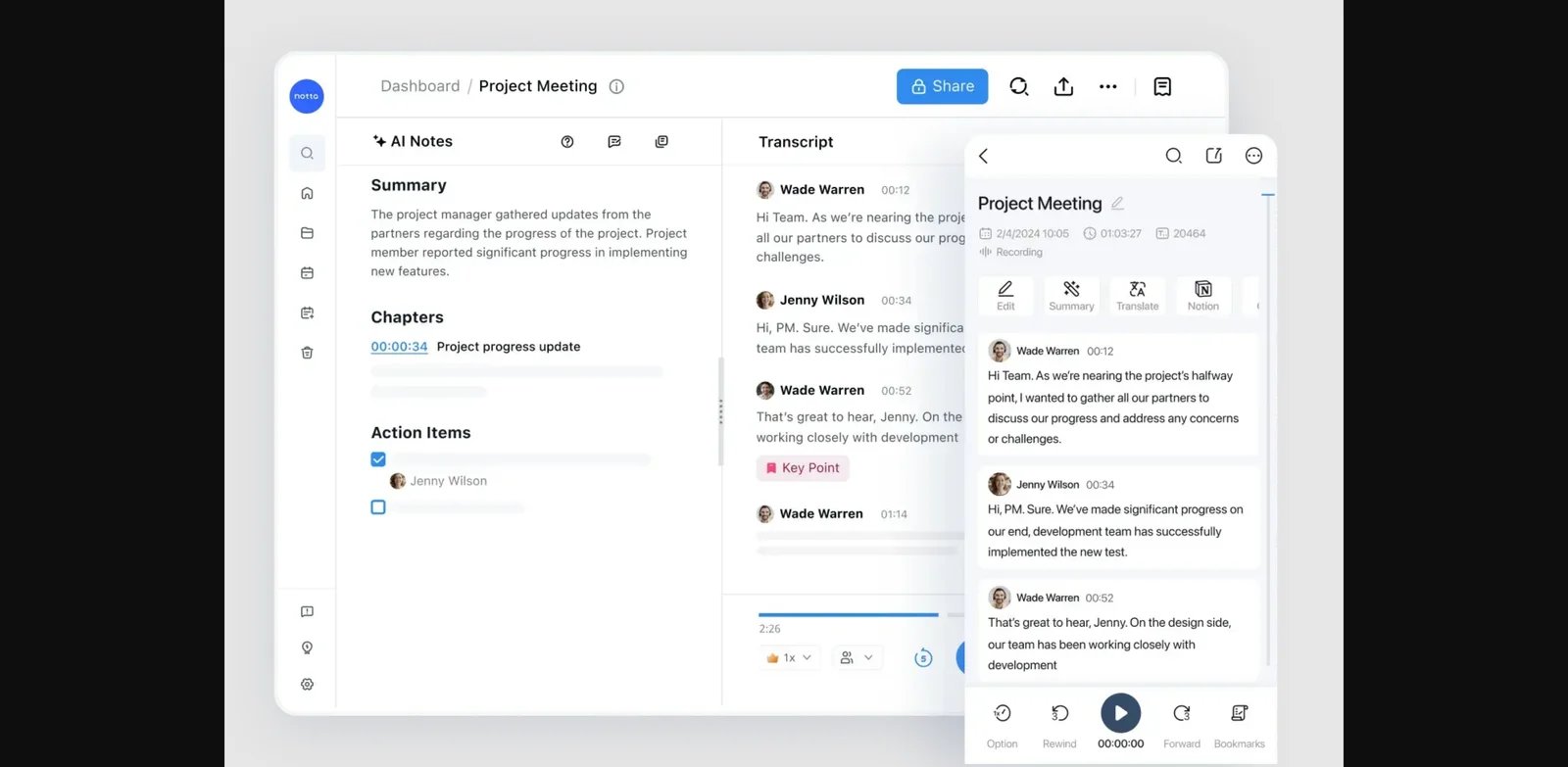
Notta documents online meeting recording, bot-free desktop recording, uploaded file/link transcription, mobile app recording, real-time transcription, translation, exports, transcript editing, workspace collaboration, and Zoom/Meet/Teams/Webex integrations. It also exposes plan constraints such as transcription minutes, maximum transcription per recording, file-upload quotas, AI summary quotas, workspace controls, SAML SSO, audit logs, and data access controls.
That combination is useful when meeting and file workflows should not live in separate tools. It is still a managed transcript workspace, however—not a separately orderable human-review service or a developer-first raw speech API.
Uploaded Audio and Video: Descript, Sonix, or Trint?
This lane begins after the recording already exists. The differentiator is what happens next: Descript turns the transcript into a media-editing surface, Sonix centers a browser transcript workspace with translation and exports, and Trint emphasizes collaborative editorial review.
| Decision factor | Descript | Sonix | Trint |
|---|---|---|---|
| What the transcript controls | Audio/video editing | Transcript editing, search, translation, subtitles, and export | Collaborative review, quoting, editing, captions, and publication workflow |
| Pricing shape | Plan tiers with included media/transcription usage | Pay-as-you-go and subscription routes tied to audio/video hours | Confirm current plan pricing; public docs expose trial and workload structure |
| Important limit to trial | Included usage and media workflow fit | Audio-hour economics and representative quality | File count, duration/size guidance, and high-volume treatment |
| Best fit | Creators and media teams | File-first research, media, podcast, and operations teams | Newsroom, research, and editorial collaboration |

Descript is best understood as a media editor where transcription powers the editing workflow.
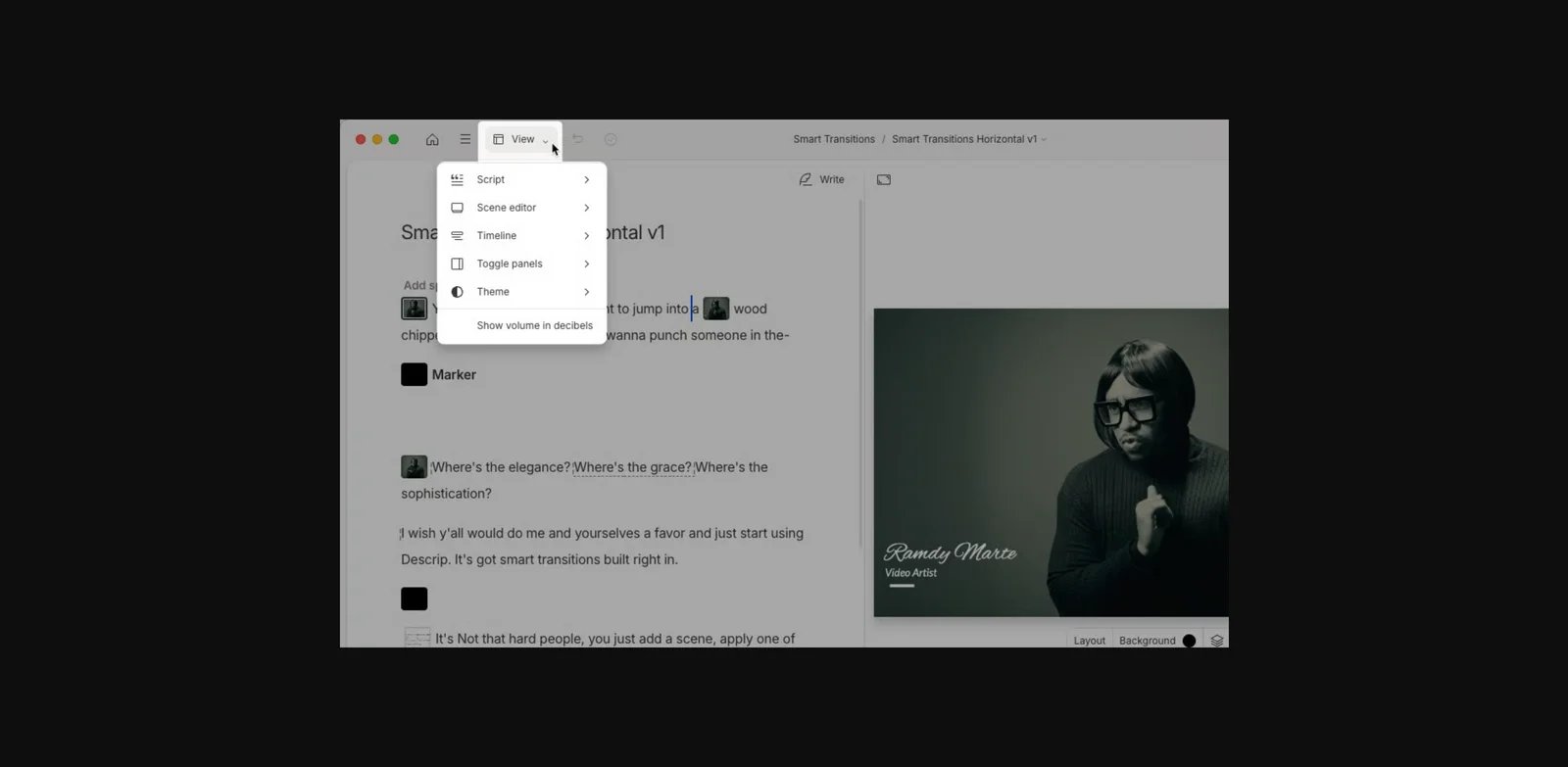
Descript documents AI audio/video transcription, text-based audio/video editing, captions, exports, and creator-oriented editing workflows. The value is not merely receiving text: for podcasts, webinars, product videos, or clips, the transcript becomes the control surface for editing audio and video. That is a materially different purchase from a transcript-only workspace; buyers comparing broader tools can also browse the AI audio editor category.
Descript pricing is framed around plan tiers and included media/transcription usage rather than a simple raw STT per-minute API meter. Confirm that the included usage matches the production cadence. If the transcript itself is the final deliverable, the extra editing surface may be unnecessary.

Sonix is a file-first transcript workspace for uploaded audio and video.
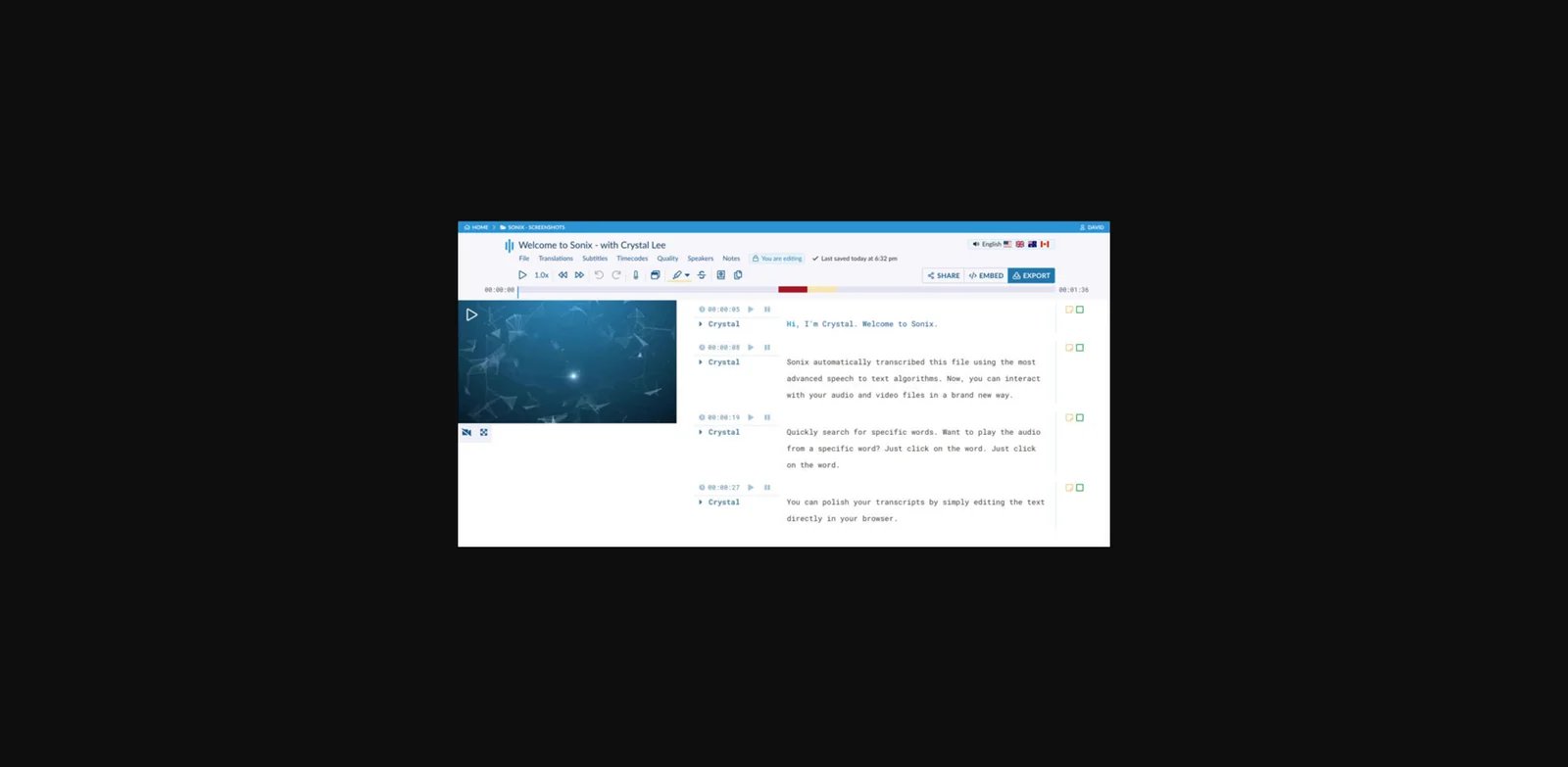
Sonix documents upload transcription, transcript editing, search, translation, subtitles, speaker labels, timestamps, collaboration, exports, API access, webhooks, and integrations. Its pricing includes pay-as-you-go and subscription routes tied to audio/video hours, with listed storage, team, export, collaboration, API, and enterprise security controls.
That makes Sonix a practical route for researchers, podcasters, media teams, and operations teams with uploaded recordings. Before rollout, put the same representative file through the editor and verify speaker overlap, terminology, export shape, and collaboration speed. Public docs establish workflow fit; they do not establish accuracy superiority.

Trint is a collaborative transcript and editorial workflow tool rather than a raw speech API.
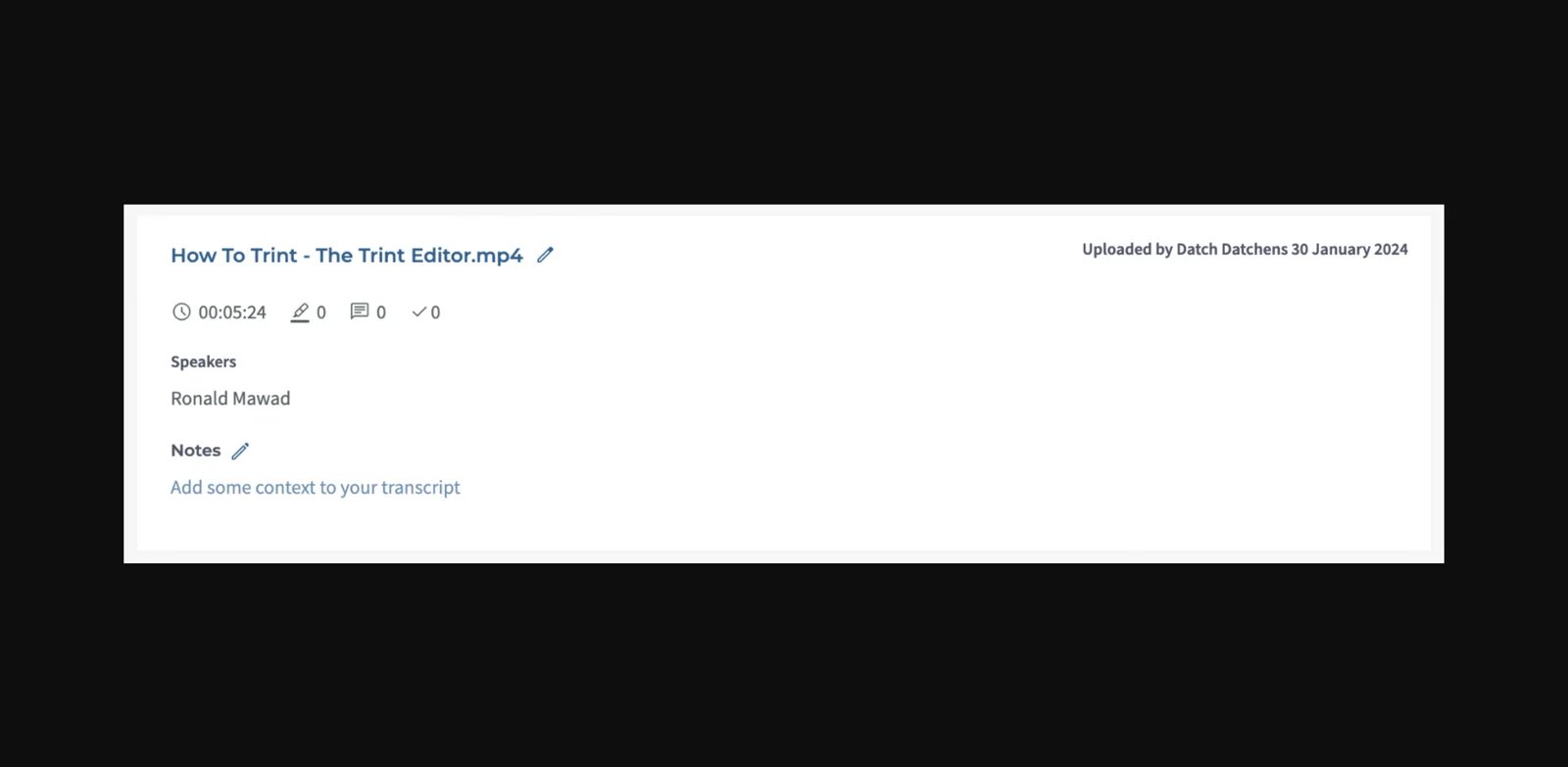
Trint documents speech-to-text, transcript editing, collaboration, captions/subtitle workflows, translation, and newsroom/editorial workflow support. The reason to shortlist it is the shared review path: multiple people can work from transcripts toward quotes, edits, captions, or publication rather than stopping at a generated text file.
Trint does not expose a simple public sticker price in the sources reviewed; confirm current plan pricing before purchase. Official docs do expose a 7-day Advanced-plan trial with 3 files, a Starter file limit of 7 files per month, Advanced and Enterprise upload/transcription treatment, enterprise agreement routes, high-volume/archive add-ons, and file guidance such as supported formats plus under-3-hour/3GB uploads.
Use the trial to test a real collaborative handoff. If public sticker pricing is a pre-trial requirement—or files routinely exceed the documented guidance—remove Trint before investing migration time.
Subtitles and Localization: Happy Scribe or Maestra?
Both products move beyond an English transcript, but the buying center differs. Happy Scribe combines transcript/subtitle work with collaborative editing and an optional human-service route. Maestra is more directly organized around uploaded-media and live localization workflows. The AI translator and AI caption generator categories cover neighboring markets without turning them into direct transcription equivalents.
| Decision factor | Happy Scribe | Maestra |
|---|---|---|
| Workflow center | Transcription, subtitling, translation, review, and export | Transcription inside subtitles, translation/dubbing, and live caption/translation |
| Usage shape | AI minutes/credits plus separately priced human proofreading | Credit/minute routes across transcription, translated subtitles, dubbing, and real-time use |
| Best reason to pilot | One media workflow with an optional human-service path | Localization across uploaded media or real-time environments |
| Skip when | The core job is raw STT API or meeting assistance | Human-reviewed transcription or a general raw speech API is mandatory |

Happy Scribe brings transcription, subtitles, translation, and review into one media workflow.
Happy Scribe documents AI transcription, subtitling, translation, meeting recording, collaborative editing, exports, integrations, style guides/glossaries, and multilingual workflow support. Its pricing page separates AI minutes/credits from human proofreading services, including from-per-minute pricing and plan-dependent discounts.
That separation matters. Teams can evaluate the AI workflow for routine media while retaining a human-service route for deliverables that demand it. Recheck service availability, language fit, and current pricing before purchase rather than assuming every file should follow the same route.
Maestra
Maestra is most relevant when transcription sits inside live or on-demand localization.
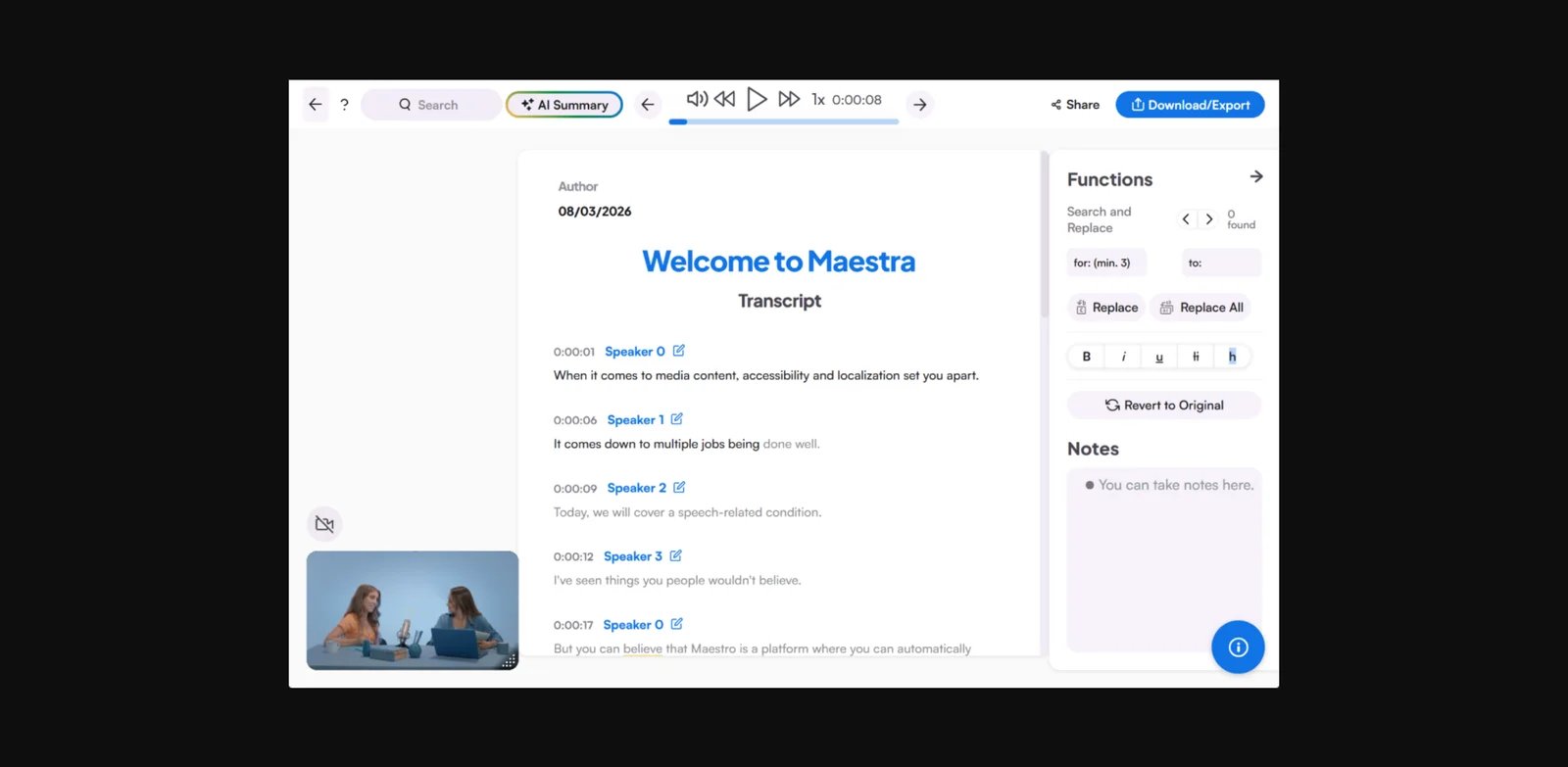
Maestra documents transcription, subtitles, translation/dubbing, and live caption/translation workflows for uploaded media and real-time environments. Its pricing materials expose credit/minute-based usage routes across transcription, translated subtitles, dubbing, and real-time workflows.
Pilot Maestra with the language and output route that will actually go to production. Verify the credit treatment, subtitle/dubbing handoff, and enterprise controls that matter to that route. It is not the natural shortlist choice when the buyer needs human-reviewed transcription or a general raw speech API.
When Human Review Is the Requirement: Rev

Rev is a fit when separately orderable human transcription or captioning is part of the buying requirement.
Rev documents AI transcription, captions/subtitles, meeting recording, human transcription, human captioning, global subtitles, API access, and specialized legal/investigative workflows. Its pricing page separates automated minutes from human transcription and caption services, including separately priced human transcription and caption routes.
The service boundary—not a claim of universal accuracy—is the reason Rev belongs here. Legal, investigative, education, media, and accessibility buyers may need a human path for a defined deliverable. Teams that only need low-cost machine transcription or an API-first model evaluation should begin in another lane.
Developer Speech-to-Text APIs: AssemblyAI or Deepgram?
Neither product is a drop-in transcript workspace for nontechnical operators. Their value appears when an engineering team owns the integration, evaluation files, model/version choices, monitoring, and the user experience built on top.
| Decision factor | AssemblyAI | Deepgram |
|---|---|---|
| API routes highlighted in official docs | Pre-recorded, real-time, and synchronous transcription | Pre-recorded and streaming speech-to-text |
| Configuration focus | Model choices and add-ons such as diarization and keyterms/prompting | Language/model options, diarization, and version-aware evaluation |
| Economic check | Usage route plus add-on treatment | Usage pricing plus model/route selection |
| Integration owner | Your engineering team | Your engineering team |

AssemblyAI is a developer-first speech-to-text API vendor, not a transcript workspace for nontechnical operators.
AssemblyAI documents pre-recorded, real-time, and synchronous transcription API routes; model choices; pricing by usage route; and add-on features such as speaker diarization and keyterms/prompting. Its developer docs show API-first workflows for transcribing audio and streaming speech.
That makes AssemblyAI a candidate for engineering teams embedding STT into an application. The trial should use the product's real audio, route, latency tolerance, and domain vocabulary. A buyer who needs a finished editor, meeting bot, or human-review service should not choose an API vendor simply because it appears in a transcription search.

Deepgram is another developer-first speech-to-text platform for teams that need model, language, streaming, and API configuration control.
Deepgram documents speech-to-text API workflows, pricing-meter awareness, pre-recorded and streaming routes, language/model options, diarization, and related developer capabilities. Its changelog also shows ongoing model/version changes, which matters because API buyers need to pin what they evaluate before committing.
Run an engineering-led evaluation and record the exact route, language, model/version, diarization setting, and usage meter. Deepgram is not the appropriate lane when the end user needs a managed transcript workspace.
Other Routes to Consider
Some products are relevant to transcription searches but should not be treated as core transcription replacements for every buyer.
- tl;dv is an adjacent meeting-assistant route for teams that want meeting recording, transcription, summaries, clips, and CRM/collaboration workflows.
- Fathom is an adjacent meeting-assistant route for teams focused on meeting recordings, transcriptions, summaries, and CRM integration.
- Krisp is adjacent when no-bot meeting audio, noise cancellation, accent conversion, and meeting notes matter together.
- VEED is adjacent for creators who want transcription inside a browser video editor.
- Riverside is adjacent for creator-recording workflows where transcription is part of a podcast/video production platform.
These are workflow changes, not weaker entries in a universal ranking. Consider them only when the adjacent job—meeting intelligence, audio cleanup, browser video editing, or creator recording—is itself part of the purchase.
What Public Evidence Cannot Tell You
Public documentation can identify workflow fit, plan limits, pricing meters, and whether a product belongs in a lane. It cannot prove which tool will produce the best transcript for your audio. Before committing, run the same representative recording through your remaining one or two tools and check speaker labels, timestamps, accents, vocabulary, editing speed, export formats, and admin controls.
For regulated or sensitive data, do not treat public security claims as approval. Procurement, legal, and security teams still need to review data handling, retention, access controls, and contractual terms against their own requirements.
FAQ
Which AI transcription tool should I pilot first?
How should I compare AI transcription tools?
When should I choose a human-reviewed transcription service?
When should I choose an API instead of a transcript app?
Get ToolWorthy Weekly
New AI tools, practical guides, and selected AI signals in one weekly brief.
Related Posts
- 10 Best AI Video Summarizers 2026 — Free Tiers, Billing Traps & What Actually Works
Watched 11 minutes and gave up? We tested 10 AI video summarizers across YouTube, uploads, and meeting recordings — with honest notes on where free tiers run out.
For AI tool founders
Built a tool that belongs in this decision set?
Request an editorial evaluation for possible inclusion in ToolWorthy.
Submit your tool for reviewPaid submission does not guarantee a ranking, recommendation, inclusion, or editorial outcome.