



Overview
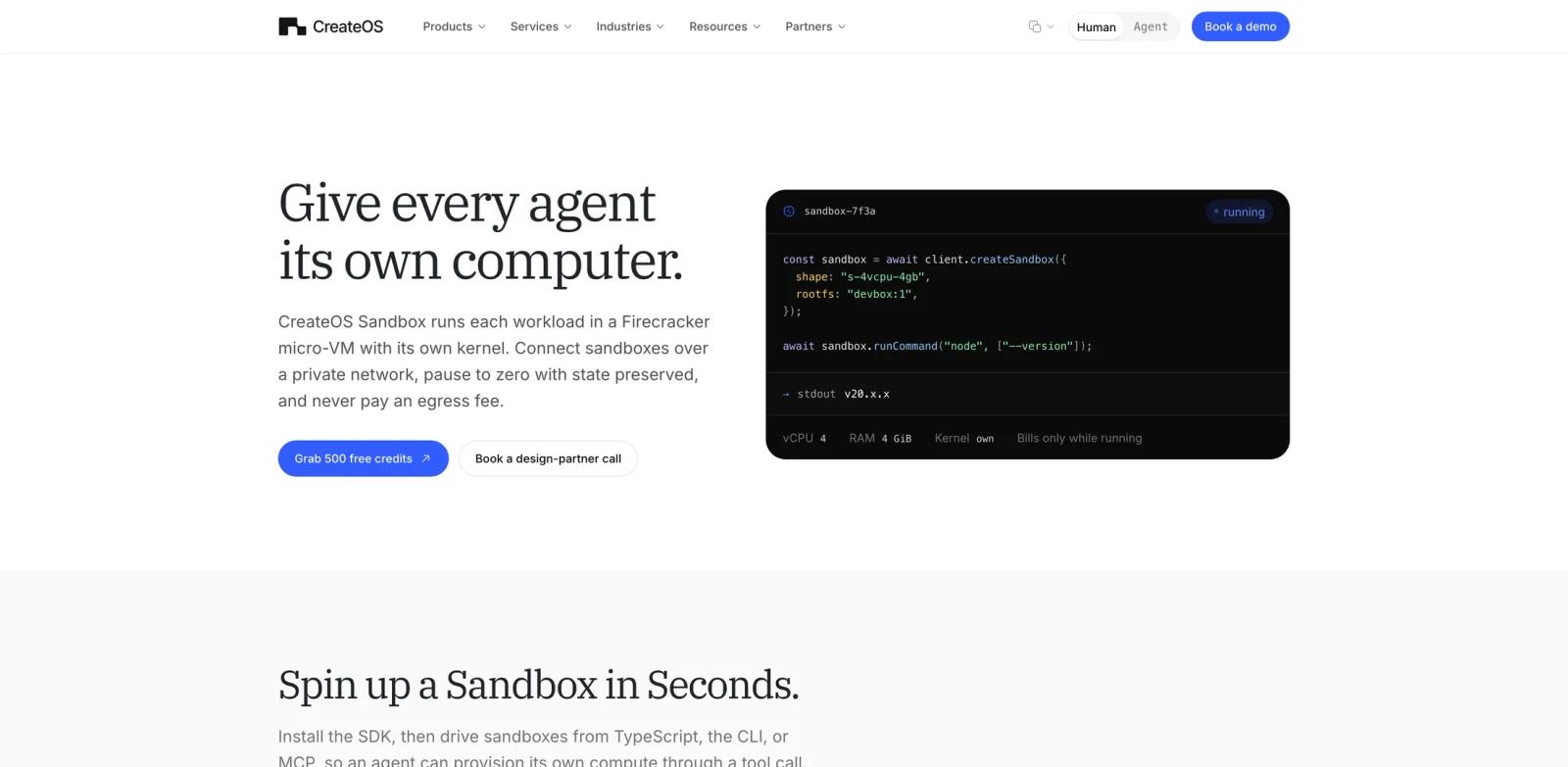
CreateOS Sandbox is an isolated compute environment for AI agents. Its official page describes a simple premise: give every agent its own computer. Each workload runs in a Firecracker micro-VM with its own Linux kernel, so untrusted or model-generated code is separated at the machine boundary rather than only by a process namespace.
The product is built for agent systems that need to run commands, inspect files, execute code, or branch task state without exposing the host. CreateOS supports TypeScript SDK, CLI, and MCP access, so an agent can provision a sandbox, run a command, read output, pause or destroy the environment, and continue through a tool call.
For ToolWorthy readers, CreateOS Sandbox fits the same operational category as AI agent infrastructure and agent code-execution environments. It is especially relevant when a coding agent, research agent, or data workflow needs disposable compute with isolation, state, and predictable pricing.
Key Features
Firecracker micro-VM isolation - Each sandbox runs with its own guest kernel, isolated filesystem, and hardware-level boundary.
SDK, CLI, and MCP control - Developers can create and control sandboxes through TypeScript, command-line tools, or MCP tool calls.
Pause-to-zero state - Pause serializes memory, vCPU registers, and device state to a Firecracker snapshot, then stops compute billing while preserving the run.
Private networking - Sandboxes can communicate over a private network without exposing public ingress by default.
Bring-your-own storage - Mount Amazon S3, MinIO, Cloudflare R2, or compatible object storage so run outputs stay in storage the user controls.
Forkable agent state - Pause a sandbox, fork it into multiple branches, and run parallel continuations from the same machine state.
How to Get Started
The official page shows the TypeScript SDK as the quickest path: install @nodeops-createos/sandbox, create a client using CREATEOS_SANDBOX_BASE_URL and CREATEOS_SANDBOX_API_KEY, then call createSandbox with a shape and root filesystem. Agents can also drive sandboxes through the CLI or MCP.
Start with a short command-execution task such as checking runtime versions, running a test, or executing generated code in a throwaway environment. Make sure the agent destroys or pauses the sandbox when finished, because sandboxes bill while running.
Teams building internal AI workflow generator systems should define egress policy, storage mounts, template root filesystems, and auto-pause defaults before giving agents broad code execution access.
Pricing & Plans
CreateOS Sandbox uses per-second usage pricing. The public page lists $0.0504 per vCPU-hour, $0.0162 per GiB-RAM-hour, and $0 egress for any volume. It also says new accounts start with 500 free credits.
Billing applies only while a sandbox is running. Paused sandboxes preserve state and stop compute billing, which is useful for multi-step agent tasks with idle gaps.
Best For
- Agent builders who need safe code execution environments
- Teams running coding agents, test agents, data agents, or research agents on untrusted tasks
- Developers comparing sandbox tools around AI code generator workflows
- Regulated teams that want self-host or bring-your-own-storage boundaries
- Multi-agent systems that need private networking between isolated machines
FAQ
What is CreateOS Sandbox?
CreateOS Sandbox is an isolated Firecracker micro-VM environment for running AI agent workloads and generated code.
How isolated is each sandbox?
The official page says each sandbox runs in its own Firecracker micro-VM with its own Linux kernel, so code cannot see the host or other tenants.
Can agents control CreateOS Sandbox?
Yes. CreateOS supports a TypeScript SDK, CLI, and MCP so agents can provision and operate sandboxes through tool calls.
How does pause-to-zero work?
Pausing snapshots the full guest state and stops compute billing. Resuming restores the same state into a micro-VM instead of cold booting.
How much does CreateOS Sandbox cost?
Public pricing lists $0.0504 per vCPU-hour, $0.0162 per GiB-RAM-hour, and $0 egress, with 500 free credits for new accounts.
Can I use my own storage?
Yes. The official page says users can mount Amazon S3, MinIO, Cloudflare R2, or compatible object storage.