

Overview
Wix is an AI website builder option for teams that need to move from prompt, brief, or sitemap to usable website structure, copy, design, or code faster. Get everything you need to build a website your way. Wix's free, easy-to-use website builder offers 2,000+ templates, built-in AI tools and a custom domain. In practical terms, it gives founders, marketers, designers, agencies, developers, and small-business owners a more structured way to handle site planning, wireframing, page generation, copywriting, editing, publishing, and iteration without relying entirely on spreadsheets, blank documents, or disconnected manual steps.
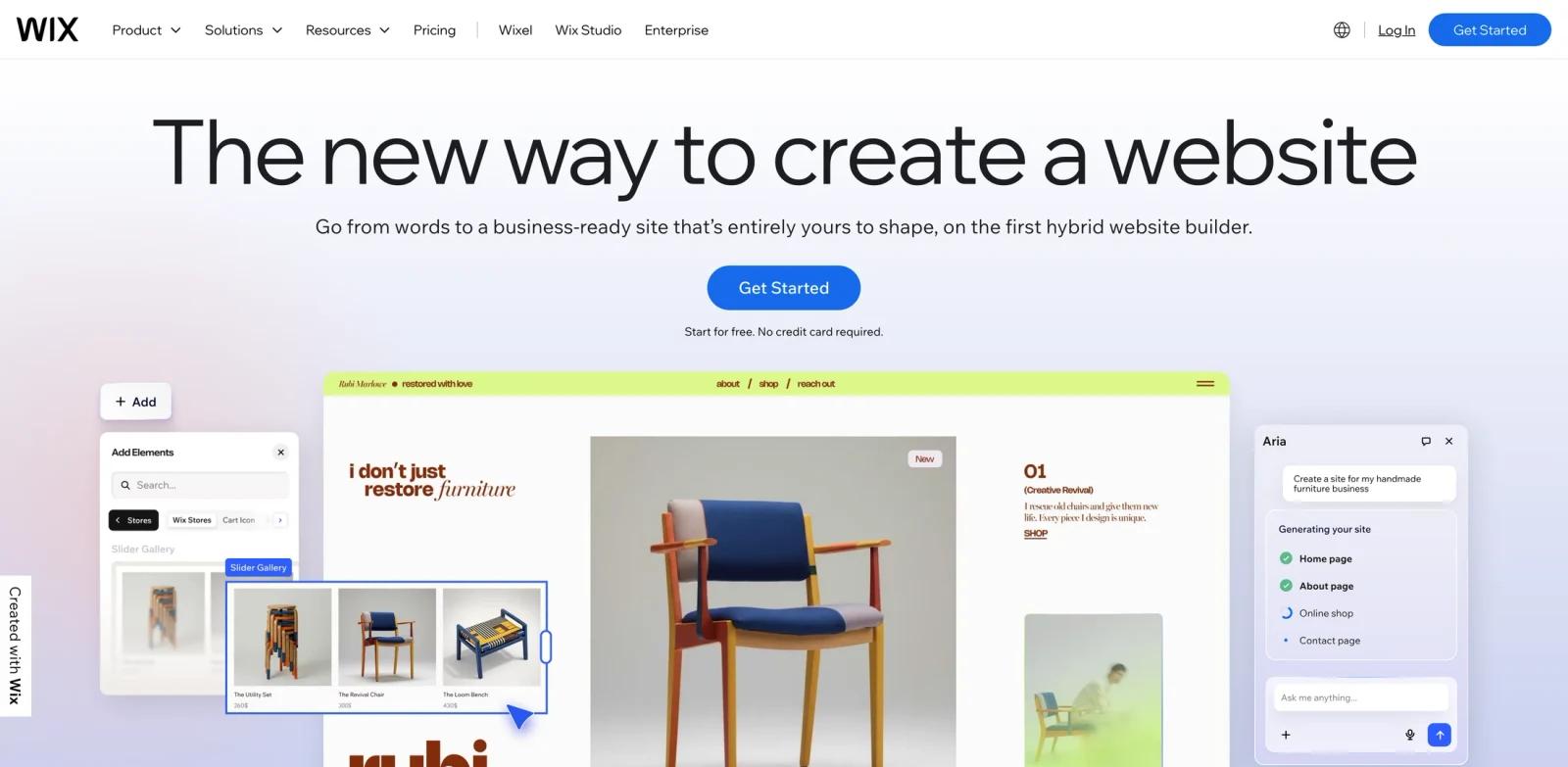
The product is especially relevant when the decision is not simply "does AI generate something?" but whether the workflow is repeatable, editable, and reliable enough for real work. Wix should be evaluated on design quality, editing freedom, code ownership, CMS support, hosting model, and how well the output fits real production work. The public site emphasizes themes such as The new way to create a website, Flow between instant generation and hand-crafted design, Website templates are another way in, Extreme customization. Absolute control., which gives buyers useful clues about where the product is strongest.
For buyers comparing best AI website builders, Wix sits in the practical middle ground between a general-purpose assistant and a heavier production system. It is useful when you want a dedicated product surface, clearer exports, and a workflow that non-technical teammates can understand.
Key Features
- Prompt-to-site generation - Turns a brief, business description, or product idea into an initial website structure users can edit.
- Page and section editing - Lets teams refine layouts, copy, colors, imagery, and conversion sections without starting over.
- AI copy and content support - Drafts headlines, product descriptions, CTAs, and page sections aligned with the intended audience.
- Responsive output - Creates layouts intended to work across desktop and mobile screens with less manual resizing.
- Publishing or export path - Provides a route to launch, host, export, or hand off the site depending on the platform.
- Team workflow support - Helps designers, marketers, and developers collaborate around a shared structure instead of scattered mockups.
These features matter most when Wix is used repeatedly. A single demo can show whether the interface feels polished, but a real evaluation should include messy inputs, edge cases, team review, and final export so you can see how much manual cleanup remains.
How to Get Started
- Open the official product site - Start from https://wix.com/ so you are using the current product flow rather than an outdated marketplace or review link.
- Create a small test project - Use a real example from your own workflow, such as an existing brief, recording, image, task list, or content asset.
- Check the default output - Review whether Wix produces something useful before heavy editing; this is the fastest way to judge baseline quality.
- Adjust settings and constraints - Test templates, model options, export formats, permissions, brand controls, or integrations that matter to your team.
- Compare against your current process - Measure cleanup time, approval time, and handoff quality against your existing tools, including AI content generator.
- Confirm pricing and rights - Before rollout, verify plan limits, commercial-use terms, privacy commitments, and whether AI graphic design tools or API access requires a higher tier.
Pricing & Plans
| Plan | Public pricing signal | What to expect |
|---|---|---|
| Evaluation | Free entry point or free trial | Use the public site or trial path to test core quality, limits, and workflow fit. |
| Team / professional | Price not clearly listed in the captured public text | Expect higher limits, collaboration, exports, integrations, or commercial-use permissions to sit behind paid access. |
| Enterprise | Contact sales where applicable | Security review, admin controls, procurement, API limits, support, and custom terms may require direct vendor confirmation. |
The captured public page did not provide a reliable lowest monthly price for Wix. This page therefore avoids inventing a dollar amount; confirm current pricing, billing interval, and plan limits on the official site before purchase.
Best For
- Founders validating a product landing page before investing in a full design cycle.
- Agencies producing first drafts, sitemaps, or wireframes for client review.
- Marketers creating campaign pages that need copy, structure, and quick iteration.
- Developers who want AI-generated starting points while keeping control of final code.
- Small businesses that need a presentable site without hiring a full web team.
FAQ
What is Wix used for?
Wix is used to move from prompt, brief, or sitemap to usable website structure, copy, design, or code faster. It is most relevant for founders, marketers, designers, agencies, developers, and small-business owners who need a more repeatable workflow than manual production.
Who should choose Wix?
Choose Wix if your daily workflow involves site planning, wireframing, page generation, copywriting, editing, publishing, and iteration. It is less suitable if you only need a one-off task and do not want to learn a specialized product.
Does Wix have a free plan?
Wix does not expose a reliable lowest public price in the captured page text. Treat it as freemium or trial-led until you verify the official pricing page.
What should I test first in Wix?
Start with a realistic sample project, not a toy example. Check output quality, editing control, export options, collaboration, and whether the result fits your existing tools.
How does Wix compare with generic AI tools?
Generic AI tools can help with drafts and ideas, but Wix is built around a more specific AI website builder workflow with purpose-built controls, templates, integrations, or exports.
Is Wix good for teams?
Wix can work for teams when its collaboration, permissions, sharing, and admin controls match your process. Smaller teams should verify whether those controls are included in entry-level plans.
What are the main limitations of Wix?
The main risks are plan limits, output quality variance, learning curve, and dependency on the product's supported formats or integrations. Always test with your own materials.
Can Wix replace a specialist?
Wix can reduce routine production work, but specialist review still matters for strategy, quality control, compliance, brand voice, and final approval.
What alternatives should I compare with Wix?
Compare it with tools in the broader AI website builder category, plus any workflow tools your team already uses. The best choice depends on output quality, cost, and adoption friction.