



Overview
MyHeritage is an AI-assisted tool for photo restoration, image repair, and visual enhancement. The product page positions it around practical work rather than novelty: users bring in an old photo, damaged image, faded portrait, or family archive scan and use the tool to move faster from raw input to a usable output.
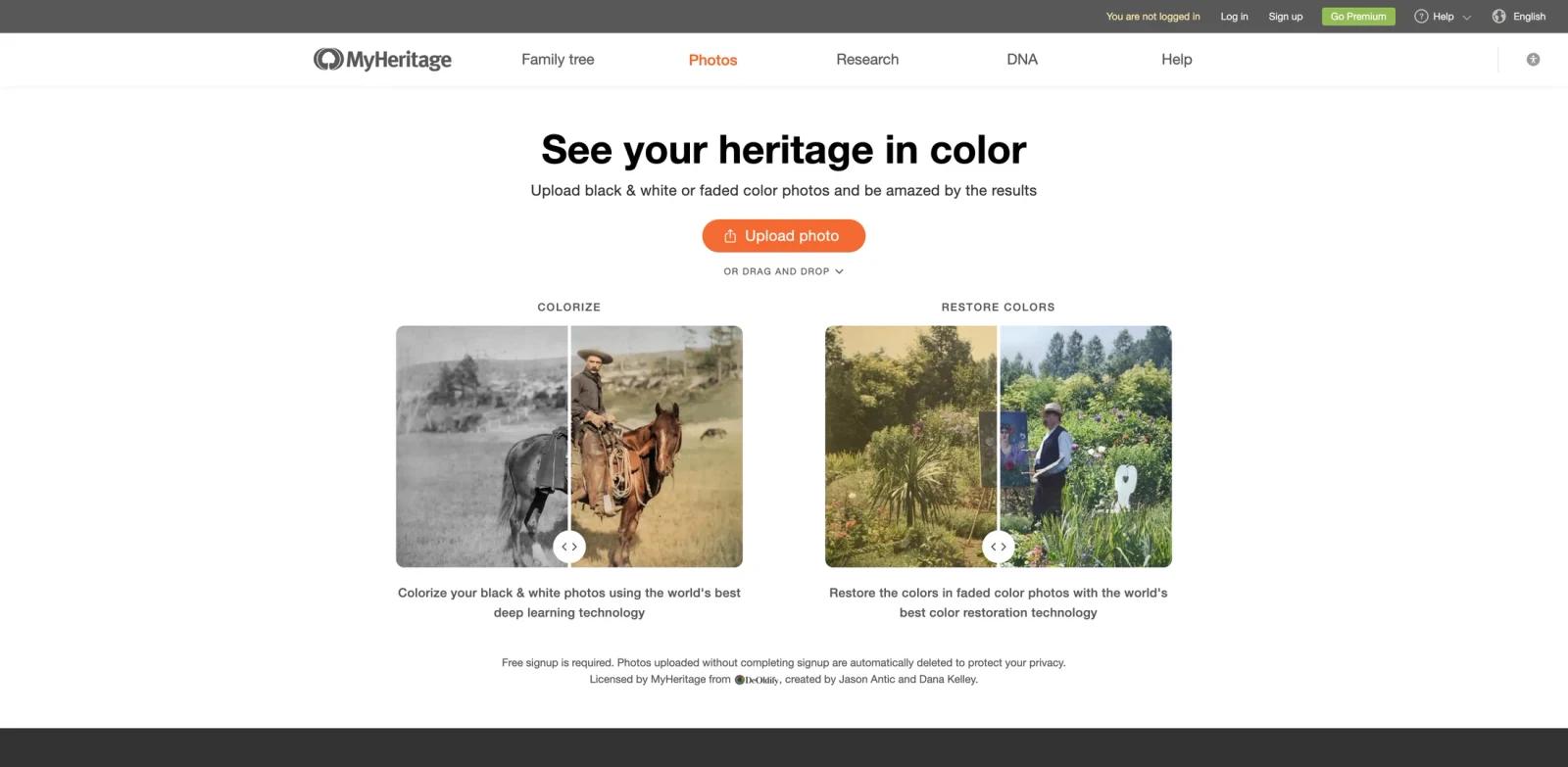
MyHeritage In Color TM uses the world's best deep learning technology to colorize black and white photos, and to restore the colors in faded photos originally taken in color. The results are exceptional and bring new life to cherished family photos. The best evaluation method is to test it with a realistic input from your current workflow instead of a sample prompt.
MyHeritage sits in the same workflow as AI photo restoration tools and AI image enhancers. Teams doing broader edits may also compare it with AI image editors. The strongest fit is a team or individual with a repeatable workflow, clear review standards, and a need to reduce manual setup without handing final judgment to automation.
Key Features
- AI photo repair - Restores faded, scratched, blurry, or damaged images so old photos become easier to preserve and share.
- Enhancement and sharpening - Improves facial detail, contrast, and clarity without requiring manual retouching expertise.
- Colorization support - Adds color to black-and-white images when users want a more modern or emotionally vivid result.
- Fast visual previews - Lets users compare restoration results before deciding whether an image is ready to download or refine.
- Archive-friendly workflow - Helps families, creators, and restoration businesses process repeated image repair tasks.
How to Get Started
- Open MyHeritage from the official product page and confirm that the workflow matches the task you want to improve.
- Prepare one realistic input from your current work: an old photo, damaged image, faded portrait, or family archive scan.
- Run a first output with default settings, then review quality, formatting, factual accuracy, tone, and handoff requirements.
- Test exports, integrations, collaboration settings, and privacy terms before using it for production work.
- Compare the time saved with the review time added. The tool is worth adopting when it reduces repeated work without lowering quality control.
Pricing & Plans
MyHeritage is best evaluated as a freemium or free-to-start product unless the live pricing page states otherwise. Public pages in this category often highlight a free workflow, while higher usage, exports, commercial rights, team controls, or premium processing may require a paid plan.
| Plan type | What to expect | Best fit |
|---|---|---|
| Free or starter access | Core workflow access with limits on usage, exports, processing quality, file size, or advanced controls. | Individuals testing whether the workflow fits. |
| Paid plan | More volume, stronger exports, commercial usage rights, team features, or premium models. | Teams using photo restoration, image repair, and visual enhancement repeatedly. |
| Business or enterprise | Admin, security, procurement, collaboration, and support terms when available. | Larger teams with governance or scale needs. |
Before buying, confirm current plan limits, export rights, watermark rules, seat pricing, cancellation terms, and whether AI features are included in the advertised plan.
Best For
- families repairing scanned archive photos
- creators improving old or damaged images for publishing
- photo businesses handling restoration requests at volume
- genealogy users who want clearer portraits and colorized memories
- Teams comparing multiple tools in this category and needing a practical benchmark before committing budget
FAQ
What is MyHeritage used for?
MyHeritage is used for photo restoration, image repair, and visual enhancement. It helps users turn a prompt, file, draft, dataset, recording, or workflow requirement into a more usable output with less manual setup.
Is MyHeritage free?
MyHeritage appears to offer a free or free-to-start path, but plan limits can change. Check the live pricing page for usage caps, export rights, watermark rules, and paid feature thresholds.
Who should consider MyHeritage?
Consider MyHeritage if your team handles photo restoration, image repair, and visual enhancement regularly and the current process is slow, inconsistent, or too dependent on one specialist. Occasional users may still benefit, but the return is clearer when the workflow repeats every week.
What should I test before adopting it?
Test it with a real input from your workflow. Review output quality, editing effort, privacy terms, export formats, collaboration controls, integrations, and whether the result can move cleanly into the next tool your team uses.
How does MyHeritage compare with general AI chatbots?
General chatbots are flexible, but MyHeritage provides a more focused workflow for photo restoration, image repair, and visual enhancement. That focus can reduce setup time, preserve formatting, and make handoff easier when the result needs to be published, shared, or reused.
Can teams use MyHeritage for client or commercial work?
Many tools in this category support professional use, but licensing and commercial rights vary by plan. Verify usage rights, watermarking, attribution, data handling, and output ownership before using results in client-facing or paid work.
Does MyHeritage replace human review?
No. It can reduce drafting, planning, analysis, or production time, but users should still review accuracy, tone, formatting, compliance, accessibility, and brand fit before publishing or sending final work.
What are the main risks?
The main risks are over-trusting generated output, misunderstanding plan limits, uploading sensitive data without checking terms, and using first drafts as finished work. A lightweight review checklist solves most of these issues.
What alternatives should I compare?
Compare MyHeritage with category-specific tools listed in AI photo restoration tools, plus adjacent workflows such as AI image enhancers and AI image editors. The right choice depends on whether you need speed, control, collaboration, governance, or the strongest final output quality.


