Overview
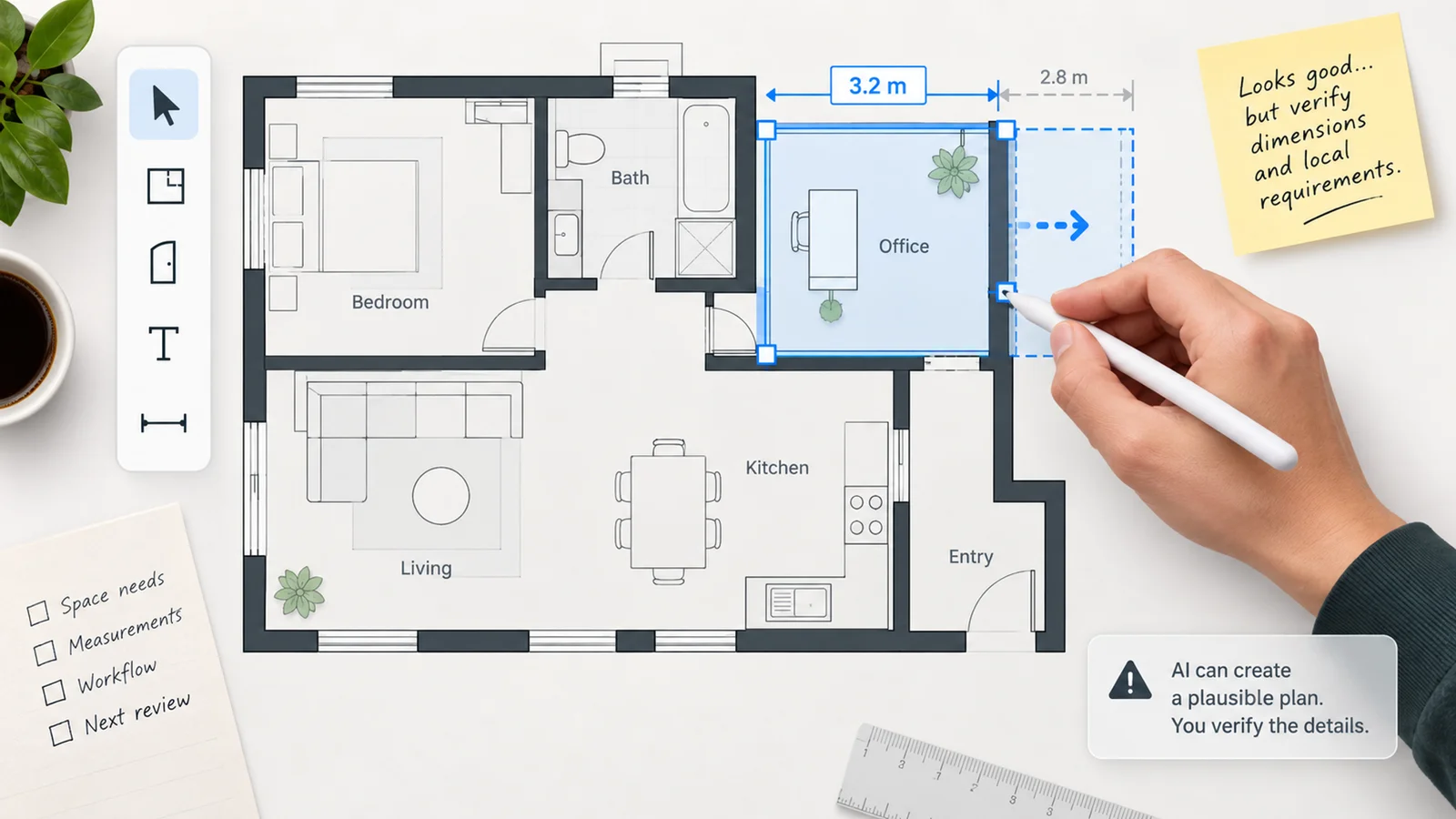
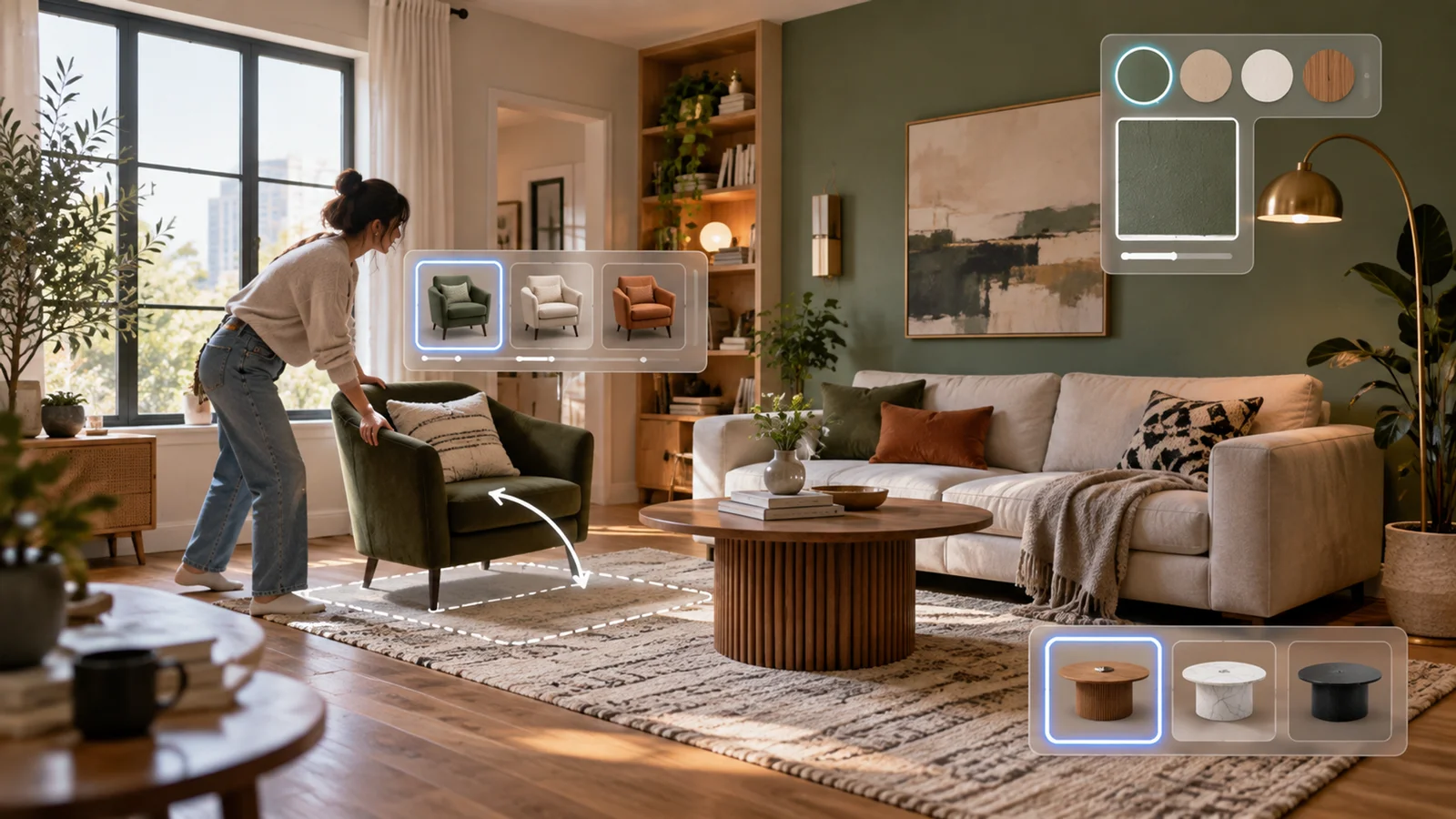
Homestyler is a cloud-based 3D interior design platform with an official community claim of 20M+ designers. It combines a floor plan editor, a library of 10M+ 3D furniture models and materials, cloud rendering up to 4K, and AI-powered tools — including a sketch-to-3D converter that transforms hand-drawn 2D floor plan sketches into editable 3D room layouts.
The platform targets a broad range of users: homeowners planning renovations, professional interior designers building client presentations, real estate agents staging virtual tours, brands and retailers showcasing products in rendered room settings, and educational institutions teaching design fundamentals. An accessible Basic tier includes cloud floor planning, unlimited 1K rendering, 100,000+ free 3D models/materials, 3 free roof styles, and 5 Home Copilot uses; paid plans add 2K/4K render allowances, premium models/templates, AI credits, uploads, and collaboration tools.
Homestyler is part of the AI interior design and AI room and home design categories. A free plan is available. Pro+ starts at $6.80/month.
Key Features
- AI sketch-to-3D conversion — Upload or draw a 2D floor plan sketch and Homestyler's AI converts it into an editable 3D model with walls, doors, and openings recognized automatically. Reduces manual layout setup time for users redesigning existing spaces.
- 10M+ 3D furniture and materials library — Browse and place furniture, fixtures, lighting, and materials from a catalog of over 10 million 3D models, including branded items from furniture manufacturers. Scale, rotate, and customize finishes directly in the 3D view.
- Cloud rendering up to 4K — Generate photorealistic renders of designed rooms in 2K or 4K resolution without local processing. Pro+ includes 75 2K renders and 75 4K renders per month; Master+ unlocks unlimited 4K image rendering, while video and 8K/12K panorama rendering have separate quotas or à la carte pricing.
- AI design credits for automation — Pro+ and above include monthly AI credits for Homestyler's AI tools, alongside Home Copilot usage limits listed on the current pricing page. Pro+ includes 180 credits/month; Master+ provides 380.
- 500+ design templates — Start from style-specific templates (Mid-Century Modern, Minimalist, Japandi, Scandinavian, and others) rather than a blank floor plan. Templates are editable after selection.
- Team collaboration and brand tools — Team plan includes shared design libraries, sub-account management, and custom asset uploads. Useful for design firms managing multiple client projects in a unified workspace.
Pricing & Plans
Homestyler offers a free plan and four paid tiers. À la carte rendering is available for users who need occasional renders beyond plan allowances.
| Plan | Price | Renders | AI / Home Copilot |
|---|---|---|---|
| Basic | $0 | Unlimited 1K rendering; 4K renders purchased separately | Basic AI access; Home Copilot 5 times free |
| Pro+ | Starts from $6.80/month | 75 2K renders + 75 4K renders/month | 180/month; Home Copilot 700/month |
| Master+ | Starts from $11.80/month | Unlimited 4K image rendering; more video and 8K/12K panorama quota | 380/month; Home Copilot 1500/month |
| Team | Starts from $19.90/seat/month | Extra rendering quota & AI credits; shared design space | Team-level access; Home Copilot 1500/month |
| Enterprise | Custom pricing / Contact sales | Custom | Custom |
À la carte options: 2K image renders from $0.99 each, 4K image renders from $1.99 each, 12K panoramas from $3.99 each, and 540p video renders from $2.99 per 10 seconds. Exact plan limits may vary — check Homestyler's pricing page for current rates.
Best For
- Interior designers and design students who need cloud-based 3D design and rendering without installing desktop software
- Homeowners planning room renovations who want photorealistic output from a large branded furniture catalog
- Real estate professionals creating virtual staging visuals for property listings
- Design firms needing team collaboration with shared asset libraries and sub-account management
FAQ
Is Homestyler free?
Yes. Homestyler offers a permanent Basic plan with unlimited 1K rendering and access to 100,000+ free 3D models/materials; 4K renders and premium models/templates require paid access or purchase. For higher-resolution 4K output and AI features, Pro+ starts at $6.80/month with 75 renders/month and 180 AI credits.
How does Homestyler's AI sketch-to-3D work?
You upload or draw a 2D floor plan sketch — including hand-drawn room layouts — and Homestyler's AI recognizes walls, doors, and openings, converting them into an editable 3D room. This reduces setup time when redesigning a space from an existing layout rather than starting from scratch.
How does Homestyler compare to Planner 5D?
Both are browser-accessible 3D home design tools with free tiers. Homestyler has a significantly larger furniture library (10M+ vs. 8K+ items) and AI sketch-to-3D conversion. Planner 5D offers a stronger mobile app experience with cross-device sync and an AI Design Generator on its Professional plan. Homestyler emphasizes Team features such as shared design space, shared model/texture libraries, sub-account management, and custom logo renders. Pricing is comparable at the entry tier.
What is the rendering quality on Homestyler?
Free Basic includes unlimited 1K rendering. Pro+ includes 75 2K renders and 75 4K renders per month; Master+ includes unlimited 4K image rendering. À la carte 4K renders start at $1.99 each for free-plan users who need occasional high-resolution output.
Does Homestyler work on mobile?
Homestyler is primarily browser-based and runs on any desktop or laptop with a modern browser. Homestyler offers web access plus iOS/Android app options; complex 3D floor-plan work is still best handled on a larger screen. The browser workflow does not require software installation.