
6 Best AI Pitch Deck Tools in 2026 — Choose by Fundraising Handoff
A pitch deck generator can make slides quickly, but the real decision is what happens next: investor edits, an editable handoff, and a shareable final story.

On this page
An AI pitch deck can look finished long before it is ready to send. The slide design is only one part of the job: a founder still has to substantiate traction, explain the business model, refine the ask, decide whether collaborators need an editable file, and check what an investor will actually receive. This guide compares six tools by that handoff, not by a supposed universal design score.
Short answer: Start with Slidebean when you want a fundraising-specific workspace; Gamma for a fast draft you will substantially edit; Pitch when teammates must collaborate and tracked links matter; Plus AI when the deck must stay in PowerPoint or Google Slides; Beautiful.ai when controlled layouts are the bottleneck; or Canva when you want flexible visual editing without adopting a fundraise-specific system. If your team already has Copilot in PowerPoint or Gemini in Slides, try that existing workflow before buying another subscription.
This is desk research from current official product, help, and pricing pages, checked September 28, 2026. We did not run the same founder brief through all six products, inspect their actual exported files, or measure presentation quality. The comparisons below describe documented workflow and plan boundaries; use the elimination tests before paying.
AI pitch deck tools at a glance
On a phone, swipe across the table to compare handoff requirements and reasons to eliminate each option.
| Tool | Start here when | Required handoff to test | Free or paid boundary | First reason to eliminate it |
|---|---|---|---|---|
| Slidebean | Fundraising structure and investor outreach are the problem | Investor share link, PDF/PPT export, financial narrative | Starter subscription; exports are paid | You need editable charts or tables in the exported PPT |
| Gamma | You need a first draft from a brief | PDF/PPTX plus a slide-by-slide edit | Free exports carry Gamma branding; paid removes it | Your recipient needs pixel-stable native PowerPoint editing |
| Pitch | A team will revise and circulate the deck | Guest edit, tracked share link, PPTX | Free AI credits are one-time; PPTX and advanced links are paid-tier features | You only need one untracked PDF |
| Plus AI | PowerPoint or Google Slides is already your source of truth | Edit the generated deck in your existing template | Card-required 7-day trial, then per-user subscription | You want a separate investor CRM or fundraising coach |
| Beautiful.ai | Keeping slides visually consistent takes too much time | Editable PPTX/Slides export | Trial then paid; editable export requires Pro or above | Your team needs unconstrained slide-by-slide layout control |
| Canva | Flexible template and asset editing matter most | PPTX/PDF export and collaborator review | Free AI usage is limited; Pro assets watermark on Free unless licensed | You need investor tracking or financial-model workflow in the same tool |
The most expensive mistake is choosing from the generated preview alone. Decide first whether the final deliverable is a private PDF, an editable PowerPoint, a living collaborative deck, or a tracked investor link. Then check which plan actually supplies that deliverable. For a broader slide-tool market map, see our AI presentation maker comparison; this page stays focused on the fundraising handoff.
What makes a pitch deck different from a presentation?
A generic AI slide maker can arrange a market, problem, solution, traction, team, and ask into a plausible sequence. It cannot establish that the market number is sound, that customer evidence supports the claim, or that the financial model survives investor questions. A polished but unverified chart can weaken a pitch faster than an unpolished slide.
Before uploading source material, prepare a short factual brief: one-sentence company description, target customer, the problem and evidence for it, product screenshots or demo link, dated traction metrics, business model, defensible market assumptions, team credentials, and the amount and use of funds if relevant. Separate public-safe content from confidential pipeline, customer, or financial data. Review the vendor's sharing and data terms before entering sensitive material.
Then make one representative deck and run four checks: (1) correct or delete every AI-supplied fact; (2) edit a traction chart and a dense financial slide; (3) export the exact format your recipient expects and reopen it; and (4) send a private test link to a collaborator. If any required step breaks, eliminate the product even if the first render looks good.
Which of the six fits your workflow?
Slidebean
Best for: A founder who needs a deck workflow tied to fundraising, not simply another slide canvas. Slidebean combines an AI pitch-deck builder with founder-oriented templates, view tracking, and financial-modeling resources. Its pricing page also separates self-serve software from higher-touch support, which matters if you are budgeting for more than a tool.
Skip if: You already have a well-structured story and only need to improve layouts, or if another team must edit your financial charts in PowerPoint. Slidebean's investor-oriented extras would not remove the core work of validating your numbers and narrative. Its help documentation says offline PDF, PPT, and HTML exports are subscription features. More importantly, its editable-PPT guidance says charts and tables export as non-editable images and fonts may substitute. An "editable PPT" is therefore not a fully transferable financial deck.
First elimination test: Build one deck from the real company brief. Check whether the generated story makes your traction and ask easier to explain, then open its exported PPT and try editing a chart. Confirm the private-share controls you need. If chart editing is required or the fundraising context does not change your revisions, a general editor may be enough.
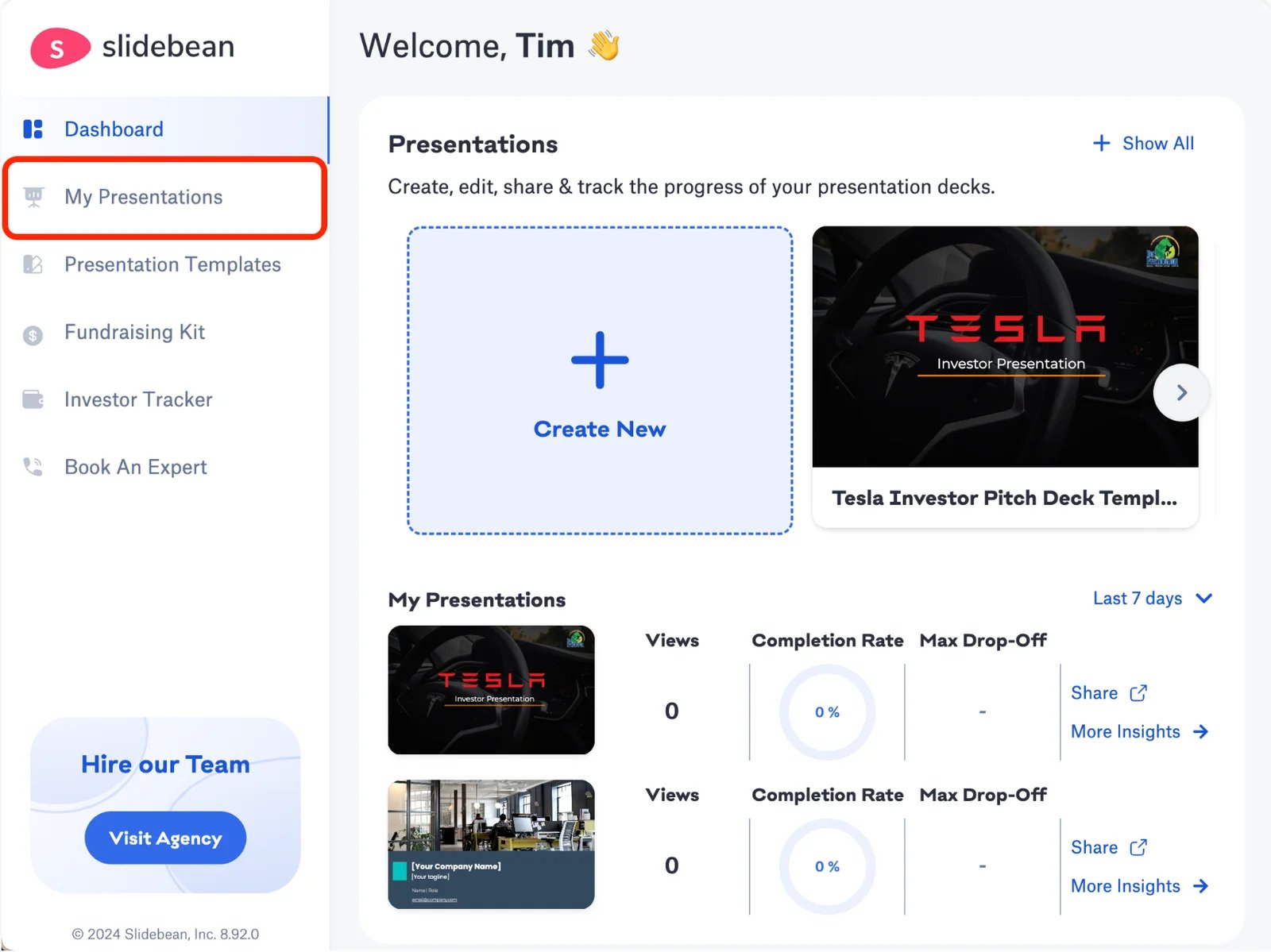
Slidebean's documented presentation dashboard. Screenshot from its product help page; it illustrates the workflow, not a hands-on ToolWorthy test.
Gamma
Best for: Getting a structured first draft from a brief, then rapidly rewriting the story yourself. Gamma's current plans include a Free start with PDF and PPTX export; Plus removes Gamma branding. That makes it an accessible place to discover whether AI generation helps at all before committing to a paid workflow.
Skip if: The final file must look identical and remain easily editable in someone else's PowerPoint environment. Gamma's export help documents that some visual effects and font behavior can differ in external presentation apps. A Free workspace also stamps the export with a Gamma badge at the time of export.
First elimination test: Generate a deck, replace a generic market slide with sourced numbers, export to both PDF and PPTX, and have the actual recipient reopen them. If you spend more time fixing the exported file than editing the story, choose a native slide-suite route such as Plus AI. The Gamma App profile is useful for a broader product overview.

Best for: A founder and team who will collaborate on the deck and distribute it through links rather than passing versions by email. Pitch Agent generates editable slides from prompts and files; the current product page describes in-editor refinement, branded templates, and share analytics. The pricing page distinguishes basic links from advanced links and pitch rooms.
Skip if: You need only a one-off PDF. Pitch's team and distribution features add little in that case. On the current plans, Free includes a one-time pool of AI credits; PPTX export is listed from Plus, while advanced engagement links and pitch rooms begin higher. Plan prices depend on seats, billing cycle, and region; the site displayed euros when checked.
First elimination test: Ask a teammate to edit one slide, send a test link to another person, and verify the analytics and download permissions at the tier you would actually buy. If your fundraising process needs a data room rather than a simple deck link, confirm what Pitch's room feature does before committing. See the Pitch product profile for the broader tool context.
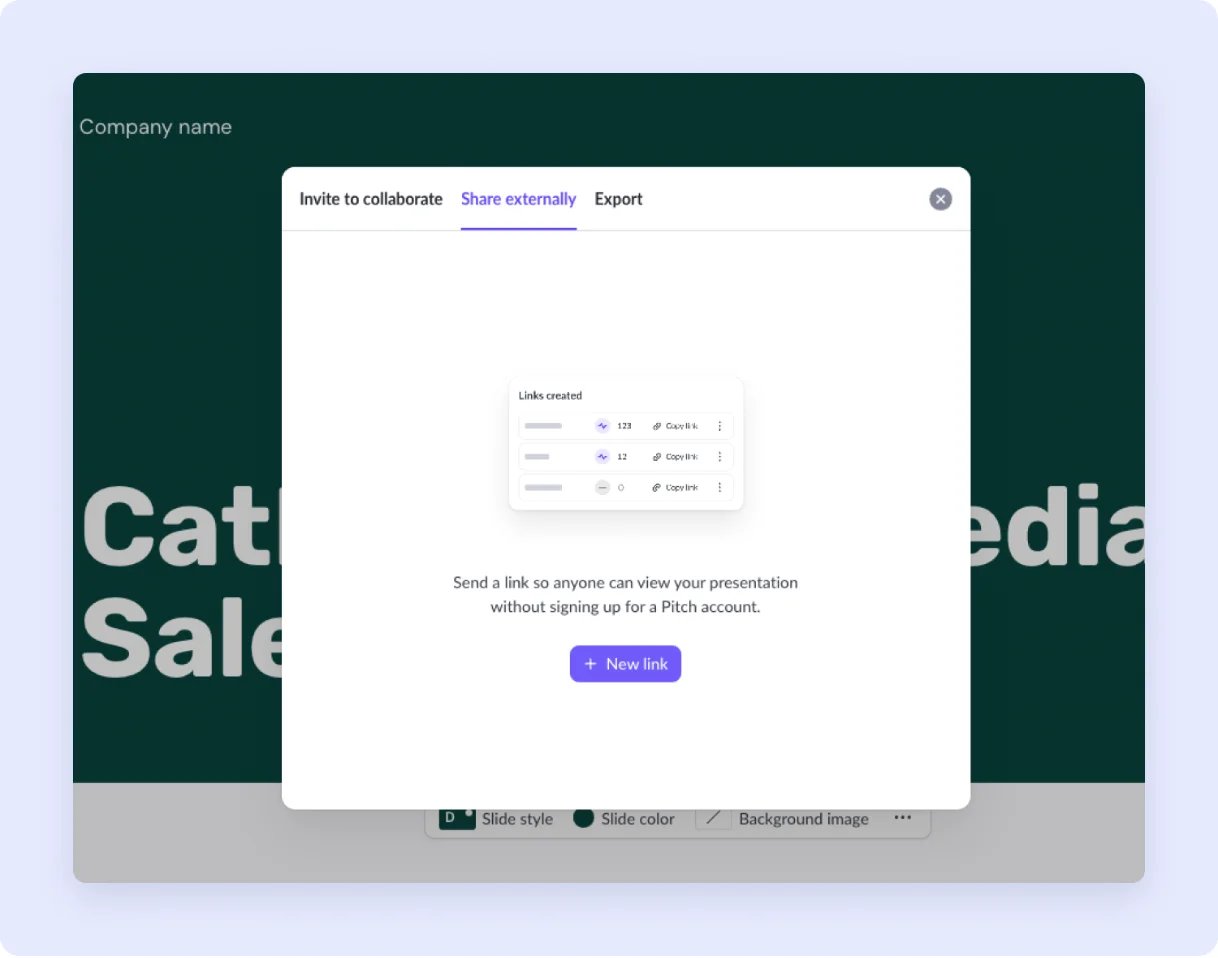
Pitch's documented external-link controls. Screenshot from its help page; confirm the available controls on your plan before sending to investors.

Best for: Teams whose editable source of truth is already PowerPoint or Google Slides. Plus AI's product and pricing pages describe an add-in workflow in both applications, with AI generation, insertion, and remixing of slides. The buying case is fewer conversions and less handoff friction, not a claim that its first draft is objectively better.
Skip if: Your bottleneck is investor narrative, outreach, or link analytics. Plus AI works in a slide suite; it is not positioned as a fundraising workspace. Its current US page lists Basic from $10 per user/month billed annually or $15 monthly. The 7-day trial requires a card and auto-charges at expiry unless cancelled; confirm your region and renewal before starting.
First elimination test: Start in your real company template, generate one metric slide and one text-heavy slide, then ask a colleague to edit both in the application they already use. If elements remain editable and on-brand with little cleanup, the native workflow may beat a prettier external preview. The Plus AI profile provides a separate product overview.

Best for: A small team that has its facts and story but loses time maintaining a consistent slide system. Beautiful.ai's pricing page lists Smart Slide layouts, brand controls, and AI content generation. Its design guardrails are the reason to try it, not proof of a superior investor outcome.
Skip if: Your main reason to pay is Smart Slide automation but most of the deck needs unconventional diagrams or precise manual placement. Beautiful.ai also offers blank Classic Slides for that work, but then its design guardrails may provide less value. The export support page states that editable PowerPoint or Google Slides export requires Pro, Team, or Enterprise. Its advertised trial requires a card and converts unless cancelled; review those terms before starting.
First elimination test: Put your messiest product/traction slide into a Smart Slide, then revise the numbers twice. Export an editable version and inspect the chart and typography in the recipient app. If the layout fights your evidence, do not purchase it for polish alone.

Best for: Founders who want broad template and asset control, easy collaboration, and a low-commitment start. Canva's presentation page describes guided AI presentation creation, browser/mobile editing, and PowerPoint/PDF export. Its Free tier permits limited AI use; plan allowances vary by feature and plan. Canva's licensing guide also says Pro assets show a watermark to Free users unless licensed for that design or covered by Pro. Inspect the final export before you send it.
Skip if: You want software to organize your fundraise, model assumptions, or track investor engagement in one place. Canva helps assemble and refine slides; you must supply the diligence-ready story and manage outreach separately.
First elimination test: Build one deck with real brand assets and a difficult data slide, invite one collaborator, and export a PPTX and PDF. Inspect both for Pro-asset watermarks. If manual layout work is still the bottleneck, try Beautiful.ai; if editable slide-suite handoff is the bottleneck, try Plus AI.
When you should not buy a separate pitch-deck tool
If your team already uses PowerPoint with a qualifying Copilot license, Microsoft's support guide describes creating a draft from a file inside PowerPoint. Google also documents Gemini-generated presentations in Slides from prompts and references. Test the licensed tool with the same brief before adding a new subscription. Neither route excuses fact-checking or story work.
Decktopus is another credible adjacent generator: its pricing and export documentation show an AI deck workflow with paid export. We kept the main list to six because it does not introduce a distinct decision lane beyond the fast-draft and export options above. If rehearsing delivery is your primary need, inspect it directly rather than treating its omission as a quality verdict.
The investor handoff checklist
Before you send a deck, save the editable source, a locked PDF, and the source documents behind every chart. Check that shared links are restricted as intended and that a downloaded file still looks right outside the editor. Use a test recipient, not an investor, for the first send. Record the plan and export conditions you relied on; pricing, AI credits, and sharing features can change.
If you need to browse the wider category rather than choose among these six, the AI presentation maker directory covers additional workflows. The narrower question here is whether a pitch-deck tool removes a real step between your source evidence and a credible investor handoff.
FAQ
What is the easiest AI pitch deck tool for a first draft? Gamma offers a Free starting point with PDF/PPTX export, but "easiest" depends on where the deck must end up. A founder already working in PowerPoint or Slides may save more time by staying there with Plus AI or an existing Copilot/Gemini entitlement. Test the final file, not just the generation screen.
Can I make an investor pitch deck for free? You can draft with free access in tools such as Gamma, Pitch, or Canva, subject to usage and branding limits. A clean export, advanced sharing, or recurring AI credits may require payment. More importantly, free generation does not verify your market, traction, or financial claims.
Which tool supports an editable PowerPoint handoff? Plus AI is the most direct route because it works inside PowerPoint. Pitch lists PPTX export from Plus; Gamma exports PPTX but documents possible visual differences; Beautiful.ai gates editable PowerPoint export to paid tiers. Reopen a real exported deck before choosing.
Do I need investor-view analytics? Only if your outreach process will use that signal. Pitch's advanced links and Slidebean's deck tracking are relevant to repeated investor distribution. For one meeting or a requested PDF attachment, a clean file and controlled permissions matter more than a dashboard.
Will AI make my pitch investor-ready? No tool can validate your business evidence. Treat AI output as a draft, verify every numerical claim against founder-owned records, and have a person who understands the business challenge the story before sending.
Get ToolWorthy Weekly
New AI tools, practical guides, and selected AI signals in one weekly brief.
Related Posts
- 16 Best AI Presentation Makers 2026 — From Free Decks to Enterprise Pitch Tools
We compared 20 AI presentation tools and selected 16 that actually save design time. Side-by-side pricing, export formats, and real limitations for Gamma, Canva, Beautiful.ai, and 13 more.
For AI tool founders
Built a tool that belongs in this decision set?
Request an editorial evaluation for possible inclusion in ToolWorthy.
Submit your tool for reviewPaid submission does not guarantee a ranking, recommendation, inclusion, or editorial outcome.