
6 QuickBooks Alternatives in 2026: Choose Before You Move Your Books
Compare six QuickBooks alternatives by workflow, real plan limits and migration risk. Choose cloud, free or desktop accounting before moving your books.
On this page
The cheapest QuickBooks alternative is not necessarily the cheapest way to leave QuickBooks. A lower subscription can disappear into conversion work, extra accountant time or a missing inventory workflow.
For a US small business, start with Xero or Zoho Books when you need another cloud accounting system; FreshBooks when billable work and client invoices drive the choice; Wave when a basic free cloud ledger is sufficient; AccountEdge for a paid desktop workflow; and GnuCash for a free, locally maintained ledger. These are different switching routes, not six interchangeable winners.
This guide mainly addresses QuickBooks Online, with a separate desktop route for QuickBooks Desktop users. It does not assume that an Online export, a Desktop company file and a payroll subscription migrate the same way. For the anchor's broader product scope, see our QuickBooks overview.
Research boundary: This is desk research from official product, pricing and migration documentation, checked October 3, 2026—not hands-on testing. Prices below are standard US USD rates, excluding applicable taxes, unless stated otherwise; introductory offers, payment processing, payroll and conversion services can change the total. Local editions and bank support differ outside the US.
QuickBooks alternatives at a glance
Use the final column to eliminate a route before investing in setup. The prices and restrictions are explained with official sources in each tool section. On mobile, swipe the table horizontally for plan limits and elimination tests.
| Tool | Best for | Workflow | Purchase-changing boundary | First reason to rule it out |
|---|---|---|---|---|
| Xero | Shared cloud books | Cloud; unlimited users | Early $27/month: 20 invoices and 5 bills; Growing $59 | Your accountant or essential integration cannot work with it |
| Zoho Books | Lower-cost cloud books | Cloud; plan-based users | US Free: revenue up to $50K; bank feeds start at Standard | Your required feature lives above your affordable tier |
| FreshBooks | Client billing and time | Service-business cloud | Lite: 5 billable clients; double-entry reports start at Plus | You need a replacement for a stock-heavy accounting workflow |
| Wave | Basic free cloud accounting | US/Canada-focused cloud | Starter $0; automated bank imports and general collaborator roles require Pro | Manual imports or the paid collaboration boundary defeat the savings |
| AccountEdge | Paid local desktop books | Mac/Windows; hosted option separate | Pro $20/month; periodic online subscription validation | You need a perpetual license or indefinitely offline use |
| GnuCash | Free local accounting | Windows/macOS/Linux | Free open-source software; setup and backups are your responsibility | You need a managed shared-cloud workflow |
Fast shortlist: For shared cloud books, compare Xero Growing with the Zoho Books tier your workflow actually requires—not just their entry prices. If you need multi-currency or project time/cost tracking, Xero Established is the relevant tier. For a no-subscription route, decide first whether you want Wave's cloud service or GnuCash's locally maintained file. For desktop inventory and time billing, evaluate AccountEdge—but check its conversion exclusions before expecting your existing stock history to transfer.
When switching makes sense—and when to stay
Name the problem you are buying a solution for.
- The recurring bill: Compare the normal renewal price, required users and add-ons, not the trial banner. Xero's US prices increased on October 1, 2026; changing vendors is not a guarantee against future increases. Xero's pricing update.
- Too much system for your work: A service business may care most about estimates, tracked time and paid invoices. A stock-based business cannot make that same simplification without checking purchasing and inventory.
- Local control: If the requirement is locally stored books, another cloud product will not solve it. AccountEdge and GnuCash address this differently: paid desktop software versus a free, self-maintained ledger.
- An ecosystem mismatch: Bank support, accountant access, payroll and commerce connections are hard filters. Ask your accountant which shortlisted platform they can actually service before moving data.
Stay with QuickBooks if your books are reconciled, your accountant and integrations work well, and the only issue is a modest price difference. Estimate the cost of migration and retraining alongside the subscription savings. A downgrade may be enough, but confirm eligibility and the features you would lose first.
QuickBooks also now advertises a US Free plan: one user, no accountant access, one connected bank and two invoices per month—or unlimited invoices if you qualify for and enable QuickBooks Payments. That is worth checking for a very small workflow, not assuming an existing paid company can downgrade into it. Compare its actual eligibility and payment fees with Wave before moving solely to get a $0 subscription. Current QuickBooks plans.
Before switching: a report export is not a portable company file
QuickBooks Online's official export procedure saves reports and lists to Excel; attachments have a separate batch export. Those files are useful records, but do not prove that another product can reconstruct your complete transaction history, reconciliations, recurring setup or payroll. Intuit's export instructions.
Before cancelling, preserve:
- The reference numbers: Trial balance, balance sheet, profit and loss, general ledger, receivables/payables detail and the reports your accountant needs, using consistent dates and accounting basis.
- The reusable lists: Chart of accounts, customers, vendors and products/services; include inventory records if applicable.
- The supporting evidence: Receipt and invoice attachments, bank statements, payroll records and a record of recurring transactions. Export attachments separately; do not assume the report ZIP includes them.
- The migration scope: Which history, open invoices/bills, credits, inventory, attachments and payroll will move? Get the answer for your exact QuickBooks edition, country and destination—not a generic “we support QuickBooks.”
For Desktop, keep a verified backup of your company file and confirm the destination's supported import/conversion path for that specific version. The Online Excel procedure is not a Desktop migration recipe. Keep a readable archive independent of either vendor; ask your accountant which records must remain available.
Prove one representative month before committing. Use a test company or vendor-coordinated sample conversion containing a real-world invoice, supplier bill, payment, refund and bank reconciliation. If you track stock or foreign currency, include those too. Compare the resulting balances and open items with the source reports. A successful upload is not the same thing as correct books.
Six switching routes in detail

Best for: Keeping a shared cloud ledger while changing the accounting platform. Xero includes unlimited users on its business plans, making the number of people who need access a useful comparison with QuickBooks' plan-based user limits. Bank reconciliation is part of its core workflow. Xero's QuickBooks comparison, bank reconciliation.
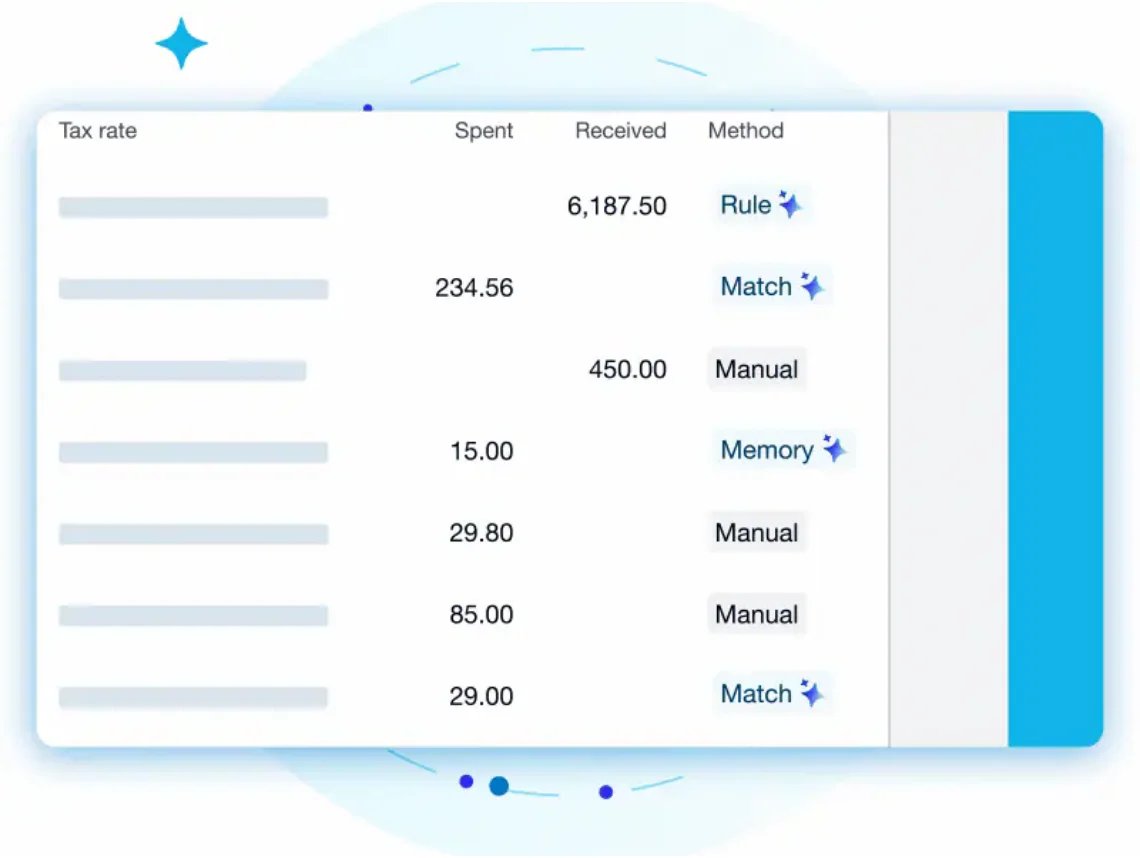
Official interface illustration published by Xero; the automation shown is included on Growing and above, not assumed included in Early. Not a ToolWorthy test account.
The plan trap: US Early is $27/month, but its 20-invoice and 5-bill limits can disqualify it quickly. Growing is $59/month; Established is $97/month. These are the regular prices effective October 1, not promotional rates. Compared with QuickBooks Simple Start's advertised $38/month, Early is lower—but Growing is higher. User access and actual volume should decide the comparison. US pricing, effective-date notice.
Skip if: Your accountant, bank or essential integration cannot support the proposed setup. Multi-currency and project time/cost tracking require Established; do not price those needs against Growing. Do not interpret unlimited users as unlimited features, or a conversion option as a promise that every historical object transfers.
First elimination test: Have the person who closes your books verify the required reports and access roles; then price the tier against a normal month's invoice and bill count. Ask for the supported conversion scope for your actual source edition. Xero's conversion guidance.

Best for: A lower-cost cloud ledger when you are willing to choose a tier carefully. The US Free plan covers businesses whose financial-year revenue does not exceed $50,000, with up to 1,000 invoices annually. Standard is $20 per organization/month billed monthly, or $15/month billed annually, includes three users and adds connected bank feeds. Inventory and multi-currency transactions sit in Professional or above, so Free/Standard is not the comparison for every QuickBooks company. US plans and limits.
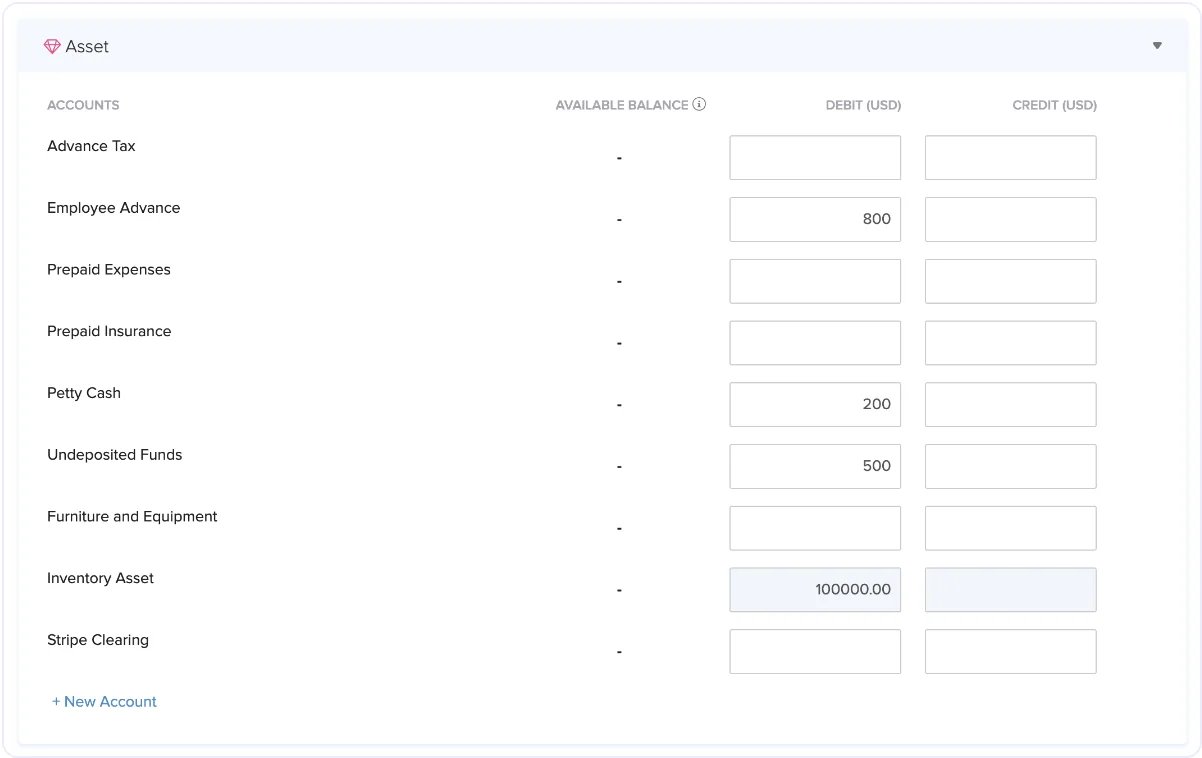
Official help-document interface; it illustrates balance setup, not a completed migration.
Migration is a sequence, not one button. Zoho's QuickBooks Online guide distinguishes a current-financial-year move from importing historical data. It covers field mapping, opening balances and synchronizing earlier transactions. Follow one coherent method with your accountant; do not independently add balances and import overlapping transactions. Official migration guide.
Skip if: The feature or user allowance you need pushes you into a tier that removes the expected saving. Check your local edition separately; the US free-plan threshold is not a worldwide rule.
First elimination test: Select the tier for your bank feeds, users, inventory and currency needs, then map one open customer invoice, one vendor bill and the opening balances in a trial company. Stop if you cannot explain how those totals will be reconciled.

Best for: A service business choosing around proposals, tracked time, retainers and client invoices rather than stock control. This changes the emphasis of the replacement; it is not proof that your whole QuickBooks workflow is covered. FreshBooks time-to-invoice workflow.

Vendor-published interface, not a speed or usability test.
Buy for the client limit and accounting tier. Lite supports five billable clients; Plus supports 50 and adds double-entry accounting reports and accountant access; Premium removes the client cap. Standard monthly rates shown are $23, $43 and $70 respectively. Promotional banners are not the ongoing cost, and extra team members and payment processing can add charges. Plus is the starting comparison if your accountant needs those reports—not Lite simply because its banner is cheaper. Pricing and feature comparison.
Skip if: Your real problem is an inventory, purchasing or complex company-bookkeeping workflow that you have not demonstrated in FreshBooks.
First elimination test: Recreate one job from estimate through tracked time, invoice and payment, then have your accountant inspect the reports. Check active and archived clients against the plan limit. For history, distinguish the supported CSV imports from the separate conversion service; do not assume self-service CSV imports transfer an entire ledger. Data import and Easy Switch scope.

Best for: A US or Canadian small business that wants basic cloud accounting without a software subscription and can accept the Starter workflow. Wave Starter is $0 with unlimited invoices, bills and bookkeeping records. That does not make payments, payroll or every automation free. Wave plans, country boundary.
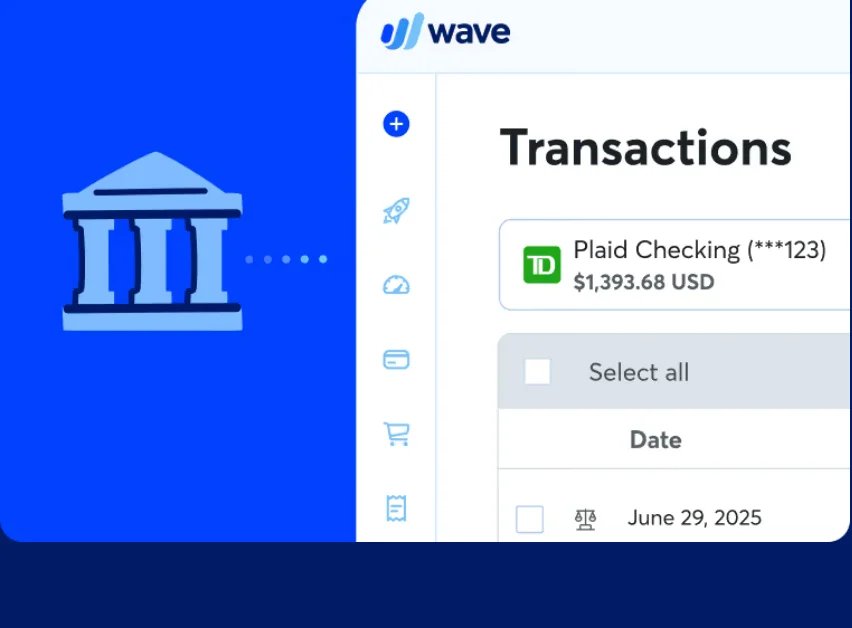
Vendor-published bank-connected interface illustration; automated bank importing is a Pro feature.
The paid boundary matters: Pro is $19 USD/month, or $190 USD/year billed annually, per business. It adds automated bank imports, receipt capture and general admin/editor/viewer access. Starter is not the right default assumption if you need those collaborators; Wave lists narrow free role exceptions separately. Bank connectivity also depends on the supported financial institution. Plan comparison and conditions.
Skip if: You need the advertised $0 plan to include automatic bank imports or ordinary shared editing. Also eliminate it if your country or essential workflow is unsupported.
First elimination test: Work through a sample statement with the tier you intend to buy. Confirm who can access the company, how you will import transactions and whether the required reports meet your accountant's needs. Compare Pro's real cost with a paid Zoho tier before deciding “free” wins.
AccountEdge
Best for: A Mac or Windows business deliberately keeping its main accounting workflow on the desktop, including inventory or time billing. AccountEdge Pro is $20/month for one user; Network Edition is $30/month including two users. A hosted browser service is a separate offering, not the same deployment. Product scope, plans.
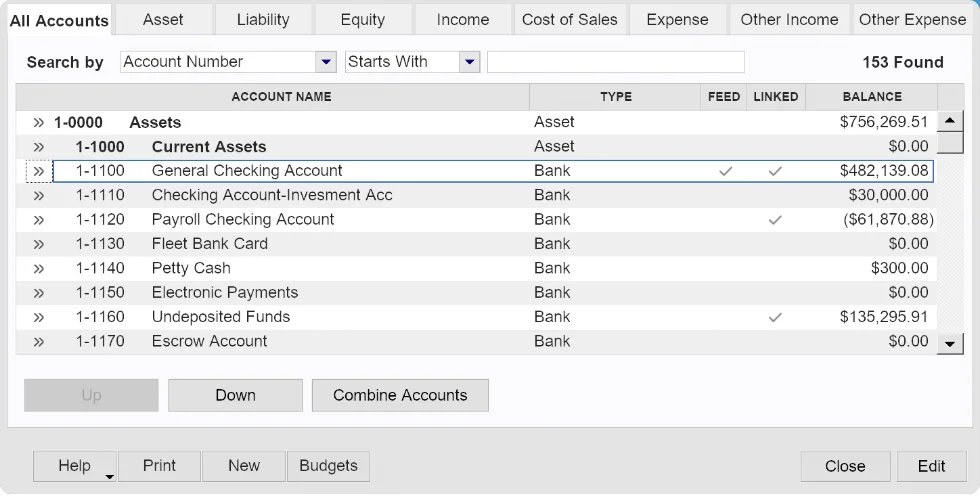
Vendor-published desktop interface; not a ToolWorthy installation.
Desktop does not mean subscription-free or indefinitely offline. Bank feeds are an additional $5/month and payroll is an optional additional service. AccountEdge requires online subscription validation at least every 30 days; after a further seven-day grace period, it becomes read-only until validated. Compare the complete setup with your current QuickBooks Desktop bill, not $20 as an all-in price. Add-ons, connection requirement.
Migration can be a separate purchase. The current vendor guide distinguishes DIY list imports from MMC Convert's historical migration, starting at $389 for the current fiscal year plus $200 per additional closed year. It lists both Desktop and Online sources; complex payroll, inventory or multi-currency needs still require an explicit assessment. Obtain a source-specific scope and quote before deciding the subscription saving justifies moving. Current migration paths.
The published conversion exclusions include attachments, multi-currency files, tracked-inventory costing calculations, individual pay runs and employee payroll details. AccountEdge having inventory features does not mean your existing inventory costing migrates. Preserve excluded records and agree a rebuild or alternative conversion plan before committing. Conversion scope and exclusions.
Skip if: You need a free perpetual license, indefinitely offline operation, or shared cloud work from the base desktop plan alone.
First elimination test: In the 30-day trial, reproduce your most awkward stock purchase or time-billing job on the intended platform. Separately confirm supported source edition, historical coverage and conversion cost. Trial.
GnuCash
Best for: Someone who wants a free open-source accounting application and accepts responsibility for a locally maintained ledger. GnuCash supports Windows, macOS and Linux, double-entry records, customer/vendor workflows, reporting and bank-statement reconciliation. Its supported statement-import formats are not a promise of direct QuickBooks company-file conversion. Official product, features.
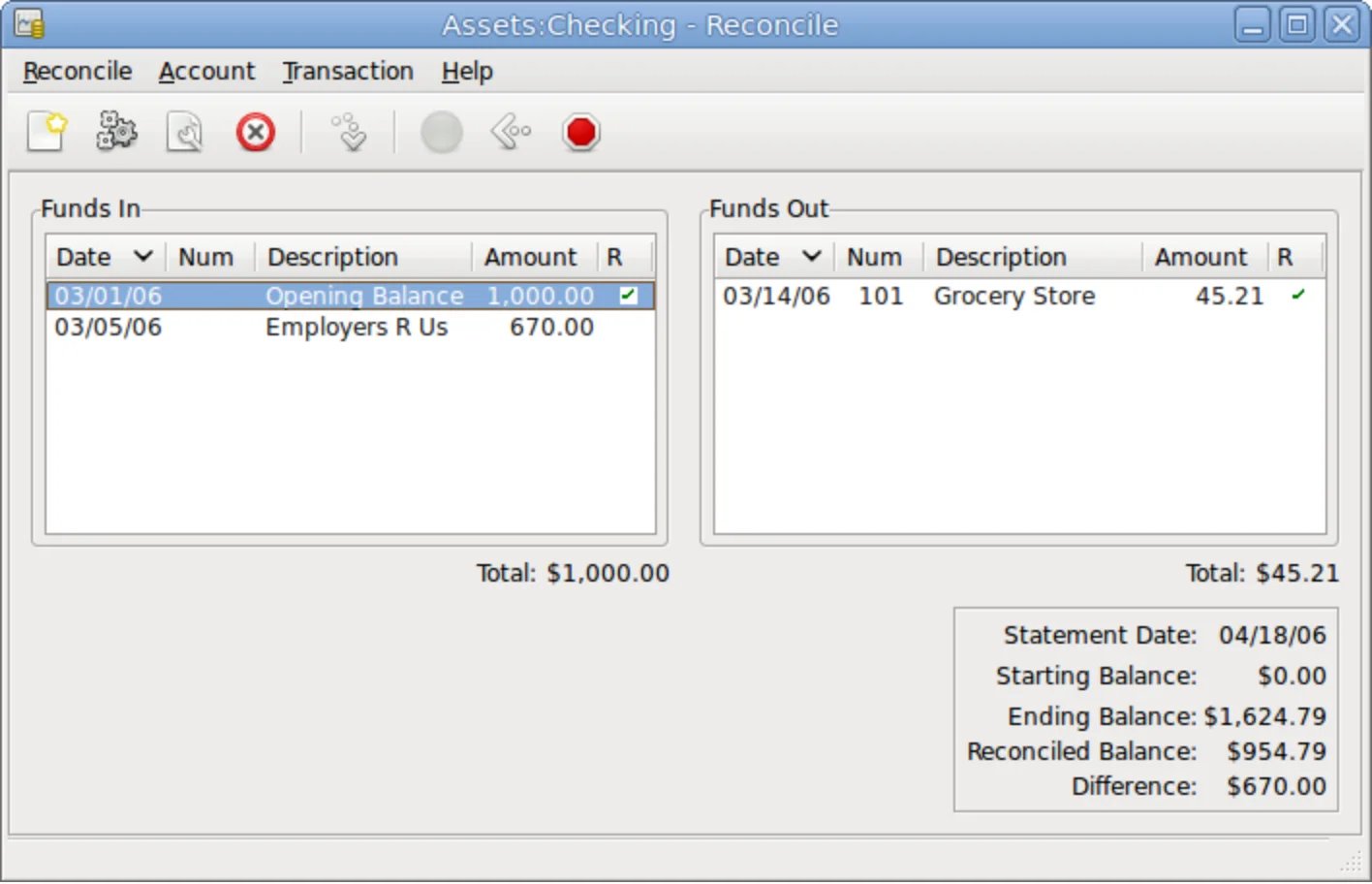
Project-published interface screenshot; desktop appearance may vary by version and operating system.
The cost moves from licensing to responsibility. There is no software subscription to budget for, but chart-of-accounts setup, imports, backups and getting usable reports to your accountant still require work. Do not select it as though it were a managed shared-cloud service.
Skip if: Your accountant needs a hosted collaboration workflow, or nobody will own file maintenance and backup checks.
.QBW importer. Import FAQ.Other routes worth a targeted look
Sage 50 deserves a separate demo if detailed inventory and job costing are the hard requirement; do not confuse that desktop product with Sage Intacct or assume a similarly named cloud offering is identical. We have chosen AccountEdge as the primary paid-desktop route here, not declared Sage incapable. Sage 50 US product scope.
Manager is another desktop candidate for a budget-led shortlist. Its official guides document business setup and backups; this article uses GnuCash as the primary free-local route, not as a verdict that Manager cannot keep books. Verify the current edition and desired workflow before choosing. Manager's official guides.
If you are mainly shopping for automation across accounting products, use our broader AI accounting software comparison; the accounting category landscape maps wider workflows. This page answers the narrower question: what can replace your QuickBooks workflow, and what must survive the move?
The final switching test
Choose one destination and agree a cutover date with your accountant. Decide whether you will bring forward opening balances and open items or purchase a historical conversion; do not casually combine both approaches. Verify totals, attachments and the operational workflow before routing live invoices, payments or payroll through the new system.
QuickBooks Online cancellation is not a substitute for an archive. Intuit's US guidance provides one year of read-only access after cancelling a paid Online subscription, and 90 days after a trial ends. Do not extend those terms to Desktop or a separate payroll product. Export and verify the records before cancelling, rather than relying on continued access. Intuit's US data-retention guidance.
The stopping rule is simple: if you cannot reproduce the workflow, explain the balances and recover the records, the alternative has not earned your migration—even if the subscription is cheaper.
Get ToolWorthy Weekly
New AI tools, practical guides, and selected AI signals in one weekly brief.
Related Posts
- 12 Best AI Accounting Software 2026 — Real Costs Behind the Automation
Verified pricing and honest limitations for 12 AI accounting tools. From QuickBooks' promotional traps to Zeni's $549/month surprise — what demo calls won't tell you.
For AI tool founders
Built a tool that belongs in this decision set?
Request an editorial evaluation for possible inclusion in ToolWorthy.
Submit your tool for reviewPaid submission does not guarantee a ranking, recommendation, inclusion, or editorial outcome.