
7 Best AI UI Generators in 2026: Figma, React & Code Export Compared
Compare the 7 best AI UI generators in 2026—v0 by Vercel, Figma Make, Magic Patterns, Subframe, Google Stitch, Uizard, and Lovable—by Figma export, React/Tailwind code ownership, and seat pricing.
On this page
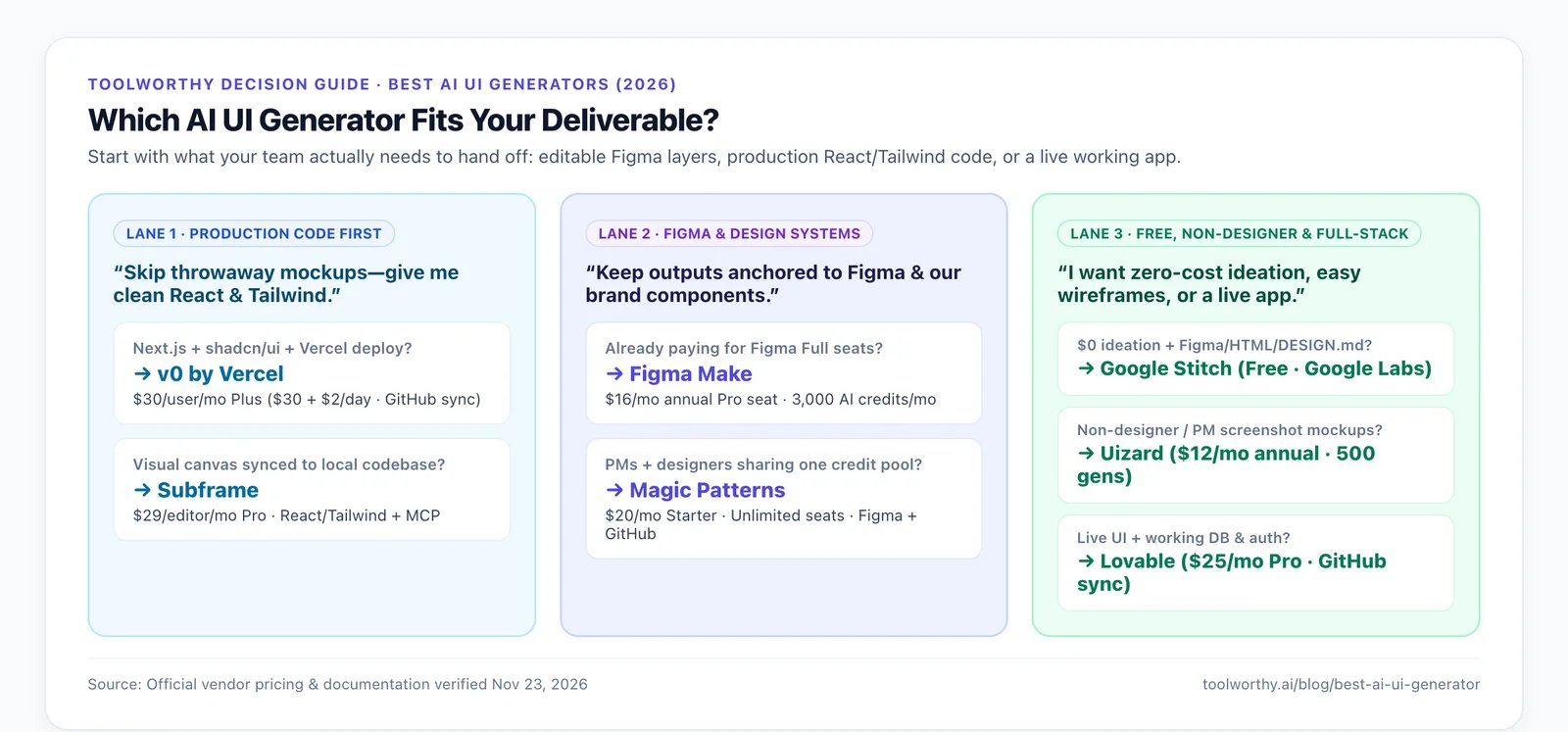
Most "best AI UI generator" roundups fail buyers for one simple reason: they lump static mockup toys, native Figma tools, code-first React builders, and full-stack app generators into a single list. Pick the wrong lane and you end up with impressive screenshots that designers cannot edit in Figma—or pretty canvases that frontend engineers still have to rewrite from scratch.
The real buying decision in 2026 is not which tool draws the nicest demo landing page. It is what artifact you actually need to hand off: editable Figma layers, mergeable React/Tailwind components synced to GitHub, a quick clickable wireframe for stakeholder sign-off, or a working full-stack prototype.
We verified November 2026 pricing, credit metering, seat-scaling rules, and export pipelines across seven distinct categories—plus the leading open-source BYOK alternative—so you can pick the right tool on the first try.
Quick Picks: Best AI UI Generator by Deliverable
| Buyer Need | Best Pick | Verified Entry Price (Nov 2026) | Primary Export / Handoff |
|---|---|---|---|
| Production React, Next.js & shadcn/ui code | v0 by Vercel | $30/user/mo Plus (Free tier: $5 one-time credits) | Next.js / React / Tailwind + GitHub sync + Vercel |
| Teams already paying for Figma Full seats | Figma Make | $16/mo annual Full seat ($20 monthly; Free Starter) | Native Figma ecosystem & prototypes |
| PMs + designers sharing one workspace | Magic Patterns | $20/mo Starter ($17 annual; unlimited seats) | Figma export + React/Tailwind + GitHub + MCP |
| Visual canvas synced to a local codebase | Subframe | $29/editor/mo Pro (Free tier; viewers free) | Real HTML/CSS + React/Tailwind + Desktop app + MCP |
| Best $0 ideation & multi-screen flows | Google Stitch | $0 (Free Google Labs experiment) | HTML/CSS + DESIGN.md + Figma & MCP handoff |
| Non-designers & screenshot-to-mockup | Uizard | $12/mo annual Pro (Free tier: 3 AI gens/mo) | Clickable mockups + React/CSS handoff |
| Live UI + working auth & database | Lovable | $25/mo Pro (Free tier: 5 credits/day) | Full-stack React/Vite + Supabase + two-way GitHub |
| Zero-subscription open-source BYOK (Bonus) | screenshot-to-code | $0 (MIT license + own API key) | Clean HTML/React/Vue + Tailwind locally |
Side-by-Side Comparison: Pricing, Export & Code Ownership
Before diving into individual reviews, compare the two dimensions that break most UI-generation workflows after week one: seat multiplication and export ownership. A tool that looks cheap for one solo user can cost $145+ per month for a five-person product squad—or lock your screens inside a proprietary canvas with messy absolute-positioned code.
| Tool | Free Tier | Paid Entry (Verified Nov 2026) | Seat & Credit Model | Figma / Code Export & Lock-In | Main Trade-Off |
|---|---|---|---|---|---|
| v0 by Vercel | $5 one-time credits (7 msgs/day) | $30/user/mo Plus ($30 credits + $2/day login) | Per user; prepaid token credits | React/Next.js + Tailwind/shadcn; GitHub sync; no native Figma canvas | Steep per-seat cost for teams; $100/user Business needed for default training opt-out |
| Figma Make | 500 AI credits/mo (150/day cap) | $16/mo annual Pro Full seat ($20 monthly; 3,000 credits) | Per Full seat; credits do not roll over | Native Figma integration; Dev/Collab seats capped at 500 credits | Heavy multi-screen prompting drains 3,000 credits quickly; tied to Figma seat licensing |
| Magic Patterns | Free starter tier | $20/mo Starter ($17 ann; 1,000 cr) · $100/mo Business (5,000 cr) | Unlimited seats; shared credit pool; 1-mo rollover | Direct Figma export + React/Tailwind + GitHub sync + MCP | Heavy workspaces hit credit limits faster than per-seat pools if multiple PMs prompt daily |
| Subframe | 1 project, limited pages & AI credits | $29/editor/mo Pro (viewers free) | Per editor seat; bring Claude Code/Codex via MCP | Built on real HTML/CSS + React/Tailwind + desktop app for local repos | Not a vector illustration tool; built specifically for web codebases |
| Google Stitch | 100% Free (Google Labs) | $0 (Labs monthly quotas apply) | No seat fee; experimental Labs quotas | Multi-screen flows + DESIGN.md + HTML/CSS + Figma/MCP pathways | Experimental Labs status means future pricing tiers and quota changes are unannounced |
| Uizard | 3 AI gens/mo (Autodesigner 1.5, 2 projects) | $12/mo annual Pro (500 gens; Autodesigner 2.0) · $39/mo annual Business | Per creator seat; manual edits are free | Clickable prototypes + React/CSS handoff; not a Figma replacement | Code export is handoff-grade, not drop-in production architecture for complex apps |
| Lovable | 5 credits/day (~30/mo cap, badge) | $25/mo Pro (100 credits) · $50/mo Business | Build credits; 2-mo rollover while active | Production React/Vite + two-way GitHub sync + Supabase backend | Overkill if you only want design exploration or editable Figma artboards |
| screenshot-to-code (Open-Source BYOK Bonus) | $0 MIT open-source | $0 software (pay OpenAI/Anthropic/Gemini API) | Unlimited local use; direct API billing | Outputs HTML/React/Vue + Tailwind directly from screenshots/mockups | Self-hosted setup (React/Vite + FastAPI); best for visual-to-code conversion, not prompt-only ideation |
The Hidden Budget Trap: Per-Seat vs. Unlimited-Seat Workspaces
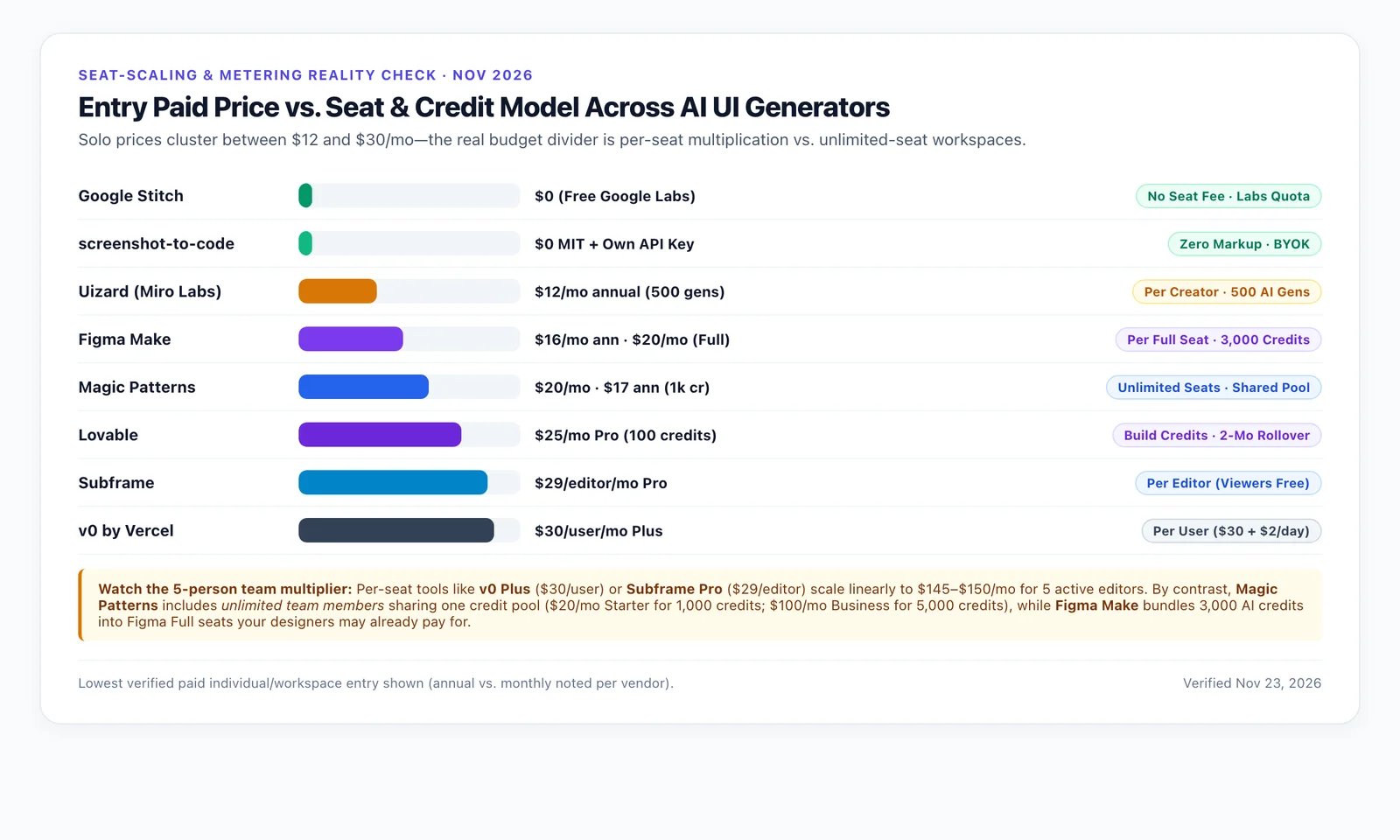
Individual prices look deceptively similar—almost every paid plan sits between $12 and $30 per month. Where budgets diverge sharply is team scaling:
- Per-seat scaling: Five active editors on v0 Plus cost $150/month; five editors on Subframe Pro cost $145/month (though unlimited viewers are free); five designers on Figma Professional cost $80/month billed annually (or $100/month monthly)—which is effectively $0 incremental software cost if your design team already pays for Figma Full seats.
- Shared workspace pool: Magic Patterns includes unlimited team members on every paid plan, pooling credits across the workspace ($20/month Starter for 1,000 credits or $100/month Business for 5,000 credits). Better yet, manual edits and "Fix with AI" adjustments do not burn credits, and unused credits roll over for one month.
The 7 Best AI UI Generators Reviewed
v0 by Vercel
Best for Production React, Next.js & shadcn/ui Code
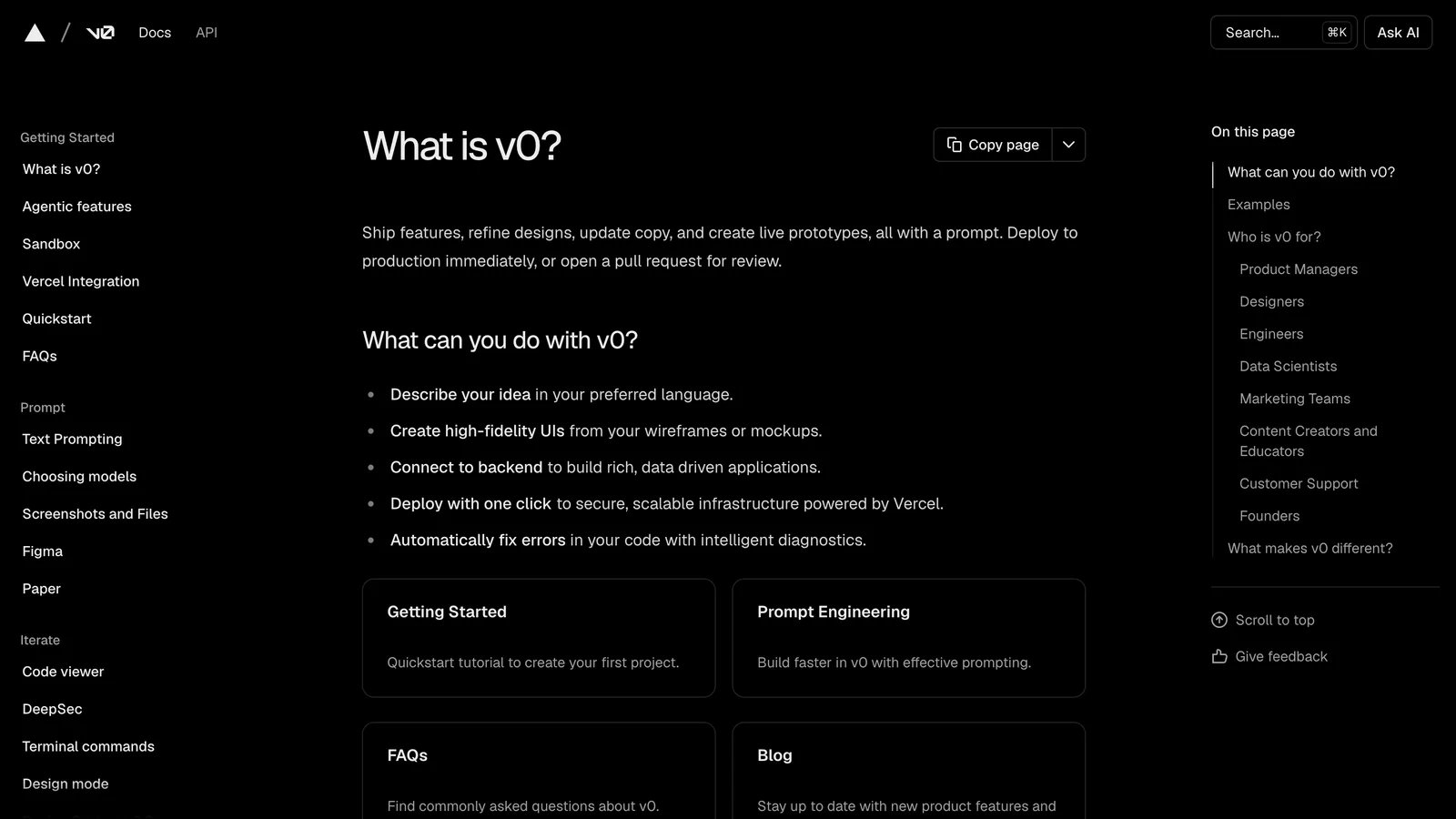
If your end goal is shipping real frontend components into a Next.js or React repository—not handing a picture to a designer—v0 by Vercel remains the sharpest code-first UI generator on the market. Rather than producing fragile absolute-positioned divs, v0 generates clean React, Tailwind CSS, and shadcn/ui structures paired with a visual Design Mode, direct GitHub sync, and one-click Vercel previews.
- Pricing (verified Nov 2026): Free ($0, includes $5 one-time credits for new users, capped at 7 messages/day, with Design Mode and GitHub sync); Plus ($30/user/month billed monthly, includes $30 in monthly credits plus $2 in free daily login credits and team chat sharing); Business ($100/user/month, $30 monthly + $2 daily login credits plus default training opt-out); Enterprise (custom, SAML SSO and RBAC).
- Best for: Frontend engineers, design engineers, and startups standardizing on Next.js, Tailwind CSS, and shadcn/ui.
- Skip it if: Your product designers need editable Figma component libraries first, or you want a team-wide flat fee rather than $30–$100 per seat.
Figma Make
Best for Teams Already Inside Figma Design Systems
For product teams whose source of truth already lives in Figma, adding a standalone AI UI tool creates an immediate syncing headache. Figma Make removes that friction by putting prompt-to-app and interactive UI generation directly inside your existing Figma workspace—pulling from your files and Figma Community resources rather than starting in an isolated sandbox.
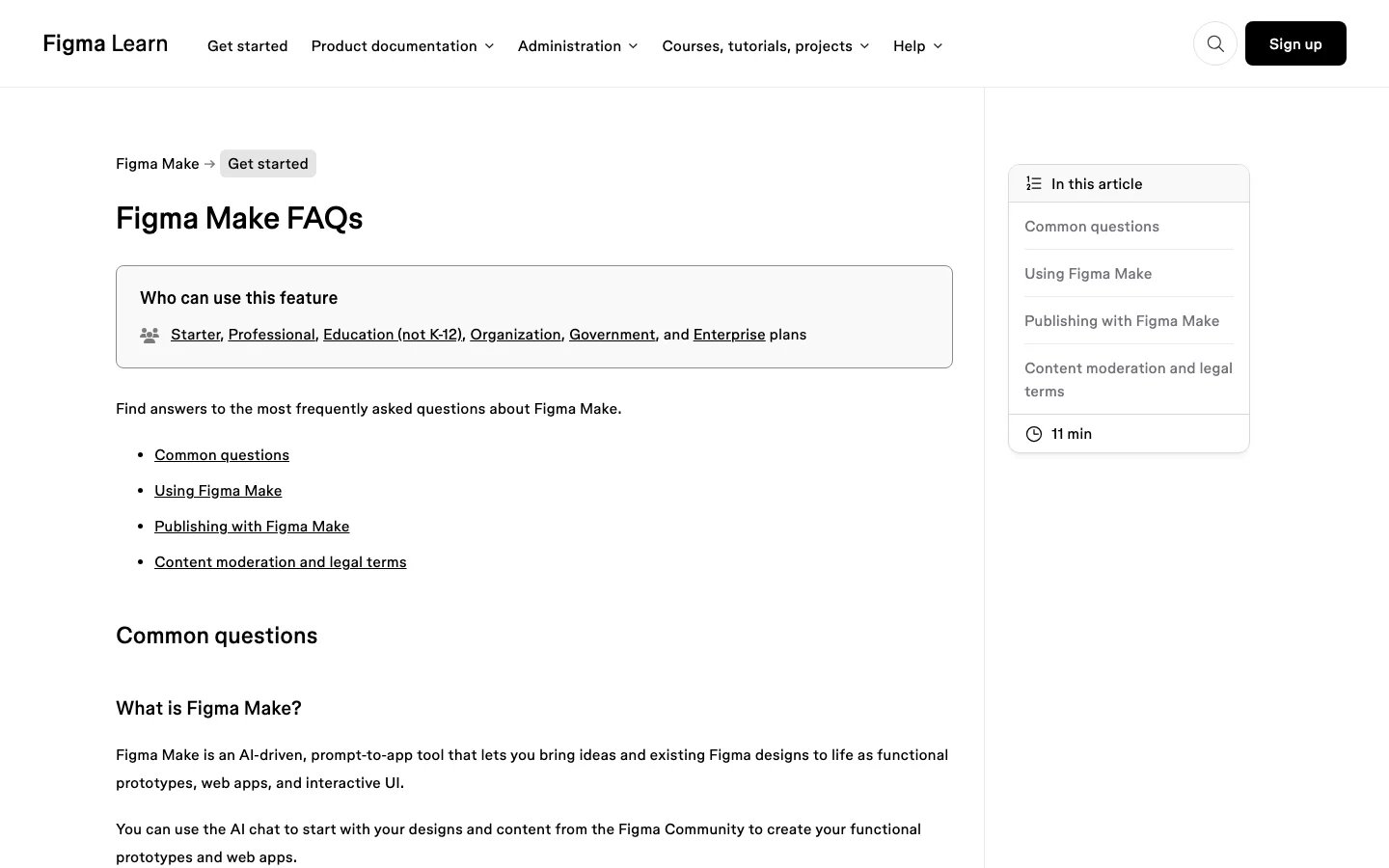
- Pricing (verified Nov 2026): No separate subscription—bundled into Figma seats via Figma AI credits (monthly reset, no rollover, non-transferable). Starter Free includes 500 credits/month (150/day cap). Full seats unlock full Figma Make workflows with 3,000 credits/month on Professional ($16/month annual or $20/month monthly), 3,500 credits/month on Organization ($55/month annual), and 4,250 credits/month on Enterprise ($90/month annual). Dev, Collab, and View seats get 500 credits/month with limited Make capabilities.
- Handoff reality: Outputs stay anchored inside Figma's ecosystem (interactive prototypes, Dev Mode, and MCP workflows) rather than pushing direct pull requests into an external GitHub repository.
- Best for: Established UX/UI design teams that already pay for Figma Full seats and want interactive prototypes anchored to their design system.
- Skip it if: You do heavy daily prompt-to-app iteration (complex full-page generations and Plan Mode cycles consume 100+ credits per prompt and burn through 3,000 credits fast), or you want direct GitHub PR code generation as your primary output.
Magic Patterns
Best for PMs & Designers Prototyping With Existing Components
Magic Patterns solves the awkward middle ground between Figma and engineering. It is built specifically for product managers and designers who need to spin up interactive prototypes that actually match their company's design system, export clean layers back into Figma, and sync code with GitHub or coding agents via Magic Patterns MCP.
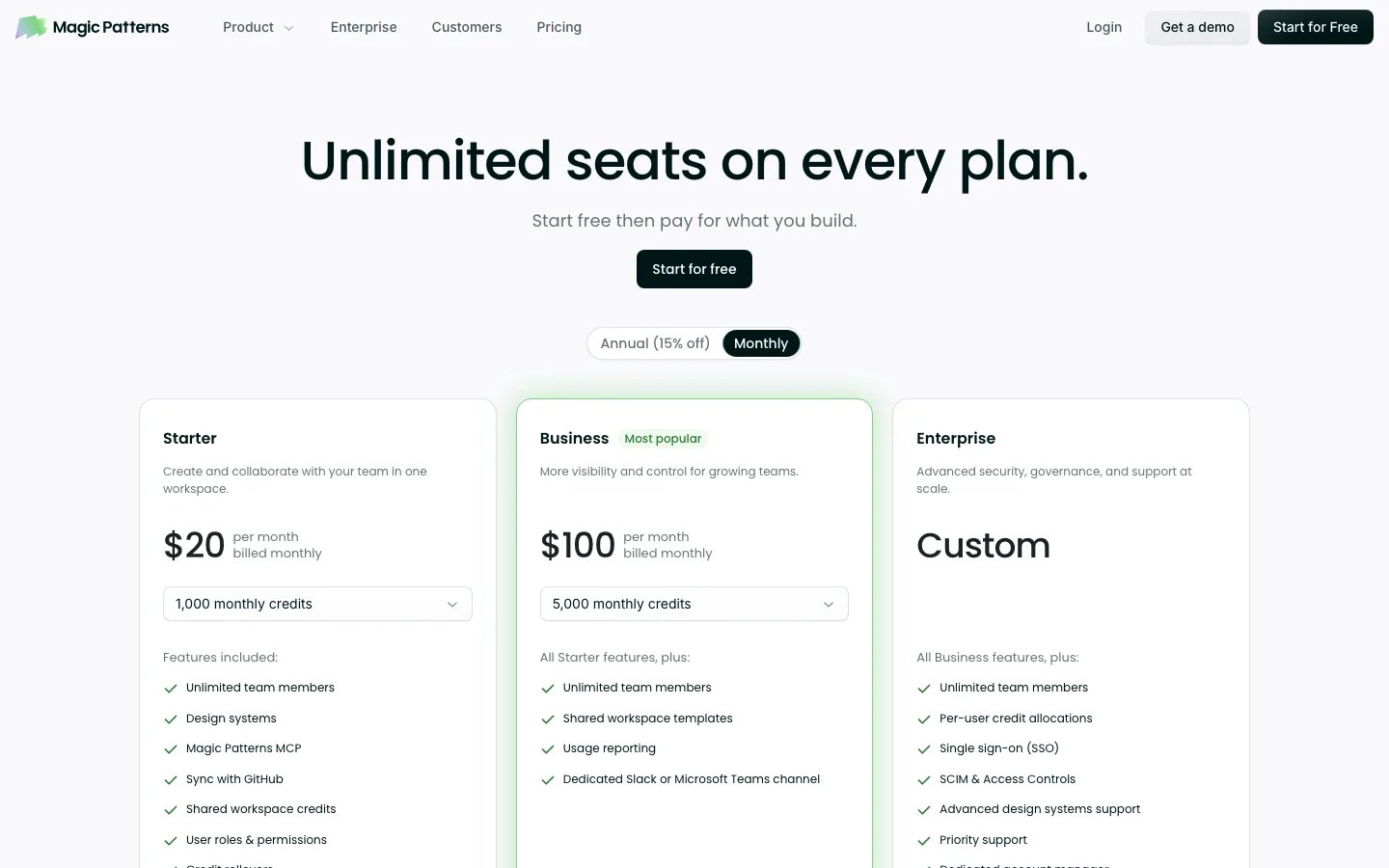
- Pricing (verified Nov 2026): Unlimited team members on every paid plan. Starts with a Free tier; Starter is $20/month billed monthly ($17/month billed annually at 15% off) with 1,000 monthly shared credits, design systems, GitHub sync, Magic Patterns MCP, and user roles; Business is $100/month ($85/month annual) with 5,000 monthly credits, shared workspace templates, usage reporting, and a dedicated Slack/Teams channel; Enterprise is custom with per-user credit allocations, SSO, and SCIM. Unused credits roll over for one month, and manual visual tweaks do not spend credits.
- Best for: Cross-functional squads (PMs + designers + frontend engineers) who want both Figma export and GitHub/MCP handoff without paying per-seat taxes for occasional PM collaborators.
- Skip it if: You need an all-in-one hosted backend database (use Lovable instead) or want a $0 permanently free ideation canvas (use Google Stitch).
Subframe
Best Visual Canvas Synced Directly to a Local React/Tailwind Codebase
localhost, edit visually, and capture live screens as designs) and an Agent layer that works with Subframe AI credits or connects via MCP to your own Claude Code or Codex subscription.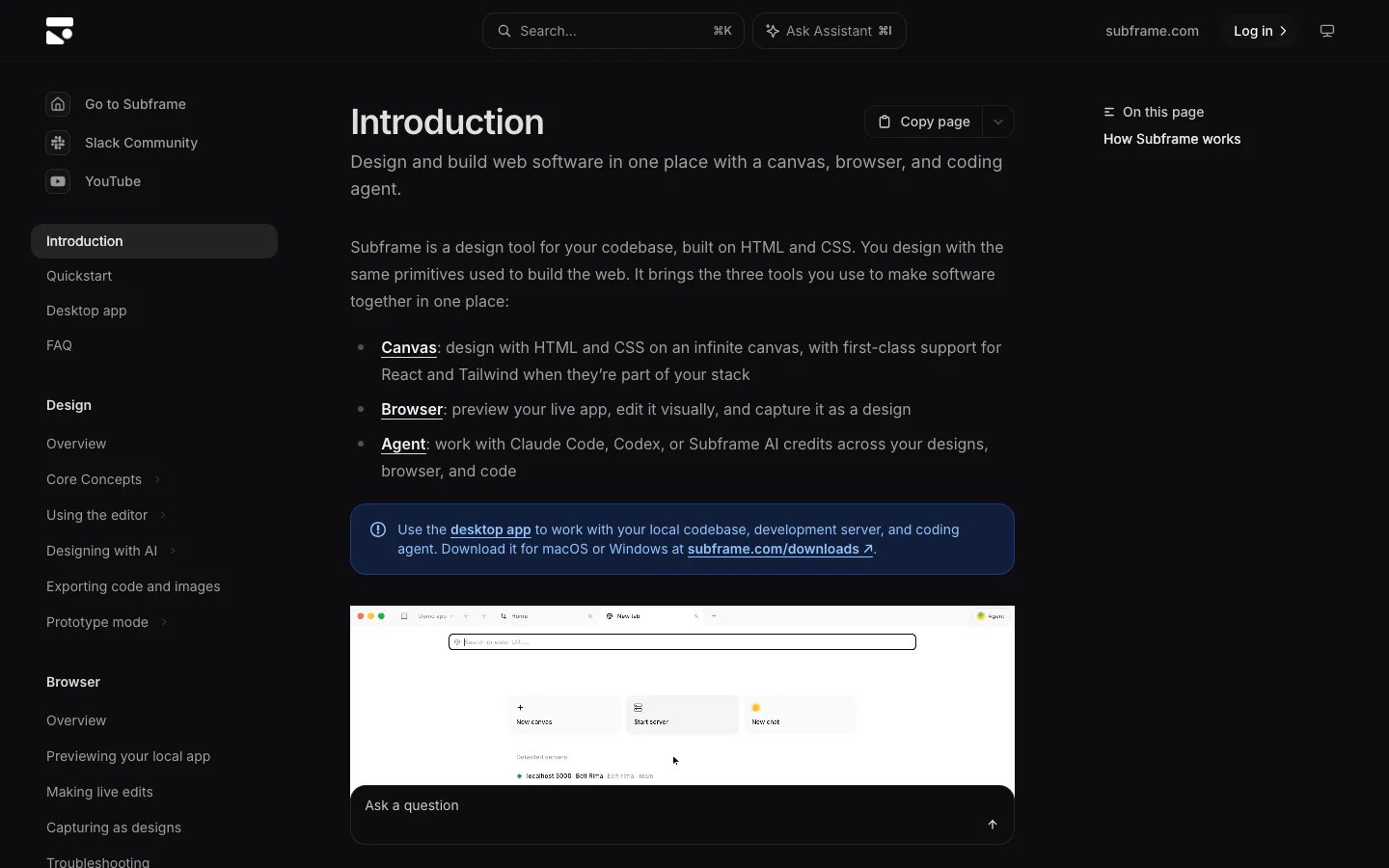
- Pricing (verified Nov 2026): Free ($0, 1 active project, limited pages/prototypes and AI credits, 24-hour version history, unlimited viewers); Pro ($29/editor/month billed monthly per Admin/Editor seat, viewers free, unlimited projects/pages/prototypes/themes, higher Subframe AI credit allowance—without a fixed public integer cap—plus MCP server integration to use your own Claude Code or Codex plan, 7-day version history); Custom Enterprise (30+ day history, SAML SSO, SCIM, Slack support).
- Best for: Design engineers and engineering-led SaaS teams who want drag-and-drop visual precision without maintaining separate Figma files and React codebases.
- Skip it if: Your stack is native iOS/Swift, Flutter, or non-web, or your marketing/design team has zero interest in touching local repos.
Google Stitch
Best Free AI UI Generator for Rapid Multi-Screen Ideation
If you want to explore layout directions, map multi-screen mobile or web flows, and test prompt-to-UI quality before spending a dollar, Google Stitch (from Google Labs) is the standout $0 starting point in late 2026. Powered by Gemini's multimodal models, Stitch generates high-fidelity screens from text prompts, sketches, or style references on an infinite canvas, links screens into clickable prototypes, and exports DESIGN.md files—portable markdown design-system specs built specifically so AI coding agents like Cursor or Claude Code can reproduce your styling accurately.
- Pricing (verified Nov 2026): $0 Free through Google Labs with a standard Google account (generous monthly Labs generation quotas apply depending on standard vs. pro model mode, though Labs experiments do not carry commercial uptime SLAs and may introduce paid tiers later).
- Export & handoff: Supports HTML/CSS code output,
DESIGN.mddesign-system specs, MCP coding-agent workflows, and Figma handoff pathways. - Best for: Founders, indie developers, and designers doing rapid early-stage exploration, wireframing, and agent-ready UI specs on a $0 budget.
- Skip it if: You need enterprise governance (SOC 2, SSO, data-residency SLAs), strict team permissions, or guaranteed long-term billing stability.
Uizard
Best for Non-Designers, PMs & Screenshot-to-Mockup (Miro Labs)
Not everyone searching for an AI UI generator knows what Tailwind CSS, shadcn/ui, or Figma Auto Layout is. Now part of Miro Labs, Uizard remains the lowest-friction visual UI generator for non-designers, product managers, and startup founders who want to turn a rough prompt, hand-drawn sketch, or competitor screenshot into a clean, clickable mockup for stakeholder alignment.
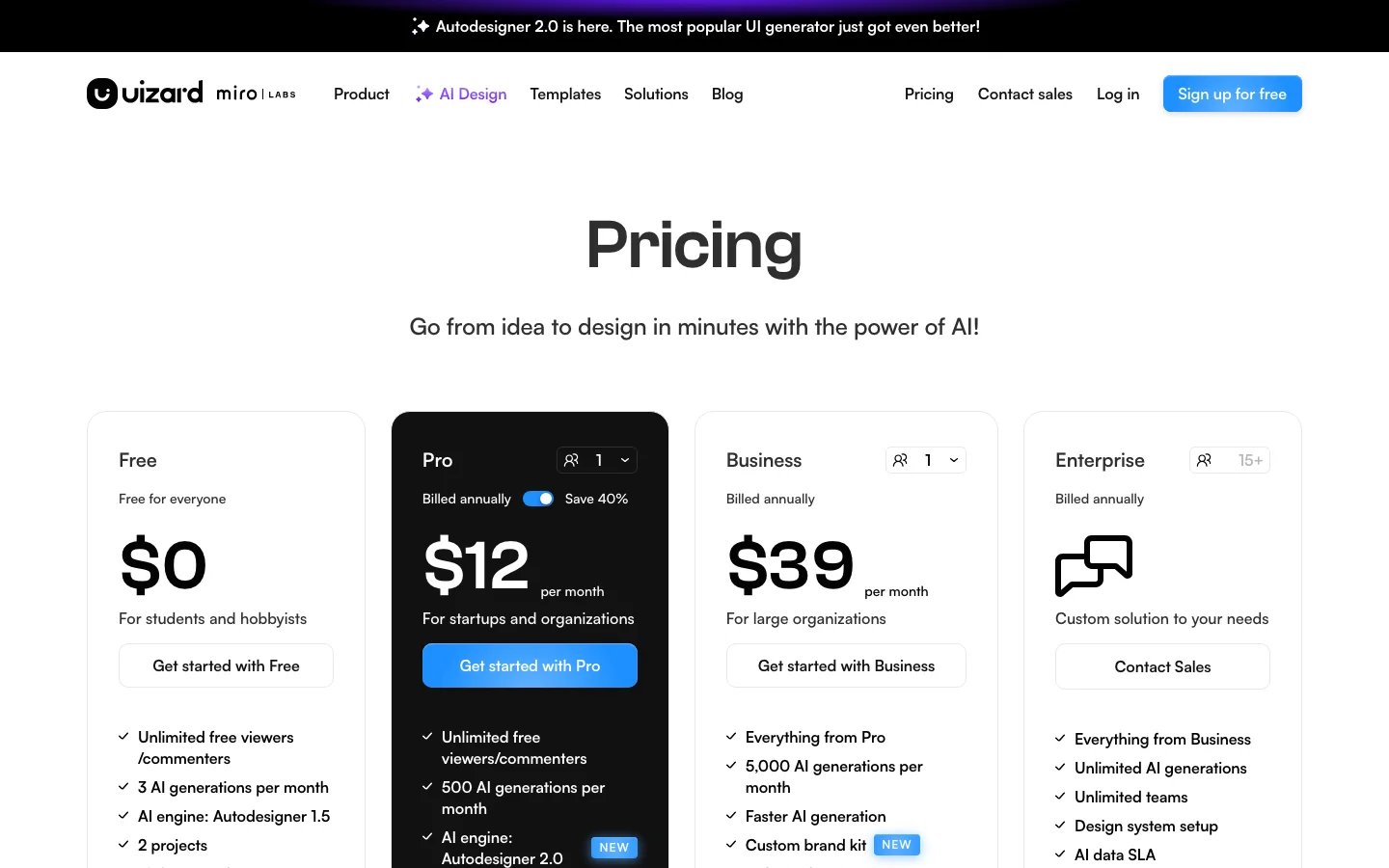
- Pricing (verified Nov 2026): Free ($0, 3 AI generations/month on legacy Autodesigner 1.5, 2 projects, unlimited free viewers/commenters); Pro ($12/month billed annually saving 40% [~$19/month monthly], 500 AI generations/month, upgraded Autodesigner 2.0, up to 100 projects, private projects, React & CSS developer handoff); Business ($39/month billed annually, 5,000 AI generations/month, faster generation, custom brand kits, unlimited projects); Enterprise (custom for 15+ seats, unlimited AI generations, design system setup, AI data SLA). Manual canvas edits do not spend AI generations.
- Best for: Non-technical founders, PMs, agencies, and consultants pitching clickable web/mobile concepts quickly without learning Figma.
- Skip it if: You expect engineers to paste Uizard's React/CSS output straight into a production SaaS app, or you already have senior Figma designers.
Lovable
Best When You Need a Live Full-Stack App, Not Just Static UI
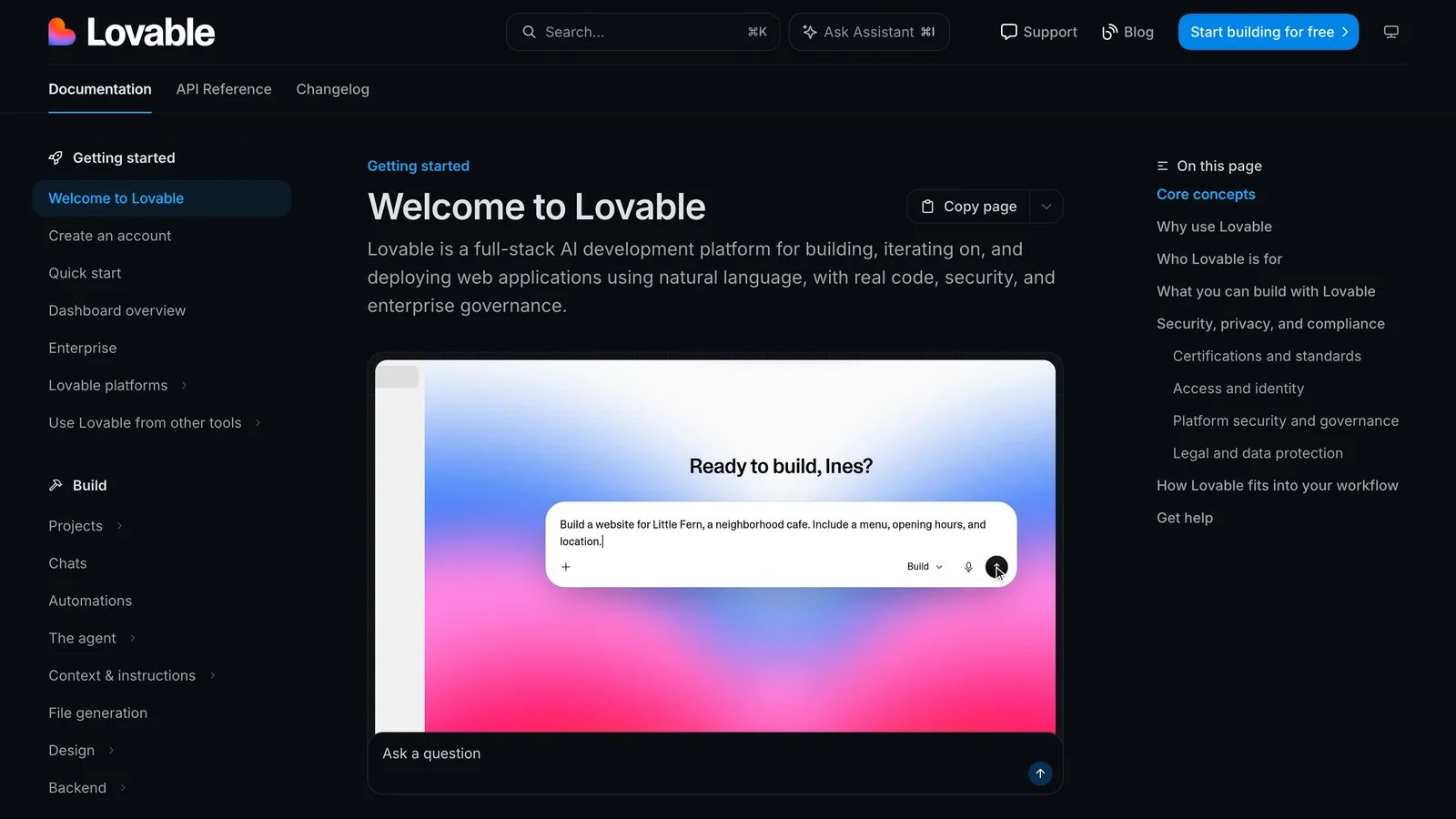
Sometimes you start looking for a UI generator and realize halfway through that clicking between static screens will not validate your product—you need real user logins, a working database, and a live URL. Lovable bridges UI generation and full-stack software delivery, pairing clean React/Vite interfaces with built-in Supabase/Lovable Cloud backends and two-way GitHub sync so engineers can pull the repo whenever the MVP outgrows prompt iteration.
- Pricing (verified Nov 2026): Free ($0, 5 credits/day up to ~30/month, Lovable badge); Pro (starts at $25/month billed monthly—annual billing saves roughly 2 months—for 100 credits, scales up to 10,000 credits, 2-month credit rollover while active, custom domains, badge removal); Business (from $50/month, SSO, security center, design templates); Enterprise (custom).
- Best for: Founders and product teams who want an immediately testable live web app with polished UI and clean GitHub exportability. (If you are comparing full-stack app generators specifically, see our Best AI App Builders and Lovable Alternatives guides.)
- Skip it if: You only want UI layouts to hand off into an existing mature backend or Figma design library.
Free & Open-Source BYOK Escape Hatch: abi/screenshot-to-code
What if your team refuses to pay recurring per-seat SaaS subscriptions—or you already have sketches, competitor references, or Figma exports and simply want clean frontend code billed at raw API rates?
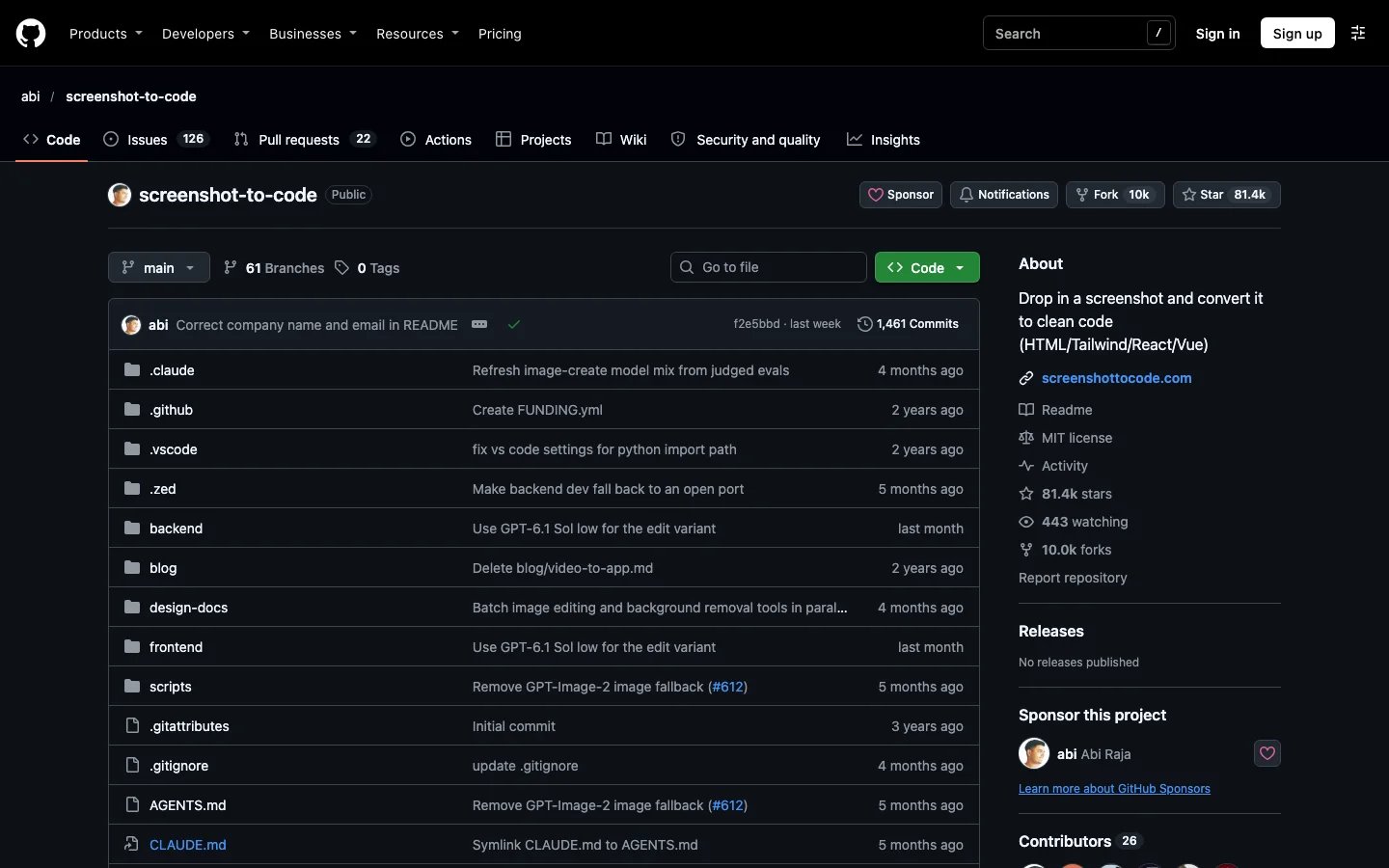
The strongest open-source escape hatch is abi/screenshot-to-code on GitHub (MIT license, ~81.4k stars, actively maintained through November 2026). Running locally via a React/Vite frontend and FastAPI backend, it accepts screenshots, mockups, or Figma captures and converts them directly into HTML + Tailwind, React + Tailwind, Vue + Tailwind, Bootstrap, or Ionic using your own Anthropic Claude, OpenAI, or Google Gemini API keys (BYOK).
- Best paired workflow: Ideate multi-screen layouts for $0 in Google Stitch (or sketch in Figma), then convert specific target screens into clean, un-watermarked React + Tailwind via
screenshot-to-codeusing your own API key—paying zero SaaS seat markup. - Limitation: It is an open-source visual-to-code utility, not a collaborative team design canvas with version history, comments, or Figma auto-layout export.
Design-to-Production Handoff Checklist: Avoiding the "Pretty Prototype Trap"
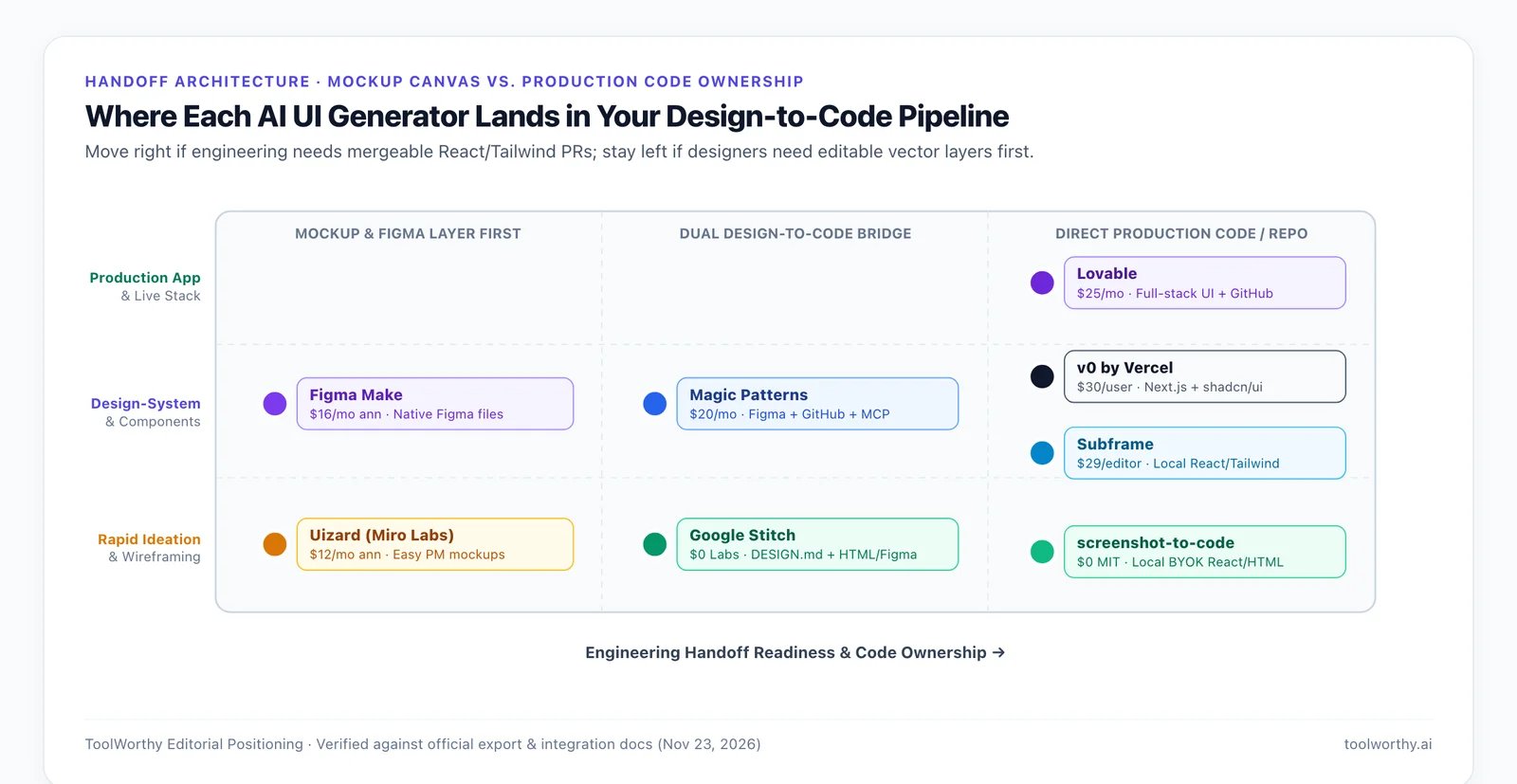
Even the best AI UI generator in 2026 can create hidden engineering debt if you copy generated screens straight into production. Use the handoff map and four-step audit below before assigning any AI-generated UI to engineering.
4-Step Pre-Handoff Verification
- Design Tokens & Styling Hygiene
- ✅ Exported components map to your existing Tailwind config, CSS variables, or shadcn/ui primitives (strengths of v0, Subframe, and Magic Patterns).
- ⚠️ Output uses hardcoded hex colors or inline pixel values—plan a 30-minute token refactor before merging.
- ❌ Absolute-positioned
divsoup (position: absolute; top: 412px)—treat it strictly as a visual reference, never production code.
- Interactive & Edge States Coverage
- ✅ Prompt or verify empty, loading, validation-error, and mobile responsive states before handoff (most AI UI generators only draw the "happy path" desktop view by default).
- ⚠️ Responsive breakpoints collapse awkwardly on tables and sidebars—check 375px mobile width before stakeholder approval.
- Accessibility & Keyboard Semantics
- ✅ Confirm real
<button>,<label>,<nav>, and<dialog>semantics plus visible focus rings and WCAG contrast ratios. - ❌ Never ship AI-generated clickable
<div>menus straight to production without an accessibility pass.
- ✅ Confirm real
- Repository & License Ownership
- ✅ Verify commercial rights and clean Git export before building serious IP (for example, some plugin free tiers like UX Pilot restrict free outputs to non-commercial use, whereas paid tiers and MIT open-source tools like
screenshot-to-codeclear commercial workflows cleanly).
- ✅ Verify commercial rights and clean Git export before building serious IP (for example, some plugin free tiers like UX Pilot restrict free outputs to non-commercial use, whereas paid tiers and MIT open-source tools like
Frequently Asked Questions
Which AI UI generator has the best Figma export?
If your team already uses Figma every day, Figma Make keeps everything native inside your Figma files with zero import/export translation loss. If you want cross-functional PMs and engineers collaborating outside Figma with direct Figma export and GitHub sync under unlimited seats, Magic Patterns is the strongest bridge. For teams that prefer a Figma plugin specifically for UX wireframes and user flows, UX Pilot is also worth evaluating (paid tiers start around $14–$22/month billed annually, though its credits do not roll over and its free tier is non-commercial).
What is the best free AI UI generator in 2026?
DESIGN.md and code/Figma handoff paths. If you are a developer converting existing screenshots or mockups into React/Tailwind code and want zero subscription lock-in, self-hosting abi/screenshot-to-code (MIT license) with your own Claude, OpenAI, or Gemini API key avoids SaaS seat fees entirely.What is the difference between an AI UI generator and an AI app builder like Lovable or Bolt.new?
An AI UI generator (like v0, Figma Make, Magic Patterns, Subframe, or Uizard) focuses on interface layouts, design systems, interactive prototypes, and frontend components that plug into your existing codebase or Figma workflow. An AI app builder (like Lovable or Bolt.new) generates both the UI and wired application logic, authentication, databases, and hosting. Use a UI generator when you already have an engineering backend or design system; use an app builder when you need a standalone MVP live fast.
Can AI-generated UI code go straight into production?
With code-first tools like v0 by Vercel and Subframe, generated React + Tailwind components can often be merged into production after normal PR review—provided you map design tokens, add loading/error/empty states, and audit keyboard accessibility. With mockup-first tools like Uizard, treat generated layouts as visual specifications and component references rather than drop-in production architecture.
Next Steps on ToolWorthy
- Explore more specialist tools in our AI UI Design, AI UX Design, and AI Product Design directories.
- Need graphic, brand, or marketing visual tools beyond product interfaces? Read our Best AI Design Tools guide.
- Ready to go beyond UI screens into working databases and deployments? Compare full-stack platforms in Best AI App Builders.
Get ToolWorthy Weekly
New AI tools, practical guides, and selected AI signals in one weekly brief.
For AI tool founders
Built a tool that belongs in this decision set?
Request an editorial evaluation for possible inclusion in ToolWorthy.
Submit your tool for reviewPaid submission does not guarantee a ranking, recommendation, inclusion, or editorial outcome.