
13 Best AI Landscape Design Tools 2026 - Yard Renders, Plants & Build Plans
Compare 13 AI landscape design tools for yard photos, garden concepts, AR layouts, pro sales visuals, and build-ready outdoor plans.
On this page
A yard project gets expensive long before the first contractor invoice arrives. You need to know whether a front yard should stay lawn-heavy, shift to native planting, add a path, or become a low-water xeriscape. You may also need a quick image for a real estate listing, a concept to show a partner, or a sales visual before a landscape client loses interest. AI landscape design tools help by turning one yard photo into several outdoor concepts, but they vary sharply in what they preserve, how realistic the plants look, and whether the output is just inspiration or something a contractor can act on.
We compared AI-first yard redesign apps, broader AI room and home design tools, mobile landscape design apps, contractor sales tools, and one full-service online design option. This guide favors tools that work from real yard photos, disclose pricing clearly, and help users understand the difference between a mood board, a listing visual, and a build-ready landscape plan.
| Tool | Best For |
|---|---|
| AILandscape.Design | Fast yard photo redesigns that keep the house intact |
| Yard AI | Photo-to-plan with costs, plants, materials, and contractor matches |
| Hadaa | AI concepts with plant guides, CAD inputs, and blueprint-style outputs |
| Landscaip | Credit-based landscape concepts with plant and hardscape libraries |
| OutdoorBrite | Homeowners comparing multiple outdoor spaces and styles |
| Neighborbrite | Simple free landscape inspiration from tapped yard zones |
| REimagineHome | Exterior and landscape edits inside a broader home AI suite |
| HomeDesignsAI | Interior, exterior, and garden redesign in one subscription |
| LandscapioAI | Budget-friendly concepts with plant lists and project PDFs |
| DreamzAR | Mobile AR landscape planning on Apple devices |
| iScape | 2D/3D landscape layouts and client proposals |
| OutdoorDesigns AI | Landscape contractors selling pools, decks, and hardscape jobs |
| Yardzen | Homeowners ready to pay for professional online design plans |
How We Selected and Tested
We selected these AI landscape design tools based on measurable criteria: they had to help users visualize outdoor spaces, accept real project context such as photos or layouts, and remain publicly accessible in 2026. We prioritized direct AI landscape design products over generic image generators because homeowners need the house, fence, driveway, patio, and yard boundaries to remain believable. Tools that only provide inspiration galleries were included only when they had strong market traction or filled a clear decision role.
Our research methodology combined official product pages, official pricing pages, public app listings, and published product descriptions. We checked whether each product positions itself for homeowners, DIY planners, real estate agents, landscape designers, or contractors. We also reviewed whether outputs are framed as concept previews, editable plans, commercial listing visuals, sales renders, or build-ready design packages. That distinction matters because a pretty AI garden render can still be wrong for drainage, grading, plant hardiness, sunlight, irrigation, and local code.
Evaluation Dimensions: We evaluated each tool across five dimensions:
- Photo-to-yard fidelity - Whether the tool preserves the house, camera angle, yard boundaries, and permanent structures.
- Landscape specificity - Whether it supports plants, paths, patios, pools, decks, xeriscape, outdoor kitchens, and other outdoor zones.
- Build-readiness - Whether the output includes plant lists, measurements, cost guidance, contractor briefs, CAD, or only concept images.
- Pricing transparency - Whether users can estimate the cost before uploading project material.
- User fit - Whether the tool is best for homeowner inspiration, real estate visuals, DIY planning, designer workflow, or contractor sales.
Note on Testing Scope: We reviewed public workflows and pricing claims rather than commissioning paid landscape projects from every provider. For build execution, we treat all AI-only outputs as concept support unless the provider explicitly includes professional design documents or contractor workflows. Research was conducted on August 1, 2026, and updated on August 12, 2026 to add Yard AI.
Transparency & Limitations: Prices can change, especially App Store subscriptions and promotional founder offers. Where official pages did not reliably disclose a price, we say so instead of inventing a number. AI landscape design is useful for visual direction, but final plant selection, drainage, grading, irrigation, structural work, and code compliance still require local expertise.
Top 13 AI Landscape Design Tools Compared
The table below compares the practical differences that matter when choosing an AI landscape design tool. If you only want quick yard inspiration, start with photo-to-render tools. If you need to brief a contractor, look for plant lists, costs, CAD, or full-service design. If you sell outdoor projects, speed and client presentation may matter more than homeowner-friendly pricing.
| Tool | Best For | Starting Price | Output Type | Build-Ready? |
|---|---|---|---|---|
| AILandscape.Design | Homeowner yard redesigns | Free previews; paid from $19/mo | Photo-to-yard concepts | Concept support |
| Yard AI | Homeowners who need the plan, not just the render | Free first design; $9/mo | Renders plus costs, plants, materials, contractors | Closest to build-ready at consumer pricing |
| Hadaa | Rich AI landscape planning | From $9-$12 per render | Concepts, plant guide, blueprint, BOQ | Stronger than most AI tools |
| Landscaip | Credit-based concepts | 3 free designs; packs from $15 | Images and video credits | Concept support |
| OutdoorBrite | Multiple outdoor spaces | Plan-based pricing | Photo-to-outdoor concepts | Concept support |
| Neighborbrite | Free inspiration | Free public positioning | Tap-to-redesign ideas | Inspiration only |
| REimagineHome | General home AI edits | 5 free designs; paid from $19/mo | Interior, exterior, landscaping | Concept support |
| HomeDesignsAI | Whole-home design | Paid from $24/mo monthly | Interior, exterior, garden | Concept support |
| LandscapioAI | Budget plans and PDFs | Free; Pro $79/year | Concepts, plant lists, PDFs | Moderate |
| DreamzAR | Mobile AR planning | App subscriptions and credits | AR and photo landscape concepts | Concept support |
| iScape | 2D/3D landscape layouts | Pro $29.99/mo | Design app and proposals | Moderate |
| OutdoorDesigns AI | Contractor sales renders | From $97/mo monthly | Sales visuals for outdoor projects | Sales support |
| Yardzen | Professional online design | From $995 package | Human-led plans | Strongest build path |
Detailed Reviews

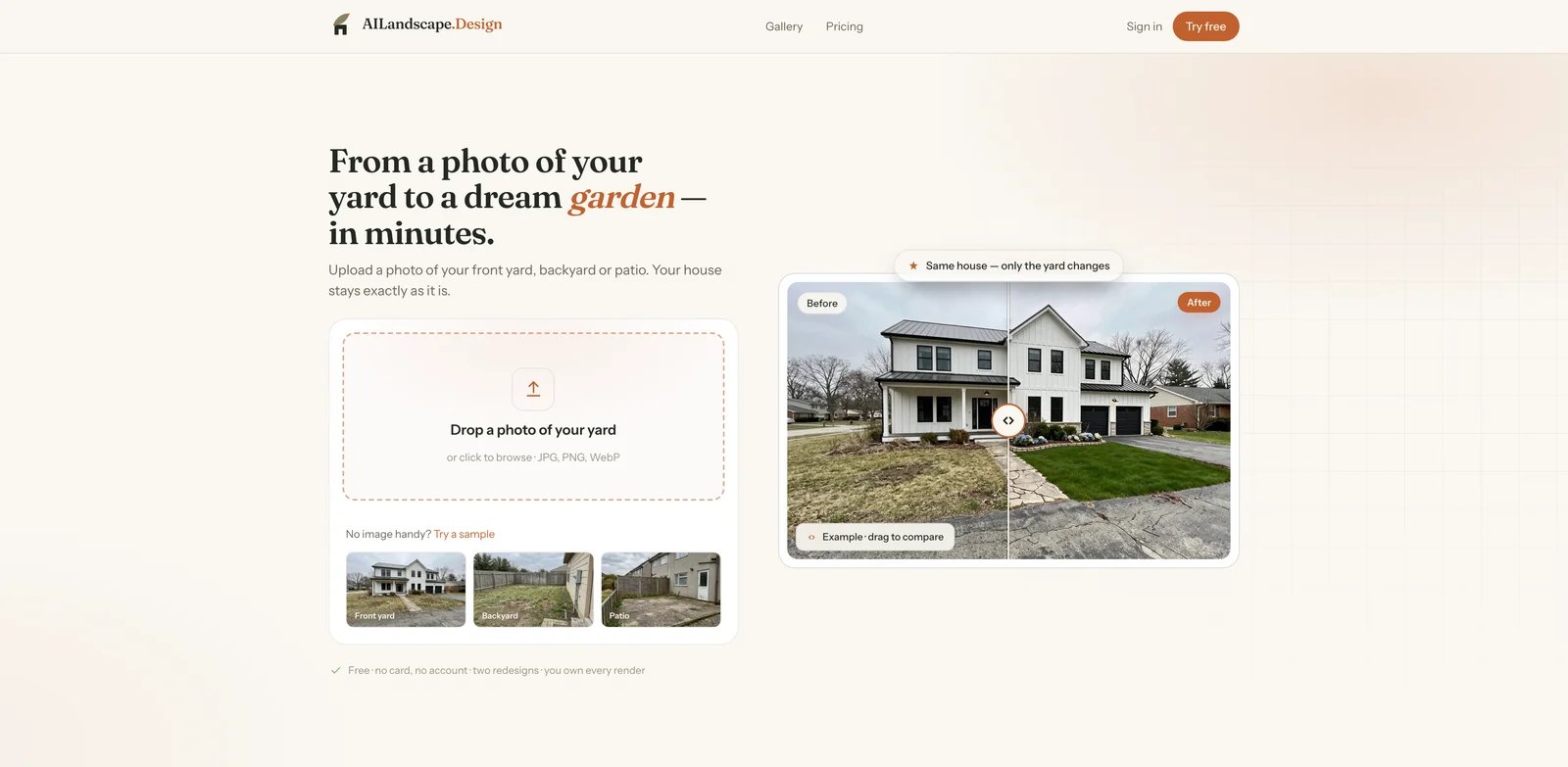
Homeowners who want to see a new yard before talking to a landscaper usually do not want CAD, plant databases, or a week-long onboarding flow. They want to upload one photo, keep the house recognizable, and compare a few believable directions. AILandscape.Design focuses exactly there: front yard, backyard, patio, and side-yard photos become redesigned landscape previews while the house, walls, windows, and boundaries stay intact.
Key Features
- House-preserving AI redesign - The core workflow is built around changing the landscape while keeping the home itself stable, which is the biggest failure mode in generic image generators.
- Homeowner-friendly input requirements - A clear, straight-on daylight yard photo is enough to start. Users do not need measurements or design training for the first round of concepts.
- Preview-first workflow - The official site positions the product around free previews before upgrade, useful when a user wants to judge realism before paying.
- Paid output rights by plan - Paid plans remove watermark and unlock higher-quality usage; Studio is positioned for commercial work such as real estate listings or client projects.
Pricing & Plans
| Plan | Price | Notes |
|---|---|---|
| Free previews | $0 | Public pages mention free redesign previews; preview limits vary by account flow. |
| Starter | $19/mo | Paid personal-use entry plan. |
| Pro | $39/mo | More designs and higher-resolution workflow. |
| Studio | $79/mo | Commercial-use positioning for listings and client work. |
The main cost question is whether you need watermark-free HD renders or commercial rights. If the first goal is to decide a style direction, the free preview path is enough to test fit.
Limitations
AILandscape.Design is a concept generator, not a construction document system. Sloped yards, retaining walls, drainage, structural terracing, and local planting constraints still need professional review. The product is strongest when the photo is clear and the desired change is visual rather than engineering-heavy.
Who It's For
AILandscape.Design is the best first stop for homeowners and real estate agents who need realistic yard concepts quickly and want the house to remain unchanged. Not the right fit if you need CAD files, a formal planting schedule, or contractor-ready construction drawings from day one.
Get started with AILandscape.Design

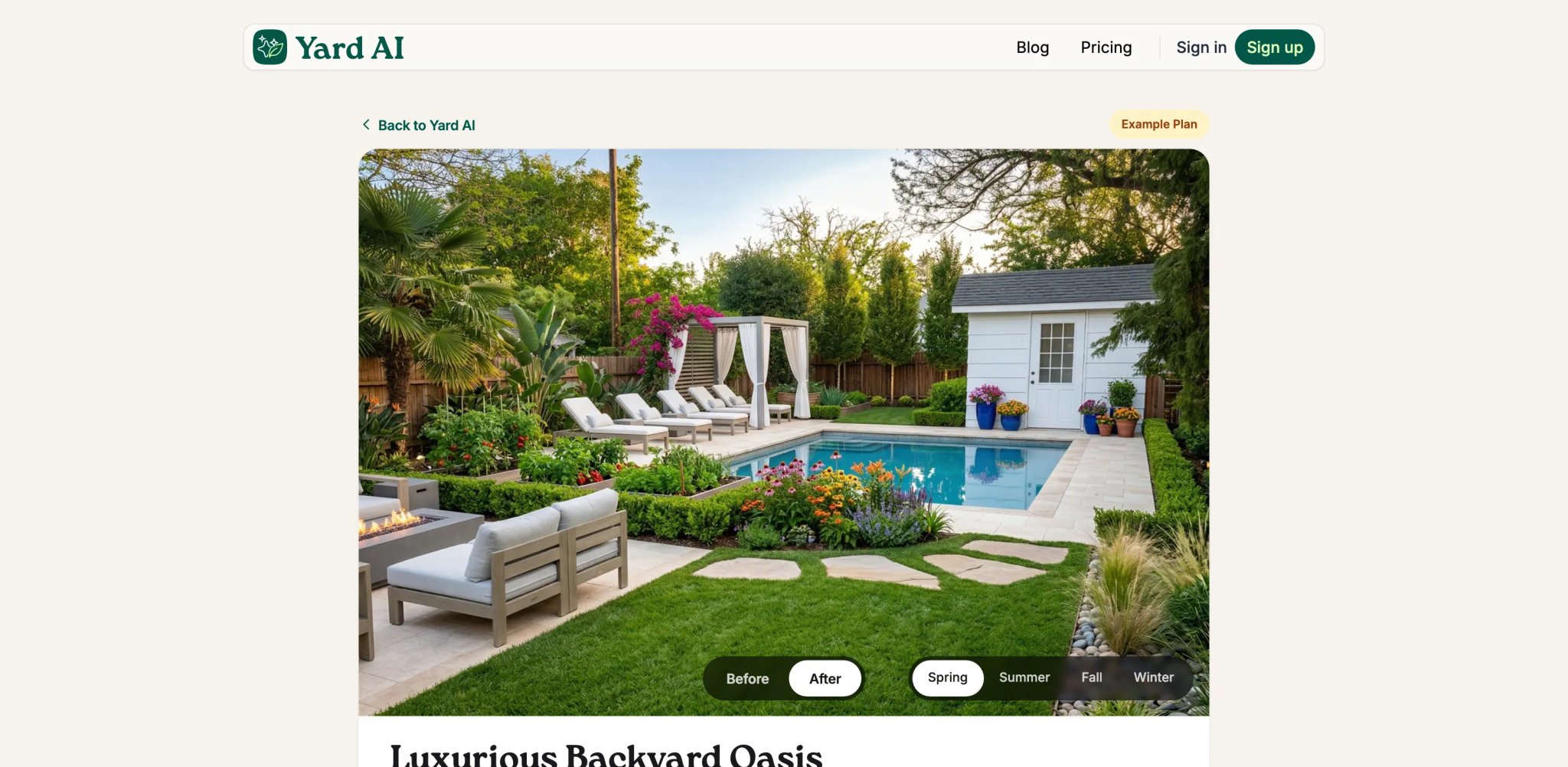
The gap most AI yard tools leave open is everything after the render. You end up with a picture you like and no idea what it costs, which plants survive your winters, what to buy, or who to call. Yard AI is built around closing that gap: the same upload-a-photo workflow produces the visualization, and a Landscape Plan then carries DIY versus professional cost estimates, a phased action plan, a hardiness-zone plant guide, an itemized shopping list, and local contractor matches.
Key Features
- Four-season previews - Renders show the yard across spring, summer, fall, and winter instead of one flattering moment, which exposes designs that only work three months a year.
- DIY versus professional cost estimates - Every plan prices the work both ways, turning the build-it-yourself question into a number before anything is committed.
- Phased action plan - Projects are broken into ordered stages with timelines, so a render becomes a sequence someone can actually start.
- Hardiness-zone plant matching - Plant selection is tied to the property's zone rather than pulled from a generic list.
- Itemized materials list - Hardscaping, plants, soil, and lighting are enumerated with retailer links, closing the gap between plan and purchase.
- Local contractor matching - Surfaces nearby professionals for the parts of a project worth hiring out.
Pricing & Plans
| Plan | Price | Notes |
|---|---|---|
| Free | $0 | Your first yard design - the visualization only, not the full plan. |
| Pro | $9/mo | 60 yard designs and 20 full Landscape Plans per month, plus PDF export (beta), action plans, plant guides, materials lists, and contractor matching. |
The free entry point is a single design rather than a recurring monthly allowance, and Landscape Plans sit entirely behind the subscription. At $9 per month for 20 full plans, the cost per completed plan lands well under tools that bill per render.
Limitations
Output is planning guidance, not stamped construction documentation, and the product states this directly on every plan. Contractor matching depends on local coverage and will be more useful in some regions than others. The free tier is thin - one design, no plan - so judging the product properly means either subscribing or reading the complete example plans published on the site first.
Who It's For
Yard AI fits homeowners who have moved past "what could this look like" and into "what will this cost, and in what order." It also works for landscapers assembling client-facing concepts without opening design software. Not the right fit if you need CAD input, blueprint output, or bills of quantity for commercial work.
Get started with Yard AI
Hadaa
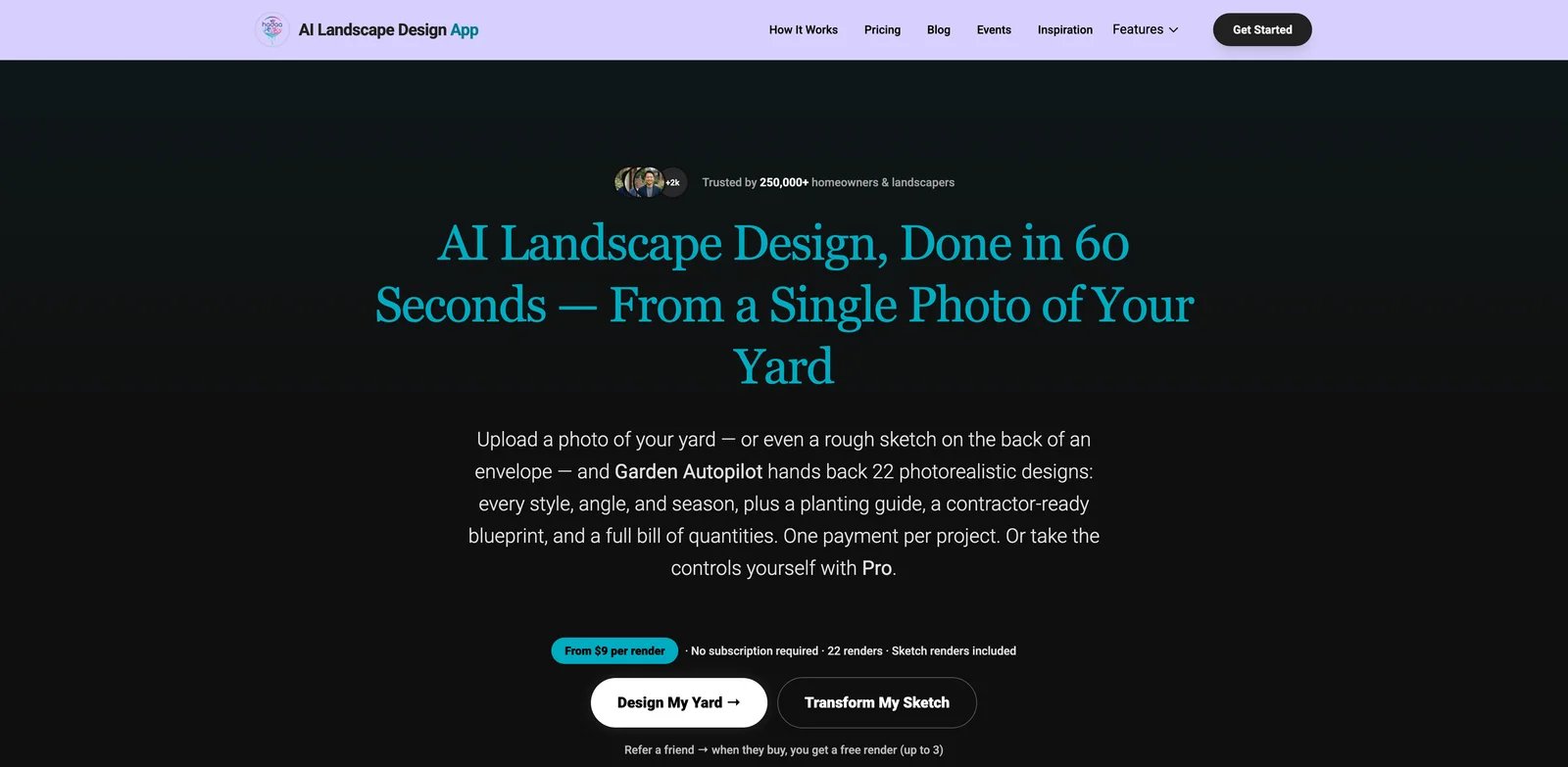
Some users outgrow basic photo redesigns as soon as they ask, "What plants are these, what will it cost, and can I show this to a contractor?" Hadaa positions itself for that middle ground between quick AI inspiration and professional design documentation. It supports photo-to-landscape concepts, but its broader promise includes sketch or CAD input, plant identification, plant guides, blueprint-style output, bills of quantity, and commercial usage.
Key Features
- Multiple input modes - Hadaa can start from a photo, but its official positioning also mentions sketch and CAD inputs, which gives more serious projects a better starting point.
- Plant and project guidance - Plant guide, blueprint, and BOQ language makes it more useful for users who want to move beyond a pretty render.
- Commercial rights - The product is positioned for both individual and commercial workflows, making it more relevant to designers and agencies than consumer-only apps.
Pricing & Plans
Official public messaging references per-render pricing around $9-$12 and a project bundle around $59. Because pricing presentation can vary by page and promotion, treat Hadaa as pay-per-render or project-bundle software rather than a simple subscription app.
Limitations
Hadaa's richer output also creates higher expectations. A plant list or BOQ is useful for discussion, but it should not be treated as a local horticulture, permitting, or structural engineering guarantee. Pricing is less instantly scannable than a flat monthly plan.
Who It's For
Hadaa is a strong fit for homeowners and designers who want AI concepts plus more project context than a single image. Not the right fit if you only need two quick front-yard concepts and want the lowest-friction free trial.
Get started with Hadaa
Landscaip
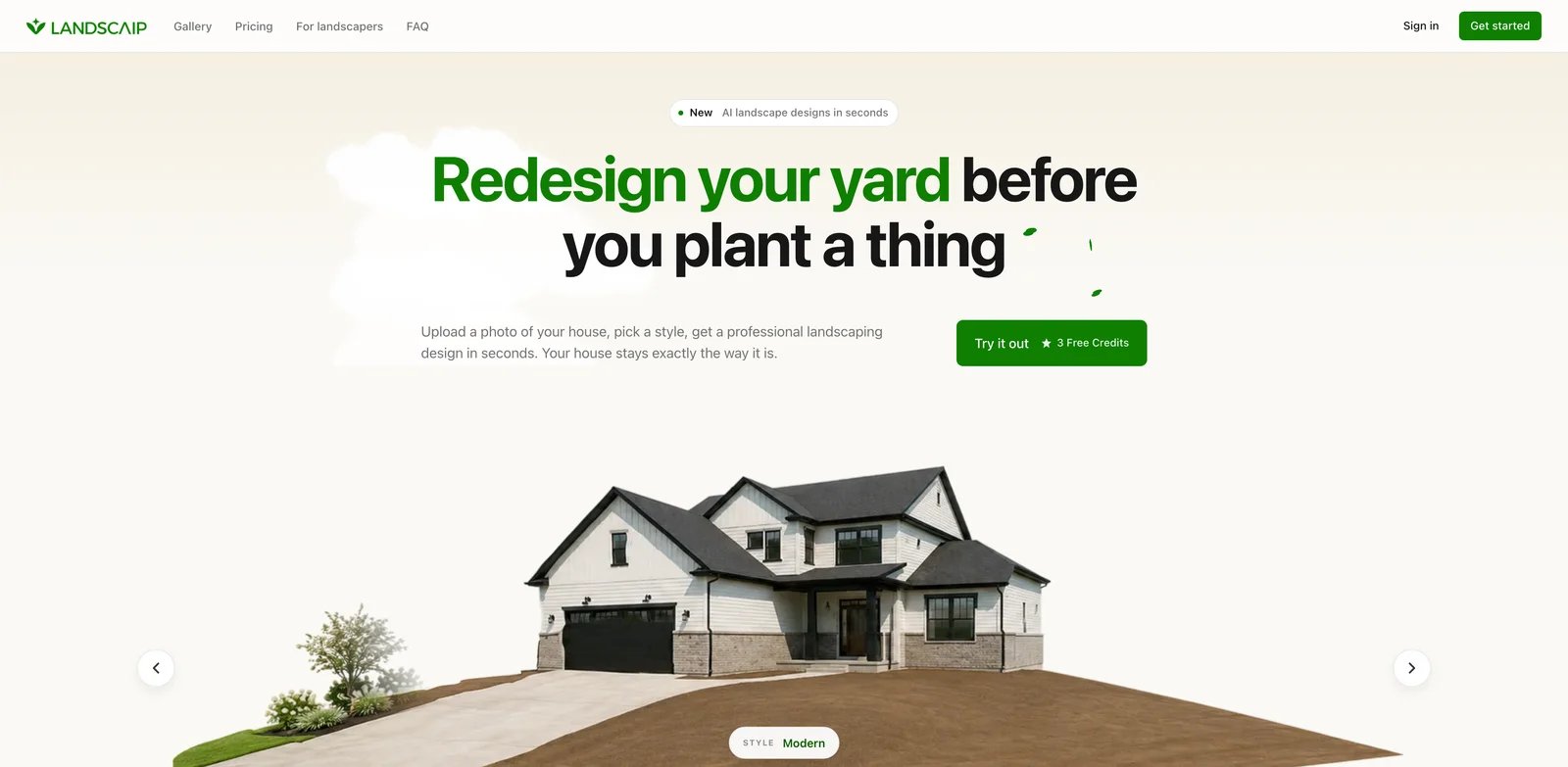
Credit-based tools make sense when you want to explore a yard project without committing to a long subscription. Landscaip is built around generating AI landscape designs, then expanding the result with plant and hardscape direction. It is especially interesting for homeowners who want several styles on the same yard photo and are comfortable buying credit packs as needed.
Key Features
- Free trial concepts - Official pricing offers a small free starting allowance, which is enough to test whether the style output fits your yard.
- Plant and hardscape library framing - Landscaip is not only restyling pixels; its public positioning emphasizes landscape components such as plants and hardscape.
- Video credit option - The tool includes cinematic video credit language, useful if you want presentation material rather than only still images.
Pricing & Plans
Landscaip publicly lists three free designs and one-time credit packs starting around $15. Higher packs increase the number of image and video credits. This is friendlier for occasional homeowners than a monthly subscription, but heavy users should compare credit burn carefully.
Limitations
Credit packs can feel simple until you start iterating on many angles, styles, and video exports. Landscaip is better for visual exploration than formal design documentation, so final plant compatibility and construction details remain outside the tool.
Who It's For
Landscaip is a good choice for homeowners who want multiple design directions and prefer one-time credit packs over recurring software. Not the right fit if your team needs accounts, approvals, or contractor sales workflows.
Get started with Landscaip
OutdoorBrite
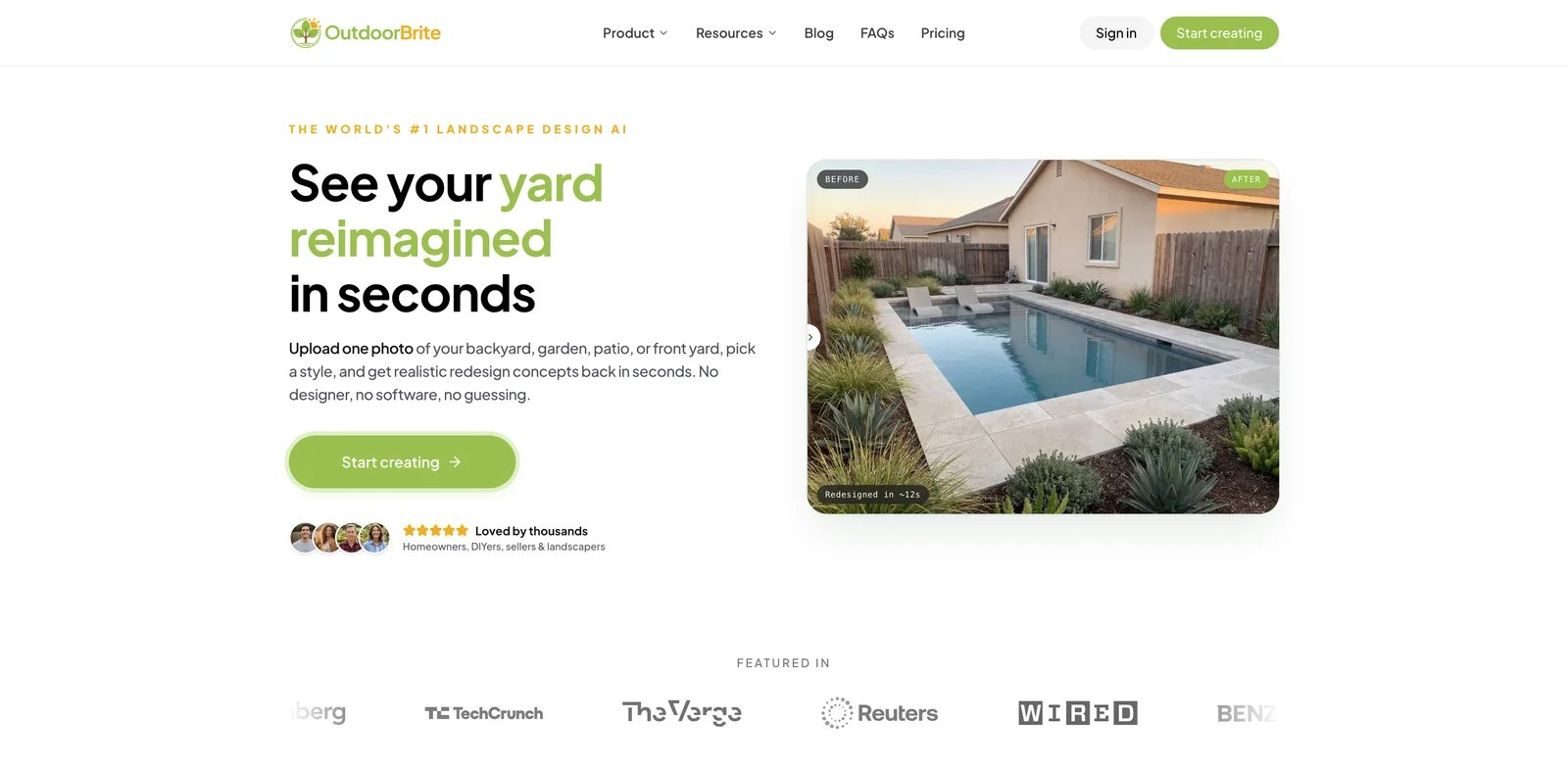
Outdoor projects are rarely just "the yard." A homeowner may want to compare a patio corner, fire pit, pool area, deck, outdoor kitchen, or low-water front yard. OutdoorBrite is designed around those specific outdoor spaces and product pages, which makes it feel more purpose-built than broad home design suites that only add "landscape" as one mode.
Key Features
- Outdoor-specific coverage - Public navigation covers backyard, garden, patio, pool, deck, xeriscape, retaining wall, fire pit, pergola, fence, gazebo, and more.
- Photo-first redesigns - The core promise is to upload a yard, garden, or patio photo and generate realistic redesign concepts quickly.
- Plan-based usage - The pricing page describes Starter, Plus, and Pro plans with monthly generation credits, export resolution, and collaboration features.
Pricing & Plans
OutdoorBrite's public pricing page is structured around Starter, Plus, and Pro plans. Because the dynamic pricing details were not reliably exposed in the public HTML during research, we describe it as plan-based pricing rather than quoting an unverifiable dollar amount.
Limitations
OutdoorBrite is optimized for concepts, not local implementation. If you need a plant schedule, irrigation logic, or stamped construction drawings, use it as a visualization layer before hiring a local pro.
Who It's For
OutdoorBrite fits homeowners comparing several outdoor zones and wanting a tool that speaks the language of patios, pools, decks, and garden types. Not the right fit if your priority is AR placement or contractor proposal management.
Get started with OutdoorBrite
Neighborbrite
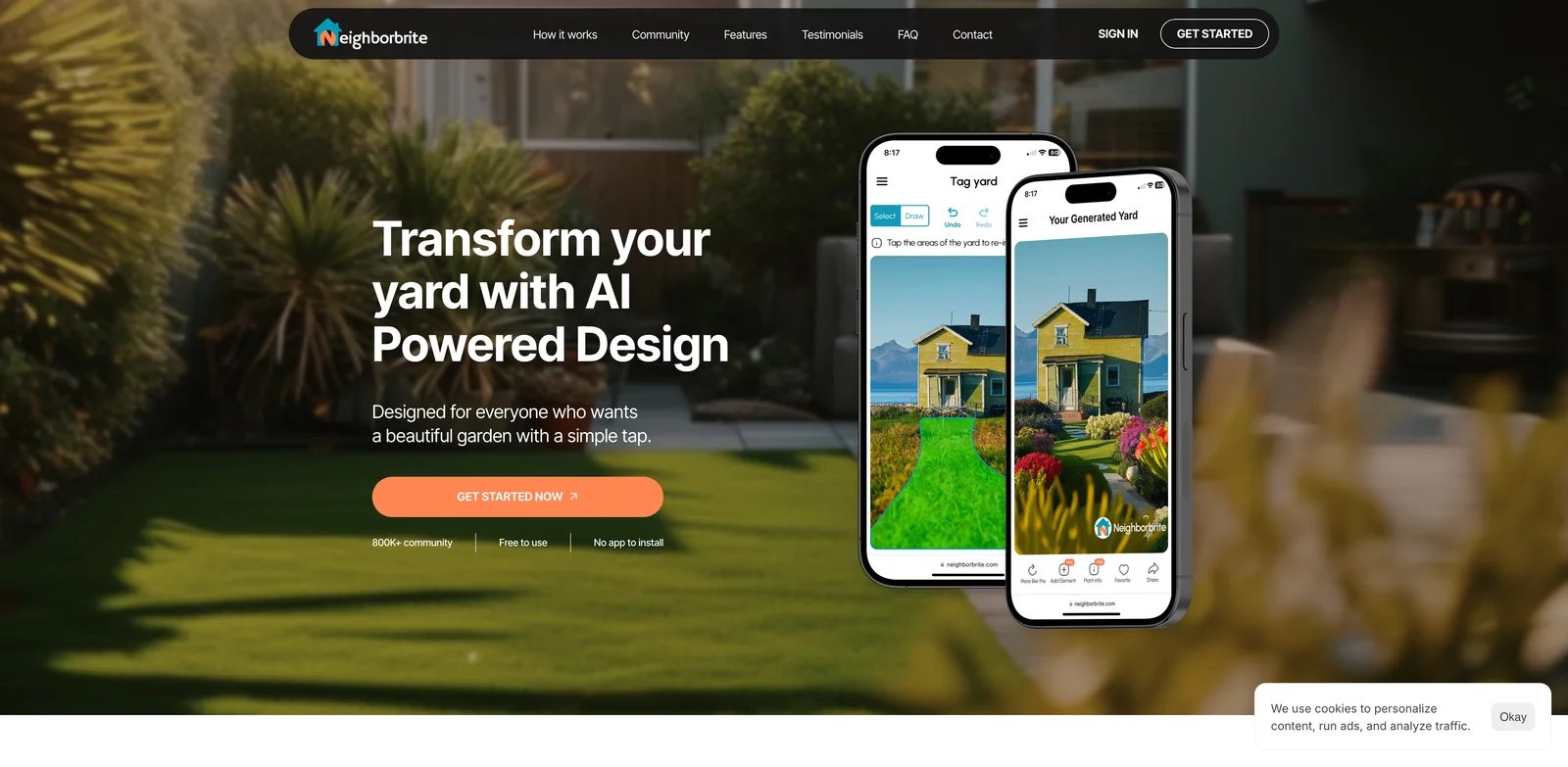
Not every user is ready for a plan. Some people only need to answer one question: "What could this empty strip or awkward corner become?" Neighborbrite keeps that workflow simple. Its public positioning is free AI landscape design inspiration where users tap the area they want to landscape and generate design ideas.
Key Features
- Low-friction zone selection - Tapping the part of a yard that needs help is easier for casual users than masking or writing long prompts.
- Free inspiration positioning - Neighborbrite's official title and description emphasize free AI-powered landscape inspiration.
- Good first-step tool - It can help homeowners create a shortlist of possibilities before moving to more detailed tools.
Pricing & Plans
Neighborbrite's public pages position the product as free. We did not find a reliable official paid pricing table during this research pass.
Limitations
The simplicity is also the ceiling. Neighborbrite is best for inspiration, not project planning, plant sourcing, budgeting, commercial rights, or contractor documentation.
Who It's For
Neighborbrite is useful for homeowners who are stuck at the blank-yard stage and want quick ideas without learning a design app. Not the right fit if you need high-resolution exports, business usage, or a structured project package.
Get started with Neighborbrite

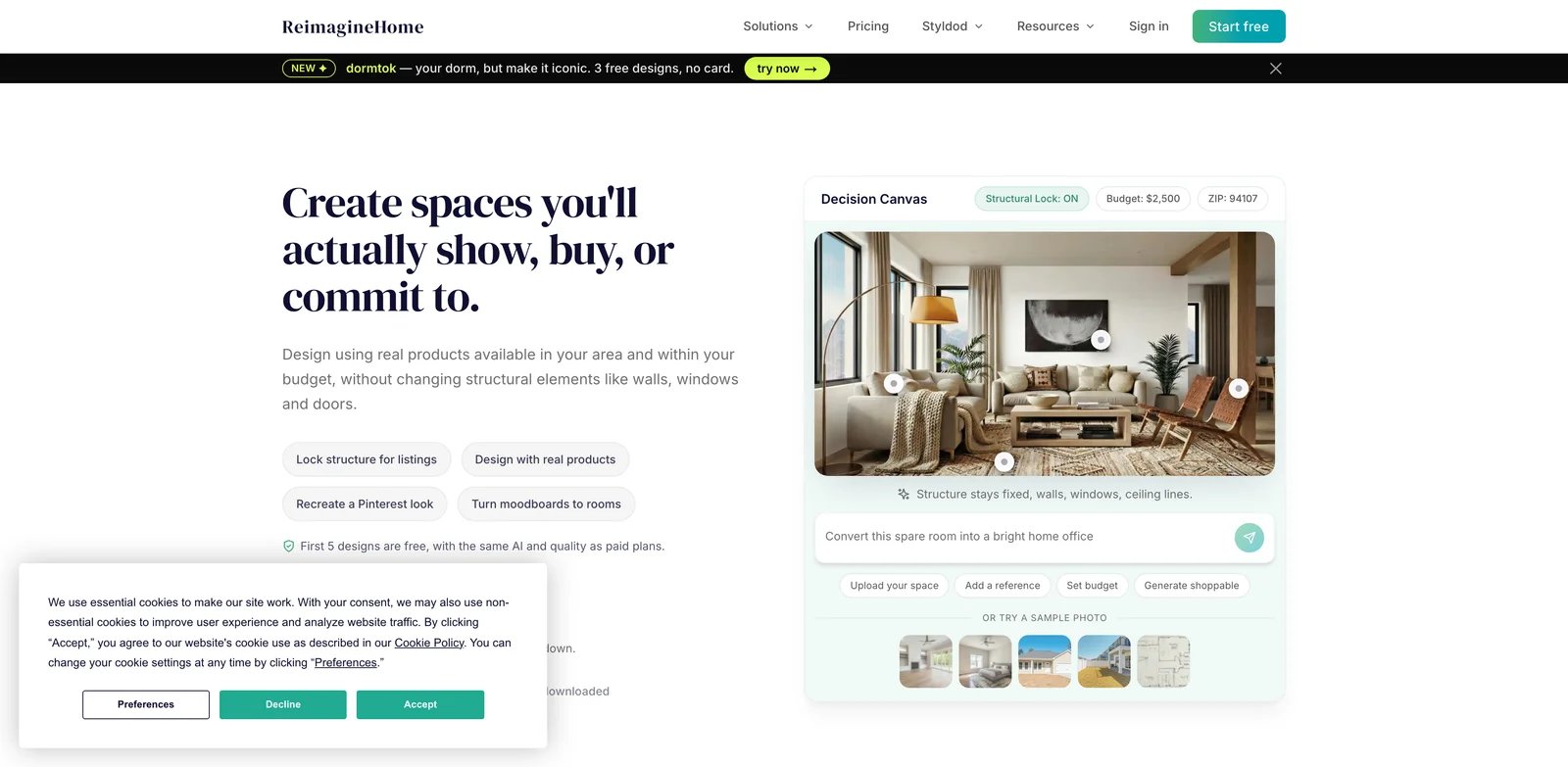
Some buyers do not want a landscape-only app because the exterior, patio, and interior are all part of the same listing or renovation story. REimagineHome is a broader home AI design platform that includes landscaping and exterior transformations alongside interior redesign and staging. Its biggest advantage is that users can keep more of the property workflow in one place.
Key Features
- Broad home redesign coverage - REimagineHome handles interior, exterior, landscaping, furnishing, and staging use cases rather than only gardens.
- Structural lock positioning - The tool emphasizes changing style and design while keeping key architecture stable.
- Commercial tiers - Higher plans are positioned for heavier usage, agencies, and professional output needs.
Pricing & Plans
| Plan | Price | Notes |
|---|---|---|
| Free | $0 | 5 free designs. |
| Essential | $19/mo | Entry paid plan. |
| Pro | $36/mo | Higher usage for regular creators. |
| Advanced | $59/mo | More volume and professional needs. |
| Agency | $119/mo | Agency-oriented plan. |
Limitations
Because REimagineHome serves many home design use cases, its landscape features can feel less specialized than AILandscape.Design, Hadaa, or OutdoorBrite. Use it when property-wide consistency matters more than deep plant or hardscape planning.
Who It's For
REimagineHome is a good fit for real estate marketers, remodelers, and homeowners who need interior plus exterior visuals. Not the right fit if your only job is detailed landscape planning for one yard.
Get started with REimagineHome
HomeDesignsAI
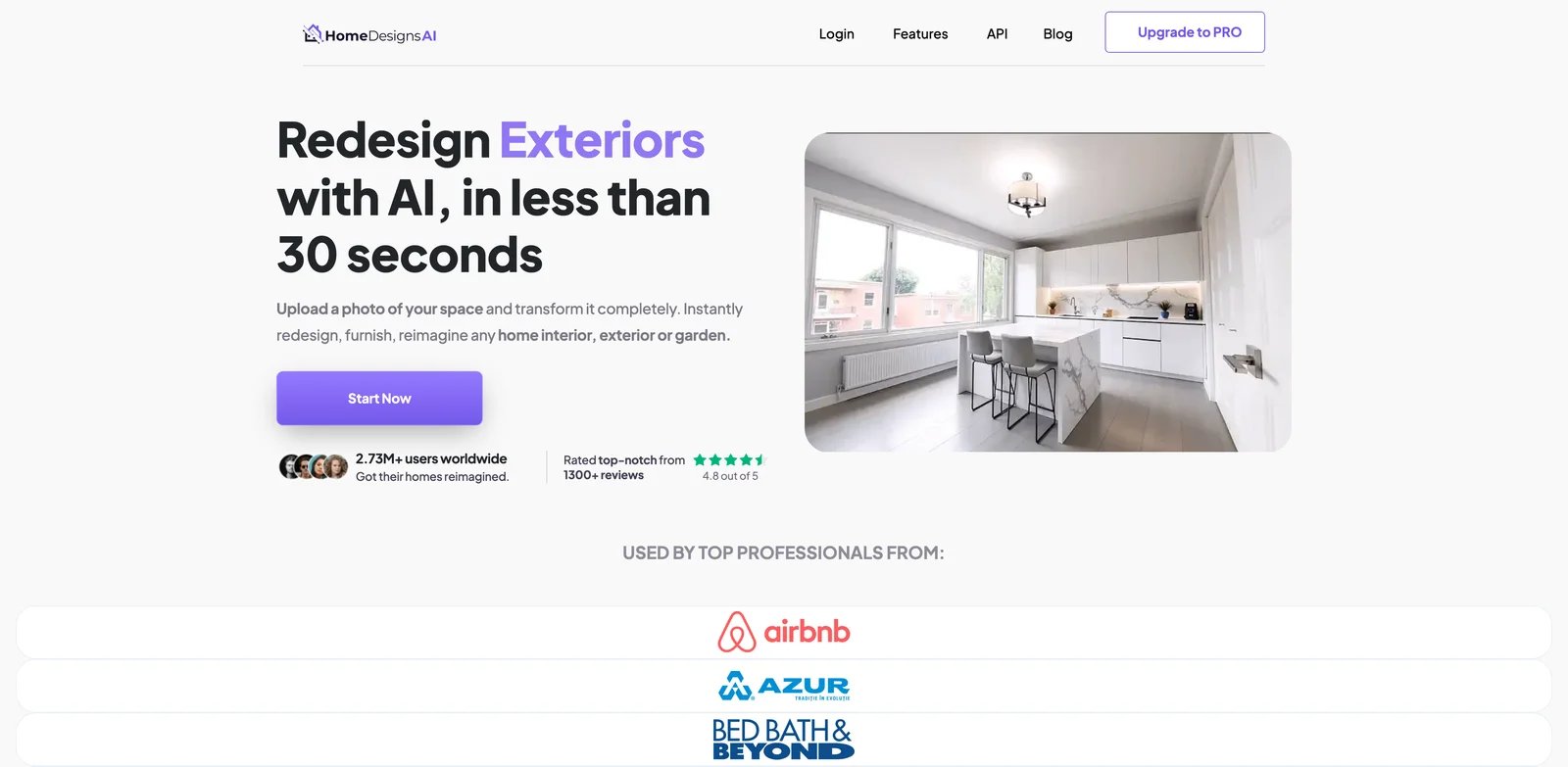
HomeDesignsAI belongs in this list because many users search for landscape design while also needing exterior, patio, or interior redesign. Instead of forcing a separate tool for every part of the property, it packages interior, exterior, garden, and renovation visualization into one subscription.
Key Features
- Whole-home design coverage - Interior, exterior, garden, and room-level design modes make it useful for renovation planning across a property.
- Commercial license on Pro positioning - Pro is more relevant for users producing client or listing visuals.
- Multiple creative modes - It supports idea generation, redesign, and style exploration across different property areas.
Pricing & Plans
HomeDesignsAI publicly lists paid plans with Individual starting around $24/month monthly or $12/month annual equivalent, and Pro around $27/month monthly or $14/month annual equivalent. Because discounts and plan names can shift, compare monthly versus annual billing before committing.
Limitations
The tradeoff is depth. HomeDesignsAI is convenient if you need many home design modes, but it is not as landscape-specialized as tools built only for yards, plantings, and outdoor zones.
Who It's For
HomeDesignsAI is best for homeowners, property marketers, and creators who need interior, exterior, and garden concepts from one account. Not the right fit if you want landscape-only plant schedules or contractor documentation.
Get started with HomeDesignsAI
LandscapioAI
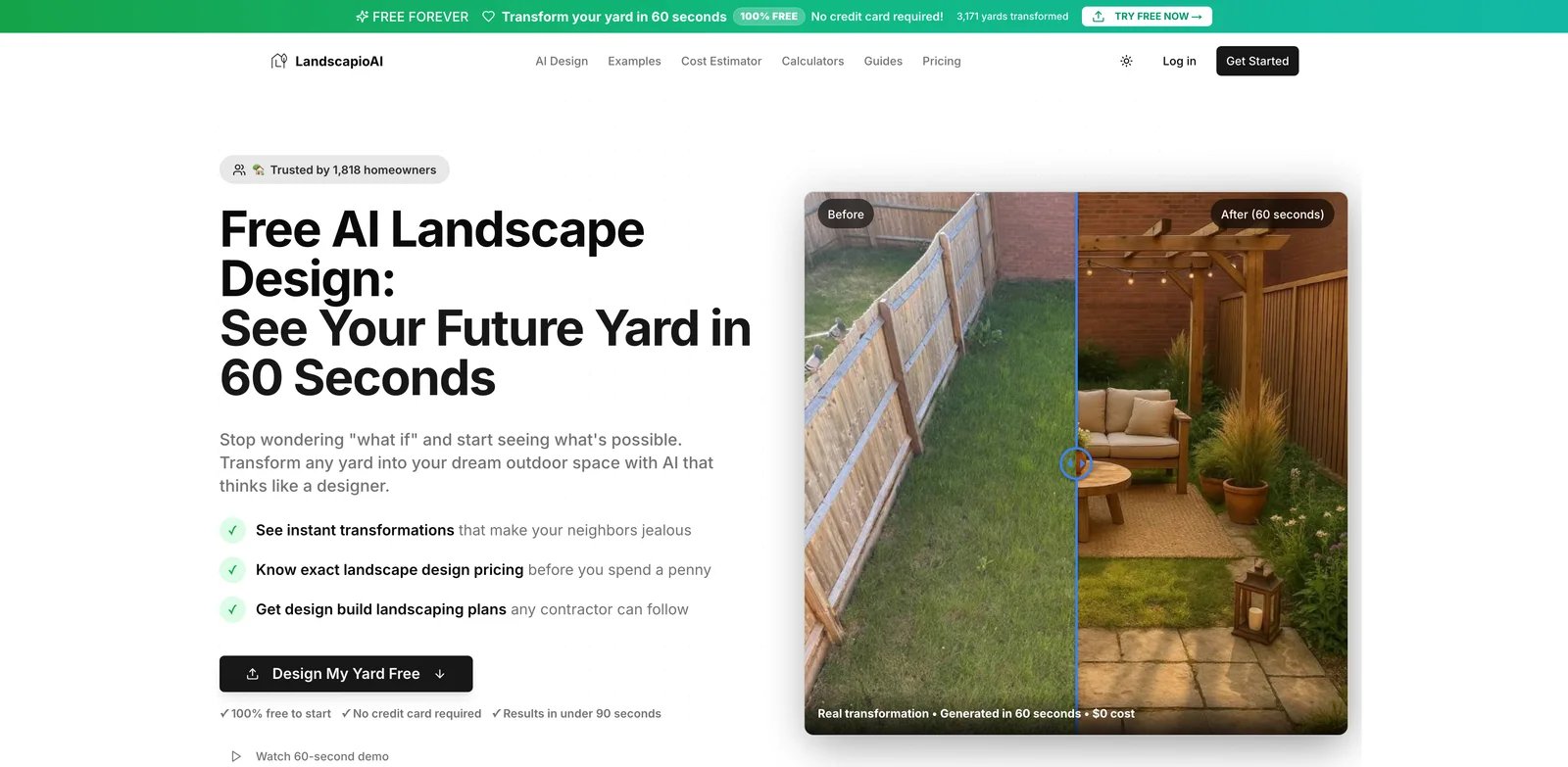
LandscapioAI is interesting because it tries to bridge the gap between quick AI visuals and lightweight project planning. Its public pricing is transparent, and its product framing mentions plant lists, cost estimates, contractor-ready PDFs, and a searchable project history. That makes it more practical than pure inspiration tools for DIY homeowners.
Key Features
- Transparent low-cost entry - Free designs, weekly access, annual Pro, and lifetime plans are clearly positioned.
- Plant list and cost framing - The tool aims to help users discuss a project, not only admire a render.
- Project PDF output - Contractor-ready PDFs are useful for early conversations, even if they are not formal construction documents.
Pricing & Plans
| Plan | Price | Notes |
|---|---|---|
| Free | $0 | 2 designs per week. |
| Weekly | $4.99/week | Short-term access. |
| Pro | $79/year | Annual usage. |
| Lifetime | $149 once | One-time lifetime access. |
Limitations
Cost estimates and plant lists are planning aids, not local quotes. Users still need to validate plant availability, climate fit, grading, drainage, and contractor pricing.
Who It's For
LandscapioAI works well for budget-conscious homeowners who want more structure than a mood board. Not the right fit if you need professional landscape architecture or high-volume business workflows.
Get started with LandscapioAI
DreamzAR
Mobile AR is useful when a homeowner wants to stand in the yard and place ideas in context. DreamzAR focuses on that experience across iPhone, iPad, and Apple Vision Pro. It is less about creating a polished contractor package and more about exploring designs spatially, especially for users already comfortable with Apple devices.
Key Features
- AR-first workflow - DreamzAR lets users visualize outdoor ideas in a more spatial way than flat web-only render tools.
- Apple ecosystem support - iPhone, iPad, and Vision Pro positioning makes it a strong choice for users who want mobile-first planning.
- Photo and AI concept support - It combines AI-generated ideas with app-based landscape exploration.
Pricing & Plans
DreamzAR pricing is primarily surfaced through app subscriptions and in-app purchases. Public App Store listings have shown monthly and annual subscriptions plus credit packs, so users should confirm current pricing inside the store before buying.
Limitations
App Store pricing and cancellation flows can be less transparent than direct web billing. AR planning also depends on device quality, lighting, and how comfortable the user is with mobile spatial workflows.
Who It's For
DreamzAR is best for Apple users who want to explore yard ideas in place. Not the right fit if you need web-based collaboration, PDF project packs, or non-Apple workflows.
Get started with DreamzAR
iScape
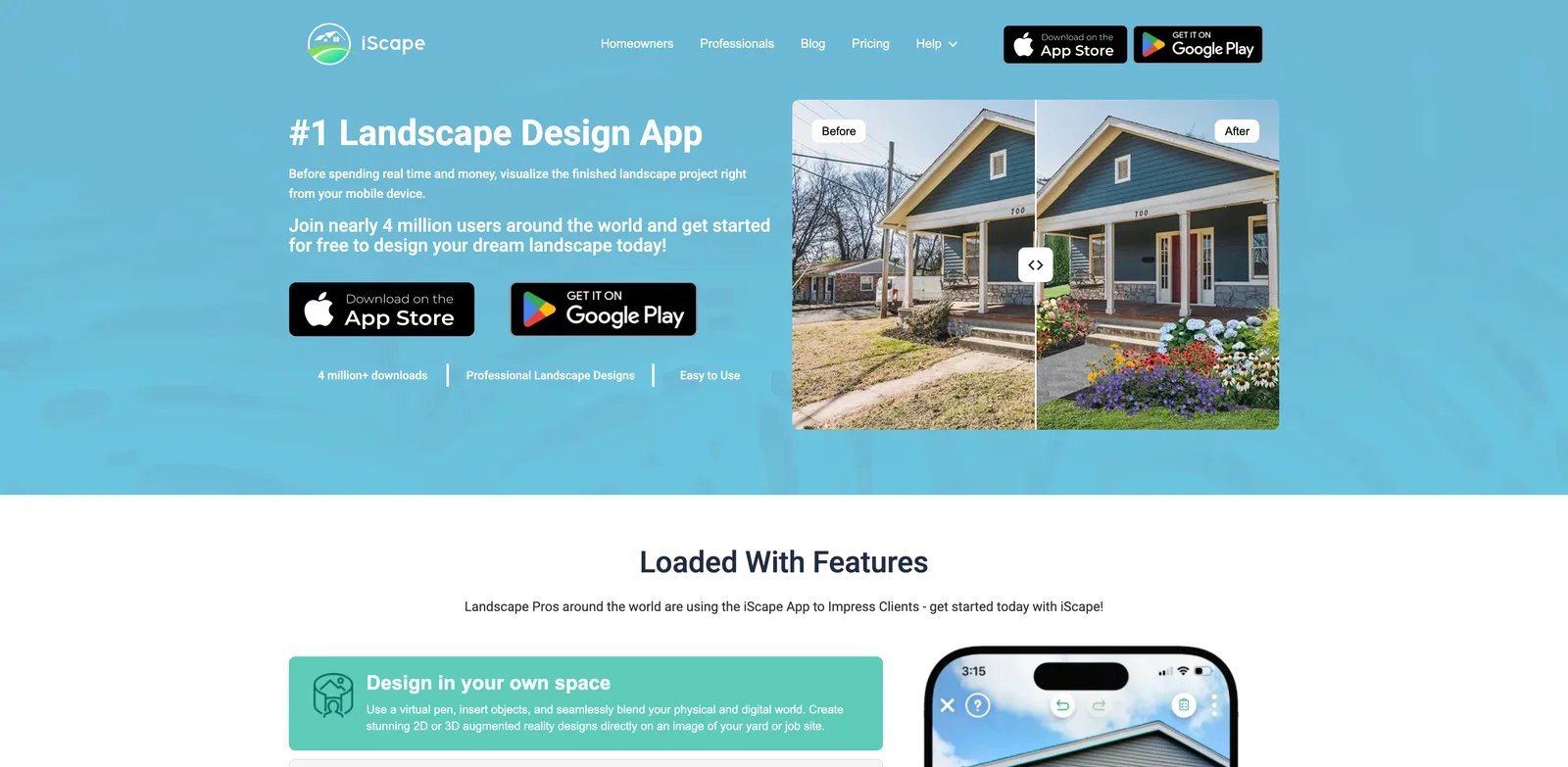
iScape is not just a novelty AI renderer. It is an established landscape design app used for 2D and 3D layouts, product visualization, and proposal workflows. That makes it less instant than a photo-to-render AI tool, but more useful when you need to arrange plants, hardscape, and outdoor products with client-facing structure.
Key Features
- 2D and 3D landscape design - iScape gives users more layout control than prompt-only AI tools.
- Plant and hardscape database - The app is better suited to practical landscape planning than generic visual generators.
- Proposal and professional workflows - Pro and Enterprise positioning makes it relevant to designers and landscape businesses.
Pricing & Plans
iScape offers a free trial, Pro pricing around $29.99/month or $299.99/year, and custom Enterprise pricing. For occasional homeowners, the annual Pro plan may be more than needed; for designers, the proposal workflow can justify it.
Limitations
iScape takes more effort than instant AI redesign tools. If you only want a fast before/after concept from a photo, it may feel heavy. If you need detailed layout control, that extra complexity is the point.
Who It's For
iScape is best for landscape designers, contractors, and serious DIY planners who need controlled layouts. Not the right fit if your only goal is a quick AI mood board.
Get started with iScape
OutdoorDesigns AI
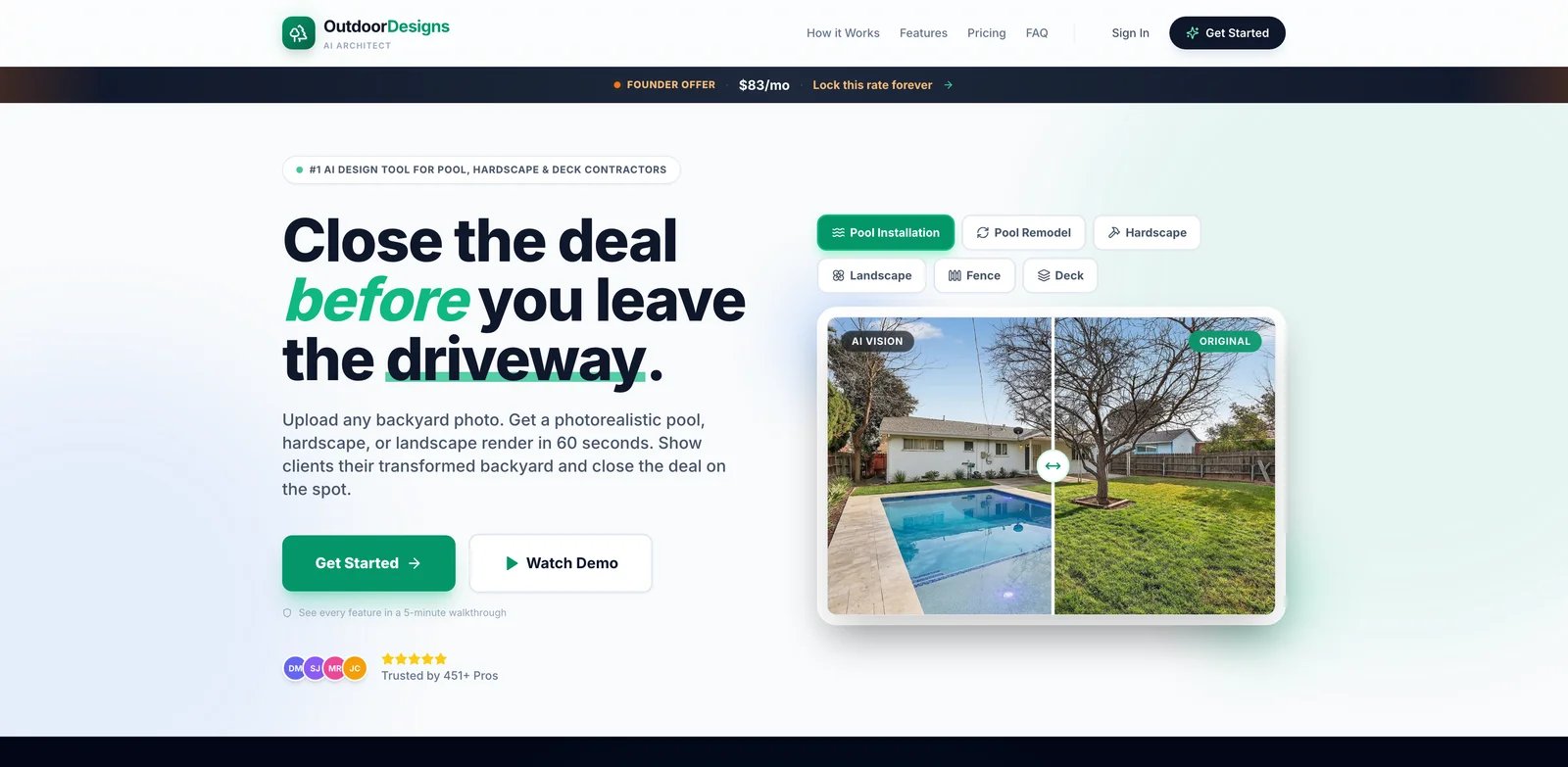
Landscape contractors have a different problem than homeowners. They are not browsing styles; they are trying to help a lead say yes to a pool, deck, outdoor kitchen, driveway, or hardscape package. OutdoorDesigns AI is built for that sales workflow, with positioning around fast visual transformations for outdoor living businesses.
Key Features
- Contractor-focused categories - Public materials mention pools, pavers, decks, pergolas, outdoor kitchens, driveways, exteriors, and other high-ticket outdoor jobs.
- Sales visual speed - The value is reducing the time from lead photo to persuasive concept.
- Business-tier pricing - Plans are priced for revenue teams, not casual homeowners.
Pricing & Plans
OutdoorDesigns AI publicly lists Starter at $97/month monthly or $49/month annual, with Professional at $199/month monthly or an $83/month annual founder offer. Confirm current promotional status before purchase.
Limitations
This is overkill for a homeowner who wants one backyard idea. The product makes most sense when better visuals help close paid outdoor projects.
Who It's For
OutdoorDesigns AI is best for landscapers, pool builders, hardscape companies, and exterior contractors. Not the right fit if you want the cheapest personal AI landscape design app.
Get started with OutdoorDesigns AI
Yardzen
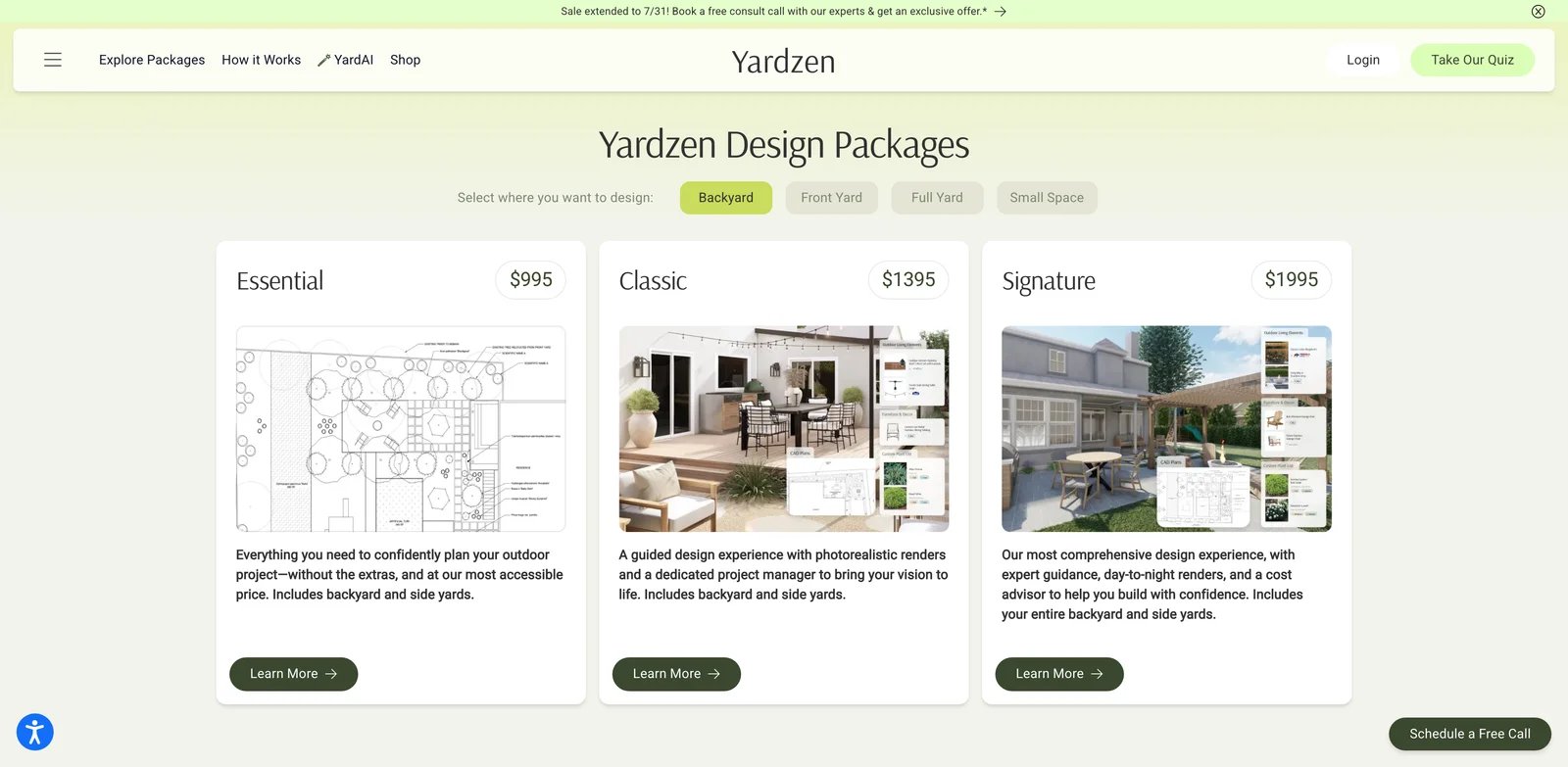
Yardzen is included as a boundary marker, not because it is an instant AI renderer. It is a human-led online landscape design service that helps homeowners move from ideas to professional plans and build support. That makes it much more expensive than AI concept tools, but also more appropriate when a real project is ready to leave the inspiration stage.
Key Features
- Professional online design packages - Yardzen sells structured design services rather than unlimited AI concepts.
- Build-path support - The service is closer to contractor-ready planning than consumer AI tools.
- Clear package ladder - Essential, Classic, Signature, and Premium packages help homeowners match project complexity to budget.
Pricing & Plans
| Package | Price | Best For |
|---|---|---|
| Essential | $995 | Smaller projects and focused design needs. |
| Classic | $1,395 | Standard yard design package. |
| Signature | $1,995 | More comprehensive design support. |
| Premium | $3,495 | Higher-touch or larger projects. |
Limitations
Yardzen is not the tool to use when you need instant, low-cost AI iterations. It is slower and more expensive because humans are involved. For early style exploration, start with AI concepts first.
Who It's For
Yardzen is best for homeowners ready to invest in a real landscape plan after narrowing their style direction. Not the right fit if you just want fast AI before/after images.
Get started with Yardzen
Best AI Landscape Design Tools by Use Case
For Homeowners Who Need a First Visual Direction
If you have one clear yard photo and need to decide whether the space should become modern, cottage, drought-tolerant, or patio-heavy, start with AILandscape.Design. It is purpose-built for yard photos and keeps the house intact, which is the most important realism factor for early decisions. Neighborbrite is the simplest free inspiration option if you only want to test a problem area before uploading to a more capable tool.
For DIY Planners Who Want More Than a Render
If you want plant lists, cost framing, PDFs, or more project context, Yard AI, Hadaa, and LandscapioAI are stronger than basic image generators. Yard AI is the cheapest route to a complete plan, pairing DIY versus professional cost estimates with a phased sequence and contractor matches at $9 a month. Hadaa is better for richer inputs such as sketch or CAD, while LandscapioAI is easier to justify on budget because of its free weekly allowance and transparent annual/lifetime pricing.
For Real Estate and Whole-Property Visuals
If the job is a listing, renovation concept, or property marketing package, REimagineHome and HomeDesignsAI are practical because they cover interior, exterior, and garden scenes in one account. They are not as landscape-specialized as AILandscape.Design or OutdoorBrite, but they reduce tool switching when a listing needs both curb appeal and staged rooms. For related property visuals, compare our AI interior design tools and AI architecture design tools.
For Designers and Contractors
iScape is the better choice when layout control, plant/hardscape placement, and proposal workflows matter. OutdoorDesigns AI is better when the team sells high-ticket outdoor projects and needs fast sales visuals from client photos. These tools cost more than homeowner AI apps because their value is tied to client conversion and professional workflow.
For Homeowners Ready to Build
Use AI tools to narrow style, layout, and budget conversations, then move to Yardzen or a local landscape designer when the project needs real plans. Yardzen is far more expensive than instant AI, but it sits closer to implementation. That can save money later if the project includes grading, drainage, retaining walls, irrigation, lighting, or large hardscape work.
How to Choose the Right AI Landscape Design Tool
Start with the decision you need to make this week. If you only need to see whether a visual direction works, a photo-to-redesign tool such as AILandscape.Design, Landscaip, OutdoorBrite, or Neighborbrite is enough. Do not pay for a professional workflow before you know whether you like the direction.
Next, decide whether the output must support a conversation with a contractor. If yes, look for plant lists, PDFs, CAD or sketch input, cost estimates, or proposal tooling. Hadaa, LandscapioAI, iScape, OutdoorDesigns AI, and Yardzen are more relevant than generic image apps.
Then check pricing structure. Free previews are useful for realism testing, credit packs are good for occasional projects, subscriptions make sense for repeated redesigns, and package pricing fits build-ready services. A $19 AI plan and a $1,995 professional design package are not substitutes; they solve different stages of the project.
Finally, set a hard boundary around buildability. AI landscape design can show style, mood, planting density, and outdoor living layouts. It cannot guarantee drainage, retaining wall safety, local plant survival, irrigation pressure, construction cost, or permit compliance. For structural changes, treat AI output as a brief, not an approved plan. If your project includes architecture or exterior rendering beyond the yard, also review our AI architecture rendering software.
Frequently Asked Questions
What is the best AI landscape design tool?
AILandscape.Design is the best first choice for most homeowners who want quick AI landscape design from a yard photo while keeping the house intact. Hadaa is stronger if you need plant guides and project-style outputs, while iScape and OutdoorDesigns AI are better for professional landscape workflows.
Can AI landscape design replace a landscape designer?
AI landscape design can replace early mood boards and rough visual exploration, but it should not replace a designer for grading, drainage, retaining walls, irrigation, lighting, permits, or detailed planting plans. Use AI to clarify direction before paying for professional design or contractor estimates.
Are AI landscape design tools useful for real estate listings?
Yes, but only if the plan and license allow commercial use. AILandscape.Design Studio and broader property tools such as REimagineHome or HomeDesignsAI can help create listing concepts, but agents should avoid presenting AI renders as completed work or guaranteed renovation outcomes.
What should I upload for the best AI yard design result?
Use a clear daylight photo taken straight toward the yard, with the house, fence, lawn, patio, or driveway visible. Avoid heavy shadows, extreme angles, rainy photos, cluttered construction scenes, and images where the area you want redesigned is blocked.
How much do AI landscape design tools cost?
Simple AI preview tools may offer free designs or low-cost credit packs. Paid homeowner plans often start around $19-$30 per month, while professional software can cost $30-$100+ per month. Full-service online design packages such as Yardzen start near $995 because they include human design work.
Which AI landscape design tool is best for contractors?
OutdoorDesigns AI is the most sales-focused option in this list for contractors selling pools, decks, hardscape, outdoor kitchens, and exterior upgrades. iScape is better when the contractor or designer needs controlled 2D/3D layouts and proposal workflows rather than only fast AI visuals.
Get ToolWorthy Weekly
New AI tools, practical guides, and selected AI signals in one weekly brief.
For AI tool founders
Built a tool that belongs in this decision set?
Request an editorial evaluation for possible inclusion in ToolWorthy.
Submit your tool for reviewPaid submission does not guarantee a ranking, recommendation, inclusion, or editorial outcome.