



Overview
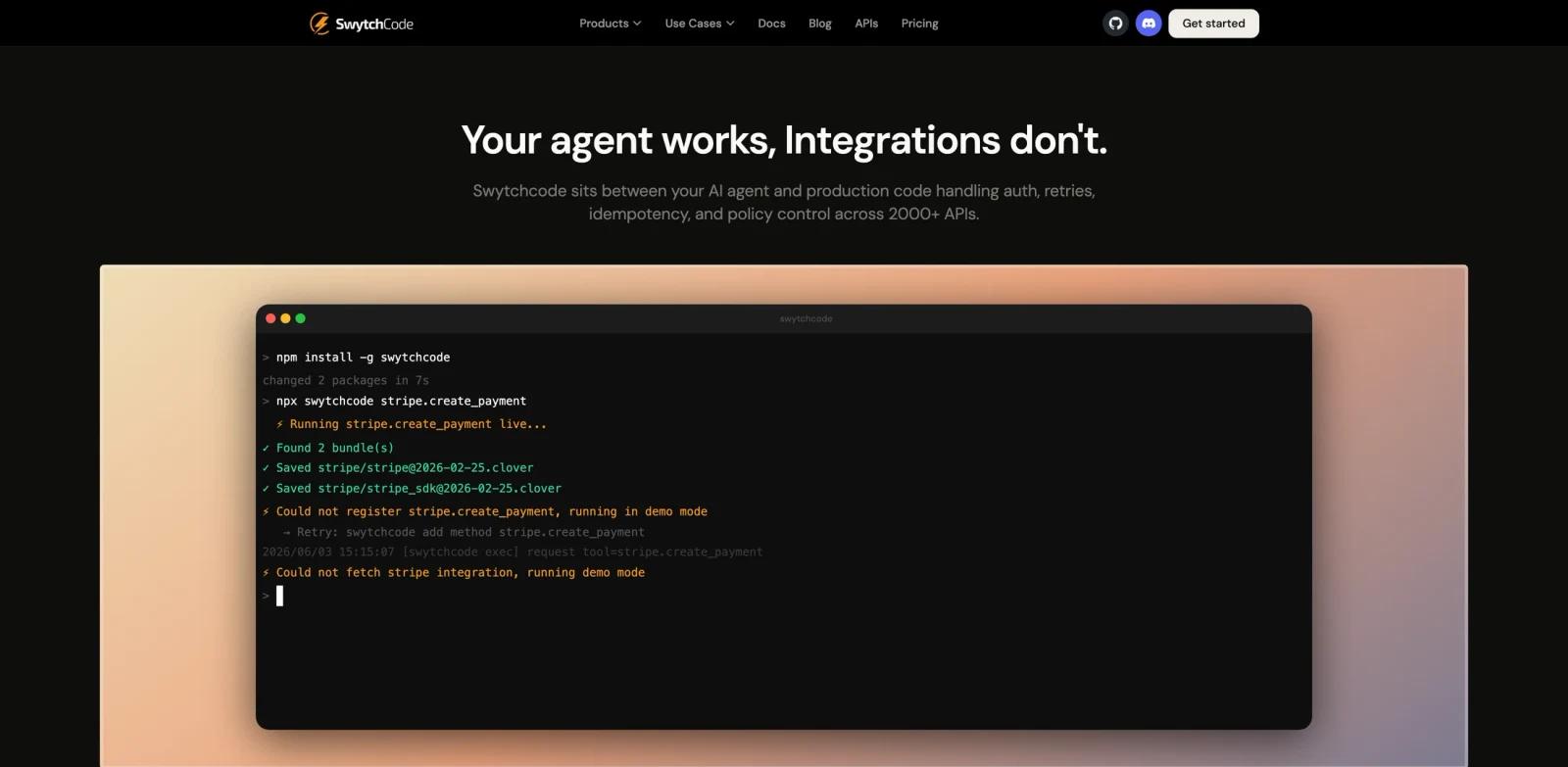
Swytchcode CLI is a tool-calling execution layer for AI agents. It sits between an agent and the production APIs the agent needs to call, so teams can avoid brittle raw API calls, silent schema drift, unsafe retries, and missing audit trails.
The official site says Swytchcode supports 2,000+ APIs and works with Claude Code, Cursor, GitHub Copilot, LangChain, LlamaIndex, and custom agents. Instead of replacing an agent framework, it provides a CLI-first runtime for calling tools through validated manifests, policy rules, auth handling, and structured JSON output.
Swytchcode fits ToolWorthy's AI agent, AI code generator, and AI productivity readers because it solves a real production problem: giving agents safe access to external systems such as Stripe, GitHub, Slack, Resend, HubSpot, Notion, Jira, Twilio, and AWS.
Key Features
CLI execution runtime - Developers can install the CLI and route agent tool calls through
swytchcode execinstead of wiring every API by hand.2,000+ API integrations - The official site lists broad API coverage and lets teams bring their own OpenAPI specs for internal tools.
Auth and token handling - Swytchcode is designed to manage OAuth and API key handling for production API calls.
Retries and idempotency - Calls can be keyed for safer retries, reducing duplicate side effects when agents repeat operations.
Policy control - Teams can define allowlists, blocklists, rate limits, dry-run behavior, and other guardrails in
tooling.json.Audit logs and validation - Schema validation, policy checks, and audit logging are included in the execution layer.
How to Get Started
Start with the free plan and install the CLI. The official site positions setup as a fast path: install Swytchcode, pull a manifest for the API you want to call, and replace raw agent API calls with Swytchcode execution.
For production use, define policies before giving an agent write access. That means deciding which endpoints are allowed, when dry-run mode is required, which environments can be touched, and what should happen on retry.
Swytchcode is strongest for teams already building agentic workflows, internal coding agents, support agents, revenue operations agents, or workflow automations that need to act across real APIs.
Pricing & Plans
Swytchcode has a free tier and paid plans. The official pricing page lists:
| Plan | Price | Notes |
|---|---|---|
| Free | $0/month | 1,000 execution calls per month, core CLI features, community support, no credit card required |
| Pro | $29/month | 5,000 execution calls per month, everything in Free, email support, priority queue |
| Enterprise | Custom | Unlimited execution calls, everything in Pro, dedicated Slack support, custom SLAs |
The site says one swytchcode exec command counts as one execution call.
Best For
- Engineering teams putting AI agents in production
- Developers connecting Claude Code, Cursor, or custom agents to business APIs
- Teams that need AI data governance-style control over agent actions
- Platform teams building internal agent tooling
- Companies that want auditability before giving agents write permissions
FAQ
What does Swytchcode CLI do?
Swytchcode CLI lets AI agents call production APIs through a validated execution layer with auth, retries, idempotency, policy control, and audit logs.
Is Swytchcode free?
Yes. The official pricing page lists a Free plan with 1,000 execution calls per month and no credit card required.
How much does Swytchcode Pro cost?
Pro is listed at $29 per month with 5,000 execution calls per month.
Does Swytchcode replace LangChain or other agent frameworks?
No. The official FAQ says Swytchcode is not an agent framework. It sits between an existing agent and the APIs it calls.