

Overview
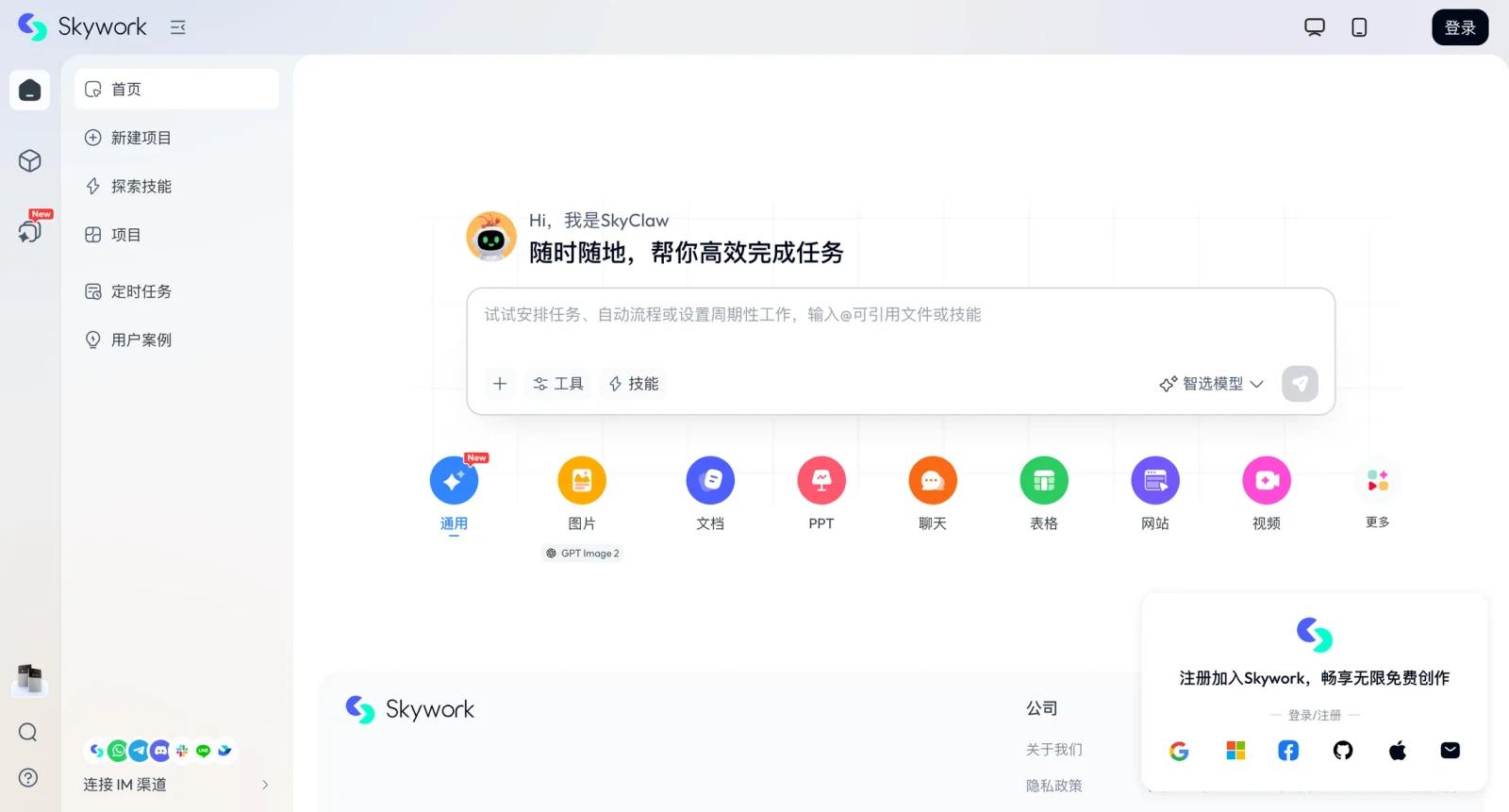
Skywork is an AI workspace agent platform for people who want to produce finished work artifacts rather than only chat with a model. The product groups several creation modes into one workspace, including general AI work, images, documents, slides, sheets, AI developer workflows, podcasts, YouVibe, Skypage, and skills.
The core value is breadth. A user can move from research and drafting into presentation, spreadsheet, page, or media-style output without assembling a separate stack for every format. That makes Skywork more of an AI productivity workspace than a narrow writing assistant. Teams focused specifically on spreadsheet outputs can also compare Microsoft Excel Copilot.
For users comparing AI productivity tools, Skywork should be evaluated against artifact quality, export needs, credit limits, and whether its agent workflows produce work that is easier to revise than a normal chat response.
Key Features
- AI workspace agents - Use agent-style workflows to plan, generate, and refine work across multiple output formats.
- Document mode - Create structured documents, reports, and written deliverables from research or prompts.
- Slides and sheets modes - Generate presentation and spreadsheet-style outputs for business, analysis, and planning workflows.
- Image and media creation - Use image, podcast, YouVibe, and Skypage workflows when the deliverable is not just text.
- Skills ecosystem - Access dedicated skills for more specialized workflows rather than starting every task from a blank prompt.
- Free and paid membership structure - Start with free access, then evaluate Plus or Ultra based on credit limits, quality, and included benefits.
Pricing & Plans
Skywork offers free access and paid membership options such as Plus and Ultra. The public pricing experience is account and region dependent, so the safest approach is to verify current prices, credits, included models, and hardware or annual-membership promotions inside the Skywork pricing or upgrade flow.
| Plan | Pricing | Best fit |
|---|---|---|
| Free | Free access with limits | Testing document, slide, image, and workspace-agent workflows |
| Plus | Paid membership, check current upgrade page | Users needing higher limits, more consistent output, and everyday productivity workflows |
| Ultra | Paid premium membership, check current upgrade page | Heavy users who need more advanced access, higher quality, or additional membership benefits |
Before paying, review monthly versus annual terms, credit consumption, which modes are unlimited or limited, export rights, model availability, and whether promotions apply only to annual plans.
Best For
- Operators producing reports, decks, pages, and spreadsheet-style outputs
- Founders and marketers who want one AI workspace for many content formats
- Analysts testing AI-generated documents and slides before manual cleanup
- Creators who need text, images, and media concepts in one workflow
- Users comparing Skywork with broad AI data analysis and productivity tools
FAQ
What is Skywork?
Skywork is an AI workspace agent platform for producing documents, slides, sheets, images, media, and other work artifacts.
Is Skywork free?
Skywork provides free access, with paid Plus and Ultra membership options for heavier use.
How much does Skywork cost?
Pricing is best confirmed in the current Skywork upgrade flow because membership prices, credits, and promotions can vary.
What can Skywork create?
Skywork supports workflows for general AI tasks, documents, slides, sheets, images, AI developer work, podcasts, YouVibe, Skypage, and skills.
Is Skywork only a writing tool?
No. Writing is only one part of the platform; the broader focus is workspace agents and multi-format deliverables.
Who should use Skywork?
It is best for users who regularly turn ideas or research into structured artifacts such as reports, decks, sheets, and pages.
What should teams test first?
Teams should test output quality, export formats, credit usage, collaboration needs, and whether generated artifacts are easy to edit.
Does Skywork replace human review?
No. It can accelerate production, but important documents, data work, and public assets still need review.