



Overview
Simplified AI Flyer Generator is a flyer-creation workflow inside Simplified’s broader AI design and marketing platform. The product page positions it as a fast way to turn ideas into flyers using templates, AI-assisted design, and easy editing rather than requiring full graphic-design expertise.
That context matters because the flyer generator is not a standalone flyer-only product. It sits inside Simplified’s larger app, which also includes AI writing, video, social scheduling, and design workflows. So the value is not only in making one flyer, but in keeping flyer creation inside a broader content-production system.
As of April 25, 2026, Simplified publicly describes the AI Flyer Generator as free to use, beginner-friendly, exportable in PNG, JPG, SVG, and PDF, and accessible across devices. The strongest fit is for users who want simple flyer creation plus a wider AI marketing toolkit in the same platform.
For adjacent research, compare AI video generator tools, AI video editor tools, AI thumbnail maker tools.
Key Features
AI-assisted flyer design - Simplified positions the tool as an AI flyer generator that helps users turn ideas into finished flyer visuals quickly.
Template-driven workflow - The page emphasizes pre-designed templates and template variations as the main starting point.
Beginner-friendly editing - Simplified repeatedly frames the tool as usable without design skills.
Cross-device access - The page says users can access and edit flyers across desktop, tablet, and smartphone workflows.
Brand-oriented customization - Simplified highlights brand color customization and flyer personalization around the user’s identity.
Multiple export formats - The product page says flyers can be exported as PNG, JPG, SVG, and PDF.
Pricing & Plans
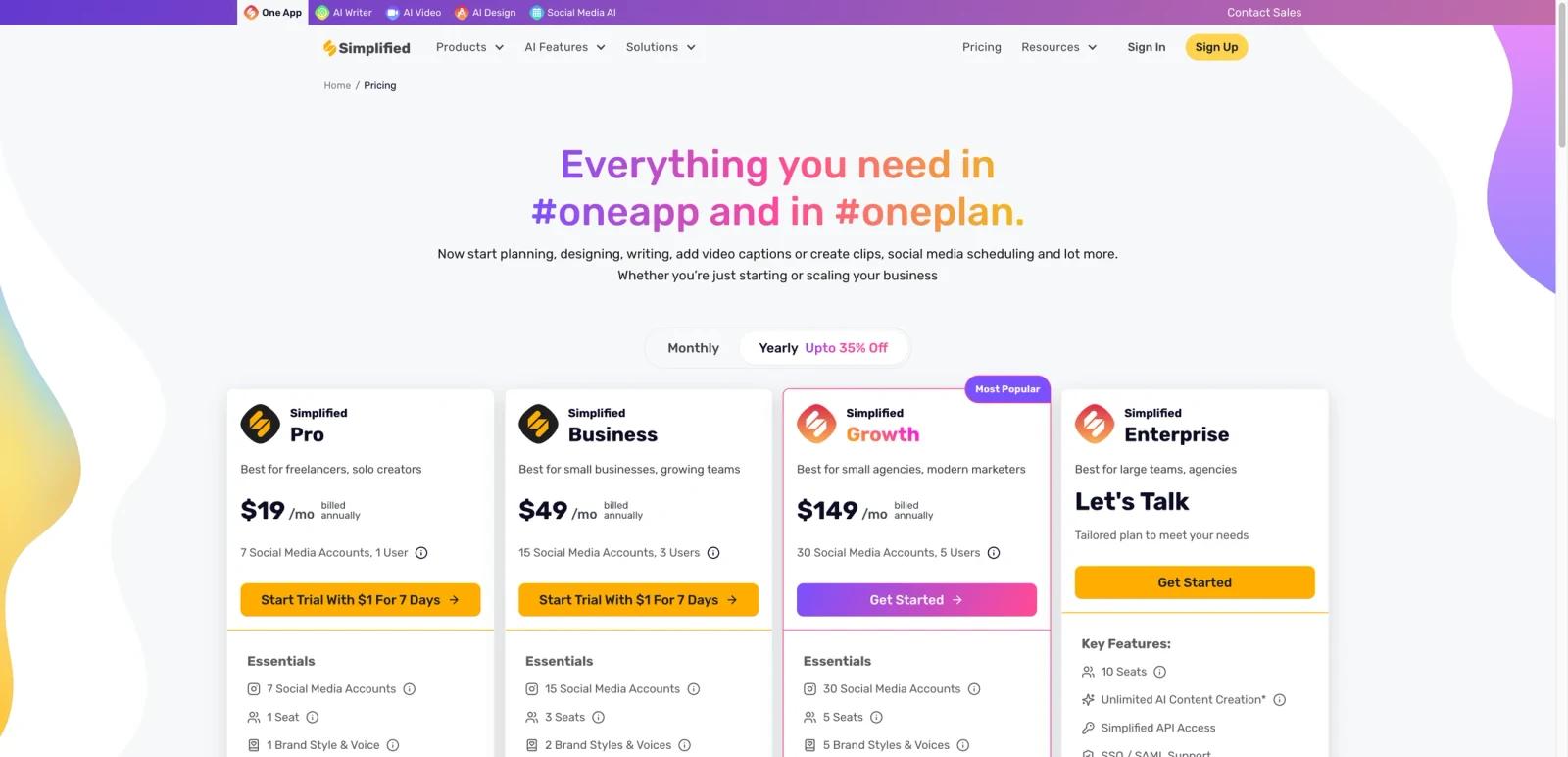
Simplified does not sell the AI Flyer Generator as a separate standalone subscription. It is part of Simplified’s broader pricing model.
| Plan | Pricing | Best fit |
|---|---|---|
| Free Forever | $0 | Users testing flyer creation, templates, and entry-level Simplified workflows |
| Pro | $19/month billed annually | Freelancers and solo creators using Simplified across design and marketing tasks |
| Business | $49/month billed annually | Small teams needing more accounts, more users, and stronger collaboration |
| Growth | $149/month billed annually | Agencies and modern marketing teams needing more scale, reporting, and storage |
| Enterprise | Custom pricing | Large teams needing tailored support, more seats, workflow automation, and enterprise controls |
The flyer page itself says the tool is free to use, but real workflow depth still depends on the broader Simplified plan you are on. For one-off design needs, the free path may be enough. For ongoing team use, brand management, social workflows, and higher-volume AI usage, you are really evaluating Simplified as a platform rather than just this flyer page.
Best For
- Small businesses creating simple marketing flyers quickly
- Solo creators who also want AI writing, video, and social tools in one app
- Teams already considering Simplified for broader content workflows
- Users who want beginner-friendly flyer creation without full design software complexity
- Marketers needing reusable templates and cross-device access
FAQ
What is Simplified AI Flyer Generator?
It is Simplified’s AI-assisted flyer creation workflow that uses templates and editing tools inside the broader Simplified platform.
Is Simplified AI Flyer Generator free?
The official flyer page says the tool is free to use, and Simplified also publicly lists a Free Forever plan.
What formats can I export flyers in?
Simplified says flyers can be exported in PNG, JPG, SVG, and PDF.
How much does Simplified cost?
Simplified’s current yearly-billed plans are Pro at $19/month, Business at $49/month, Growth at $149/month, plus Enterprise with custom pricing.
Who should use Simplified AI Flyer Generator?
It is best for users who want easy flyer creation inside a broader AI content and marketing platform.
How much does Simplified AI Flyer Generator cost?
Pricing can change by plan, billing term, region, and usage limits. Check the official website for the current plan details before purchase.


